
A solid website project planning process is the one thing that will stop a project from collapsing. It's the work you do before anyone writes a single line of code or picks a font—defining goals, scope, timelines, and resources to make sure everyone is pulling in the same direction.
Why website projects derail and how yours won’t

Let’s be honest: a lot of website projects go completely off the rails. It happens far more often than agencies like to admit. A project kicks off with plenty of excitement and a clear vision, only to get bogged down in endless revisions, blown deadlines, and a budget that spirals out of control.
The number one culprit? Scope creep. It's that quiet force that turns a straightforward website redesign into a sprawling, complex build that nobody originally signed up for. It starts with a simple, "Can we just add…" or "What if it also did…" and suddenly, the project's original boundaries are a distant memory.
The real cost of poor planning
This isn't just a minor headache; the consequences ripple through an entire agency. When a project’s scope expands without any checks, timelines are the first casualty. What was supposed to be a three-month job stretches into six, then nine, throwing your whole agency's resource schedule into chaos.
Your team gets burned out. The designers, developers, and project managers who were once excited are now just slogging through, trying to get the project over the finish line. This leads to rushed work, a nosedive in quality, and a deeply frustrated team.
Client relationships also take a beating. A promising partnership sours as delays pile up and invoices grow. The trust you worked so hard to build evaporates, replaced by tension and a string of difficult conversations. In the end, profitability takes a massive hit as all those unplanned hours eat away at your margins, sometimes turning a good project into a net loss.
Understanding the enemy: scope creep
Scope creep isn’t just a buzzword; it’s a measurable disaster. A shocking 70% of projects suffer from it, with initial requirements ballooning without control. This is a huge reason why only 29% of projects actually finish on time and on budget, leaving teams scrambling to pick up the pieces.
This is exactly why a structured planning process is non-negotiable. It isn’t about creating rigid, unbreakable rules. It’s about building a strong defense from day one.
A great plan doesn't just outline what you will do; it clearly defines what you won't do. This clarity is your single best defense against client frustration and team burnout.
By investing time upfront to define goals, get stakeholder buy-in, and document every requirement, you create a shared understanding of success. You establish a "source of truth" to refer back to whenever a new idea or request pops up. This process is how you turn vague wishes into concrete, agreed-upon deliverables. If you want to get ahead of the problem, our guide on how to prevent scope creep is a great place to start.
This guide will walk you through a practical, data-driven planning framework. We'll show you how to build a plan that protects your team, delights your clients, and—most importantly—keeps your projects profitable and on track.
Defining the project scope and business goals
This is where your website project will either succeed or fail. It’s a bold statement, but after years in the trenches, I can tell you it's true. A beautiful design or flawless code is useless if the website doesn’t actually solve a real business problem.
Your first job is to move past the initial client brief and really get to the heart of their goals. This means getting all the key players in a room (or on a video call) and just listening. What does the CEO want to see happen? What’s the sales team’s biggest headache with the current site? What drives the marketing team crazy on a daily basis?
Each stakeholder has a unique and valuable perspective. Your role is to pull all these threads together into one cohesive set of objectives.
From vague wishes to concrete goals
Clients rarely come to you with a perfect set of measurable goals. Instead, you'll hear things like, "We want a more modern look," or "It just needs to be more user-friendly." These are fine starting points, but they are terrible project goals because you can’t measure them.
Your most important task at this stage is to translate those fuzzy wishes into Specific, Measurable, Achievable, Relevant, and Time-bound (SMART) goals.
A project without clear, measurable goals is just a creative exercise. A successful website project is a business tool designed to produce a specific outcome.
Here’s what that translation looks like in practice:
- Vague Wish: "We want a modern look."
- Concrete Goal: "Reduce bounce rate by 20% on key landing pages and increase average time on page by 30 seconds within six months of launch."
- Vague Wish: "The site needs better navigation."
- Concrete Goal: "Decrease the number of clicks to reach a contact form from the homepage from four to two, and increase form submissions by 15%."
- Vague Wish: "We need to improve our mobile experience."
- Concrete Goal: "Achieve a Google Mobile-Friendly Test score of 95+ and grow mobile-driven conversions by 25% in the next quarter."
This process forces everyone to agree on what success actually looks like in hard numbers. It’s how you prove your agency's value when the project is done.
Nailing down the 'must-haves' vs. 'nice-to-haves'
During these early conversations, feature requests will start flying at you from all directions. The marketing team wants a new blog, sales wants a complex ROI calculator, and the CEO saw a cool animation on a competitor's site. This is where scope creep is born.
To get ahead of it, you need to ruthlessly prioritize. A simple framework can help everyone align on what’s truly essential for hitting the core business goal versus what’s just a "nice-to-have."
| Priority Level | Description | Example Feature | Impact on Core Goal |
|---|---|---|---|
| Must-Have | Absolutely essential for the site to function and meet the primary business goal. | A functioning e-commerce checkout process. | High: Without it, the goal of increasing online sales is impossible. |
| Should-Have | Important and adds significant value, but the project could launch without it if necessary. | Advanced product filtering (by color, size). | Medium: Improves user experience and can boost sales, but not a dealbreaker for launch. |
| Could-Have | Desirable but has a small impact. A "nice-to-have" if time and budget allow. | A "related products" carousel on the cart page. | Low: A minor optimization that could be added in a future phase. |
| Won't-Have (for now) | Explicitly out of scope for this phase of the project. | A customer loyalty points system. | None: A separate project with its own goals and budget implications. |
Using a table like this in your planning meetings makes the conversation tangible. It shifts the focus from a random wishlist to a strategic discussion about impact and ROI, which is exactly where you want it to be.
Building your scope document
All of this discovery work culminates in a detailed project scope document. Don't treat this as a formality—it’s your project’s constitution. A good starting point is understanding what a design brief is, as it forms the initial blueprint. Your scope document will take that and flesh it out with every detail.
It absolutely must outline:
- The project’s business goals and KPIs
- A complete list of deliverables (e.g., wireframes, mockups, number of unique page templates)
- The specific features and functionalities to be included
- What is explicitly out of scope (e.g., CRM integration, blog content creation)
This last point is your secret weapon. Clearly defining what you won't be doing is just as important as defining what you will.
Getting this document signed off by the client isn't just a box to check; it’s a big milestone. It becomes the single source of truth for every decision moving forward. When a new feature request inevitably pops up mid-project, you can point back to the agreed-upon scope and have a productive conversation about adjusting timelines and budget—instead of just absorbing the extra work. This is how you stop scope creep dead in its tracks.
Building your blueprint with timelines and resources
Your scope document is signed and sealed. That’s the foundation. Now, it’s time to draw up the project’s actual blueprint, translating those big-picture goals into a concrete plan with a visual structure, a clear schedule, and the right people on the job.
This process kicks off with Information Architecture (IA). Think of IA as the architectural drawings for your website. We’re not talking about colors or fonts yet. This is all about creating a logical, intuitive structure for the site's content.
Charting the user’s path with sitemaps and wireframes
Good IA begins with a sitemap. A sitemap is a simple flowchart that maps out every page on the site and how they all connect. It gives you a bird's-eye view of the entire website, making it easy to spot confusing navigation paths or redundant pages before a single pixel gets designed.
Once the sitemap gets the green light, we move on to wireframes. Wireframes are basic, black-and-white layouts for the most important pages. They are intentionally simple—just boxes and lines—because their only job is to define the hierarchy of information on a page. Where does the main call-to-action go? What content needs to sit above the fold?
This foundational process of defining scope is what feeds directly into creating these architectural documents.
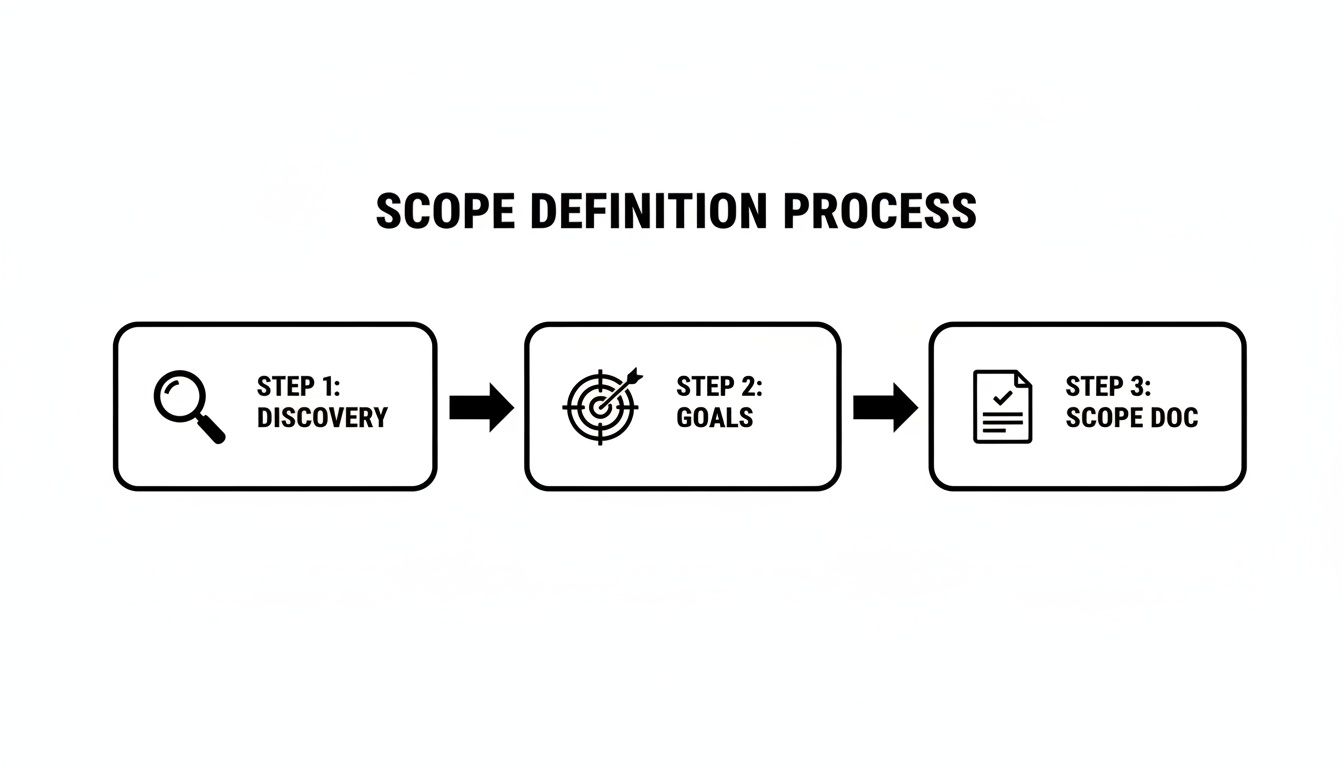
As you can see, a thorough discovery phase leads to clear goals, which are then formalized in a scope document. This paves the way for effective timeline and resource planning.
From blueprint to schedule
With your sitemap and wireframes in hand, you can finally build a realistic project timeline. A common mistake is creating one massive, monolithic schedule. It's far more effective to break the project down into distinct phases.
A typical website project often includes these phases:
- Phase 1: Design: Creating the visual mockups based on approved wireframes.
- Phase 2: Development: Building the functional website, covering both front-end and back-end work.
- Phase 3: Content Entry: Populating the new site with all the text, images, and media.
- Phase 4: Quality Assurance (QA): Methodically testing every link, form, and function across different browsers and devices.
- Phase 5: Launch: Deploying the site to the live server.
Within each phase, you’ll set specific milestones. A milestone isn't just a date; it's a significant checkpoint like "Client Approval of Homepage Design" or "Completion of Back-End Development." They help you track real progress and keep the entire team aligned.
A timeline without milestones is like a road trip without any road signs. You might be moving, but you have no idea if you're actually getting closer to your destination.
The explosive growth of project management software, a market set to hit $39.16 billion by 2035, shows just how important this planning is. This boom is fueled by a need for better project visibility, which 45% of organizations cite as a direct contributor to their success. Features like burndown charts, which 21% of users want, are fantastic for visualizing progress and managing client expectations.
Allocating your most valuable asset: your team
The final piece of your blueprint is resource allocation. A beautiful plan is completely useless if you don't have the right people available to execute it. This is where so many agencies run into trouble—they commit to a timeline without checking their team’s actual capacity.
Effective resource allocation comes down to a few key things:
- Assigning Tasks: Match tasks from your timeline to the team members with the right skills. Your best UX designer should be on the wireframing, not debugging a plugin.
- Estimating Hours: Work with your team to estimate the hours needed for each task. Don't guess. Their hands-on experience is your most accurate data source.
- Checking Capacity: This is the most important step. You need a clear, real-time view of your team’s availability. Overbooking your developers might get a project started faster, but it’s a direct path to burnout, missed deadlines, and poor-quality work.
This is where connecting your project plan to your team's real-world calendars becomes a game-changer. Using tools that sync project tasks with calendar data, you can see exactly who is available and when. It shifts resource allocation from a guessing game to a data-informed decision. Our complete guide on resource planning for projects dives much deeper into these strategies.
This visibility helps you build a timeline that is not just ambitious, but genuinely achievable. It sets a sustainable pace for your team and is the secret to keeping your project on track from start to finish.
Budgeting and tracking for project profitability
A project plan is nothing but a wish list until you tie it to a real-world budget. For any agency, budgeting isn't just about sending a quote—it's about defending your profitability from kickoff to launch. This is an absolutely essential piece of your website project planning framework.
Your first major decision is choosing the right pricing model. Each has its own risks and rewards, and the best fit really depends on the project’s complexity and your relationship with the client.
Finding the right pricing model
In the agency world, you'll generally run into three common models.
- Fixed Fee: You and the client agree on a single, all-in price for a tightly defined scope of work. Clients love this because it offers cost certainty, but it shifts all the risk onto your shoulders. Underestimate the effort or let scope creep happen, and your profit margin can evaporate overnight.
- Time and Materials (T&M): The client pays an agreed-upon hourly or daily rate for the actual time your team invests, plus any direct costs. T&M is a much safer bet for agencies, especially for projects where the scope might change. The only catch? Some clients get anxious about an open-ended budget.
- Retainer: The client pays a recurring monthly fee for a block of hours or ongoing access to your team. This is perfect for long-term partnerships involving continuous improvements, support, or new feature development post-launch.
Getting a handle on the financial side is non-negotiable for a profitable project. To see where your numbers stack up against industry averages, check out guides on the real small business website design cost. This can help you set budgets that are fair for both your client and your agency.
Moving beyond manual timesheets
Once the budget is approved, the real challenge begins: tracking it. This is precisely where most agencies spring a leak and lose profit.
Relying on manual timesheets filled out after the fact is a recipe for failure. Your team forgets what they worked on, they guesstimate hours, and the data you finally get is days—or even weeks—old. By the time you spot a budget overrun, the damage is already done.
The most profitable agencies don't just track time; they track profitability in real time. They know exactly where a project's budget stands today, not where it was last Tuesday.
This requires a complete shift away from manual data entry. The answer is automated time tracking that plugs directly into your team’s daily workflow. When your project management system can see your team's Google or Outlook calendars, it can log that time against the right project automatically.
Suddenly, that two-hour design review on the calendar isn't just a meeting—it’s two billable hours logged instantly. No more chasing people for timesheets. No more guesswork.
Using data to protect your margins
This automated approach gives you a live, up-to-the-minute dashboard of your project's financial health. With tools like TimeTackle, you can see your team’s actual utilization rates and the real-time ROI of every single project. For a project manager, this is a total game-changer. Our article on managing project management costs dives even deeper into these strategies.
Instead of nervously waiting for a weekly report, you can catch budget issues the moment they appear.
- Is the design phase burning through hours faster than you planned? You’ll see it on the dashboard and can have a conversation with the team and client right away. This lets you make an informed decision to either trim the scope or get approval for more budget.
- Is a specific developer consistently underutilized? Maybe they're blocked on a task or simply need more work assigned. This data fuels proactive resource decisions, not reactive scrambles.
This kind of real-time visibility turns budget management from a stressful, backward-looking chore into a proactive, strategic advantage. You can finally make data-backed decisions that protect your profit margins and keep projects on track, ensuring all your careful website project planning actually pays off.
Managing risks and preparing for a smooth launch

Let's be honest: even the most perfectly planned website project will hit some turbulence. The real test isn’t avoiding problems altogether—it’s how you handle them. The difference between a minor hiccup and a full-blown crisis comes down to how prepared you are.
This is where risk management becomes your safety net. It’s not about creating dense, bureaucratic documents. It’s about having candid conversations with your team and asking one simple question: "What could go wrong here?" Thinking through potential issues before they happen is what turns panicked reactions into calm, measured responses.
Identifying and preparing for project risks
First things first, get your team in a room (or on a call) and brainstorm every potential obstacle you can think of. Look back at past projects. What went wrong? Delays in client feedback, a third-party API suddenly failing, or a key developer getting sick are all fair game.
Once you have a list, you can build a simple risk plan. For agencies, this is a valuable exercise to anticipate and get ahead of the most common roadblocks.
Here’s a quick-reference table we use to get the conversation started. It helps our teams think through what could happen and what we’ll do when it does.
Common project risks and mitigation strategies
| Risk Category | Specific Risk Example | Potential Impact | Mitigation Action |
|---|---|---|---|
| Client-Side | Key stakeholder is on vacation during the feedback window. | Delays project timeline by a week; impacts resource scheduling. | Confirm all stakeholder availability during kickoff and build buffer days into the timeline. |
| Technical | A required WordPress plugin has a major security vulnerability. | Forces a search for an alternative, causing development delays and potential rework. | Vet all third-party plugins thoroughly; have backup options researched in advance. |
| Resource | Lead developer gets pulled onto an urgent, higher-priority project. | Project stalls; other team members are blocked. | Use resource planning tools to ensure no one is over-allocated; have a secondary developer briefed on the project. |
| Scope | Client requests a new e-commerce feature after the development phase has started. | Increases project cost and pushes back the launch date. | Refer back to the signed scope document; create a formal change order with updated costs and timeline for client approval. |
This kind of proactive thinking transforms potential disasters into manageable issues. When you have a Plan B ready to go, you keep the project on track and maintain your client’s confidence.
The final stretch: quality assurance
As you approach the finish line, your focus must shift to Quality Assurance (QA). This isn’t about just clicking a few links before you go live. It’s a methodical process to make sure the final website is polished, professional, and free of any embarrassing bugs. A rushed QA phase can completely undo months of incredible work.
Your QA checklist needs to be exhaustive, covering every angle of the site’s performance and user experience.
A great launch isn’t about flipping a switch. It’s the result of a rigorous testing process that ensures every detail works exactly as intended, protecting both your reputation and the client's investment.
At a minimum, your QA testing should cover these four areas:
- Functionality Testing: Does every single link, button, and form work flawlessly? Test contact forms to see if they send notifications to the right email. Go through the entire checkout process to ensure it completes without a hitch.
- Browser and Device Compatibility: Your site has to look great and work perfectly everywhere. Test it on Chrome, Firefox, and Safari, and pull it up on desktops, tablets, and phones of different sizes.
- Performance Testing: How fast does the site actually load? Use tools like Google PageSpeed Insights to hunt down and fix slow-loading images, clunky code, or server issues that create a frustrating user experience.
- Basic SEO Checks: This is non-negotiable. Confirm that every page has a unique title tag and meta description, all images have alt text, and an XML sitemap is generated and ready for submission.
Creating your launch day playbook
The last piece of the website project planning puzzle is the launch plan. Launch day should feel calm and orderly, not like a chaotic, last-minute scramble. A launch playbook is your step-by-step checklist that guides the entire team through a smooth deployment.
This playbook should detail the whole sequence of events, from start to finish. It usually includes:
- Pre-Launch Checks: This is your final run-through of the QA checklist on the staging server. It also involves backing up the old site (if there is one) and the new site's database. No exceptions.
- The Go-Live Sequence: This outlines the specific technical steps for deployment. It might involve updating DNS records, migrating the database, and running a final search-and-replace to get rid of any stray staging URLs.
- Post-Launch Monitoring: The moment the site goes live, your team needs to be on high alert. You should be actively monitoring for 404 errors, broken forms, or any other unexpected issues. Setting up uptime monitoring is an absolute must.
This structured approach takes the guesswork out of launch day and dramatically cuts down the chances of a stressful, error-filled deployment. It’s how you ensure the project ends on a high note, delivering a fantastic product that both your team and your client can be proud of.
Common questions about planning website projects
No matter how airtight your project plan is, the real world always throws a few curveballs. It's just part of running an agency. Let's tackle some of the most common questions that come up during website project planning and give you some battle-tested advice for handling them.
How should I handle client feedback that falls outside the scope?
Ah, the big one. A client gets a peek at the progress, inspiration strikes, and suddenly they have a "small" idea that wasn't in the original plan. The absolute worst thing you can do is just agree to it. That's a one-way ticket to scope creep, burned-out teams, and vanishing profit margins.
Instead, you need to be positive but firm. Acknowledge the idea, then immediately guide the conversation back to the scope document everyone signed.
"That's a fantastic idea, and I can definitely see how it would add value. It falls outside the current scope we agreed on, but I'd be happy to scope it out as a separate mini-project. I can put together a quick change order that details the impact on the timeline and budget, and you can decide if you'd like to move forward with it."
This simple script is a game-changer. It does two key things:
- It makes the client feel heard and validates their input.
- It immediately reframes the request as a formal business decision, not a little favor you can just squeeze in.
You've turned a potentially awkward moment into a professional discussion about trade-offs, putting the ball back in the client's court while protecting your resources.
What’s the best project management tool?
Honestly, there’s no single “best” tool. The right one is whichever one your team will actually use consistently. That said, the market is always shifting. For example, Microsoft recently announced it will retire Project for the web in August 2025, rolling its users into a new, unified Microsoft Planner.
This move points to a broader trend: integrated platforms that cut down on app-switching. When you're shopping around, don't get mesmerized by a long feature list. Ask these questions instead:
- How steep is the learning curve? If it takes weeks for your team to get comfortable, it’s already costing you money.
- Does it talk to our other tools? Integrations with your calendar, CRM, and apps like Slack or Teams are non-negotiable for saving time.
- Can I see the whole picture? You need real-time visibility into budget burn, resource allocation, and progress without chasing down manual reports.
The goal is a single source of truth, not another piece of software your team has to wrestle with every day.
How do I estimate timelines for complex custom features?
Estimating custom development is tough; it’s loaded with unknowns. The biggest mistake is giving a firm number off the cuff. The only reliable way to do this is to break the problem down and bring in your technical experts.
- Sell a Discovery Phase: Before you commit to anything, propose a small, paid discovery or scoping engagement. A senior developer or tech lead can use this time to map out requirements, flag potential roadblocks, and create a high-level technical approach.
- Deconstruct the Feature: With that technical plan, work with your developer to break the feature into the smallest possible chunks. Think granular: "Set up the database," "Build the API endpoint," "Create the front-end form."
- Estimate with a Buffer: Have the developer put an hourly estimate on each tiny task. Then, add a healthy buffer—we’re talking at least 20-30%. No custom feature gets built perfectly the first time around; you need to account for testing, debugging, and those inevitable "uh-oh" moments.
This process replaces a wild guess with a data-backed estimate. It also shows the client that you're methodical and committed to getting it right, which is a cornerstone of professional project planning.
Turning chaotic projects into profitable, well-run engagements all comes down to visibility. TimeTackle gives you the real-time insights you need by automatically syncing with your team's calendars. You get a live, accurate view of project budgets, team utilization, and profitability without the manual tracking. Stop guessing and start making data-driven decisions. Learn more at https://www.timetackle.com.