



The Tackle MCP server connects Claude, ChatGPT, Cursor and other MCP-compatible assistants to your Tackle workspace.
Tackle already captures time from Google and Outlook calendars. The MCP server lets your assistant read it and log time for you.
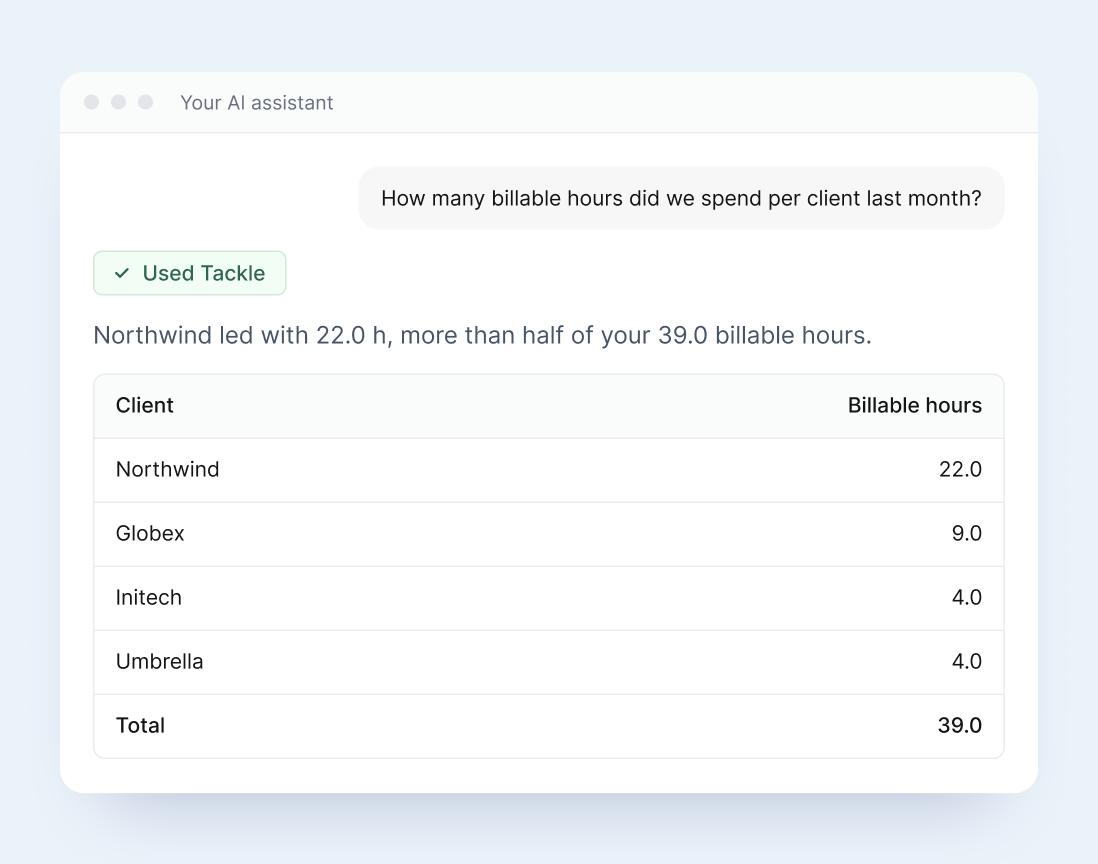
Ask for hours by client, project, person, team or tag and get a table back in the chat. No CSV downloads, no spreadsheet clean-up.
Drop the numbers straight into a client update, a weekly review or a project plan.

Create, update or delete manual time entries in one sentence, while you write, code or plan.
Entries land on your calendar and show up in Tackle like any other time.
Pull upcoming or past events with their Tackle tags: category, project, client and billable status.
Prep for the day, write a status update or plan the week with your real schedule in view.


Ask which days your team is busiest, compare people and teams, or find open windows for focused work.
Use the answers to rebalance meetings before the week gets away from you.
Claude, Claude Code, ChatGPT, Cursor, and everything else that speaks MCP.


Sign up, connect your calendar, then add Tackle to your AI assistant.
Connect your Tackle data to the AI assistants you already use.
Hours by person, team, project, client or tag for any date range you name.
Create, update and delete manual entries on your calendar from a single sentence.
Upcoming and past events with category, project, client and billable tags.
Busiest days, comparisons across people and teams, and open time windows.
Answers use the categories, projects, clients and properties you set up in Tackle.
The server signs in as you and follows the same access you have in Tackle.











It is Tackle’s official Model Context Protocol (MCP) server. It lets AI assistants such as Claude, ChatGPT and Cursor read your Tackle time and calendar data and create or update manual time entries, through normal conversation.
Claude, Claude Code, ChatGPT (with developer mode on supported paid plans), Cursor and any other assistant that supports remote MCP servers.
No. The server signs in as you, so your assistant can only see and do what your Tackle account allows. It changes time entries only when you ask.
No. Tackle captures time from your connected calendars as usual. The MCP server only reads that data, or logs an entry, when you ask your assistant to.
See our pricing plans for what each Tackle plan includes, or get a demo and we’ll walk you through it.
Sign up, connect your calendar, then add the Tackle MCP server.