
Connect Google Calendar to Tackle and every event becomes tracked time - tagged by client, project, or activity, and ready to report, export, or bill. No timers to start. No Friday memory tests.
 Calendar
  Tackle
 When you sign in with Google, Tackle syncs the calendars you choose – including shared and delegated calendars – and keeps them updated automatically. Every event arrives with its title, time, duration, attendees, and description intact.
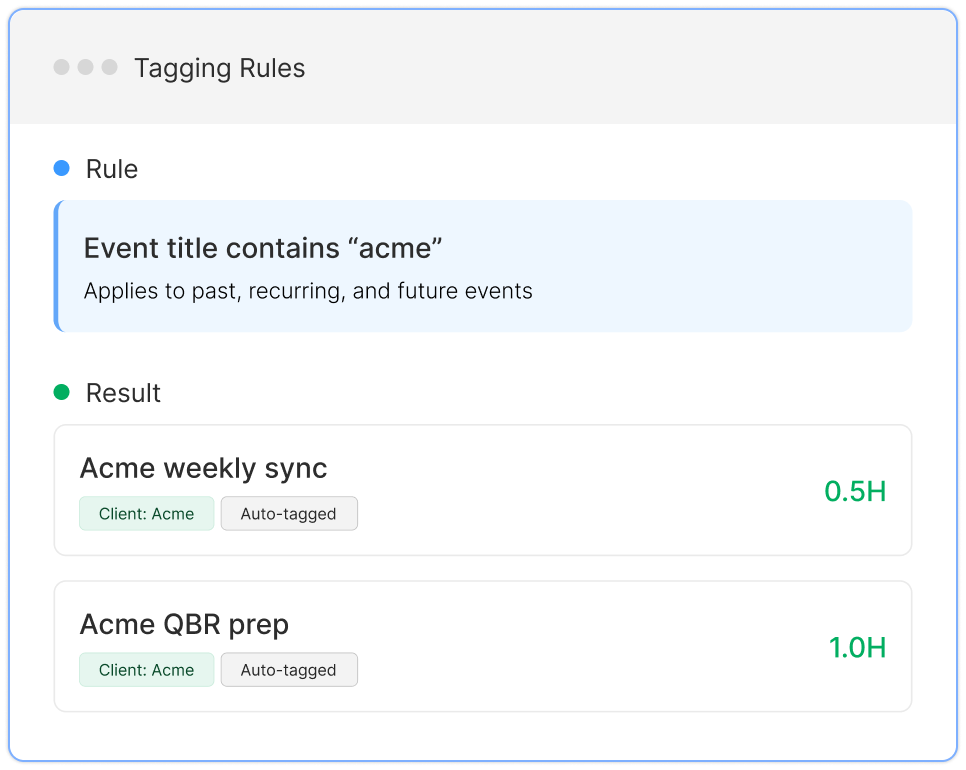
From there, Tackle’s tags and properties turn raw events into structured time data: “Acme kickoff” becomes 1.5 hours tagged Client: Acme, Type: Meeting. Tagging rules apply automatically to recurring and future events, so the work of categorizing your week shrinks to minutes.
Your data flows one way – from Google Calendar into Tackle. Tackle requests read access to your calendar and never edits or deletes your events.
Running calendar audits and monthly time reviews for their execs.
Reconstructing billable hours from meetings instead of chasing timers.
Measuring time spent per account and meeting load per rep.
Feeding accurate meeting hours into payroll and capacity planning.
Tackle sits between the calendars your team already lives in and the systems your business runs on – enriching, tagging, and totalling every event on the way through.
Sources
Tackle
Destinations
Google CalendarEvents, guests, duration  Outlook CalendarShared & delegated
  CRMAccounts & deals
 Every event, processed on arrival
 Google Sheets
  Excel, CSV, PDF
  Tackle API
  Zapier & MCP
  CRM write-back
 One-way sync in. Read-only on your calendars – Tackle never edits or deletes events.
Watch how a week of Google Calendar events becomes a tagged, reportable timesheet – from first sign-in to first export.
Your meetings are already scheduled. Tackle reads them, tags them, and totals them - so timesheets build themselves while you work.
Sum hours by client, project, meeting type, or person. Run a calendar audit for an exec, or see where a team's week actually went versus the plan.
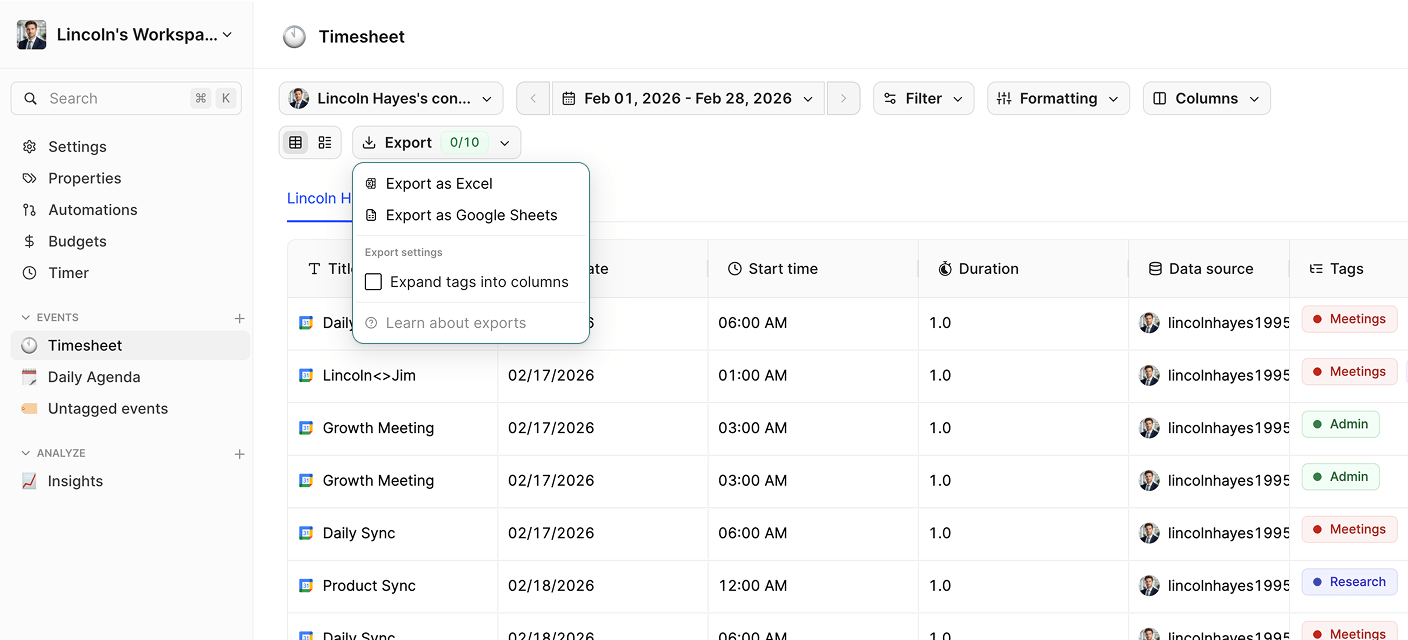
Export any date range to Excel, CSV, PDF, or a live-syncing Google Sheet - formatted for invoicing, payroll, or board reporting.

Step 2

Step 3

Step 4
Yes. After you connect once, Tackle keeps your calendar synced automatically – new, changed, and deleted events are reflected without manual refreshes.
Yes. Tackle imports your calendar history, so you can audit and report on months of past events immediately – not just from the day you sign up.
Yes. You can sync multiple calendars, including shared and delegated calendars – useful for EAs managing an executive’s schedule.
No. The integration reads your calendar; tags and edits made in Tackle stay in Tackle.
Yes. Tackle uses enterprise-grade encryption in transit and at rest.
Yes – calendar sync is included in Tackle’s free plan. Paid plans add advanced reporting and team features.
Connect in under two minutes. Free forever, no credit card.


