
Connect your Microsoft 365 or Outlook calendar to Tackle and every meeting becomes tracked time - tagged by client, project, or activity, ready to report or export. No timers, no manual entry.
 Calendar
  Tackle
 Sign in with your Microsoft account and Tackle syncs the Outlook calendars you choose – personal, shared, and delegated – and keeps them updated automatically. Events arrive complete: title, time, duration, attendees, description.
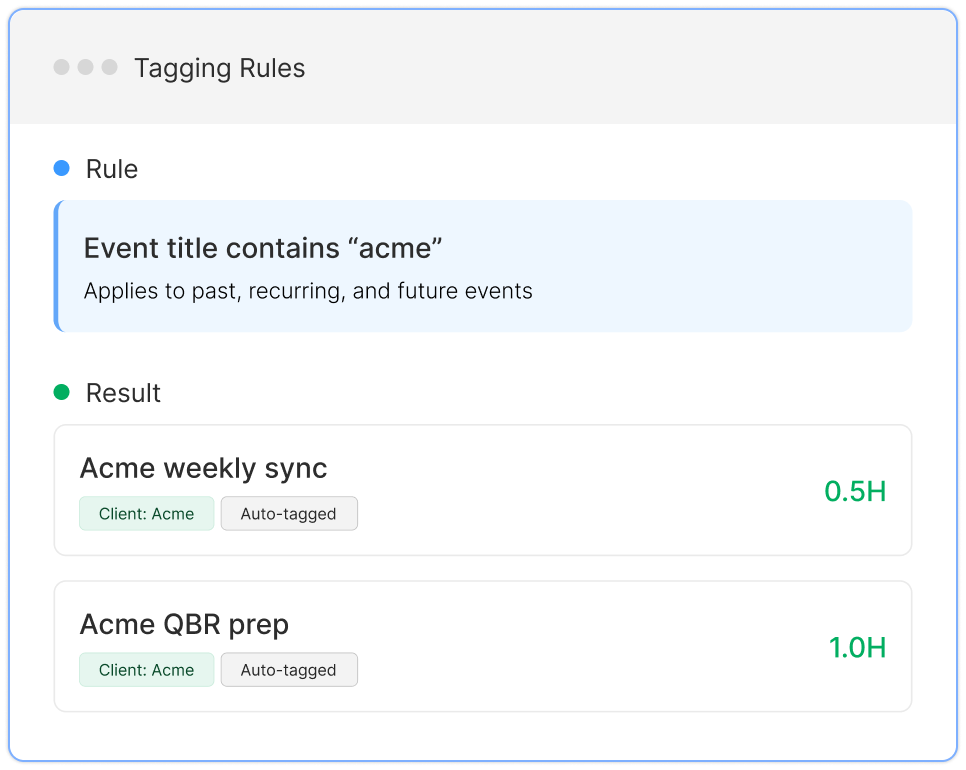
Tackle’s tags and properties then structure that raw calendar into time data you can analyze. A recurring “Acme weekly sync” gets tagged Client: Acme, Type: Meeting once, and every future occurrence follows automatically.
Data flows one way – from Outlook into Tackle. Your Outlook calendar is never modified.
Tackle sits between the calendars your team already lives in and the systems your business runs on – enriching, tagging, and totalling every event on the way through.
Sources
Tackle
Destinations
 Google CalendarEvents, guests, duration Outlook CalendarShared & delegated
  CRMAccounts & deals
 Every event, processed on arrival
 Google Sheets
  Excel, CSV, PDF
  Tackle API
  Zapier & MCP
  CRM write-back
 One-way sync in. Read-only on your calendars – Tackle never edits or deletes events.
From Microsoft sign-in to your first tagged report: watch a full week of Outlook meetings become a reportable timesheet.
Meetings land in Tackle as they happen. Timesheets and reports build themselves from the calendar your team already keeps.
EAs and Chiefs of Staff sync an exec's Outlook calendar and get monthly breakdowns of where their time went - by meeting type, department, or priority.
e to Excel, CSV, or PDF - or push it to a live Google Sheet - formatted for billing, payroll, or leadership reviews.
Step 1

Step 2

Step 3

Step 4

in Microsoft-first organizations running calendar audits.
on Microsoft 365 reconstructing billable hours from meetings.
that need time visibility without asking anyone to adopt a new tracking habit.
feeding accurate hours into payroll, staffing, and capacity plans.
Tackle works with Microsoft 365 work and school accounts and Outlook.com personal accounts.
Yes. Connect once and Tackle keeps your calendar in sync – new, updated, and cancelled meetings are reflected automatically.
Yes. Tackle imports calendar history so you can report on previous months right away.
Yes – shared and delegated calendars can be synced, which is how most EA and Chief of Staff teams use Tackle.
No. Tackle reads your calendar. Tags, notes, and edits made in Tackle never write back to Outlook.
Yes – calendar sync is included in the free plan. See pricing.
Two minutes to connect. Free forever, no credit card.


