
Your team's already living this. monday.com has the project board, Salesforce has the client history, QuickBooks has billing, and a spreadsheet somewhere still holds the numbers people trust most. By Friday afternoon, someone's stitching it all together by hand, and the report is late, the data is off, or both.
That's where a careful monday.com integration stops being a nice-to-have and starts acting like an operating rule. For mid-sized agencies, the point isn't to connect every app just because you can. The point is to move work and data cleanly enough that project leads, finance, and ops can trust what they're looking at without chasing five systems and two people for a single answer.
Why disconnected tools slow agencies down
A lot of agencies don't notice the damage right away because the pain shows up as “small” admin work. Someone exports time data from one tool, client status from another, and billing notes from a third, then pastes everything into a weekly report. That takes longer than it should, but the bigger issue is that each handoff creates room for stale data, missing fields, and bad calls on staffing or pricing.
That gets worse as teams grow. A 20-person shop can survive on memory and Slack messages for a while. A 50 to 200 person agency can't, because one missed update can ripple across delivery, client comms, and invoicing.
monday.com integration matters here because monday.com is built to sit in the middle of connected work, not just hold task lists. monday.com's FAQ says the platform supports 200+ integrations, including Salesforce, Jira, Microsoft Teams, Slack, and Zendesk, plus an open API and no-code automation features monday.com FAQ. That breadth matters when your agency has to move between client acquisition, delivery, and finance without rebuilding the same status by hand every week.
The real cost of disconnected tools isn't just time. It's the confidence gap that shows up when a report looks clean but nobody knows if it's current.
For agencies, that confidence gap is expensive. If delivery leads are pricing jobs from incomplete utilization data, or if account teams are reading the wrong CRM stage, the board looks busy while decisions get sloppier. Integrated workflows don't remove judgment, they keep judgment from being built on stale spreadsheets.
How monday.com integrations actually work
monday.com connects tools in a few different ways, and each one carries a different maintenance cost. For agencies, the question is not whether an integration exists, but how much control you keep when it starts moving live client data.
Native apps and recipes
The simplest path is the Integrations Center. monday.com's support docs say integrations are built around recipes, which are trigger-action workflows you start from a board after choosing an app monday.com Integrations Center. That is the basic “if this happens, do that” model, and it works well when the process is straightforward.
Native apps are quick to turn on, and they are usually the safest first move for common tools like Slack or Gmail. The trade-off is flexibility. Someone else built the connector, so setup is easier, but the field logic and routing rules may not match the way your agency works.
Middleware platforms
Tools like Zapier and Make sit between monday.com and a broader set of apps. The point is translation, not just connection. Industry coverage has described monday.com as having 70+ native integrations plus connectivity to 8,000+ additional apps through automation platforms such as Zapier and Make, which is useful when a niche tool has to feed into a standard monday.com workflow Fellow's monday.com integrations overview.
Middleware works best when the process is simple enough to pass through a middle layer. It breaks down when the sync starts depending on fragile field mapping, because every extra platform gives you one more place for an error to sit unnoticed. In an agency setting, that usually means the connector is fine for status updates and notifications, but less comfortable for anything that needs strict data handling.
API-driven builds
For custom work, monday.com exposes a GraphQL API at https://api.monday.com/v2, with a scope-based permission model across boards, docs, workspaces, users, updates, and webhooks monday.com GraphQL API details. That gives developers more control than a fixed-endpoint API, because the request can be shaped around the exact fields the workflow needs.
If your agency has dev support, this is the route for special logic, deeper sync rules, or client-specific workflows that do not fit a template. It is slower to build and harder to hand off casually, but it is often cleaner over time because the process logic lives in code instead of scattered no-code steps.
Webhooks
Webhooks push changes out in real time when board data changes. That matters for alerts, ticket creation, and downstream updates where delay creates problems. It also creates failure risk, because a weak retry policy or sloppy field map can turn a single update into duplicate work or conflicting records.
Practical rule: use native apps for common handoffs, middleware for cross-tool translation, APIs for bespoke logic, and webhooks only when timing really matters.
That rule becomes easier to manage when integration choices are tied to governance instead of convenience. Mid-sized agencies usually need one owner for each integration path, clear approval for what data moves, and a plan for what gets retired when a workflow changes. Without that, the board clutter grows faster than the value.
For a broader view of how integration fits into revenue operations, the MarTech Do guide on MarTech Do RevOps systems is a useful reference point. It frames integration as part of the operating system around delivery, billing, and client reporting, which is the right lens when those functions all depend on the same data.
If time tracking is part of the stack, TimeTackle's project management integrations are one example of how calendar-based entries can feed into project boards without asking people to retype the same hours.
Common integration scenarios for mid-sized agencies
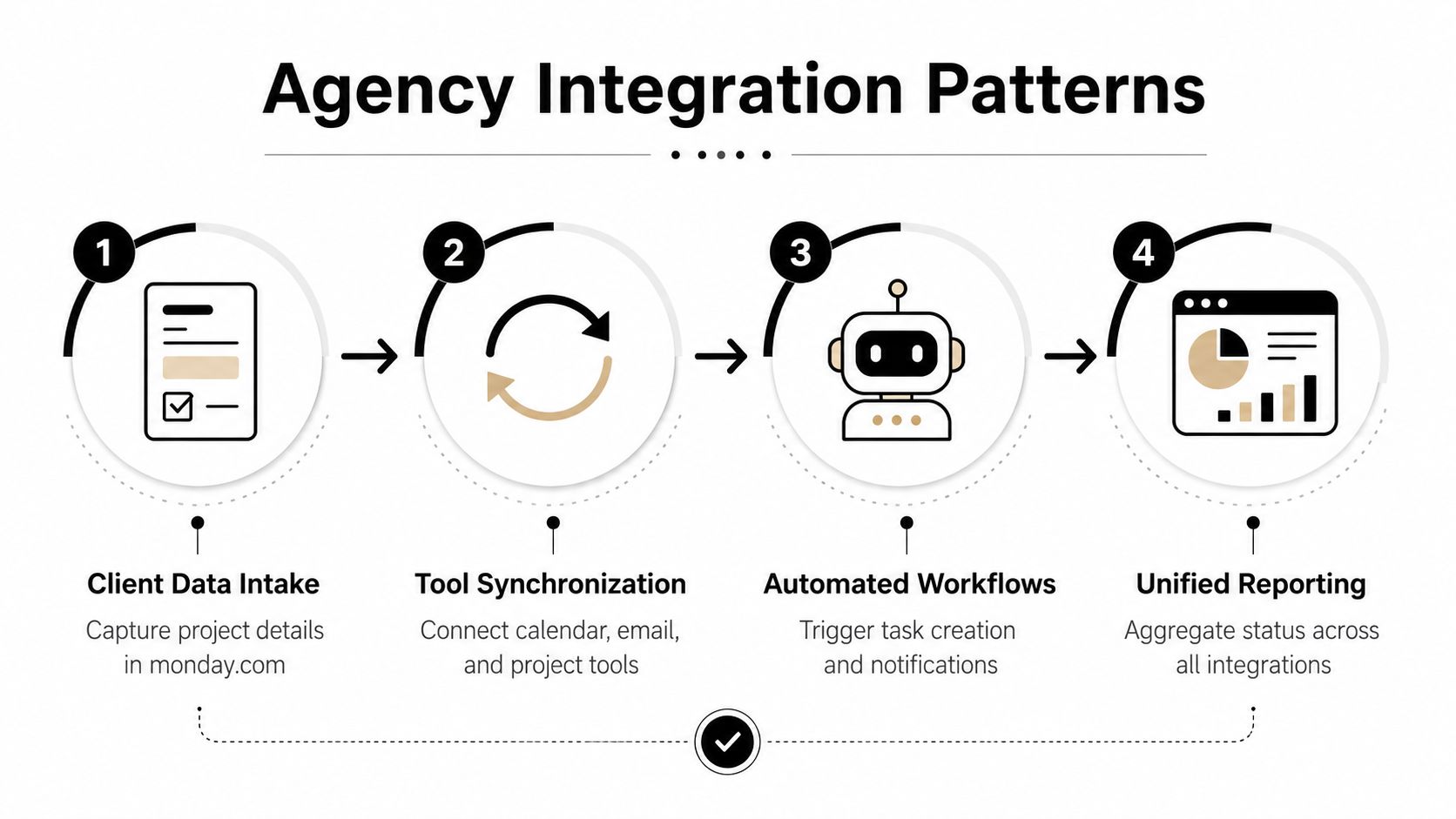
The best monday.com integration setups usually start with boring work. That's a compliment. Boring work is where agencies waste the most time, and it's where automation pays back fastest because nobody wants to keep copying the same fields from one app to another.
Time, CRM, and billing need different flows
Time tracking is usually the first mess to clean up. A project manager wants actual hours against an estimate, but the raw data sits in calendars, logs, or timesheet tools. monday.com can hold the project board, while a time source sends entries into it so leads can see where hours went without asking every team member to retype them.
CRM sync is the next one. Delivery teams need to know what was sold, what scope the client agreed to, and what success looks like. When Salesforce data lands in monday.com, account managers stop repeating the same background notes in every project kickoff, and the delivery side gets better context from day one.
Billing sits downstream of both. Once time is approved, it should move to invoicing without another human copying values over. That doesn't mean finance loses control, it means finance can keep the review step while dropping the data entry step.
Here's the useful pattern: automate the transfer, keep the approval.
The same logic applies to reporting. Instead of asking someone to pull five board views into one deck, aggregate the data into a dashboard and let ops review exceptions. That keeps routine reporting consistent while preserving human judgment for client-sensitive calls.
For agencies building these workflows, the internal guide on project management integrations for time tracking and delivery teams is a practical comparison point because it focuses on the working parts, not just the connector names.
What should move automatically
Not everything deserves automation. Good candidates are the pieces that repeat, follow rules, and don't need a live conversation.
- Status changes and alerts: move when a deal closes, a task ships, or a block turns red.
- Approved time entries: send once a manager signs off.
- Client metadata: sync names, account owners, and project links so the same data doesn't get typed twice.
- Rollup reporting: collect board data into a dashboard for utilization, delivery progress, or client health.
That setup still leaves room for people to decide. Strategy calls, budget changes, and client exceptions should stay in human hands. If you automate those too early, you get faster noise, not better operations.
Setting up integrations without breaking workflows
Most broken integrations do not fail on day one. They fail after the board goes live, when real users start changing fields, renaming statuses, or editing records faster than the setup assumed they would. That is why setup discipline matters more than the connector itself.
Start with the native path if it fits
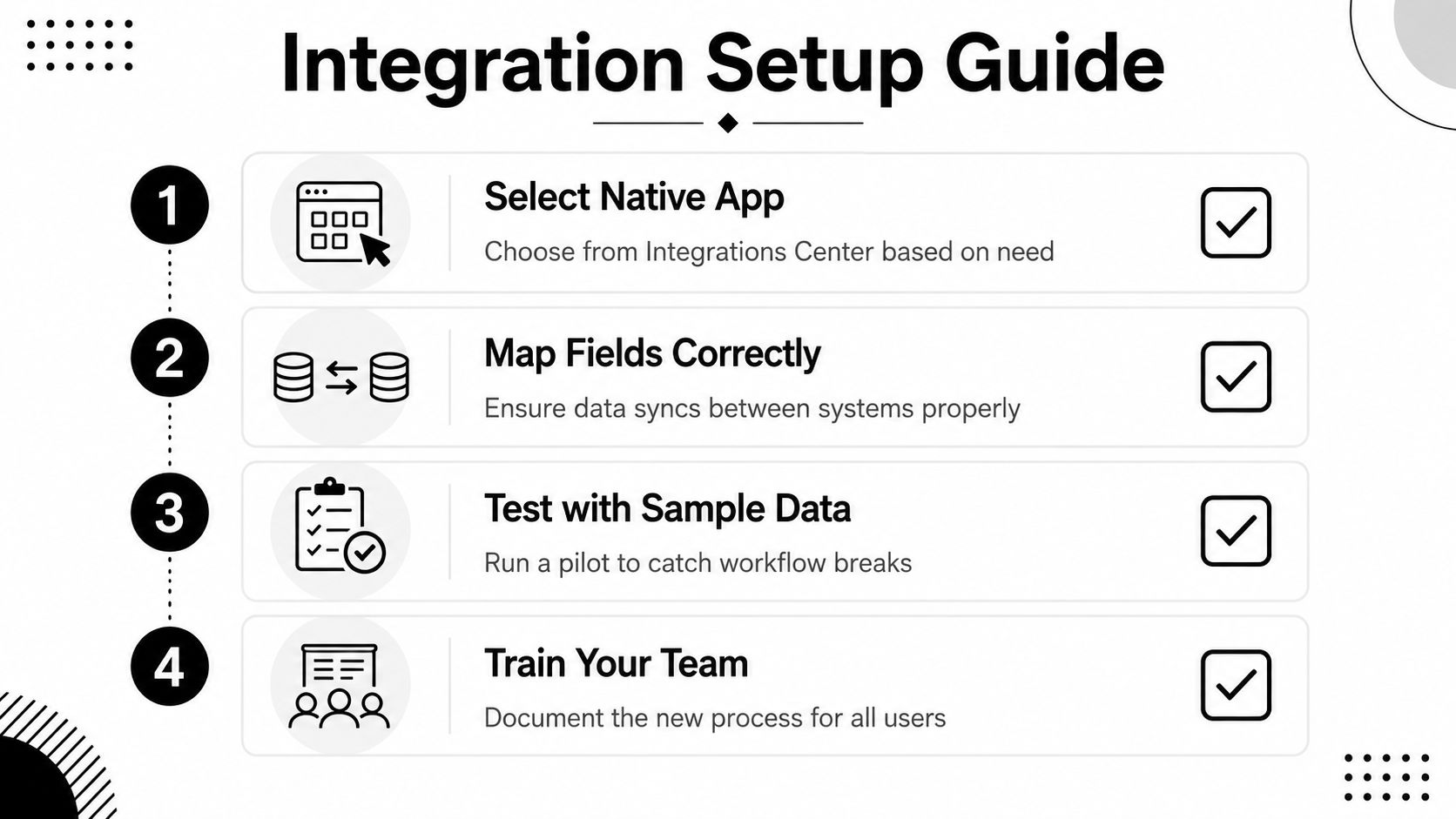
In monday.com's Integrations Center, start with the recipe that matches the trigger and action you need. If a board needs a Slack alert when a status changes, keep that first version simple. If the workflow needs more than one step, test the native route first anyway, because it is easier to debug than a custom build.
Before you attach anything to live boards, run it against sample data. That catches broken field maps, bad status values, and permission issues before production work starts moving through the automation.
Map fields with the future in mind
Middleware is where field mapping errors show up fast. A dropdown in one app might not match a text field in another, and dates, IDs, and people fields can break in ways that look minor but ruin the sync. I have seen this happen when teams copy an internal process into automation without cleaning up the source fields first.
Use a sandbox or a test board if data is moving between systems. Keep the mapping boring. Short field names, stable IDs, and fewer custom variants make life easier when the connected app changes later, or when another team has to inherit the workflow.
Treat API work like software, not setup
monday.com's integration apps use two supported patterns, monday workflows and the sentence builder, and monday says the sentence builder is soon to be deprecated, so workflows are the safer long-term path. The same docs say inbound requests need a signed Authorization JWT check, and monday also issues a short-lived API token valid for five minutes monday.com integrations docs. That means custom builds need fast request handling and proper token verification, not assumptions about long-lived sessions.
Use API builds only when the business rule really needs it. If the logic is simple, a native app or middleware connector is easier to support and easier to hand off when the original builder leaves.
Expect webhook and sync failures
Webhooks need retry logic and error handling because real systems fail in real life. If a downstream system rejects a payload or a field changes shape, the integration needs a clear failure path. That can mean an error notice, a retry, or a manual review queue depending on how sensitive the data is.
The best test is simple. Break it on purpose in a safe environment, then watch what happens. If nobody can explain where the failure lands, the workflow is not ready.
I have found that the cleanest integrations are the ones ops teams can explain in one minute. If it takes ten minutes to describe the failure path, it will take longer to fix.
For agencies that handle client data, keep enterprise security and compliance practices close by, and use controls that let you prove control effectiveness at audit time.
Governance and security considerations at scale
More integrations do not automatically mean better operations. In a mid-sized agency, the opposite can happen if nobody owns them. Permission sprawl creeps in, one-off automations multiply, and two months later no one knows which workflow updates the billing board or which one still feeds a stale field.
The fix starts with ownership. Every integration should have one named owner, one business purpose, and one clear failure path. If three people think they are responsible, then nobody is.
monday.com's scope-based model helps here because the platform lets apps request only the access they need. That supports least-privilege thinking at the app level, which matters when you are connecting client records, project data, and internal boards. monday.com also exposes an integrations stats page in admin settings that shows usage over the past month, including counts for actions used, active integrations, creators, boards, and workflows. That gives ops teams a real view of what is running instead of a guess based on the board list.
What to watch before you automate
Some flows need more care than others. Financial handoffs, client reporting, and anything tied to approvals should have error notices and a manual review path. If a sync fails and no one sees it, the data can still look clean while the numbers are wrong.
Practical rule: automate the transfer, not the accountability.
For audit-heavy teams, control evidence should be part of the design from the start. A workflow is only as defensible as its logs, owners, and recovery path, and the controls and compliance guidance from TimeTackle is a useful reminder to keep that evidence close. Use controls that help you prove control effectiveness at audit time so the process can be reviewed after the fact, not just trusted in the moment.
The hard question is when not to automate. If a task depends on judgment, context, or a client conversation, forcing it into a workflow can hide the decision instead of improving it. In those cases, keep the board as a record, not a robot.
How TimeTackle integrates with monday.com for calendar-based time tracking
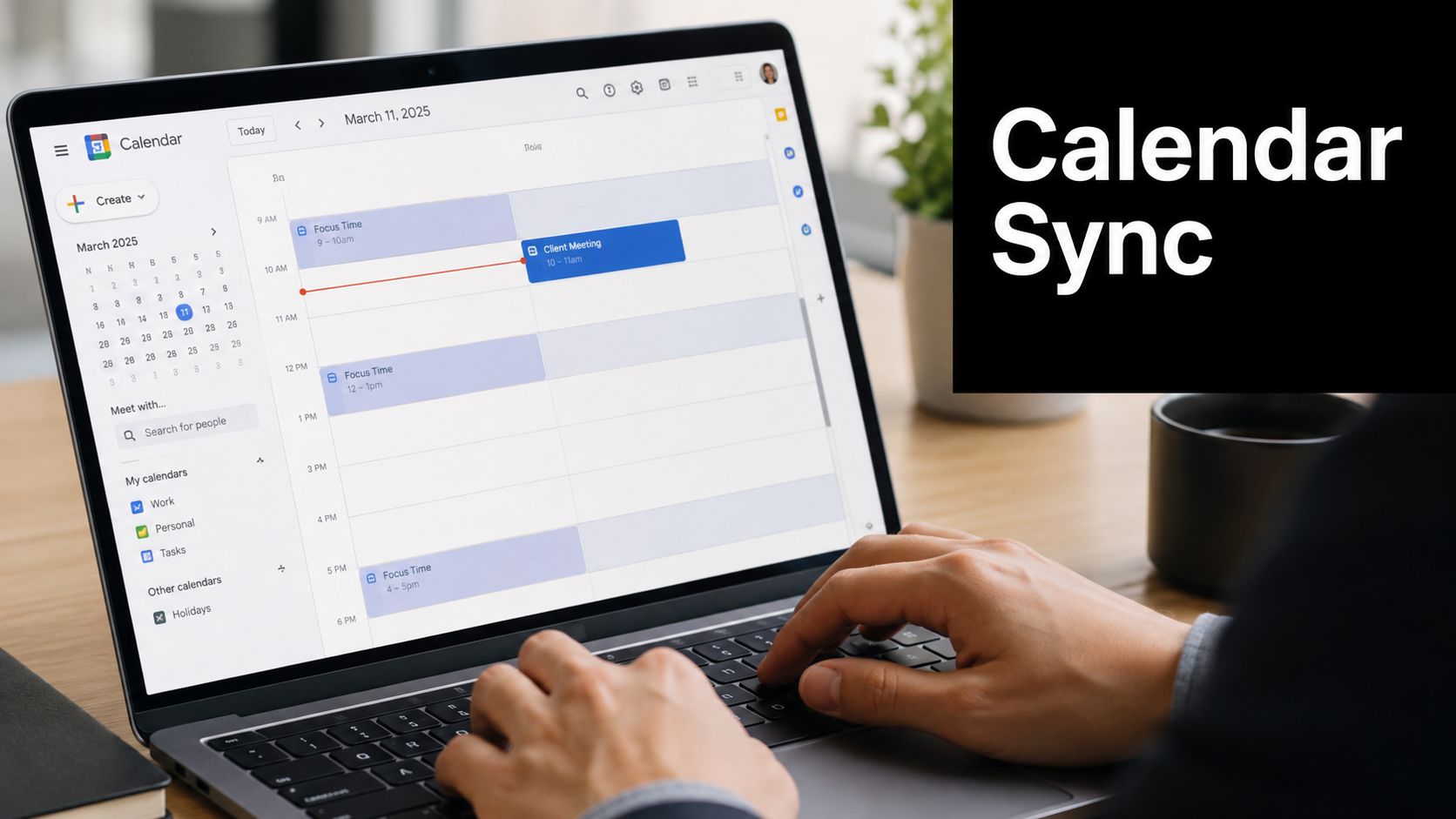
A lot of agencies try to solve utilization with timesheets, and that's where fatigue starts. People forget entries, managers chase updates, and the numbers drift just enough to make reporting painful. Calendar-based capture cuts that friction because work already lives in the calendar, so the system can record activity without asking everyone to log the same hour twice.
TimeTackle connects Google or Outlook calendars and then applies custom tags, properties, and rule-based automations to categorize work. In a monday.com setup, that data can flow into project boards so managers can compare client work, internal meetings, and admin time without waiting for manual entry. TimeTackle also supports exports to Excel, CSV, PDF, and Google Sheets, plus a Tackle API and data warehouse sync for deeper analysis, which makes it easier to feed agency reporting systems that already live outside the board.
The useful part isn't just capture. It's how the data shows up where the team already works.
What changes in day-to-day ops
With monday.com on the project side and calendar-based time capture on the activity side, ops can review utilization by project, client, team, or opportunity without building a timesheet process that everyone hates. Dynamic dashboards and calendar analytics make the time split easier to see, and flexible filters help leaders dig into patterns instead of guessing why a project went over.
The internal TimeTackle guide on a guide to the Tackle time tracker and calendar automation is the right place to go if you want the mechanics behind the calendar capture workflow itself. The key point for agency ops is simpler: when time data arrives already categorized, monday.com becomes a cleaner place to manage delivery and review exceptions.
TimeTackle also lists a monday integration that lets users work on monday.com tasks without leaving the calendar, tied to automated time tracking and insights. That's a good fit for teams that want fewer context switches and more reliable reporting, especially when the reporting burden keeps landing on the same few people.
Evaluation checklist for choosing which integrations to build first
The fastest way to waste time is to build the wrong integration first. I look at each candidate through four questions. Is the data flow repetitive, is the business value clear, can we support it later, and will the automation stay useful if the process changes?
A simple priority matrix
| Criteria | High Priority | Medium Priority | Low Priority |
|---|---|---|---|
| Business impact | Directly affects billing, utilization, or client reporting | Improves team speed or visibility | Nice-to-have convenience |
| Technical effort | Works with a native app or simple recipe | Needs middleware and field mapping | Requires custom API work and ongoing dev time |
| Maintenance burden | One owner can monitor it in admin settings | Needs periodic checks and document updates | Needs constant hands-on support |
| Data sensitivity | Low-risk operational data | Internal planning data | Client or financial data with strict controls |
| Failure tolerance | Small delays are fine | Delays hurt but don't break delivery | Errors create billing, compliance, or client risk |
Use native apps first when the value is obvious and the setup is simple. Move to middleware when the data needs translation but the business rule stays straightforward. Save custom builds for workflows that justify the support cost, because every clever automation becomes a future maintenance item.
A good filter is whether the workflow still makes sense if the connected app changes a field name next month. If the answer is no, the integration is too fragile for production. The best monday.com integration stack for an agency is the one you can explain, monitor, and repair without pulling three people into a war room.
If you're trying to cut timesheet drag, clean up reporting, and keep monday.com connected without adding brittle workarounds, TimeTackle gives you a calendar-first way to capture time and feed cleaner data into your operating rhythm. Visit TimeTackle to see how calendar capture, dashboards, and monday.com connectivity can fit into your agency's workflow.