
Mid-sized agencies and their operations teams are navigating a high-stakes environment where efficiency isn't just a goal, it's a survival metric. Juggling client demands, resource allocation, and profitability pressures requires more than just hard work; it demands intelligent workflows. This is where the new generation of AI-powered tools comes in. Instead of just adding another subscription to the stack, the best AI productivity tools act as a force multiplier, automating low-value tasks, surfacing critical insights, and freeing up your team to focus on strategic, billable work.
But with a crowded market, how do you choose the right tools that integrate seamlessly and deliver tangible ROI? This curated list breaks down the top contenders, moving beyond marketing hype to provide a practical guide for operations leaders looking to build a more productive, data-driven, and resilient agency. We'll cut straight to the chase, helping you find the ideal platforms for your specific operational challenges.
This comprehensive guide is designed for practical application. For each tool, you'll find a breakdown of what it does, ideal use cases for agency life, key integrations (Google, Outlook, CRM, etc.), pricing tiers, and an honest assessment of its pros and cons. We even include recommended workflows to help you hit the ground running. While this list is a great starting point, the tool ecosystem is constantly growing. To stay current on emerging options, you can explore the best AI productivity tools discovery platforms which provide updated roundups of new market entrants. Let's dive into the tools that will redefine your agency's operational capacity.
1. TimeTackle
TimeTackle distinguishes itself as one of the best AI productivity tools by fundamentally transforming how professional services teams approach time tracking. Instead of relying on manual timesheets, it uses a calendar-first, AI-powered automation engine to capture and categorize work with exceptional accuracy and minimal human intervention. This approach directly addresses the chronic issues of timesheet fatigue, revenue leakage, and inaccurate utilization data that plague agencies and consulting firms.
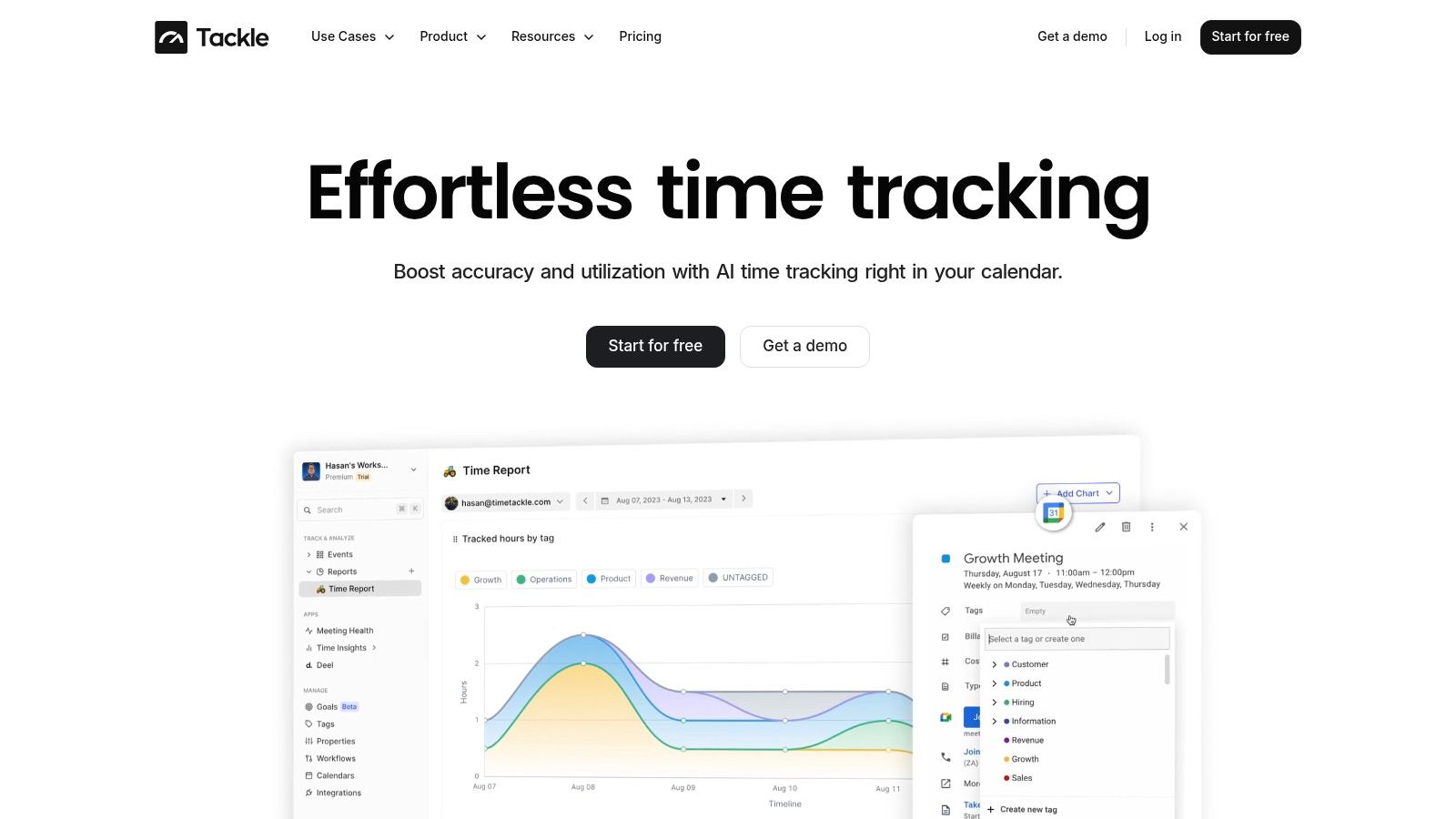
The platform connects directly to Google or Outlook calendars and CRMs, automatically pulling event data. Its AI then intelligently suggests tags based on historical patterns, while a powerful no-code workflow builder allows teams to set up rule-based automations. This ensures activities are consistently categorized by project, client, or task type without manual effort. To learn more about the specifics, explore their comprehensive guide to AI time tracking.
Key Features and Use Cases
- Automated Time Capture: Eliminates manual data entry by syncing with calendars to log all meetings and scheduled work blocks. Ideal for client-facing teams that live in their calendars.
- AI-Powered Tagging: The system learns your team's categorization behavior and provides smart recommendations, drastically reducing administrative overhead.
- Dynamic Dashboards & Reporting: Offers real-time visibility into project ROI, team utilization, and operational efficiency with customizable dashboards and flexible filters.
- Robust Integrations: Features native Google Sheets sync, a public API, and data warehouse connections, allowing seamless integration with billing, payroll, and BI systems.
Practical Implementation
For a mid-sized agency, a typical workflow involves connecting team calendars and setting up custom tags for each client and project. Automation rules can then be created to auto-tag any meeting that includes a specific client's domain in the attendee list, ensuring all client-related work is captured and billable.
| Capability | Strength |
|---|---|
| Automation | Calendar-first with AI recommendations and rule-based workflows. |
| Analytics | Highly customizable with dynamic dashboards and deep filtering. |
| Integrations | Extensive options including API, Google Sheets, and data warehouse sync. |
| Security | SOC 2 Type II certified with enterprise-grade encryption. |
Pros:
- Calendar-first automation significantly reduces administrative burden and increases accuracy.
- Powerful analytics and integrations enable deep reporting and billing reconciliation.
- Enterprise-grade security (SOC 2 Type II) builds trust for handling sensitive data.
Cons:
- Pricing is not public; a demo is required for a detailed quote.
- Effectiveness is highest for teams with strong calendar hygiene.
Website: https://www.timetackle.com
2. Notion
Notion has evolved from a powerful note-taking app into an all-in-one workspace, now supercharged with integrated AI capabilities. It consolidates docs, wikis, tasks, and databases, making it a formidable tool for agencies aiming to centralize knowledge management and project execution. The addition of Notion AI transforms this flexible environment into an active assistant, capable of drafting content, summarizing complex meeting notes, and auto-filling database entries based on context.
This makes Notion one of the best AI productivity tools for operations teams that need a single source of truth. Its strength lies in its modular "building block" approach, allowing teams to create highly customized workflows for client onboarding, content calendars, and internal documentation without writing a single line of code.
Core Features & Integrations
- What it is: A unified workspace combining documents, project management databases, and a company wiki with an integrated AI assistant.
- Ideal for: Agencies building a centralized knowledge base, managing complex client projects with extensive documentation, and streamlining content creation workflows.
- Integrations: Connects seamlessly with Google Workspace, Slack, Jira, Figma, and hundreds of other tools via its API, allowing it to act as a central hub.
- Pricing: Starts with a Free plan for individuals. Team plans begin at $8 per user/month (billed annually), with the Notion AI add-on costing an additional $8 per user/month. Enterprise plans offer advanced security and SSO.
Assessment & Workflow
Notion’s flexibility is both its greatest strength and a potential weakness. While it can replace several disparate tools, a complex setup requires thoughtful governance to prevent disorganization. The platform's granular permissions and private teamspaces are excellent for managing client access securely. For agencies struggling to connect project execution with time tracking, you can explore methods for integrating Notion time tracking to gain better visibility into resource allocation.
Pros:
- Highly flexible structure can be molded to any workflow.
- Strong permissioning and SSO for secure client and team management.
- Vast ecosystem of community and official templates to accelerate setup.
Cons:
- Requires a dedicated effort to structure and maintain; can become messy.
- Some key AI features, like Enterprise Search, are still in beta.
3. ClickUp
ClickUp is a comprehensive, end-to-end work management platform that has deeply integrated AI across its suite of tools. Known for its robust project management capabilities, ClickUp now layers in powerful AI features like ClickUp Brain, enabling teams to automate tasks, generate insights, and summarize complex project data without leaving their workspace. This makes it an ideal solution for delivery teams and PMOs who want AI assistance directly within their daily workflows, from task creation to meeting summaries.
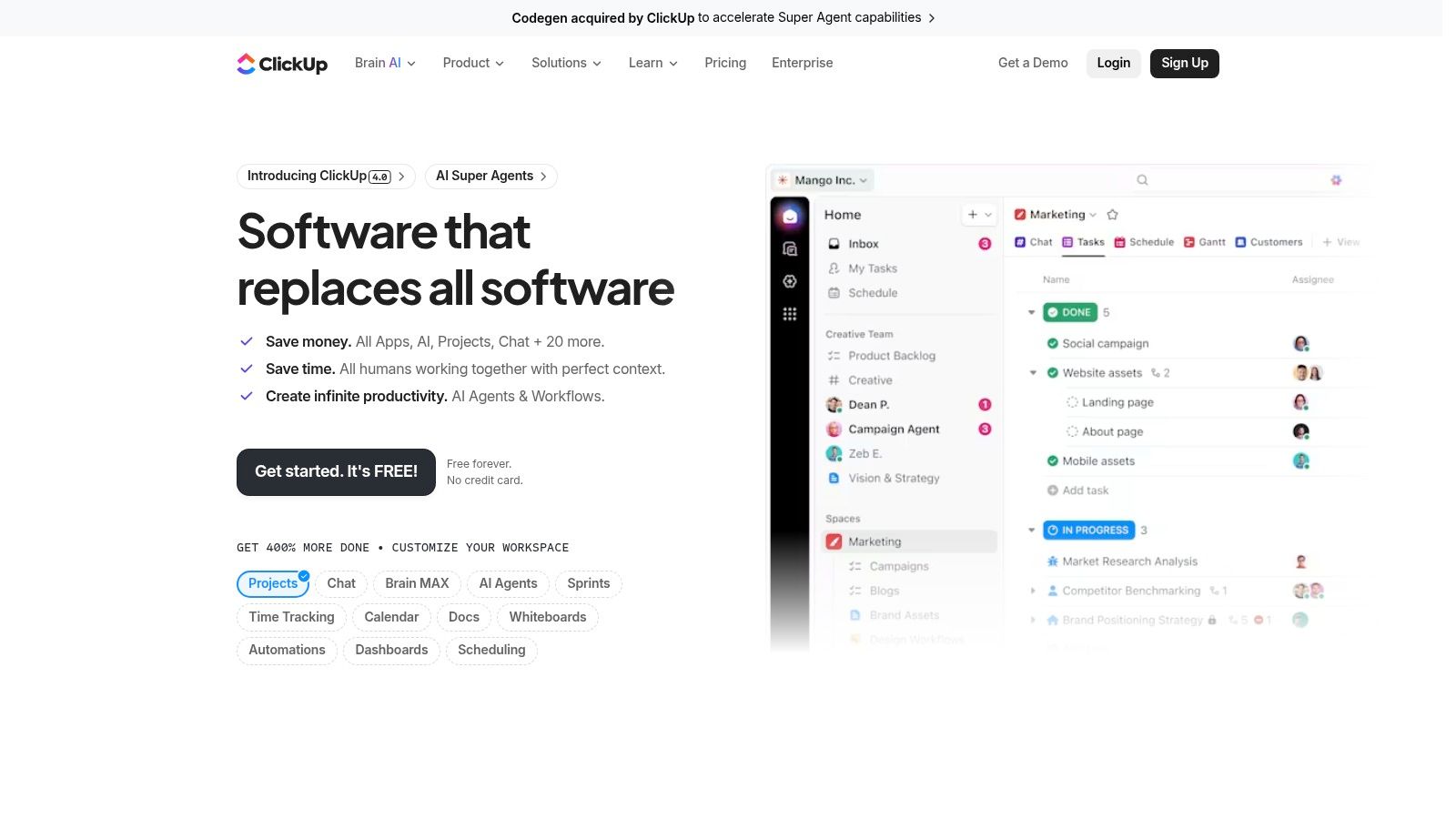
The platform’s strength lies in embedding AI into existing project management functions. ClickUp Brain acts as an intelligent assistant that can draft project briefs, create subtasks based on a high-level goal, and even generate reports. For agencies focused on operational efficiency, this makes ClickUp one of the best AI productivity tools for combining structured project execution with the speed and intelligence of artificial intelligence.
Core Features & Integrations
- What it is: A unified work management platform combining projects, docs, goals, and chat with a layered AI assistant, ClickUp Brain.
- Ideal for: PMOs, delivery teams, and agencies needing to automate project management tasks, generate meeting summaries, and search across all internal documentation.
- Integrations: Offers native integrations with Slack, Google Workspace, GitHub, and thousands of other apps through Zapier, making it a powerful central hub for project work.
- Pricing: Offers a Free Forever plan. Paid plans start at $7 per user/month (billed annually). The AI add-on is available on all paid plans for an additional $5 per user/month.
Assessment & Workflow
ClickUp’s à la carte and credit-based model for AI features like Super Agents provides flexibility, allowing teams to choose the capabilities they need without paying for a monolithic package. However, this structure demands careful cost governance from admins to manage credit usage effectively. The learning curve can be steep for new users, but its power in automating routine project management tasks, like creating action items from an AI Notetaker summary, is a significant time-saver for busy agencies.
Pros:
- Deeply embeds AI into core project management workflows.
- Flexible add-on pricing lets teams customize their AI toolset.
- Powerful automations and customizable views for managing complex projects.
Cons:
- Add-on and credit-based AI features require active cost management.
- Can have a significant learning curve for administrators and new users.
4. Motion
Motion is an intelligent planner that uses AI to automatically organize an individual’s or a team’s entire day. It functions as a smart calendar, task manager, and project planner that auto-schedules work based on priority, deadlines, and available time slots. When interruptions occur or priorities shift, Motion’s AI automatically reshuffles the entire schedule, eliminating the manual drag-and-drop recalibration that plagues traditional planning tools.
This makes Motion one of the best AI productivity tools for agencies looking to optimize resource allocation and ensure high-priority tasks are never missed. Its AI-driven capacity planning provides a realistic view of what can be accomplished, preventing team burnout and improving project delivery timelines. With recent expansions into AI chat, docs, and dashboards, it aims to become a unified productivity OS.
Core Features & Integrations
- What it is: An AI-powered planner that auto-schedules tasks, meetings, and project work directly onto your calendar.
- Ideal for: Individuals and small to mid-sized teams aiming to eliminate manual scheduling, optimize daily focus, and improve resource capacity planning.
- Integrations: Offers native integrations with Google Calendar, Microsoft 365, and Zoom, along with extensive connections through Zapier. Available on iOS, Android, and desktop.
- Pricing: The Individual plan is $19/month (billed annually). The Team plan, which includes project management and team scheduling, is $12 per user/month (billed annually).
Assessment & Workflow
Motion’s strength is its "set it and forget it" approach to task management. By feeding tasks, priorities, and deadlines into the system, users can trust the AI to build an optimal daily plan. This is particularly useful for agencies managing multiple client projects, as the capacity planning features help leaders see who is over or under-utilized. For teams that live in their calendars, this tool removes the cognitive load of constant manual re-planning.
Pros:
- Auto-scheduling feature dramatically reduces time spent on manual planning.
- Useful capacity planning provides a clear view of team utilization.
- Generous AI credit bundles are included with each seat for new features.
Cons:
- Provides the best value when most tasks are managed within the platform.
- Admins should monitor AI credit usage as more heavy features are introduced.
5. Jasper
Jasper is an enterprise-focused AI content platform designed for marketing, sales, and communications teams that require on-brand copy at scale. It moves beyond generic AI writing by offering sophisticated brand voice controls, style guides, and campaign workflows, making it ideal for agencies managing content for multiple clients. This focus on governance allows teams to produce consistent, high-quality content that adheres strictly to brand guidelines, a critical function for agency operations.
This makes Jasper one of the best AI productivity tools for content teams aiming to streamline production without sacrificing brand integrity. Its strength lies in its collaborative environment, which includes approval workflows and multi-brand workspaces. This structure empowers agencies to manage complex content calendars and client deliverables efficiently, ensuring every piece of copy is reviewed and aligned before it goes live.
Core Features & Integrations
- What it is: An AI content generation platform with enterprise-grade controls for brand voice, team collaboration, and content operations.
- Ideal for: Agencies producing high-volume, multi-brand content for marketing, sales, and PR that requires strict brand alignment and team approvals.
- Integrations: Connects with essential marketing tools, including SEO platforms and major Content Management Systems (CMS), depending on the plan.
- Pricing: Starts with a Creator plan at $39 per user/month (billed annually). Pro and Business plans offer more advanced collaboration and brand features, with custom pricing for enterprise needs.
Assessment & Workflow
Jasper's enterprise-oriented features position it as a premium solution for structured content teams. The platform's ability to learn a specific brand voice from existing content or style guides is a significant differentiator, saving editors countless hours on revisions. The collaborative workflows are particularly useful for agency settings, allowing for a clear chain of command from drafting to final client approval. This system helps maintain quality and consistency across diverse client accounts.
Pros:
- Strong brand governance and team workflow capabilities.
- Well-suited for agencies producing multi-brand content at scale.
- Enterprise security posture and dedicated support options.
Cons:
- Higher price point than many generic AI writers on the market.
- Some key integrations may require separate subscriptions or higher-tier plans.
6. Grammarly
Grammarly has expanded beyond a sophisticated spellchecker into a comprehensive AI writing assistant. For agencies, its value lies in ensuring all client-facing communication is clear, professional, and tonally appropriate. It works seamlessly across browsers, email clients, and collaboration apps, providing real-time suggestions for clarity, conciseness, and brand consistency.
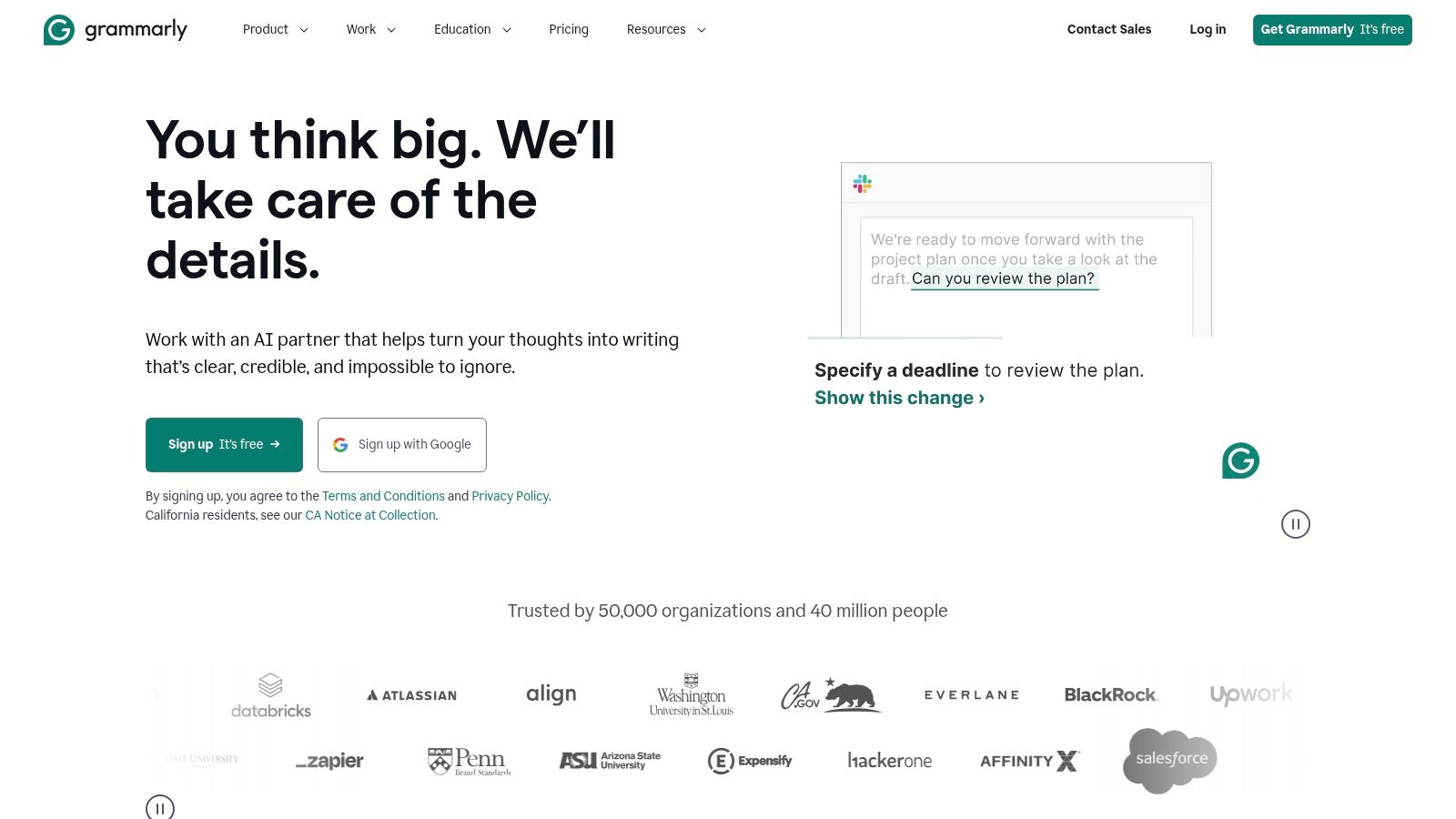
The platform’s generative AI features allow teams to quickly draft, rewrite, and summarize text, accelerating content creation for proposals, reports, and marketing materials. With enterprise-grade admin controls, operations leaders can establish a company-wide style guide, making Grammarly one of the best AI productivity tools for maintaining a consistent voice across all departments and client interactions.
Core Features & Integrations
- What it is: An AI-powered writing partner that improves grammar, style, tone, and clarity while offering generative text capabilities.
- Ideal for: Agencies aiming to standardize communication quality, improve the efficiency of their content and sales teams, and reduce editing overhead.
- Integrations: Works across hundreds of thousands of apps and websites, including Google Docs, Microsoft Outlook, Slack, Salesforce, and Asana.
- Pricing: A Free version offers basic suggestions. Premium plans start at $12 per user/month (billed annually) for advanced features. Business plans with team features start at $15 per user/month.
Assessment & Workflow
Grammarly excels due to its low-friction adoption; it integrates directly into existing workflows without requiring users to switch applications. For an agency, this means account managers can confidently send emails from Outlook, and content creators can draft directly in Google Docs, all while receiving consistent AI-powered guidance. The ability to set team-wide style rules ensures everyone from sales to project management adheres to brand standards.
Pros:
- Wide coverage across everyday apps makes it easy to adopt.
- Directly improves the quality and speed of client-facing communications.
- Scales effectively from individual users to large enterprise teams.
Cons:
- Advanced governance and analytics are reserved for higher-tier Business plans.
- Can have feature overlap with the native AI tools emerging in Google Workspace and Microsoft 365.
7. Otter.ai
Otter.ai serves as an intelligent meeting assistant designed to capture, transcribe, and summarize conversations from platforms like Zoom, Google Meet, and Microsoft Teams. It liberates teams from the burden of manual note-taking, creating a searchable and actionable archive of every client call and internal sync. The AI automatically identifies speakers, generates concise summaries, and extracts key action items, ensuring crucial details are never lost.
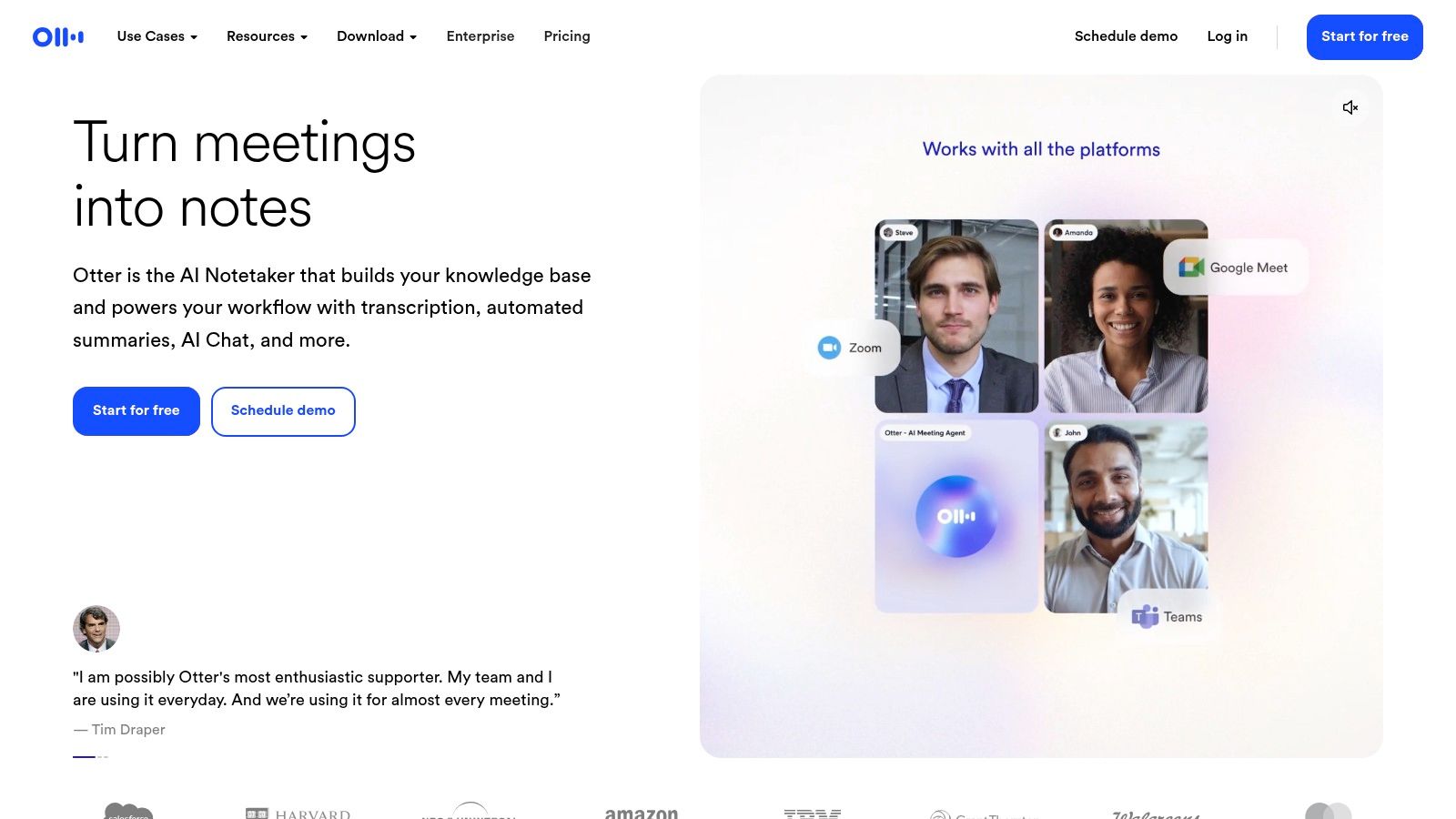
This makes Otter.ai one of the best AI productivity tools for client-facing teams that need a reliable record of discussions and decisions. Its strength is turning unstructured verbal communication into structured, usable data, which significantly improves project handoffs and accountability without adding administrative overhead.
Core Features & Integrations
- What it is: An AI-powered assistant that provides live transcription, automated summaries, and searchable notes for virtual and in-person meetings.
- Ideal for: Account managers, project managers, and sales teams needing to accurately capture client requirements, decisions, and action items without distracting themselves with note-taking.
- Integrations: Natively integrates with Zoom, Microsoft Teams, and Google Meet. It also connects to hundreds of other apps via Zapier for automating workflows.
- Pricing: Offers a Free plan with limited transcription minutes. Paid plans start with Pro at $10 per user/month (billed annually) and a Business plan at $20 per user/month, which offers unlimited meetings.
Assessment & Workflow
Otter.ai excels at creating a single source of truth for verbal communication, but its implementation requires clear governance, especially concerning client consent for recordings. Agencies should establish a clear policy for when and how meetings are recorded and shared. The Otter AI Chat feature is particularly useful for querying past conversations to quickly find project scope details or key decisions without re-watching entire recordings.
Pros:
- Reliable and accurate capture of meeting knowledge across major platforms.
- Significantly reduces manual note-taking and follow-up effort.
- Scales well for mid-sized teams with its Business plan offering unlimited meetings.
Cons:
- Requires governance and clear communication for recording policies with clients.
- Transcription accuracy can vary depending on audio quality and strong accents.
8. Zapier
Zapier has long been the backbone of no-code automation, and its evolution into an AI orchestration platform solidifies its position as an essential productivity tool. It acts as the connective tissue between over 6,000 applications, allowing agencies to build complex, automated workflows without needing a developer. With the recent addition of native AI capabilities, Tables, and Forms, teams can now embed intelligence directly into their processes, from auto-categorizing client requests to drafting personalized email responses based on CRM data.
This makes Zapier one of the best AI productivity tools for operations teams looking to infuse AI into their existing software stack. Instead of replacing tools, it enhances them, enabling powerful sequences like transcribing a call, summarizing the key points with AI, creating a task in a project manager, and notifying the team in Slack, all automatically.
Core Features & Integrations
- What it is: An automation and AI orchestration platform that connects thousands of apps, enabling the creation of AI-powered workflows without code.
- Ideal for: Operations teams automating lead intake, content distribution, and client reporting; agencies wanting to connect disparate tools with intelligent triggers and actions.
- Integrations: Connects with virtually every major SaaS tool, including Google Workspace, Slack, Salesforce, HubSpot, and thousands more through its extensive app directory and webhooks.
- Pricing: Offers a Free plan with limited tasks. Paid plans start at $19.99/month (billed annually) for more tasks and multi-step Zaps. Team and Company plans offer advanced features like unlimited users and SSO.
Assessment & Workflow
Zapier's strength is its mature, user-friendly interface that allows for rapid automation deployment. The task-based pricing model is transparent but requires monitoring, as complex or high-volume workflows can become costly. For agencies, a key workflow is automating the project kickoff process: a new entry in a CRM can trigger the creation of a project folder in Google Drive, a client channel in Slack, and a project board in Asana, with AI steps to generate a welcome email.
Pros:
- Mature ecosystem with a vast library of integrations enables quick wins.
- Acts as the perfect "glue" to bring AI capabilities into existing workflows.
- Clear, predictable task-based pricing tiers that scale with usage.
Cons:
- Task usage needs careful monitoring to manage costs at scale.
- Complex, multi-path automations can be challenging to troubleshoot.
9. Slack
Slack has cemented its place as the central nervous system for team communication, and its native AI features now embed intelligence directly into daily conversations. Slack AI enhances productivity by offering instant conversation summaries, AI-powered search that understands natural language, and daily recaps to keep teams aligned. This turns the ubiquitous collaboration hub into one of the best AI productivity tools for real-time problem-solving and knowledge discovery without leaving the platform.
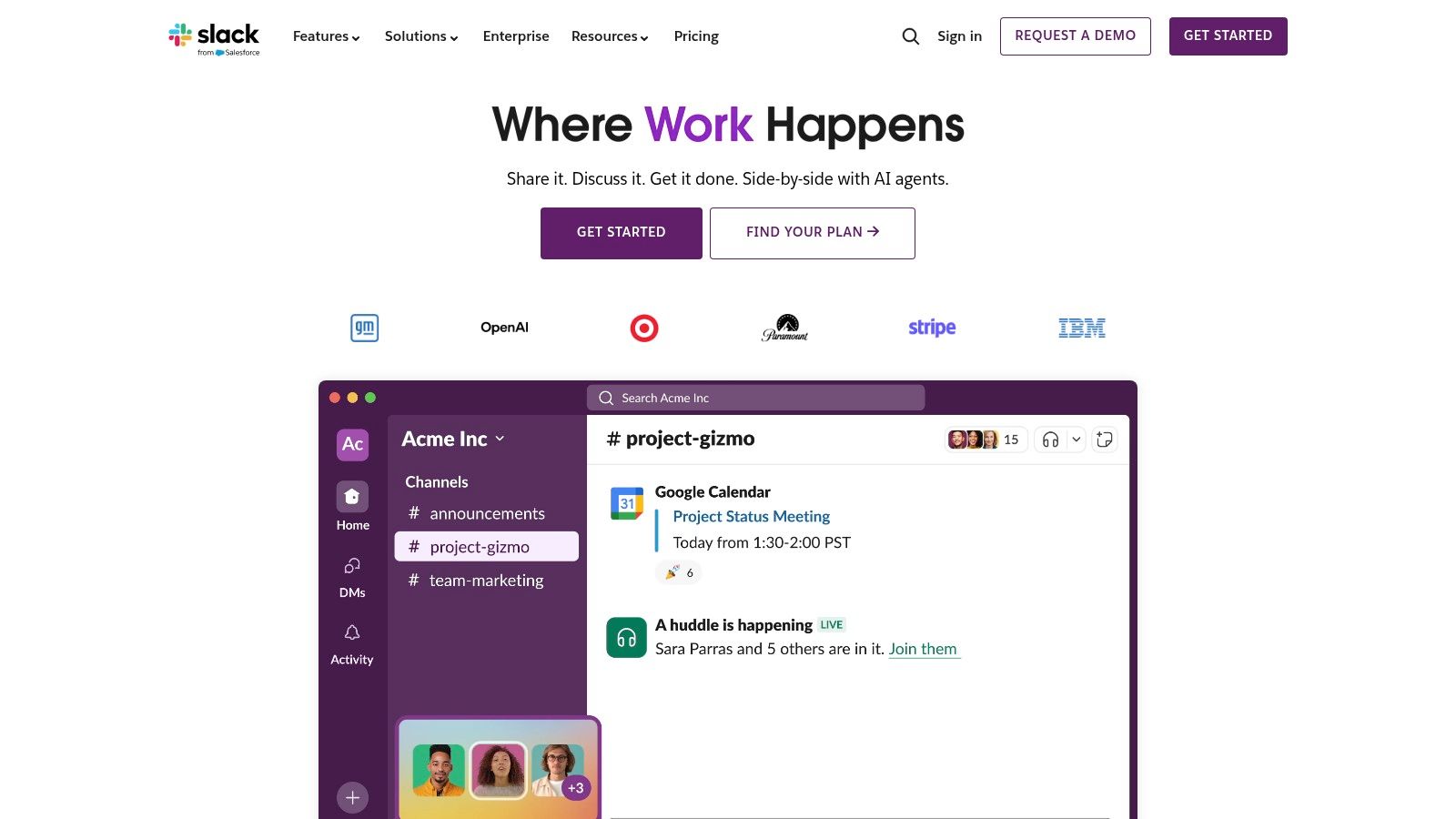
For agencies managing numerous client conversations in Slack Connect channels, the ability to generate quick summaries is a game-changer for new team members getting up to speed. Furthermore, its extensive app marketplace allows teams to plug in other specialized AI tools, creating a customized and powerful command center for all agency operations and client communication.
Core Features & Integrations
- What it is: A channel-based messaging platform with built-in AI for summarizing conversations, searching for information, and providing daily digests.
- Ideal for: Agencies seeking to improve communication efficiency, reduce meeting overhead with Huddles, and securely collaborate with clients via Slack Connect.
- Integrations: Connects with virtually every major SaaS tool, including Salesforce, Google Workspace, Jira, Asana, and thousands more through its robust app directory.
- Pricing: Free plan available with limitations. Paid plans start at $7.25 per user/month (billed annually). Slack AI is an add-on for paid plans, starting at $10 per user/month. Enterprise Grid plans offer advanced security and compliance.
Assessment & Workflow
Slack AI's core strength is its contextual integration; it works where your team already is. The AI-powered search is particularly effective at unearthing critical information buried in long threads or private channels. While it excels at communication, its knowledge management capabilities are transient by nature. For long-term documentation, it's best paired with a dedicated knowledge base like Notion, creating a powerful workflow where conversations in Slack lead to structured knowledge in a wiki.
Pros:
- AI features are seamlessly integrated into the daily communication workflow.
- Massive app marketplace allows for extensive customization with other AI tools.
- Strong security, compliance, and admin controls on Enterprise Grid plans.
Cons:
- AI features require a paid add-on, increasing the overall cost.
- Can become noisy without clear channel governance and notification policies.
10. Microsoft 365 Copilot
For organizations deeply integrated into the Microsoft ecosystem, Copilot for Microsoft 365 is a transformative add-on. It brings powerful, context-aware AI directly into the daily applications teams rely on like Word, Excel, PowerPoint, Outlook, and Teams. This eliminates the friction of switching between apps and an external AI, embedding generative capabilities right into the workflow for drafting documents, analyzing spreadsheet data, summarizing meetings, and triaging emails.
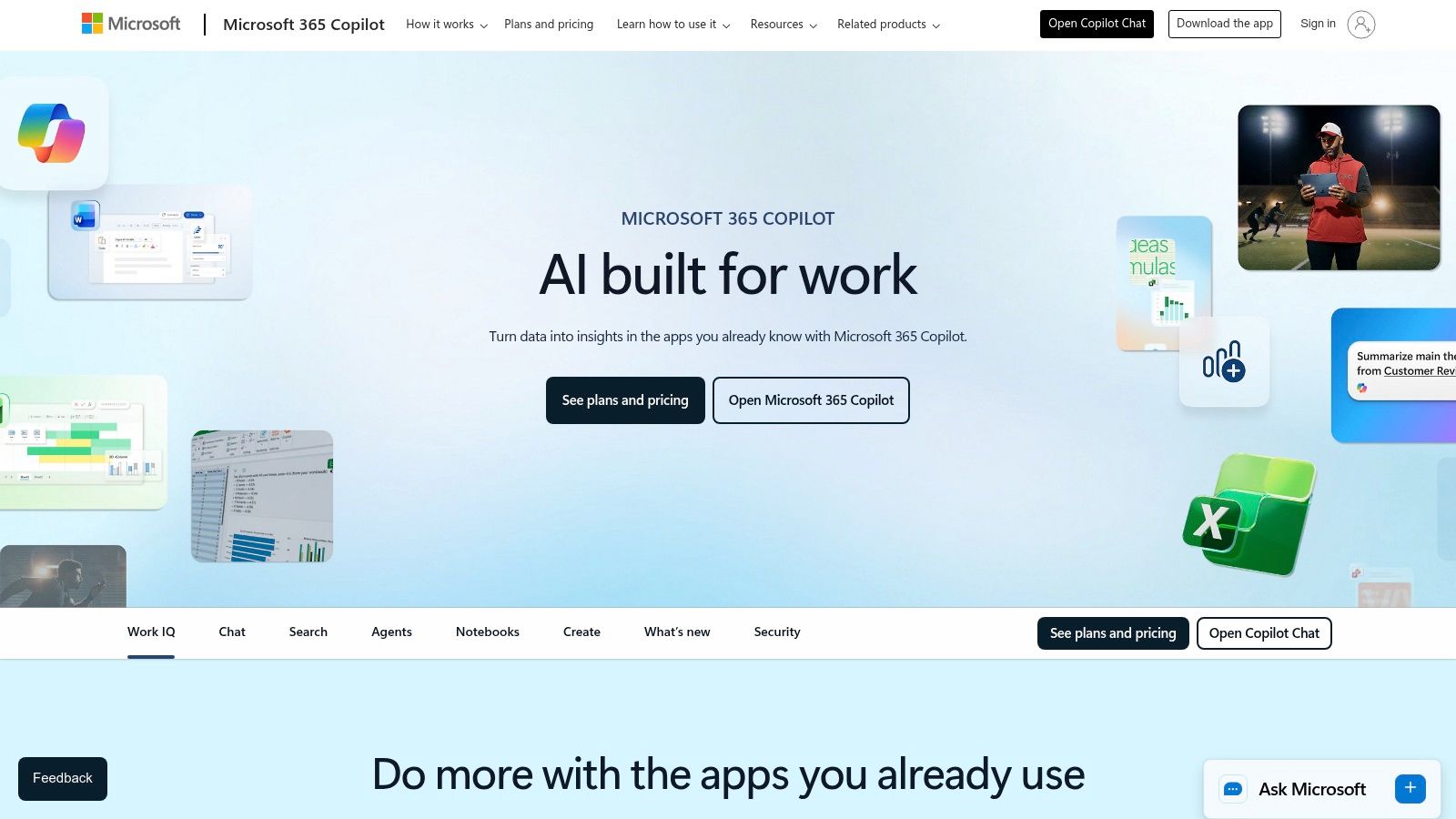
This deep integration makes it one of the best AI productivity tools for enterprises seeking to leverage their existing data securely. The AI is grounded in your company's own information within the Microsoft Graph, ensuring suggestions are relevant and compliant. For agencies standardized on Microsoft, it offers a streamlined way to boost efficiency without introducing a fragmented toolset.
Core Features & Integrations
- What it is: An AI assistant deeply embedded within the Microsoft 365 suite, providing in-context help for creating, summarizing, and analyzing information.
- Ideal for: Organizations standardized on Microsoft 365 seeking enterprise-grade AI that leverages their internal data securely across core applications.
- Integrations: Natively integrated with the entire Microsoft 365 stack (Word, Excel, PowerPoint, Outlook, Teams, etc.) and allows for custom extensions via Copilot Studio.
- Pricing: Requires an eligible Microsoft 365 commercial plan (e.g., Business Standard/Premium, E3/E5). The Copilot add-on is priced at $30 per user/month.
Assessment & Workflow
Microsoft 365 Copilot's primary strength is its native, secure environment. It excels at tasks that require business context, like summarizing a lengthy email thread in Outlook or generating a presentation from a Word document. Operations teams can use it to create meeting summaries and action items in Teams automatically, a significant time-saver. By understanding which tasks are ready to be delegated to AI, agencies can maximize their investment. The addition of Copilot Studio also opens the door to building custom agents tailored to specific agency processes.
Pros:
- Deep embedding in the apps many teams already use.
- Centralized IT control and strong data protection.
- Expanding agent/Studio ecosystem for customization.
Cons:
- Requires qualifying Microsoft 365 licenses to purchase.
- Add-on cost can be significant, and some agent usage may require Azure resources.
11. Google Workspace (with Gemini features)
Google has integrated its powerful Gemini AI directly into its ubiquitous Workspace suite, embedding intelligent assistance across Gmail, Docs, Sheets, and Meet. This turns everyday productivity apps into dynamic partners for agencies already operating within the Google ecosystem. Instead of adopting a new platform, teams can leverage AI to summarize email threads, draft proposals in Docs, generate formulas in Sheets, and create unique backgrounds in Meet without leaving their familiar workflow.
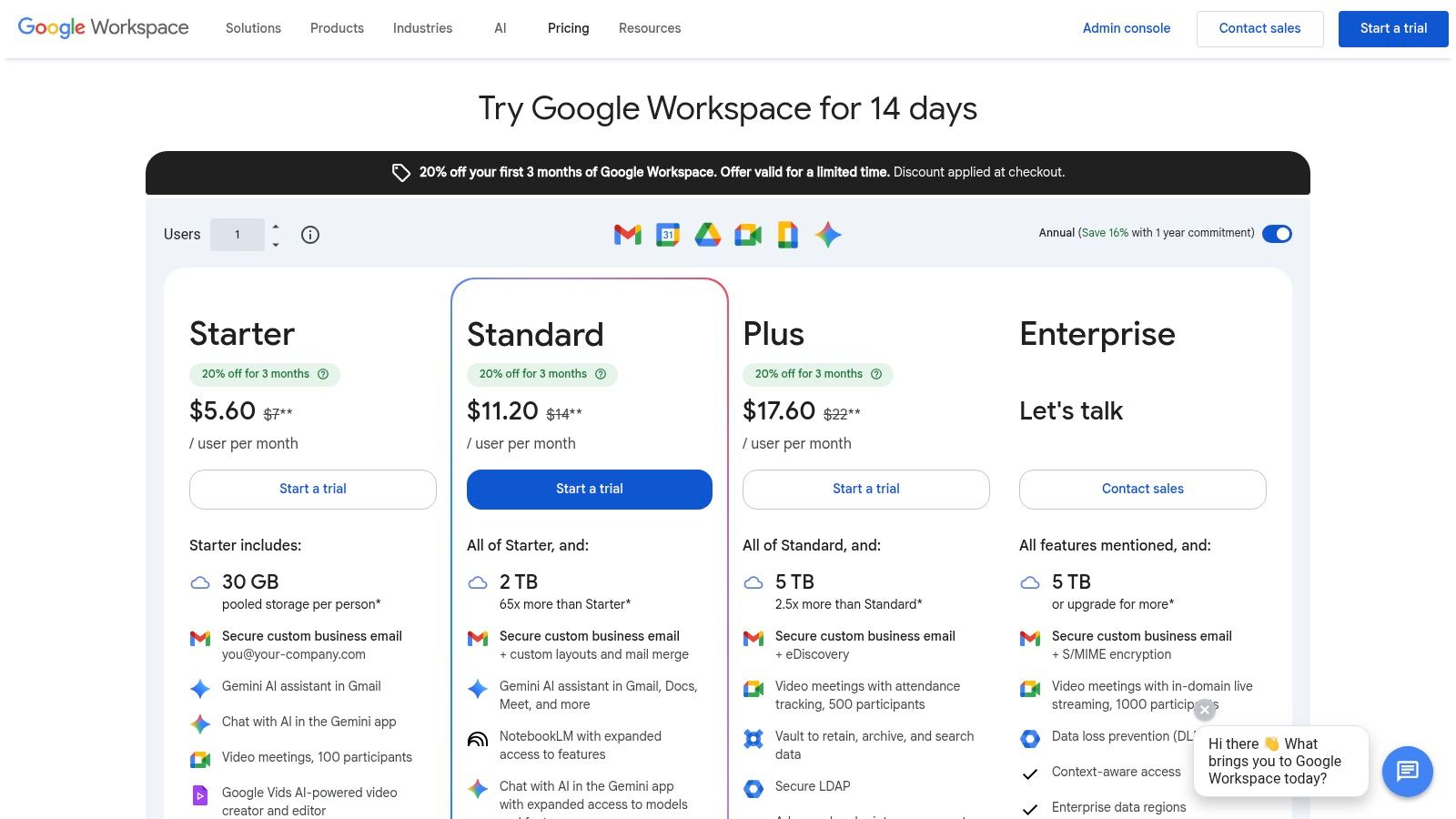
This native integration makes Google Workspace one of the best AI productivity tools for teams seeking to enhance existing processes rather than overhaul them. The AI features are bundled directly into core Business and Enterprise plans, offering a seamless and cost-effective upgrade path for organizations deeply invested in Google's suite of communication and collaboration tools.
Core Features & Integrations
- What it is: The standard suite of Google apps (Gmail, Docs, Sheets, Meet) enhanced with built-in Gemini AI assistance and access to tools like NotebookLM.
- Ideal for: Agencies standardized on Google Workspace that want to add AI capabilities to their daily communication, content creation, and data analysis tasks.
- Integrations: As a core platform, it natively integrates all Google services and connects to thousands of third-party apps through the Google Workspace Marketplace.
- Pricing: Gemini features are included in Business Standard plans and above, starting at $12 per user/month (billed annually). Enterprise tiers offer advanced controls and capabilities.
Assessment & Workflow
The primary advantage of Google's approach is its frictionless adoption. There is no new software to learn; the AI simply appears as a "Help me write" or side-panel assistant within the tools teams use daily. This is ideal for boosting individual productivity across an entire agency with minimal training overhead. The rollout of features can be phased, however, and the most advanced admin controls and AI capabilities are reserved for higher-priced Enterprise plans.
Pros:
- AI is bundled into existing Workspace plans, avoiding a separate subscription fee.
- Strong, seamless integration across communication and content workflows.
- Predictable suite pricing simplifies budget management for organizations.
Cons:
- Base plan prices are scheduled to increase, impacting long-term cost.
- New AI features are often rolled out in phases, with some tools debuting later.
12. G2
While not a tool itself, G2 is an indispensable platform for discovering, vetting, and comparing the best AI productivity tools on the market. This B2B software marketplace aggregates verified user reviews, allowing agencies to cut through marketing hype and understand how tools perform in real-world scenarios. It offers dedicated category pages for specific AI subtypes, from AI Meeting Assistants to AI Orchestration platforms, making it a crucial first step in the procurement process.
For operations teams, G2 de-risks software investment by providing peer-driven insights into usability, support quality, and feature effectiveness. The ability to filter solutions by company size, required integrations, and pricing models ensures you can quickly build a shortlist of vendors that genuinely match your agency’s operational needs and budget constraints.
Core Features & Integrations
- What it is: A B2B software marketplace and review platform for discovering and comparing business technology, including a vast array of AI tools.
- Ideal for: Operations leaders and procurement teams tasked with shortlisting, validating, and comparing AI productivity tools based on peer reviews and feature sets.
- Integrations: Not applicable as a discovery platform, but provides detailed information on the integration capabilities of listed software (e.g., Google Workspace, Salesforce, Slack).
- Pricing: Free to browse reviews and compare software. Vendors pay for enhanced profiles and lead generation services.
Assessment & Workflow
G2 is most effective when used to validate an initial list of potential tools or to discover new entrants in a specific AI category. Use its comparison feature to see a side-by-side breakdown of pricing, features, and user ratings. Be mindful that sponsored placements can affect visibility, so always sort results by "Highest Rated" or "Most Reviews" to get a more objective view. It's an excellent resource for creating a data-backed business case for a new software purchase.
Pros:
- Up-to-date peer sentiment and verified reviews help de-risk purchases.
- Useful for validating shortlists and comparing pricing and features.
- Broad coverage of the market, including emerging AI categories.
Cons:
- Sponsored placements and vendor-driven review campaigns can influence visibility.
- Some software categories are very broad and require careful filtering to find relevant tools.
Top 12 AI Productivity Tools Comparison
| Product | Core features | 👥 Target audience | ✨ Unique selling points | ★ UX / Quality | 💰 Pricing & Value |
|---|---|---|---|---|---|
| TimeTackle 🏆 | Calendar‑first AI time capture, rule‑based auto‑tagging, dashboards, exports, API & DW sync | Agencies, consultancies, product/eng teams, customer‑facing teams | ✨ Near‑zero timesheet admin, visual workflow builder, SOC 2 Type II, 300+ teams | ★★★★★ | 💰 Start for free; demos for enterprise pricing |
| Notion | Docs, databases, AI editing, meeting notes, templates | Teams centralizing knowledge & execution | ✨ Flexible building blocks, large template ecosystem | ★★★★ | 💰 Tiered plans; enterprise SSO |
| ClickUp | Projects, tasks, docs, AI (Brain, Notetaker), automations | PMOs, delivery teams, ops | ✨ Deep AI embedded in workflows, add‑on credits | ★★★★ | 💰 Credit/add‑on pricing; flexible tiers |
| Motion | AI auto‑planner, scheduling, capacity planning, calendars | Small–mid teams, agencies needing auto‑scheduling | ✨ Auto‑reschedule planner, strong capacity tools | ★★★★ | 💰 Seat + AI credits; best when centralized |
| Jasper | Brand voice controls, content ops, approvals, integrations | Marketing, agencies, multi‑brand teams | ✨ Enterprise brand governance and workflows | ★★★★ | 💰 Higher‑tier pricing for enterprise features |
| Grammarly | Tone, clarity, rewrites, admin controls, integrations | Client‑facing teams, writers, enterprises | ✨ Broad app coverage for low‑friction adoption | ★★★★★ | 💰 Freemium → team/enterprise plans |
| Otter.ai | Live transcription, speaker ID, summaries, action items | Teams capturing meeting knowledge, product teams | ✨ Reliable live capture across Zoom/Teams/Meet | ★★★★ | 💰 Free → Business/Enterprise (unlimited meetings on Business) |
| Zapier | Multi‑step automations, 6k+ apps, webhooks, AI fields | Ops, integrators, citizen developers | ✨ No‑code AI orchestration and wide integrations | ★★★★ | 💰 Task‑based pricing—monitor at scale |
| Slack | Channels, huddles, AI summaries/recaps, app directory | Cross‑functional teams, client channels (Slack Connect) | ✨ AI in conversations + rich app marketplace | ★★★★ | 💰 Tiered per‑seat plans; Business+ costs more |
| Microsoft 365 Copilot | Copilot in Word/Excel/Outlook/Teams, Copilot Studio | Organizations standardized on Microsoft | ✨ Deep Office embedding, custom agent studio, enterprise security | ★★★★ | 💰 Add‑on to qualifying M365 plans; metered usage |
| Google Workspace (Gemini) | AI in Gmail/Docs/Sheets/Meet, NotebookLM access | Google‑centric teams and enterprises | ✨ Gemini features bundled into Workspace, tight app integration | ★★★★ | 💰 Suite pricing (features vary by tier) |
| G2 | Verified reviews, category pages, filters, vendor comparisons | Buyers, procurement, shortlisting teams | ✨ Peer sentiment, category reports, vendor demos | ★★★★ | 💰 Free browsing; paid vendor services available |
Making Your Choice: How to Build Your Agency's AI-Powered Operational Stack
Navigating the landscape of the best AI productivity tools can feel overwhelming. The market is saturated with platforms, each promising to revolutionize your agency's workflow. However, the goal isn't to adopt every new piece of technology. The true path to operational excellence lies in building a strategic, integrated AI stack tailored to solve your team's most pressing challenges.
As we've explored, the power of AI isn't in a single "magic bullet" application. It's in the thoughtful layering of complementary tools that work in harmony. An AI-powered project management system like ClickUp or Notion can become your agency's central nervous system, but its effectiveness is magnified when paired with specialized tools. Integrating an AI writing assistant like Jasper or Grammarly ensures your client communication is flawless, while a transcription service like Otter.ai transforms meeting data into actionable insights, feeding directly back into your project documentation.
This ecosystem approach is what separates high-performing agencies from the rest. It’s about creating a seamless flow of information that reduces friction and automates the mundane, freeing your team to focus on high-value, strategic work.
Your Roadmap to a Smarter Operational Stack
Adopting new technology requires a clear strategy, not just a budget. Before you make any decisions, it’s crucial to diagnose your specific operational pain points. A methodical approach will ensure you invest in tools that deliver a tangible return.
Here is a step-by-step guide to building your agency's AI-powered operational stack:
Identify Your Core Bottleneck: Start by pinpointing the single biggest source of inefficiency in your agency. Is it chaotic project documentation and a lack of a single source of truth? An AI-enhanced workspace like Notion or ClickUp might be your priority. Is it the crippling overhead of manual time tracking and the resulting inaccurate project profitability reports? A calendar-driven, automated tool like TimeTackle should be your first consideration.
Start with Foundational Platforms: Your operational stack needs a solid base. This typically includes a communication hub (Slack), a collaborative suite (Google Workspace or Microsoft 365), and a project management system. By infusing these core platforms with their native AI features (like Gemini and Copilot), you create an intelligent foundation upon which to build.
Layer on Specialized, Problem-Solving Tools: Once your foundation is set, address specific departmental needs with targeted solutions. For example, if your creative team struggles with content generation, Jasper is a powerful addition. If your operations team is buried in meeting follow-ups, Otter.ai can save them hours each week. Think of these as precision instruments designed to fix specific issues within your workflow.
Prioritize Integration and Automation: The magic happens when your tools talk to each other. A powerful integration platform like Zapier is non-negotiable. It acts as the connective tissue for your stack, automating data transfer and creating trigger-based workflows. For example, a new calendar event logged in TimeTackle could automatically create a task in ClickUp and send a notification in Slack, eliminating several manual steps.
Final Considerations for Successful Implementation
Before committing to any new tool, remember these crucial factors. First, consider the learning curve and team adoption. The best tool is useless if your team finds it too complex or disruptive to their existing habits. Always conduct a pilot program with a small group of users to gather feedback.
Second, evaluate the total cost of ownership, not just the subscription price. This includes implementation time, training resources, and potential integration fees. Finally, ensure the tool has a robust support system and a clear product roadmap. You are not just buying software; you are investing in a partnership that should grow and evolve with your agency's needs. By taking this measured, problem-first approach, you can construct an AI-powered operational stack that becomes your agency's most significant competitive advantage.
Ready to solve the puzzle of time tracking and utilization reporting for good? TimeTackle leverages your team's existing calendar data to provide the most accurate, automated time insights available. See how the best AI productivity tools for reporting can transform your agency’s profitability by visiting TimeTackle to start your free trial.