
If your team spends more time updating spreadsheets and chasing statuses than doing actual client work, you have an operations problem. Manual, repetitive tasks don't just kill productivity; they burn out your best people and hide the true cost of projects. This isn't about working harder; it’s about working smarter. The right workflow automation software connects your tools, standardizes your processes, and can give you back hours every single week.
But with dozens of options available, finding the right fit for an agency or service team can feel impossible. Many tools are either too simple for complex client work or too enterprise-focused, requiring a dedicated development team to manage. This guide cuts through the noise. We reviewed and tested the top platforms to find the best workflow automation software for mid-sized teams that need to connect their apps, automate reporting, and get a clear view of their operations without a massive IT spend.
You won't find generic marketing descriptions here. Instead, we provide an honest breakdown of the top 12 contenders, complete with screenshots and direct links. For each tool, we’ll cover:
- Ideal use cases for agencies and service teams.
- The pros and cons based on real-world application.
- Pricing ranges to help you budget.
- A look at their specific automation builders and integration capabilities.
We’ll explore everything from simple point-to-point app connectors like Zapier to more advanced platforms that can run your entire back office, like Workato. We will also look at specialized tools like TimeTackle, which has a unique calendar-first approach to AI-powered time capture and visual workflows. Our goal is to give you the information needed to select the right platform and solve your operational headaches for good.
1. TimeTackle
TimeTackle has a unique, calendar-first approach to automation, making it our top choice for the best workflow automation software, especially for professional services teams. Instead of building workflows from scratch, it starts with the data already in your Google or Outlook calendars. This foundation turns everyday meetings and scheduled tasks into structured, analyzable data for billing, resource planning, and operational reporting with almost no manual entry. For agencies, consulting firms, and client-facing teams buried in timesheets, this is a game-changer.
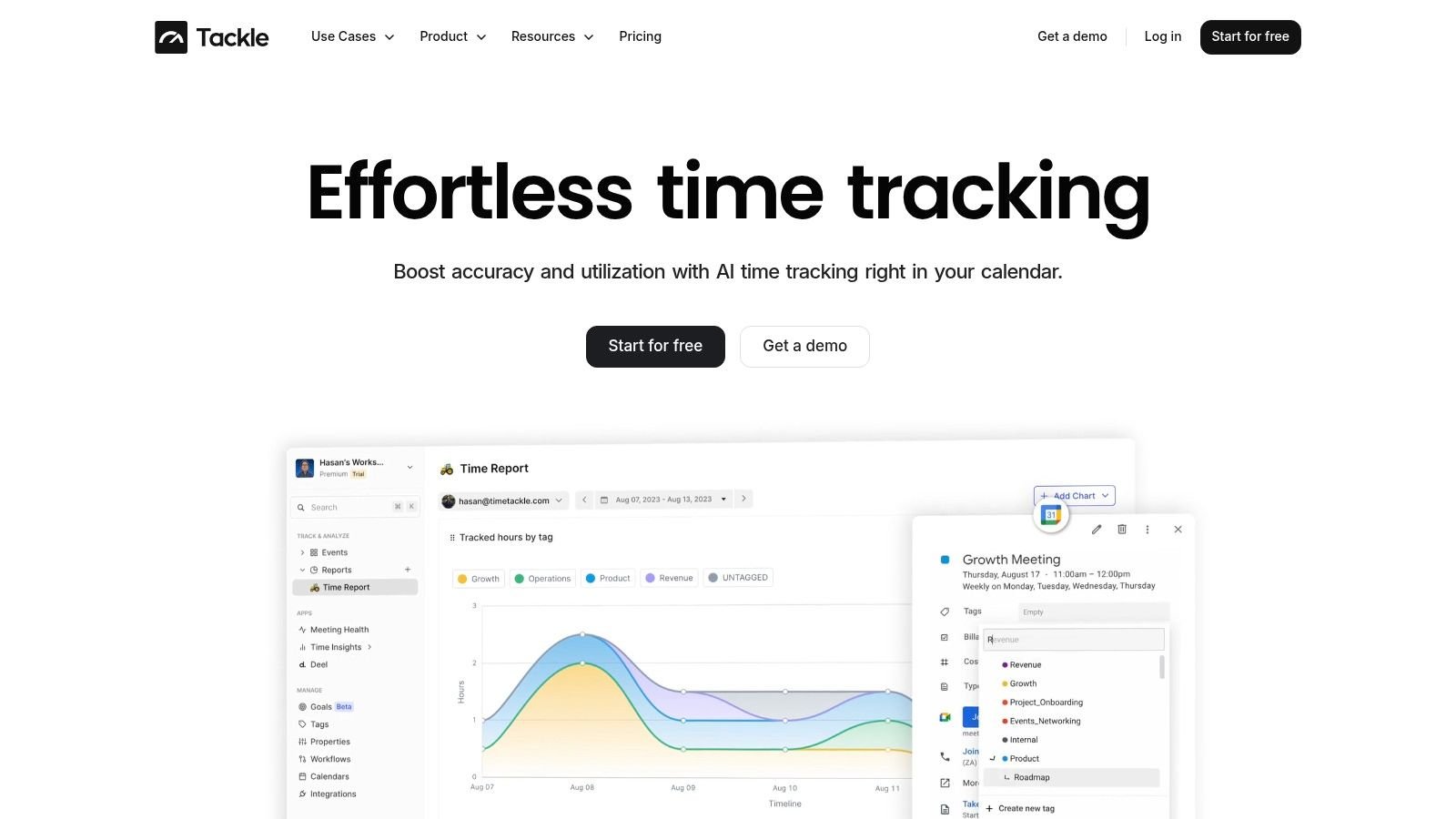
The platform’s strength is in how it automates the classification of time. It uses AI-powered suggestions and rule-based tagging to categorize calendar events automatically, which means less time spent on administrative work and more accurate data for decision-making. Its visual workflow builder lets you connect data sources and set up rules without code, such as “if a calendar event contains a specific client’s name, tag it as ‘Billable’ and assign it to the ‘Q3 Marketing’ project.” This removes repetitive manual reporting and ensures consistency.
Key features and use cases
- Calendar-Native Automation: Automatically captures time from Google and Outlook calendars, which gets rid of manual timesheets and reduces data entry errors.
- AI-Powered & Rule-Based Tagging: Simplifies the process of categorizing work. For example, a project manager can create a rule that automatically tags all meetings with an engineering lead as “Product Development,” helping track resource allocation.
- Visual Workflow Builder: Create custom automation sequences without needing technical expertise. An operations leader could build a workflow to pull data from a CRM, combine it with calendar information, and automatically generate a weekly client utilization report.
- Advanced Analytics & Reporting: The platform provides dynamic dashboards and flexible reports that can be exported to Excel, PDF, or Google Sheets. It also has an API and data-warehouse sync for teams that need to feed this information into larger business intelligence tools.
Implementation and pricing
Getting started is straightforward for teams already using Google or Outlook. The main task is setting up your custom tags and automation rules to match your company’s structure for clients, projects, and tasks. TimeTackle has a free start option to test the core features. For more advanced needs, including enterprise security features like SOC 2 Type II compliance, you will need to schedule a guided demo, as pricing details are not public.
Website: https://www.timetackle.com
2. Zapier
Zapier is the undisputed heavyweight champion of no-code integration, making it some of the best workflow automation software for teams who need to connect different SaaS apps quickly. Its core strength is a simple, trigger-action framework known as a “Zap.” An agency might set up a Zap where a new form submission on their website (the trigger) automatically creates a new lead in their CRM, adds the contact to an email list, and sends a notification to the sales team in Slack (the actions). The sheer breadth of its app library is its biggest differentiator.
This massive catalog of over 7,000 integrations means you can almost certainly connect the tools you already use without needing a developer. The visual builder is intuitive even for non-technical staff, and it includes features like filters and paths to create more nuanced workflows. To understand more about the fundamentals of these systems, you can explore this guide on what is workflow automation.
Pricing and key features
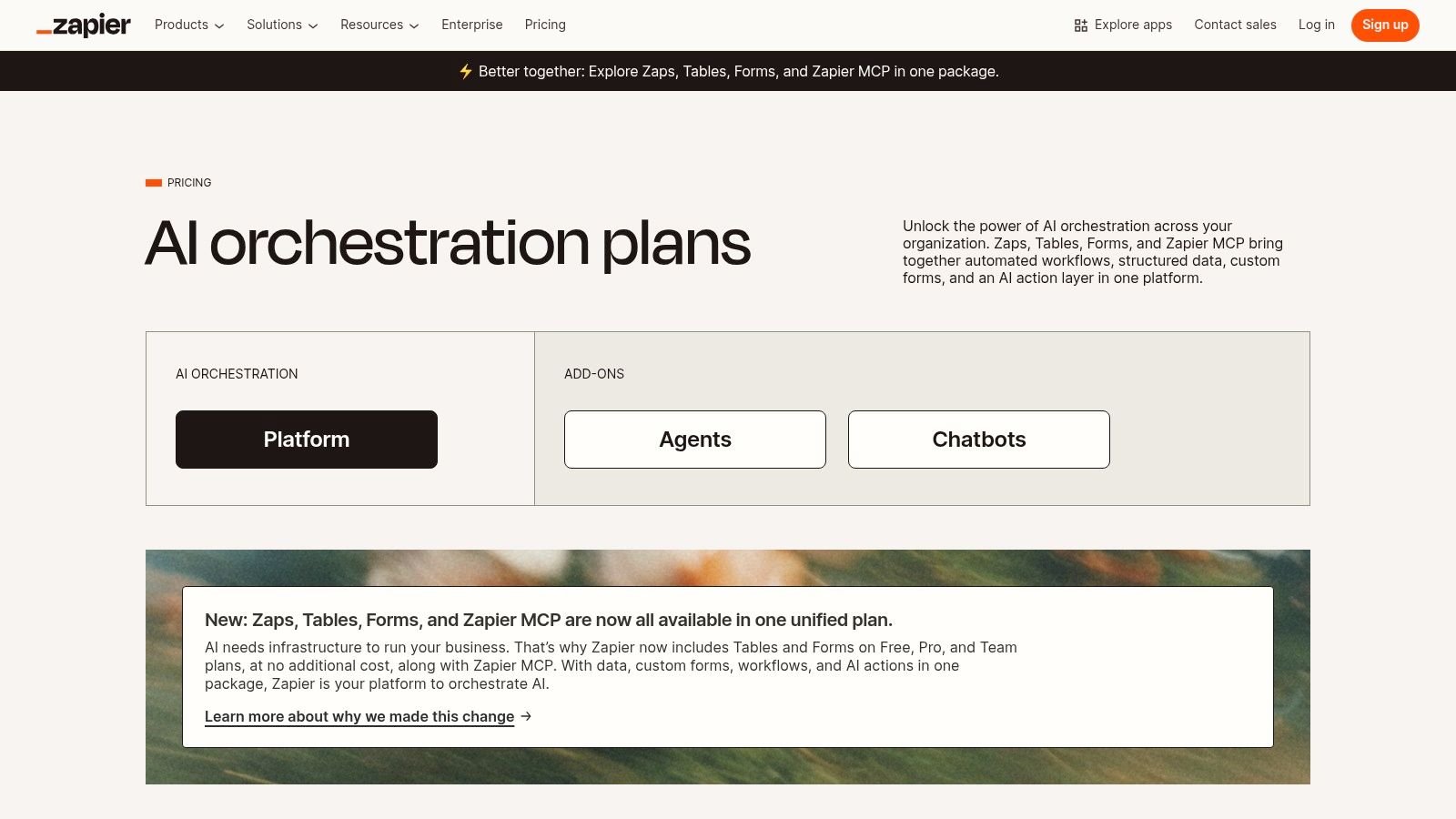
Pricing is task-based, starting with a free plan for 100 tasks/month and scaling up. Paid plans begin at $19.99/month (billed annually) for 750 tasks and multi-step Zaps. Team plans add shared folders and unlimited users, which are necessary for agency collaboration. The main downside is that high-volume automations, like syncing thousands of customer records, can make the monthly cost escalate quickly. While Zapier is excellent for straightforward connections, it struggles with complex data transformations compared to more developer-focused platforms.
- Best For: Marketing, sales, and operations teams needing rapid, wide-ranging app connectivity.
- Pros: Extremely easy to set up; the largest integration library available.
- Cons: Task-based pricing can become expensive; limited for complex data manipulation.
- Website: https://zapier.com
3. Make (formerly Integromat)
Make, which many still know as Integromat, offers a powerful visual approach that positions it as some of the best workflow automation software for teams needing granular control. Instead of a linear trigger-action model, Make uses a drag-and-drop canvas where you build “scenarios.” For an agency, this could mean a new client onboarding scenario that watches a signed contract in PandaDoc (trigger), then branches out to create a project in Asana, set up a shared folder in Google Drive, and add the client to a specific billing cycle in QuickBooks. Its core advantage is the ability to see the entire workflow and its data flow visually.
This visual builder includes advanced tools like routers for creating conditional paths, iterators for processing multiple items at once, and robust error handlers. This makes it a great fit for complex, multi-step processes where data needs to be transformed and routed precisely at each stage. The visual nature helps teams understand exactly how to automate repetitive tasks and where potential bottlenecks might occur. While it has a slightly steeper learning curve than simpler tools, the payoff is greater control and often better cost-efficiency for complex operations.
Pricing and key features
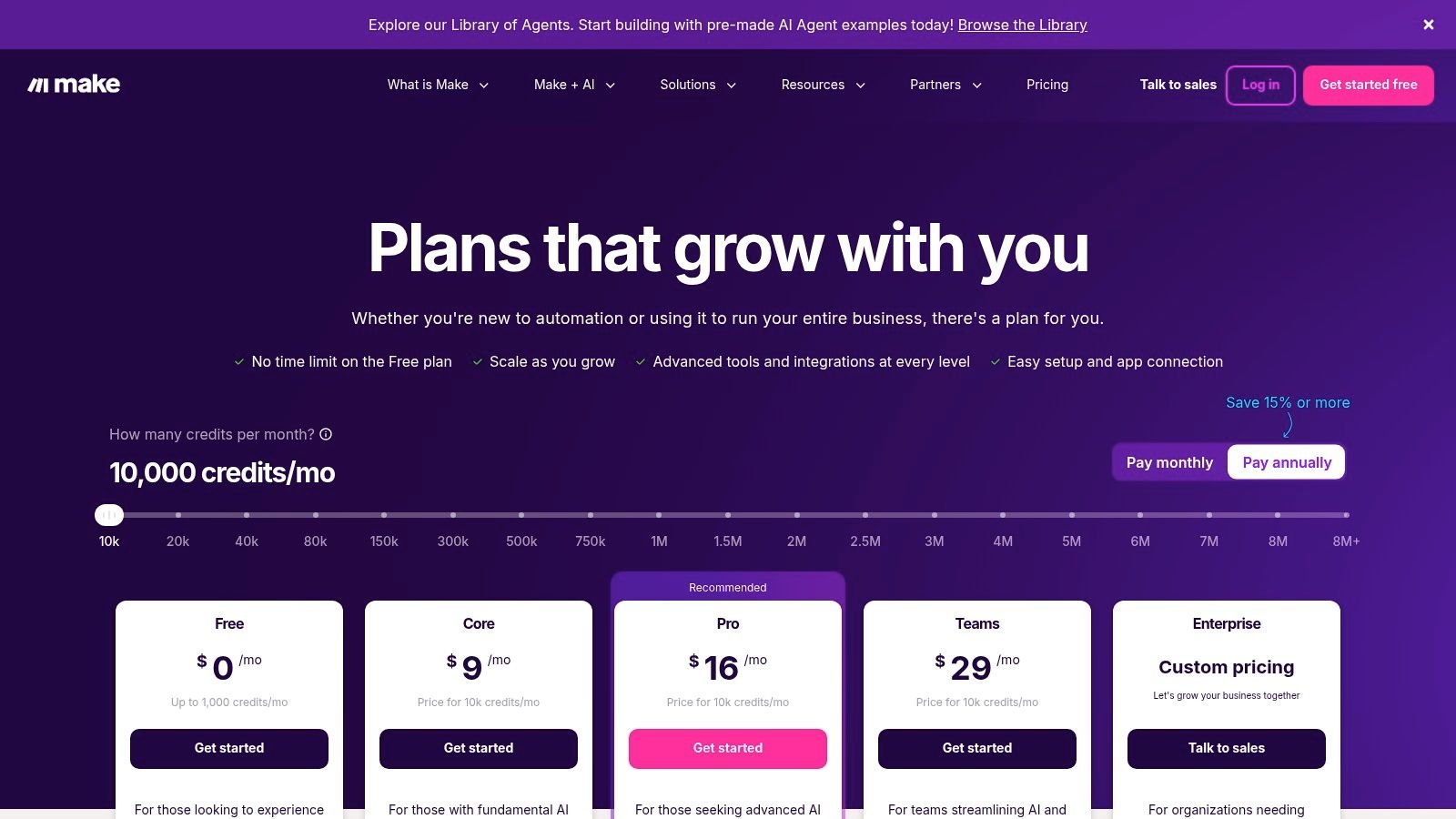
Make’s pricing is based on the number of “operations” (similar to tasks) your scenarios use. It includes a generous free plan with 1,000 operations/month, making it accessible for testing. Paid plans start at $9/month (billed annually) for 10,000 operations. Because one complex scenario might only run once and perform many operations, its model can be more economical than task-based tools for high-volume or intricate workflows. The main challenge for new users is the learning curve; building and debugging nested scenarios requires a more technical mindset compared to linear automation builders.
- Best For: Tech-savvy operations teams, agencies with complex client onboarding, and anyone needing detailed data manipulation.
- Pros: Highly visual and powerful workflow builder; cost-effective for complex automations.
- Cons: Steeper learning curve; complex scenarios can become difficult to debug and maintain.
- Website: https://www.make.com/en/pricing?utm_source=openai
4. Microsoft Power Automate
For organizations already embedded in the Microsoft ecosystem, Power Automate is some of the best workflow automation software available because of its native integration with products like Office 365, Dynamics 365, and Azure. It moves beyond simple API connections by combining cloud-based workflows (“cloud flows”) with desktop-based robotic process automation (RPA). This means an agency could automate a cloud process, like saving an email attachment from Outlook to SharePoint, and then trigger a desktop bot to open that file in a legacy accounting application and copy the data over.
This dual capability is its core strength. It allows teams to automate both modern, API-driven tasks and older, manual processes without needing separate tools. The platform includes Process Advisor, a tool for process and task mining, which helps identify bottlenecks and discover which repetitive tasks are the best candidates for automation. Its deep integration with Teams, in particular, makes it a natural fit for creating approval flows and notifications directly within the collaboration hub where teams are already working.
Pricing and key features
Power Automate’s licensing can be complex, with options for per-user plans, per-flow plans, and add-ons for RPA. A basic per-user plan starts at $15/month, granting access to standard connectors. Premium connectors and features like unattended RPA require higher-tier licenses or separate capacity add-ons, which can increase the cost. The main challenge for new users is navigating this pricing model to ensure all necessary features are covered. For companies standardized on Microsoft, though, the security, governance, and seamless user experience often justify the investment.
- Best For: Companies heavily invested in the Microsoft stack needing both API and desktop automation.
- Pros: Unbeatable integration with Microsoft 365 and Dynamics; combines cloud and RPA automation in one platform.
- Cons: Licensing model is complicated and can be costly for premium features; the interface is less intuitive than some competitors for non-technical users.
- Website: https://www.microsoft.com/en-us/power-platform/products/power-automate/pricing?utm_source=openai
5. Workato
Workato positions itself as an enterprise-grade iPaaS (Integration Platform as a Service) and is some of the best workflow automation software for companies needing strong governance and control over complex processes. It uses a system of reusable “Recipes” to build automations that connect business-critical systems across finance, operations, and go-to-market teams. An agency might use Workato to build a robust, multi-stage workflow where a closed-won deal in Salesforce automatically triggers project creation in NetSuite, provisions user accounts, and sets up a secure client folder in a specific data environment.
Its low-code builder includes an SDK and reusable components, letting technical and non-technical teams collaborate effectively. This collaborative development and change control is a major differentiator from simpler tools, making it a better fit for organizations where IT oversight is required. These advanced features are essential for larger teams, and you can learn more about how automation supports this in our guide on the art of delegating for team success. Workato is great at handling advanced data mapping and bulk operations with sophisticated error handling.
Pricing and key features
Workato’s pricing is quote-based and tailored to specific business needs, reflecting its enterprise focus. It’s not a simple tiered structure; instead, it’s based on the number of recipes you need and the complexity of your integrations. This means the total cost of ownership is higher than SMB-focused platforms, and it requires more upfront planning to get the most value from the system. The platform has native accelerators for common SaaS backbones like Salesforce and NetSuite, which can speed up implementation for these core systems.
- Best For: Mid-market to enterprise companies that need IT oversight, governance, and scalable, complex automations.
- Pros: Scales extremely well for complex business logic; strong tooling for collaborative development and change management.
- Cons: Higher total cost than simpler no-code tools; requires more technical design and planning to implement effectively.
- Website: https://www.workato.com/pricing?utm_source=openai
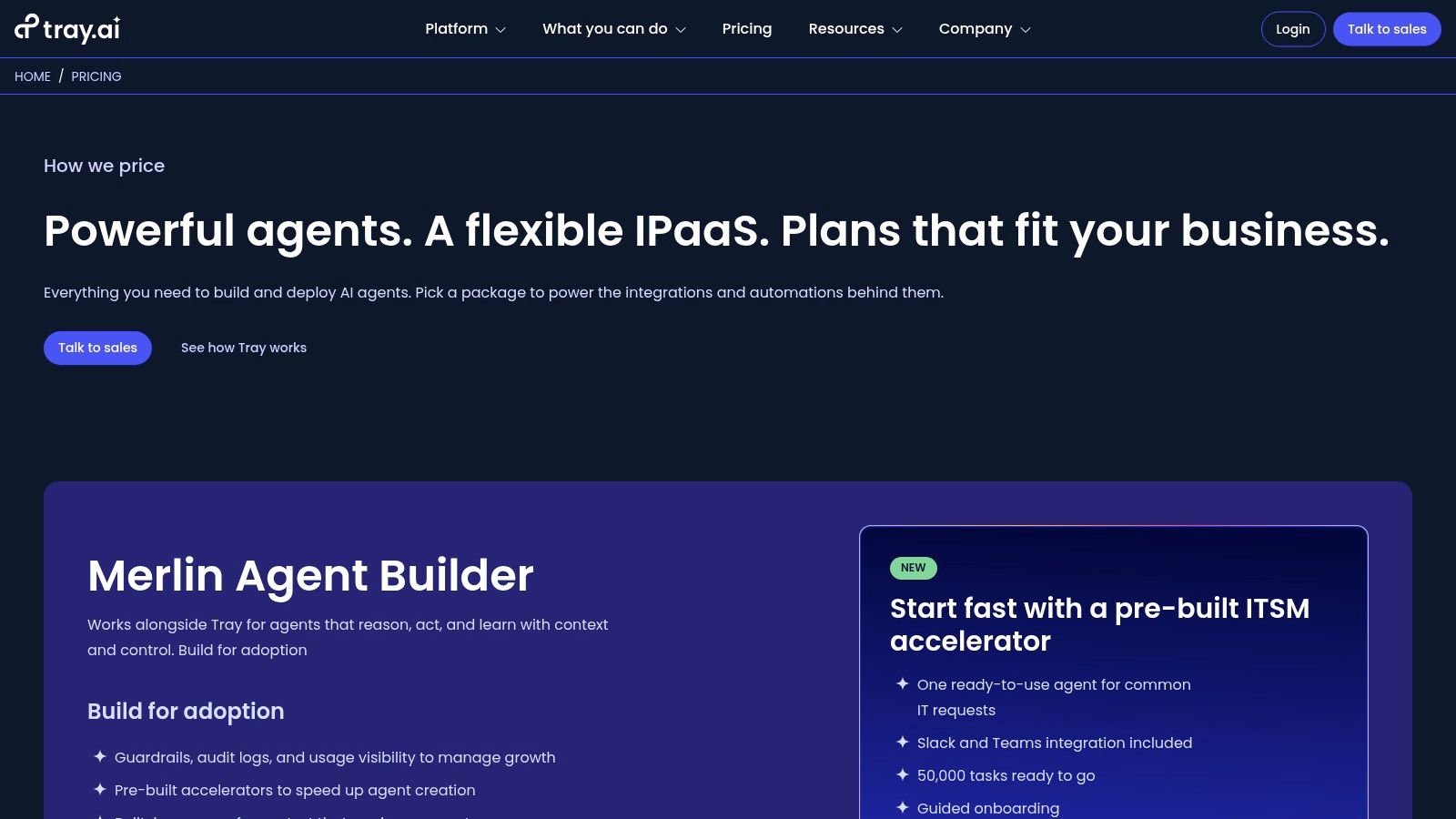
6. Tray
Tray.io is a low-code, enterprise-grade platform that sits between user-friendly tools like Zapier and developer-heavy iPaaS solutions. It’s some of the best workflow automation software for revenue, marketing, and operations teams that need more power and governance than basic connectors offer. Its visual workflow builder is designed for creating complex, multi-step processes with reusable components, conditional logic, and error handling. For an agency, this could mean building a sophisticated client onboarding workflow that syncs data across a CRM, a project management tool, and a billing system, all while logging each step for compliance.
The platform’s “Universal Connector” is a major advantage, as it allows teams to connect to any REST or GraphQL API without waiting for a pre-built integration. This gives it a level of flexibility that many competitors lack. Features like environments, version control, and role-based access controls make it a solid choice for teams that need to manage automations at scale while maintaining security and stability. It successfully bridges the gap between business users who want to build workflows and developers who need robust tools.
Pricing and key features
Tray’s pricing is quote-based and requires a conversation with their sales team to determine the final cost, which is based on task volume and required features. This makes it difficult to budget without an initial discovery call. The platform is built for scale, so its architecture and pricing model are better suited for complex, high-volume automations rather than simple, infrequent tasks. For small agencies with basic needs, the platform might be more than what is necessary.
- Best For: Go-to-market teams and operations departments in mid-sized companies needing scalable, complex data automations.
- Pros: Strong for intricate data and GTM workflows; has a good balance between business user accessibility and developer power.
- Cons: Pricing is opaque and sales-led; can be overkill for straightforward, low-volume automations.
- Website: https://tray.ai/pricing?utm_source=openai
7. n8n
For technical teams who want full control over their automations, n8n offers a powerful, open-source alternative. It’s a node-based workflow builder that can be self-hosted or used as a cloud service, making it some of the best workflow automation software for developers or agencies with DevOps resources. Instead of simple trigger-action steps, n8n uses a visual canvas where you connect nodes to build complex data pipelines. This allows for intricate logic, data transformations, and custom code execution directly within a workflow, which is a major advantage over simpler tools.
The ability to self-host is its key differentiator, giving you complete data privacy and the freedom to scale without being tied to a vendor’s pricing model. For an agency handling sensitive client information, this can be a non-negotiable security benefit. The platform is highly extensible, with a strong community contributing new nodes and integrations. While its cloud version provides a managed experience, the real power lies in the flexibility of on-premise deployment for custom, high-volume automation without unpredictable costs.
Pricing and key features
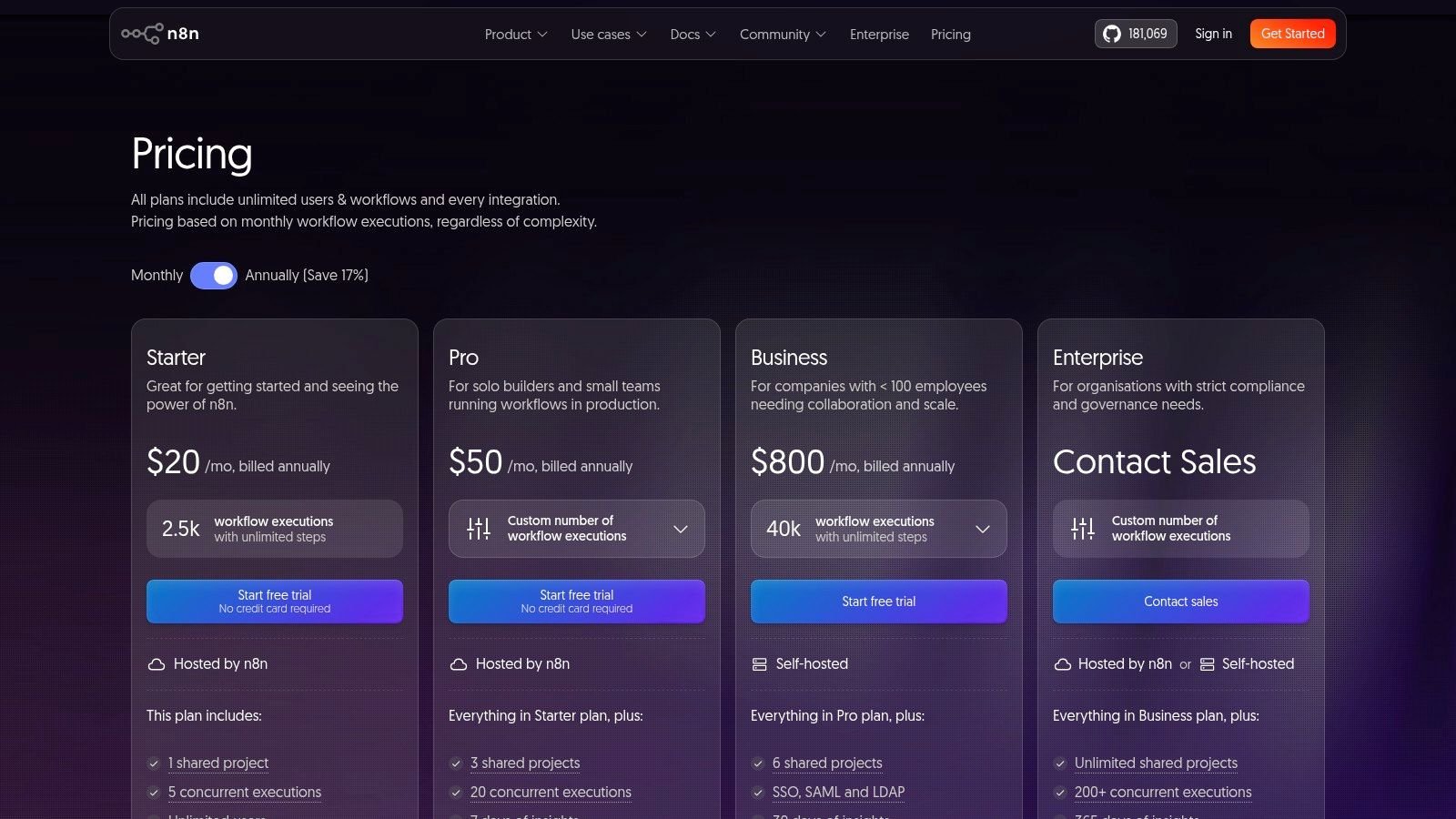
n8n offers a free, self-hosted version with community support. Paid cloud plans start at €20/month for 2,500 executions and go up based on workflow volume and support needs. The main challenge is the operational overhead of self-hosting, which requires dedicated server management and maintenance. For non-technical users, the node-based interface can also present a steeper learning curve than platforms like Zapier. For cost-effective, scalable, and developer-centric automation, though, n8n is in a class of its own.
- Best For: Technical teams, developers, and agencies needing custom, scalable, or self-hosted automation.
- Pros: Extremely cost-effective when self-hosted; highly extensible and developer-friendly.
- Cons: Self-hosting adds DevOps overhead; learning curve is steeper for non-technical users.
- Website: https://n8n.io/pricing/?utm_source=openai
8. Pipedream
Pipedream is a developer-centric automation tool that bridges the gap between no-code platforms and custom scripts, making it some of the best workflow automation software for technical teams. It operates on an event-driven, serverless framework where workflows are triggered by webhooks or schedules and can include code steps written in Node.js, Python, or Go. For an agency, this means if a specific integration doesn’t exist in a tool like Zapier, a developer can quickly write a few lines of code on Pipedream to connect the two APIs, manage the authentication, and transform the data exactly as needed.
This platform is not designed for non-technical users, but it gives engineering and operations teams immense power. It is great at real-time data processing and handling complex API interactions that would be impossible on simpler systems. The ability to use a library of pre-built actions alongside custom code provides a flexible middle ground. Secure credential management and detailed execution logs also make it a reliable choice for mission-critical processes.
Pricing and key features
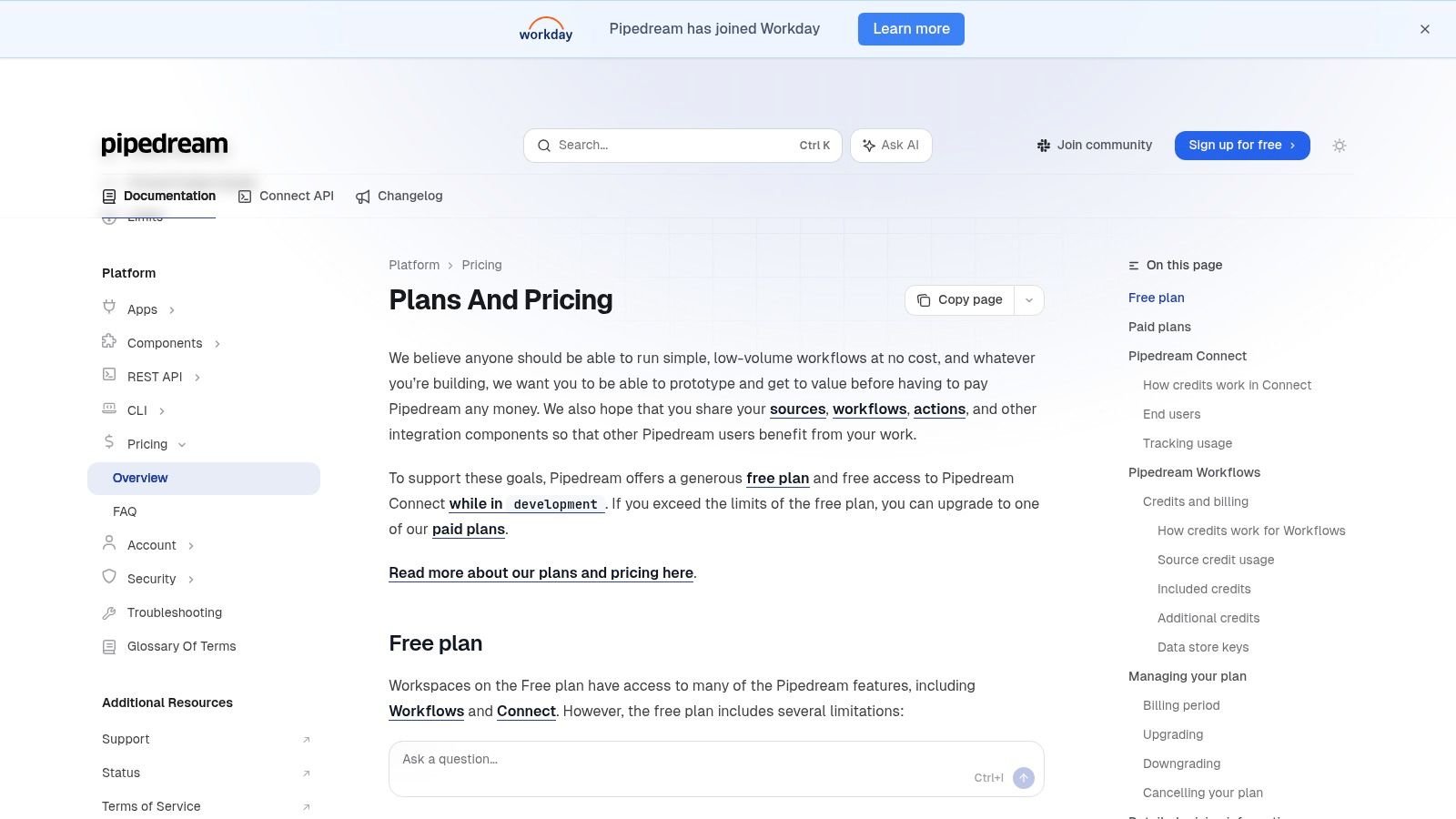
Pipedream offers a generous free tier that includes unlimited workflows and a substantial number of invocations. Paid plans are based on compute credits, which map to execution time, starting with the “Advanced” plan at $19/month for more credits, longer execution times, and team features. This credit-based model is very cost-effective for short, frequent tasks but requires monitoring to prevent unexpected bills from long-running or inefficient code. The main tradeoff is the learning curve; users need to be comfortable with APIs and basic scripting to get the most out of it.
- Best For: Engineering and operations teams needing custom API integrations and data workflows.
- Pros: Highly flexible for any API-based task; great for building solutions when off-the-shelf connectors fail.
- Cons: Requires technical knowledge (scripting); usage-based pricing needs careful monitoring of compute consumption.
- Website: https://pipedream.com/docs/pricing/?utm_source=openai
9. Pipefy
Pipefy focuses on standardizing structured business processes, making it some of the best workflow automation software for teams in procurement, finance, and HR. Instead of connecting disparate apps, its strength is in managing internal request-driven workflows from start to finish. An agency could use Pipefy to manage new client onboarding, where a form submission triggers a series of tasks for legal, finance, and project management teams, all tracked within a visual Kanban-style board or “pipe.”
This approach is great for creating auditable, repeatable processes that non-technical users can own and manage. It comes with built-in features like public forms, service level agreement (SLA) timers, and conditional logic that guide requests through predefined stages. This makes it a strong contender for any business that needs to enforce compliance and consistency in its operations, like managing IT support tickets or employee expense reports. Its automation rules handle tasks like sending email notifications or moving cards between phases, which removes a lot of manual follow-up.
Pricing and key features
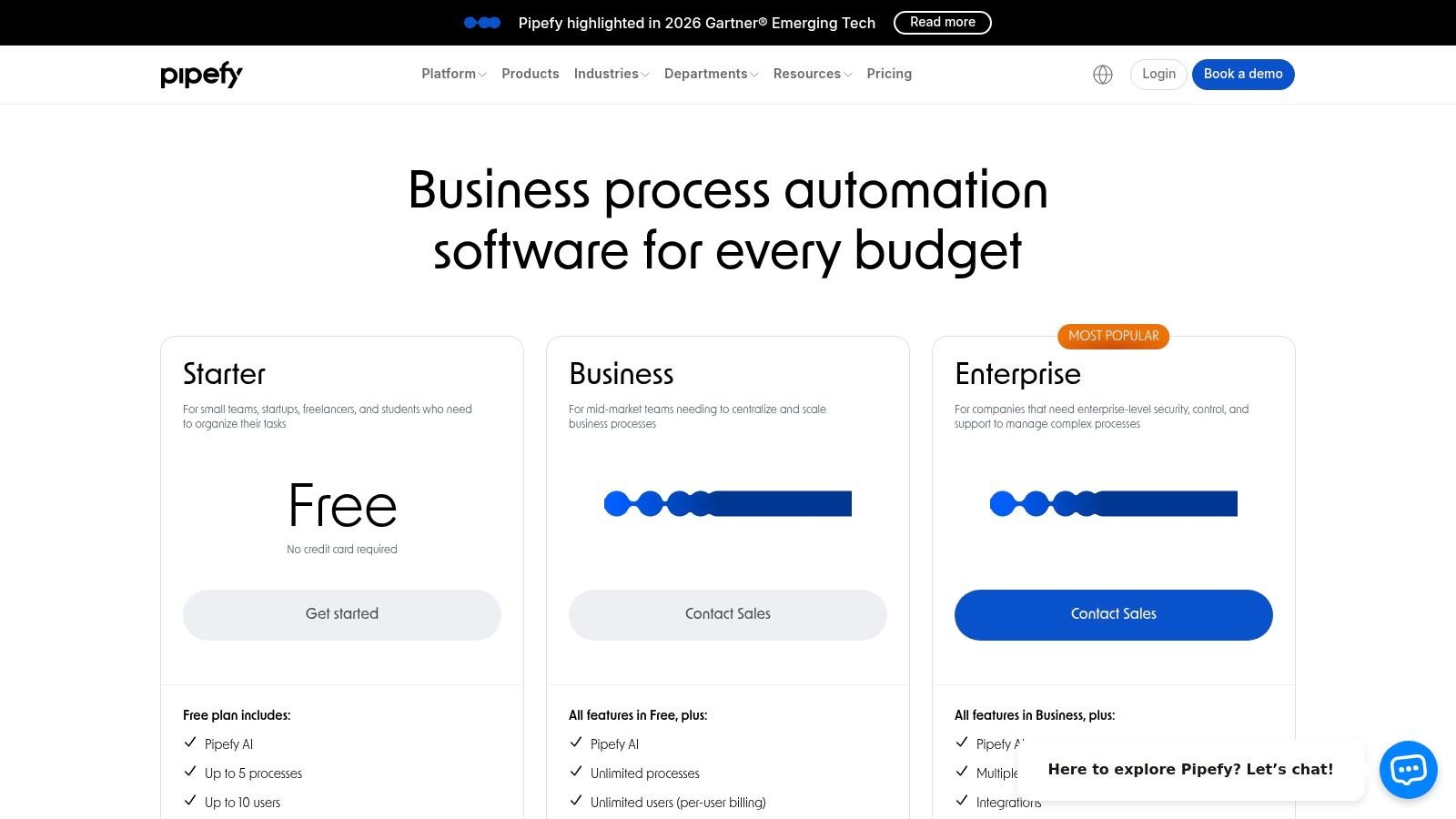
Pipefy offers a free plan with basic features for small teams. Paid plans start with the Business tier, which adds more advanced automations and integrations, but specific pricing often requires a conversation with their sales team. The Enterprise plan includes premium features like single sign-on (SSO), advanced security, and dedicated support. The main drawback is that it’s less flexible for creative or unpredictable workflows, and its capabilities for complex data work are not as developed as more technical platforms.
- Best For: HR, Finance, and IT teams needing to manage structured request-and-approval workflows.
- Pros: Purpose-built for standardized business processes; friendly for non-technical teams and quick to templatize.
- Cons: Less suited to highly custom data transformations; pricing and plan details can require contacting sales for specifics.
- Website: https://www.pipefy.com/pricing/?utm_source=openai
10. Kissflow
Kissflow shifts the focus from simple app-to-app connections to internal process orchestration, making it some of the best workflow automation software for structured, human-centric tasks. It’s a low-code platform designed for building and managing internal workflows like employee onboarding, purchase requests, or IT support tickets. For an agency, this could mean creating a formal process where a new project kickoff request automatically routes through creative, finance, and account management for approvals, with clear service-level agreements (SLAs) at each stage. Its strength is in creating auditable, standardized procedures where governance and oversight are key.
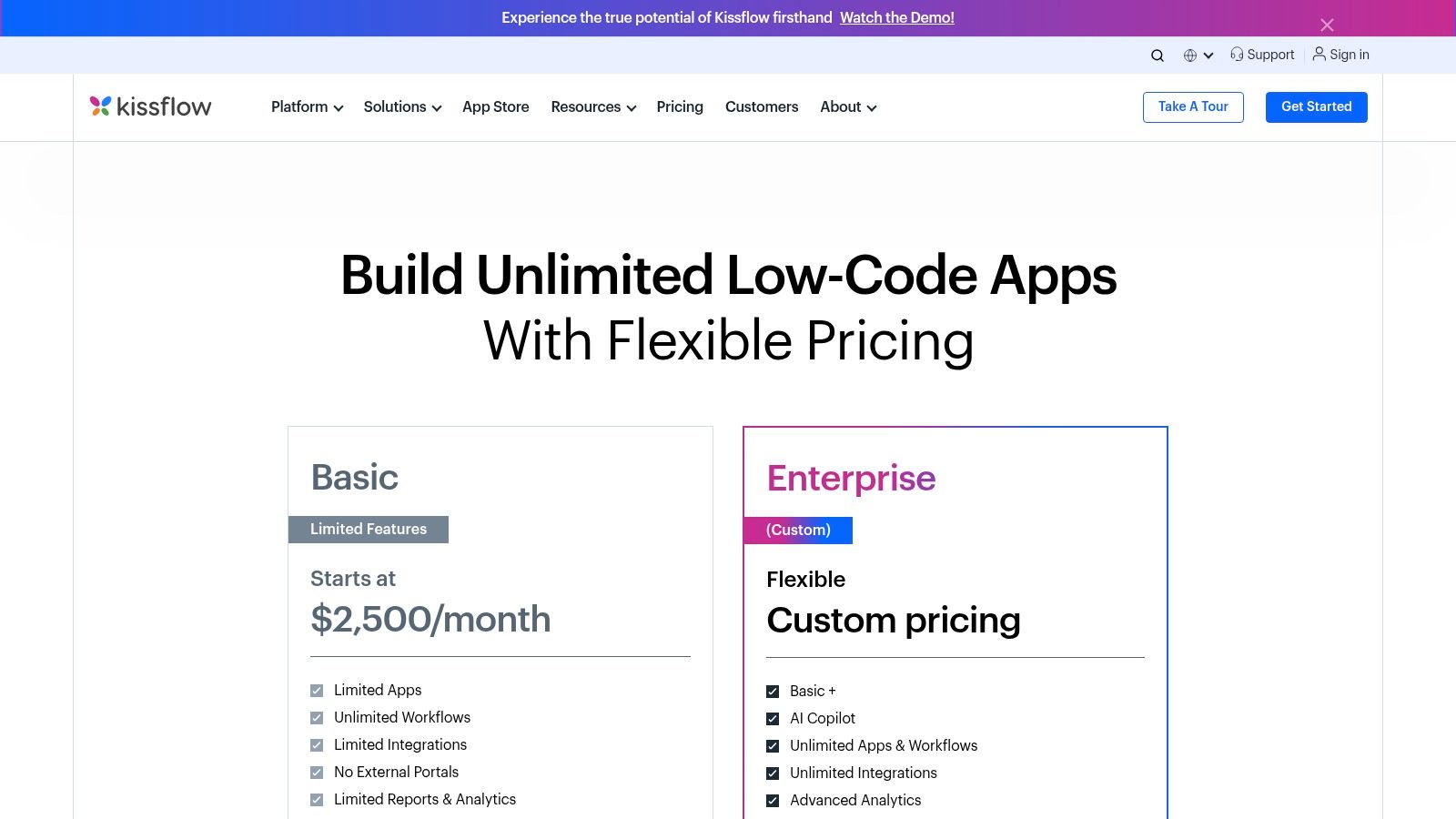
Unlike pure iPaaS tools, Kissflow provides a unified environment where you can build custom forms, define process rules, and even create simple applications or portals for your team. The drag-and-drop builder is accessible, but the real value comes from its ability to enforce business rules, manage escalations, and provide analytics on process performance. It’s less about connecting hundreds of niche SaaS tools and more about bringing order to cross-departmental operations that often live in email chains and spreadsheets.
Pricing and key features
Kissflow’s pricing is primarily quote-based and requires contacting their sales team, which can make initial budget planning difficult. The plans are structured around user counts and feature tiers, starting with a basic plan for smaller teams and scaling to enterprise solutions with advanced security and governance features like SSO/SCIM. The main drawback is its limited “plug-and-play” feel compared to integration-first platforms; connecting to external, non-mainstream apps may require custom API work. It’s built for internal process discipline, not broad external connectivity.
- Best For: Operations, HR, and IT teams needing to formalize and track internal requests and approvals.
- Pros: Excellent for building auditable, standardized business processes; unified platform for forms, workflows, and simple apps.
- Cons: Pricing requires a sales call and careful plan sizing; not as flexible for connecting a wide range of external SaaS tools.
- Website: https://kissflow.com/pricing/?utm_source=openai
11. Process Street
Process Street shifts the focus from app-to-app connections to human-centric procedures, making it some of the best workflow automation software for standardizing recurring tasks. Its strength is turning Standard Operating Procedures (SOPs) into interactive, enforceable checklists. For instance, a creative agency can build a client onboarding playbook that guides a project manager through every step, from initial kickoff call to final asset delivery, using conditional logic to show or hide tasks based on the project type.
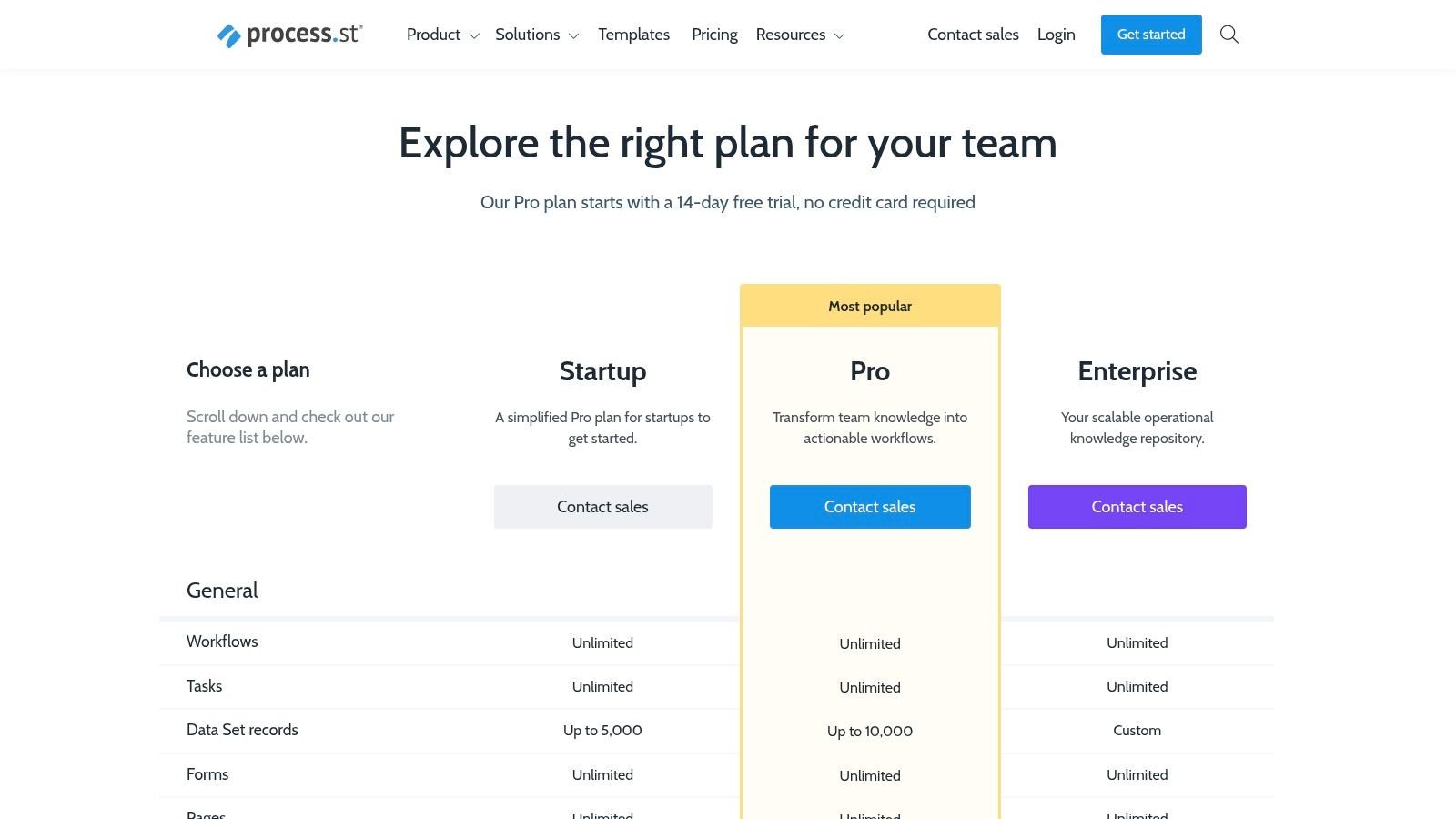
This checklist-driven approach is perfect for ensuring compliance and consistency in work like employee onboarding, content publishing, or quality assurance checks. The platform includes native automations, such as sending an email when a task is completed, and it integrates with other tools to push or pull data. It excels at making sure people follow the right steps in the right order every single time.
Pricing and key features
Process Street offers a free plan for one workflow and one active run. Paid plans start at $100/month for unlimited workflows and a minimum of 5 full members. The Pro plan adds features like role-based permissions, dynamic due dates, and conditional logic, which are necessary for most agencies. The Enterprise plan provides a dedicated success manager and advanced security. The main limitation is that it isn’t an iPaaS; for complex data transformations or orchestrating many different systems, you’ll still need a tool like Zapier or Make running alongside it.
- Best For: Operations teams, project managers, and agencies standardizing repeatable client work and internal processes.
- Pros: Excellent for documenting and enforcing recurring procedures; easy for non-technical users to build and follow.
- Cons: Not built for heavy data manipulation; complex cross-system automation requires another integration tool.
- Website: https://www.process.st/pricing/?utm_source=openai
12. Airtable (Automations)
Airtable is more than just a spreadsheet; it’s a flexible relational database with a powerful suite of built-in automations. This makes it some of the best workflow automation software for teams who need their workflows and their data to live in the same place. Instead of pushing data between apps, you build processes directly on top of your information. For instance, an agency could manage its entire content calendar in an Airtable base, where an automation triggers when a “Status” field is changed to “Ready for Review,” automatically assigning the editor and sending them a Slack notification.
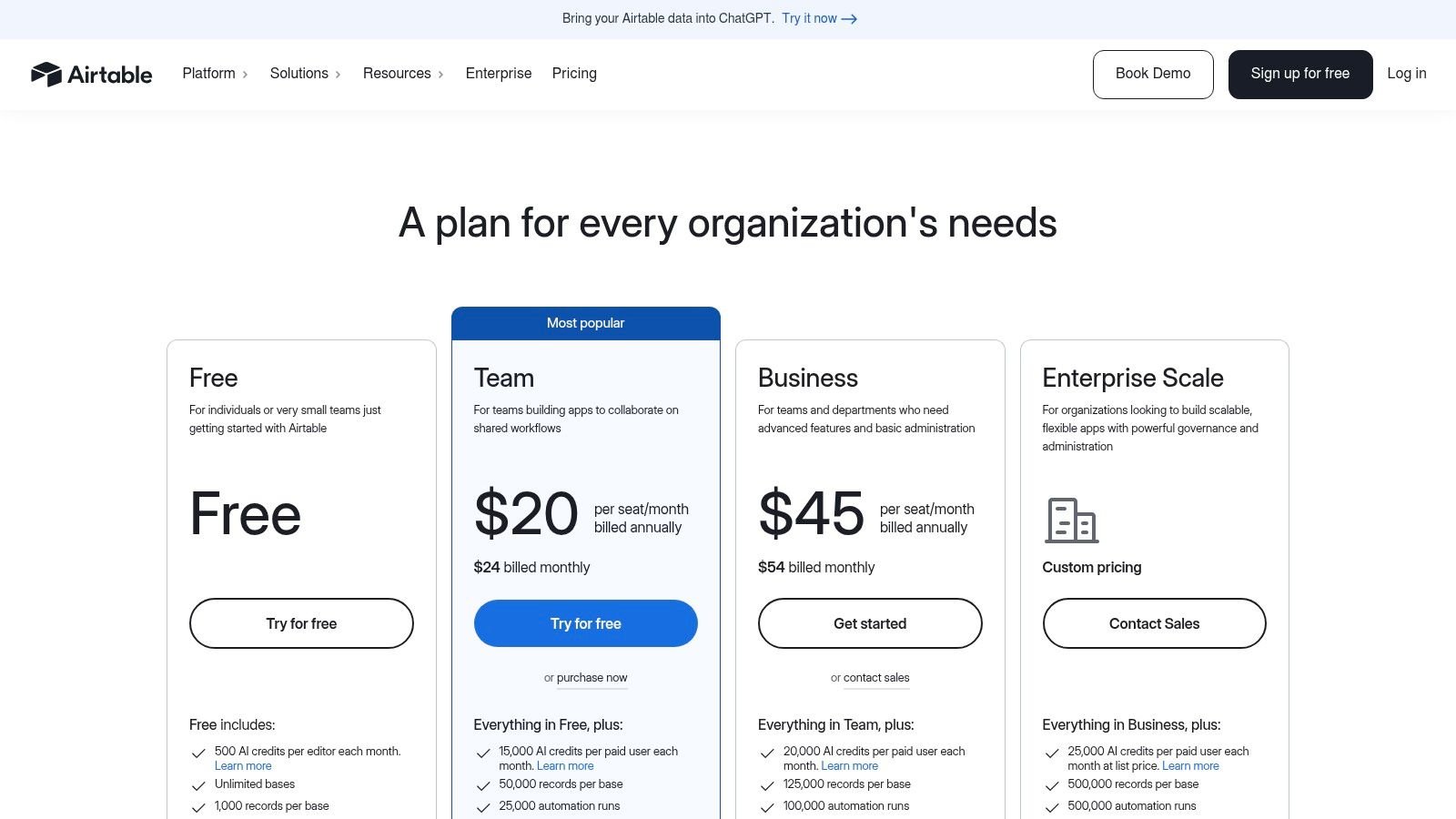
This unique combination of a customizable data backbone with native workflow capabilities is its core advantage. Teams can rapidly prototype and deploy internal tools, like project trackers or client portals, using Airtable’s “Interfaces” feature, all powered by the automations running in the background. With triggers, scripts, and webhook support, it handles a surprising amount of complexity without ever leaving the platform.
Pricing and key features
Airtable offers a free plan with basic automation capabilities. Paid plans, starting at $20 per seat/month (billed annually), significantly increase automation runs and unlock more advanced features like scripting and interfaces. Higher-tier plans provide even more runs and security controls needed for larger teams. The primary drawback is that the automation run limits on lower-tier plans can be restrictive for high-volume processes. While its internal automations are excellent for managing data within Airtable, complex cross-platform integrations often still require an external tool like Zapier or Make.
- Best For: Operations, project management, and product teams building custom internal tools and data-centric workflows.
- Pros: Combines a flexible database with workflow automation in one tool; excellent for rapid prototyping of operational apps.
- Cons: Automation run limits can be tight on lower plans; complex multi-app integrations may need a separate iPaaS tool.
- Website: https://airtable.com/pricing?utm_source=openai
Top 12 workflow automation tools — feature comparison
| Product | Core features | UX (★) | Value & Pricing (💰) | Ideal users (👥) | Unique selling points (✨) |
|---|---|---|---|---|---|
| 🏆 TimeTackle | Calendar-first AI time capture, Google/Outlook+CRM, tagging rules, dashboards, exports, API, Chrome extension, SOC 2 | ★★★★★ — effortless capture, low manual work | 💰 Free start; enterprise demo for advanced features | 👥 Agencies, consults, customer-facing teams, product/eng, property managers | ✨ Calendar-native capture + AI recommendations, goal alignment, billing integrity |
| Zapier | 7,000+ connectors, visual Zaps, paths & webhooks | ★★★★ — very easy for nontech users | 💰 Tiered; task-based can scale costs | 👥 Marketing, sales, ops, business users | ✨ Huge connector catalog and prebuilt templates |
| Make (Integromat) | Visual scenarios, routers, iterators, deep data transforms | ★★★★ — powerful; steeper learning | 💰 Cost-efficient for complex flows vs task-metered tools | 👥 Agencies, technical operations, automation specialists | ✨ Fine-grained data mapping and branching |
| Microsoft Power Automate | Cloud flows + desktop RPA, process mining, deep MS365/Dynamics ties | ★★★★ — natural in MS ecosystem | 💰 Licensing tiered/complex; premium connectors cost extra | 👥 Enterprises standardized on Microsoft stack | ✨ Combines API automation with desktop RPA & process discovery |
| Workato | Enterprise iPaaS, reusable recipes, governance & lifecycle tools | ★★★★ — enterprise-grade, IT-friendly | 💰 Higher TCO; pricing sales-led for scale | 👥 Mid-market & enterprise IT/ops, integration teams | ✨ Robust governance, reusable components, accelerators |
| Tray | Visual builder, Universal Connector, env/versioning, RBAC | ★★★★ — scalable for revenue/ops teams | 💰 Sales-led; task-metering requires budgeting | 👥 Revenue, marketing, ops needing scale & governance | ✨ Universal Connector for any REST/GraphQL API |
| n8n | Open-source node editor, self-host option, webhooks & code nodes | ★★★ — developer-friendly; self-host overhead | 💰 Cost-effective self-host; cloud tiers with limits | 👥 Dev teams, companies needing on-prem control | ✨ Open-source extensibility and self-host flexibility |
| Pipedream | Serverless event pipelines, code steps (Node/Python/Go), webhooks | ★★★ — highly flexible for devs | 💰 Credit/compute-based; monitor execution costs | 👥 Engineers, platform/ops teams | ✨ Code-first workflows with real-time event handling |
| Pipefy | Kanban 'pipes', forms, SLAs, automations, approvals | ★★★ — form-driven, nontechnical UX | 💰 Sales-led pricing; plan-based limits | 👥 Procurement, finance, HR, IT request teams | ✨ Purpose-built structured processes and templates |
| Kissflow | Low-code forms, process builder, SLAs, app builder | ★★★ — unified forms+workflow with governance | 💰 Sales-led tiers; plan sizing needed | 👥 Cross-department process owners, IT-governed teams | ✨ App builder + audit trails for regulated workflows |
| Process Street | Checklist playbooks, conditional logic, automations, reporting | ★★★ — simple for SOPs & recurring tasks | 💰 Subscription plans; straightforward for teams | 👥 Agencies, ops teams standardizing SOPs | ✨ Checklist-driven playbooks for repeatable processes |
| Airtable (Automations) | Relational bases, interfaces, built-in automations & scripts | ★★★★ — flexible, fast prototyping | 💰 Freemium; run limits vary by plan | 👥 Ops, PMs, teams needing custom data apps | ✨ Combines data backbone + UI + automations in one tool |
Making your final choice: it’s about problems, not just features
We’ve walked through a dozen of the best workflow automation software platforms, from all-purpose connectors like Zapier to specialized process management tools like Pipefy. It’s easy to get lost in feature lists and integration counts. The real takeaway is this: the perfect tool doesn’t exist. The right tool, however, is the one that directly attacks your most expensive, frustrating, and repetitive business problem.
Don’t let the platform with 7,000 integrations distract you if your team’s biggest issue is a complete lack of a structured, repeatable process. The tool should follow the problem, not the other way around. Before you sign up for a single free trial, get your team in a room and map out the one process that causes the most headaches.
Your goal isn’t to buy a fancy platform; it’s to free up your team to do the valuable, creative work that a machine can’t.
How to select your first automation tool
Start by diagnosing your core operational pain. Be specific. “We need to be more efficient” is not a diagnosis; it’s a symptom. “Our client onboarding takes six manual steps, involves three different people, and we drop the ball on at least one task per client” is a diagnosis.
Once you have that clarity, you can use this list to find a match:
- Is your biggest pain inconsistent client onboarding or project kickoffs? A process-first tool like Process Street or Pipefy provides the structured checklists you need.
- Is your primary challenge connecting a web of marketing and sales apps? Start with Zapier or Make. They are the universal translators for your tech stack.
- Do you need to build a complex, multi-step data pipeline with custom logic for an enterprise client? This is where more powerful platforms like Tray.io or Workato justify their cost.
- Is your single biggest time-sink chasing down timesheets and manually creating reports for utilization and billing? This is a specific data-gathering problem. A tool like TimeTackle is built precisely for this, using calendar data as the source of truth to eliminate manual entry.
A practical implementation plan
The most successful automation initiatives don’t start with a company-wide mandate. They start small, prove their worth, and then expand. This approach builds momentum and gets you a quick win, which is essential for getting team buy-in.
Pick one, clearly defined workflow. For an agency, this might be automating the creation of a new client folder structure in Google Drive when a deal is marked “Closed-Won” in your CRM. For a consulting firm, it could be automatically generating a weekly project status report from task management data.
Measure the “before” and “after.” How many hours did this process take per week? How many errors did it produce? After automating it, what are the new numbers? This data makes the business case for your next, more ambitious project. It moves the conversation from “This is a neat tool” to “This software saved us 20 hours a month and eliminated all reporting errors.”
Ultimately, the goal is not just to stitch apps together. The real value of workflow automation is buying back your team’s most valuable asset: time. It’s about replacing low-value, repetitive tasks with high-value strategic work. By choosing the best workflow automation software for your specific problem, you’re not just improving efficiency; you’re investing in your team’s capacity to think, create, and solve bigger challenges.
If your biggest operational headache is turning billable hours into accurate invoices and understanding team utilization without chasing timesheets, your problem is a data problem. TimeTackle solves this by using AI to automatically capture work from your team’s calendar and turn it into visual workflows and precise reports. Stop guessing and start knowing where your time goes by trying TimeTackle today.