
To calculate cycle time, you’re essentially measuring the total active work time from the moment a task starts until it's finished. It’s like hitting a stopwatch on your process.
This simple metric shows you exactly how long it takes your team to deliver a single unit of work, whether that's a creative asset for a campaign or a key deliverable for a client. Getting a handle on this is the first step toward unlocking some serious operational efficiency.
Why Cycle Time Is a Critical Profitability Metric

Before we jump into the formulas, it’s really important to grasp why cycle time matters so much. For any service-based business—especially creative shops or consulting agencies—it’s way more than just an operational metric. Think of it as a direct lever you can pull to boost profitability.
Every day a project sits in a particular stage, whether it's "awaiting feedback" or "in design," it's costing you money. These little delays pile up, quietly eroding your profit margins, pushing back when you can recognize revenue, and eventually leading to team burnout from the constant pressure of playing catch-up.
The Real-World Costs of Slow Processes
Slow cycle times create a domino effect that can ripple through your entire operation. A longer process doesn’t just mean one project is late; it ties up valuable people who could be starting the next billable project.
This inefficiency shows up in a few painful ways:
- Eroded Margins: Fixed-fee projects quickly become less profitable as they soak up more unplanned hours.
- Delayed Revenue: The longer it takes to finish the work, the longer it takes to send an invoice and get paid. That's a direct hit to your cash flow.
- Reduced Capacity: Slow, clunky processes put a hard ceiling on how many projects your team can realistically handle, capping your growth.
- Client Dissatisfaction: When timelines are unpredictable and deadlines get missed, you start to lose client trust, which can easily lead to churn.
A slow process is an expensive process. If you’re not measuring and managing cycle time, you're letting hidden costs quietly eat away at your bottom line.
Connecting Cycle Time to Your Bottom Line
The financial impact of improving this one metric can be pretty staggering. For a mid-sized marketing or consulting agency, even a modest 10% reduction in the average cycle time on retainers can make a material difference.
Think about it: for a 100-person firm billing at $150 per hour, a 10% gain in productivity frees up about $45,000 in additional weekly revenue potential. Annually, that’s over $2.3 million. You can dig deeper into these kinds of economic impacts in global productivity reports.
This isn't just about making people work faster; it's about unlocking capacity without having to increase your headcount. Improving cycle time lets you accomplish more with the team you already have. It’s a foundational skill for any agency leader focused on sustainable growth, and it directly influences other key performance indicators. In fact, you can learn more about how to calculate your utilization rate in our related guide.
The Core Formulas for Calculating Cycle Time
To really get a handle on cycle time, you need a clear, consistent way to measure it. The good news? The basic calculation is incredibly simple, stripping away all the noise to give you the raw truth about your process.
At its heart, the formula is just this: Cycle Time = End Date – Start Date
Think of it like a stopwatch. You hit "start" the moment someone begins actively working on a task, and you hit "stop" the second it's finished. That elapsed time is your cycle time. It’s that straightforward.
Defining Your Start and End Points
The real magic, and where most people get tripped up, is in defining what "Start Date" and "End Date" actually mean for your team. If these definitions are fuzzy, your data will be useless. For example, using "when the request came in" as your start date actually measures lead time, because you're including all the idle time the task spent sitting in a queue.
To measure true cycle time, you have to be precise.
- Start Point: This isn't when an idea was born or a ticket was created. It's the exact moment a team member rolls up their sleeves and starts executing. A designer opening Photoshop, a developer writing the first line of code, a strategist beginning their research—that's your start point.
- End Point: This is the moment the work is done and ready for whatever's next. It could be a submitted design, a merged pull request, or a finalized report sent off to the client. The task is complete.
Getting your start and end points right is everything. It's the difference between measuring how long your team is actually working versus how long a task is just sitting around. One tells you about efficiency; the other tells you about your backlog.
Cycle Time Formulas for Common Agency Workflows
Let's be honest, a one-size-fits-all approach to defining start and end points just doesn't work in an agency. The triggers for a quick social media graphic are totally different from a six-week client onboarding. You need to adapt your definitions to fit the workflow.
Here’s a breakdown of how you can define these points for different kinds of agency work. Think of this as your playbook for getting accurate cycle time calculations across the board.
| Workflow/Task | Start Point (Event) | End Point (Event) | Cycle Time Calculation Example |
|---|---|---|---|
| Creative Production | Designer begins work on the first draft of an asset. | Final asset is approved and delivered to the client. | Final Delivery Date – Design Start Date |
| Client Onboarding | Project kick-off meeting concludes. | Onboarding checklist is fully completed. | Checklist Completion Date – Kick-off Date |
| Blog Post Creation | Writer begins drafting the initial version. | Final, edited post is published on the website. | Publish Date – First Draft Start Date |
| Technical Support Ticket | Support agent starts investigating the issue. | Resolution is sent to the client and ticket is closed. | Ticket Closed Timestamp – Investigation Start Timestamp |
By tailoring your start and end points to each specific workflow, you’ll get numbers that are not only accurate but also far more insightful. This allows you to spot bottlenecks in very specific parts of your delivery process, which is the first step to fixing them.
How to Capture Accurate Data for Your Calculations
An accurate cycle time calculation is only as good as the data you feed it. Let’s be honest, if your start and end points are based on guesswork or inconsistent manual entries, your results will be misleading at best. The key is to find where the work is already being recorded naturally and reliably.
For most service teams, that single source of truth is the team's shared calendar. Think about it. Events like "Project Kick-off" and "Final Delivery Review" in Google Calendar or Outlook are the real-world markers for when a project actually begins and ends. Tapping into this existing data stream is the fastest, most reliable way to get accurate inputs.
Leverage Your Calendar as the Data Source
Instead of forcing your team to adopt yet another tool or fill out another timesheet (which they'll probably forget to do anyway), you can pull data directly from their calendars. This approach cuts down on the administrative busywork and captures the most realistic timestamps for your cycle time formula.
The goal here is to ditch error-prone manual tracking for an automated, reliable system. By using tools that plug right into your calendar, you can set up rules that automatically identify and tag the key events you care about.
This simple flow shows exactly how that works, moving from a start event to an end event with active work happening in between.
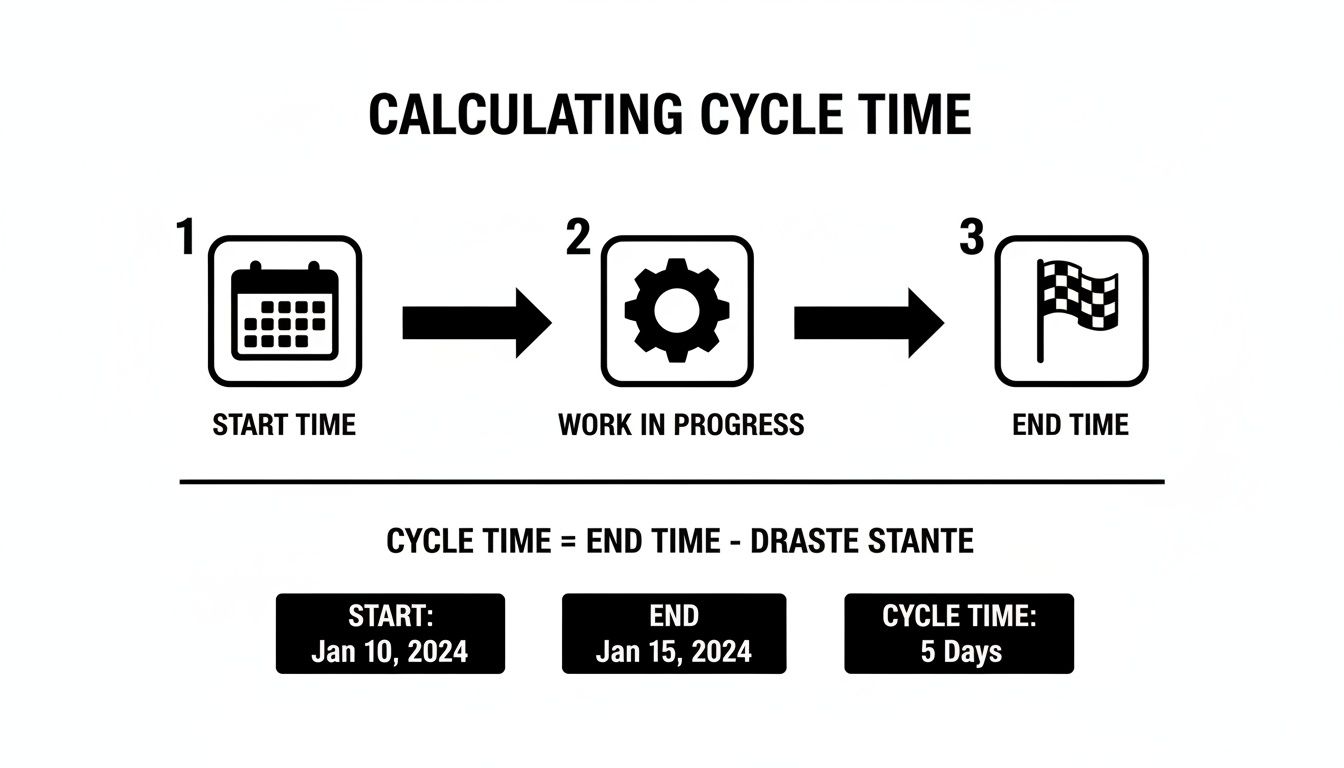
This visual really drives home the importance of defining clear start and end points right from your team's operational workflow—a workflow that's almost always documented in your calendar.
Setting Up Your Data Capture Workflow
To start capturing clean data, you need a straightforward workflow. It really just involves connecting your calendar to a tool like TimeTackle, where you can apply rules to automatically categorize every single event. This turns a messy, chaotic calendar into a structured dataset that's ready for analysis.
Imagine trying to manually find the start date for every "Q3 Social Media Campaign." It's a nightmare. With an automated system, you can just set up a rule that looks for events containing that exact phrase.
Here’s how to structure the process:
- Connect Your Data Source: First, link your team’s Google or Outlook calendars to your analytics platform. This gives you the raw material to work with.
- Define Your Keywords: Identify the specific words or phrases that signify start and end points for your different project types. This could be "Kick-off" for the start and "Final Approval" or "Go-live" for the end.
- Build Automation Rules: Create rules that automatically tag calendar events based on those keywords. For instance, any event titled "Website Project Kick-off" gets tagged as "Project Start."
- Export Clean Data: Once your events are tagged, you can export a clean spreadsheet that only includes the relevant start and end dates for each project, ready for your formula.
By automating the tagging of calendar events, you eliminate the manual effort and human error that comes with finding start and end dates. This ensures the data you use to calculate cycle time is both consistent and accurate every time.
This structured data is the foundation for any meaningful insights. For more ideas on structuring your data capture, check out our guide on time tracking best practices, which has some great strategies for keeping your data clean. Your goal should be a repeatable process that turns calendar chaos into clear, actionable information.
A Practical Walkthrough of Calculating Cycle Time

Alright, let's bridge the gap between theory and what actually happens on the ground. Knowing the formula is one thing, but applying it to messy, real-world data is where the magic happens. We're going to walk through how to calculate cycle time for a classic agency project—a "Q3 Social Media Campaign"—using nothing but a raw calendar export.
This isn't just a numbers game. We're turning abstract data points into real operational insights you can use to make your workflows better, starting today.
Preparing and Cleaning Your Data
Your journey starts with a raw data export from your team's calendar, probably a CSV file that looks like pure chaos when you first open it in Excel or Google Sheets. It's a jumble of meetings, reminders, out-of-office blocks—everything. The first job is to cut through the noise.
You'll want to filter everything down to events related to a single project. For our example, that means filtering event titles to only show entries containing "Q3 Social Media Campaign." Instantly, the clutter disappears, and you're left with a focused list of activities for that specific project.
From there, it's about spotting the milestones:
- Filter by Project Name: Isolate all events titled "Q3 Social Media Campaign."
- Identify Key Phases: Scan that list. You'll quickly see the project's skeleton emerge—things like "Campaign Strategy Kick-off," "Creative Review," and "Execution Handoff."
- Find Start and End Dates: For each of those key phases, find the earliest start date and the latest end date. These timestamps are what you'll plug into the formula.
Don't aim for perfection here; the goal is clarity. You're just trying to isolate the specific bookends for each major phase of work. That’s what lets you measure the time that actually elapsed.
Calculating Cycle Time for Each Project Phase
Once you have your key dates pulled out, the calculation itself is just simple subtraction. Let’s lay it out for our Q3 campaign, assuming we found these dates in our calendar data:
| Project Phase | Start Event & Date | End Event & Date |
|---|---|---|
| Strategy | Strategy Kick-off (Sept 1) | Strategy Approved (Sept 8) |
| Creative | Creative Brainstorm (Sept 9) | Final Creatives Delivered (Sept 28) |
| Execution | Campaign Build-out (Sept 29) | Campaign Launch (Oct 5) |
Now, we just apply the formula (End Date – Start Date) to each phase:
- Strategy Cycle Time: Sept 8 – Sept 1 = 7 days
- Creative Cycle Time: Sept 28 – Sept 9 = 19 days
- Execution Cycle Time: Oct 5 – Sept 29 = 6 days
The total project cycle time, from the very first meeting to the final launch, comes out to 34 days.
Turning Numbers into Actionable Questions
The numbers are just the starting point. The real value is in the questions they force you to ask. That 19-day cycle time for the creative phase? It jumps right off the page. This is where you shift from being a calculator to being an investigator.
With this data in hand, you can ask incredibly specific, targeted questions:
- Why did the creative phase take nearly three times longer than strategy or execution?
- Were there a bunch of unexpected feedback loops or approval delays we didn't account for?
- Did the creative team get everything they needed from the strategy phase before they had to start?
This rhythm of measuring and then optimizing is a massive driver for growth. We see it all the time. As noted in McKinsey research on process optimization, companies that get systematic about removing these kinds of bottlenecks see huge gains in both productivity and client happiness. By looking closely at your cycle time, you can stop guessing and start fixing the exact parts of your process that need attention.
Using Cycle Time Insights to Optimize Agency Workflows

Calculating cycle time is just the first step. The real magic happens when you use those numbers to build smarter, faster workflows. Once you’ve got your baseline, you can start asking the tough questions and uncovering the hidden drains on your agency’s time and money.
Think of your cycle time data as a treasure map. It points directly to your biggest operational headaches and shows you exactly where things are getting stuck. By digging into the results, you’ll spot patterns that were completely invisible before. Maybe one type of project consistently overruns its timeline, or perhaps the handoff from strategy to creative is where momentum grinds to a halt every single time.
Identifying Your Core Bottlenecks
A bottleneck is simply any point in your process where work piles up faster than your team can handle it. It's the one stage that sets the pace for the entire project. In a busy agency, these choke points often hide in plain sight.
Here are a few of the usual suspects:
- Vague Project Briefs: When creative teams don't get clear, complete information upfront, they're forced into endless revision cycles that bloat the project's cycle time.
- Slow Client Approvals: A project that sits in "awaiting feedback" limbo for days on end adds directly to your lead time and clogs up the entire pipeline for other work.
- Inefficient Handoffs: A lack of clear communication or a sloppy process when work moves between departments (like from design to development) creates dead time and frustration.
Spotting a bottleneck is the most critical step. If you can fix the slowest part of your process, you improve the entire system. Focusing anywhere else won't have the same impact.
Implementing Targeted Improvements
Once you’ve found a bottleneck, you can make small, focused changes to fix it. This isn't about some massive, disruptive overhaul of your entire agency. It’s about smart, targeted solutions that deliver big results.
For example, if vague project briefs are the problem, create a standardized intake form that must be completed before any work can kick off. If handoffs are slow, schedule a mandatory 15-minute handoff meeting to ensure all context is transferred effectively. These small tweaks add up fast.
The financial incentive here is huge. When revenue growth is sluggish, a 5–10% reduction in internal cycle time can mean the difference between maintaining your margins and watching them shrink. For a 150-person agency with $25 million in annual revenue, improving the average project cycle time by just 8–10% can free up thousands of hours per year.
As you roll out these changes, keep tracking your cycle time to see what’s working. This creates a powerful feedback loop for continuous improvement. Remember, smart process optimization goes hand-in-hand with managing your team's capacity. For more on that, check out our guide on workload management strategies.
Common Questions About Calculating Cycle Time
Even with a clear understanding of the formulas, things always get a little messy when you start calculating cycle time in a real agency setting. Let’s tackle some of the most common hurdles I see agency leaders face when they move from theory to implementation.
Getting these details right isn't just about being a data nerd—it's about making sure your numbers are genuinely useful for making smarter business decisions.
What Is the Difference Between Lead Time and Cycle Time
This is easily the most frequent point of confusion, so let's clear it up. Lead time measures the entire client experience, kicking off the second they submit a request and stopping only when they get the final deliverable. It includes all the waiting time before your team even lifts a finger.
Cycle time, on the other hand, is a slice of that lead time. It only measures the period your team is actively working on the task. The clock starts when the work actually begins and stops when it's complete.
Here’s a quick example:
- A client asks for a new landing page on Monday. Your team is swamped and doesn't start until Wednesday. They deliver it on Friday. The lead time is 5 days.
- In that same scenario, your team worked from Wednesday to Friday. The cycle time is 3 days.
You really need to track both. Lead time gives you a window into your client's total waiting experience, while cycle time reveals your team's internal efficiency.
How Should I Account for Weekends and Holidays
The honest answer? It depends entirely on what you're trying to measure. Are you looking at your team's operational efficiency, or are you trying to see things from the client's perspective?
To get a true read on internal efficiency and your team's actual effort, you should absolutely exclude non-working days. Stick to business days. Most spreadsheet tools have functions like NETWORKDAYS that make this easy by automatically stripping out weekends and any holidays you specify.
However, if you're measuring the client's experience (which is lead time), you have to use calendar days. Your client's project clock doesn't pause just because it's a Saturday. Using the total elapsed time gives you a much more realistic picture of how long they actually had to wait for their deliverable.
For analyzing your team's performance, always use business days. For evaluating the client experience, switch to calendar days. This simple distinction ensures you're using the right lens for the right problem.
What Is a Good Cycle Time for a Creative Agency
Sorry to disappoint, but there is no magic number or universal benchmark for a "good" cycle time. It varies wildly based on the complexity and scope of the work. A social media graphic might have a cycle time of two days, while a full website redesign could easily be 90 days or more.
Instead of chasing an elusive industry average, you're much better off establishing your own internal baselines for different types of projects. The real goal isn't to hit some generic number—it's to continuously improve your own performance.
Start tracking your cycle times, find the average for each service you offer, and then work to make those times shorter and, just as importantly, more predictable.
TimeTackle provides the AI-powered analytics you need to automatically capture and categorize work from your team's calendar. This gives you the accurate data required to calculate cycle time without all the tedious manual effort. Start your free trial today.