
Let's be honest—manual timesheets are a total nightmare. They're inaccurate, a constant source of dread for your team, and a bottleneck for anyone trying to pull a simple report. Moving to a modern app to keep track of working hours isn't just about saving a few minutes; it's a strategic move to plug revenue leaks and get your operations running smoothly.
Why manual timesheets are costing your agency more than you think

That "quick five minutes" your team spends every Friday trying to recall what they worked on last Tuesday? It’s not just an annoyance. It’s a direct hit to your agency’s bottom line.
Multiply that lost time across dozens of employees every single week, and the hidden costs become painfully obvious. Manual time tracking is built on a shaky foundation: human memory. And memory is notoriously unreliable. Work gets forgotten, hours get rounded down, and the data you end up with is more of a vague guess than a hard fact.
The real-world impact of inaccurate time data
Bad timesheet data creates a domino effect that can cripple your agency, starting with profitability and trickling all the way down to team morale.
- Flawed project profitability: Without exact numbers, you can't truly know which projects are making you money and which are secretly draining resources. A project might feel like a win, but if it consistently goes over its untracked hours, it could be your least profitable engagement.
- Inaccurate client billing: Under-billing is practically guaranteed with manual tracking. Every forgotten 15-minute call or quick revision is money you're leaving on the table. Over a year, this can add up to thousands of dollars in lost revenue per client.
- Poor resource forecasting: How can you possibly plan for the next project when you don't have a clear picture of how long the current ones are taking? Bad data makes it impossible to forecast resource needs, which means overworked teams and blown deadlines.
- Constant administrative headaches: Chasing down timesheets is a thankless job. It eats up the valuable time of project managers who should be focused on strategic, high-impact work. For a 100-person agency, this admin drag can easily cost tens of thousands a year in lost productivity alone.
If you’re still wrestling with spreadsheets, it’s time to seriously consider a better way. For a deeper dive into the importance of tracking time spent on tasks, this guide offers a solid perspective.
The biggest problem with manual timesheets is they force your most valuable assets—your people—to spend billable hours on low-value admin work.
The market shift toward automation
The stampede away from spreadsheets isn't just a trend; it's a fundamental change in how smart businesses operate. According to Fortune Business Insights, the global time tracking software market, valued at $3.9 billion in 2025, is projected to jump to $4.58 billion by 2026.
That’s a massive single-year growth rate of 17.3%, driven by the need for accurate data in remote and hybrid work models. This rapid adoption proves one thing: an automated app to keep track of working hours is no longer a "nice-to-have." It's necessary for staying competitive and profitable.
How to choose an app that works with your calendar
Not all time tracking apps are created equal. The real difference-maker is finding a tool that practically disappears into your team's daily routine. For most agencies, that means it needs to play nice with Google Calendar or Outlook Calendar. Forget endless feature lists; the right app to keep track of working hours for a busy team boils down to a few core elements.
The goal here isn't just to find another tool—it's to find a solution that actively cuts down on administrative busywork, not just moves it around. Many apps are just fancy timers that still force your team to manually start and stop every single task. While that’s a step up from a spreadsheet, it doesn’t solve the real problem: timesheet fatigue. You need an app that thinks ahead for you.
Focus on calendar-based automation
Deep calendar integration is, without a doubt, the most important feature to look for. Think about it: your team’s calendar is already a detailed log of their entire day—client meetings, heads-down focus time, and internal calls. An app that can automatically pull this information and turn it into timesheet entries is where you’ll see incredible efficiency gains.
This completely flips the script on traditional time tracking. Instead of asking your employees to remember what they did all day, the system shows them a pre-filled timesheet based on their calendar. All they have to do is review and approve it.
The difference is subtle but powerful: you move from a system of recall to one of recognition. It's far easier for someone to confirm "Yes, I attended that 45-minute discovery call" than it is to create that entry from scratch.
When you're sitting in on demos, be sure to ask some direct questions:
- Does it sync with both Google and Outlook calendars?
- How often does the calendar data sync? You want real-time, if possible.
- Can users easily add notes or adjust the details on calendar-based entries?
For any agency serious about optimizing its workflow, digging into the specifics of time tracking with Google Calendar is a great starting point to understand what a best-in-class tool should offer.
Demand smart tagging and automation rules
This is where a good app becomes a necessary part of your toolkit. The ability to set up rules that automatically categorize time is what truly gets you away from manual data entry. You want a system where the app can spot keywords or attendees in a calendar event and assign the right project, client, or task tag—all without a human lifting a finger.
For instance, you should be able to create rules like these:
- If an event title contains "Project Phoenix," automatically tag it with the 'Project Phoenix' client and mark it as 'Billable'.
- If a calendar event includes an attendee from 'client-x.com,' tag it as 'Client X – Account Management'.
With this level of automation, your team members could open their timesheets and find that 80% or more of their work is already categorized correctly. This doesn't just save hundreds of hours across your agency; it also makes your data way more accurate and consistent.
Look beyond timers to a productivity platform
Simple timers only solve a tiny piece of the puzzle. The best modern platforms, like TimeTackle, treat the calendar as the operational heart of your business. They don’t just log hours; they build a whole productivity and analytics engine around that data.
When you're comparing options, it’s helpful to see the stark difference between a basic timer and a truly integrated, calendar-based platform.
Calendar-based vs manual timer app comparison
While both tools aim to track hours, their approach and impact on your team's workflow are worlds apart. A manual timer still puts the burden on your team to remember everything, whereas a calendar-based system does the heavy lifting for them.
| Feature | Calendar-Based App (e.g., TimeTackle) | Manual Timer App |
|---|---|---|
| Data Capture | Automatic, based on scheduled calendar events. | Manual start/stop required for every task. |
| Accuracy | High. Captures all scheduled work without relying on memory. | Prone to human error, forgotten tasks, and guesstimates. |
| Team Effort | Minimal. Review and approve pre-filled timesheets. | High. Requires constant active participation. |
| Insights | Deep analysis of how time is allocated across projects and clients. | Basic reporting on hours logged per task. |
At the end of the day, when you choose an app to keep track of working hours, you're not just buying software; you're choosing a workflow. Make sure the one you pick is built for the automated, data-driven way modern agencies have to operate. Your objective should be to make timesheets an afterthought, not a dreaded weekly chore.
Picking the right app to keep track of working hours is a great start, but it’s what you do next that really counts. The real power is unlocked during setup. This is where you go from having just another tool to having a fully automated engine that works for you, freeing up your team from the grind of manual timesheets.
Getting it right from the beginning is what separates an app that genuinely saves you time from one that just becomes another Friday afternoon chore.
It all comes down to a three-part process: connecting your calendars, defining your business activities with tags, and then building simple rules to automate all the categorization.
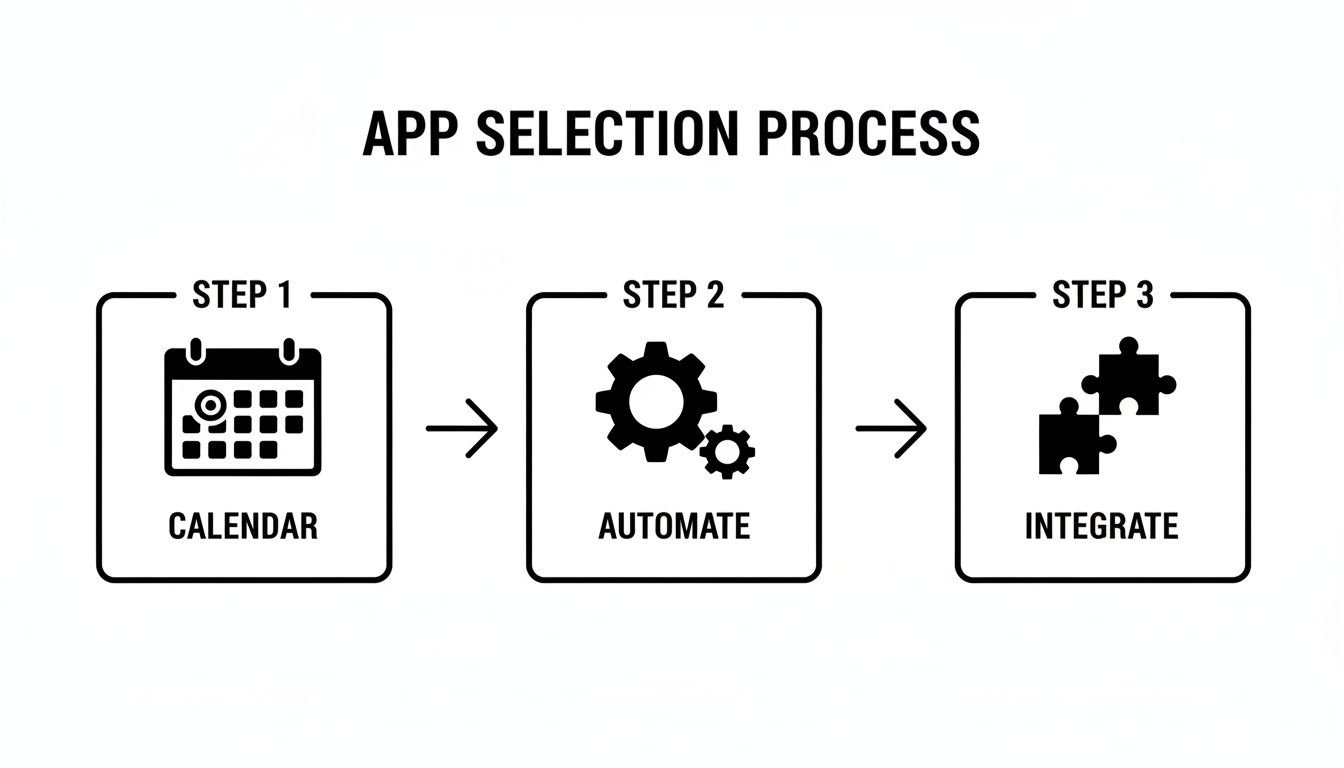
When you nail these three pillars, time tracking fades into the background, happening almost invisibly.
Connect your calendars and fine-tune sync rules
The entire foundation of automated time tracking is your team's existing calendar. Most of your billable hours and internal tasks are already sitting there in Google Calendar or Outlook, just waiting to be captured. The first thing you'll do is securely connect those calendars to your app.
Make sure the app you choose uses OAuth 2.0. It's the industry standard for granting access without ever having to share your passwords—a critical security check.
Once connected, you can set your sync rules. For example, you’ll probably want to only import events marked as "Busy" and ignore anything set to "Free." This is a simple way to keep personal appointments from cluttering up your professional timesheets.
If you’re new to this and still figuring out what data matters, it can be a good exercise to first build a functional Google Forms timesheet system. It forces you to clarify exactly what you need to track before you move to a more powerful, automated tool.
Build your custom tagging system
Before any automation can happen, you need to teach the app the language of your business. This is where tags come in. Think of tags as the labels you'll use to categorize every block of time, and a smart tagging structure is the secret to getting truly insightful reports later.
Start by brainstorming the core categories you use to run your agency. Keep it simple at first—you can always add more later.
- Clients: Create a tag for each one (e.g.,
Client: Acme Corp,Client: Innovate Inc). - Projects: List the specific projects under each client (e.g.,
Project: Website Redesign,Project: Q4 Campaign). - Task Types: Define the actual work being done (e.g.,
Task: Design,Task: Client Meeting,Task: Development). - Billable Status: Have a clear way to separate paid work from internal time (
Billable,Non-Billable).
Create powerful automation rules
With your calendars connected and your tags ready to go, it's time for the fun part: building the automation rules. The goal here is to create a system that intelligently categorizes time based on information it pulls directly from your calendar events.
You're basically teaching the app how you operate. The best platforms offer a visual rule builder, letting you set up simple "if-then" logic without touching a single line of code. For a deeper dive into what's possible, check out our guide on automated timesheet software.
Here are a few real-world examples I’ve seen work wonders for different agencies:
Marketing agency rule:
- If a calendar event title contains "Discovery Call" and an attendee has a prospect's email domain…
- Then automatically apply the
Task: Pre-SalesandNon-Billabletags.
Consulting firm rule:
- If a calendar event is named "Weekly Sync – Project Falcon"…
- Then automatically apply the
Client: Falcon Industries,Project: Q2 Strategy, andBillabletags.
Creative agency rule:
- If a calendar event's description includes a link to Figma or Adobe CC…
- Then automatically apply the
Task: Designtag.
The impact here is huge. We've seen that AI-powered time tracking can lead to 32% efficiency improvements and a 50% reduction in the admin time spent on manual entries. For a medium-sized agency, that’s time and money that goes straight back into the business.
Your main goal should be to get to a point where at least 80% of your team's time is categorized automatically. When you hit that number, you've not only reduced the burden on your team but also massively improved your data accuracy. The dreaded Friday afternoon scramble to fill out timesheets will finally be a thing of the past.
Generating reports that give you actual insights

Automating your time tracking is a huge win, but let's be honest—the raw data is only half the story. Just knowing your team logged 400 hours on a project doesn't tell you if those hours were profitable or even well-spent. The real power of a modern app to keep track of working hours comes from turning that mountain of data into clear, actionable business intelligence.
This is where you graduate from simple hour logs and start asking the tough questions that really determine your agency's health and profitability. It’s a mindset shift from just collecting data to actively questioning it.
Moving beyond basic hour logs
The default report in pretty much any time tracking tool will spit out a list of hours logged. That’s a start, but it’s not an insight. To get real intelligence, you need to lean on dynamic dashboards and filters to slice and dice your data in meaningful ways.
Instead of one single, overwhelming report, you should be able to get instant answers to specific questions just by filtering your data. A good platform makes this intuitive, letting you pivot your view to uncover trends you didn't even know were there.
Think about the key metrics you absolutely need to be monitoring:
- Utilization rate by team: Is your design team constantly slammed while your development team has extra bandwidth? This immediately shows you exactly where resource imbalances are hurting you.
- Billable vs. non-billable hours per client: We all have those clients who require a lot of non-billable "hand-holding." This report finally puts a number to that cost, helping you price future contracts far more accurately.
- Time spent on internal projects: Are internal meetings and admin tasks secretly eating up more of your budget than you realize? Tracking this is the first step to finding and cutting that operational waste.
- Individual workload distribution: Is one person on a team shouldering a huge amount of the billable work? That’s a major red flag for burnout and a critical insight for any good manager.
The most powerful reports are the ones that challenge your assumptions. You might feel like a project is running smoothly, but the data can reveal it's barely breaking even because of all the scope creep buried in those non-billable hours.
Answering your most important business questions
When your data is properly tagged, your reporting dashboard becomes a strategic command center. You can finally build custom reports that directly address the most pressing questions for any agency leader.
A powerful app to keep track of working hours should help you build reports that answer these questions without having to export everything into a spreadsheet first:
- Which of our projects are truly profitable? By combining time data with your project budgets, you can see a real-time profit and loss statement for every single engagement. No more waiting until the end of the quarter.
- Who are our most and least profitable clients? Layering billable hour data against the total hours invested (including all that non-billable account management) gives you a true client profitability score. The results can be eye-opening.
- Are we allocating our resources effectively? You can see which teams or individuals are spending their time on your most valuable clients and projects—and which are getting stuck on low-margin work.
This level of analysis is frankly impossible with manual timesheets because the data is just too messy and inconsistent. Automated, calendar-based tracking provides the clean, structured data you need for this kind of deep dive.
Connecting time data with your broader business ecosystem
The most advanced insights come when you start connecting your time data to your other business systems. This is how you begin to measure the true ROI of your team’s efforts across the entire client lifecycle.
A great example is an integration with your CRM. By linking calendar events and time entries to specific sales opportunities, you can finally quantify the cost of your pre-sales activities. You'll be able to answer questions like, "How many hours of sales engineering time did we actually invest to close that $100,000 deal?"
Similarly, connecting your app to your help desk software can show you the time cost of customer support for each client, revealing which accounts are the most demanding after launch.
For any custom analysis, the ability to export or sync your data is non-negotiable. Look for apps that offer:
- Direct export to Excel/CSV: Perfect for when you need to run complex, one-off analyses or create custom charts for a board meeting.
- Live sync with Google Sheets: This is incredibly powerful. It gives you a real-time feed of your time data in a spreadsheet, which you can then use as a data source for custom dashboards in tools like Google Data Studio or connect to other apps using Zapier.
Ultimately, the goal is to have a single source of truth for how your team's most valuable asset—their time—is being spent. When you can confidently present that data, you can make smarter, faster decisions about where to focus your resources for maximum growth.
Getting your team onboard and ending timesheet fatigue
Let's be honest. Even the most powerful app to keep track of working hours is worthless if your team hates using it. A successful rollout has almost nothing to do with fancy features and everything to do with how you introduce it. You have to frame this new tool for what it is: a way to finally kill the one administrative task everyone despises—the manual timesheet.
This isn't about micromanagement. It's about giving your team their time back and making sure they get credit for every bit of work they do.
Start with a pilot group to build momentum
Don't go for a big, company-wide launch right out of the gate. Start small. Pick a pilot group of 5-10 people from different corners of the company. These folks will be your first users and, if you do it right, your biggest advocates.
Make sure your pilot group has a mix of personalities:
- The tech-savvy early adopter who will happily poke around and find all the cool features.
- The overwhelmed project manager who is desperate for anything that reduces their admin load.
- The healthy skeptic who will ask the hard questions and help you find weak spots in the process.
- The busy creative who just wants to focus on their work without another tool getting in the way.
Getting these different characters on board is your first win. Their genuine praise will be far more powerful than any top-down announcement. Listen to their feedback, tweak the setup, and use what you learn to shape your company-wide launch.
Communicate the "what's in it for me?"
When you’re ready for the full rollout, your message has to be all about the benefits for your team. They don’t care about better utilization reports for the executive team. They care about making their own day-to-day work easier.
Focus the conversation on solving their biggest headaches:
- No more Friday scramble. The app populates their timesheet straight from their calendar. All they need to do is a quick review and click "approve."
- Fairer workloads. When managers have a clear, accurate picture of who’s working on what, they can spot potential burnout and distribute tasks more evenly.
- Getting full credit. Automatic time capture means every quick phone call and last-minute tweak is accounted for. This leads to billing that actually reflects the hard work they put in.
If you find that getting people motivated is still a hurdle, our article on how to motivate employees to track time has some great strategies.
This isn't just a local trend; it's a global shift. According to Fortune Business Insights, the Asia-Pacific region currently holds the largest slice of the time tracking software market at about 31%. But Europe is the fastest-growing market, making up nearly 27%, thanks to strict labor laws and a huge move toward digital work. The UK alone accounts for roughly 6% of the global market. You can read the full research about these market dynamics for a deeper dive.
Make time capture completely invisible
The real magic happens when the app to keep track of working hours is so effortless it just fades into the background. Friction is the enemy here.
The less your team has to think about tracking time, the more they will embrace it. The best system is one that requires almost no active participation.
Push them to use features that bake tracking right into their daily habits:
- A Chrome extension: This can place a timer or a "log time" button directly inside the web apps they already live in, like Asana, Jira, or their email.
- Intelligent recommendations: Some tools can detect that you just had an unscheduled call or spent 30 minutes in a Google Doc and will prompt you to log that time with one click.
By starting with a smart pilot program, selling the benefits directly to your team, and making the process practically invisible, you can change timesheets from a weekly chore into something nobody even thinks about. It's all about making their lives easier—a promise any team can get behind.
Thinking about swapping out manual timesheets for an automated app? It’s a smart move, but it’s natural to have a few questions. Operations leaders and project managers always want to be sure they’re making the right choice, especially when it comes to security, team adoption, and how a new tool will play with their existing software.
Let's get straight to the point and answer some of the most common questions we hear.
How secure is connecting our company calendars to a third-party app?
This is the first question you should be asking. Giving any third-party app access to your company's calendar data is a big deal, and it all comes down to trust. Any reputable app worth its salt will have enterprise-grade security to put your mind at ease.
The absolute gold standard to look for is SOC 2 Type II certification. This isn't just a fancy badge; it’s a rigorous, independent audit that proves a provider has established and follows strict processes for securely managing your data. It’s a clear sign of a mature and serious security posture.
Beyond that, here are a few other technical must-haves:
- Data encryption: Make sure the app encrypts your data both in transit (as it moves between your calendar and their servers) and at rest (while it's stored on their system).
- Secure authentication: The connection should be handled with OAuth 2.0. This is the industry standard for secure access, meaning the app gets permission to read calendar data without ever seeing or storing your team's Google or Microsoft passwords.
Always check out a provider's security and compliance page before you even think about starting a trial. If they aren’t transparent about their security practices, consider it a huge red flag.
Will an automated app capture non-calendar work like quick calls or tasks?
Great question. We all know that a ton of important work happens between scheduled meetings. That quick client call, an impromptu brainstorm, or the 20 minutes you spend stamping out a bug—none of that usually makes it onto a calendar.
The best platforms are built for this reality. They take a hybrid approach. While the core benefit is automating time capture from your calendar, they also give your team dead-simple ways to log those "in-between" moments.
A purely calendar-based system is incomplete. The goal is to capture all work with minimal effort, not just the work that was planned in advance.
Look for a tool that has a companion Chrome extension or a mobile app. This lets someone add a task in just a few clicks. Some of the more advanced platforms even use intelligent prompts, suggesting you log time after you’ve just wrapped up an unscheduled Zoom call. The key is making it take seconds, not minutes, to capture these small but important tasks.
How much time does it really take to set up and manage this kind of app?
There's definitely some focused effort required upfront, but think of it as a front-loaded investment that pays off almost instantly. For an agency of about 50-100 people, an ops lead or project manager should set aside a few dedicated hours for the initial configuration.
That time is usually spent on a few key things:
- Connecting your main calendar and CRM integrations.
- Defining your first set of tags for clients, projects, and task types.
- Building out the first wave of automation rules to catch your most common work patterns.
A platform with a visual, no-code workflow builder can cut this setup time down significantly. Once you're up and running, the ongoing management is surprisingly light. It usually just involves adding a new tag when a new client or project kicks off, which is a two-minute task.
When you weigh a few hours of setup against the dozens of hours your entire team wastes every single week trying to remember what they did, the ROI becomes crystal clear within the first month.
Can this type of app integrate with our existing billing or project management software?
It absolutely should. A time tracking app that’s stuck on its own island has very limited value. Its data needs to flow seamlessly into the other systems that run your business.
Leading platforms give you a few different ways to connect your tools. You’ll often find direct, one-click integrations with popular software like QuickBooks, Xero, or Jira, which are perfect for straightforward workflows.
For real power and flexibility, though, look for these two options:
- A full-featured API: An Application Programming Interface (API) is your ticket to building custom connections. Your developers can use it to push perfectly categorized time data straight into a proprietary billing system or a specialized PM tool.
- Native Google Sheets sync: This is an incredibly powerful feature that often gets overlooked. It creates a live, constantly updated feed of your time data right in a spreadsheet. From there, you can connect it to thousands of other apps with a tool like Zapier or use it to power advanced dashboards.
The ability to pipe your time data into other tools is what turns a simple tracking app into the central nervous system for your entire operation.
Ready to stop chasing timesheets and start getting real insights from your team's work? TimeTackle uses your team’s existing calendar to automate time tracking, giving you a clear, accurate picture of project profitability and team utilization. Learn how TimeTackle can bring clarity to your agency's operations.