Trying to fit an agile project into a traditional project plan is like trying to cram a square peg into a round hole. It just doesn't work. A true project plan for agile projects ditches the rigid, long-term Gantt chart for a living, breathing framework built on flexibility and constant feedback. It’s less of a static document and more of a dynamic system that uses a product backlog, sprint planning, and iterative delivery to roll with the punches and get value out the door, faster.
Why Traditional Project Plans Fail in an Agile World
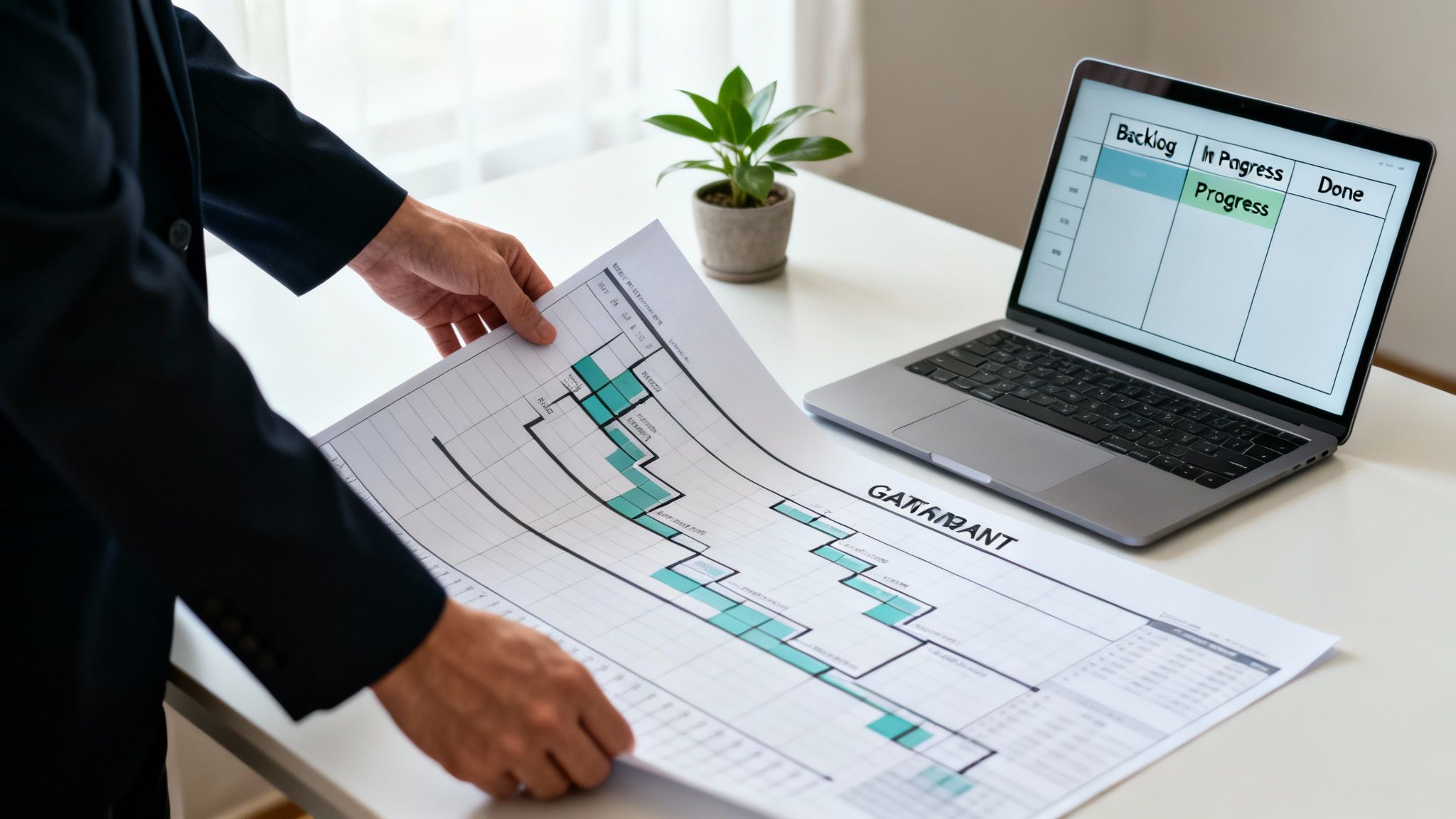
Let’s be real for a minute. The old-school, waterfall-style project plans many of us were brought up on are fundamentally broken for the kind of work modern agencies do. They’re built on the fantasy that we can predict the future with 100% accuracy, locking in scope, timelines, and budgets from the get-go. This is precisely where they fall apart under the pressure of actual, real-life projects.
For mid-sized agencies, this disconnect is a source of daily headaches that operations leaders and PMs know all too well. The second a client asks for a “quick little change” or the market demands a strategic pivot, that beautifully crafted Gantt chart is basically worthless. This kicks off a cascade of frustrations that hit profitability and team morale right where it hurts.
The Downward Spiral of Static Planning
The fundamental flaw here is that static plans treat change like an enemy to be fought off, not a reality to be embraced. When an unexpected change happens—and it always does—teams are thrown into a reactive fire-drill. This often triggers a painful cycle: scope creep starts to balloon, budgets get stretched thin, and deadlines start slipping further and further into the future.
The administrative overhead alone is a massive drain. Project managers spend their days updating spreadsheets and chasing down team members for manual timesheet entries, just trying to make the plan match the chaotic reality. This isn’t just inefficient; it’s a direct path to burnout. Your most valuable creative and technical people end up buried in admin instead of doing what they do best: delivering amazing work for your clients.
A project plan should be a compass, not a map. A map is static and shows a fixed path, while a compass provides direction, allowing you to navigate unexpected terrain and still reach your destination.
This is the mindset shift you have to make when building a project plan for agile projects. We need to stop thinking of the plan as a sacred document to be followed to the letter and start seeing it as a living framework designed for adaptation.
An agile plan is built around a few key ideas that directly counter the failures of traditional methods:
- Iterative Progress: Work gets broken down into small, manageable chunks called sprints, which means you're constantly delivering and getting feedback.
- Customer Collaboration: Clients are part of the process from start to finish, so the final product actually lines up with what they need.
- Team Empowerment: Teams are trusted to self-organize and make the day-to-day decisions needed to hit their sprint goals.
- Responding to Change: The plan is expected to change. This makes it resilient to the shifts in requirements that are bound to happen.
By recognizing these common pain points, we can start to move past the limitations of outdated planning models. The real goal is to build a system that champions flexibility and gives your team the freedom to deliver incredible results, faster than ever.
Crafting Your Agile Vision and Defining Outcomes
Every great agile plan starts with a single, powerful idea: the vision. Forget the sprawling backlog or the detailed Gantt chart for a moment. Before anyone writes a single user story, your team and stakeholders absolutely must share a clear, compelling answer to the question "Why?"
This vision is your project's north star. It's the filter for every decision, the logic behind every prioritized feature, and the glue that holds everyone together, all pointing in the same direction.
Without this solid foundation, agile teams often fall into the trap of being busy but not actually productive. They're closing tickets and shipping features, sure, but the final product isn't moving the needle on what really matters to the business. A sharp vision statement cuts right through that noise, turning a high-level business goal into a concise purpose everyone can get behind.
From Vague Ideas to a Sharp Vision Statement
A strong vision statement isn’t some long, jargon-stuffed paragraph buried in a project brief. It’s short, aspirational, and locked in on the end-user. It answers one simple question: "What positive change will this project create for our customers?"
Think about a mid-sized marketing agency handling a website redesign for a client. A weak vision is something like, "To build a new website." An agile-centric vision, on the other hand, sounds more like this: "To create an intuitive, mobile-first website that transforms the user experience, doubling online leads and establishing our client as a thought leader in their industry within six months."
Let's break down why that second version works so well:
- User-Focused: It’s all about the "user experience."
- Outcome-Driven: It sets a hard target of "doubling online leads."
- Inspirational: It aims to make the client a "thought leader."
- Time-Bound: It gives a clear deadline of "six months."
This level of clarity is a game-changer. There's a reason agile methodologies consistently deliver higher success rates—they force this kind of alignment from day one. In fact, the 17th State of Agile Report found that 39% of organizations using Agile see the highest average project performance, hitting an impressive 75.4% overall success rate.
But how do these starting points really stack up? Let's compare the traditional project plan's opening move versus the agile vision.
Traditional Plan vs Agile Vision
| Characteristic | Traditional Project Plan | Agile Project Vision |
|---|---|---|
| Focus | Detailed scope, features, and tasks (the "what" and "how") | High-level purpose and end-user value (the "why") |
| Flexibility | Rigid and resistant to change | Adaptable and open to evolving requirements |
| Primary Document | A comprehensive, fixed requirements document | A concise, inspirational vision statement |
| Goal | Deliver a pre-defined set of outputs on time and budget | Achieve a measurable business outcome |
| Motivation | Fulfilling a contract or checklist | Solving a customer problem and creating value |
This table really highlights the shift in mindset. Agile isn't about ditching planning; it's about starting with a more strategic, flexible foundation.
Setting Measurable Outcomes Not Just Outputs
Once your vision is locked in, the next step is to define tangible outcomes. This is a critical distinction that so many teams get wrong. Outputs are the things you make (like a new landing page or a software feature). Outcomes are the measurable results those things achieve (like a 15% increase in conversion rate or a 25% reduction in customer support tickets).
An agile plan that only tracks outputs is just a glorified to-do list. A plan that tracks outcomes is a strategic tool for driving real business value.
Instead of getting lost in an endless list of features, zero in on the key results you need to hit. This completely changes the conversation from "What are we building?" to "What impact are we trying to create?" You can learn more about this in our guide on goal alignment for teams.
Let’s jump back to our marketing agency example. The outcomes, flowing directly from their vision, might look like this:
- Increase organic search traffic by 40% in Q3.
- Reduce the bounce rate on key service pages by 30%.
- Achieve a user satisfaction score of 9/10 on post-launch surveys.
These specific, measurable outcomes become the true north for success. They guarantee that every task in the backlog and every sprint goal is directly contributing to that big-picture vision. This outcome-first approach is the bedrock of an effective project plan for agile projects, turning it from a simple schedule into a powerful engine for growth.
Building an Adaptive Backlog from Epics to User Stories
Once you’ve nailed down the project vision, it's time to translate that big-picture goal into actual, tangible work. This is where your product backlog comes in. Think of it as the living, breathing heart of any solid project plan for agile projects. It’s not a static to-do list; it’s more like a prioritized library of everything the project needs to accomplish, constantly evolving as new information and feedback roll in.
A good backlog isn't just a jumble of tasks. It's a carefully structured hierarchy that starts broad and gets more and more granular. The whole point is to break a massive vision into bite-sized pieces your team can confidently tackle, sprint after sprint.
The flow is simple but incredibly effective: you move from the high-level vision to a concrete plan.
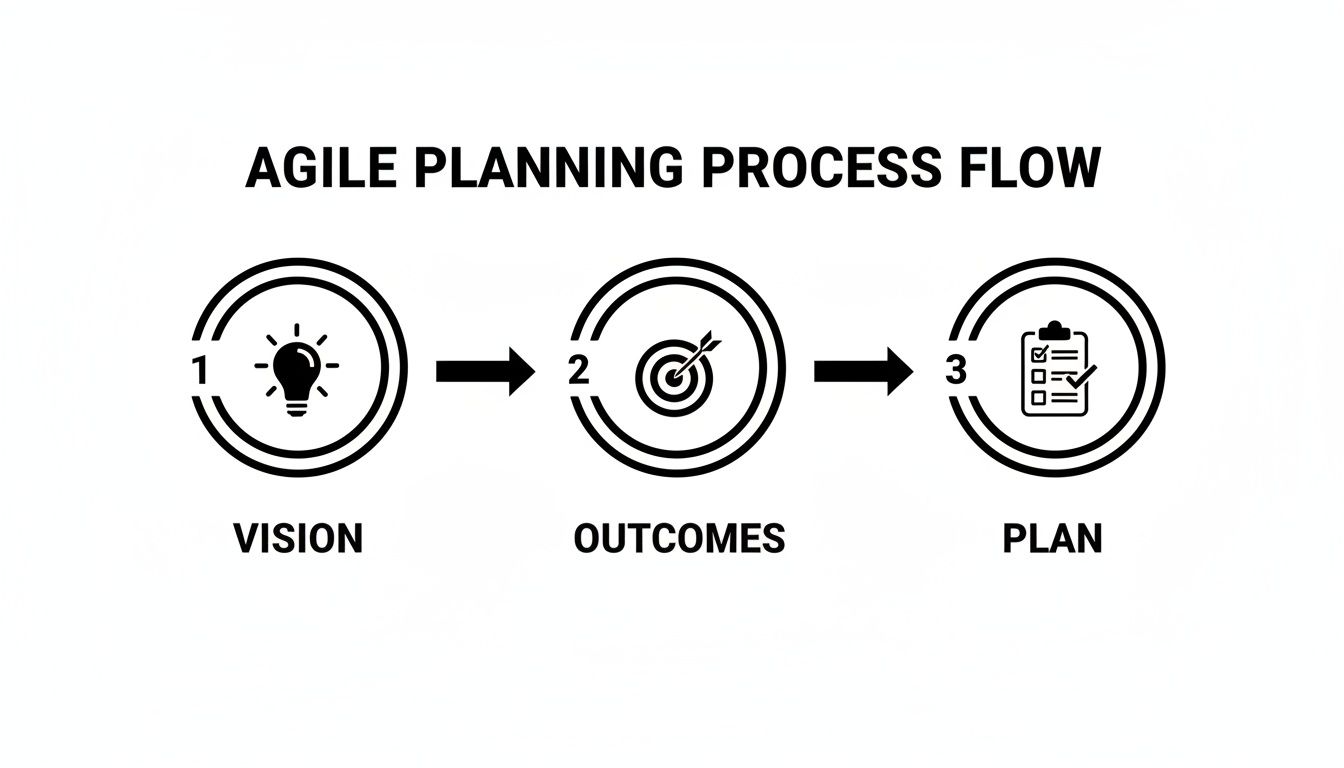
This shows how every piece of the plan traces directly back to the vision, making sure every ounce of effort contributes to the outcomes you defined.
From Vision to Actionable Epics
First things first, you need to populate your backlog by breaking the vision down into large chunks of work called Epics. An Epic represents a significant feature or deliverable that’s way too big to finish in a single sprint but is crucial for achieving a major part of the vision.
Let's say your agency is building a new client portal. An Epic might be something like, "Implement User Authentication and Account Management." It's a massive piece of functionality, and no developer can just start working on it as is. It needs to be broken down.
Other examples of Epics could include:
- "Develop a Real-Time Reporting Dashboard"
- "Integrate with Third-Party APIs"
- "Create a User-Friendly Onboarding Workflow"
These Epics act as big containers, grouping related work and helping everyone—from stakeholders to the dev team—understand the project's major components at a glance.
Slicing Epics into User Stories
With your Epics defined, the real agile magic begins. You slice those big Epics into smaller, user-focused pieces called User Stories. A user story is a simple, plain-language description of a feature from the perspective of the person who actually wants it. It’s the smallest unit of work that delivers real, tangible value to the end-user.
The classic, and most effective, format for a user story is:
As a [type of user], I want [some goal] so that [some reason/benefit].
This structure forces the team to think about the who, the what, and most importantly, the why. It keeps the focus squarely on user value.
Let's break down our "User Authentication" Epic into a few user stories:
- As a new user, I want to sign up with my email address so that I can create a secure account.
- As a returning user, I want to log in with my credentials so that I can access my project dashboard.
- As a forgetful user, I want to reset my password via email so that I can regain access to my account if I get locked out.
See how each story is small, specific, and delivers a clear benefit? This level of detail is what makes agile planning so flexible and powerful.
A well-written user story is an invitation to a conversation. It's not a rigid contract; it's a promise to talk through the details with the development team, product owner, and client.
To make these stories truly ready for development, they need clear Acceptance Criteria. These are the specific conditions that must be met for the story to be considered "done." They kill ambiguity and become the blueprint for testing.
For our password reset story, the acceptance criteria might look like this:
- The "Forgot Password" link must be visible on the login page.
- Entering a registered email must trigger a reset link to be sent to that address.
- The reset link must expire after 24 hours.
The Importance of Backlog Refinement
Finally, and this is critical, a backlog is never "finished." It needs constant attention. This happens in a recurring meeting known as backlog refinement (or backlog grooming). The team gets together to review upcoming stories, ask questions, estimate the effort, and re-prioritize based on new client feedback or shifting business needs.
This ongoing maintenance is what keeps the backlog relevant and ensures the most important work is always ready for the next sprint. It’s the engine that keeps your project plan for agile projects truly agile, letting you pivot on a dime without derailing the whole project.
Mastering Sprint Planning and Resource Management
So, your backlog is prioritized and packed with well-defined user stories. Now comes the exciting part: turning all that planning into action. Sprint planning is the ceremony where your adaptive backlog transforms into a focused, two-week burst of activity. This is the moment a high-level project plan for agile projects gets real, translating ideas into a concrete scope of work your team can confidently tackle.
But this isn't just about grabbing tasks off the top of the pile. Great sprint planning is a delicate dance between ambition and reality, and it all hinges on understanding what your team can actually handle. Overcommitting is one of the fastest ways to burn out your team and send a project off the rails, so getting this stage right is absolutely critical for long-term success.
Calculating and Honoring Team Velocity
Before you can decide what to build, you need a clear, honest picture of how much your team can accomplish in a sprint. We call this team velocity, and it’s simply the average number of story points (or tasks) your team completes over the last few sprints.
For instance, if your team knocked out 25, 30, and 28 points in their last three sprints, your average velocity is about 28 points. This number isn't a guess; it's a data-backed reality check.
This simple metric becomes your most powerful tool for planning. During the sprint planning meeting, the team should only pull in a number of user stories that adds up to, or just under, their established velocity. This approach takes the guesswork out of the equation and prevents you from setting the team up for failure before the sprint even starts.
Velocity isn't a performance metric to be judged; it's a planning tool to be trusted. Its purpose is to foster predictability and create a sustainable pace for the team, not to compare one team against another.
This predictable rhythm is a huge win for anyone managing operations. When you know your development team can consistently deliver around 28 points of value every two weeks, you create a stable, forecastable workflow. That stability is gold for resource management and gives you a much clearer picture of project timelines and budget burn. For a deeper dive, check out our insights on creating a project management resource plan.
Running an Effective Sprint Planning Meeting
The sprint planning meeting is a hands-on, collaborative event. The goal is simple: establish a sprint goal and agree on a committed sprint backlog. This isn't a manager just handing out assignments; it’s a real negotiation between the product owner (who champions business priorities) and the development team (who knows the technical effort inside and out).
A successful meeting usually looks something like this:
- Define the Sprint Goal: The product owner kicks things off by proposing a high-level objective for the sprint, like, "Launch the user authentication feature."
- Select Backlog Items: The team then discusses and pulls user stories from the top of the product backlog that directly contribute to that goal.
- Break Down Tasks: Together, the team breaks down each user story into smaller, more granular technical tasks. This makes the work tangible.
- Confirm Capacity: As they add items to the sprint, the team keeps a running total of the story points, making sure they don’t exceed their known velocity.
- Commit to the Plan: Once the sprint backlog is finalized, the entire team commits to the goal and the scope. Everyone is bought in.
This shared approach builds a strong sense of ownership and ensures everyone is on the same page about what success looks like for the next two weeks. It transforms the project plan from a static document into a living, shared agreement.
We’re also seeing a major shift in how agencies work. The relentless rise of hybrid project management approaches signals a maturing Agile landscape, giving mid-sized agencies a flexible way to tackle utilization challenges. From just 20% adoption in 2020, hybrid models skyrocketed by 57% to reach 31.5% by 2023, with a whopping 73% of organizations planning to expand their use. This trend is especially strong in IT, healthcare, and financial services, where 53% already lean hybrid. This evolution underscores the need for adaptable planning and resource management that can blend structure with agility, making smart sprint planning more important than ever.
Automating Agile Reporting with Integrated Time Tracking
Let's be honest. The fastest way to sink a perfectly good project plan for agile projects is to drown it in manual, soul-crushing admin work. Manual timesheets are the absolute enemy of agility. They’re slow, notoriously inaccurate, and breed a culture of looking backward at compliance instead of forward at progress.
For any operations leader in a busy agency, the weekly ritual of chasing down timesheets is a colossal waste of time. It stalls invoicing, muddies profitability reports, and forces you to gauge project health using data that's already days—or even weeks—old. True agility demands real-time insights, not historical guesswork.
This is where integrating automated time tracking directly into your team's workflow completely changes the game. By ditching manual entry for passive data capture, you get rid of one of the biggest bottlenecks in project management.
The Power of Passive Time Capture
Modern tools can lift the entire burden of time tracking off your team's shoulders. Forget asking someone to pause their creative flow to fill out a spreadsheet. Instead, AI-powered systems can automatically capture activities straight from the tools your team already lives in, like their Google or Outlook calendars.
This approach pays off immediately:
- Eliminates Timesheet Fatigue: Your team can stay focused on delivering client value, not on getting their admin tasks done.
- Boosts Data Accuracy: Automated capture logs actual scheduled events, which removes the human error and fuzzy memory that comes with manual recall.
- Delivers Real-Time Data: Insights are available instantly. This lets you make proactive decisions instead of just reacting to problems after the fact.
By simply connecting to calendar data, you get a complete and accurate picture of how time is being invested across the entire agency—without ever having to ask, "Did you fill out your timesheet?" To dig deeper into this, check out the ultimate guide to project management with time tracking.
Using Automation to Add Context and Clarity
Just capturing hours isn't enough; you need to know what those hours mean. This is where rule-based automation becomes a superpower. You can set up simple rules to automatically tag calendar events with critical project data.
For example, say your team has a weekly client sync for "Project Phoenix." You can create a rule that automatically tags any calendar event with the words "Project Phoenix" with the right client name, project code, and even the relevant user story from Jira.
This process gives you incredibly detailed data with zero manual effort from the team. Suddenly, you're not just tracking hours. You're seeing exactly how much time is going into specific deliverables, client calls, and internal strategy.
Automated time capture transforms time tracking from a chore your team must complete into a strategic asset the business can use to make smarter decisions. It shifts the focus from compliance to intelligence.
This effortless data stream feeds directly into the most important step: seeing your progress and performance in a clear, visual way.
Setting Up Dynamic Agile Dashboards
With a constant flow of accurate, automatically-tagged time data, you can build dynamic dashboards that make your agile metrics come alive. No more exporting CSVs and fighting with spreadsheets. You can have a live, always-on view of your projects.
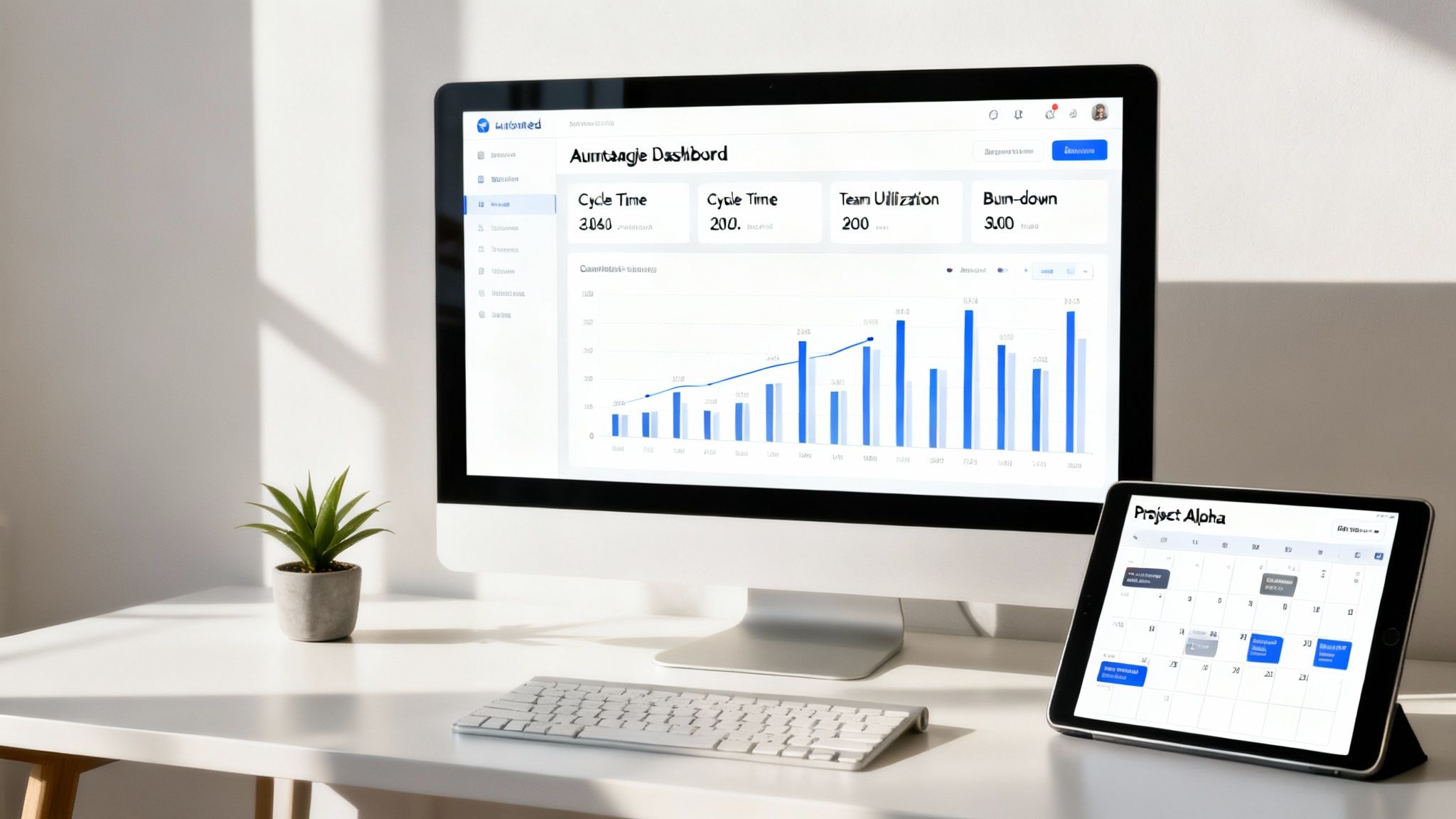
This dashboard from TimeTackle is a perfect example of how calendar analytics can visualize key operational metrics in one place.
This kind of visual reporting gives you at-a-glance insights into team utilization and billable hours, letting leaders spot trends and make data-driven resource decisions in an instant.
For a COO or project manager, this is the command center for your agile operations. You can monitor the KPIs that are absolutely essential for keeping projects healthy and profitable, including:
- Team Utilization: See who is over capacity and who has room to take on new tasks, which makes resource balancing much easier.
- Budget Burn-Down: Compare actual hours spent against the project budget in real time to get ahead of costly overruns.
- Cycle Time: Measure how long it takes for a task to move from "in progress" to "done," helping you spot and fix bottlenecks.
- Profitability by Client: Instantly see which projects are your cash cows and which ones are draining your resources.
This level of automated reporting gives you the accurate, live data needed to steer projects with confidence. It closes the loop on your project plan for agile projects, making sure your execution is just as dynamic as your planning.
Your Agile Project Plan Questions Answered
Moving to a more fluid planning process is a big operational shift. It’s totally normal for it to come with a bunch of questions and a few hurdles along the way. Building a truly adaptive project plan for agile projects means unlearning some old habits—especially around scope, tools, and how you talk to clients.
Think of this as your field guide for the real-world stuff. We'll get straight to the point and tackle the most common questions agency leaders ask when they start putting agile principles into action.
How Do We Handle Scope Changes from Clients Mid-Sprint?
This is the classic scenario, isn't it? The one that gives project managers nightmares. A client calls with a "small, urgent change" right in the middle of a focused sprint. In a traditional waterfall model, this single request can throw everything into chaos, blowing up timelines and stressing out the team.
But in an agile world, you have a process for this.
The most important thing is to protect the sprint. A sprint is a time-boxed promise based on a goal the team has already committed to. The number one rule is that the scope of the current sprint cannot be changed once it has started.
So, what do you do with that "urgent" client request?
- Acknowledge and Capture it. First, you immediately acknowledge the request. Thank the client for their input and explain that while the team is locked in on the current sprint goals, their new idea is valuable and will be added to the product backlog.
- Prioritize it in the Backlog. Next, the product owner works with the client to figure out how important this new request really is. Where does it stack up against everything else in the backlog? Is it more critical than the features planned for the next sprint?
- Discuss it in the Next Sprint Planning. The new item is then brought to the table during the next sprint planning session, where it can be properly estimated and considered for inclusion.
This approach shows the client they've been heard but doesn't derail your team's focus. It turns a potential fire drill into a calm, structured conversation about priorities.
An agile plan doesn't magically stop scope creep. What it does is give you a transparent and collaborative system for managing it. Change is welcome, but it’s funneled through the backlog to keep things orderly and focused.
What’s the Difference Between Scrum and Kanban for Planning?
Both Scrum and Kanban are popular agile frameworks, but they take very different approaches to planning and workflow. Picking the right one really depends on your team, your clients, and the kinds of projects you're handling.
Scrum is built for complex projects with clear deliverables and deadlines. The work is organized into fixed-length sprints—usually two weeks—where a specific chunk of work gets done. It’s a bit more formal, with defined roles (like a Scrum Master and Product Owner) and official meetings (Sprint Planning, Daily Stand-ups, etc.).
Kanban, on the other hand, is all about continuous flow. There are no sprints. Instead, tasks move across a visual board (like To Do, In Progress, Done) as team members have the capacity to pull in new work. The main goal here is to limit the amount of work-in-progress (WIP) to avoid bottlenecks. It’s fantastic for teams that deal with a constant stream of tasks of different sizes, like a support desk or a content marketing team.
Here's a quick cheat sheet to help you decide:
| Aspect | Scrum | Kanban |
|---|---|---|
| Cadence | Fixed-length sprints (1-4 weeks) | Continuous flow |
| Commitment | Team commits to a sprint goal | No fixed commitment; work is pulled as capacity opens up |
| Roles | Prescribed roles (Product Owner, Scrum Master) | No prescribed roles; the team adapts as needed |
| Metrics | Velocity, Burndown Charts | Cycle Time, Lead Time |
| Best For | Product development, complex projects | Maintenance, support, operational tasks |
A lot of agencies I've seen land on a hybrid model. They might use Scrum for big, chunky website builds and then switch to Kanban for handling ongoing client retainers and support tickets.
Which Tools Are Essential for an Agile Project Plan?
Look, the agile mindset is way more important than any single piece of software. But let's be real—the right tools can make managing everything a whole lot easier. The goal is to build a tech stack that makes work visible, collaborative, and automated, not one that just adds more administrative headaches.
For a typical mid-sized agency, a solid agile toolset usually boils down to three things:
- A Project Management Hub: This is your command center. Tools like Jira, Asana, or ClickUp are perfect for managing backlogs, planning sprints, and visualizing everything on a Scrum or Kanban board.
- A Communication Platform: Real-time collaboration is non-negotiable. A tool like Slack or Microsoft Teams keeps the conversation moving and plugs right into your project hub for instant updates.
- An Automated Time Tracking Tool: This is the one I see agencies overlook the most, and it's a huge mistake. Manual timesheets are a slow, inaccurate drag on everyone. An automated solution that captures time from calendars gives you real-time data on where your team's effort is going, which is critical for measuring project profitability without nagging anyone.
When you pick tools that play nicely together, you create a connected system. Your project plan for agile projects becomes a living, breathing thing instead of a static document that's out of date the second you save it.
Ready to kill the timesheet drudgery and get real-time visibility into your agile projects? TimeTackle uses AI to automate time tracking right from your team's calendar. That means you get the accurate data you need to manage resources, keep budgets in check, and actually boost your profitability. Discover how TimeTackle can transform your agency's operations.