
Think of project resource planning as conducting an orchestra. You need the right musicians (your team members) with the right instruments (their skills and tools), ready to play at the exact moment they’re needed. Get it right, and you create a masterpiece. Get it wrong, and you get chaos.
Why Resource Planning Is Your Agency's Secret Weapon
Ever tried to build a house without a blueprint? You could have the world's best carpenters and electricians on-site, but without a clear plan of who does what and when, you're heading for delays, confusion, and costs that spiral out of control. It’s the exact same story for agencies. Resource planning for projects is your operational blueprint, turning constant fire-fighting into proactive, strategic work.
At its heart, it’s the art of matching your team’s skills and availability with what your projects demand. Do this well, and you protect profit margins, stop your best people from burning out, and keep your clients delighted. It’s the foundation for sustainable growth and a much calmer, more productive agency.
Moving Beyond Guesswork
Too many agencies run on gut feelings. A project manager wonders, "Is Sarah free for this new design task?" only to find out she’s already buried under three other high-priority projects. This kind of reactive scrambling leads to the same old headaches:
- Overburdened Teams: Your top talent gets slammed, which tanks morale and the quality of their work.
- Missed Deadlines: A key person is unavailable, and suddenly the whole project grinds to a halt, creating a domino effect of delays.
- Shrinking Profit Margins: Last-minute freelancers and overtime pay aren't cheap. They eat directly into your project's bottom line.
Effective resource planning is the bridge between your agency's goals and its daily operations. It ensures that every hour worked is an hour invested in profitable, high-quality delivery.
The Power of a Proactive Approach
When you shift from reacting to proactively planning, your agency's entire dynamic changes. You can anticipate needs, spot potential bottlenecks before they become full-blown crises, and make decisions based on data, not guesses. This is where modern tools really shine.
The global project management software market hit $8.82 billion in 2024, but a surprising 23% of organizations actually use dedicated software. That's a huge missed opportunity, especially when you learn that 77% of high-performing projects rely on these tools to stay on track.
A solid plan gives you a crystal-clear view of your team's real capacity. This isn't just about scheduling; it's fundamental for accurate sales forecasting and smart business development. When you know your true bandwidth, you can chase new business confidently without stretching your current team to its breaking point. For a closer look at this idea, check out our guide on what is capacity planning.
Ultimately, mastering resource planning for projects isn’t just an operational chore—it’s a core strategic advantage that fuels your agency’s health and long-term success.
Getting to Grips With Your Core Planning Strategies
Once you understand why resource planning is so critical, the next step is to master the different ways to actually do it. Think of these strategies not as rigid, unbreakable rules but as different lenses you can use to look at and solve project challenges. Each one helps you answer a different, fundamental question about your agency’s ability to deliver exceptional work—and do it profitably.
Effective planning is all about striking a delicate balance between the needs of your clients, the well-being of your team, and the financial health of your agency. This isn't a zero-sum game; when one area thrives, the others often follow suit.
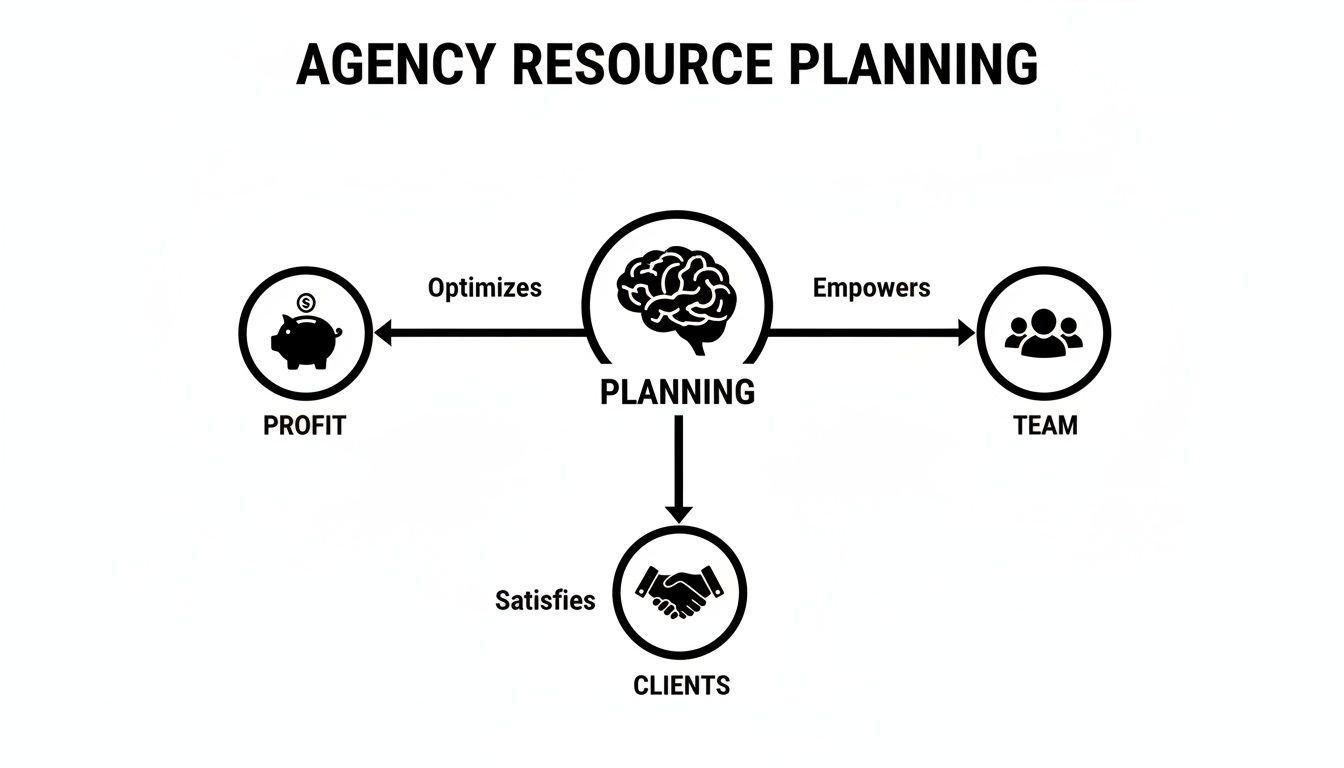
As you can see, strong planning directly fuels profit, team satisfaction, and client success, creating a powerful cycle of stability and growth. A fundamental piece of this puzzle is solid workforce planning, which is all about making sure the right people are in the right roles at exactly the right time.
Grasping Your True Capacity
The first strategy, capacity planning, is all about understanding your agency's true bandwidth. It answers the simple but crucial question: "How much work can my team realistically handle?" This isn't just about counting heads. It's about measuring the actual, productive hours you have available after accounting for holidays, sick days, and all that non-billable internal work that keeps the lights on.
Think of your agency as a restaurant kitchen. Capacity planning tells you exactly how many meals your chefs can prepare on a busy night before the quality starts to dip. Knowing this stops you from taking too many reservations and creating total chaos during the dinner rush. In agency terms, it keeps you from over-promising and under-delivering. For a deeper look, check out our guide on workforce planning best practices.
The Art of Strategic Allocation
Next up is resource allocation, which is the strategic game of assigning the right talent to the right tasks. If capacity planning tells you how much you can get done, allocation is all about deciding who does what. It's like being a film director, carefully casting actors for roles where their unique skills will shine brightest.
You wouldn't ask your star animator to code the website's backend, right? In the same way, resource allocation ensures your senior strategist is tackling complex brand challenges while a junior designer gets to hone their skills on more straightforward creative tasks. This approach maximizes both project quality and team development.
Resource allocation is the active process of matching your team’s skills to project needs, turning your roster of talent into a high-performing project team.
Leveling the Workload to Prevent Burnout
Finally, we have resource leveling. This is the crucial balancing act that prevents your best people from burning out. It tackles that all-too-common agency problem where one person is buried under five "urgent" projects while another has unexpected downtime between tasks.
Think of resource leveling like an air traffic controller for your agency's workload. When too many projects are trying to "land" on one person's schedule simultaneously, the controller reroutes and adjusts timelines to ensure a smooth, safe flow. This might mean pushing a non-urgent task to next week to free up a designer for a critical client deadline, keeping momentum going without overwhelming your team.
So, how do you know which strategy to use? It really depends on what you're trying to solve. Each methodology has a specific job to do, and picking the right one for the situation is key.
Comparing Key Resource Planning Methodologies
This table breaks down the primary function, key benefit, and ideal scenario for each core resource planning approach, helping leaders choose the right strategy.
| Methodology | Primary Function | Key Benefit for Agencies | Best Used When |
|---|---|---|---|
| Capacity Planning | Determines the total amount of work the team can realistically handle. | Prevents overbooking and ensures project pipelines are sustainable. | Planning for future quarters, assessing hiring needs, or deciding whether to take on a large new client. |
| Resource Allocation | Assigns specific team members to specific tasks based on their skills and availability. | Maximizes project quality by matching the best talent to the task at hand. | Kicking off a new project, building a project team, or onboarding a new team member. |
| Resource Leveling | Adjusts schedules and assignments to resolve overallocations and prevent burnout. | Improves team morale and maintains a consistent, manageable pace of work. | A key team member is consistently working late, or project deadlines are clashing and causing bottlenecks. |
Ultimately, choosing the right approach is situational. If you're planning for the next quarter, you'll start with capacity planning. Kicking off a new project? Your focus will be on resource allocation. Noticing that a key team member is looking stressed and working late every night? It's time for some resource leveling. Mastering these three core approaches is fundamental to effective resource planning for projects.
Your Step-By-Step Implementation Blueprint
Knowing the theory behind resource planning is one thing; putting it into practice is where you really start to see the results. Creating a solid process isn't about finding one perfect spreadsheet. It's about building a living, breathing system that connects your team's valuable time to your agency's biggest goals.
This blueprint breaks it all down into five actionable stages, guiding you from the initial project scope all the way to making smart adjustments on the fly.
Think of it like assembling a high-performance engine. Every component has to be installed just right and fine-tuned for the whole machine to run smoothly. If you skip a step or use the wrong part, you get breakdowns. In an agency, that means missed deadlines, busted budgets, and a burned-out team.

This process is critical because the stakes are incredibly high. Resource allocation failures are a huge reason why projects struggle. In fact, 70% of projects are at risk of failure partly because of poor resource decisions. This hits the bottom line hard, as 85% of projects fly past their budgets—a problem often rooted in weak planning. What's worse, only 10% of professionals actually trust their own resource data, which leads to shaky, ineffective decisions.
Stage 1: Identify All Project Requirements
Before you can assign a single person to a task, you have to know exactly what needs to be done. This first stage is all about breaking the project down into its core components. Start by listing out every single deliverable, from the major milestones down to the smallest tasks needed to get there.
Next, pinpoint the specific skills needed for each task. Don't just think in general job titles like "designer" or "developer." Get specific. Do you need a UX designer with experience in e-commerce, or a front-end developer who's a wizard with a particular JavaScript framework? This kind of detail prevents costly mismatches down the road.
Finally, estimate the time each task will take. If you have data from similar projects, now's the time to use it. If not, talk to the people who will actually be doing the work. This not only gives you more accurate estimates but also helps the team feel a sense of ownership right from the start.
Stage 2: Assess Your Current Resource Pool
Now that you have a complete picture of what the project demands, it's time to look at your available resources—your team. This stage is about taking a full inventory of your in-house talent. The goal here is to map out who you have, what they can do, and when they're actually free to work.
Start by creating a skills matrix. It’s a simple but incredibly powerful tool that lists each team member and their specific skills. You might uncover some hidden talents or spot critical skill gaps you need to address through training or a new hire.
Next, you need to map out everyone's availability. This is where calendar-driven tools are a lifesaver. You absolutely have to account for:
- Existing project work: Who is already committed to other projects?
- Time off: Factor in every approved vacation, holiday, and sick day.
- Admin time: Don't forget the non-billable hours spent on internal meetings and other essential tasks.
This exercise gives you a realistic snapshot of your true capacity, helping you avoid the common trap of assuming everyone is 100% available for new projects. For those still using manual methods, a well-organized spreadsheet can be a great place to start. You might find our free Excel capacity planning template helpful for organizing this data.
Stage 3: Allocate and Schedule Resources
It's time for the main event: matching your team to the tasks. This is the heart of resource planning for projects, where you assign specific people to jobs based on the requirements from Stage 1 and the availability you confirmed in Stage 2.
Start by assigning people to your most critical tasks first, especially those that could create bottlenecks if they get delayed. Match your most qualified people to the tasks that need their unique expertise. As you make assignments, keep an eye on dependencies—Task B can't start until Task A is finished.
A resource plan isn't a static document. It's a dynamic guide that needs to be reviewed and adjusted as the project evolves. The goal is progress, not perfection.
This is also where you'll use resource leveling to keep from overloading any one person. If your star designer is booked for 60 hours one week, you need to either shift some deadlines or reassign a few of their less critical tasks. Modern planning tools help you see these allocations visually, making it easy to spot and fix conflicts before they become real problems.
Stage 4: Track and Monitor Progress in Real Time
Once the project kicks off, your job shifts from planning to monitoring. A plan is only as good as its connection to reality, and the only way to maintain that connection is through consistent tracking. This stage is all about comparing your planned resource usage against the actual hours people are working.
Set up a simple, straightforward system for time tracking. The easier it is to use, the more likely your team will actually use it consistently. Calendar-based tools that automate activity logging are great because they capture data without making people do a ton of manual entry.
As the data comes in, keep an eye on key metrics:
- Budget vs. Actuals: Is your time and money spend lining up with the plan?
- Resource Utilization: Are people being overworked or are they sitting on the bench?
- Project Timelines: Are you still on track to hit your major milestones?
Reviewing this info regularly helps you spot issues early. If a task is taking way longer than estimated, you can jump in right away to figure out why and adjust the plan before things get out of hand.
Stage 5: Adjust and Re-Forecast Continuously
Let's be real: no project goes exactly according to plan. Scope creep happens. Unexpected problems pop up. Client priorities change. The key to great resource management is agility—the ability to adapt your plan without letting the entire project go off the rails.
Schedule weekly or bi-weekly resource review meetings. These are your check-ins where project managers can discuss progress, flag potential roadblocks, and make necessary tweaks to the resource plan. If a client asks for extra work, you can immediately see how it impacts your team's capacity and give them a realistic timeline and cost.
This continuous cycle of planning, tracking, and adjusting is what separates successful agencies from the ones constantly putting out fires. It turns resource planning from a one-off task into a strategic, ongoing process that drives efficiency, protects your profit margins, and keeps your team healthy and balanced.
Measuring What Matters for Agency Success
Great resource planning is more than just slotting people into a schedule; it’s about driving real business results. If you can't measure how your planning affects the bottom line, you're flying blind. It's time to move past fluffy metrics and zero in on the Key Performance Indicators (KPIs) that truly signal your agency's health and, most importantly, its profitability.
Think of these KPIs as the dashboard in your car. The speedometer tells you if you're moving at the right pace, the fuel gauge shows how much runway you have left, and the engine temperature warns you before things overheat. The right metrics offer that same clear, real-time visibility into your agency’s performance, letting you make smart course corrections before minor hiccups turn into major breakdowns.

Without this data, you’re stuck making critical financial and operational decisions based on gut feelings alone. Modern tools pull data from calendars and timesheets to create a living dashboard, giving you the strategic foresight needed to steer your agency toward sustainable growth.
Key Metrics for Resource Planning
To really understand your agency's efficiency, a few core KPIs cut through the noise. These numbers tell the true story of how your team's time turns into revenue. Here’s where to start:
Essential Resource Planning KPIs for Agencies
Tracking the right numbers is the first step toward optimizing your operations. Below is a breakdown of the most critical KPIs, how to calculate them, and what they reveal about your agency's financial and operational well-being.
| KPI | How to Calculate It | What It Tells You |
|---|---|---|
| Resource Utilization Rate | (Total Billable Hours / Total Available Hours) x 100 | The percentage of an employee's time spent on revenue-generating work. It’s a direct measure of productivity. |
| Billable vs. Non-Billable Hours | Compare total billable hours logged against total non-billable hours. | Reveals where time is really going. High non-billable hours can point to scope creep or internal inefficiencies. |
| Project Margin | Project Revenue – (Direct Labor Costs + Other Direct Costs) | The ultimate measure of a project’s profitability. Healthy margins mean your planning and execution are aligned. |
| Scheduled vs. Actual Hours | Compare the hours originally planned for a task/project against the actual hours logged. | Highlights the accuracy of your estimations and can signal when a project is going off the rails. |
| Team Capacity | Total Available Hours – (Time Off + Holidays + Internal Work) | Shows your true available bandwidth for taking on new client work, helping prevent overbooking and burnout. |
Each of these metrics provides a different lens through which to view your agency's performance. When you monitor them together, you get a comprehensive picture that empowers you to make proactive, data-driven decisions instead of just reacting to problems.
Your Resource Utilization Rate isn't just a number; it's a direct indicator of your agency's operational pulse. A consistently low rate suggests you have untapped capacity, while a rate that's too high is an early warning sign of impending team burnout.
From Data to Decisions
Just knowing these numbers isn’t the endgame. The real magic happens when you use them to make smarter decisions.
See a talented designer's utilization rate sitting at only 50%? You know you have the capacity to take on that new creative project without scrambling to hire someone. On the flip side, if your development team is constantly hitting 90% utilization, that’s a flashing red light. It's time to hire more developers, push back timelines, or risk burning out your most valuable people.
The best part? Modern tools can automate all of this. By plugging directly into your team's calendars and project management systems, they kill the need for manual timesheets and give you an accurate, real-time feed of these crucial KPIs.
This level of visibility lets you shift from putting out fires to strategic, proactive management. You can spot trends before they become problems, forecast your capacity needs for the next quarter, and make sure every single project is set up for profitability from the get-go. This is how resource planning for projects transforms from a scheduling chore into a powerful engine for growth.
Of course. Here is the rewritten section, crafted to sound completely human-written and natural, following all the provided instructions.
Navigating Common Roadblocks and Their Solutions
Even with the best-laid plans, things go sideways. It's just the nature of project work. Client needs change, simple tasks uncover hidden complexity, and timelines get stretched. The goal isn't to build a plan that never breaks; it's to have a playbook ready for when it does.
Think of yourself as a pilot. You don't get to control the weather, but you have instruments and training to fly through the storm. This is your troubleshooting guide for landing projects successfully, even when the ride gets a little bumpy.
The Overly Optimistic Time Estimate
The Problem: Your team is consistently way too optimistic about how long tasks will take. That "quick two-day design job" somehow morphs into a full week of work, completely derailing the schedule and creating a domino effect of resource conflicts.
The Fix: Ditch the guesswork and start relying on data. Instead of asking for a gut-feel estimate, dig into the historical data from similar projects you’ve already completed. This is where time tracking tools become your best friend, giving you a real, tangible baseline for what things actually take. Also, break bigger deliverables into smaller, bite-sized tasks. It's much easier to accurately estimate a four-hour job than a forty-hour one.
The Last-Minute Scope Creep
The Problem: It starts with a client's "quick question" that magically turns into a request for a new feature. Or maybe it's just one more "tiny" round of revisions. These little add-ons seem harmless at first, but they pile up, silently eating away at your resources and profit margins.
The Fix: Get a formal change request process in place, and stick to it. As soon as a request comes in that’s outside the original scope, document it. Clearly spell out what it means for the timeline, the budget, and your team's availability. This isn’t about being difficult; it’s about giving clients the transparency they need to make an informed decision and ensuring your team gets compensated for the extra work.
The Overallocation of Key Talent
The Problem: Your star players—that senior designer or lead developer everyone wants a piece of—are constantly booked at 120% capacity. They’re being pulled in a dozen directions at once, which is a fast track to burnout, sloppy work, and a massive bottleneck that stalls multiple projects.
The Fix: Make resource utilization visible to everyone. A central planning tool with a simple, visual dashboard is perfect for this. When project managers can see who's working on what and how much capacity they have left at a glance, they can spot overallocation problems before they blow up.
A transparent resource plan isn't just a schedule; it's a tool for protecting your most valuable asset—your team. When everyone can see the workload, it becomes easier to level resources and maintain a sustainable pace.
This isn't just a minor headache; it's a growing industry-wide challenge. The project management field is expected to swell from 40 million professionals today to 70 million by 2035. The catch? The industry could be staring down a talent gap of nearly 30 million people. As skilled experts get harder to find, getting the most out of your current team through smarter planning becomes a massive competitive edge. You can find more insights about the growing demand for project professionals and what it means for resource strategy.
By getting ahead of these common roadblocks, you can turn predictable problems into opportunities. A solid process for handling bad estimates, scope creep, and burnout doesn't just fix issues—it strengthens your entire approach to resource planning for projects, making your agency more resilient, profitable, and frankly, a much better place to work.
Got Questions About Resource Planning? We've Got Answers.
Even with a solid game plan, resource planning can throw a few curveballs your way. Let's tackle some of the most common questions agency leaders ask when they're getting their process dialed in.
How Often Should We Review Our Resource Plan?
For most fast-moving agencies, a weekly review is the sweet spot. Things change fast—new client requests pop up, project priorities shift, and team members get sick. A weekly huddle lets you adapt to these changes before they turn into a five-alarm fire.
This rhythm keeps your plan nimble and grounded in reality. If you're working on more predictable, long-term retainers, you might get away with a bi-weekly check-in. The real key is consistency. When you use tools with live dashboards, these reviews stop feeling like a chore and become quick, data-backed strategy sessions.
What's the Biggest Mistake to Avoid?
The single biggest blunder is treating your resource plan like it’s set in stone. It's not a "set-it-and-forget-it" spreadsheet that you create once and then let it gather digital dust. An effective plan is a living, breathing guide that moves with your agency.
Your agency's success hinges on its ability to pivot intelligently. A dynamic resource plan gives you the visibility to adapt without burning out your team or blowing up your profit margins.
The agencies that really crush it build flexibility right into their planning. They rely on dynamic tools that show them exactly who's available and who's swamped, empowering them to make smart adjustments on the fly.
How Can We Get More Accurate Time Estimates?
Simple: stop asking your team to pull numbers out of thin air. The secret to better estimates is hiding in plain sight—it’s your own accurate historical data. Dig into the analytics from past projects to see how long similar tasks actually took. That's your new baseline.
Another trick is to break down big, intimidating deliverables into smaller, bite-sized tasks. It's way easier for someone to accurately estimate a 5-hour job than a 50-hour one. Lastly, create a culture where honest, realistic estimates are celebrated. Your plan needs to be built on reality, not wishful thinking.
Can Specialized Software Really Replace Spreadsheets?
Absolutely. And for any agency looking to grow, it's not just a nice-to-have; it's a must-have. Spreadsheets might get the job done when you're a tiny team, but they quickly become a liability as you scale. They're a nightmare of manual updates, are prone to human error, and lock crucial information away in silos.
Modern resource planning software, on the other hand, automates data collection right from your team's day-to-day work. It can instantly flag scheduling conflicts and spin up powerful reports on utilization and profitability in just a few clicks. Making the switch frees up your project managers from soul-crushing admin work so they can focus on what they do best: making strategic decisions that move the needle.
Ready to move beyond spreadsheets and guesswork? TimeTackle provides a calendar-driven platform that automates time tracking and delivers the real-time insights you need for smarter resource planning. See how you can improve utilization and protect your profit margins by visiting https://www.timetackle.com.