
The best projects don’t start with a task list. They start with a shared vision of what success actually looks like. The most critical part of planning any project is getting crystal clear on your objectives and scope, creating a foundation that stops scope creep before it can sink your timelines and budgets.
Defining What Success Looks Like Before You Start
Jumping straight into tasks without a clear destination is just a recipe for wasted effort. Before anyone even thinks about a task list, your first job is to turn a client's request into something tangible and measurable. Getting this initial alignment right is the bedrock of every successful project.

The financial stakes here are surprisingly high. According to the Project Management Institute (PMI), projects with well-defined goals are a whopping 2.5 times more likely to succeed. On the flip side, poor planning contributes to nearly 12% of all project investment being wasted every year.
From Vague Briefs to Concrete Plans
If you work in an agency, you know the drill. Client briefs often land on your desk full of ambition but frustratingly light on specifics. A request like "We need a new marketing campaign" isn't a plan; it's a starting point. Your real job is to guide a conversation that gets to the heart of the business goal.
What does "new" actually mean in their world? Are they really looking for:
- More leads? If so, by how much?
- Better brand awareness in a very specific demographic?
- A serious boost in Q4 sales for one particular product?
Asking these kinds of clarifying questions is how you turn a fuzzy idea into a sharp target. This process is absolutely essential for setting the perfect goals for your business and, by extension, your projects.
Crafting a Rock-Solid Scope Statement
Once you've nailed down the "why," it's time to build the scope statement. Think of this document as drawing a firm boundary around the project. It needs to state explicitly what is included and—just as crucially—what is not included.
A project charter is the perfect place to formalize this. It’s the foundational document that gets everyone on the same page from the get-go.
Here’s a look at what should be in every project charter you create:
Essential Components of a Project Charter
| Component | Description | Why It Matters for Agencies |
|---|---|---|
| Project Vision & Goals | A clear, high-level summary of the project's purpose and the business outcomes it aims to achieve. | Aligns your team's work directly with the client's business objectives, proving your strategic value. |
| Measurable Objectives | Specific, quantifiable targets (e.g., "Increase qualified leads by 15% in Q3"). | Turns vague success into something you can actually measure and report on, demonstrating clear ROI. |
| Scope (Inclusions) | A detailed list of all deliverables, features, and tasks that are part of the project. | Provides a clear checklist for your team and sets precise expectations with the client. No ambiguity. |
| Scope (Exclusions) | An explicit list of what is not included in the project (e.g., "Blog migration is not included"). | This is your primary defense against scope creep. It prevents "can you just add…" requests from derailing the project. |
| Key Stakeholders | A list of all key decision-makers and their roles, from both your agency and the client's side. | Ensures you know who to talk to for approvals and feedback, speeding up decision-making. |
| High-Level Timeline | An estimated start date, end date, and key milestones. This is not the full schedule, just the major beats. | Gives everyone a shared understanding of the project's pace and key deadlines from day one. |
This isn't just about ticking boxes; it's about creating a single source of truth that you can refer back to whenever a question or a new idea comes up.
A meticulously defined scope is your best defense against scope creep. It acts as a reference point for every decision, preventing the endless cycle of revisions that erodes profit margins and burns out your team.
For instance, on a website redesign project, a clear scope might specify "five core marketing pages" and "one standard contact form," while explicitly excluding things like "blog migration" or "e-commerce functionality." This kind of clarity protects both your team and your client from misunderstandings down the road.
Think of it as the project's constitution. It aligns everyone—from your internal team right through to the client—on a shared understanding of the finish line. This document isn't just paperwork; it’s a powerful tool that keeps everyone focused on the same prize.
Building Your Timeline and Assembling the Right Team
Once you know where you’re going, you need to map out the journey and pick who’s coming with you. A solid project timeline is far more than just a list of due dates—it's your strategy made visible. For any agency juggling multiple projects, a realistic schedule is often what separates a profitable engagement from a frantic, chaotic scramble to the finish line.
The first move is to break down your project scope into individual, manageable tasks. This isn't about micromanaging; it’s about getting crystal clear on what needs to happen. For every single task, you’ll want to estimate its duration, figure out who’s responsible, and—critically—pinpoint any dependencies. Those are the tasks that can't even start until another one is officially done.
Creating a Realistic Project Schedule
With your task list in hand, it's time to arrange everything into a logical sequence. A simple to-do list just won’t cut it here. This is where visual tools like Gantt charts really shine, because they let you see exactly how tasks overlap and connect over the entire project lifecycle.
Let’s take a classic website launch project as an example:
- Task A: Wireframe design (5 days)
- Task B: Client approval of wireframes (2 days, depends on Task A)
- Task C: UI/UX design (7 days, depends on Task B)
- Task D: Content creation (10 days, can happen alongside A, B, and C)
When you map these out, you immediately see how a seemingly small delay in client approval creates a domino effect, pushing back the entire design and development timeline. This foresight lets you manage that risk before it becomes a real problem. A well-documented project management work plan is the best way to keep all these moving parts in sync.
Assembling the Perfect Project Team
Your carefully crafted schedule is useless without the right people to execute it. Resource allocation is so much more than just seeing who’s free. It’s about matching the right skills to the right tasks to get the best results without burning anyone out. One of the biggest mistakes I see managers make is assigning work based on who seems least busy, not who is genuinely the best fit for the job.
Resource planning is a strategic activity, not an administrative one. Tossing a production-heavy task at your best designer is a waste of their talent. On the flip side, putting a junior team member on a client-facing strategy task could put the whole relationship at risk.
This is where you absolutely have to understand your team's actual capacity. Standard timesheets rarely tell the whole story, failing to account for all the internal meetings, admin work, and context-switching between other projects.
I once worked with a consulting firm that was constantly hitting this wall. They finally started analyzing calendar data to get an unbiased look at their team's real availability. By seeing just how much time was eaten up by non-billable meetings and internal tasks, they could rebalance assignments with confidence.
This data-first approach helped them spot over-allocated team members weeks in advance, adjust workloads, and ultimately boost project velocity by 15%. That simple shift—from guessing capacity to actually measuring it—had a direct impact on their ability to deliver on time without crushing their top performers. When you connect your timeline to your team’s proven capacity, you create a plan that’s not just ambitious, but actually achievable.
Chart Your Course with Milestones and Track True Progress
Let's be honest: a project plan without clear milestones is just a to-do list with good intentions. To turn that list into a real, actionable plan, you need to define significant checkpoints—those moments that represent genuine forward movement.
These aren't just completed tasks; they are critical achievements that signal a major phase is complete. Think of them as signposts on your project journey. For a website build, a milestone isn't "finish homepage design." It's "Client Approval of Final Homepage Mockups." The difference is huge. One signifies activity, while the other signifies progress and unlocks the next phase of work.
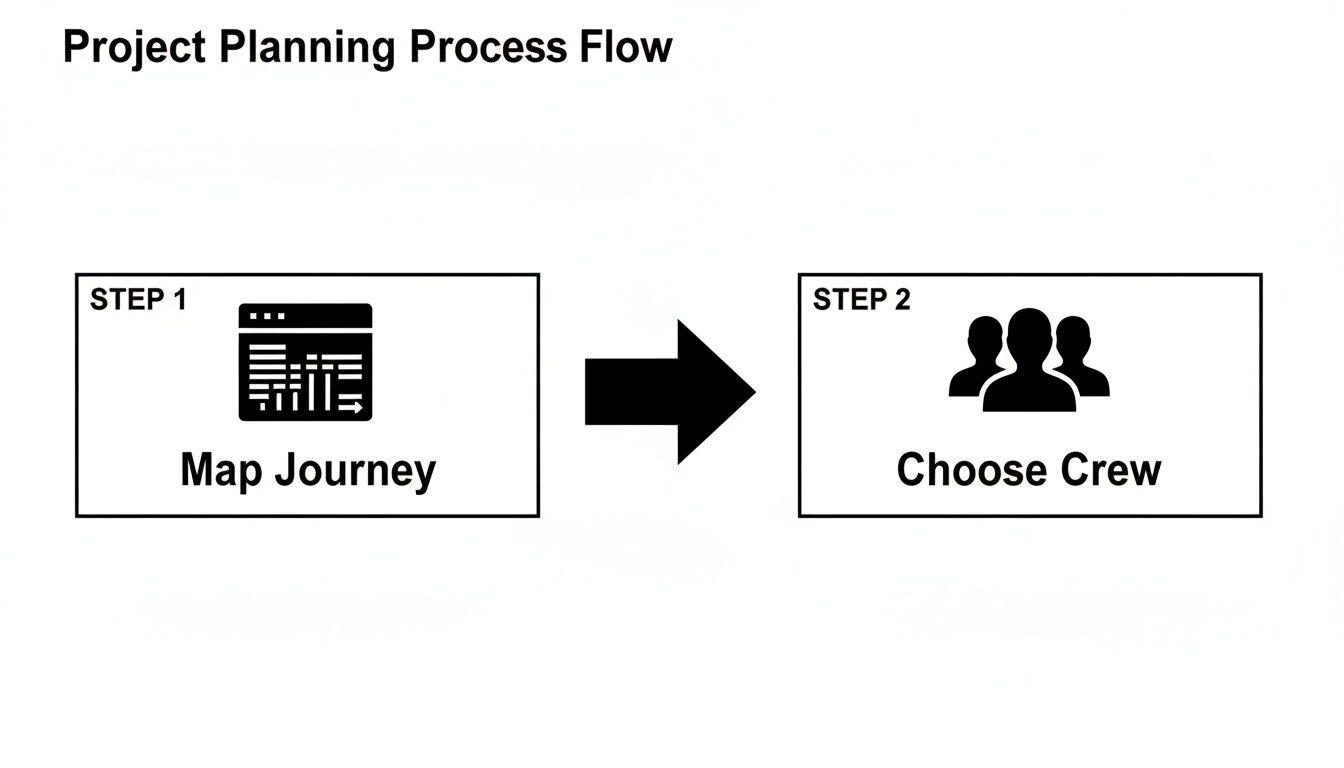
This high-level flow is a great reminder that mapping the journey and choosing the crew are fundamentally linked. You can't schedule work or assign resources effectively until you know where you're going.
It's Time to Ditch the Manual Timesheet
Once your milestones are set, the real challenge begins: tracking progress accurately. Chasing down timesheets is a frustrating ritual that project managers know all too well. Worse, they often tell you what people remembered doing, not where their time actually went.
This is where modern project planning really starts to shine. Instead of relying on manual entry, automated time capture gives you a much clearer, more precise picture of reality. By integrating directly with your team's Google or Outlook calendars, you can see exactly how much time is being poured into specific clients, projects, and even internal meetings—all without any extra effort from your team. If you want to see how this initial setup works, check out our guide on how to baseline a project with calendar data.
When you track progress against milestones using real-time data, you shift from reactive problem-solving to proactive project management. You can spot a potential budget overrun or a timeline risk weeks in advance, not after it's already happened.
Bring Your Progress to Life with Dashboards
The real magic happens when you visualize all this data. A live dashboard can automatically pull calendar and project data to show you exactly how you're tracking against your milestones in real time. No more waiting for the weekly status meeting to find out if you’re on track.
You can get an immediate, at-a-glance view of resource allocation and quickly spot if too much time is sinking into non-billable tasks or scope creep.
Imagine looking at your dashboard and seeing that the "Phase 1 Completion" milestone is at 70% of its budgeted hours, but only 40% of the work is actually done. This is the kind of insight that lets you ask the right questions right now:
- Has the scope ballooned beyond what we originally planned?
- Are we hitting unexpected technical roadblocks?
- Does the team need more support to get this over the line?
This data-driven approach transforms progress tracking from a boring, historical report into a powerful strategic tool. It gives you the clarity you need to make smart decisions and keep your projects from veering off course.
Anticipating Risks and Planning Your Communications
Great project managers don't just put out fires; they’re seasoned fire marshals who prevent them from starting in the first place. This is where you separate the pros from the rookies. Building resilience into your plan is non-negotiable, and it all starts with proactive risk management and a communication strategy that’s crystal clear.

Let’s be real—even the most perfectly planned project can get knocked sideways by something you didn't see coming. A key client stakeholder decides to take an impromptu two-week vacation. A critical piece of software suddenly has a show-stopping bug. The client sends feedback that is completely out of left field.
The goal isn't to create a risk-free fantasy world. That’s impossible. It's about spotting the potential landmines before you step on them and having a game plan ready to go.
Running a Simple Risk Assessment
A fantastic way to get ahead of this is to run a simple risk assessment workshop with your core team. I'm not talking about a week-long offsite with trust falls. Just a focused, one-hour meeting can uncover 80% of the most likely problems.
Get the team in a room (virtual or physical) and start brainstorming every potential obstacle that could throw your timeline, budget, or scope off track. Think across a few key categories to get the juices flowing:
- People Risks: What happens if our lead developer gets sick or, worse, quits mid-project?
- Process Risks: What if the client's approval process turns out to be a bureaucratic nightmare and takes twice as long as they said?
- Technology Risks: What’s the backup plan if that third-party API we’re relying on goes down during a critical phase?
- Scope Risks: How do we handle it when the client inevitably tries to sneak in "just one more little feature" mid-sprint?
Once you have a solid list, do a quick and dirty rating for each risk. How likely is it to happen (low, medium, high), and what’s the damage if it does (low, medium, high)?
Pour your energy into mitigating the high-impact, high-likelihood items first. For instance, if a slow client approval process is a major threat, your mitigation plan might be to build in an extra three-day buffer after every major submission. Simple, but effective.
Creating Your Communication Matrix
Just as critical as managing risks is managing communication. Being flooded with irrelevant information is just as dangerous as not having enough. You need a plan to get the right updates to the right people at the right time—without drowning everyone in emails and Slack notifications.
A communication plan isn't about sending more updates. It’s about sending fewer, more meaningful ones that keep clients confident and your team perfectly aligned.
Create a simple communication matrix. This document is your secret weapon against pointless status meetings and those dreaded "just checking in" emails. It outlines who needs to know what, when they'll get the info, and how you’ll deliver it.
| Communication Type | Audience | Channel | Frequency | Owner |
|---|---|---|---|---|
| Project Status Report | Client Stakeholders, Leadership | Email (PDF) | Weekly | Project Manager |
| Daily Stand-up | Internal Project Team | Slack Huddle | Daily | Team Lead |
| Milestone Review | Client & Internal Team | Video Call | Per Milestone | Project Manager |
| Budget Update | Leadership, Finance | Dashboard | Bi-weekly | Project Manager |
This simple chart brings order to communication chaos. Everyone knows what to expect and when. More importantly, when an actual issue pops up, you already have the channels in place to tackle it quickly and efficiently.
Avoiding the Common Pitfalls in Project Planning
Even the most buttoned-up project plan can completely fall apart in the real world. So, what separates the plans that work from the ones that don't? Often, it's about anticipating the common traps before you fall into them.
These aren't just abstract risks; they're the everyday gremlins that sneak into projects, blow up budgets, and leave everyone frustrated. Knowing what they are is half the battle.
One of the biggest culprits? Overly optimistic timelines. We’ve all been there. You're excited to kick things off and want to impress the client, so you map out a schedule that works perfectly if nothing goes wrong. But something always goes wrong. This perfect-world planning ignores the messy reality of projects and sets your team up for a painful sprint to the finish line.
Another sneaky issue is all the "hidden work" that never makes it onto the plan. We're great at scheduling the big, client-facing deliverables, but what about the internal stuff? I'm talking about the time spent on internal reviews, quick team sync-ups, and pulling together status reports. This work is essential, but it eats into your team's capacity without ever being accounted for.
Beware of Gold Plating and Scope Creep
Everyone talks about scope creep, but its equally destructive cousin, “gold plating,” is just as dangerous. This is what happens when someone on the team decides to add a little extra flair—a feature the client never asked for or a level of polish that goes way beyond the initial agreement.
They think they're adding value, but in reality, they're burning through time and budget on work that wasn't requested.
I once saw a design team spend an extra week creating complex animations for a website's internal dashboard. The client never asked for it and barely noticed it, but it pushed the launch date back and ate into the project’s profit margin.
This is exactly why having a solid feedback loop is non-negotiable. Regular check-ins and a clear change control process are your best defense against both scope creep and gold plating. They keep everyone anchored to the actual project goals.
Do This Instead: Actionable Advice
To build plans that can withstand the chaos of a real project, you have to move from wishful thinking to data-driven preparation. Acknowledging the common failure points is the first step toward building a more resilient roadmap.
Here’s a quick look at the most frequent mistakes we see agencies make and, more importantly, how to sidestep them.
Common Planning Pitfalls and How to Solve Them
| Common Pitfall | Impact on Agency Projects | How to Avoid It |
|---|---|---|
| Overly Optimistic Timelines | Leads to team burnout, missed deadlines, and damaged client trust. | Base estimates on historical data from similar projects. Always build in a 15-20% buffer for unexpected issues. |
| Ignoring Internal Work | Causes resource allocation issues and makes it impossible to gauge true project profitability. | Use tools that capture all work time, not just billable hours. Include administrative tasks in your project schedule. |
| "Gold Plating" Features | Wastes valuable time and budget on features the client didn't request or value. | Stick religiously to the signed-off scope document. Foster a culture where "good enough" is a success metric. |
| No Feedback Loop | Minor issues can spiral into major problems before they are identified and addressed. | Schedule regular, mandatory project retrospectives (e.g., after each milestone) to discuss what’s working and what isn’t. |
By proactively hunting for these potential problems during your planning phase, you can turn a fragile document into a robust, realistic guide that leads your team to a successful outcome.
Frequently Asked Questions About Project Planning
Even the most thorough guide can't cover every single question that pops up when you're in the trenches of project planning. Agencies and professional services teams, in particular, tend to run into the same hurdles. Let's tackle some of the most common questions we hear.
How Can We Improve the Accuracy of Our Project Time Estimates?
Getting better at estimating time means you have to stop guessing and start using data. Instead of just polling your team for a number, the first place to look is your own history. What did similar projects actually take? This is where tools that automatically capture time from calendars become invaluable—they give you a truly objective baseline to work from.
Once you have that data, you can start creating benchmarks for common tasks. You might discover, for instance, that a "client discovery call" consistently eats up about 90 minutes when you factor in prep and follow-up. This kind of data-driven insight strips away the subjectivity and helps you build realistic timelines from day one.
The best estimates always come from a combination of two things: the people doing the work and the historical data to back them up. Always bring your team into the estimation process. They have the ground-level view of what it really takes to get a task done.
What's the Best Way to Handle Scope Creep Once a Project Has Started?
The secret to managing scope creep isn't a secret at all—it’s having a formal change control process that you defined back in the planning phase. When a client asks for something new that's clearly outside the original scope, your gut reaction shouldn't be a simple "yes" or "no."
Instead, your first move is to document the request. Then, you assess its real-world impact on the project's timeline, budget, and resources. Present that analysis back to the client in a formal change order. This simple but critical step makes the trade-offs crystal clear, allowing the client to make an informed business decision. It shifts the dynamic from a casual "can you just…" request to a proper strategic choice.
How Often Should We Review and Adjust Our Project Plan?
Think of your project plan as a living document, not something carved in stone. How often you review it really depends on the project's pace and complexity. For those fast-moving agency projects that wrap up in a few weeks, a weekly review isn't just a good idea—it's essential.
These check-ins should be quick, focused meetings to see how you're tracking against milestones, flag any new risks that have emerged, and adjust the plan for the week ahead. For longer-term projects, you’ll still want those weekly touchpoints, but adding a deeper, more strategic monthly review is a smart move. If you're looking for more project management strategies, you can always explore the Padpulse blog for fresh ideas.
When you use real-time dashboards, you can monitor progress constantly. This means your review meetings can stop being about just gathering status updates and start focusing on making the smart, strategic adjustments that keep a project on track.
Ready to replace timesheet chasing with automated, accurate project insights? TimeTackle captures your team's work effortlessly from their calendars, giving you the real-time data you need to plan, resource, and deliver projects more profitably. See how it works at https://www.timetackle.com.