At its heart, the difference between a stopwatch and a timer is pretty simple. A stopwatch measures elapsed time by counting up from zero, making it perfect for tasks where you don't know how long they'll take. On the flip side, a timer counts down from a specific time you've set, letting you know when the clock runs out.
This one core difference is everything when it comes to deciding which tool is right for the job.
Stopwatch Vs Timer: Understanding The Core Difference

Let's clear up the stopwatch vs. timer debate once and for all. Think of a stopwatch like you're timing a race—it kicks off at zero and tells you exactly how long it took the runner to cross the finish line. It's all about answering the question, "How long did that take?" It’s reactive, capturing the duration of something as it happens.
A timer? That’s your kitchen oven. You know the cookies need to bake for exactly 12 minutes. You set the time, and it dings when they're done. A timer answers the question, "Is my time up yet?" It’s proactive, designed to enforce a time limit you've already decided on.
For a quick reference, here's how they stack up.
Stopwatch Vs Timer: A Quick Functional Breakdown
| Attribute | Stopwatch | Timer |
|---|---|---|
| Primary Purpose | To measure how long something takes. | To alert you when a set amount of time has passed. |
| Time Direction | Counts up from zero. | Counts down from a preset duration. |
| Best For… | Open-ended tasks, billing, performance analysis. | Time-blocking, focused work sessions, setting limits. |
Ultimately, one measures the past (what just happened) while the other manages the future (what you've planned to happen).
When To Use a Stopwatch
A stopwatch is your best friend for any open-ended task where you don't know the exact duration beforehand. It’s the tool you grab when you need to accurately capture every billable minute or analyze where your team's time is really going.
- Client Calls: Hit start the moment a client call begins to log the precise billable time—no guesswork needed.
- Creative Work: Track exactly how long it takes to nail that logo design or draft that killer piece of copy.
- Bug Fixes: Developers can measure the exact time spent hunting down and squashing a tricky technical issue.
The goal of a stopwatch is pure measurement. It creates a clear, objective record of time spent, which is non-negotiable for accurate invoicing and understanding project profitability.
When To Use a Timer
A timer shines when you need to enforce focus or stick to a schedule. It’s less about measuring what did happen and more about managing what will happen. Think of it as a tool for setting boundaries, whether for a personal productivity sprint or a team meeting that needs to stay on track.
You can explore our deep dive on using a digital stopwatch online to learn more about structuring focused work sessions.
The market for these simple but powerful tools is massive. The digital and analog timer market, which covers both stopwatches and timers, was valued at USD 1,531.20 million in 2024 and is only expected to climb. For a closer look at the numbers, check out the full HTF Market Intelligence report.
Choosing The Right Time Tracking Tool
Picking a time tracking method often feels like choosing between two very different worlds. In one corner, you have the manual stopwatch and timer—simple, direct, and completely in your control. In the other, you have slick software that promises perfect accuracy through automation. The right choice really comes down to your needs, your team's size, and how much you can stomach human error.
For freelancers or a small crew, going manual can feel freeing. It's easy to get started and gives you a no-fuss way to log work sessions. There's something satisfying about physically starting and stopping a clock; it puts a clear boundary around a task. But that beautiful simplicity is also its biggest pitfall.
Manual tracking is just begging for mistakes. Did you forget to hit start? Did you leave the timer running through your lunch break? These little slip-ups happen, and they add up fast, leading to wonky timesheets and, potentially, lost income.
Manual Simplicity Vs. Automated Precision
The real trade-off here is between ease of use and data integrity. A manual stopwatch is dead simple to use, but it demands perfect, unwavering discipline from a human. Automated systems take a bit more effort to set up, but once they're running, they work quietly in the background, capturing every minute with total accuracy.
Think of it like using a paper map versus a GPS. The map is straightforward and doesn't need a battery, but one wrong turn can leave you completely lost. The GPS needs a signal, but it gives you real-time, mistake-proof directions, making sure you get where you’re going without any drama.
The decision isn't just about a tool; it's about what you value more—the hands-on control of manual entry or the rock-solid, hands-off accuracy of an automated system. For a growing agency, the latter isn't just a nice-to-have; it's essential for scaling and staying profitable.
Factors To Consider When Choosing
When you're looking at a new stopwatch and timer solution, think about how it will actually fit into your daily grind.
- Human Error: How much money are you willing to lose from forgotten timers or fudged entries? Manual methods are a magnet for this stuff.
- Implementation Effort: Are we talking about a quick app download or a full-blown team onboarding? Manual is faster to start, but automation delivers value for years to come.
- Data Integrity: Do you just need a rough idea of where time is going, or do you need pinpoint-accurate data for invoicing and project costing? Automation is the clear winner for clean, reliable data.
Even in our digital-heavy world, there’s still a place for old-school tools. The market for analog stopwatches, valued at a surprising USD 247.8 million in 2023, is actually still growing. It just goes to show that for some people, you can't beat mechanical reliability. You can dig into the numbers in this analog stopwatch market report.
At the end of the day, the goal is to find a system that clicks with your team's culture. For agencies that need accuracy and efficiency to grow, moving beyond the basic stopwatch and timer to a more connected, automated solution isn't just an upgrade—it's a strategic move.
Mastering The Art Of Capturing Billable Hours
Uncaptured time is lost revenue. It’s a simple truth, but for any agency or service business, the gap between the work you do and the work you invoice is a silent profit killer.
Getting a handle on capturing every single billable moment isn't just about being a meticulous bookkeeper. It's a fundamental business discipline that hits your bottom line directly. A simple stop watch and timer can be your first line of defense against this sneaky problem, often called time leakage.
The real challenge isn't that people are trying to be dishonest; it's just human nature. We get completely absorbed in a creative task, jump from a client call straight into an internal huddle, and completely forget to start or stop a timer. Those small bits of time—five minutes here, ten minutes there—add up fast, easily turning into thousands of dollars in lost revenue across a team each year.
The Enemies Of Accurate Time Tracking
To win the war for your billable hours, you first have to know your enemies. They’re the subtle, everyday habits that slowly chip away at your profitability.
- Vague Entries: Logging "Client Work" for three hours is basically useless. It doesn't give you the detail needed to justify an invoice or figure out if a specific task is even profitable.
- Inconsistent Habits: When everyone on the team tracks their time differently—or worse, not at all—you're left with a mess of data. You can't rely on it to make smart, strategic decisions.
- Time Leakage: This is the most common foe. It’s all the little things that go unrecorded because they "only took a minute"—like quick emails, short review cycles, and brief phone calls.
At its core, a primary goal of time tracking is the accurate tracking time spent on projects, which is absolutely vital for both clean billing and effective project management.
Actionable Tactics For Flawless Time Capture
Beating these enemies isn't about finding a magic bullet; it's about building a clear strategy and executing it consistently. The real goal is to make accurate time tracking a reflexive, non-negotiable part of your team's workflow.
Start with the 'start-it-now' rule: the second you begin a billable task, your stopwatch starts. No excuses, no exceptions.
Next, get good at writing descriptive time entries. Instead of a lazy "Design work," try something like, "Drafting initial logo concepts for Project Phoenix, round one." This not only backs up your invoice but gives you incredible data for quoting future projects. For a much deeper dive, our guide on how to track billable hours is packed with more strategies you can use today.
This report, for instance, breaks down time by client and project, showing exactly where the hours are going.
Being able to see this data visually lets you instantly understand where your team's resources are focused and which clients are taking up the most time. It really drives home why being precise is so important.
The final, non-negotiable tactic is this: establish a crystal-clear, team-wide policy on what counts as billable versus non-billable work. This kills ambiguity, makes invoicing way smoother, and gives you a true, honest look at project profitability. Without this foundation, even the best stopwatch and timer are just spinning their wheels.
Moving From Manual Timers To Automated Workflows
If your team is still clicking "start" and "stop" on timers, you're leaving a ton of money and time on the table. Relying on a manual stop watch and timer is like using a paper map in the age of GPS. Sure, it gets the job done, but it’s clumsy, needs constant attention, and is ridiculously prone to human error. Forgotten timers, guesstimated entries, and the sheer administrative headache of chasing down timesheets are pain points that quietly bleed resources.
The big leap forward is ditching this manual grind for smart automation. This is where calendar-driven time tracking comes in—a workflow where your schedule becomes the single source of truth for your time. Instead of actively logging every minute, the system retroactively builds your timesheet from events already locked in your calendar.
Picture a world where timesheets practically write themselves. Every client call, internal huddle, and deep work session is captured and categorized without anyone ever hitting a button. This isn't just a small tweak; it's a complete overhaul of how time data is collected.
The Power of Your Calendar as a Data Source
Think about it: your calendar is already a detailed, living record of your workday. It knows who you met, what you discussed, and exactly how long it lasted. By using this existing data as the bedrock for time tracking, you cut out the need for a totally separate, manual process.
This approach immediately solves the most nagging problems of manual tracking:
- Eliminates Forgotten Timers: The system pulls from past events, so you can't forget to start or stop a timer. Every single scheduled block of time is accounted for.
- Drastically Cuts Administrative Work: All those hours spent manually keying in data, fixing mistakes, and reminding people to submit timesheets? They're back in your pocket, freeing up your team for valuable, billable work.
- Creates a Flawless Record: Your timesheet becomes a perfect, retroactive mirror of your scheduled day, giving you an ironclad record for invoicing and internal audits.
The old way of doing things involves far too many manual steps, as you can see below.
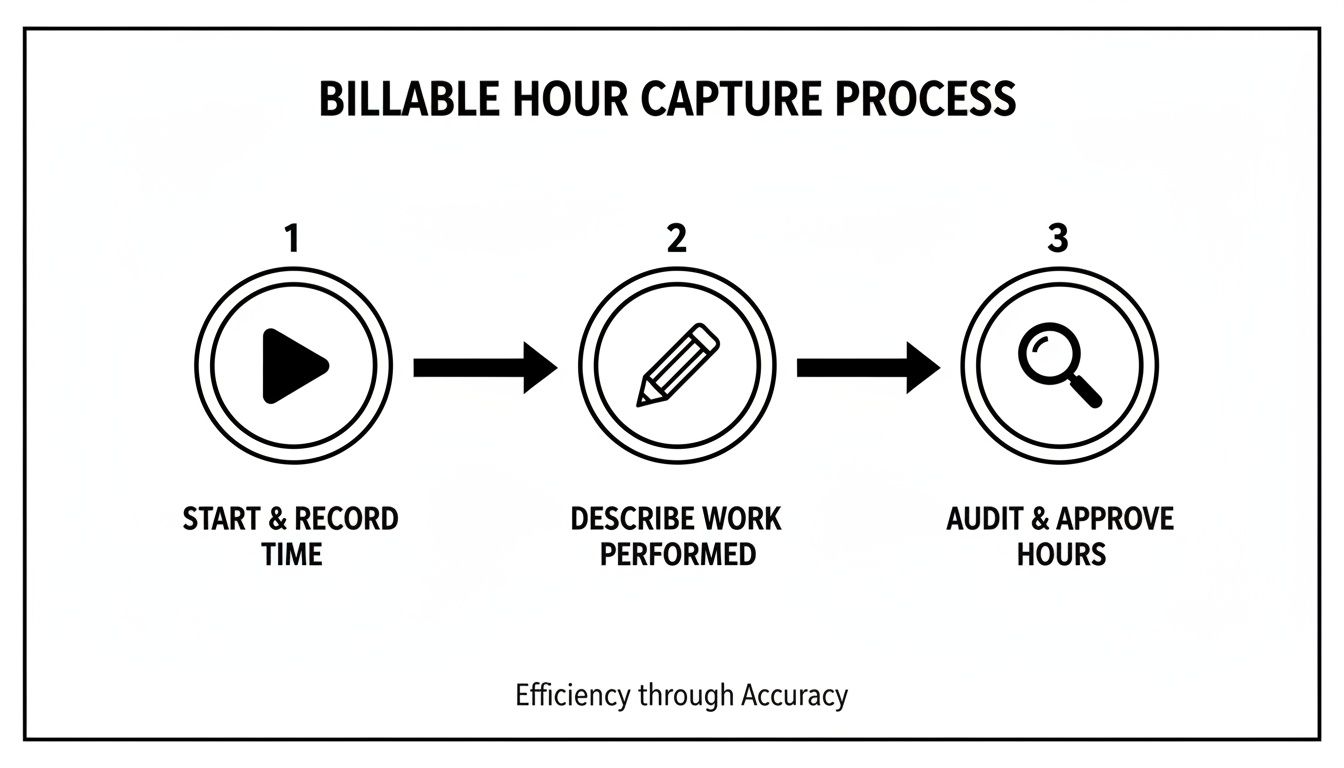
This process highlights the manual touchpoints—starting the timer, describing the work, and checking the entry—and each one is an opportunity for something to go wrong.
By automating this entire flow based on your calendar, you replace active time tracking with a passive, accurate system of record. The goal is to make time capture an invisible, effortless background process, not another task on your to-do list.
This change lets you stop just measuring time and start actually understanding it. When data capture is automatic and consistent, you get reliable insights into project profitability, team capacity, and operational weak spots—all without the manual drag. It’s about working smarter, not tracking harder.
How Calendar Automation Transforms Time Tracking
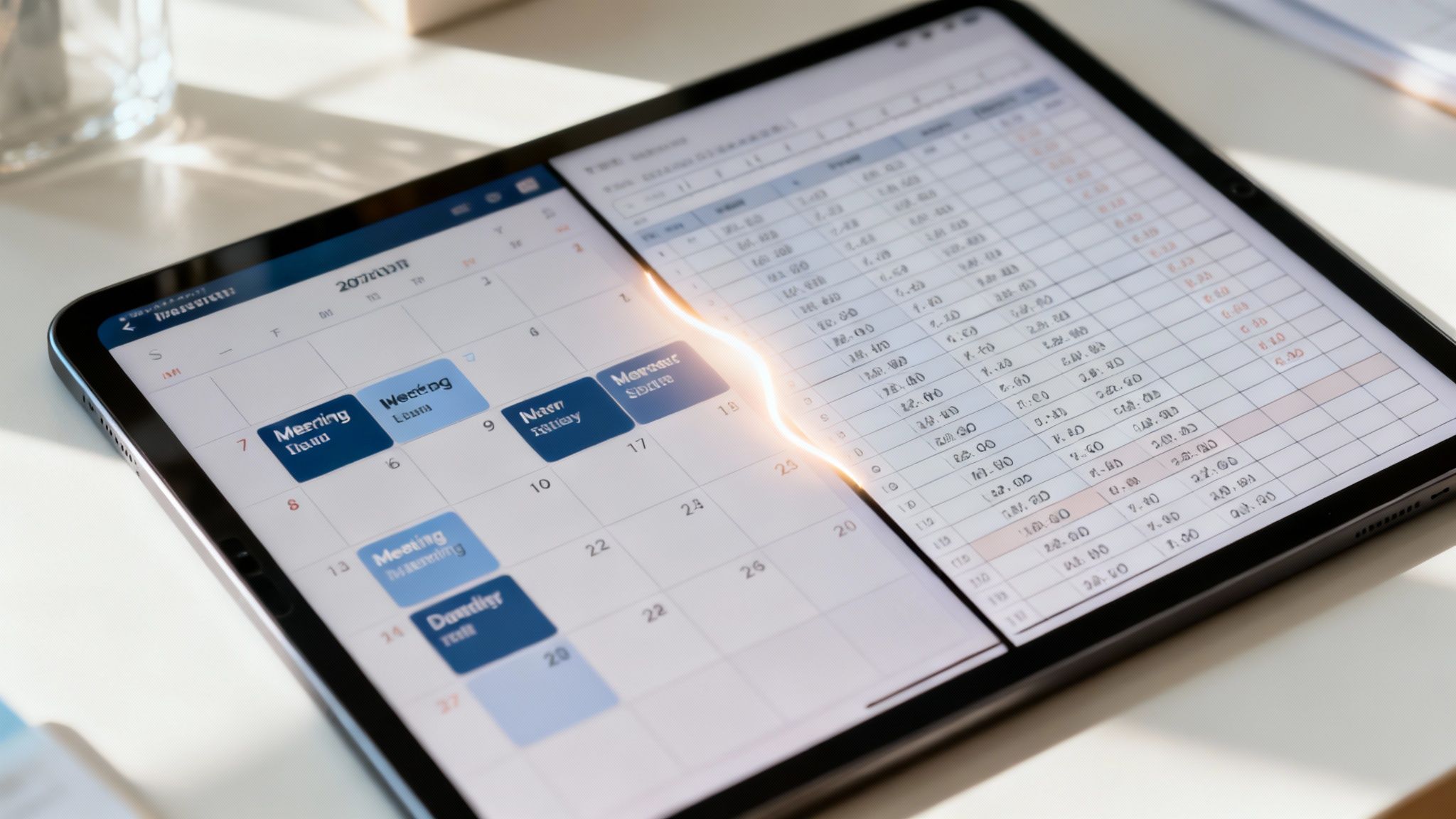
Let's dig into what a truly automated time tracking system looks like in the real world. Moving past a manual stop watch and timer isn't just about finding a better tool; it's about fundamentally changing your process. It means connecting your team’s existing calendars to an intelligent platform like TimeTackle.
The goal? To create perfect, detailed timesheets without anyone having to click "start" or "stop." Your schedule is no longer just a planning tool—it becomes the source of all your time data.
This isn't just a fancier timer. Think of it as an intelligence layer that lives on top of your schedule. It automatically figures out the difference between a client meeting, an internal check-in, or a heads-down work block just by looking at event titles, attendees, and other details already in the calendar invite. The result is a system that gives you the precision of manual tracking, but without any of the tedious labor.
For professional service agencies, this approach is a game-changer. It puts an end to the guesswork and forgotten entries that cause revenue to leak out, making sure every single billable moment is captured and accounted for.
From Manual Clicks To Intelligent Categories
An automated system doesn't just capture time; it intelligently sorts and categorizes it. By setting up a few simple rules, the platform can automatically assign the right project codes, client tags, and task types to calendar events as they happen.
Here’s how that plays out day-to-day:
- A client meeting gets scheduled: An event with "Client XYZ" pops up in a team member's Google Calendar.
- Automation kicks in: TimeTackle sees the client's name and instantly tags the event as "Billable," assigns it to "Project Phoenix," and categorizes it as a "Client Strategy Session."
- Timesheets are instantly populated: The entry appears on the timesheet with every detail filled out. The employee didn't have to do a thing.
This workflow guarantees consistency across your entire team, which means the data is clean and ready for reporting. No more chasing down missing information or correcting typos. You can get a much deeper look into this process in our ultimate guide to time tracking with Google Calendar.
The shift toward automation is everywhere, even in simple hardware. The global market for basic outlet timers was valued at USD 1.44 billion in 2024 and is still growing. It’s a small example, but it points to a much bigger trend: people want systems to handle routine tasks so they can focus on more important work.
Manual Tracking Vs Calendar Automation
When you put the old way of working side-by-side with calendar automation, the differences are stark. One relies on constant human intervention and memory, while the other leverages data you're already creating.
| Feature | Manual Stop Watch And Timer | Automated System (TimeTackle) |
|---|---|---|
| Accuracy | Prone to errors, forgotten entries, and guesswork. | 100% accurate based on actual calendar events. |
| Effort Required | High. Requires constant starting, stopping, and manual entry. | Zero. The system captures and categorizes time automatically. |
| Data Consistency | Varies by user, leading to messy, unreliable reports. | Standardized across the entire organization for clean data. |
| Real-time Insight | Delayed. Data is only available after manual entry. | Instant. Timesheets are always up-to-date. |
| Revenue Capture | Suffers from "time leakage" due to unlogged billable hours. | Maximizes revenue by ensuring all billable work is captured. |
| Adoption Rate | Often low due to the tedious nature of the process. | High. It works in the background with tools the team already uses. |
Ultimately, a manual approach forces your team to become administrative clerks, while an automated system lets them focus on their actual jobs. The calendar becomes the single source of truth, eliminating friction and delivering trustworthy data.
Unlocking True Operational Insight
A calendar-driven system gives you a complete, retroactive view of your entire operation. Because it pulls data directly from the schedule, you get a perfect record of where every minute went—which is exactly what you need for accurate invoicing and smart strategic planning. For anyone looking to connect their digital schedules, this practical guide to syncing calendars offers some powerful techniques.
By making the calendar the single source of truth, agencies can finally stop chasing timesheets and start analyzing rich, accurate data. This shift provides unparalleled insight into project profitability, team utilization, and overall operational health.
Let's Look Beyond The Clicks And Timers
We've covered a lot of ground, from the simple mechanics of a stopwatch and timer all the way to the smarter world of calendar-driven workflows. If there’s one thing to take away from all this, it's that while manual tools have their place, the real future of accurate, painless time tracking is in automation. It’s worth taking a hard look at how you're doing things now.
When you let your calendar do the heavy lifting, you get rid of the need to constantly start, stop, and log your time. This small shift gives back countless hours that would otherwise be lost to administrative busywork. But it does more than just prevent mistakes; it unlocks a goldmine of data about your team’s real-world productivity and which projects are actually profitable. This is the kind of information that lets you make big decisions with confidence.
Moving past manual clicks turns time tracking from a chore your team dreads into something that just happens in the background. The whole point is to free up your people to focus on what they were hired to do: deliver incredible work for your clients.
Making The Switch To Smarter Tracking
Moving to an automated approach doesn't have to be a massive, disruptive project. It really just starts with a simple realization: the tools your team already lives in, like Google Calendar or Outlook, are packed with time data just waiting to be used.
Here’s a simple way to think about it:
- Audit Your Current Process: First, figure out where you're bleeding time. Is it forgotten timers? Guesswork on timesheets? Find the biggest sources of administrative drag.
- Use What You Already Have: Before you go looking for a dozen new tools, connect your calendar to a smart platform. You'll probably be shocked at how much billable time is already sitting right there in your events.
- Focus on Value, Not Ticking Clocks: This shift in mindset is huge. It empowers your team to pour their energy into high-impact work instead of just filling out timesheets to prove they were busy.
Making this change helps your agency run with more precision and clarity. It’s about working smarter, not just harder.
Still Have a Few Questions?
Moving from a manual stop watch and timer to a more connected system naturally brings up a few questions. We get it. Here are some of the most common things we hear from teams as they start tracking time smarter.
Can We Still Use a Manual Timer for Quick Tasks?
Absolutely. There's definitely still a place for a quick, manual timer, especially for those little ad-hoc tasks that never make it onto a calendar. The point of automation isn't to get rid of manual tools entirely, but to let them do what they do best while automation handles all the scheduled, predictable work.
Think of it like this: your calendar is now the primary system for catching all the planned stuff—client meetings, scheduled work blocks, you name it. A manual timer becomes your trusty sidekick for that unexpected five-minute phone call that pops up. The goal is to make automation your default and manual tracking the exception.
How Much Setup Is Involved to Automate Time Tracking?
You’d be surprised at how quickly you can get going. The initial setup for calendar-based automation is pretty painless. It really just involves connecting your team's Google or Outlook calendars and then setting up a few simple rules for how you want time to be sorted.
For instance, you could create rules like:
- Any event with "Client ABC" in the title is automatically tagged as billable.
- Internal meetings called "Team Sync" are marked as non-billable admin time.
Once those rules are set, the system just hums along in the background. It’s a tiny bit of effort upfront that saves hundreds of hours of manual data entry down the road.
What if Our Calendar Events Aren't Always Accurate?
That’s a super common worry, but it’s one that tends to fix itself. Once the calendar becomes the single source of truth for time tracking, teams naturally get better about keeping their schedules detailed and up-to-date. A clean calendar stops being a "nice-to-have" and becomes essential for getting a perfect timesheet with zero extra work.
This shift organically encourages better scheduling habits. Your team will start using more descriptive event titles and inviting the right people because they know it directly makes their time tracking accurate—without having to do anything else.
Ultimately, this doesn’t just make your time tracking better; it improves your team's overall organization. It makes sure your schedule is an honest reflection of where your most valuable resource—time—is actually going.
Ready to stop chasing timesheets and unlock real-time insights from the tools your team already uses? TimeTackle transforms your calendar into a powerful, automated time tracking system. Discover how you can capture every billable minute effortlessly at TimeTackle.