
Improving employee time management isn't about micromanaging or watching the clock. It’s about getting an honest look at where the day actually goes so you can start reclaiming those lost hours.
For most agencies, a massive chunk of every workday simply vanishes into communication overhead—think meetings, emails, and endless chat threads—not the billable work that pays the bills. The first step to fixing this is gaining visibility. You can't improve what you don't measure.
The true cost of unmanaged time in your agency

Let's get real about where time goes in your agency. When project budgets balloon and deadlines fly by, it's rarely because your team is slacking off. It’s almost always because your system lets productive hours get devoured by invisible, non-billable tasks.
This is what I call the “productivity paradox.” Everyone looks incredibly busy, bouncing from meeting to meeting, drowning in emails, and putting out fires in Slack. Yet, the needle on actual billable work barely moves. The activity doesn't translate to output, and your profit margins are the first to feel the pain.
The black hole of communication overhead
The modern workday is completely dominated by communication. A Microsoft study of over 31,000 people found that a shocking 57% of an employee's time is spent just talking about work, not actually doing it.
That time breaks down into:
- 23% in Teams meetings
- 19% in Teams chat
- 15% using email
When more than half the day is gone before anyone can get into a state of deep, focused work, it’s no surprise that projects go off the rails. This isn't a personal failing; it's a systemic problem.
And it gets worse. Research consistently shows that employees are only truly productive for about 60% of their workday. On top of that, up to 60% of those working hours are spent on tasks that aren't very meaningful. That means nearly two out of every five hours are completely lost. You can dig deeper into this in recent time management studies that unpack this productivity gap.
For a mid-sized agency with 50 employees, that lost time snowballs into project overruns, frustrated clients, and a team that constantly feels behind schedule.
The real problem isn't a lack of effort; it's a lack of visibility. Without a clear, data-backed picture of how time is spent across different clients and projects, managers are flying blind. You can't spot productivity drains or optimize workflows if you're just relying on gut feelings and manual timesheets filled out days after the fact.
Connecting lost hours to your bottom line
This isn't just an operational headache—it's a direct hit to your finances. Every unbilled hour spent in a pointless meeting or hunting down information is an hour you can’t charge a client. Low employee engagement, which often stems from this chaotic environment, is estimated to have cost businesses a staggering $438 billion in lost productivity globally.
Here’s how this typically plays out in an agency setting:
- Scope Creep Runs Wild: Without accurate time data, you have no way to prove when a client's “small favor” has morphed into a significant, unpaid time sink.
- Profitability Becomes a Guessing Game: You think a project is profitable, but hidden admin tasks and constant interruptions are secretly eating away at your margins.
- Future Quotes Are Built on Bad Data: You base new project estimates on flawed history, essentially setting your team up to fail by under-bidding from the very start.
Getting a handle on employee time management isn't a "nice-to-have." It’s an operational necessity for any agency that wants to survive and grow. By understanding where time truly goes, you can shift from a culture of “being busy” to one of genuine productivity. This guide will show you exactly how to make that happen, starting with setting a clear and fair policy.
How to build a modern time management policy
Let’s be honest: creating a time management policy feels a bit like being the bad guy. But it isn't about watching over your team's shoulder. It’s about creating a system that brings clarity and fairness to everyone’s workday. A good policy gets rid of the guesswork, helping your team see exactly how their daily grind connects to the bigger picture.
This isn't micromanagement. Think of it as creating a shared language for what productive work actually looks like so you can protect it.
Without one, you're basically inviting chaos. One person tracks their time down to the minute, while another just wings it at the end of the week. That leads to messy, unreliable data. You can't quote projects accurately, you can't manage workloads effectively, and you have no real idea which clients are actually profitable. A formal policy creates that single source of truth you desperately need.
Define what “productive time” means
First things first, you have to agree on what "productive work" even is. This will look different for every role in your company. A designer’s “deep work” is clearly billable and needs to be shielded from distractions. At the same time, a project manager’s time in internal planning meetings is just as important, even if it's non-billable.
The key is to create clear categories. Start with these core time buckets:
- Billable Client Work: Any time spent on tasks that go directly on a client’s invoice. This is your design, development, writing, and client-facing meetings.
- Non-Billable Client Work: These are the essential tasks you can't bill for but are necessary to keep a client happy. Think preparing proposals or initial discovery calls before the contract is signed.
- Internal Projects: Time your team sinks into company-focused work, like developing an internal tool or giving your own website a facelift.
- Administrative Time: This is the general overhead. It includes team meetings, company-wide town halls, and other admin tasks not tied to a specific project.
By setting up these definitions, you're giving your team a simple framework. It’s no longer a vague guess—it’s a clear choice between a few distinct options. This simple step is the foundation for getting a real handle on time management for employees.
Set clear and simple expectations
Your policy will only work if it’s easy to follow. If it’s a complicated, bureaucratic nightmare, your team will find workarounds, and you’ll be right back to bad data. The goal is to make time tracking feel like a natural, low-effort part of the daily routine.
Your policy should be built on just a few non-negotiable principles:
- Track Time Daily: Let's face it, end-of-week timesheets are fiction. Make it a rule that time must be logged by the end of each workday to have any hope of accuracy.
- Use 15-Minute Increments: Tracking in 15-minute blocks gives you enough detail for accurate project costing without driving your team crazy with minute-by-minute logging.
- Use Correct Project Codes: Every minute tracked needs to be tied to a specific client and project code. This is non-negotiable if you want to report on profitability.
- Add Brief Descriptions: A quick note like “Drafted social media copy for Q3 campaign” or “Internal sync on Project X launch” adds a ton of context for project managers down the line.
It's also important to acknowledge the real-world time sinks. A study found that the average employee procrastinates for about 71 minutes every day—that's almost six hours a week. It also revealed that employees get interrupted every 3 minutes and need over 23 minutes to get back on track. A single "quick question" can easily vaporize half an hour of productive time.
Acknowledging this reality in your policy and actively promoting focus time is a great start. You can learn more about how these interruptions hit the bottom line in this eye-opening employee productivity study.
A time management policy isn't a rulebook for punishment. It's a tool to protect your most valuable asset: your team’s focus and energy. When everyone tracks time the same way, you can spot burnout risks early, justify hiring more people, and build a culture where everyone is accountable.
At the end of the day, your policy should be a living document. Start simple, get feedback from your team, and tweak it as you figure out what really works. The best policy is one that your team understands and follows because they see how it helps them—and the company—win.
Putting calendar-based time tracking into practice
Having a great time management policy on paper is one thing. Actually getting your team to follow it is where most plans fall apart. The secret isn't some complex, new software. It’s about meeting your team where they already work—their calendar.
By turning your team's Google or Outlook calendar into the source of truth for time tracking, you instantly remove the biggest hurdle: manual data entry. Instead of trying to remember what they did at the end of the day or week, employees just do what they already do—plan their schedule. Every meeting, every block of focus time, and every client call is already there.
This simple shift transforms time tracking from a dreaded chore into a natural part of a well-organized day. It’s no longer about remembering what you did, but simply planning what you’ll do.
From calendar events to business insights
This is where things get really powerful. A calendar event on its own is just a block of time. But when you connect it to business context, it becomes a valuable piece of data. This is done with tags and smart automation rules. A system that actually works for time management for employees doesn't just see a two-hour meeting; it understands what that meeting was for.
You can set up tags for just about anything you need to measure:
- Clients: (e.g., Client A, Client B)
- Projects: (e.g., Website Redesign, Q4 Campaign)
- Task Types: (e.g., Design, Development, Strategy)
- Billable Status: (Billable vs. Non-Billable)
Once your tags are defined, automation can do the heavy lifting. For example, you can create a rule that automatically tags any meeting with "Client A" in the title as billable work for that client. Recurring internal stand-ups? They can be automatically tagged as "Admin" without anyone lifting a finger.
This infographic breaks down the basic cycle for building a policy that supports this system.
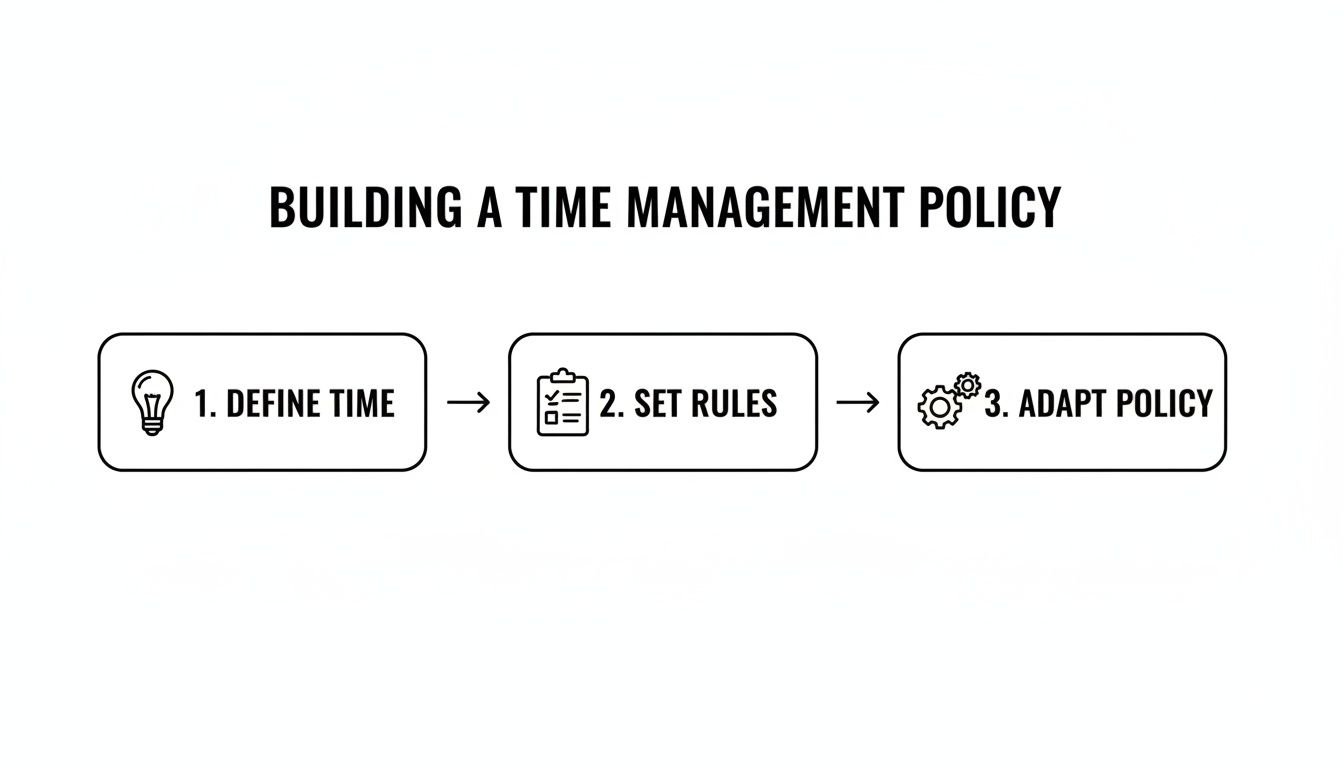
Think of it as a continuous loop, not a one-and-done setup. You'll constantly make small tweaks to make tracking easier and your data cleaner over time.
Making it effortless for employees
The goal is to make time tracking feel invisible. When a team member schedules "Design Sprint for Project Phoenix" on their calendar, the system should already know this time is for the Phoenix project and is likely billable. They don’t have to switch apps or fill out a form; they just manage their day. Exploring Modern Time & Attendance Systems can show you just how streamlined this process can be.
Tools like TimeTackle are designed around this very idea, integrating directly with calendars to capture events automatically. Your team can then apply tags with a click or, even better, let the automation rules handle everything. If your team already uses time blocking—scheduling dedicated blocks for specific tasks—this approach requires virtually zero change to their workflow. You can see how this works in our guide on time tracking with Google Calendar.
The result is a system that employees actually use. When tracking is easy, compliance goes up, and the accuracy of your data skyrockets. You get a real-time view of where effort is going, which is something manual timesheets filled out on a Friday afternoon can never provide.
By anchoring your time management system in the calendar, you're not adding another task to your team's plate. You're just adding a layer of intelligence to a process they already follow. This is, hands down, the most effective way to get the clean, reliable data you need to understand project profitability, manage team utilization, and make smarter business decisions.
Using time data to make smarter decisions

Getting accurate time data from your team is a huge win, but it's only half the battle. Raw data on its own is just a collection of numbers and labels. The real magic happens when you turn that data into business intelligence you can actually act on.
This is where you graduate from simply tracking time to using it to make smarter, more profitable decisions.
The goal isn't to micromanage every minute of your team's day. It's about seeing the bigger picture. When you can answer key business questions with hard data instead of just hunches, you fundamentally change how you operate. You’ll find yourself shifting from just reacting to problems to proactively steering your company toward better outcomes.
Building your mission control dashboard
The first thing you need is a central dashboard that gives you an at-a-glance view of your company’s health. I'm not talking about some ridiculously complex report that takes hours to build. It should be a simple, visual summary of your most important metrics.
A good dashboard will immediately show you:
- Team Utilization: What percentage of each person's time is billable versus non-billable? This is the quickest way to spot who's overworked and who might have capacity for new projects.
- Project Profitability: How do the hours logged on a project stack up against its budget? You can instantly see which projects are on track and which are starting to bleed money.
- Resource Allocation: Where is your team’s effort really going? Are your top designers spending all their time on a single client? Is your development team getting bogged down in endless internal meetings?
Think of this high-level view as your early warning system. It tells you exactly where to dig deeper and which questions to ask next, which is a core part of effective time management for employees they can directly contribute to.
The most powerful shift happens when you start filtering this data to answer specific, nagging business questions. Instead of wondering, you can know for sure. This is how you find the hidden profit drains and opportunities in your agency.
Answering critical business questions with data
Once your dashboard is set up, you can start using filters to get real answers. This is where you directly connect your team’s day-to-day activities to your bottom line. It’s like having a conversation with your data.
Suddenly, you can ask questions and get concrete answers:
- “Are we spending too much non-billable time on Client X?” Just filter your data to show all time logged for a specific client, then group it by billable status. If you see a mountain of non-billable hours, it’s a glaring sign you need to address scope creep or even renegotiate your retainer.
- “Which project phase always goes over budget?” If your projects consistently run late, you can filter by project and then by task type (e.g., “Discovery,” “Design,” “Development”). You might discover that the “Design” phase for a certain kind of project always takes twice as long as you estimated.
- “Is our pricing model for ‘Website in a Week’ projects actually profitable?” Group all the time entries for that specific project type and compare the total hours against what you charged. The answer might just surprise you—and lead to a much-needed pricing adjustment.
This level of detail is simply impossible with manual timesheets. With clean, calendar-based data, you can create more accurate project quotes because they're based on reality, not guesswork. You can also see which types of projects are your most profitable and focus your sales efforts there. For more tips on this, check out our guide on how to measure team productivity.
Ultimately, this data-driven approach allows you to plan resources with confidence and lead your team with true clarity.
Leading the change and building a culture of accountability
Let's be honest: a shiny new system is worthless if no one uses it. Rolling out a new approach to time management isn't just a technical update; it's a fundamental shift in your agency's culture. This is where the real work begins—handling the human side of the equation to make sure the change sticks.
The secret is to frame this entire effort around the benefits for your team, not just for management. This isn't about surveillance. It's about creating saner workloads, carving out precious focus time, and giving everyone the data they need to advocate for themselves and their projects.
Communicating the “why” before the “how”
Before you even whisper the name of a new tool or policy, you have to sell the vision. Your team needs to understand why this is happening and, more importantly, what's in it for them. If you just drop a new time tracking mandate in their laps, expect immediate resistance and suspicion.
Your communication should hit on these employee-first benefits:
- Protecting Focus Time: By seeing where our hours truly go, we can finally tackle the endless meetings and interruptions, creating more room for deep work.
- Fairer Workload Distribution: With clear data, managers can spot who’s drowning and rebalance work fairly, heading off burnout before it starts.
- Justifying More Resources: When we can prove a team is maxed out, it’s a whole lot easier to build a case for hiring more help.
- Better Project Planning: Accurate data leads to realistic deadlines and budgets, which means less stress from constantly playing catch-up.
When you’re steering your team through a new process like this, it’s a good idea to have a solid grasp of change management digital transformation principles. A well-managed transition can make all the difference.
Handling pushback and creating feedback loops
You’re going to get pushback. It’s just a natural reaction to anything new. The biggest hurdle is almost always the fear of "Big Brother"—the feeling that this is just a way to micromanage. You have to address this head-on.
The purpose of this data is not to watch you; it's to help us coach you. It allows us to have more constructive conversations about your workload and career growth, using objective information instead of just gut feelings.
Create safe, open channels for feedback. Run training sessions where people can ask anything, and set up a dedicated Slack channel or regular office hours to handle concerns as they pop up. When people feel heard, they’re far more likely to get on board. And to help build that buy-in, you might find some useful strategies in our guide on how to motivate employees to track time.
This is even more important in our hybrid world. Remote work has changed the game for time management for employees and their leaders. With 63% of leaders and 53% of employees now in hybrid roles, managers have lost the simple visual cues they once relied on to see who was swamped. This new reality makes accurate time data essential. And while employees working from home a couple of days a week are 33% less likely to quit, there’s a real risk of disengagement if teams feel disconnected. You can dig into more of these employee experience statistics on Zoom.com.
Using time data constructively
The true test of this new culture is how you use the information you gather. It absolutely has to be a tool for coaching, not for criticism.
When you sit down for one-on-ones or performance reviews, use the data to start a conversation, not an interrogation.
-
Instead of: “You’re not billing enough hours.”
-
Try: “I noticed you’re spending about 10 hours a week on internal admin. Let’s talk about what’s driving that and see if we can free you up for more client work.”
-
Instead of: “Why did this project go over budget?”
-
Try: “The data shows the design phase took longer than we planned. Was there some scope creep we missed, or do we need to adjust our estimates for this kind of work going forward?”
This approach builds trust and shows that the goal is to improve together. When you lead with empathy and focus on finding solutions, you create a culture where accountability feels like a shared responsibility, not a top-down punishment.
Common questions about improving employee time management
Let's be honest. Rolling out a new time management system, no matter how well-intentioned, is going to raise some eyebrows. It’s totally natural for managers and their teams to have a few questions and concerns.
Tackling these concerns head-on is the best way to build trust. It shows this isn't some top-down mandate, but a genuine effort to make work better for everyone. Here are the questions we hear all the time from leaders, along with some straight-up, practical answers.
Won't this feel like micromanagement or "Big Brother"?
This is always the first question, and it's a completely valid one. Nobody wants to feel like they're being watched. The fear that time tracking is just for surveillance is real, which is why how you frame it from day one is everything.
This isn't about counting clicks or timing bathroom breaks. It’s about getting a clear picture of workloads. The data helps us finally answer big questions like, “Is the team truly overloaded, or are we just bogged down by clunky processes?” It’s a tool for coaching and support, not for punishment.
You have to make it crystal clear: the goal is to spot systemic problems—like a calendar choked with pointless meetings or fuzzy project briefs—not to police individual employees. When it's used right, this data actually protects your team from burnout by making their workload visible and impossible to ignore.
How do we get employees to actually track their time?
Simple: make it so easy they barely notice they're doing it. If tracking time feels like a chore, your data will be a mess, assuming you get any at all. This is exactly why a calendar-based time capture approach works so well. Your team already operates out of their calendars; the system should just pull the information from there.
Adoption really comes down to two things:
- Automation: Set up rules to automatically tag recurring events like weekly check-ins or daily stand-ups. The less manual work someone has to do, the more likely they are to embrace it.
- Minimal Effort: The process needs to be practically invisible. If a designer blocks out "Design work for Client X" on their calendar, a smart system should know what to do with that information without needing extra steps.
What if the data shows my team is unproductive?
First off, take a deep breath and don't jump to conclusions. What looks like "unproductive" time is often a symptom of a much larger organizational problem, not a sign of lazy employees. For instance, a huge amount of non-billable time might reveal that your sales team is consistently over-promising, leaving your delivery team to deal with endless scope creep.
Instead of seeing it as a failure, treat it as a clue. This data gives you a real starting point for a productive conversation. You might uncover issues you never even knew existed, like:
- Vague project briefs that lead to constant, time-sucking rework.
- Too much context switching from endless Slack pings and interruptions. Psychologists have found that trying to multitask is a recipe for inefficiency and mistakes.
- Key information scattered across a dozen different apps, forcing people to waste time just hunting for what they need. A Gartner survey found nearly half of all workers struggle with this.
How much does this really cost?
When you start adding up the cost of lost productivity, the real question becomes: how much does it cost not to have a system like this? Think about all the billable hours that vanish into administrative tasks or the financial hit you take when a project blows past its budget.
Some research suggests employees can waste nearly six hours per week procrastinating, which, for a 100-person company, is like paying 15 people to do nothing.
Modern time management tools are surprisingly affordable and deliver a very clear return. The price of a software subscription is a drop in the bucket compared to the money you'll get back by identifying just a few billable hours that were previously going unrecorded each month.
How do we handle different work styles, especially with remote and hybrid teams?
A good system has to be flexible. It should work for everyone, whether they're at a desk in the office, on their couch at home, or dialing in from a coffee shop. Since hybrid work is here to stay, a system built around the calendar works seamlessly no matter where your team is.
It also accommodates different approaches to work. Some people swear by the Pomodoro Technique, working in focused 25-minute sprints. Others need long, uninterrupted blocks of deep work to be effective. A calendar-based system simply captures the data from how people already structure their day, without forcing them into a one-size-fits-all box.
Ultimately, you're providing a framework that gives leadership the insights they need while giving your team the autonomy they need to do their best work.
Ready to get a clear, accurate picture of where your team's time is going without the micromanagement? TimeTackle uses your team’s existing calendar to automate time tracking, giving you the insights you need to improve utilization, profitability, and resource planning. See how TimeTackle works.