
At its core, a billable hours tracker is just a system for logging the time your team spends on specific client work. But that simple definition doesn't do it justice. It's really the crucial link between your team's hard work and your agency's revenue, making sure every single valuable minute gets counted.
Think of it as a financial lens that brings your agency's true profitability into sharp focus.
Why Your Agency Is Leaking Profit Without a Billable Hours Tracker

Picture your agency’s revenue as a big bucket of water. Every unlogged phone call, every forgotten 15-minute design revision, every quick email reply that isn't recorded—each one is a small, steady leak. On their own, these drips might seem like no big deal. But over weeks and months, they empty your bucket, quietly draining profits and hiding the true financial health of your business.
This is the silent killer of profitability for so many mid-sized agencies.
Project managers are often left drowning in spreadsheets, chasing down timesheets, and taking educated guesses about which clients are actually making money. This isn't just inefficient; it's a direct threat to your bottom line. When you don't have a clear system, you're flying blind, unable to tell the difference between just being busy and doing valuable, revenue-generating work.
The True Cost of Inefficiency
This isn't just an agency problem; it's a challenge across all professional services. Take the legal industry, for example. Research shows that lawyers, on average, bill just 2.9 hours out of an 8-hour workday. That’s a startling utilization rate of only 37%. While the details may differ, this points to a universal struggle: timesheet fatigue and operational friction that actively drain productivity and revenue. You can read the full research about these legal industry trends to see just how big the issue is.
A dedicated billable hours tracker is built to plug those leaks. It’s a strategic tool, not just another timesheet. It closes the gap between the effort your team puts in and the money you actually earn. By automating how billable time is captured, it gives you an accurate, real-time picture of your agency's financial pulse.
A billable hours tracker transforms time from an abstract idea into a tangible, manageable asset. It's the first step toward understanding where your most valuable resource—your team's expertise—is truly going.
The difference between manual timesheets and an automated system is night and day. Let's break down the real-world impact.
The Real Cost of Manual vs Automated Tracking
| Metric | Manual Tracking (Spreadsheets & Memory) | Automated Tracker (Like TimeTackle) |
|---|---|---|
| Accuracy | Prone to guesstimates, forgotten tasks, and rounding errors. Can under-bill by 10-15%. | Captures time automatically and precisely as it happens. Drastically reduces lost revenue. |
| Admin Time | Employees spend hours each week recalling and logging time. Managers spend hours chasing timesheets. | Near-zero admin. Time is captured in the background from existing calendars and tools. |
| Project Profitability | Based on "gut feelings" and incomplete data. Hard to know which projects are truly profitable. | Crystal-clear, data-backed view of project ROI. Know exactly where you're making or losing money. |
| Team Morale | Timesheets are a dreaded, annoying task. Creates friction and feels like micromanagement. | Seamless and invisible. The team can focus on their actual work, not on tedious admin. |
| Strategic Insight | Limited to basic hour counts. No real insight into resource allocation or client value. | Rich data for forecasting, resource planning, and identifying your most valuable clients. |
Ultimately, the choice becomes clear. Sticking with manual methods means knowingly leaving money on the table and operating with a blindfold on.
From Operational Guesswork to Strategic Clarity
Adopting this kind of technology marks a fundamental shift from being reactive to becoming proactive. Instead of guessing which projects are profitable, you’ll know. Instead of struggling with how to allocate your team's time, you’ll have hard data to guide every decision.
It finally gives you clear, undeniable answers to three of the most critical business questions:
- Are we pricing our services correctly? Accurate time data shows you if your quotes actually match the effort required.
- Is our team’s workload balanced? Visibility into hours helps you prevent burnout and distribute tasks fairly.
- Which clients are actually driving our growth? You can easily spot your most profitable relationships and focus on them.
For a deeper look at this, check out our complete guide on time tracking for agencies and learn how to build a more resilient, profitable operational model.
The Must-Have Features of a Modern Billable Hours Tracker

When you start looking for a billable hours tracker, it’s easy to get lost in endless feature lists. But picking the right tool isn't about finding the one that does the most stuff—it's about finding the one that solves your most expensive problems. A modern tracker shouldn't feel like another chore for your team. It should feel like an invisible assistant humming away in the background.
Think of a basic timesheet app like a simple calculator. Sure, it does the math, but you have to punch in every single number yourself. A truly modern billable hours tracker is more like a financial dashboard plugged into live data. It doesn't just calculate; it automatically pulls, organizes, and shows you what's really going on, without you having to lift a finger.
Automated Time Capture from Calendars
If there's one feature that’s non-negotiable, it's this: automatically capturing time straight from your team’s calendars, whether they use Google Calendar or Outlook. Manual time entry is where revenue goes to die. People forget the small tasks, they guess at how long a call took, and those little inaccuracies add up fast. In fact, just 15 untracked minutes per day can snowball into over 60 hours of lost billable time per employee, every single year.
Automated calendar syncing completely sidesteps this problem. It pulls a perfect, unbiased record of every meeting, call, and scheduled work block, giving you a single source of truth for all billable work.
This isn't just about convenience; it’s about financial integrity. It guarantees that the time you actually worked is the time you actually bill for, plugging all those little leaks caused by forgetfulness and guesswork.
By grounding your billing in what’s actually on the calendar, you’re building your agency's finances on a foundation of fact, not foggy memories. It's a simple change that can massively boost revenue without forcing your team into a clunky new workflow.
Seamless CRM and Project Management Integration
The hours your team works don't just exist in a void. They’re directly tied to the clients, projects, and deals sitting in your CRM (like Salesforce or HubSpot) and your project management tools (like Asana or Jira). A great tracker needs to connect these dots for you.
This kind of integration turns raw time data into actual business intelligence. Instead of just seeing "8 hours logged," you get the full picture: "8 hours logged against the Q3 campaign for Client X," which you can immediately trace back to the project budget and the client's account. It connects the activity to the outcome.
Rule-Based Automation and Smart Tagging
Let's be honest, nobody wants to spend their day manually tagging every single calendar event. It's boring, repetitive, and a recipe for mistakes. That’s why you need a tracker with rule-based automation. This lets you set up simple "if-then" rules that automatically tag and categorize time entries for you.
Here’s what that looks like in the real world:
- Rule 1: If a calendar event has "Client Z" in the title, automatically tag it as billable and assign it to the "Client Z Account."
- Rule 2: If a task includes the keyword "Discovery Call," categorize it as "Pre-Sales" and mark it non-billable.
- Rule 3: If a meeting includes anyone from the design team, automatically add a "Creative Services" tag.
This kind of smart automation keeps your data clean and consistent across the whole agency. It lifts the administrative weight off your team's shoulders and makes your reports infinitely more accurate and useful. It's the engine that turns messy data into clean, reliable information you can actually use to make smart calls on project profitability and resource planning.
How to Measure Success and Prove Your ROI
So, you've rolled out a new billable hours tracker. That’s a solid first step. But the real work—and the real win—is proving its value to the people who sign the checks. Let's be honest, just showing a chart of "hours logged" isn't going to impress anyone. To really demonstrate a return on investment (ROI), you have to connect that time data directly to your agency's financial health.
Think of it like this: tracking hours is like counting cars coming off an assembly line. It’s an interesting number, but it doesn't tell you if the factory is actually making money. For that, you need to know what each car cost to build versus what you sold it for. A good tracker gives you the tools to do that exact same analysis for your services.
Go Beyond Hours Logged with Key Performance Indicators
To build a business case that actually lands, you need to speak the language of your operations leaders and CFO. That means focusing on the key performance indicators (KPIs) they use to gauge the health of the business. These metrics turn raw time data into strategic insights, shifting the conversation from an operational cost to a driver of growth.
For any agency or service-based business, three KPIs are absolutely essential:
- Utilization Rate: This tells you how much of your team's paid time is actually spent on billable, revenue-generating work. It's the ultimate productivity benchmark.
- Realization Rate: This shows you what percentage of those billable hours actually end up on a client invoice and get paid. It’s a huge clue into billing issues, scope creep, or client disputes.
- Project Profitability: This is the bottom line. It combines time data with costs to show you which clients and projects are truly fueling your agency’s success.
These three metrics don't work in isolation; they weave together to tell the complete financial story of your agency.
Understanding Utilization Rate
The Utilization Rate is the bedrock of agency analytics. It cuts right to the chase and answers the big question: "Is my team spending their time on work that makes us money?" The formula is refreshingly simple: (Total Billable Hours Logged / Total Available Hours) x 100.
For instance, if a designer has a standard 40-hour week (total available hours) and logs 30 hours on client projects, their utilization rate is 75%. Most healthy agencies aim for a sweet spot between 70-80%. This leaves enough breathing room for crucial non-billable work like training, internal projects, and business development.
A modern billable hours tracker makes this calculation completely effortless. It automatically separates billable from non-billable time, giving you a live dashboard of how individuals and the entire team are performing. To dive deeper, you can learn more about how to calculate utilization rate and set benchmarks that make sense for your agency.
Decoding Realization and Profitability
A high utilization rate looks great on paper, but it doesn't mean much if you're not actually getting paid for that time. That's where the Realization Rate steps in. It’s a measure of your billing efficiency, calculated as (Billed Hours / Billable Hours) x 100. If this number dips below 95%, it's often a red flag.
Imagine your team hits a fantastic 85% utilization rate, but your realization rate is stuck at 70%. You don't have a productivity problem—you have a billing problem. You're essentially giving away a huge chunk of valuable time due to scope creep, unapproved work, or just poor communication.
This is exactly the kind of insight a powerful billable hours tracker uncovers instantly.
Finally, Project Profitability ties it all together. By assigning hourly costs to your team members and tracking their time against project budgets, you get a crystal-clear picture of which projects are making you money and which are secretly draining your resources. You might find that a client who feels high-maintenance is actually one of your most profitable, while a project that seems easy is barely breaking even. This is the kind of data that empowers you to price future work accurately and focus your energy on the clients who matter most—proving your tracker isn't just an expense, but a strategic asset for real, sustainable growth.
Your Roadmap for Implementation and Team Adoption
Let's be honest: a powerful tool is useless if your team doesn't actually use it. Rolling out a new billable hours tracker isn't just a tech upgrade; it's a genuine shift in how your team operates. For it to stick, you need a thoughtful game plan that puts your people first.
The key to getting everyone on board is to frame this change as a solution to common frustrations, not just another top-down rule. The message has to be crystal clear: "This tool is here to kill administrative busywork, help us balance workloads, and let you focus on the creative, high-value work you were hired to do."
Phase 1: The Pilot Program
Before you go all-in, start small with a dedicated pilot group. Think of them as your friendly neighborhood beta testers. They’ll be your champions and give you the real-world feedback needed to iron out any kinks before the company-wide launch.
Hand-pick a cross-functional team of about 5-10 people who are generally open to new tech. Make sure this group includes a project manager, a team lead, and a few folks from different departments who are deep in the day-to-day work. Their mission, should they choose to accept it, is to use the billable hours tracker in their daily workflow for two or three weeks.
During this trial period, keep an eye on a few key things:
- Integration Testing: Does the tracker play nicely with your calendar, CRM, and project management tools? No hiccups?
- Workflow Friction: Are there any steps in the tracking process that feel clunky, confusing, or just plain annoying?
- Feedback Collection: Schedule weekly check-ins to get their honest, unfiltered opinions on what’s working and what’s not.
This small-scale test run lets you find and fix problems early, which makes for a much smoother experience for the rest of the company down the road.
Phase 2: The Strategic Rollout
Armed with insights from your pilot team, you’re ready to build out your full rollout plan. This part is all about communication and education. Every single person needs to understand the "why" behind the change and the "how" of using the new system.
A great rollout isn't a one-and-done event; it's a carefully planned sequence. Kick things off with an announcement in an all-hands meeting, but focus entirely on the benefits for employees. After that, schedule department-specific training sessions tailored to their unique workflows.
Successful adoption isn't about enforcing a new rule; it's about demonstrating value to every user. The goal is for the tracker to become a natural, almost invisible part of your agency’s daily rhythm.
This is where the rubber meets the road. Accurate tracking is the foundation for everything that follows—from billing clients correctly to making sure projects are actually profitable.
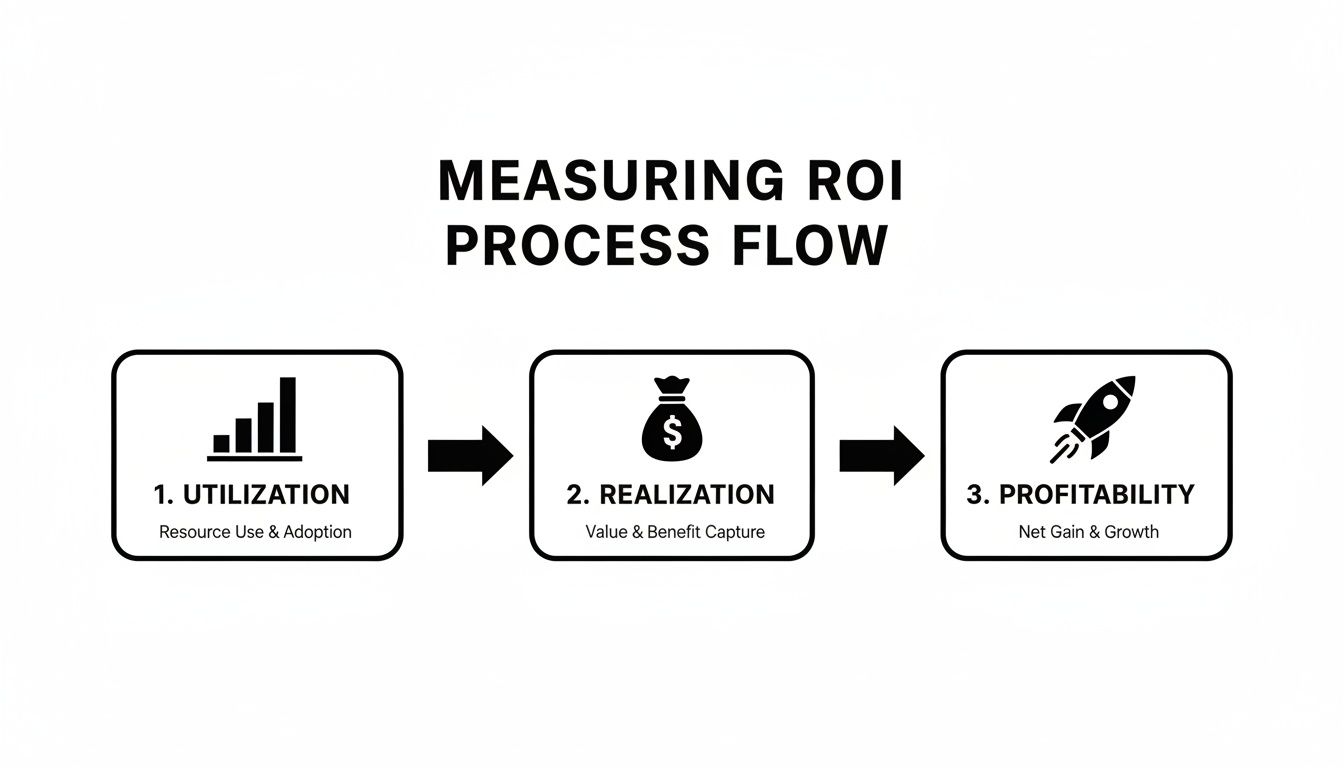
As you can see, solid time tracking is the first, essential step to improving project realization and, ultimately, the agency's bottom line.
Phase 3: Training and Support
Hands-on training is an absolute must. Don't just email a link to a help guide and hope for the best. Schedule live, interactive sessions where your team can see the software in action, ask questions, and walk through examples that actually apply to their jobs.
A simple but killer training agenda could look like this:
- The Big Picture (10 mins): Quickly revisit the "why"—how this tool makes their jobs easier and helps the agency thrive.
- Core Features Demo (20 mins): Show them the essentials, like automated calendar sync, tagging projects, and checking their personal dashboards.
- Hands-On Practice (15 mins): Give everyone a simple task to complete, like logging time for a meeting they just attended.
- Q&A Session (10 mins): Open the floor for any and all questions. No question is a dumb question.
After the initial training, you need a support system. Designate a "go-to" person or a specific Slack channel for questions. It’s also smart to create a small library of quick-reference guides or short video tutorials for common tasks. This ongoing support builds confidence and stops frustration in its tracks.
To keep things organized and ensure a smooth transition, we've put together a 4-week roadmap specifically for mid-sized agencies.
Your 4-Week Implementation and Adoption Roadmap
| Week | Key Focus | Action Items | Success Metric |
|---|---|---|---|
| 1 | Planning & Pilot Kickoff | – Select and brief the pilot team. – Set up integrations (Calendar, CRM). – Hold kickoff and initial training for the pilot group. |
Pilot team actively using the tracker with >80% daily logs. |
| 2 | Pilot Feedback & Refinement | – Hold weekly feedback sessions. – Identify and document friction points. – Adjust settings and create quick-start guides. |
100% of pilot team feedback is documented and addressed. |
| 3 | Company-Wide Rollout | – Announce the tracker in an all-hands meeting. – Conduct department-specific training sessions. – Make support channels live. |
>90% of the company has completed training. |
| 4 | Reinforcement & Early Wins | – Send gentle reminders and tips. – Share a positive metric (e.g., time saved on admin). – Launch a 30-day feedback survey. |
>75% company-wide adoption rate by end of the week. |
This phased approach helps build momentum naturally, turning potential skeptics into advocates along the way.
Phase 4: Celebrating Wins and Gathering Feedback
To keep the momentum going, you have to celebrate the wins, big or small. Share positive results with the whole company. Did one team cut their administrative time by 10%? Shout it from the rooftops! Did accurate data help a PM re-scope a project to be more profitable? That's a huge win worth sharing.
These stories provide social proof that the new system is worth the effort. At the same time, keep those feedback channels wide open. Send out a survey after the first 30 days of the full rollout to see how people are feeling and identify any lingering issues. A great billable hours tracker should grow with your agency, and that only happens with continuous, honest feedback.
Common Pitfalls to Watch Out For
Bringing a new billable hours tracker into your agency isn’t just about installing software. It’s about changing your operational DNA. And while the upsides are huge, the road to getting there is littered with common traps that can sink your efforts before you even get started.
Knowing what these challenges are ahead of time is the first step to building a smarter, more data-driven culture.
Inconsistent Data Categorization
This is one of the most common—and most damaging—mistakes. If one person tags a client kickoff as "Consulting" and another logs it as "Strategy," your data is already compromised. These little inconsistencies add up fast, making it impossible to get a straight answer on project profitability or which services are actually making you money.
Without a standardized set of tags and categories, you end up with a messy pile of data that tells you nothing. You can't compare apples to apples across projects, and you'll have no real clue where your team's time is actually going.
Neglecting Non-Billable Time
Another huge blind spot is treating non-billable time as "lost" time. Things like internal training, pitching new business, or improving your own processes are the very engine of your agency’s growth. Ignoring them gives you a completely warped view of your team's real workload and is a fast track to burnout.
Worse, creating a culture that only celebrates billable hours can kill innovation and breed resentment. This gets particularly toxic when agencies enforce extreme quotas. For instance, some firms have pushed for a mind-boggling 2,400 total hours a year—broken down into 2,000 billable and 400 'productive non-billable' hours. A culture built on constant 50-hour workweeks just fuels high turnover and discourages people from doing essential things, like learning new skills. You can read more about these extreme work quotas here.
A good billable hours tracker needs to show you the whole picture—both billable and non-billable—so you can strike a healthy balance and protect your team, your most valuable asset.
Pitfall Insight: The point of time tracking isn't to squeeze every last billable second out of your team. It's to get an honest, holistic view of how the agency runs, making sure both client work and internal growth get the attention they need to thrive.
Lack of Executive Buy-In and Communication
If the leadership team treats the new tracker like just another piece of admin, so will everyone else. For this to work, you need active, visible support from the top. Leaders have to be the champions of why this change is happening, constantly explaining how clean time data helps the agency bid smarter, price projects fairly, and keep workloads from getting out of control.
Without that executive backing, the whole thing usually falls apart for a few predictable reasons:
- It feels like micromanagement: Team members see it as a surveillance tool, not a strategic one.
- Enforcement is spotty: If some departments have to track their time but others don't, the system loses all credibility.
- The data goes nowhere: When the team sees that leaders aren't actually using the data to make decisions, tracking time feels like pointless busywork.
Choosing a Tool That Creates Friction
Finally, the biggest mistake of all might be picking a tool that doesn't fit into how your team already works. A billable hours tracker that forces people to constantly switch apps, manually enter data, or navigate a clunky interface is dead on arrival. It just adds another layer of friction to an already busy day.
The right tool should feel almost invisible, automatically pulling in time from the calendars and platforms where work is already happening. The best way to avoid this trap? Get your team involved in choosing the tool. A tracker that your project managers and creatives actually find helpful is one they’ll use consistently. That’s how you get the clean, reliable data you need to move the business forward.
How TimeTackle Transforms Billable Hour Tracking

Let's be honest, navigating the chaos of time tracking requires more than just a digital timesheet. It demands a system built from the ground up to solve the real-world headaches of agency life. TimeTackle was designed to be that intelligent hub, directly tackling the pitfalls of manual entry, messy data, and the constant lack of real-time visibility. It’s about shifting the conversation from just chasing hours to truly understanding their value.
Instead of nagging your team to remember what they did last Tuesday, TimeTackle plugs directly into their calendars—whether it's Google or Outlook—and automatically captures every scheduled meeting and task. This creates a flawless, objective record of all activities, putting an end to the guesswork and revenue leaks that plague manual systems. It's the first crucial step toward real billing integrity.
From Raw Data to Actionable Intelligence
Just capturing time is only half the battle. The real magic happens when you make that data meaningful. TimeTackle’s AI engine uses smart, rule-based automation to intelligently tag and categorize every minute spent. For a COO, this means they can see agency-wide utilization rates instantly, without ever having to touch a convoluted spreadsheet.
This automation fundamentally changes daily operations:
- For the Project Manager: Reports that used to take hours to build are now generated on the fly. They can see in a heartbeat which projects are on budget and which are flashing red.
- For the Team Lead: A simple Chrome extension lets team members log time without disrupting their flow, killing the friction that makes everyone hate timesheets and boosting adoption.
- For the COO: Dynamic dashboards offer a live, bird's-eye view of project profitability and resource allocation. This allows for strategic decisions based on what’s happening now, not what happened last month.
This built-in intelligence ensures every hour is not only captured but correctly attributed, giving you the clean, reliable data needed for accurate invoicing and powerful analysis.
Achieving Operational Clarity and Security
Ultimately, the goal of a modern billable hours tracker is to provide total operational clarity. TimeTackle bridges the gap between daily activities and high-level strategic goals, showing leaders exactly how their team’s effort translates into revenue and client success. It’s a move beyond simple tracking into a complete picture of your business's health.
By turning the calendar into the single source of truth, TimeTackle gives agencies an undeniable record of work performed. This real-time visibility aligns teams, clarifies project status, and empowers leaders to guide their business with confidence.
Better yet, this clarity is backed by enterprise-grade security. With a SOC 2 Type II certification, you can rest easy knowing your sensitive client and financial data is locked down. If you're curious to see how this all works in practice, you can explore the features of the Tackle time tracker and see how it brings automation and insight together.
TimeTackle isn't just another tool—it’s a system designed to restore operational control, drive profitability, and give leaders the data they need to build a more resilient agency.
Got Questions About Billable Hour Trackers?
Even the best-laid plans come with questions, especially when you're bringing a new tool into the mix. Let's tackle some of the most common ones we hear from agency leaders, clearing up any doubts you might have about adopting a modern billable hours tracker.
Can We Still Use a Tracker if We Offer Fixed-Fee Projects?
You absolutely should. In fact, for fixed-fee or retainer work, it’s even more important. Tracking hours internally is the only way to know if a project is actually profitable.
Without that data, you're flying blind, just guessing whether that last big project was a financial home run or a silent money pit. A good tracker gives you the hard data to price future fixed-fee projects with confidence, basing your quotes on real-world effort, not just a gut feeling.
How Do We Get the Team to Actually Use It Consistently?
The secret is to make it invisible and valuable. Choose a tool that plugs right into the software your team already lives in, like their work calendar. When time capture is automatic, you're not asking them to build a whole new, annoying habit. Adoption just… happens.
Just as important, be upfront about the "why." Make it clear this isn't about micromanagement. It's about spotting burnout before it happens, planning projects more intelligently, and cutting down on the administrative busywork for everyone.
When the team sees that a billable hours tracker protects their time and helps the agency run better, consistent use becomes a natural outcome, not an enforced rule.
Is the Billable Hour Model Becoming Obsolete?
There's no doubt the classic billable hour is getting a rethink. Clients are pushing harder for predictable, value-based pricing. This trend is crystal clear in the legal sector, where a recent survey of Australia's top firms revealed that 90% now offer fixed fees as their main alternative to hourly billing. That’s a massive shift, and it signals a broader demand for transparency. You can learn more about this trend in billing models.
But here’s the thing: even if you never send another hourly invoice, tracking time is still the backbone of a healthy agency. It’s how you measure profitability, allocate resources, and scope projects accurately. A modern billable hours tracker is built for this hybrid world, giving you the foundational data you need to price any project intelligently, whether it's hourly, fixed, or something in between.
Ready to stop leaking profit and gain crystal-clear visibility into your agency's operations? TimeTackle transforms your team's calendar into an intelligent, automated time tracking system that drives profitability and eliminates timesheet headaches. Discover how TimeTackle can work for your agency today.