For most agencies, manual timesheets are a silent profit killer. They aren't just an administrative chore; they are a direct threat to your bottom line, creating operational drag and hidden costs that sap your agency's ability to grow.
Why manual timesheets are hurting your agency
Let's be honest: tracking time by hand is a broken process. It relies on memory, spreadsheets, and good intentions—all of which fail under pressure. This is not just a minor inconvenience; it's a systemic problem that creates a domino effect across your entire business.
The heart of the problem is human error. Your team is focused on delivering great work for clients, not on meticulously logging every five-minute phone call or quick email response. Naturally, time gets forgotten, misreported, or rounded down. It's just human nature.
The real-world cost of inaccurate tracking
Think about this common scenario: a creative agency is juggling five clients, each with multiple active projects. At the end of each week, the team sits down with spreadsheets to try and piece their hours together.
- A designer forgets to log an urgent 30-minute revision that came in on a Friday afternoon.
- A project manager spends two hours in unscheduled client meetings that never make it onto the timesheet.
- An account executive answers a dozen “quick questions” via email, totaling over an hour of unbilled consulting time.
By the end of the month, these small gaps add up to a big problem. The agency might find itself writing off 10-15% of its billable time simply because it was never recorded. For an agency billing $100,000 per month, that’s up to $15,000 in lost revenue. Annually, that’s $180,000 gone—all because of a leaky tracking system.
That lost revenue isn't just a number on a P&L statement. It’s the budget for a new hire you can't make, the team bonuses you can't afford, or the investment in growth you have to postpone.
It's more than just lost hours
The damage from manual timesheets goes far beyond simple revenue leakage. The inaccuracies they create cascade into secondary problems that can be just as harmful to your agency's health and reputation.
These issues feed into a vicious cycle. Inaccurate time data leads to flawed invoices, which causes friction with clients. This, in turn, forces project managers to spend their days defending bills instead of managing projects, while the team grows frustrated with a tedious admin process they resent.
The consequences pile up quickly:
- Inaccurate invoicing and client disputes: When invoices are based on guesstimates, they lack the detail and credibility to stand up to scrutiny. Clients start questioning vague line items, leading to disputes, write-offs, and a breakdown of trust.
- Poor project planning: Without accurate data on how long tasks really take, you can't create reliable estimates for future projects. This is a direct path to underquoting, scope creep, and squeezed profit margins on every new piece of business.
- Team burnout and resentment: Let's face it, nobody enjoys filling out timesheets. Forcing your highly-paid creative and strategic team to reconstruct their week is tedious and pulls them away from billable work. It becomes a source of constant friction and a real contributor to employee burnout.
Ultimately, manual time tracking forces you to fly blind. You can't see which clients are truly profitable, which projects are resource drains, or how your team’s capacity is actually being used. It makes smart, data-driven decisions almost impossible.
This is exactly why a dedicated billing software time tracking solution is no longer a luxury—it’s a fundamental tool for survival and growth.
Connecting time tracking directly to billing accuracy
After seeing how manual timesheets slowly eat away at your profitability, the solution starts to feel obvious. You need a direct, unbreakable link between the actual work your team does and the invoices you send out. This is where integrated billing software time tracking stops being just a simple logbook and becomes a real system for protecting your revenue.
Think of it as a digital receipt for every single billable minute.
This connection is all about automation. Instead of forcing your team to rely on memory, an automated system captures every relevant activity—from calendar events and client meetings to the specific tasks they're tackling in a project. It pulls this data from the tools your team already lives in, getting rid of all the guesswork and forgotten entries.
From lost hours to defensible invoices
The most immediate benefit of this automation is a massive jump in billing accuracy. When every minute is accounted for, your invoices are no longer just estimates; they're precise records of the value you delivered. This accuracy sends a positive ripple effect across your entire agency.
For example, when a client questions a line item on an invoice, you don't have to scramble to find proof. The system has a clear, timestamped record of the work ready to go. This doesn't just resolve disputes quickly—it builds long-term trust because clients see exactly what they're paying for. For your project managers, that same data provides a solid foundation for analyzing project costs and profitability in real time.
The diagram below shows the painful journey that starts with manual timesheets and ends with lost hours and team burnout.
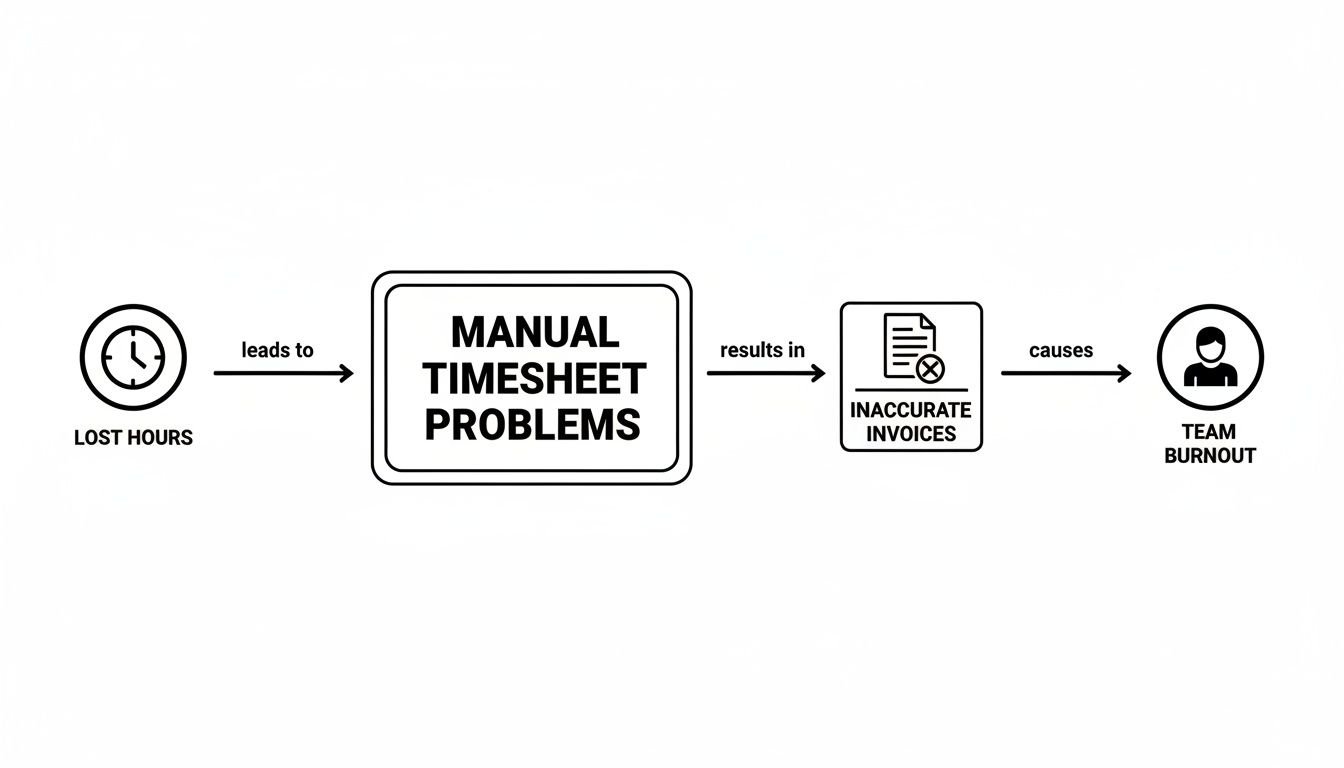
This shows how seemingly small gaps in time tracking inevitably snowball into inaccurate invoices and, ultimately, a frustrating administrative burden for your team.
The business case for automation
This shift toward automated time tracking isn't just a trend; it's a major market movement. It reflects the growing pressure on businesses to protect their revenue. The global time tracking software market is a perfect example, growing substantially as agencies and consulting firms scramble to secure their billing. The market was valued at $3.9 billion in 2025 and is projected to hit $4.58 billion by the end of 2026, marking a powerful compound annual growth rate (CAGR) of 17.3%. You can read the full research about these market projections to grasp the true scale of this shift.
Think of it this way: every hour your team works is a potential asset. An integrated time tracking and billing system is the tool that ensures those assets are consistently converted into revenue, not lost to administrative gaps.
This explosive growth is driven by a simple business reality. Mid-sized teams can no longer afford the financial leaks and operational drag caused by manual methods. Automated billing software time tracking solves this problem by:
- Capturing unbilled revenue: It automatically logs all activities, meaning you finally capture billable time that was previously forgotten or underreported.
- Reducing administrative overhead: Your team spends far less time trying to piece together their work week, freeing them up for high-value client work.
- Providing data for better decisions: Accurate time data allows for smarter project quoting, better resource allocation, and honest profitability analysis.
By creating a solid, data-backed connection between time and money, these systems don't just fix a broken process—they give you the financial clarity you need to grow your agency sustainably.
Must-have features in modern time tracking software
Let's be honest: not all billing and time tracking software is created equal. While plenty of tools can log hours with a simple start-stop timer, the best platforms do so much more. They offer features specifically designed to fix the real-world headaches agencies deal with every single day.
It's time to move past basic timers and adopt a system that actively saves you time, boosts accuracy, and delivers powerful business insights. To truly escape the operational drag of manual timesheets, you need software that works for you, not the other way around. This means finding features that automate the most mind-numbing parts of tracking and reporting.
Automated time capture
The biggest reason traditional timesheets fail is painfully simple: they depend on people remembering what they did hours or even days ago. Automated time capture is the antidote. Instead of asking your team to manually enter every single task, modern software plugs right into the tools they already live in, like Google Calendar or Outlook.
This feature quietly works in the background, automatically logging meetings, client calls, and scheduled work blocks without anyone needing to lift a finger. This is not just a nice-to-have convenience; it's the single most effective way to kill timesheet fatigue and make sure every billable minute is actually captured. Your team's calendar becomes the undisputed source of truth for all their hard work.
This is what it looks like in TimeTackle. The software automatically pulls in calendar events, turning them into pre-filled timesheet entries. The “tracking” is already done. All your employee has to do is quickly verify and tag their time—a massive shift from tedious manual data entry.
Rule-based tagging and categorization
Just capturing time is only half the job. You also need a smart way to organize it all. This is where rule-based tagging comes in, letting you create automated workflows that categorize time entries based on criteria you set.
For example, you can set a rule that automatically tags any meeting with “Client X” in the title as “Billable” and assigns it to the “Project Alpha” account. Think about how many thousands of manual clicks that saves your team over a year. It dramatically cuts down on the chances of misclassifying time and is how you connect raw time data to the right clients, projects, and billing rates without endless manual tweaks.
This level of automation is what separates a basic time logger from a strategic business tool. It ensures consistency in how time is recorded across your entire organization, making your reports more reliable and your invoices much cleaner.
Key integrations and reporting
Your time tracking tool shouldn't be a lonely island. For it to be truly useful, it needs to play nice with the other systems your agency depends on.
When you're looking at different solutions, find one that offers robust features like a CRM with invoicing and project management built-in. These kinds of integrations create a single, unified workflow where information flows seamlessly from one system to the next.
At a minimum, you’ll want to look for these essential connections:
- Project management tools: Syncing with platforms like Asana, Trello, or Jira lets you link time directly to specific tasks and projects, giving you a crystal-clear view of where effort is going.
- Accounting software: Integrations with tools like QuickBooks or Xero streamline the entire invoicing process. You can push approved time entries straight into invoices with just a few clicks.
- CRM systems: Connecting to your CRM (like Salesforce or HubSpot) helps you track the time spent on sales activities, client management, and specific customer accounts, connecting effort to revenue.
- Robust reporting: The software absolutely must have dashboards that give you an at-a-glance overview of key metrics like team utilization, project profitability, and the ratio of billable to non-billable hours. This is how you transform raw data into smart business decisions.
Core features for agency billing and time tracking software
When you're evaluating different platforms, it’s easy to get lost in a long list of features. To help cut through the noise, here are the core functionalities your agency should prioritize and, more importantly, why they matter for your bottom line.
| Feature | What It Does | Why Your Agency Needs It |
|---|---|---|
| Automated time capture | Pulls events from calendars (Google, Outlook) to pre-fill timesheets. | Eliminates manual entry, reduces human error, and ensures all billable activities are recorded. |
| Rule-based tagging | Automatically categorizes time entries based on keywords, attendees, or other criteria. | Saves hundreds of hours of manual work and ensures consistent, accurate data for reporting. |
| Project & accounting integrations | Syncs time data with tools like Asana, Jira, QuickBooks, and Xero. | Creates a seamless workflow from tracking to invoicing, eliminating double-entry and speeding up payments. |
| Customizable reporting | Provides dashboards to visualize utilization, profitability, and billable hours. | Turns raw data into actionable insights for better resource planning and strategic decisions. |
| SOC 2 Type II certification | Verifies the platform's security controls through an independent audit. | Protects your agency's and your clients' sensitive financial data, building trust and ensuring compliance. |
Finally, never overlook security. In a world where data breaches are front-page news, you have a responsibility to protect your client and financial data. Look for platforms that have SOC 2 Type II certification. This isn't just a fancy badge; it means their security practices have been rigorously audited and verified by an independent third party. It’s a non-negotiable for protecting your business and your clients.
Improve agency profitability with better utilization data
Just tracking hours is a start, but it's not the whole story. The real magic happens when your automated billing software time tracking solution starts turning that raw data into actual business intelligence. Think of it less like a timesheet and more like a command center, giving you a real-time, visual pulse on your team and project performance.
This data, when you know how to read it, tells you everything about your agency's health. Are your projects actually profitable? Is your team on the verge of burnout? Are you accidentally giving away thousands of dollars in free work? These are not questions you can answer with a gut feeling—you need the right metrics to uncover the truth.
From raw data to clear insights
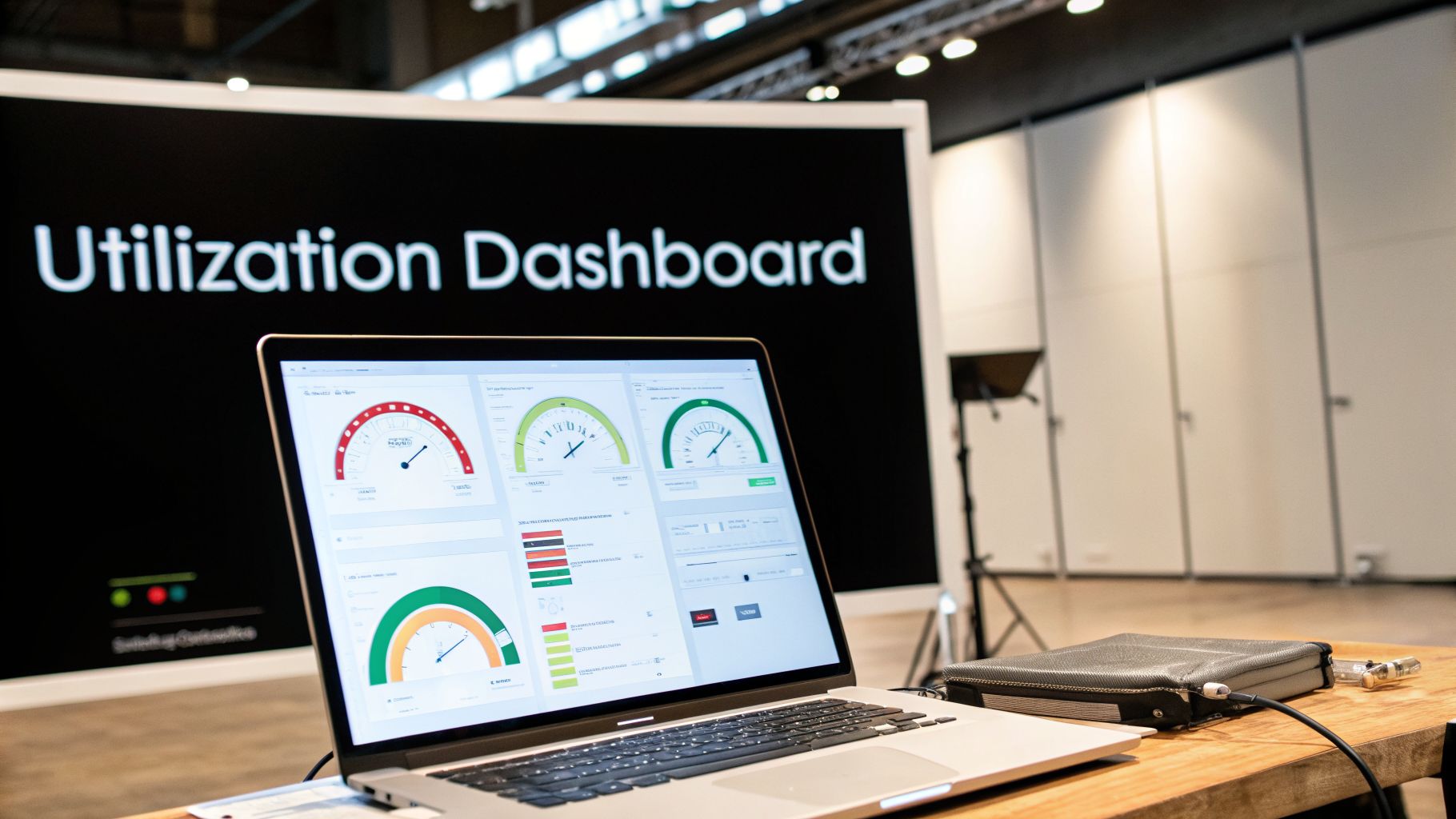
Great software doesn't just pile up data; it makes that data easy to understand. With clear dashboards and reports, you can instantly spot trends that would otherwise be lost in a sea of spreadsheets. This is how you shift from putting out fires to building a fire-proof strategy.
For mid-sized agencies, tracking utilization often brings some uncomfortable truths to light. Industry research reveals that teams often average only 62% billable time, a figure that puts a serious dent in profits. To make matters worse, manual time entry is notoriously unreliable, leading to 20-30% inaccuracies in client invoices.
This is where automation flips the script. A whopping 75% of users report a 25% jump in resource planning effectiveness just by using tools that connect their calendars to their CRM. You can read the full research about the time tracking software market to see just how significant this shift is.
Key metrics every agency should track
To turn your time data into a profit-driver, you need to focus on the numbers that matter most. These are the metrics that should be front and center on every agency leader's dashboard.
Billable vs. non-billable hours: This is the foundational metric. It’s a simple breakdown of how much paid time is actually making you money versus being spent on internal meetings, admin, or new business pitches. If that non-billable percentage starts creeping up, it's an early warning sign.
Team and individual utilization rates: This metric shows you what percentage of an employee's available time is spent on billable client work. A low rate could mean you have too many people on the bench, but a consistently high rate (think over 90%) is a recipe for burnout. You can check out our guide on calculating utilization rate to master this crucial number.
Project profitability: By stacking up the billable hours logged against a project’s budget, you can finally see which jobs are your cash cows and which are money pits. This insight is pure gold for scoping and pricing your next project.
Client profitability: Just like projects, not all clients are created equal. Analyzing the time your team sinks into a client account versus the revenue it brings in helps you identify your most valuable relationships—and which ones might need a price adjustment or a tough conversation.
Think of your utilization data as a health check for your agency. It’s a diagnostic tool that shows you where you're strong, where you're bleeding resources, and where you have opportunities to improve.
Making smarter decisions with visual tools
The real payoff from tracking these metrics is the ability to take quick, decisive action. Modern dashboards turn endless rows of data into simple charts and graphs, making it incredibly easy to see what’s really going on.
For example, a dashboard could instantly flag that your design team is consistently over-servicing a major client, logging 20% more hours than budgeted. This is not a moment for blame; it's a strategic opportunity. Now you can have a data-backed conversation with the client about scope creep or refine how you budget for similar projects in the future.
Or, a visual report might show that non-billable admin time skyrockets during the last week of every month. That’s a clear signal that your invoicing process is clunky and needs to be fixed. By making these patterns impossible to ignore, you empower your team leaders to allocate resources more wisely, quote new work with confidence, and drive higher profitability across the board.
How to implement a new system without disrupting your team
Introducing new software, especially one tied to performance and billing, can make any team nervous. We’ve all been there. The announcement hits, and the first reaction is a collective groan: “Great, another tool to learn.”
But the biggest hurdle isn't the technology. It's the people. The secret to a smooth rollout is flipping that script. A new system shouldn't feel like more work—it should be the solution that finally lightens their load.
The trick is to focus on a system that makes their lives easier, not harder. This means picking a billing software time tracking solution that automates the most mind-numbing parts of the job, like one that pulls data from tools they already use every single day.

Start with leadership and clear communication
Before a single employee logs in, your leadership team needs to be completely on board. And I don’t just mean signing the check. You need champions who can stand up and clearly explain the “why” behind the change. Your team needs to hear what’s in it for them, not just for the company's bottom line.
Forget framing it as a way to “track them better.” Instead, talk about the real-world advantages:
- Less admin, more focus: “This tool builds your timesheet right from your calendar. You can stop spending an hour every Friday trying to piece your week back together.”
- Fair workload visibility: “This gives us a real, data-backed look at who's buried in work and who has room, so we can spread tasks out more fairly.”
- Protecting their time: “When we track our work accurately, we make sure we get paid for all the great things you do. That’s what funds our team’s growth, bonuses, and resources.”
Clear, consistent messaging that puts employee benefits front and center is the bedrock of a successful launch.
Roll it out with a pilot group
A “big bang” rollout, where everyone gets the new tool at once, is just asking for chaos. A much smarter play is to start small with a dedicated pilot group. Make sure this group is a mix of people: your eager early adopters, a few skeptical veterans, and a manager or two.
This pilot phase does two crucial things. First, it's a real-world stress test. You'll quickly find any kinks in the setup or gaps in your training materials.
Second, and more importantly, it creates your internal champions.
When your pilot team starts telling their colleagues, "You're going to love this, it saved me two hours this week," the adoption process becomes organic. That kind of peer-to-peer endorsement is far more powerful than any top-down order.
Finally, choose your tool wisely. The simpler the interface, the better. When software works with tools people already get, like Google Calendar, adoption is almost painless. The goal isn't just to track time; it's to make the whole process of tracking time feel invisible. By focusing on a solution that kills manual effort, you can find the perfect automated timesheet software that your team will actually want to use.
How to choose the right software for your agency
Picking the right billing software time tracking solution can feel like a big task, but it really doesn't have to be. By now, you've seen how manual timesheets slowly bleed profitability and how the right automated system can turn that lost time back into revenue. This is where we pull it all together—a practical checklist to help you make a smart, confident decision for your agency.
This is not about getting mesmerized by endless feature lists during a sales demo. It's about knowing which questions to ask to build a rock-solid business case for your investment.
Core functionality and automation
Your number one priority? Find a tool that genuinely eliminates manual work, not just one that puts a digital sticker on your old, broken process. The biggest wins always come from smart automation.
A great place to start is by comparing passive, calendar-based tracking against old-school start-stop timers. While timers were an upgrade from spreadsheets, they still depend on your team actively remembering to do something. A system that automatically pulls data from their Google or Outlook calendars is a massive leap forward because it meets your team right where they already work.
The best system is one your team barely notices. If it works in the background and makes their administrative life easier, they’ll embrace it. If it forces them to learn a new, tedious habit, they will find a way to avoid it.
Recent data shows just how big of a deal this is. AI-enhanced time tracking is driving 32% efficiency improvements and slashing administrative time by up to 50%. For your finance and creative teams, that translates into an immediate, clear view of utilization. You can discover more insights about these time tracking statistics on Breeze.pm to see the full picture.
Building your business case with ROI
When you're asking for a budget, you need to speak the language of the C-suite: ROI. Don't frame this as a software expense. Frame it as a direct investment in the agency's profitability.
Zero in on these clear, measurable metrics:
- Recovered billable hours: With 82% of agencies reporting much higher billing accuracy after automating, you can confidently project recovering an average of 15% more revenue on every project.
- Reduced admin overhead: Just calculate the hours your team currently burns on timesheets each week. Then show how automation gives that time back for actual billable client work.
- Faster invoicing cycles: How much faster could you get paid if time data flowed instantly into your billing platform? This directly improves cash flow and cuts down on the time your finance team spends chasing numbers.
Key questions for your demo
When you're in a software demo, don't just sit back and watch the show. You need to drive the conversation with questions that get to the heart of what actually matters for an agency like yours.
- Scalability: “How does your platform handle a growing team? Show me how we can easily add or remove users and adjust permissions as our agency scales.”
- Security: “Is your platform SOC 2 Type II certified? Can you walk me through your security protocols for protecting our sensitive client and financial data?”
- Integration workflow: “Show me exactly how your tool connects with our project management and accounting software. I want to see the real workflow, not just a slide with a bunch of logos.”
- Reporting flexibility: “Can we build custom reports using our specific client and project tags? I need to see how we can track profitability for one client across multiple, separate projects.”
Beyond just tracking time and sending bills, agencies have to get a handle on expenses to stay profitable. Understanding your spending is important. When picking software, think about how tools like a receipt maker app can fit into your overall financial workflow.
Ultimately, the right choice comes down to a solution that fits your agency's unique workflow and business goals. For a deeper dive, check out our detailed guide on selecting the best billing software for professional services.
Frequently asked questions
We get it. Adopting any new tool comes with questions. Here are some of the most common ones we hear from agency leaders, along with some straight answers.
How long does it take to implement a new time tracking system?
Thankfully, the days of month-long, disruptive software rollouts are over. With modern tools, the initial technical setup can be done in less than an hour, especially with systems that plug right into your existing Google or Outlook calendars.
For a smoother transition, we recommend a phased approach. Start with a small pilot group to work out the kinks. This whole process, from pilot to full team adoption, usually wraps up within two to four weeks. The key is choosing a tool that automates data capture from the very beginning, which gets rid of the steep learning curve.
Will my team resist using another piece of software?
This is probably the biggest—and most valid—concern we hear. Nobody wants another piece of software to manage. That’s precisely why the best solutions are designed to be almost invisible.
Instead of making your team learn the tedious habit of starting and stopping timers, automated tools just hum along in the background. They capture activity directly from the calendars and apps your team is already using all day. When you frame it as a tool that reduces their admin busywork, you get buy-in. It's not another compliance task; it's a way to give them back their time.
What is the real ROI of automated time tracking?
The return on investment isn't just one thing; it's a powerful combination of recovered cash, reclaimed time, and smarter business decisions.
- Recovered revenue: Most agencies we see recover 10-15% of billable time that was previously lost to manual errors, forgotten entries, or simple guesswork.
- Reduced admin time: You'll save hours of non-billable administrative work for every single employee, every month. That’s time they can spend on actual client work.
- Better profitability: With accurate utilization data, you can finally price new projects with confidence and staff them correctly, which directly boosts your profit margins.
For a 100-person agency, the financial impact is huge, often adding up to hundreds of thousands of dollars in recovered revenue and efficiency gains every year.
How secure is our data in a cloud-based platform?
Security should be your number one question. When looking at different billing software time tracking platforms, don't just take their word for it—look for real credentials like SOC 2 Type II certification.
This isn't just marketing fluff. It’s proof that a neutral third party has rigorously audited the platform’s security, availability, and privacy controls. On top of that, make sure the platform uses end-to-end encryption to keep your sensitive client and project data locked down at all times.
Ready to see how automated time tracking can transform your agency's profitability? TimeTackle captures time data from your team's existing calendars, providing the accurate insights you need to improve utilization, streamline invoicing, and make smarter decisions. Book a demo today.