
Let's clear something up right away. When we talk about business time management software, we're not talking about a glorified digital stopwatch or another timesheet app your team will forget to fill out. Think of it less like a clock and more like an MRI for your company's workflow, showing you exactly where your most valuable resource—your team’s time—is being invested.
What is business time management software really?
At its core, modern time management software plugs directly into the tools your team already uses every day. It syncs with calendars, project management platforms, and even your CRM to automatically map out the workday. This isn't about manual data entry; it's about creating a clear, data-driven picture of project costs, team capacity, and true profitability.
Instead of hounding people to fill out timesheets on a Friday afternoon, the software does the heavy lifting in the background. It captures activities as they happen, which means the data is worlds more accurate than anything based on memory. For any business that sells its time—like agencies, consultants, or finance firms—this is a total game-changer.
You can finally stop making educated guesses and start making decisions based on what's actually happening on the ground.
Moving beyond simple time tracking
The real magic here isn't just knowing how long someone worked. It's about understanding the value created during that time. By tying every minute back to specific projects, clients, and tasks, you start to uncover some useful insights.
Suddenly, you're answering the big questions: Which of our clients are the most profitable? Are our project quotes even close to reality? Is my team drowning in non-billable admin work?
This kind of visibility turns time data from a boring administrative chore into a powerful strategic asset. It helps leaders spot operational bottlenecks and shift resources where they’ll have the most impact. For instance, if you discover a senior developer is spending 20% of their week on low-level support tickets, you’ve just found a massive opportunity to improve efficiency and get them back to high-value work.
What does this mean for your business?
When it comes down to it, bringing in business time management software is about boosting your bottom line and building a more resilient operation. It makes a few things possible:
- Accurate billing: You can finally capture every billable minute and make sure it ends up on an invoice. This alone stops revenue from slipping through the cracks and often pays for the software many times over.
- Better project costing: Get a true-to-life picture of what it actually costs to deliver a project. This allows you to create much more profitable quotes and plan your resources more effectively for the next job.
- Improved team utilization: See exactly who’s overworked and who has room for more. This helps prevent burnout and ensures you’re making the most of everyone’s expertise.
- Data-driven decisions: Swap gut feelings for hard facts when you’re making calls on staffing, which projects to take on, and long-term company strategy.
By automating the drudgery of tracking time, you not only get data you can trust but also give your team back hours of their week. It lets them focus on what they were hired to do: deliver fantastic work for your clients. It marks a fundamental shift from policing time to truly understanding it.
Key features that actually drive profitability
Let’s be honest: not all business time management software is built the same. A lot of platforms are loaded with flashy features that look great in a demo but do absolutely nothing for your bottom line. If you want a tool that actually makes your business more profitable, you need to zero in on the features that solve real-world problems—like leaky billing, fuzzy project budgets, and messy planning.
The best features aren’t the ones that add more to your team's to-do list. They're the ones that work behind the scenes, getting rid of the administrative grind so your people can focus on what they do best: billable, high-value work. It’s the difference between a glorified stopwatch and a tool that gives you true operational intelligence.
Essential vs. game-changing software features
To help you cut through the noise, it's useful to separate the "nice-to-haves" from the features that will genuinely give your agency a competitive edge. This table breaks down what you should expect as a baseline versus what you should demand for real growth.
| Feature Category | Essential (Good to Have) | Game-Changer (Must-Have for Agencies) |
|---|---|---|
| Time Tracking | Manual start/stop timers, basic timesheet entry. | Automated time capture from digital calendars (Google/Outlook). |
| Reporting | Simple data exports of hours logged per project. | Dynamic profitability dashboards, billable vs. non-billable analysis. |
| Resource Management | A basic view of who is assigned to what project. | Real-time utilization rates to prevent burnout and spot capacity. |
| Integrations | Connects to basic project management tools. | Deep sync with accounting and invoicing software to close the billing loop. |
Think of the "Essential" column as table stakes. The "Game-Changer" column is where you find the features that stop revenue leaks and provide the insights you need to scale profitably.
1. Automated time capture and calendar sync
The biggest flaw in old-school timesheets? They depend entirely on human memory, which is a recipe for disaster. Asking your team to remember what they did all week on a Friday afternoon is guaranteed to produce inaccurate data. The best time management software fixes this problem with automated time capture.
This feature plugs directly into your team's Google or Outlook calendars. It automatically logs every meeting, call, and scheduled work block without anyone having to do a thing. Suddenly, you have a complete and accurate log of where every minute goes, and the dreaded Friday timesheet scramble is a thing of the past.
The point isn't surveillance; it's accuracy. When time tracking happens automatically in the background, you get a true picture of your project costs and stop leaving money on the table.
This hands-off method does more than just shore up your billing. It's a huge morale booster because you're removing a tedious chore from your team's plate, showing them you trust them to get their work done without constant manual check-ins.
This is how modern platforms work—they act as a central hub, connecting the time you track to the work you actually do day-to-day.
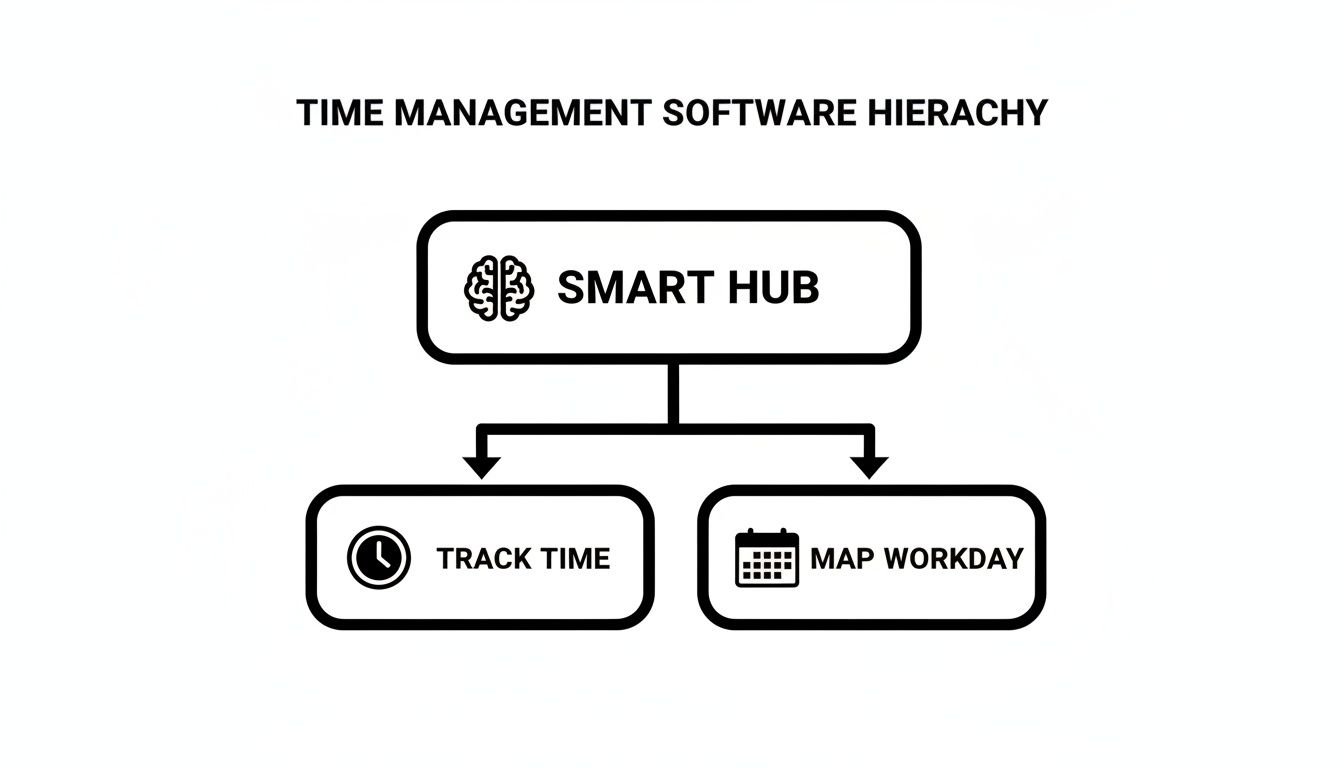
As you can see, the smart hub is the brain of the operation, linking passive time capture with the actual structure of your team's workday.
2. Intelligent reporting and resource allocation
Once you have accurate data flowing in, the next step is to make it mean something. A generic report that just spits out a list of hours is completely useless. You need a platform with dynamic, visual dashboards that tell you about profitability and team capacity in a single glance.
Specifically, look for these reporting tools:
- Billable vs. non-billable analysis: Instantly see what percentage of your team's time is making money versus going to admin work or unbillable client hand-holding.
- Project profitability dashboards: Compare hours logged against your project budget in real time. This helps you spot a project going off the rails before it becomes a five-alarm fire.
- Team utilization rates: Get a clear view of who's overworked and heading for burnout, and who has the bandwidth to jump on a new task.
Smart resource allocation isn't about shuffling names on a spreadsheet. It's about using hard data to make strategic calls. A good system will show you exactly where your most expensive people are spending their time, so you can make sure they’re focused on the activities that matter most.
This push for smarter tools is why the productivity management software market is exploding, projected to hit USD 99.2 billion by 2026. Businesses are desperate for ways to operate more efficiently, and AI-powered features are leading the charge. They promise things like 32% efficiency improvements and a 50% reduction in administrative time. You can dig into the complete market analysis to see where the industry is heading.
Real-world benefits for agencies and consultants
Theory is one thing, but what does business time management software actually do for your bottom line? For agencies and consultants, where every minute counts, the results are fast and impossible to ignore. You go from a world of fuzzy estimates and admin busywork to one where you have total clarity, backed by hard data.

The first and most immediate win is a straight-up profitability boost. When time tracking is accurate and automatic, your billing integrity goes through the roof. You finally capture every billable minute that used to slip through the cracks—no more forgotten entries or rough guesstimates.
This isn't just a minor tweak. It’s a complete change in how you value and invoice for your services, often paying for the software itself within a couple of months.
Ending the guesswork with clear project ROI
For too long, agency owners have had to rely on a gut feeling to know if a project is making money. You think a retainer is profitable, but you don't really know for sure until the project is over and it's too late to fix anything. Time management tools replace that anxiety with cold, hard facts.
With a real-time dashboard, you can instantly compare logged hours against the project budget. You can watch your profit margins in real-time and spot scope creep the second it starts. This lets you step in and have a conversation before a project goes off the rails, not after.
This kind of visibility changes everything. You can confidently double down on your most profitable clients and project types, and you start making smarter calls about what new business to even chase. To see this in action, think about the core principles for maximizing output while minimizing input, which is all about focusing only on the work that truly moves the needle.
Boosting team morale and building client trust
There's another benefit that’s less about numbers but just as important: the impact on your team. Let's be honest, nobody enjoys the soul-crushing task of filling out timesheets. It feels like micromanagement and wastes time that could be spent on actual client work.
Automating this chore removes a huge source of friction and instantly boosts team morale. It shows you trust your people and want to give them tools that make their jobs easier, not harder.
At the same time, all this accurate data becomes a powerful tool for building client relationships. When you can hand over a detailed report that backs up every line on an invoice, you create a foundation of transparency and trust. It puts an end to awkward billing questions and proves you’re a professional, data-driven partner.
The demand for these tools is exploding for a reason. The global time tracking software market is set to hit USD 149.92 billion by 2034, growing at a staggering 25.66% each year. Small and mid-sized businesses (SMEs) are driving this growth, making up about 54% of the market as they realize how effective cloud-based tools are for managing billable hours. You can explore the latest time tracking market trends to see why so many businesses are jumping on board.
How to choose the right software for your agency
Picking a new piece of business time management software can feel overwhelming. It's like standing in a crowded store with a hundred similar-looking boxes on the shelf. They all promise to solve your problems, but the wrong choice means wasted money, a frustrated team, and yet another failed implementation.
The secret isn't finding a "perfect" tool—it's finding the right tool for your agency's specific DNA. A platform that works wonders for a 10-person creative shop might be a total disaster for a 150-person consulting firm. The goal is to cut through the marketing noise and evaluate options based on your actual, day-to-day operational needs. When evaluating solutions, a key step is understanding how to pick the right tools for your specific needs, such as following a comprehensive guide on Choosing Marketing Workflow Management Software.
Before you even book a single demo, you need a clear checklist of what matters most to your business.
Assess your core needs and pain points
The first step is a bit of internal reflection. Don't start by browsing features; start by identifying the problems you're actually trying to solve. Get your team leaders in a room and ask the tough questions.
- What is the biggest time-wasting activity in our agency? Is it chasing down timesheets, manually building reports, or struggling to figure out who has the capacity for a new project?
- Where are we losing money? Are you bleeding cash from inaccurate billing, under-scoped projects, or just too much non-billable admin work?
- What information do we wish we had? Would real-time project profitability dashboards change how you make decisions? Would seeing team utilization rates help prevent burnout?
Answering these questions gives you a concrete list of "must-solve" problems. This list becomes your scorecard for evaluating any potential software. If a tool doesn't directly address your biggest pain points, it’s not the right fit, no matter how cool its other features are.
Prioritize integrations and user experience
Let's be blunt: a new tool that doesn't talk to your existing systems is dead on arrival. Your time management software must act as a central hub, not another isolated island of data. Make a list of your agency's mission-critical tools.
The most beautiful, powerful software in the world is completely useless if your team hates using it. Adoption is everything, and a clunky, confusing interface is the fastest way to make sure your investment becomes expensive shelfware.
Look for native, deep integrations with:
- Project management tools: Does it sync with Asana, Jira, ClickUp, or whatever your team lives in to manage tasks?
- Calendars: Seamless integration with Google Calendar and Outlook is non-negotiable for any kind of automated time capture.
- Accounting and invoicing software: Can it push accurate time data directly to QuickBooks, Xero, or your billing platform to finally close the loop on invoicing?
During demos, pay close attention to the user experience (UX). Is the interface clean and intuitive? Can a new hire figure out the basics without a two-hour training session? Always ask for a free trial and get a few people from different departments to test it out. Their feedback is more valuable than any sales pitch. You can learn more about finding the perfect platform in our guide on agency time tracking software.
Evaluate scalability, security, and support
Finally, you need to think about the future. The software you choose today has to grow with you. A tool that’s perfect for 50 employees might buckle under the strain of 150. Ask vendors about their pricing tiers, their ability to handle larger teams, and how the platform performs at scale.
Security is also paramount, especially for agencies handling sensitive client information. Don't just take their word for it. Look for providers that are SOC 2 Type II certified, which shows they have proven, audited processes for keeping your data safe.
Lastly, don’t overlook customer support. When you inevitably run into an issue, how quickly can you get a real human to help? A responsive and knowledgeable support team can be the difference between a minor hiccup and a major operational headache.
Getting your team on board: a rollout plan that actually works
Let's be honest: buying a new piece of business time management software is the easy part. The real challenge? Getting your team to actually use it, day in and day out.
A rushed or sloppy rollout is the fastest way to turn a powerful tool into expensive shelfware. The goal isn't just to install software; it's to build a new, better way of working into your team's daily rhythm. That takes a thoughtful approach focused on getting buy-in from the very beginning.

1. Start with a pilot group
Instead of throwing the new tool at your entire company all at once, start small. Pick a single team or a handful of tech-savvy people to be your pilot group. This gives you a low-stakes environment to work out all the kinks before the big launch.
Your pilot team’s job is to kick the tires on everything:
- Does the software play nice with your other tools?
- Are the project tagging rules clear and easy to use?
- What little frustrations or questions pop up during a normal workday?
Use their feedback to fine-tune your setup and build a smoother onboarding process for everyone else. This is your chance to find and fix problems before they impact the whole company.
2. Create clear and simple guidelines
Vague instructions will always lead to messy, unusable data. Before you roll the software out to more people, you need a simple, non-negotiable set of rules for how everyone will use it. This document becomes your team's single source of truth.
It's a classic mistake to create overly complex rules. If your guidelines are too complicated, people won't read them—and your data will be worthless. Aim for something that fits on a single page.
For instance, define a clear system for project tags and client names. Decide how the team should log non-billable time for things like internal meetings or admin work. The more clarity you provide upfront, the more consistent and valuable your time data will be. If you're looking for ways to make this even easier, our guide on automated timesheet software has some great ideas.
3. Run training that answers, "What's in it for me?"
When you introduce the tool to the rest of the company, don't just list features. Frame the entire training around how it solves their biggest headaches and makes their lives easier.
- For team members: "This tool gets rid of manual timesheets, saving you hours of tedious admin work every single month."
- For project managers: "You'll now have a real-time view of project budgets, so you can catch problems before they turn into fires."
- For leadership: "We'll finally have accurate data to see which clients are truly profitable and where we should be focusing our energy."
This approach turns a mandatory training session into a useful conversation. It makes your team feel like partners in the change, not just users being told what to do.
4. Drive adoption by celebrating wins
The work isn't over after the training ends. To make the new habits stick, you need to weave the software into your company's culture. The best way to do this is by sharing the valuable insights you're gaining from the data.
When you use a report to rebalance workloads and prevent team burnout, share that win. When accurate data helps you nail a project budget and wow a client, celebrate that success. This constantly reinforces the tool's value and gives everyone a reason to keep using it correctly.
How to measure success and prove your ROI
Bringing in a new piece of business time management software isn't just about making things feel more organized; it's an investment. And like any investment, it needs to show a clear return. But how can you actually tell if it's working?
To prove the value of your new system, you need to go beyond simply counting hours and start tracking the key performance indicators (KPIs) that really move the needle. This is how you transform vague feelings of "being more efficient" into cold, hard data that justifies the expense and points the way for future improvements.
Moving beyond simple hours logged
The most basic number any time tracker spits out is total hours logged. While that’s a starting point, the number is almost meaningless on its own. The real magic happens when you start slicing and dicing that time to understand its quality and impact.
To measure success, you have to focus on metrics that tie time directly to your bottom line and operational health. This is where a good software dashboard becomes your command center, turning raw data into insights you can actually use.
These are the core metrics every agency, consulting firm, or service-based business should have on their radar:
- Billable ratio: This is the ultimate health check. It's the percentage of total hours your team spends on billable client work versus non-billable internal tasks. A low ratio (say, under 60%) is a massive red flag that your team is getting swamped by admin work, endless internal meetings, or unbillable scope creep.
- Team utilization rate: This shows you how much of your team's available time is being put to productive use. But be careful—high utilization isn't always the goal. If your team is consistently running at over 85-90%, you're heading straight for burnout. The sweet spot is a healthy, sustainable rate that keeps projects moving without overwhelming your people.
- Project profitability: This is where the rubber meets the road. By comparing the total cost of hours logged against a project's budget or fixed fee, you get a real-time profit margin. It immediately shows you which projects and clients are your true money-makers and which are secretly draining your resources.
Calculating your return on investment
Calculating ROI doesn’t have to be some complex accounting exercise. You can start with a simple formula to get a clear picture of the financial impact, giving leaders the concrete data they need to see the software's true value.
A straightforward way to think about ROI is to compare what you gain in revenue and efficiency against what the software costs. If your new tool helps you capture just one extra billable hour per employee each week, the return can be enormous.
Here’s a basic formula to get you started:
ROI (%) = [(Financial Gain – Software Cost) / Software Cost] x 100
So, what counts as "Financial Gain"? It's more than just one thing.
- Increased billable hours: This is the most obvious win. Calculate the value of previously uncaptured time that is now making it onto an invoice. Our guide on billable hours tracking can be a big help in tightening up this process.
- Reduced administrative costs: Think about the time your team gets back by ditching manual timesheets. If 20 employees each save just 30 minutes a week, that's 10 hours of productive time recovered. Every single week.
- Improved project margins: Measure the direct increase in profitability on projects now that you can manage scope and allocate resources with pinpoint accuracy.
By tracking these metrics, you completely change the conversation. It's no longer about "How much does this software cost?" but "How much value is this software creating?" The data doesn't just justify the investment; it becomes your roadmap for continuous improvement.
Frequently asked questions
Let's tackle a few of the questions that pop up whenever agency leaders start exploring business time management software.
Will my team feel like they are being micromanaged?
This is probably the biggest question on every leader's mind. It's a fair concern—will my team think 'Big Brother' is suddenly watching their every move?
The honest answer is that the goal of modern time management tools is visibility, not surveillance. It’s about getting a high-level view of project health and resource allocation, not peeking over someone's shoulder. When you frame it as a way to ensure fair workloads, boost project profits, and get rid of administrative busywork, teams usually get on board pretty quickly.
The key is being completely transparent. When you explain that the goal is to spot operational drag and protect team capacity—not to monitor individuals—employees see it as a tool for everyone's success.
This shifts the whole conversation. It’s no longer about "who is watching me?" but "how can we work smarter together?" It becomes a shield that protects your team from burnout and ensures work is spread out fairly.
How much time does it take to implement this software?
Getting the software technically set up is the fast part—often just a few hours. The real work is getting your team fully on board, and a little planning here goes a long way.
A great way to start is with a small pilot team. Let them use the tool for a week or two to iron out your internal processes and figure out how you want to tag projects. Once they've worked out the kinks, you can roll it out to the entire company over the next month.
The best platforms are built to be intuitive, which drastically cuts down the learning curve. That upfront time you invest in proper setup and training pays for itself almost immediately in saved admin hours and much more accurate data.
Is this type of software only for large agencies?
Not at all. In fact, we find that small to mid-sized agencies, especially those with 10 to 100 employees, often get the biggest and fastest return on their investment.
When you're a smaller team, every single billable hour matters. Even a tiny inefficiency can make a big dent in your profitability. Modern, cloud-based software is designed to be affordable and to grow with you. You can start with a plan that fits your budget and team size today and scale up as you expand.
Adopting a tool like this early on helps build good operational habits right into your agency’s DNA. It’s about laying a solid foundation for profitable growth before any bad habits have a chance to stick.
Ready to stop guessing and start making data-driven decisions? See how TimeTackle uses AI and calendar integration to give you a clear picture of your agency's profitability and team capacity. Get started with TimeTackle today.