A daily activity log is a running record of how you and your team spend time throughout the workday. Think of it less like a chore and more like a fitness tracker for your agency's operations. It captures every task, meeting, and client touchpoint, giving you a crystal-clear picture of where your effort and resources are actually going.
What Are Daily Activity Logs and Why They Matter

For a lot of agency leaders, the phrase "daily activity logs" probably brings back bad memories of tedious, manual timesheets. They were a necessary evil for billing, but nobody enjoyed them. That entire mindset is thankfully outdated.
Modern logs aren't about nagging your team to fill out a spreadsheet at 5 PM. They're powerful strategic tools that bring operational clarity and, more importantly, plug the massive revenue leaks that sink profitability.
The biggest problem these logs solve is the sheer amount of billable work that simply vanishes into thin air. It’s not a small rounding error, either. In the US alone, professionals lose an estimated 59 million hours of billable time every single workday. Why? Because it’s impossible to remember every single email, quick call, and ad-hoc meeting.
This memory gap translates into an astonishing $8.8 billion in lost revenue daily.
The Evolution From Manual To Automated
The good news? Technology has completely changed the game. Instead of relying on human memory (which we now know is a terrible idea), automated systems capture activity directly from the tools your team already lives in, like Google or Outlook calendars.
This is a fundamental shift. It moves the goal from just recording time to actually analyzing it. Understanding the difference between these new-school logs and their clunky predecessors is critical. If you're curious about the old way of doing things, our guide on what are time sheets gives more background on that evolution.
Let’s take a look at how these two approaches stack up.
Manual Timesheets vs Automated Activity Logs
This table breaks down the core differences between the old way of tracking time and the modern, calendar-driven approach. It’s a shift from a reactive chore to a proactive business intelligence tool.
| Attribute | Manual Logging (Traditional Timesheets) | Automated Logging (Calendar-Based) |
|---|---|---|
| Process | Relies on memory; employees fill out spreadsheets or forms after the work is done. | Captures activities automatically from calendar events, emails, and meetings in real-time. |
| Accuracy | Prone to errors, guesstimates, and forgotten tasks. Often inaccurate. | Highly accurate and objective, creating a verifiable record of all work. |
| Team Effort | Tedious and time-consuming administrative burden. Universally disliked. | Runs passively in the background with minimal effort from the team. "Set it and forget it." |
| Data Lag | Data is often days or weeks old, making real-time decisions impossible. | Provides instant insights, allowing for immediate adjustments to projects and priorities. |
| Business Impact | Primarily used for basic invoicing. Offers little strategic value. | Unlocks powerful insights into profitability, utilization, and operational efficiency. |
This automated approach transforms a dreaded administrative task into a goldmine of business intelligence. It finally gives you concrete answers to critical questions like:
- Billing Accuracy: Are we invoicing for every single billable moment we spend on client work?
- Project Profitability: Which projects are secretly resource hogs eating into our margins?
- Team Utilization: Is our team’s time actually aligned with our most important strategic goals?
By automating how you capture daily activities, you create a single source of truth for your agency’s most valuable resource—time. This visibility isn't just nice to have; it's the first and most important step toward stopping revenue leakage for good.
To get the most out of this, it's helpful to first understand what a tracking plan is and why it matters. Think of the tracking plan as your strategy, and a well-designed daily activity log as the perfect execution of that plan.
Let’s move past the theory. What kind of real, tangible results can you actually expect when you ditch manual timesheets for automated daily activity logs?
For agency leaders and ops teams, the benefits are immediate, measurable, and hit right at the heart of some of the oldest problems in the professional services world. This isn't just about tweaking a process; it's about turning a source of administrative agony into a powerful engine for profitability and efficiency.
The first thing you'll notice is a huge leap in billing accuracy. It’s a classic agency story: we consistently underbill because manual timesheets just can’t keep up. Who remembers to log that quick 15-minute client call, that flurry of important emails, or an impromptu strategy session? Nobody. Automated logs catch all of it, passively, making sure every single billable minute actually makes it onto an invoice.
Unlock True Project Profitability
Ever finish a project that felt successful, only to look at the numbers and realize you barely broke even? It’s a gut-wrenching feeling. Daily activity logs give you the granular data you need to finally understand the true cost of delivering your work.
By seeing exactly how many hours—from which specific team members—are flowing into each project, you can spot scope creep the moment it starts. You’ll finally have a clear, data-backed answer to which clients are genuinely profitable and which ones are secretly draining your team's resources. This data gives you leverage to make smarter, more confident decisions, like renegotiating a retainer armed with objective proof of the work you're really delivering.
We saw this firsthand with an agency that discovered they were spending 30% more time on a key account than they had scoped. Armed with this automated activity data, they walked into a negotiation and increased the retainer’s value by 25%. Just like that, a client teetering on unprofitability became one of their most valuable partners.
Maximize Team Utilization and Balance
Running a healthy agency is all about managing your most valuable asset: your people. Activity logs provide a near real-time dashboard of your team's capacity and workload. Suddenly, you have instant answers to the most critical resource questions:
- Who on the team actually has the bandwidth for this new project?
- Is our lead designer completely overloaded while another is sitting on the bench?
- How much of our week is getting sucked up by non-billable internal meetings versus real, client-facing work?
With this kind of clarity, you can distribute assignments more fairly, prevent burnout before it happens, and ensure your team is focused on high-impact, billable work. It’s the difference between guessing and knowing.
Eliminate Administrative Overhead Completely
And now for the best part: the death of the manual timesheet. For project managers and ops leaders, the weekly ritual of chasing down team members to fill out their time is a soul-crushing waste of energy. It’s a low-value task that creates friction and burns dozens of hours every single week.
Automated, calendar-driven logs simply wipe this entire process off the map. The system captures time and activity in the background while your team does their actual jobs. Everyone is freed from the tedious chore of manual entry. This doesn’t just boost morale—it hands all those administrative hours back to the business, letting your ops team focus on strategic work instead of playing timesheet police.
Capturing the Right Data in Your Activity Logs
An effective daily activity log isn't about tracking every single keystroke. It’s about tracking the right things to get actionable answers.
Think of it like a chef selecting specific ingredients for a recipe. You don't just throw everything in the kitchen into the pot; you choose the precise items that create the desired flavor. Your log needs that same intentionality to produce valuable business insights. Without the right structure, you're just collecting noise.
Essential Data Fields for Clarity
To get started, let's focus on the fundamentals. These are the non-negotiable data points that form the foundation of any insightful activity log. Think of them as the four pillars that hold everything up.
- Client or Customer Name: The most basic level of organization. It immediately tells you which accounts are soaking up your team's time.
- Project or Initiative: This adds a crucial layer of detail. A single client might have multiple projects, and this field lets you measure the cost and effort for each one.
- Activity Type or Task Description: Was it a "Client Call," "Design Work," or "Internal Strategy Meeting"? This helps you understand the nature of the work.
- Billable vs. Non-Billable Status: This is the most critical field for profitability. Tagging each activity as billable or not is the key to plugging revenue leaks and understanding your true utilization rates.
Capturing these four fields consistently transforms your daily activity logs from a simple time record into a powerful diagnostic tool. You can finally calculate client profitability, spot scope creep early, and see exactly how much time is spent on revenue-generating work.
Understanding the difference between these statuses is vital. To dive deeper, you can learn more about billable vs. non-billable hours and how they impact your bottom line.
Advanced Fields for Deeper Analytics
Once you’ve mastered the basics, you can add more advanced fields to answer even more sophisticated business questions. These data points connect your team’s daily activities directly to your sales and growth efforts, giving you a full-circle view of your operations.
Consider adding fields like:
- Opportunity or Deal Phase (for Pre-Sales): This helps you calculate the true cost of acquiring a new client by tracking all the pre-sales activity associated with a specific deal in your CRM.
- Task Urgency or Priority: This allows you to see if your team's effort is aligned with high-priority business goals or getting sidetracked by low-impact tasks.
To help you design your own log, here’s a quick breakdown of some key fields you can capture, what they're for, and the questions they help you answer.
Key Data Fields for Insightful Activity Logging
| Data Field | Purpose | Example Business Question Answered |
|---|---|---|
| Client Name | To attribute work to a specific customer account. | "Which clients are consuming the most team resources?" |
| Project Name | To break down client work into specific initiatives or deliverables. | "Is our 'Website Redesign' project still on budget?" |
| Task Description | To understand the nature of the work performed. | "How much time are we spending on revisions vs. new creative work?" |
| Billable Status | To separate revenue-generating work from overhead. | "What is our team's true billable utilization rate?" |
| Opportunity Phase | To track the cost of sales and pre-sales efforts. | "How many hours do we invest to close a typical enterprise deal?" |
| Task Priority | To align daily effort with strategic business goals. | "Are we spending most of our time on high-priority tasks?" |
By choosing your data fields thoughtfully, you move beyond simple time tracking. You start building an intelligent system that provides real answers to the questions that matter most for your agency's health and growth.
How to Automate Your Logging Process
Let's be honest, manual timesheets are a drag. They're the single biggest bottleneck to operational efficiency. The real goal isn't just to track time, but to create a system that captures data passively. It should allow your team to just work without constant interruptions, while still giving leadership the insights they need. This isn't about adding another tool; it's about getting rid of friction.
The foundation for a modern logging system is already sitting right in front of you: your team's calendar.
By connecting sources like Google Calendar or Outlook, you can build a calendar-driven workflow that becomes the single source of truth for all activities. The beauty of this approach is that your team doesn't have to change their behavior one bit. They just keep managing their schedules like they always have.
This visual breaks down the simple, automated flow—showing how data is captured from client interactions and neatly organized into projects and activities.
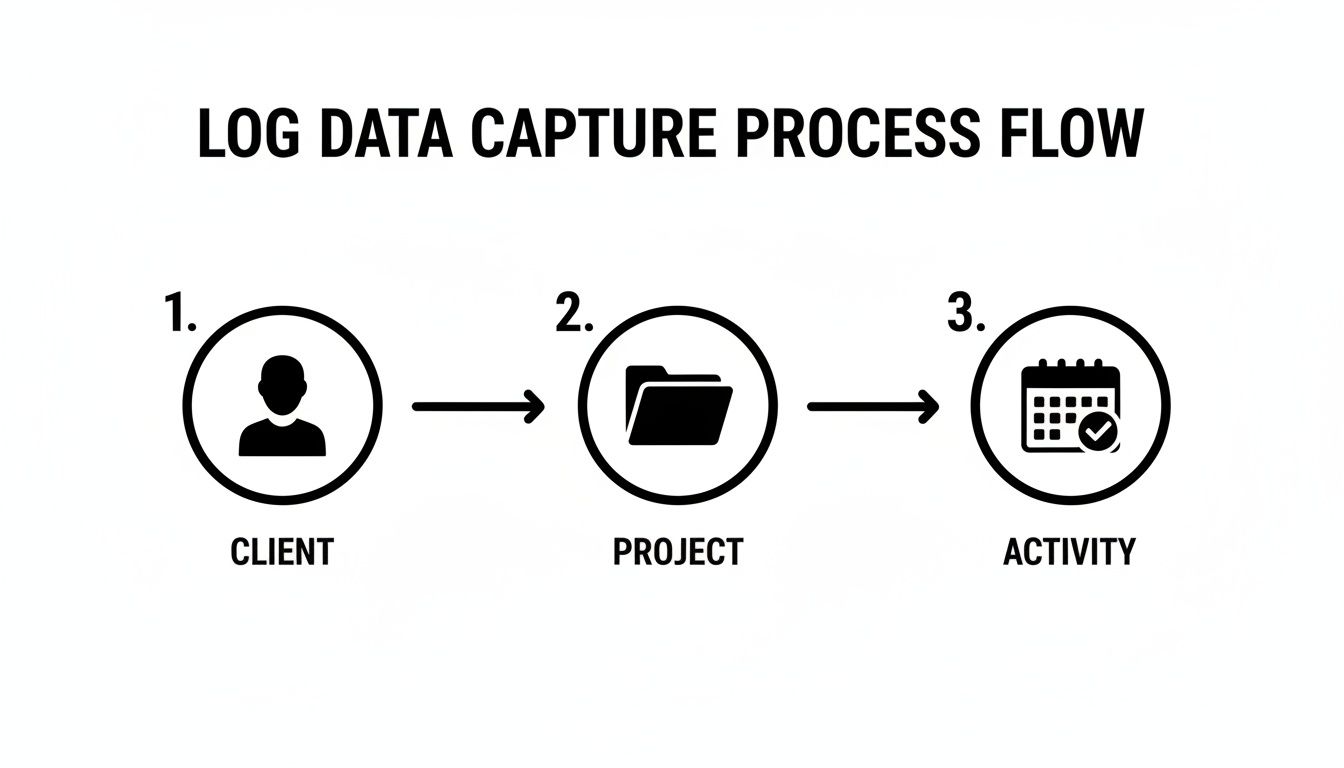
The system automatically translates everyday work events into structured, analyzable data points. No manual entry required.
Setting Up Smart Automation Rules
Once your calendar is connected, this is where the magic happens. You start setting up automation rules. Think of these rules as intelligent assistants that automatically tag and categorize every calendar event based on criteria you define. This completely removes the need for manual sorting, ensuring your daily activity logs are consistent and accurate.
You can create rules based on all sorts of triggers:
- Keywords in Meeting Titles: Automatically tag any event containing "Client Kickoff" as a "Sales" activity. Simple.
- Specific Attendees: If a key client's email address is on the invite, the system can instantly tag the event with their company name.
- Domain Names: Any meeting with attendees from a specific client domain (like @clientcompany.com) can be automatically marked as billable time.
This rule-based system transforms messy, unstructured calendar data into a clean, organized dataset ready for analysis. The more you fine-tune these rules, the smarter your system gets. To see exactly how this works in practice, check out our complete guide to automated timesheets.
Normalizing Data Across Global Teams
For companies with teams spread across different regions, automation isn't just a nice-to-have; it's essential. Work cultures and hours can vary dramatically. For instance, workers in Mexico log around 2,207 hours annually, while their German counterparts log about 1,343. That massive difference shows why you need tools that can normalize activity tracking.
Automation applies the same consistent rules to everyone's calendar data, no matter where they are. This lets you see true utilization by project or team, giving you a clear picture that isn't skewed by location.
Many of the holdups in daily logging come down to repetitive data entry. If you want to explore broader strategies for streamlining these kinds of processes, learning about automating repetitive tasks can unlock even more efficiency across your operations.
By implementing a calendar-driven workflow with smart automation, you fundamentally change the nature of activity tracking. It shifts from a reactive, manual chore that your team dislikes to a proactive, automated process that delivers immediate strategic value without getting in anyone's way. This transition is key to fostering adoption and unlocking the full potential of your operational data.
Daily Activity Logs in the Real World

Theory is great, but seeing how daily activity logs actually work in the trenches is what really matters. Let's dig into three different scenarios where automated logging brought some much-needed clarity and led to major business wins. These examples show the real value of ditching manual timesheets for something much smarter.
Each story here is simple: a common business headache, an automated fix, and a tangible result. They show how objective data can completely change how you think about operations, profitability, and strategy.
Case Study 1: The Marketing Agency vs. Scope Creep
A growing digital marketing agency was in a constant battle with scope creep. We’ve all been there. Project managers felt it in their bones—clients were always asking for "just one more quick thing"—but they didn't have the hard data to push back or reopen a retainer negotiation. The work was getting done, sure, but profitability was taking a nosedive from all the unbilled hours.
The fix? They rolled out an automated, calendar-driven activity log. The system quietly logged every client meeting, email chain, and internal work session in the background, automatically tagging each activity to the right client and project.
After just one month, the data laid it all out. One of their biggest accounts was eating up nearly 40% more resources than their retainer covered. Armed with this undeniable proof, the agency walked into the next meeting with confidence, renegotiated the contract, and increased its value by 25%. What was once a draining relationship became a profitable, healthy partnership.
Case Study 2: The Consulting Firm and Team Utilization
A management consulting firm had a nagging feeling about how its resources were being used. Leadership suspected their top-dollar consultants were spending way too much time in internal meetings and on admin tasks instead of on high-value client work. But without data, it was just a hunch.
They connected their team's calendars to an automated logging platform. Almost overnight, they got a crystal-clear picture of where every hour was going across the entire company.
The numbers were shocking: nearly 22% of the week was lost to non-billable internal meetings. That single insight sparked a company-wide push to clean up internal processes, which ultimately led to a 15% boost in overall team profitability just by getting that time back for client-facing projects.
Case Study 3: The Pre-Sales Team and the True Cost of a Sale
A software company's pre-sales engineering team was flying blind. They were putting a massive amount of effort into demos, proposals, and technical deep-dives, but none of that time was being tracked against specific opportunities in their CRM. This made it impossible to know which deals were profitable and which were just a drain on resources.
Their solution was to integrate their activity logging tool directly with their CRM. Suddenly, every meeting and task was automatically linked to a specific sales opportunity and its current stage.
This gave leadership a live dashboard showing the precise cost of sales for every single deal in the pipeline. They could finally forecast resource needs accurately and focus their energy on the opportunities with the best ROI, sharpening their entire go-to-market strategy.
Common Pitfalls in Activity Tracking to Avoid
Rolling out a system for tracking daily activities can genuinely change how your agency operates, but just flipping the switch doesn’t guarantee success. There are a few classic mistakes that can derail the whole effort, turning what should be a powerful strategic tool into just another piece of administrative busywork.
Nailing this is all about creating a culture of effortless time intelligence, and that means sidestepping the common traps.
One of the most common errors? Over-complicating things right out of the gate. It's so tempting to build a masterpiece of a system with dozens of tags and intricate categories. But this almost always backfires, leading to total confusion and data that's all over the place. Remember, the goal here is clarity, not complexity. Start with the absolute essentials and only add more when you have a crystal-clear business reason to do so.
Another huge hurdle is forgetting about team buy-in. If your team thinks this new system is just a digital leash, they’ll fight it every step of the way. You have to frame daily activity logs as a win for them—a way to kill off tedious timesheets, prove they need more resources, and even protect their work-life balance.
Misusing Data and Neglecting Automation
Treating this data purely as a surveillance tool is a guaranteed way to make it fail. The insights are meant to guide big-picture decisions about which projects are actually profitable and where your team's time is best spent. It’s not for scrutinizing every single minute of someone's day. The moment the focus shifts from strategy to surveillance, trust disappears, and the system becomes worthless.
The purpose of a daily activity log is to illuminate operational blind spots, not to cast a shadow of doubt over your team. Use the data to empower, not to police.
But honestly, the single biggest mistake is skipping the automation. The whole point of a modern logging system is to get away from manual, soul-crushing data entry. If you don't set up calendar-driven workflows and smart rules to capture activity automatically, you’re defeating the entire purpose. You’re just re-creating the same friction you were trying to eliminate.
To make sure you get it right, keep these four things in mind:
- Start Simple: Begin with basic tags like client, project, and whether the work is billable. That’s it.
- Communicate the "Why": Be incredibly clear about how this data helps everyone, not just the leadership team.
- Focus on Insights: Use the data for strategic planning and resource allocation, not for monitoring individuals.
- Automate Everything Possible: Connect it to your calendars and set up rules that make logging a passive, invisible process.
By dodging these common traps, you can ensure your daily activity logs become a source of clarity and real efficiency for your entire organization.
Got Questions?
Thinking about making the switch? Smart move. Here are some of the most common questions leaders have when they're ready to ditch manual timesheets for something that actually works.
How Is This Different from Just Filling Out a Timesheet?
Let's be honest, traditional timesheets are a total pain. They rely on people trying to remember what they did days ago, which means they're usually inaccurate and always a time-drain for your team.
Automated daily activity logs flip the script. Instead of relying on memory, they passively capture what’s happening right from your team's calendar. By connecting to tools like Google or Outlook, you get an objective, real-time record of where the hours are actually going. It turns a hated chore into a genuine source of business intelligence.
How Do I Get My Team On Board with This?
The key is to frame it for what it is: a tool to make their lives easier, not a surveillance camera. The easiest way to start is by highlighting the biggest win for them—no more filling out timesheets. Ever again.
Show them how this data helps you protect their time, balance workloads, and prevent burnout. When you can prove that it helps you justify hiring more people or pushing back on unrealistic deadlines, they'll see it as a tool that works for them.
When the immediate benefit is killing off the one admin task everyone hates, you'll find resistance melts away pretty quickly.
What's the Typical ROI for an Agency?
While every agency is different, the return is usually significant and shows up in a few key areas.
- Finding Lost Money: It’s amazing how much work goes unbilled. Most agencies see a 10-20% jump in billable hours just by accurately capturing all their activity.
- Slashing Admin Time: Think of all the hours your project managers waste chasing down timesheets. That time is instantly reclaimed.
- Making Smarter Decisions: With real data, you can price projects more accurately, staff them correctly, and know which clients are actually profitable.
Put it all together, and the investment typically pays for itself many times over in the first year alone.
Ready to see how automated activity logging can reshape your agency's operations and profitability? TimeTackle plugs right into your team's calendar and turns it into your most powerful business intelligence tool. Start automating your activity logs today.