It's easy to assume a dedicated attendance app is always the better option, but that’s not true for many teams and projects. A well-designed spreadsheet is often faster, more flexible, and completely free. You get full control over your data without getting locked into a subscription or paying for features you'll never use. The main problem is that finding a good template can be a headache. Many are poorly made, too simple, or hidden behind paywalls.
I’ve sorted through dozens of options to find the 12 most practical excel attendance sheets available today. This guide will help you find the right template for your needs, whether you're managing employee attendance, tracking student participation, or monitoring team hours for a project. For each resource on my list, you'll find direct download links, clear screenshots, and a straightforward analysis of its best use case, its limitations, and how to customize it.
Getting the template is just the first step. To make sure your attendance data is accurate and consistent over time and across multiple sheets, understanding data standardization is important. I’ll also cover practical tips for importing calendar data and even show you how to automate exports from tools like Google Calendar into these spreadsheets, cutting down on manual entry and saving you time. This isn’t just a list; it’s a toolkit for mastering attendance tracking with a tool you already own.
1. Microsoft Office Templates – Employee Attendance Tracker (Excel)
For any team already using the Microsoft 365 suite, starting with the official source is a logical first step. Microsoft’s own template library offers a free, straightforward Employee Attendance Tracker that is an excellent baseline. It gives you a year-long grid for tracking employee presence and absences using a simple key (e.g., P for Present, V for Vacation).
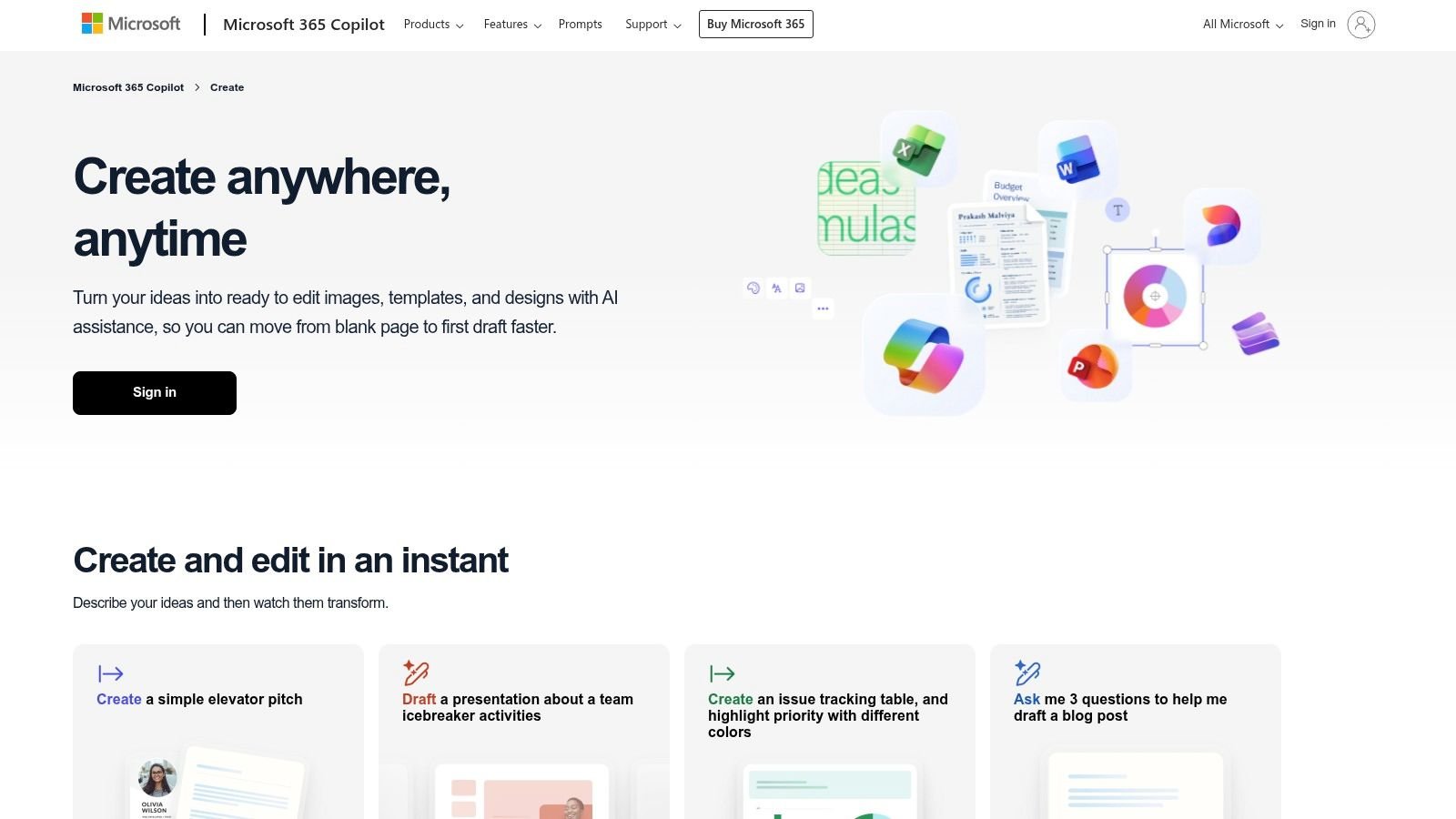
This is a good starter excel attendance sheet because of its simplicity and compatibility. It works seamlessly across both the desktop and web versions of Excel, so all team members can access it. The template includes built-in formulas that automatically tally absence types and has basic logic to gray out weekends. You can also customize it to mark company holidays.
Key Considerations
This is a no-frills solution. The structure is functional but has no advanced data visualization or dashboarding features out-of-the-box. While it's easy to make minor tweaks, big changes to its core logic can be time-consuming if you aren't an Excel power user. For those interested in building similar calendar-based tools from the ground up, you can get a better understanding of how to make a calendar in Excel to customize your own versions.
- Best Use Case: Small teams or organizations that want a free, reliable, and printable attendance sheet without macros or complex setup.
- Pros: Official Microsoft product guarantees compatibility; simple to use and modify for basic needs.
- Cons: The fixed structure requires effort to change; no built-in visual reports or dashboards.
- Access: Free to download directly from the Microsoft Office Templates website.
2. Vertex42 – Attendance Sheet Template (Excel/Google Sheets)
Vertex42 is a long-standing source for high-quality spreadsheets, and their attendance sheet template is popular for good reason. It offers a clean, well-documented layout that works in both Excel and Google Sheets. The template includes convenient in-sheet controls for selecting the month and year, so you don't have to manually update date ranges.
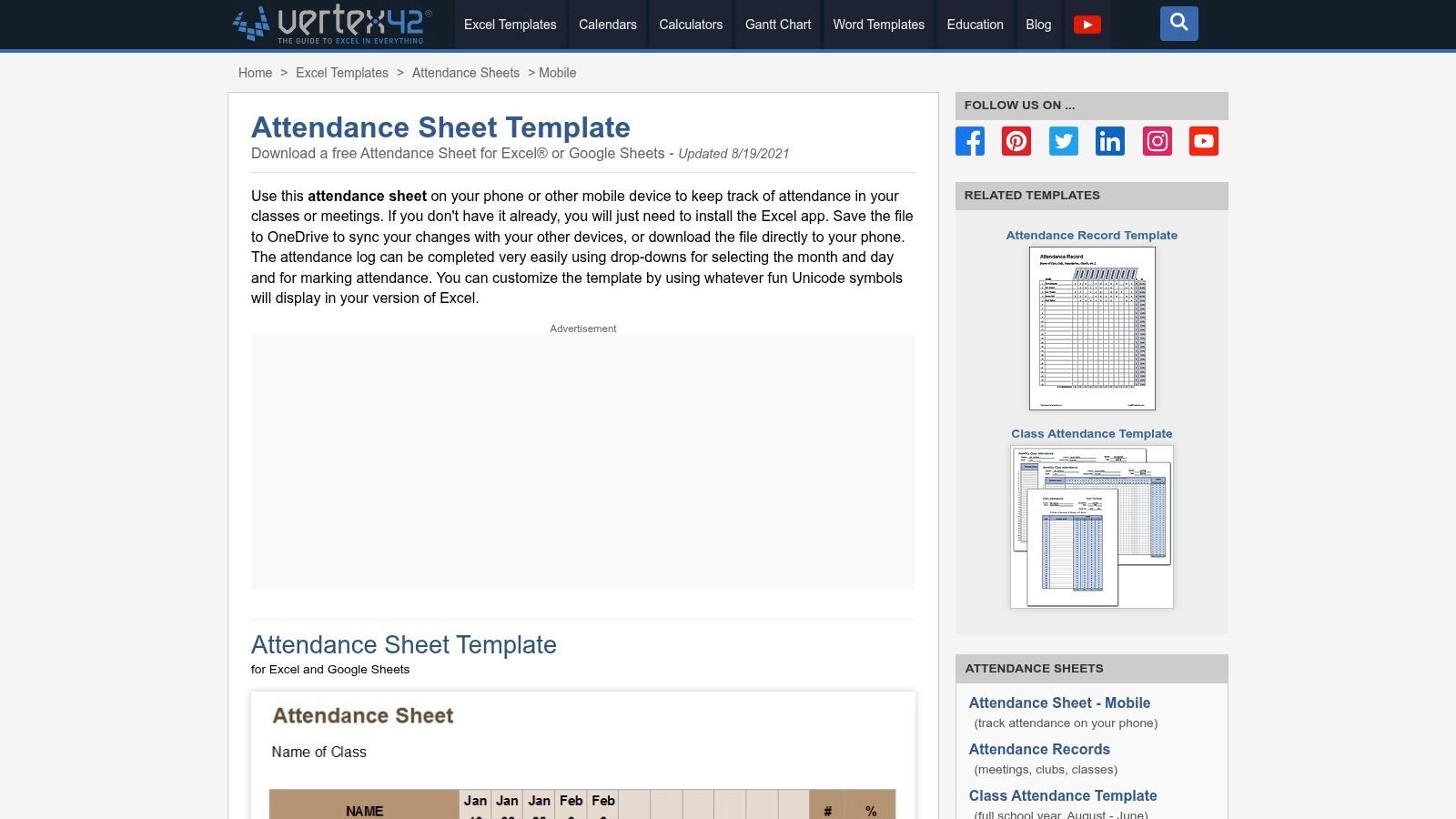
One of the best features is its use of Unicode symbols for marking status (e.g., present, late, absent), which are automatically tallied by date and by person. This makes it one of the more visually intuitive excel attendance sheets available. Vertex42 also gives clear guidance on how to use the template on mobile devices with the Excel app and OneDrive, a practical consideration for managers who aren't always at their desks. The instructions are clear, making modifications straightforward even for those with intermediate Excel skills.
Key Considerations
While highly functional, this is still just a template. It has no role-based security or automated approval workflows that you would find in dedicated time-tracking software. Generating advanced reports or creating custom dashboards requires a solid understanding of Excel formulas and PivotTables. It’s a powerful foundation, but the reporting and analysis capabilities are entirely dependent on your own skills.
- Best Use Case: Teams needing a versatile, well-documented template that works across both Excel and Google Sheets with clear visual cues.
- Pros: Excellent documentation and clear instructions; works on desktop, web, and mobile; uses easy-to-read symbols for status.
- Cons: Advanced reporting and customization depend entirely on the user's Excel proficiency; has no built-in security or approval workflows.
- Access: Free to download from the Vertex42 website.
3. Vertex42 – Class Attendance (Full School Year) and Attendance Record
For those in education or managing training cohorts, Vertex42 offers a specialized set of free templates that go beyond generic business use. Their Class Attendance workbook is purpose-built for a full school year and gives you a structured way to track student presence across multiple months. It’s a great option for any organization running programs on an academic cycle.
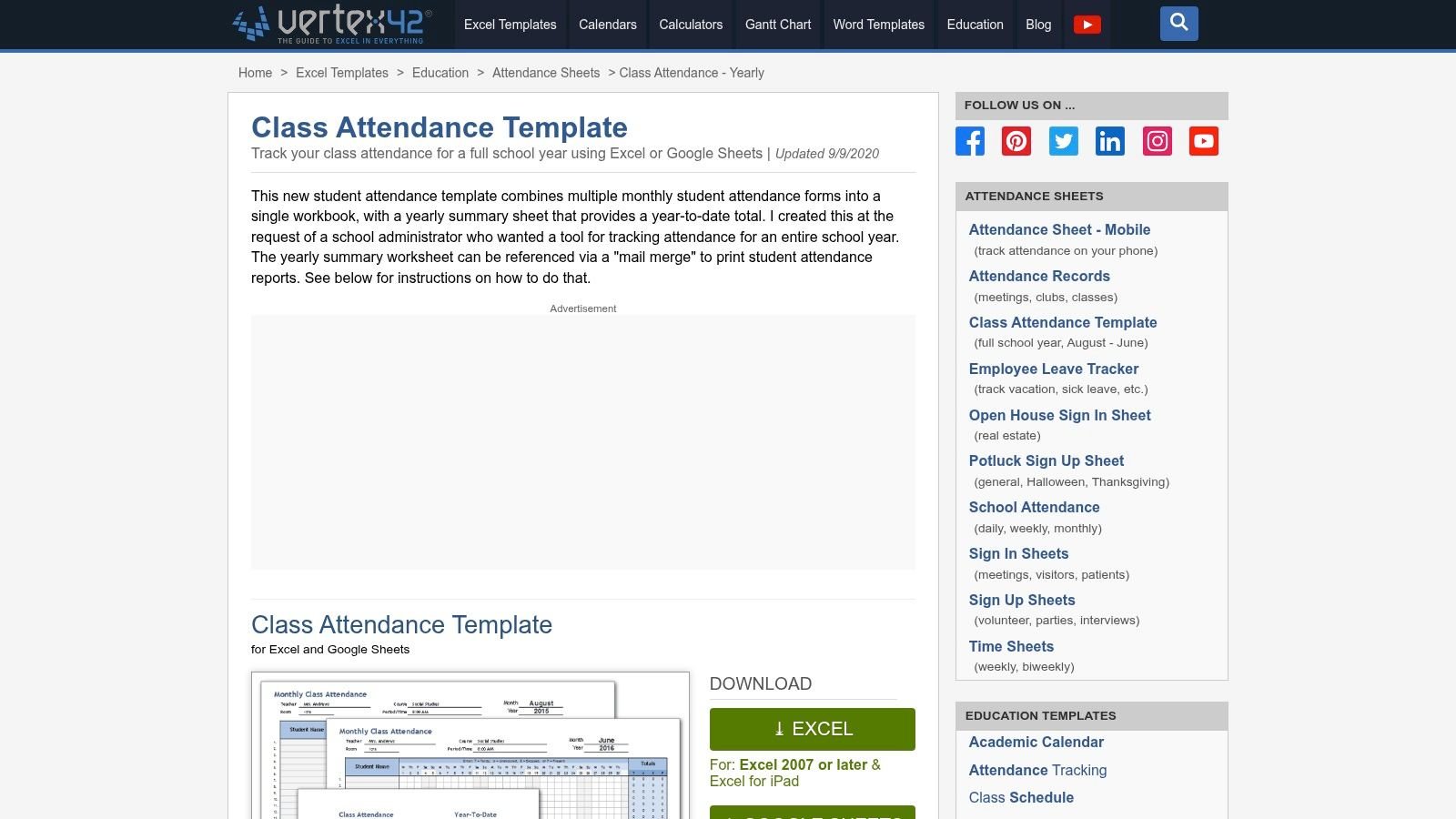
Vertex42’s offering is a strong choice because it focuses on cohort management. The workbook is designed to handle students being added or removed mid-year and includes a yearly summary sheet for a high-level overview. A standout feature is its mail-merge-friendly design, which simplifies creating individual reports. For less formal needs, they also give you a simple Attendance Record template perfect for meetings, workshops, or clubs. These are some of the most practical excel attendance sheets available for educational contexts.
Key Considerations
These templates are designed for academic environments, so they might require some tweaks for standard corporate HR tracking. The terminology and structure are centered around students and classes, not employees and departments. The documentation is good, but the design is not optimized for HR workflows like payroll integration or PTO tracking.
- Best Use Case: Educators, training program coordinators, and club organizers who need a detailed, printable system for tracking attendance over an academic year.
- Pros: Purpose-built for education and cohort management; excellent documentation and printable views.
- Cons: Academic focus may not suit corporate HR needs; lacks features for tracking non-student activities like PTO or sick leave.
- Access: Free to download from the Vertex42 website.
4. Smartsheet – Free Excel Attendance Tracking Templates
For teams looking for variety beyond a single, rigid template, Smartsheet offers a curated library of attendance spreadsheets. These are not part of the Smartsheet application itself but are free resources designed to be downloaded and used directly in Excel. The collection is impressive because it covers different needs, from tracking employees and students to managing volunteer hours and event check-ins.
This resource stands out because of the sheer breadth of formats available. You can find daily, monthly, and yearly trackers, many of which come with pre-built, color-coded fields and basic formulas for rollups. This variety means you can find specific excel attendance sheets that are already 80% of the way to what you need, saving customization time. The one-click download process makes accessing the files simple.
Key Considerations
While the variety is a major plus, it's important to remember these are static spreadsheets. They don't connect to Smartsheet's broader project management ecosystem and lack the dynamic features of an integrated application. Some of the simpler templates offer minimal analytics, so if you need deep data analysis, you might have to build that functionality yourself or choose a more complex template from the start.
- Best Use Case: Organizations that need different attendance formats for various departments or purposes (e.g., HR, event planning, volunteer coordination) and prefer ready-to-use Excel files.
- Pros: Wide variety of templates to match different use cases; simple, one-click downloads directly to Excel format.
- Cons: Templates are static and not integrated with the main Smartsheet app; some formats have very limited built-in analytics.
- Access: Free to download from the Smartsheet website.
5. Spreadsheet123 – Printable Attendance Worksheets/Trackers (Excel)
Spreadsheet123 is a resource hub offering a broad collection of purpose-built attendance templates that are optimized for one thing: printing. Their excel attendance sheets are designed with physical, in-hand use cases in mind, making them a great choice for managers or teachers who need simple, clean sign-in sheets or weekly trackers for a clipboard or binder. The library includes weekly, monthly, and yearly formats alongside specific versions for employee teams, school classes, and even visitor logs.
The primary strength of these templates is their simplicity and backward compatibility. They are built to work with Excel 2007 and newer versions, so you won’t run into issues with older office software. Each worksheet comes with ready-to-use formulas for basic tallies. This focus on straightforward functionality makes them ideal for environments where a digital-only solution isn’t practical.
Key Considerations
These templates prioritize function over form. The user interface is basic, and they lack the kind of visual summaries or dashboards found in more analytics-focused tools. Because they are designed for print, their on-screen utility for data analysis is limited. They are not suited for teams that need to aggregate attendance data for performance reviews or payroll integration without a lot of manual work.
- Best Use Case: Environments requiring physical, printable sign-in or attendance sheets, such as classrooms, workshops, or front desks.
- Pros: Wide variety of print-optimized layouts for immediate use; high compatibility with older Excel versions.
- Cons: Very basic design and limited visual analytics; not built for complex data reporting or dashboarding.
- Access: Free templates are available for download directly from the Spreadsheet123 website.
6. Indzara – Employee Leave (Vacation) Tracker (Excel) with Attendance Report
For teams that have outgrown simple attendance grids, Indzara offers a free and much more powerful solution. Their Employee Leave (Vacation) Tracker is an Excel template that goes beyond basic presence tracking by incorporating sophisticated leave management logic. It generates automated annual attendance reports, handles partial-day leave, and allows for custom holiday and weekend calendars.
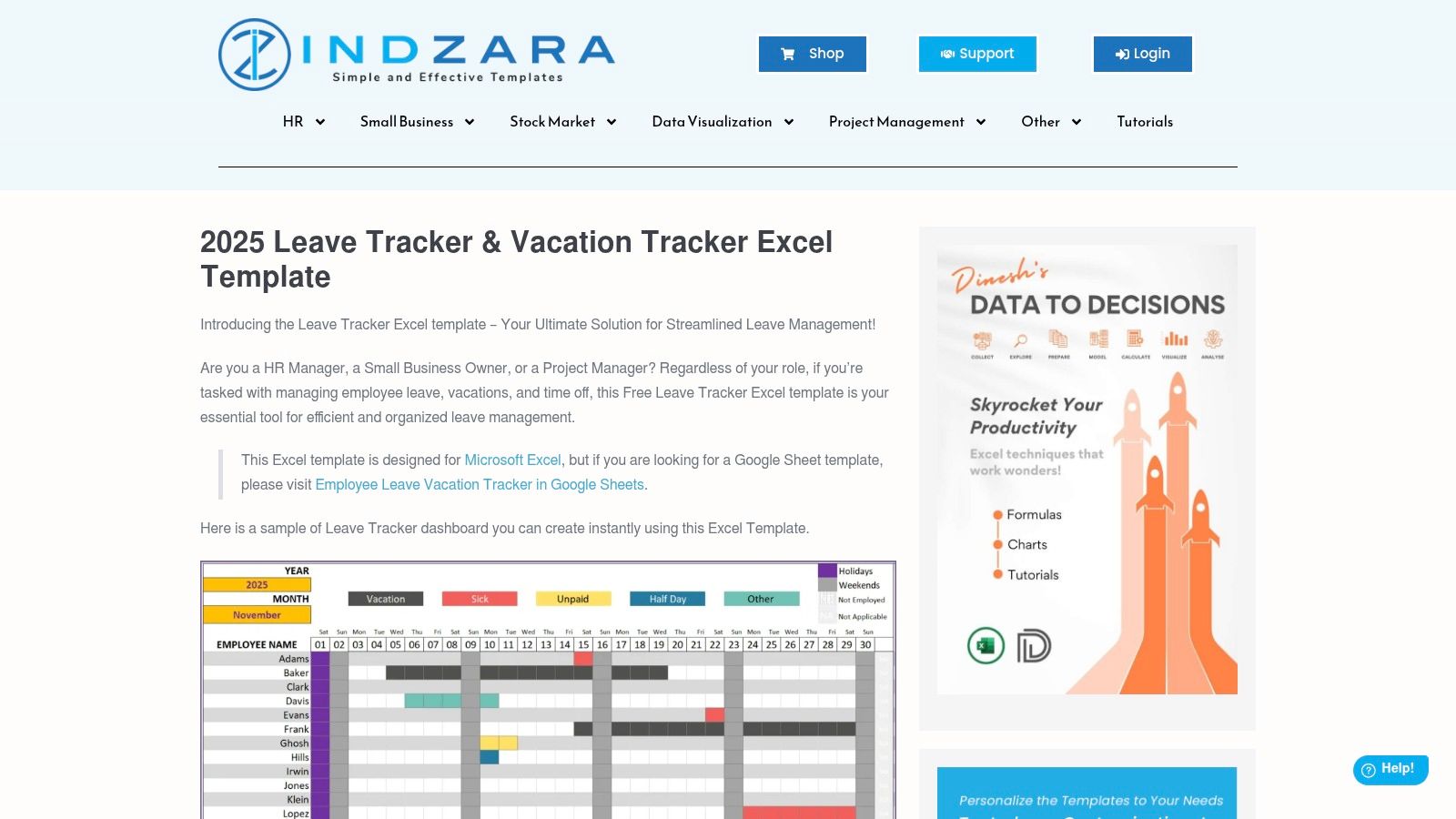
What makes this template stand out among free excel attendance sheets is its reporting capability. The file includes a team dashboard for an at-a-glance overview and produces individual employee reports, which is a feature typically found in paid software. The included step-by-step documentation is also very clear, helping users configure the sheet for their specific company policies without needing advanced Excel knowledge. This makes it a great middle-ground option for those who need more than a basic grid but aren't ready for a full HR software subscription.
Key Considerations
While powerful, the interface is more data-heavy compared to minimalist templates. This density is necessary to support its features but might feel overwhelming for users accustomed to simpler designs. Setting it up requires following the initial configuration steps carefully. Also, keep in mind that while this specific tracker is free, some of Indzara's most advanced HR templates are paid products.
- Best Use Case: Small to mid-sized teams needing detailed leave tracking and automated reporting without a software subscription.
- Pros: Deeper leave logic (partial days, custom calendars) than most free templates; excellent, clear documentation for easy setup.
- Cons: The denser interface can be intimidating at first; setup requires more initial input than a simple grid.
- Access: Free to download from the Indzara website.
7. Clockify – Employee Attendance Tracker Excel Templates
For teams looking for a versatile collection of free templates, Clockify gives you a valuable resource hub. Unlike single-template downloads, Clockify offers a package of excel attendance sheets covering daily, weekly, monthly, and yearly tracking needs. They also include specific sign-in sheets for meetings and training events, making them useful for broader HR functions beyond simple daily attendance.
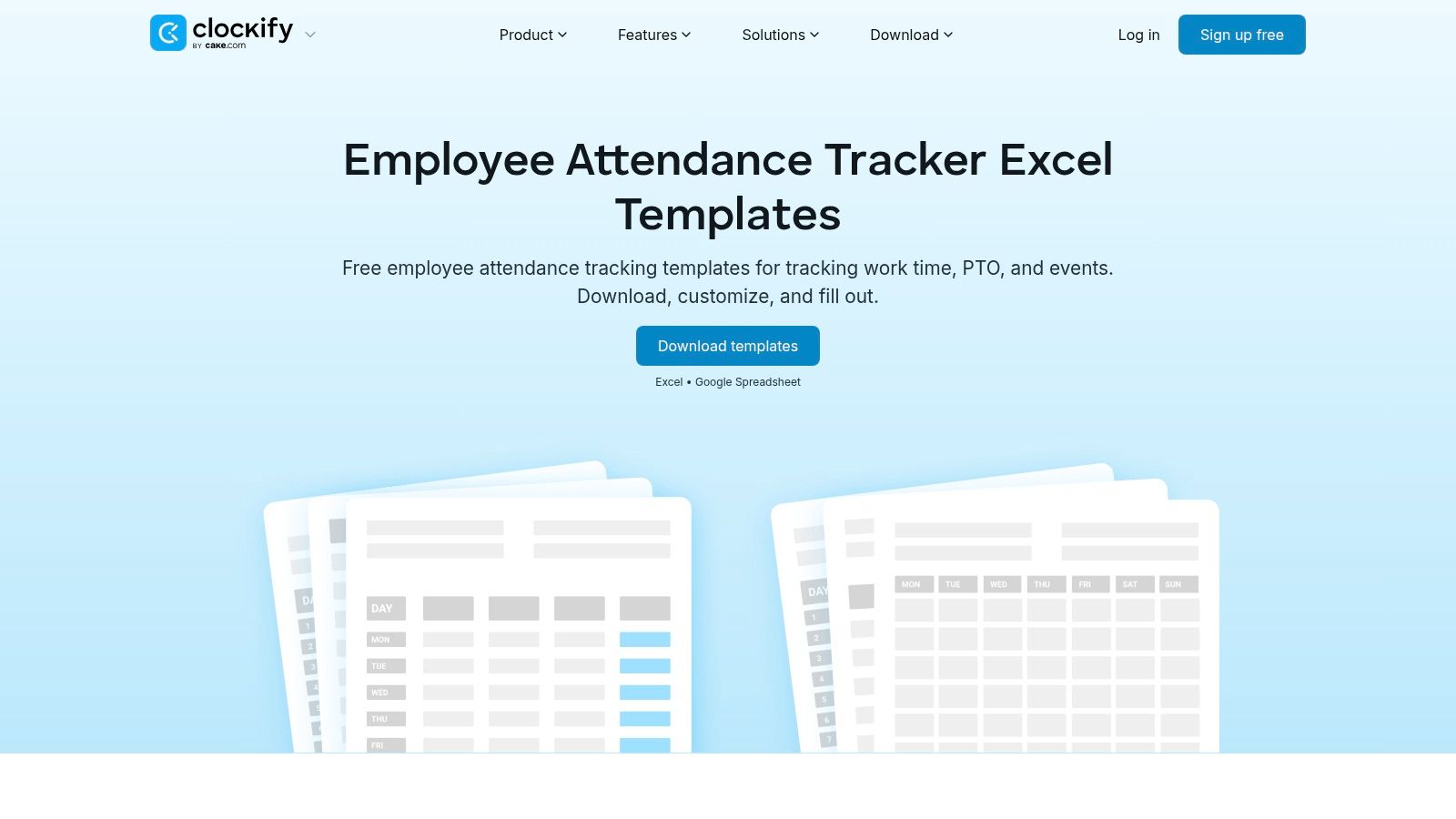
What sets this collection apart is its clear design for standardization. Each template comes with a predefined legend for attendance and leave codes (e.g., S for Sick, H for Holiday), which helps teams maintain consistency. These templates are available in both Excel and Google Sheets formats, offering flexibility. They also are a practical entry point into their software, as the data structure is compatible with Clockify's time tracking tool if you decide to upgrade from spreadsheets later.
Key Considerations
These are fundamentally static documents. While the templates are well-organized, they don’t include automated workflows or deep analytics. The calculations are basic, focusing on simple tallies rather than detailed reporting. For managers who need a deeper understanding of attendance patterns, a guide on how to track employee attendance can provide insights into more advanced methods and metrics. The main benefit here is getting a range of standardized, ready-to-use forms from a single source.
- Best Use Case: HR departments or managers who need a variety of standardized attendance forms for different situations, from daily tracking to event sign-ins.
- Pros: Multiple template types (daily, weekly, event-based) in one package; predefined legends promote data consistency across teams.
- Cons: Most templates offer very limited analytics; they are static and lack the dynamic features of a dedicated software solution.
- Access: Free to download from the Clockify website.
8. TeamSense – Free Employee Attendance Tracker (Excel)
TeamSense gives you a free, no-nonsense monthly excel attendance sheets template for managers who need a quick and organized way to log team absences. This tracker is designed for immediate use, focusing on capturing the essential data: employee name, date, and reason for absence. Its straightforward layout makes it accessible to users of all Excel skill levels.
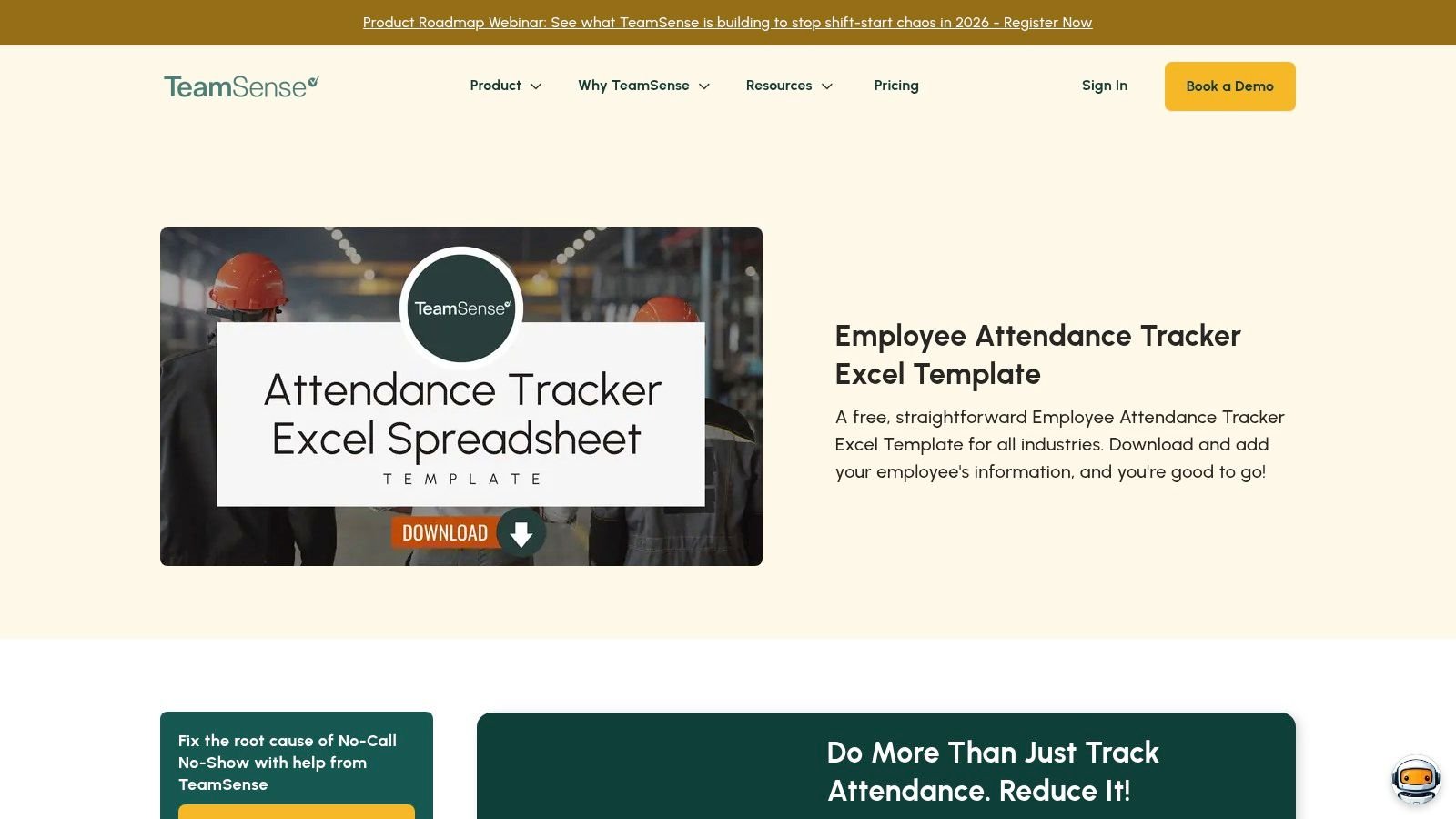
The template's main strength is its simplicity and dual compatibility with both Microsoft Excel and Google Sheets. It includes fields for categorizing different types of leave and has formulas that automatically calculate monthly absence totals. This makes it a great tool for spotting basic trends or preparing simple reports for HR without the need for complex pivot tables.
Key Considerations
While the template is effective for single-month, single-team tracking, it's not built for year-over-year analysis or aggregating data across multiple departments. Its functionality is basic, so teams needing detailed dashboards or multi-sheet analytics will find it limiting. The download is also gated, so you have to provide an email address to receive the file, which is a small but notable hurdle.
- Best Use Case: Small teams or department managers needing a simple, digital log to track daily absences and categorize them for basic monthly reporting.
- Pros: Very easy to use with no setup required; helps categorize absence reasons for simplified reporting.
- Cons: Download is gated behind an email form; not designed for company-wide or long-term analytics.
- Access: Free to download by submitting a form on the TeamSense website.
9. My Hours – Free Employee Attendance Sheet (Excel)
My Hours offers a collection of free, minimal attendance templates designed for teams that need simple, printable records without the overhead of a complex system. These basic excel attendance sheets come in both daily and monthly formats, providing a clean structure for logging employee hours and absences. The design is straightforward and focused on pure utility.
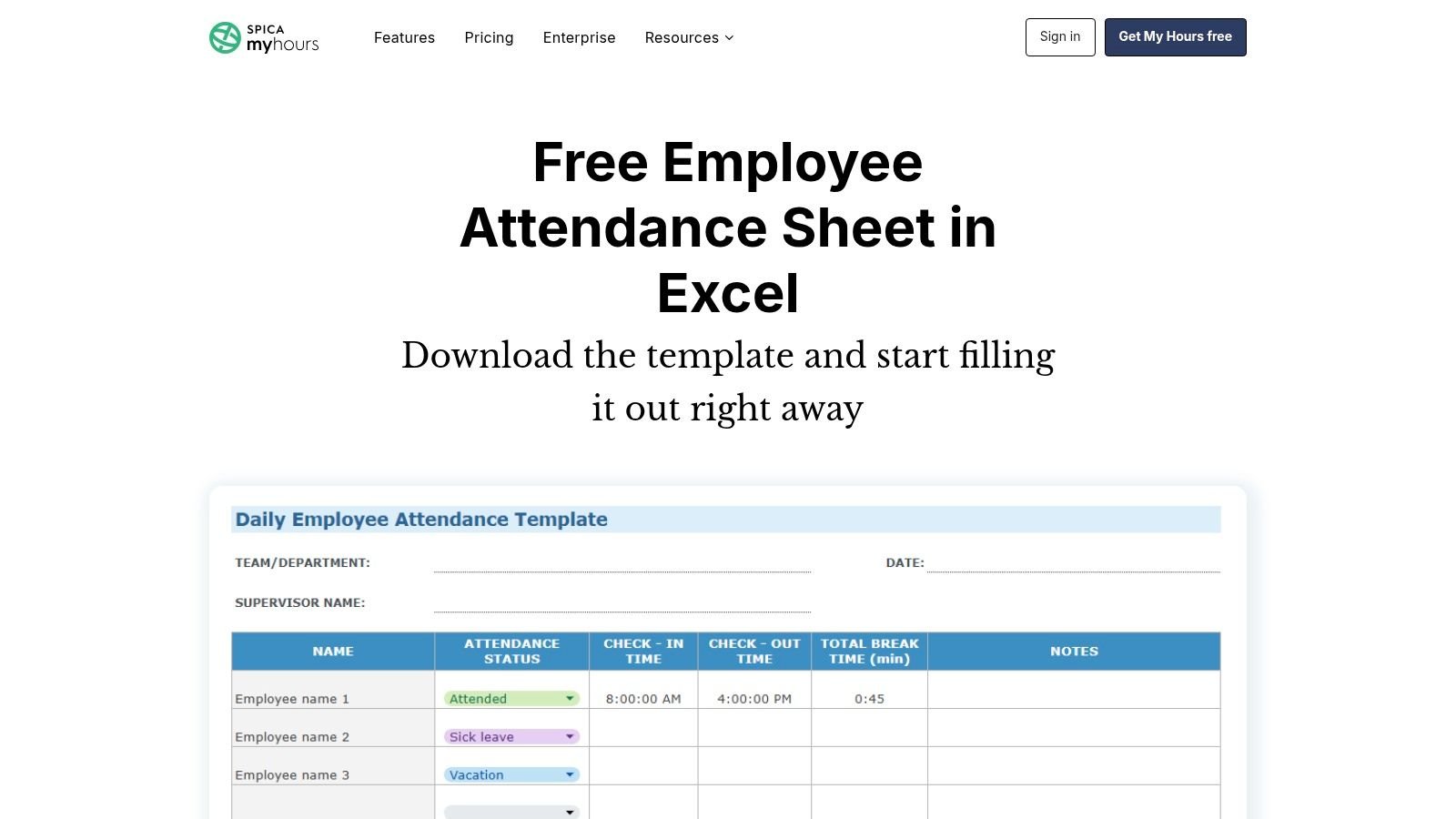
This resource is practical because of its format diversity. Beyond Excel, the templates are also available for Google Sheets, Word, and as printable PDFs. This gives managers flexibility to choose the tool that best fits their existing workflow. The spreadsheets contain basic formulas for automatically calculating totals, which is helpful for quick payroll or HR reviews. While the download page does promote the company's software, the templates themselves are free and fully functional.
Key Considerations
These templates are decidedly simple and serve a specific purpose: basic record-keeping. They do not include any advanced reporting, data visualization, or integration capabilities. The formulas are present for totals, but there is no built-in logic for things like overtime calculations or detailed absence analysis. They are a starting point, not an all-in-one solution.
- Best Use Case: Small businesses or teams needing a clean, no-cost, and printable daily or monthly attendance log.
- Pros: Multiple formats available (Excel, Sheets, PDF, Word); clean and minimal design is very easy to understand and use.
- Cons: No advanced analytics or reporting features; the download process includes marketing for the My Hours software application.
- Access: Free to download from the My Hours website.
10. HiBob – Time & Attendance Excel Template
For small to medium businesses needing more than a basic grid, HR platform HiBob offers a free Time & Attendance Excel Template that bridges the gap between simple trackers and complex software. This workbook is a comprehensive starter kit. It contains multiple tabs for different time intervals and tracking purposes, which makes it useful for HR teams looking for a more robust solution without an immediate software investment.
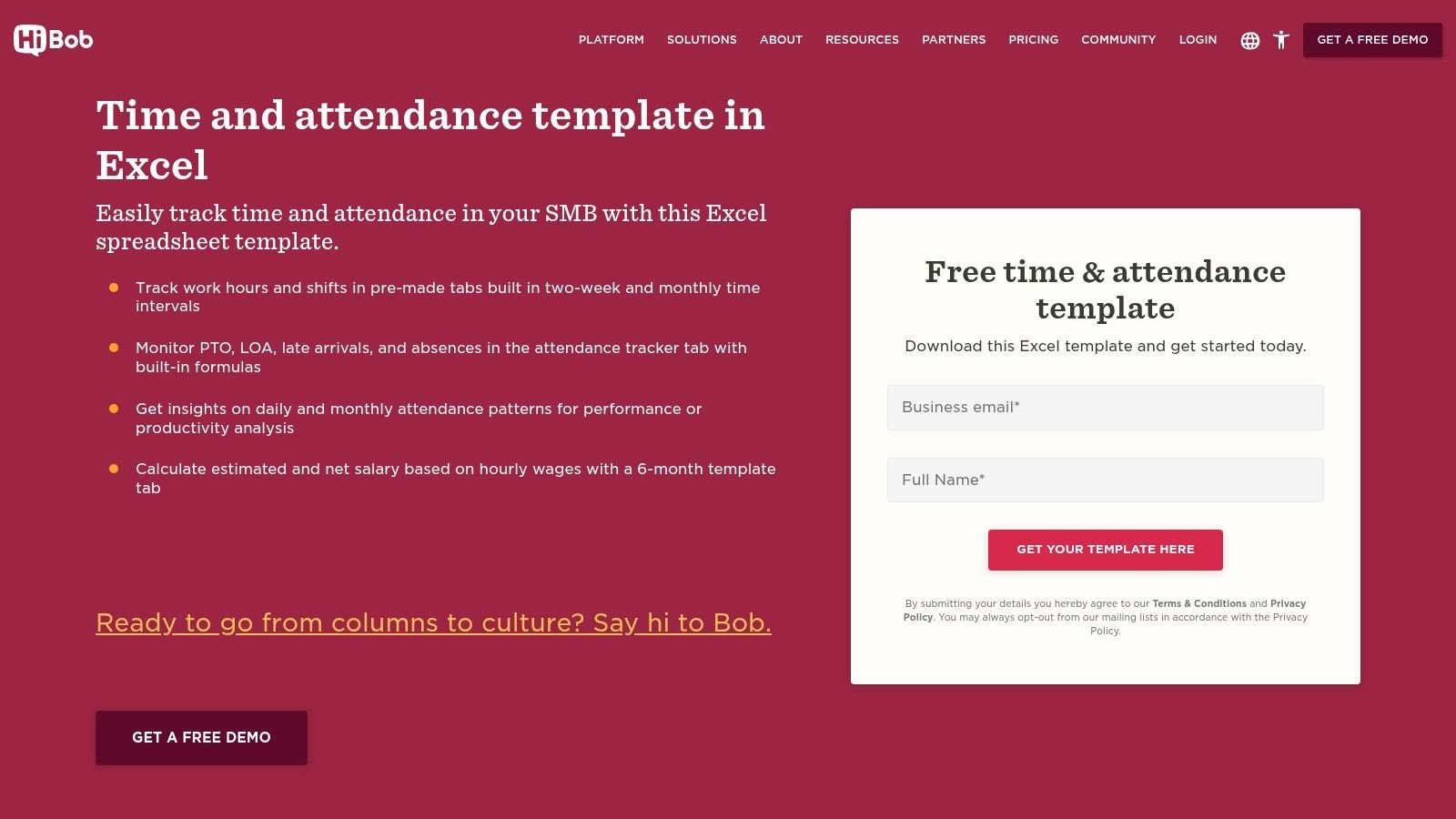
What makes this stand out among other excel attendance sheets is its structure. It includes separate tabs for biweekly and monthly timesheets, a dedicated sheet for tracking PTO and other leave, and even an optional tab for salary estimations. The built-in formulas help calculate totals and flag attendance issues like lateness or unexcused absences, providing a more detailed overview than many simpler templates. This multi-sheet approach keeps different data types organized and clean.
Key Considerations
While the template is free, it requires you to submit a lead form to download, so you will likely get marketing follow-ups from HiBob. The inclusion of payroll-related calculations is a great feature for some, but it might be unnecessary for teams just wanting to track presence. You can easily delete or hide the salary tab if your organization prefers to keep that data separate from attendance records.
- Best Use Case: Small HR teams or managers who need a single workbook to manage attendance, time off, and basic payroll calculations.
- Pros: More comprehensive than basic templates; good structure for organizing different types of time data.
- Cons: Gated content requires providing contact information; may contain more features (like payroll) than some teams need.
- Access: Free to download after filling out a form on the HiBob website.
11. WPS Office – Attendance Sheet Templates (Excel)
As a well-known alternative to the Microsoft suite, WPS Office provides a large gallery of free, editable attendance sheet templates designed for full compatibility with Excel. This collection is a strong resource for businesses looking for variety, as it includes layouts for daily sign-in sheets, weekly overviews, monthly calendars, and specific event check-ins. It's a quick way to find a starting point that fits a particular need without building from scratch.
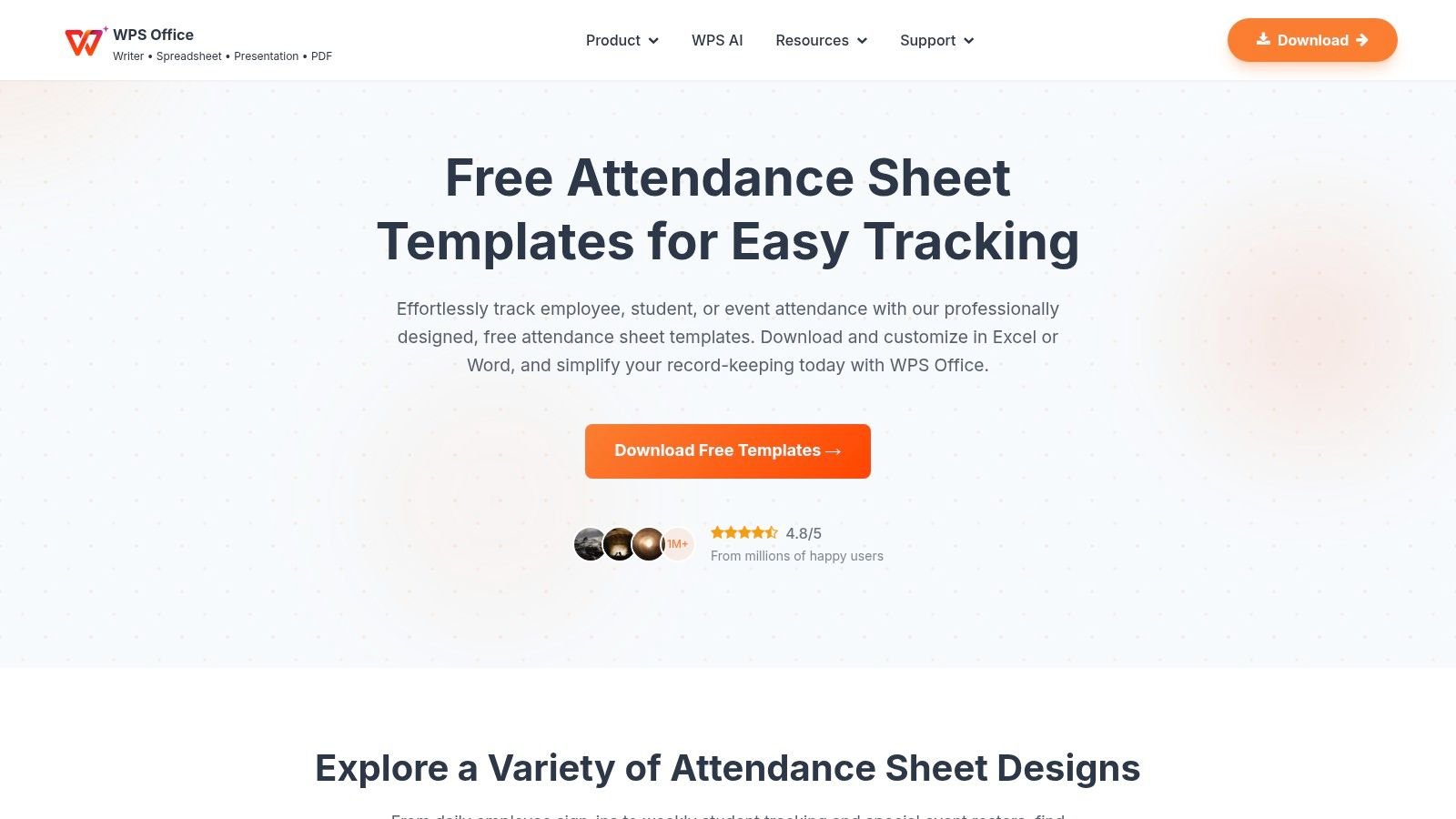
This library is useful because of its sheer breadth and immediate usability. The templates are downloaded as standard .xlsx files, so they open directly in Excel without conversion issues. Many come with basic formulas for counting hours or absences already in place, which saves setup time. The designs are clean and professional, providing a solid foundation for one of the most flexible collections of excel attendance sheets available for free.
Key Considerations
While the templates are Excel-compatible, some retain styling elements native to the WPS Office platform. This might mean you'll need to make minor formatting adjustments, like changing fonts or color schemes, to match your company's branding. Also, the template naming can be inconsistent, so finding the ideal layout may require a bit of browsing through the collection.
- Best Use Case: Teams needing a wide variety of free attendance templates for different scenarios, from daily check-ins to monthly employee tracking.
- Pros: Large selection of free templates; high compatibility with Excel; includes daily, weekly, and monthly options.
- Cons: Some templates may need formatting tweaks in Excel; the quality and naming of templates can be mixed, requiring some searching.
- Access: Free to download directly from the WPS Office Template website.
12. Someka – Monthly Attendance Sheet Excel Template
For teams that need a polished, ready-to-print monthly report, Someka offers a professionally formatted Monthly Attendance Sheet for Excel. This template is designed with office use in mind, providing a clean monthly layout that is easy for department heads to fill out and present. It comes with pre-built fields for various presence and absence categories, making roll-out quick and straightforward.
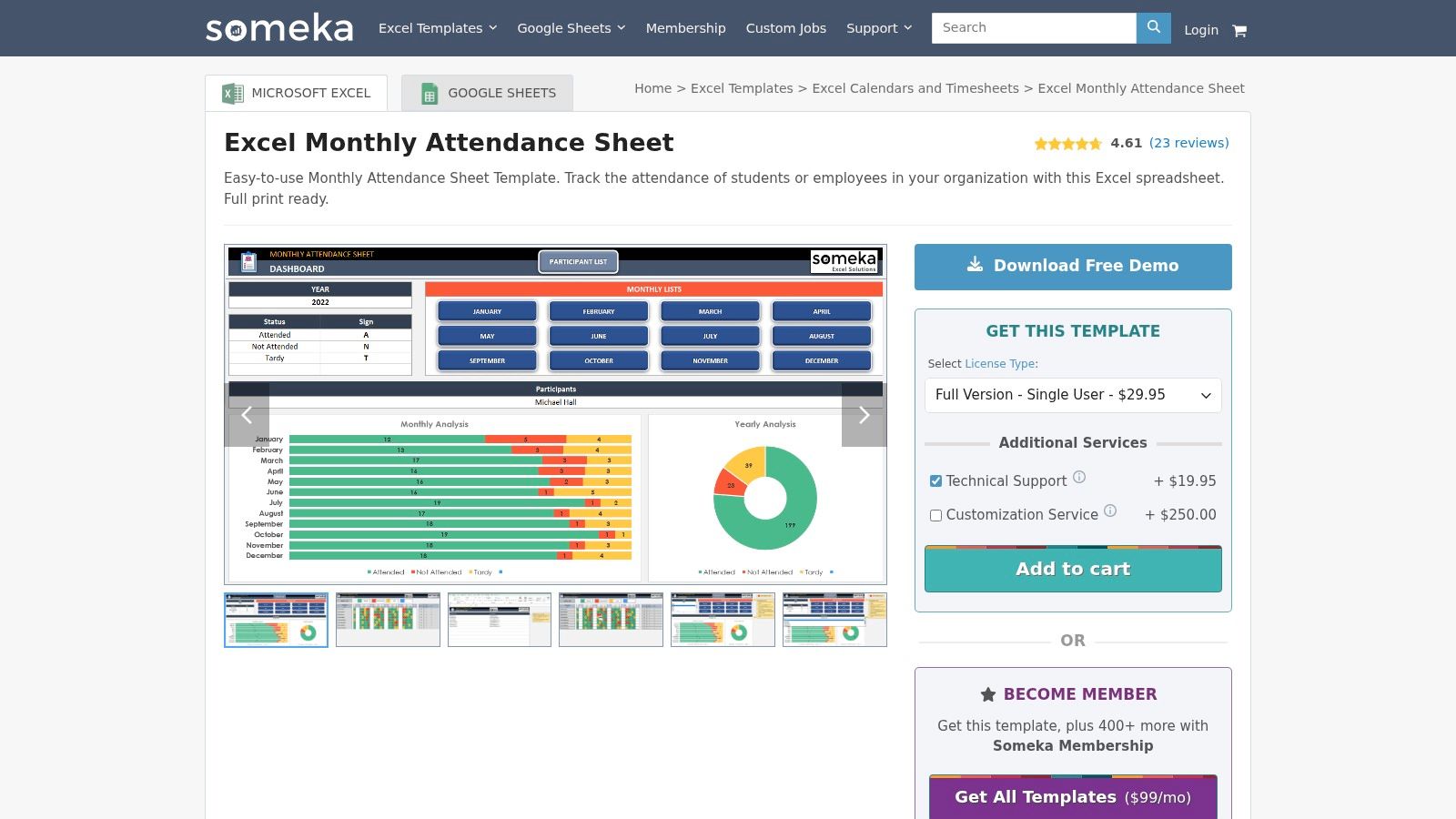
What sets Someka’s offering apart is its presentation-ready design. It’s not just a functional grid; it’s a document that looks good enough to include in formal reports or to be posted in an office. The structure is focused on a monthly view, which is ideal for periodic reviews and payroll processing. This makes it one of the better excel attendance sheets for managers who need a simple, recurring tracking tool without building one from scratch.
Key Considerations
This is a commercial product, so accessing the full template requires giving your email address to download the free version, with a paid Pro version available for more features. Its primary strength, the monthly view, is also a limitation. The template is less flexible for tracking attendance for ad-hoc events or projects that don’t align with a calendar month. Customization beyond the defined categories requires some Excel knowledge.
- Best Use Case: Departments needing a visually clean, printable monthly attendance record for official use.
- Pros: Professional design suitable for office environments; quick to deploy for monthly department tracking.
- Cons: The free download is gated behind an email signup; its focus on a monthly view makes it less adaptable for non-standard timeframes.
- Access: A free version is available for download, with paid options, from the Someka website.
Comparison of 12 Excel Attendance Templates
| Template | Core features | Quality (★) | Pricing / Value (💰) | Best fit & USP (👥 ✨/🏆) |
|---|---|---|---|---|
| Microsoft Office Templates – Employee Attendance Tracker (Excel) | Yearly grid, weekend/holiday logic, printable | ★★★★ | 💰 Free (M365 friendly) | 👥 Teams on Microsoft 365 — ✨Official compatibility, simple setup |
| Vertex42 – Attendance Sheet Template (Excel/Google Sheets) | Month selector, status symbols, totals by date/person | ★★★★★ | 💰 Free | 👥 Small teams & Excel users — ✨Well-documented, easy to modify |
| Vertex42 – Class Attendance (Full School Year) | Multi-month workbook, yearly summaries, mail-merge | ★★★★★ | 💰 Free | 👥 Educators & cohorts — 🏆 Purpose-built for academic cycles |
| Smartsheet – Free Excel Attendance Tracking Templates | Multiple formats (daily/monthly/yearly), color-coded fields | ★★★★ | 💰 Free downloads | 👥 Variety-seeking users — ✨Multiple use-case templates, quick picks |
| Spreadsheet123 – Printable Attendance Worksheets/Trackers | Weekly/monthly/yearly layouts, visitor logs, print-optimized | ★★★★ | 💰 Free | 👥 Teachers/managers needing printables — ✨Fast deployment, legacy Excel compatible |
| Indzara – Employee Leave (Vacation) Tracker | Team dashboard, custom weekends/holidays, partial days | ★★★★★ | 💰 Free (some advanced HR paid) | 👥 HR teams needing leave logic — 🏆 Deeper leave rules & automated reports |
| Clockify – Employee Attendance Tracker Excel Templates | Daily/weekly/monthly/yearly, predefined legends, Sheets+Excel | ★★★★ | 💰 Free | 👥 Teams transitioning to software — ✨Pairs well with Clockify exports |
| TeamSense – Free Employee Attendance Tracker (Excel) | Date/name/reason fields, monthly averages | ★★★ | 💰 Free (email gated) | 👥 Quick-start HR users — ✨Simple absence categorization |
| My Hours – Free Employee Attendance Sheet (Excel) | Daily/monthly formats, basic formulas, multiple file types | ★★★ | 💰 Free | 👥 Small teams wanting minimal logs — ✨Clean, printable designs |
| HiBob – Time & Attendance Excel Template | Biweekly/monthly tabs, PTO/LOA flags, salary estimate tab | ★★★★ | 💰 Free (lead form required) | 👥 SMB HR teams — ✨Comprehensive starter kit with payroll estimates |
| WPS Office – Attendance Sheet Templates | Large gallery of daily/weekly/monthly/event templates | ★★★ | 💰 Free | 👥 Users seeking variety — ✨Quick editable templates, may need reformatting |
| Someka – Monthly Attendance Sheet Excel Template | Professional monthly layout, print & roll‑out ready | ★★★★ | 💰 Freemium/commercial (email gated) | 👥 Offices wanting polished reports — ✨Professional design for department use |
Choosing the right sheet is about choosing the right workflow
We've walked through a dozen different excel attendance sheets, from simple, printable logs to more complex, formula-driven dashboards. You saw basic templates from Microsoft Office and specialized solutions from creators like Vertex42 and Indzara. Each one offers a different approach to the same problem: tracking who was where, and when. The main takeaway isn't that one template is definitively "the best," but that the right template for you is the one that fits your existing processes, not the one that forces you to create new ones.
For a small team or a single project, a straightforward tracker like the ones from Spreadsheet123 or TeamSense might be all you need. They are easy to understand and require almost no setup. Their limitation, however, becomes clear as you scale. Manually entering data for 50, 100, or 200 employees quickly becomes a full-time job and is full of potential errors. This is where timesheet fatigue comes from, creating a bottleneck that slows down reporting and frustrates everyone.
From Manual Entry to Automated Workflow
The real jump in efficiency comes when you stop thinking about the sheet itself and start thinking about the data flow into the sheet. The most powerful excel attendance sheets are those that can be automated. This is where a tool like TimeTackle changes the game. Instead of treating attendance tracking as a separate, manual task, you can connect it to a data source that’s already being populated every single day: your team’s calendars.
Think about it. Meetings, appointments, and scheduled project work are already blocked out in Google Calendar or Outlook. By exporting that data, you can automatically populate a template like the ones offered by Clockify or Someka. This transforms your attendance sheet from a record-keeping burden into a dynamic, near-real-time dashboard. The goal is to move from data entry to data analysis. You can then use the built-in formulas and conditional formatting in these advanced templates to spot patterns, calculate utilization rates, and manage paid time off without lifting a finger.
Making the Right Choice for Your Agency or Firm
So, how do you choose? Start by looking at your current pain points.
- Are you struggling with basic accountability? A simple, printable sheet might be enough to establish a baseline.
- Is timesheet fatigue killing your team's morale? Prioritize a template that can be automated. Find one with a structure that matches calendar data (event name, date, duration) and then use a connector to pipe that information in.
- Do you lack visibility into project utilization and billable hours? A more advanced template, like Indzara’s or Smartsheet’s, which includes reporting and dashboard elements, is your best bet. These are designed to turn raw attendance data into actionable business intelligence.
When considering the ideal workflow for attendance, it's helpful to explore various solutions, such as how to manage tracking attendance for multiple youth sports teams. The principles of simplifying data collection and centralizing information apply across different fields, which shows the universal need for a smart system.
Ultimately, your choice of an excel attendance sheet is a strategic decision about your operational workflow. It's not just about picking a spreadsheet; it's about designing a process that saves time, reduces errors, and gives leaders the visibility they need to make informed decisions. The perfect sheet is the one that works so well you forget it’s even there.
Tired of manual data entry and inaccurate timesheets? TimeTackle connects directly to your team’s calendars and exports event data into any Excel or Google Sheets template, automating your attendance tracking in minutes. See how it works and start your free trial at TimeTackle.