Most agencies do not have a workload problem. They have a visibility problem.
The calendar is full. Slack is noisy. Clients think everything is urgent. Team leads say they need two more people. Finance asks why margin is soft again this month. Everyone is busy, but nobody can answer a simple question with confidence: which work is profitable, which work is dragging, and who has room to take on more?
That gap sits at the center of float project management. Not the textbook version alone, but the daily reality of trying to plan work before it happens and understand it after it happens.
At a creative agency, this usually shows up in familiar ways. Strategy is booked at full capacity on the plan, but half the week disappears into internal reviews and client calls nobody budgeted cleanly. Production looks under control on Monday, then one delayed approval shoves three jobs into Thursday and Friday. Account leads promise dates based on good intentions, while operations tries to rebuild the week from fragments of timesheets, meeting notes, and memory.
Some tools start with the manager’s plan. Other tools start with the team’s actual activity. That difference sounds small until you try to run payroll, forecast margin, or explain to a client why a fixed-fee project took far more effort than expected.
Your agency is busy, but is it profitable?
One of the hardest seasons to manage is the one where the agency looks healthy from the outside.
Revenue is coming in. New work keeps landing. Nobody is sitting idle. Yet the numbers feel slippery. One client feels “good” but keeps eating senior time. Another looks noisy but turns out to be well-contained. A team that appears over capacity on paper still misses billable targets because so much of the week gets lost to context switching and admin.

I’ve seen this happen when the planning layer and the execution layer drift apart. The resource plan says a designer has a neat block for a campaign. A typical week includes client feedback calls, a sales handoff, two rushed revisions, and internal check-ins that never make it into the original allocation. The schedule is clean. The work is not.
Where the black box starts
Profitability gets murky when four things happen at once:
- Planned hours look tidy: Project managers assign time blocks that make sense at kickoff.
- Actual work spreads out: Meetings, revisions, and small asks break that clean plan into fragments.
- Timesheets arrive late or thin: People fill them out from memory, which means the least memorable work often disappears first.
- Reporting lags behind reality: By the time finance sees the overrun, the project is already deep into it.
The result is familiar. People feel overloaded, leadership feels underinformed, and clients still expect speed.
Why this matters to ops leaders
Resource management is not just staffing. It is the operating system behind delivery, margin, and morale.
If you cannot see future capacity, you oversell. If you cannot see actual effort, you underbill or misprice. If you cannot connect the two, you end up arguing over anecdotes instead of fixing the process.
Busy teams do not automatically create healthy agencies. Clear planning plus accurate actuals does.
This is why the tool choice matters so much. Some agencies need a better top-down planning tool. Others need cleaner bottom-up evidence of how time is really spent. A lot of teams need both, but they need to know which problem they are solving first.
What is Float and how does it work?
Float is best understood as a planning system built for managers who need to see the whole team at once.
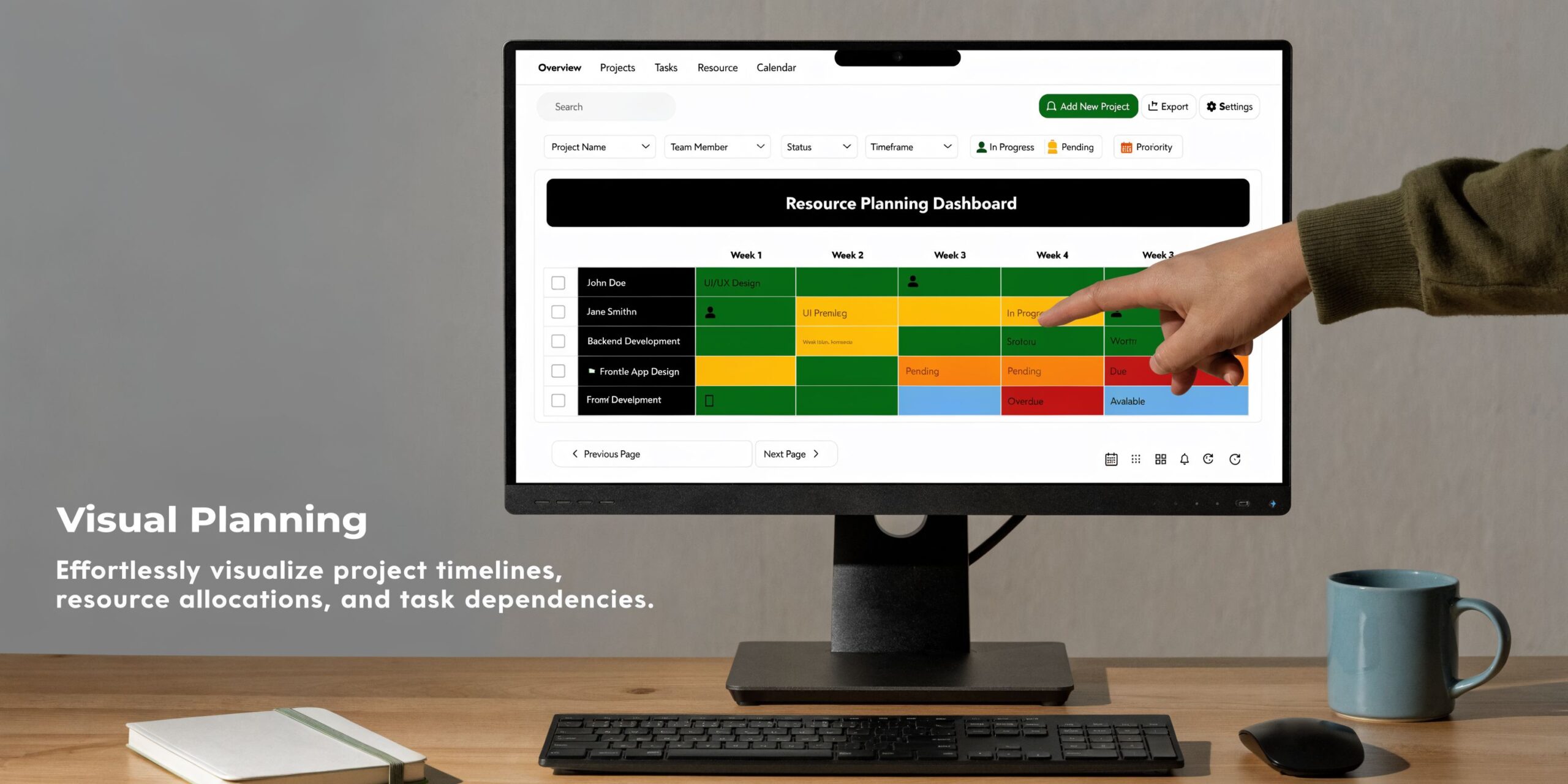
At the software level, Float is a visual resource planning tool. You open a schedule, see people across time, assign work to projects, and check who is available. It is direct, which is part of the appeal. For agency operations, that means one place to map upcoming work instead of stitching together spreadsheets, chat threads, and wishful thinking.
The idea behind the name
The name comes from a real project management concept. In scheduling, float is the amount of flexibility a task has before it affects the overall deadline. The concept comes from the Critical Path Method, developed in 1957, and total float is calculated as Latest Finish minus Earliest Finish or Latest Start minus Earliest Start. Free float is narrower. It measures how long a task can slip without affecting the next dependent task. Tasks on the critical path have zero float, so any delay pushes the project out. Early adopters of this approach saw 20 to 30% reductions in project durations, according to Wrike’s explanation of project management float.
That history matters because Float the product follows the same basic instinct. Put the schedule in front of the team leads. Make dependencies visible enough to plan around. Give managers room to shift work before things break.
How an agency usually uses it
In practice, an ops lead or project manager starts with a few basic moves:
- Build the team in the system.
- Create projects or retainers.
- Assign people by day, week, or hour.
- Review capacity before committing to timelines.
That sounds simple because it is. Float does not try to be every operational system at once. It focuses on future work allocation.
Here is the usual workflow inside an agency:
| Planning need | How Float handles it |
|---|---|
| New work arrives | The PM drafts allocations against available people |
| A client deadline moves | The manager shifts assignments visually on the schedule |
| One team looks overloaded | Capacity views show where work exceeds available time |
| Leadership wants a forecast | The schedule shows who is booked and who still has room |
Why managers like it
Float works well when the main question is, “Can we fit this work in?”
That is a different question from “How long did this take?” Float is strongest before the work happens. It gives agency leaders a command view of supply and demand, which is often the first thing missing in fast-moving teams.
A few strengths stand out:
- Visual scheduling is fast: You can spot bottlenecks without reading a dense report.
- Capacity planning is built into the habit: Managers naturally look at availability before making promises.
- The model fits agency life: Most agencies already think in people, projects, and weekly allocations.
If your agency keeps committing before checking who is free, a planning tool can fix that habit faster than another spreadsheet ever will.
Float project management is a top-down discipline. Management sets the plan, the schedule reflects intent, and the team works from that structure. When that matches how your agency runs, the tool feels clean and useful. When reality changes faster than the plan, the gap starts to show.
Core Float features for agency resource planning
The value of Float is not in having “features.” It is in solving a few recurring agency problems well enough that the week stops collapsing under its own weight.
Visual scheduling that answers the next-week question
Most agencies do not need a complex model to ask, “Who can start this on Tuesday?” They need a schedule that shows it quickly.
Float’s timeline view helps because it puts names, projects, and booked time in one frame. That matters when sales wants a fast answer and the delivery team does not have time to decode a spreadsheet with hidden tabs and stale formulas.
A strong visual planner changes the conversation from opinion to trade-off. You can say, “Yes, we can start this next week, but only if we move internal work off that designer,” which is much better than saying yes and hoping the details sort themselves out later.
Capacity management that catches overload before burnout
Here, float project management becomes operational instead of theoretical.
A task may look like it has room in the schedule, but that room disappears if the right person is not available. A PMI-backed explanation cited by Toggl notes that a task with 5 days of theoretical float can become impossible if the required person is unavailable, and that using software to level team loads by shifting tasks within their float windows can cut costs by 10 to 20% in multi-project environments by keeping utilization from exceeding capacity. Toggl explains that dynamic well in its guide to project management float and resource leveling.
For agency teams, that shows up all the time. The copywriter is “free” on paper, but only for shallow work. The art director has open hours, but they are broken into scraps between reviews. The developer has nominal bandwidth, but not the right domain context for this client. Practical capacity is not just hours. It is hours plus suitability.
If you want a broader view of that challenge, this guide to resource planning in project management is useful because it focuses on planning capacity in a way that matches service teams, not factory schedules.
Project budgets and planned effort
Float also helps managers map planned effort against project expectations. That is useful even if your financial reporting lives somewhere else.
For agencies, planned hours have two jobs:
- They shape staffing before work begins.
- They create a baseline for later review.
When the baseline is missing, every overrun becomes an argument. When the baseline exists, the team can at least ask the right question. Did the estimate fail, did the scope shift, or did the work pattern change?
Availability forecasting for sales and ops
Forecasting is where Float often wins internal support. Sales teams want a fast view of whether the agency can take on a campaign, implementation, or retainer expansion. Finance wants to know whether future staffing pressure is temporary or structural. Department leads want to know if they need freelancers, new hires, or a better sequence.
A planner that shows future availability gives all three groups something useful. It does not solve delivery by itself, but it stops the constant guessing.
What works well in real agency use
These are the features I’ve seen matter most in practice:
- Team-wide visibility: Department leads can see conflicts across accounts instead of managing in silos.
- Fast reshuffling: When a deadline slips, the manager can move blocks without rebuilding the schedule from scratch.
- Cleaner intake decisions: New work gets evaluated against visible capacity, not just optimism.
- Shared language: Account, project, and ops teams can discuss bookings in the same frame.
The best planning tools do not make agencies more complicated. They make trade-offs visible early enough to act on them.
That is why Float can be so effective for agency resource planning. It gives leadership a clear forward-looking map. The catch is that a map is still a map. It is not the terrain.
Where Float shines and where it falls short
Float is at its best when the agency already has a strong planning culture.
If project managers update allocations consistently, department leads trust the schedule, and the team works from that schedule, Float can create a much calmer operating rhythm. It is especially good for seeing future capacity, testing “can we take this on?” questions, and reshuffling non-critical work before overload turns into missed dates.
Where it shines
The strongest use case is straightforward. You have a service business with multiple projects, shared specialists, and frequent scheduling trade-offs. You need a planning view first.
In that setting, Float helps with:
- Forward capacity checks: You can see whether the team has room before agreeing to more work.
- Staffing by skill and timing: Managers can assign people based on who is available and who fits the project.
- Schedule protection: Teams that assign resources using skills and available float have achieved 15 to 25% higher on-time delivery, according to the benchmark cited in Salute Enterprises’ discussion of total float and float ownership.
That last point matters. Good planning is not just about load balancing. It is about defending delivery dates by making room visible before it disappears.
Where it starts to break
The weakness is not that Float is “bad” at tracking actual work. It is that the tool’s center of gravity is the plan, not the evidence.
Agencies run into trouble when they assume the planned schedule is close enough to reality. It often isn’t.
Small delays stack up. Meeting-heavy weeks eat production time. Client approvals bunch together. Internal reviews multiply. Without clear ownership, schedule buffer gets consumed. That same Salute article notes that float ownership matters because otherwise “float erosion” kicks in and small, unmonitored delays start cascading.
Here is where the gap gets expensive:
| What the plan says | What happens |
|---|---|
| A strategist has half a day for discovery | Discovery triggers internal prep, follow-ups, and sales support |
| Design work is booked in clean blocks | Feedback arrives late and splits work across several days |
| PM time looks modest | Coordination grows as more stakeholders enter the thread |
| Utilization appears healthy | Non-billable support work expands without clear capture |
The hard truth about manual discipline
Float works better when people maintain it well. That is obvious, but it matters.
A planning-first system depends on regular updates, accurate allocations, and clear accountability. If managers do not keep the schedule current, confidence drops fast. Then teams stop trusting the plan, which means they stop using it to make decisions. At that point the schedule becomes theater.
A beautiful schedule that nobody updates is worse than a rough one people trust.
So where does Float fall short? In agencies where reality changes faster than managers can manually refresh the plan. In those environments, top-down scheduling still has value, but it does not give a complete enough picture on its own.
Float vs. calendar-based time intelligence like TimeTackle
This is a significant fork in the road for operations leaders.
You are not only choosing software. You are choosing where truth starts.
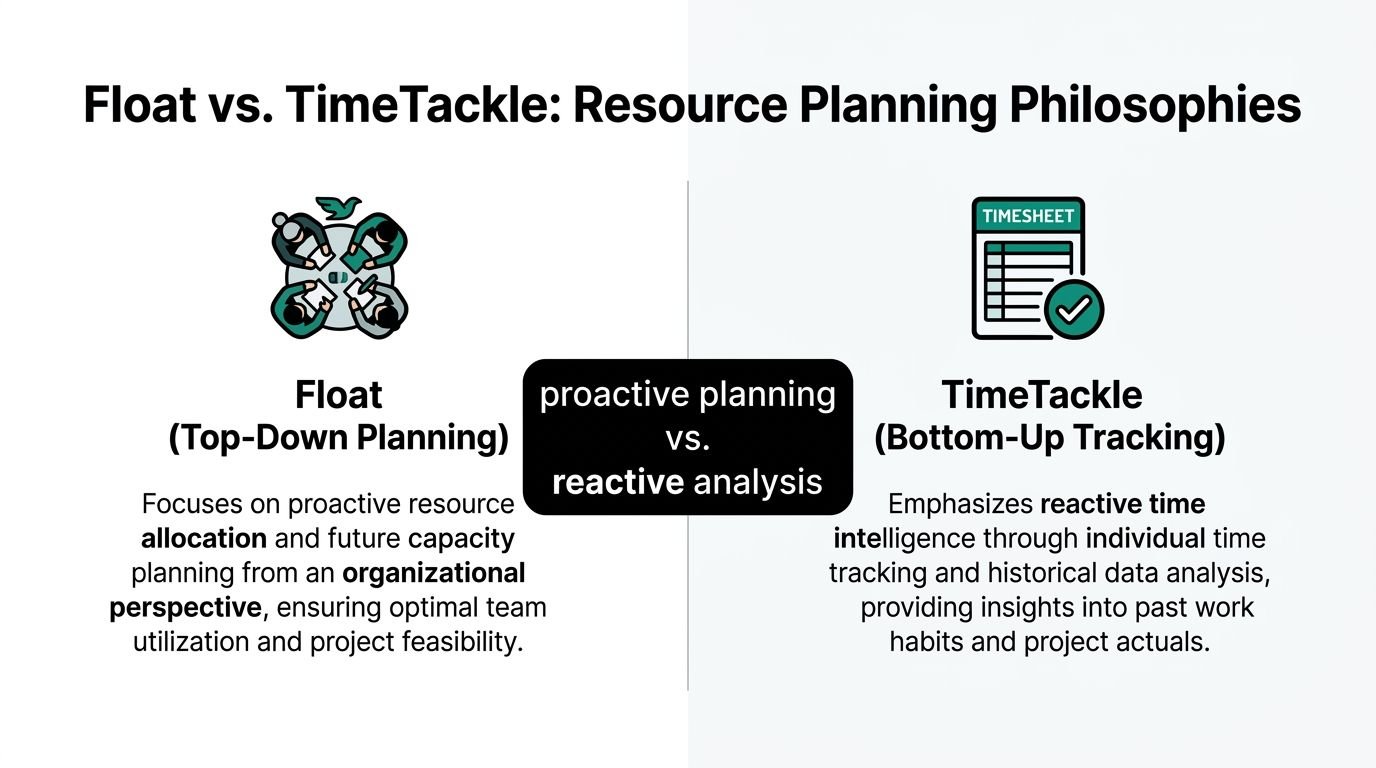
Float starts with the manager’s intended allocation. A calendar-based system starts with the work that took place. Both can be useful, but they answer different questions, and agencies get in trouble when they expect one philosophy to do the other job.
Top-down planning versus bottom-up evidence
Float is top-down. Management decides how time should be spent, then uses the schedule to guide staffing, availability, and delivery.
Calendar-based time intelligence is bottom-up. The system captures meetings, work blocks, and activity patterns from the calendar, then turns that record into actuals, reporting, and insight.
That split matters because each approach solves a different operational pain.
| Question | Float style answer | Calendar-based answer |
|---|---|---|
| Can we fit this work in next week? | Yes, by checking planned capacity | Not directly. It is stronger on historical patterns |
| Who is overloaded right now on the schedule? | The planner shows assigned workload | The data shows what people spent time on |
| Why did this project overrun? | The plan may suggest scope drift or resourcing issues | The activity record can show where time went |
| How much effort are we losing to admin and meetings? | Hard to see unless manually tracked | Easier to see if calendar data is captured and tagged |
Where float analysis still earns its place
Top-down planning is not optional in many agencies. You still need to allocate people before work begins.
That is why PMI’s guidance on float analysis remains so useful. Projects using float analysis for resource leveling reduce schedule impacts by 25% and costs by 15% by shifting non-critical tasks to smooth workloads, and in a multi-project agency scenario this kind of prioritization can reduce timesheet errors by up to 40%, according to PMI’s library article on saving time and money with float analysis.
Those gains come from better sequencing and less overload. If your core problem is overbooking the same people across too many jobs, Float’s philosophy fits the problem.
Where bottom-up time intelligence changes the conversation
The issue is that planned hours are still estimates until the week is over.
Calendar-based systems move the source of truth closer to observed work. That matters in agencies with heavy meeting loads, fragmented days, or poor timesheet compliance. Instead of asking people to reconstruct their time from memory, these systems start with the activity stream and classify it.
A tool like Tackle time tracker fits that bottom-up model. Its appeal is not “track more.” It is “capture what happened with less friction.”
That difference changes team behavior:
- Less memory work: People do not need to recall every block of time at the end of the week.
- Better actuals: Leadership can review profitability based on activity patterns, not only planned allocations.
- Fewer false clean stories: The report can show when the week got broken apart by coordination, support, or client churn.
Which philosophy fits which operating model
This is the simplest way I think about it.
Choose top-down planning first if your biggest pain is commitment control. You need to know whether the agency can accept more work, whether deadlines are realistic, and whether specialists are overbooked before the project starts.
Choose bottom-up time intelligence first if your biggest pain is reporting truth. You need to know where time really went, why timesheets are weak, and which accounts eat effort that never gets priced or billed correctly.
Planning answers “What should happen?” Time intelligence answers “What did happen?” Mature agencies stop treating those as the same question.
The strongest operations teams eventually connect both. They plan with intention, then test those plans against actual behavior. That loop is what turns scheduling from a hopeful exercise into a management system.
How to choose the right system for your agency
The right choice depends less on features and more on the habits your agency already has.
A lot of software decisions go wrong because leadership buys for the agency they want, not the one they run now. If your managers do not maintain plans consistently, a planning-first system may look great in the demo and fall apart in practice. If your team hates timesheets and avoids them, asking for more manual capture will not fix the data problem.
Choose a planning-first system when
A tool like Float makes sense if your agency has a real scheduling discipline and the central pain is future allocation.
That usually looks like this:
- You frequently overpromise capacity: Sales and account teams need a better gate before work is sold.
- Your projects share specialists: Designers, strategists, developers, or consultants move across multiple accounts.
- Your managers will keep the plan current: Without that, the schedule ages fast and loses authority.
- You need cleaner staffing decisions: Hiring, freelancer use, and sequencing depend on a forward view.
Choose a calendar-first system when
A bottom-up model makes more sense when your agency already knows roughly what it plans, but has poor visibility into what happened.
That often looks different:
- Timesheet fatigue is real: People backfill time from memory or avoid it until Friday evening.
- Profitability reviews feel like guesswork: Actual effort is too fuzzy to trust at client, team, or project level.
- Work happens in fragments: Meetings, follow-ups, internal reviews, and client requests scatter the week.
- Leaders need reporting with less admin: The cost of collecting the data is becoming its own problem.
Use both when planning and truth both matter
For many mid-sized agencies, the strongest setup is not either-or.
Use a planning tool to set expected allocations by role, project, and timeframe. Then use a calendar-based layer to compare those expectations with actual activity. That gives operations a closed loop. You can spot where PM time keeps expanding, where client communication is eating margin, or where internal coordination keeps blowing up neat weekly plans.
This combined approach gets more relevant as teams spread across offices and remote setups. A 2025 Gartner report noted that 74% of mid-sized agencies using AI for resource management saw 30% faster recovery from delays, while a 2026 Forrester study found manual float tracking depletes buffers 40% faster in remote teams. The same source says AI automations that predict float from live calendar data can boost utilization by 25% without adding timesheet fatigue, according to Rocketlane’s article on float in project management.
That matters if you also depend on distributed staffing. Agencies building mixed teams across local and nearshore talent often need stronger visibility because coordination cost rises with handoffs. If that is your model, Hire LatAm Virtual Assistants is a useful operational resource for thinking through staffing options that expand capacity without defaulting straight to full-time local hires.
For teams comparing software categories, this roundup of resource capacity planning tools is also worth reviewing because it helps frame whether your bottleneck is forecasting, reporting, or both.
Buy for your current behavior. Then improve the behavior with the system, instead of expecting the system to create discipline from nothing.
Integrating your workflow for a complete picture
The cleanest operating model is simple.
Use Float for monthly or quarterly planning. Set project allocations, check future capacity, and make staffing calls before work starts. Keep it focused on intent. Who should work on what, when, and for how much planned effort?
Then use a calendar-based data layer weekly. Review actual utilization, meeting load, project effort, client support drag, and non-billable spread. Compare those actuals against the original allocation and look for repeat gaps.
A practical cadence looks like this:
- At the planning stage: Assign work and set expected hours by person and project.
- During the week: Let the activity layer capture what people spent time on.
- At week close: Review variance between planned allocation and actual effort.
- Before the next cycle: Adjust future plans based on what the actual work pattern keeps telling you.
This feedback loop gets even more useful when finance is included. Once actual effort data is cleaner, invoicing and revenue conversations get easier too. If your team is revisiting how billing systems fit into that process, this guide to invoicing software is a practical reference point for linking delivery data to billing operations.
Most agencies do not need more dashboards. They need one planning view, one reliable actuals view, and a habit of comparing the two.
If your team wants that second layer without more timesheet admin, TimeTackle is worth a look. It helps agencies capture time from calendars, turn that activity into cleaner reporting, and connect daily work with utilization, project effort, and operational decisions.