
Having a slick invoice template for hours worked is a great starting point, but let's be real—it only solves half the problem. The real challenge, the one that quietly eats away at your profits, is capturing every single billable minute before it ever makes it to the invoice.
Manual tracking feels like a chore we just have to do, but it’s often where a ton of revenue simply disappears.
Why Manual Invoicing Is a Silent Profit Killer
We’ve all been there. Juggling tasks, wrapping up a project, and then trying to piece together a timesheet from memory. It’s a process practically designed for errors. A forgotten phone call here, an underestimated task there—it might not seem like much, but these little oversights are a huge source of revenue leakage that directly hits your bottom line.

For anyone in operations or finance, this is a familiar headache. The administrative drag of chasing down timesheets and trying to make sense of activity logs isn't just inefficient; it's expensive. Every hour a team member spends on admin is an hour they can't bill to a client.
The Staggering Cost of Unbilled Time
The sheer scale of this lost revenue is mind-boggling. In the US alone, an unbelievable 59 million hours of professional time goes unrecorded every single workday. Think about all those quick emails, unscheduled meetings, and brief calls that never make it onto a timesheet.
At a conservative billing rate of $150 per hour, that adds up to a staggering $8.8 billion in lost revenue. Daily. For a mid-sized agency, this kind of financial bleed is a direct threat to growth and stability.
This isn't just about missing a single 15-minute call. It's about the snowball effect of hundreds of these small, unbilled moments that erode your profitability quarter after quarter.
This constant under-billing isn't just a financial problem, either. It can strain client relationships. When invoices seem inaccurate or inconsistent, it often leads to disputes, payment delays, and a slow erosion of trust. The last thing you want is a client questioning your hours—it undermines your credibility and creates friction where you need a strong partnership.
Reclaiming Lost Revenue with Automation
The fix isn't just a better template; it’s a fundamentally smarter process. Automating your time capture is the only real way to stop the leaks and reclaim that lost revenue. When you automatically log activities from your team's calendars and other tools, you create an accurate, effortless system of record.
This shift does more than just plug financial holes. It gives your team a serious boost by:
- Slashing the administrative burden: Free your people to focus on high-value, billable work instead of wrestling with tedious timesheets.
- Boosting accuracy: Eliminate the guesswork and ensure every minute of hard work is actually accounted for.
- Getting you paid faster: As you move away from messy manual invoicing, you can also adopt modern solutions like payment by link for secure and simple transactions to seriously speed up your collections process.
Crafting Your Core Invoice Template for Hourly Work
A solid invoice template for hours worked is much more than a simple bill—it’s a professional handshake. It builds trust with your client, heads off potential disputes before they start, and polishes your brand every time you send one. When you build a clear, comprehensive template from the get-go, every invoice becomes accurate and easy for your client to understand.
Think of it as laying the foundation for a smooth, no-hiccups billing process.
 * 24
That's it. This one little calculation converts the time difference into a straightforward billable number, like 2.5 hours, instead of a confusing time value.
Rounding Time to Your Billing Increments
Most freelancers and agencies don't bill by the exact minute. It's common practice to round up to the nearest increment, like 15 minutes. This keeps billing simple and ensures you're fairly paid for those quick emails and short phone calls. But rounding every single entry by hand? That's just asking for trouble.
This is where the MROUND function becomes your best friend. It rounds a number to the nearest multiple you give it. Since 15 minutes is a quarter (0.25) of an hour, the formula looks like this:
=MROUND((B2-A2)*24, 0.25)
This formula is a game-changer for consistency. It automatically takes a 7-minute task and rounds it up to 15 minutes (0.25 hours) and bumps a 38-minute call up to 45 minutes (0.75 hours). Your billing policy is enforced perfectly on every line item, with zero manual effort.
Calculating Totals and Adding Taxes
Once your hours are in the right format, the rest is a breeze. Your line item totals are just a simple multiplication of the hours you worked by your rate.
-
Line Total Formula: If your billable hours are in column C and your rate is in column D, pop this formula into column E:
=C2*D2. Drag it down for every line item. -
Subtotal Formula: Underneath your list of services, use the classic
SUMfunction to get your pre-tax total:=SUM(E2:E10).
The final touch is applying taxes. If your local tax rate is 7.5%, and your subtotal is in cell E11, your tax calculation would be:
=E11 * 0.075
Your grand total is just the subtotal plus the tax. By embedding these formulas right into your template, you’ve built a system that updates everything on the fly. Add a new task, change an hourly rate—the numbers all recalculate instantly.
If you want to dive deeper into more complex formulas, exploring guides on timesheet Excel formulas is a great next step. This is how you make sure your invoice template for hours worked isn't just a document, but a reliable, error-proof tool for your business.
Connecting Your Calendar to Your Invoice Workflow
A slick invoice template is a great start, but it’s only as good as the data you feed it. The real magic happens when you close the gap between your team's daily work and the final bill. This is where you ditch manual data entry for good and create a smooth-running system that pulls every billable minute straight from the source of truth everyone already uses: their calendar.
When you connect Google Calendar or Outlook to your invoicing process, you can capture everything from scheduled meetings to those quick, spontaneous client calls. It creates a rock-solid, automated log of all billable work, ready to be exported and categorized. This is how you finally kill the timesheet headache and make sure no revenue slips through the cracks.
From Calendar Event to Billable Hour
Automating this flow is surprisingly easy. Tools like TimeTackle plug directly into your calendar, treating each event as a potential time entry. Instead of relying on someone's memory at the end of the week, your team's activities get logged as they happen.
- Automatic Data Capture: Every meeting, call, and work block gets recorded without anyone lifting a finger.
- Reduced Admin Work: Your team spends less time fussing with timesheets and more time on high-value client work.
- Pinpoint Accuracy: This puts an end to the guesswork that always leads to under-billing and lost money.
The amount of "leaked" time is shocking. US companies lose a staggering 50 million hours of productivity every day from unrecorded work. For many professionals, just the time spent on unbilled emails can add up to $50,000 annually. Think about that—it’s potential revenue just vanishing into thin air. You can learn more about the impact of these time tracking statistics from Factorial and see what it might be costing your agency.
For an operations manager, this isn't just a small-time convenience. It's a huge win for profitability and team morale. An automated workflow means invoices are more accurate and get out the door faster, which leads to quicker payments and healthier cash flow.
This simple but powerful billing process is what it's all about.
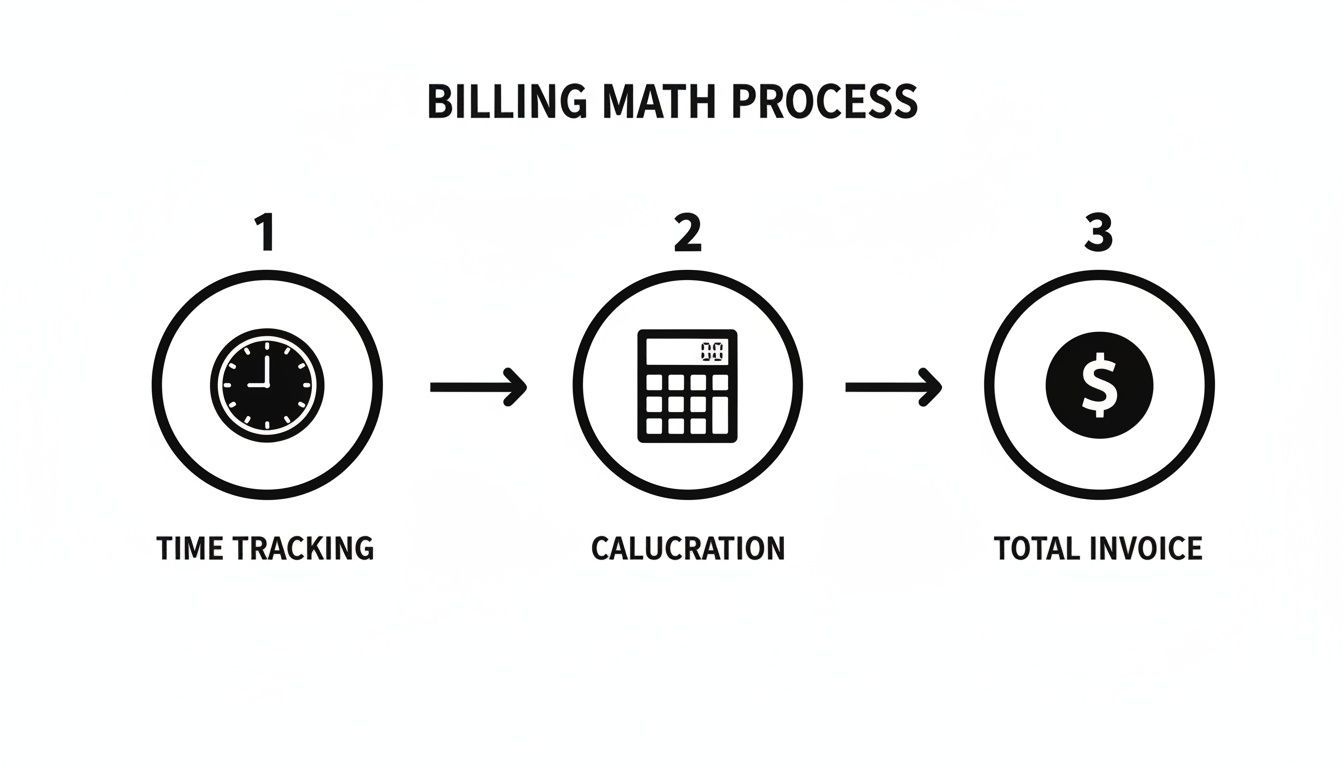
This flow shows how getting the initial time capture right—and automating it—directly fuels accurate calculations and a perfect final invoice.
Creating a Seamless Data Export
Once your time is captured, the next step is getting it into your invoice template for hours worked. The best tools offer flexible export options that make this part a breeze. You can generate detailed reports that are practically begging to be copied into your Google Sheets or Excel template.
Many platforms also let you use custom tags and categories. For example, you can tag calendar events by client, project, or even the type of task. When it's time to send an invoice, you just filter for a specific client's activities and export only the data you need. We dig into this approach in our guide on turning your calendar into a timesheet with a Google Calendar hours calculator.
Getting this kind of clarity on where time is going makes the jump to invoicing fast, easy, and completely error-free.
Advanced Invoicing Tips That Build Client Trust
A perfectly calculated invoice template for hours worked gets you paid on time, but a thoughtfully crafted one does so much more. It can turn a routine bill into a chance to communicate your value, reinforcing why clients chose you in the first place. Think of it as showcasing the why behind the hours.
This really matters, especially with remote and hybrid work models becoming the norm. With 85% of leaders admitting they have visibility gaps in distributed teams, clients are more focused than ever on the value they get for their money. A great invoice provides that clarity. You can dig into more insights on the changing work landscape from these time tracking statistics on Hubstaff.com.
Go Beyond the Numbers With a Project Summary
Before you even get to the itemized list of hours, try adding a short, high-level project summary at the top of your invoice. I'm not talking about a detailed report, just a quick paragraph that highlights what you accomplished during that billing period.
For example, instead of just sending a list of tasks, you could frame the work like this:
"This month, we completed the full redesign of the user onboarding flow, which led to a 15% reduction in early-stage drop-offs during initial user testing. The hours below cover the final wireframing, UI implementation, and two rounds of stakeholder feedback that got us to this successful outcome."
Adding this context immediately connects the hours you worked to tangible results. It reminds the client of the progress you've made together and shifts their focus from cost to achievement.
Your invoice shouldn't just be a demand for payment. It should be a progress report that makes the client feel great about their investment. Highlighting wins, no matter how small, reinforces that their money is being put to excellent use.
Personalize and Polish for a Lasting Impression
It's the small, personal touches that often make the biggest difference in how your invoice is received. A generic, automated message feels cold and transactional. A quick personalized note, on the other hand, can really strengthen the client relationship.
Something as simple as, "Sarah, it was great collaborating with your team on the new ad concepts this month. We’re excited to see them go live!" adds a welcome human element.
Finally, always send your invoice as a polished, uneditable PDF. Firing over an editable spreadsheet looks unprofessional and, frankly, a bit insecure. A PDF maintains your branding, prevents any accidental changes, and presents a final, official document. It’s a small step that signals professionalism and care, closing the loop on a positive client experience and encouraging prompt payment without any friction.
Got Questions About Invoicing for Hours Worked?
Even with a perfect invoice template for hours worked, the real world has a funny way of throwing curveballs. You'll inevitably run into client disputes, juggle different pay rates, or wonder if you can bill for that "quick call." It happens to everyone.
Let's walk through some of the most common challenges you'll likely face and how to handle them without breaking a sweat.
What if a Client Disputes the Hours on My Invoice?
This is a classic fear for freelancers and agencies, but it’s almost always preventable with good communication and even better records. If a client ever questions the hours you've billed, the very first thing you should do is point them back to your itemized invoice. This is where having detailed task descriptions pays off—it’s your first line of defense, showing exactly what you did and when.
Still getting pushback? Offer to walk them through your time logs or calendar data. This is where an automated record from a tool like TimeTackle becomes invaluable. It provides an objective, uneditable source of truth that can shut down a disagreement quickly and professionally. The goal isn't to "win," but to provide transparency that rebuilds their confidence in your work.
My Pro Tip: Don't let the invoice be the first time your client sees the hours. I send brief weekly progress updates so they see the work as it's happening. By the time my invoice lands in their inbox, the hours listed feel familiar and totally justified, not like a surprise party they didn't want.
How Should I Handle Different Rates for Different Tasks?
Charging different rates for different types of work is just smart business. You shouldn't charge the same for high-level strategic consulting as you do for routine administrative tasks. The easiest way to manage this is to add a dedicated "Rate" column to your invoice template.
When you list out your line items, just plug in the correct rate for each task. It gives your clients total transparency and shows them exactly why the final bill is what it is.
For example, your invoice might look something like this:
- Project Strategy Session: 2 hours @ $150/hr = $300
- Data Entry & Cleanup: 3 hours @ $75/hr = $225
This approach makes it clear that you're being compensated fairly for your expertise while keeping costs down on the more straightforward stuff.
Can I Bill for Non-Project Work Like Client Calls or Emails?
Absolutely—and you should. Your time is valuable, whether you're in a formal meeting or firing off a quick, problem-solving email.
The trick is to set this expectation right from the start in your contract or statement of work. Make it crystal clear that communications related to the project are billable.
Use your automated time tracking to catch these shorter interactions without even thinking about it. Rounding your time to the nearest 15-minute increment, like we talked about earlier, is a fantastic way to make sure these small but critical tasks get accounted for without getting bogged down in tiny details. This ensures your invoice template for hours worked truly reflects all the effort you're putting in.
Ready to stop chasing down timesheets and start capturing every single billable minute automatically? TimeTackle syncs with your calendar to create a perfect, indisputable record of your work, making your invoicing faster and far more accurate. Explore how TimeTackle can transform your billing workflow today.