Think of your tech stack like an orchestra. When every musician has their own sheet music, the result is chaos. But when they play in harmony from a single score, you get something beautiful. That's what project management integration does for your business.
It connects your separate software tools, allowing them to share data and automate workflows. This transforms a collection of siloed apps into a single, cohesive system, getting rid of manual data entry and giving you one clear view of your operations.
Why Project Management Integration Is Essential
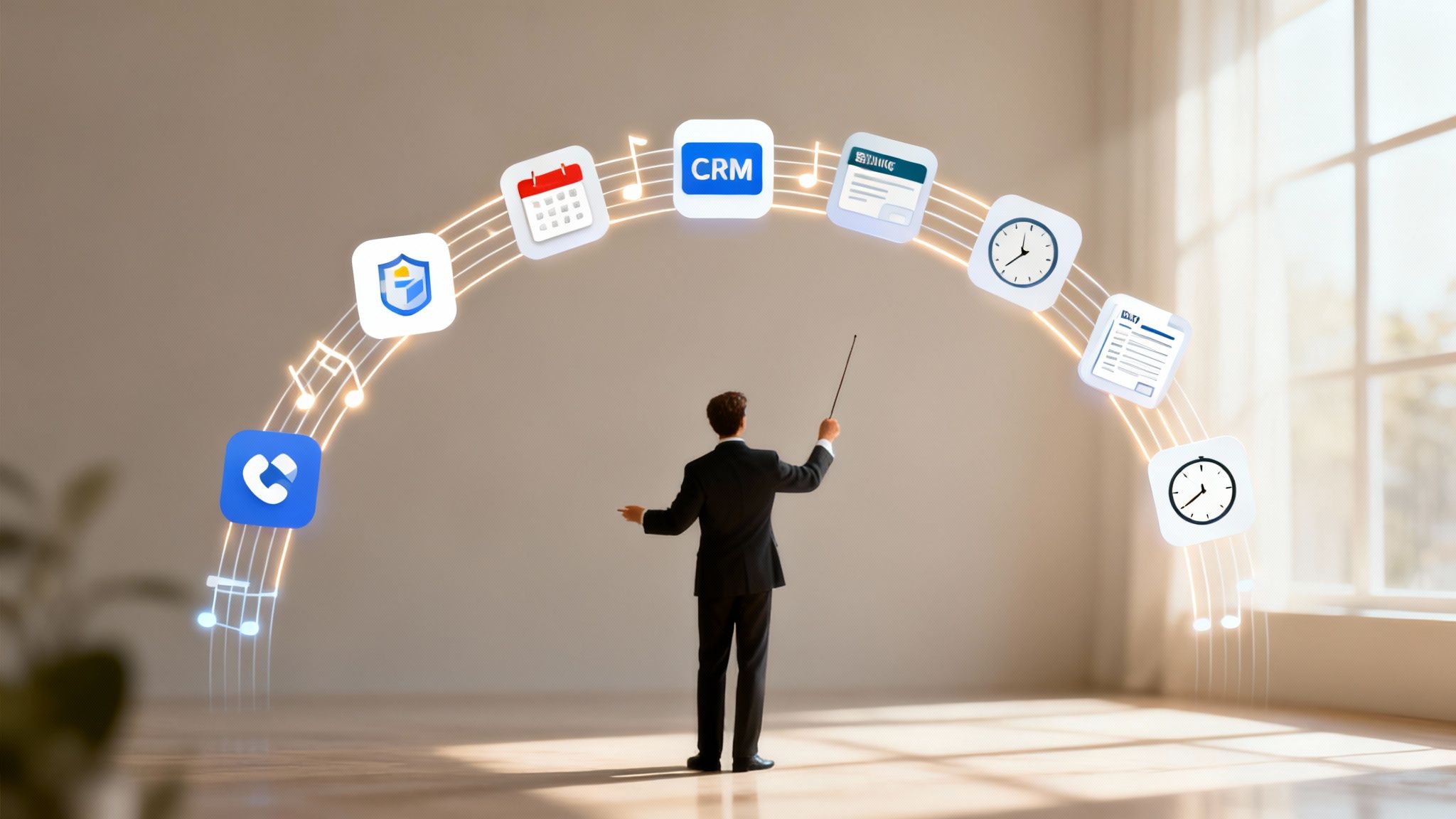
Without integration, your agency runs on fragmented information. Your CRM has the client data, your calendar holds meeting details, your accounting software is tracking invoices, and your project tool is managing tasks. Each system is its own little island.
This forces your team to act as the human bridge between them, wasting precious time copying and pasting data from one platform to another. It's a setup that quietly eats away at your profitability and efficiency.
This manual work isn't just a drag; it's a magnet for costly errors. One wrong number typed into a timesheet can throw off an invoice, blow up a project budget, and damage the trust you've built with a client. When data is stuck in silos, leaders can't get a clear, real-time picture of project health, making it nearly impossible to make smart calls on where to put resources.
The High Cost of Disconnected Systems
The hidden price tag on disconnected tools is steep, hitting both your bottom line and your team's morale. A solid integration strategy is the fix for these all-too-common headaches:
- Revenue Leakage: Manually logged hours are a recipe for inaccuracy. People forget to log time for a quick call or a five-minute task, and those minutes add up to serious under-billing. Integration automates this, making sure every billable moment is captured.
- Wasted Administrative Hours: Instead of focusing on high-value client work, your most talented people get bogged down generating reports by hand, updating five different systems, and chasing down timesheets.
- Poor Data Visibility: You can't fix problems you can't see. Leaders are left guessing which projects are actually profitable and which team members are on the fast track to burnout.
- Reduced Scalability: As your agency grows, manual processes don't just bend—they break. You can't scale your operations if your core systems can't talk to each other.
Creating a Single Source of Truth
At its best, project management integration is the central nervous system for your business. It establishes a single source of truth where all your critical data flows seamlessly between your tools. This unified approach gives you a clear, accurate, and up-to-the-minute view of everything that's happening.
By connecting the people side and the technical side of a project, integration ensures your organization realizes the full benefits of its efforts. Research shows that projects with integrated management are 17% more likely to meet or exceed their objectives.
This is exactly where tools built for automation, like TimeTackle, become so crucial. TimeTackle plugs directly into your team’s calendars, automatically capturing every meeting and event as a time entry waiting to be logged.
It closes the gap between where work happens (the calendar) and where it gets tracked. This creates the clean, reliable data you need for successful integration with your CRM, billing, and reporting software. For a deeper look, you can explore the principles behind an integrated management of projects to see how all these pieces fit together. It’s the foundation for accurate reporting, smarter decisions, and truly scalable growth.
Exploring Key Types of Project Management Integrations

Real project management integration is about so much more than just connecting two apps. It’s about building intelligent workflows where data from one system automatically triggers a valuable action in another. Done right, it turns your isolated tools into a powerful, unified machine for getting work done.
Think of it like a well-coached relay race. Your CRM passes the baton (new client data) to your project platform, which then hands it off to your calendar and time tracking tool, and finally to your accounting software. Every handoff is seamless and automated, helping you finish the race faster and without fumbling.
This connected approach is critical today. With hybrid models that mix Agile and traditional methods growing from 20% to 31.5% adoption, teams need flexible, integrated systems. The data doesn't lie: Agile projects boast a 64% success rate, far outpacing Waterfall's 49%. Without solid integration, a staggering 44% of projects fail simply because of a disconnect between business goals and project execution.
Calendar and Time Tracking Integration
For any agency or professional services team, the calendar is the single source of truth for work. It's where client calls, strategy sessions, and internal reviews actually happen. Integrating it with your time tracking tool is the quickest way to stop revenue from slipping through the cracks.
When these systems talk to each other, every billable event on a calendar can instantly become a time entry. This breaks the reliance on faulty human memory and puts an end to the soul-crushing task of manual timesheet entry.
- Example Workflow: A "Client Kickoff" meeting is scheduled on a project manager's Google Calendar.
- Automated Action: An AI-powered tool like TimeTackle automatically spots the event, suggests the correct client and project tag, and drafts a pre-populated time entry.
- Business Impact: This simple automation ensures 100% of billable meeting time is captured accurately. No more lost revenue from forgotten entries.
A powerful project management integration turns your calendar from a simple scheduling tool into the primary source for automated, accurate time tracking. It transforms passive data into active, billable hours without any extra effort from your team.
CRM and Project Management Integration
Your Customer Relationship Management (CRM) platform, like Salesforce or HubSpot, is the heart of your client data. Your project management tool holds all the operational details. Linking them connects your team's day-to-day work directly to client value and revenue.
This connection gives you a complete 360-degree view of every client relationship. You see the sales pipeline, of course, but you also get a real-time pulse on active projects, budget burn, and team workload for each account, all in one place.
The Power Trio: Project, Accounting, and Business Intelligence
The final piece of the puzzle is connecting your operational data to your financial and analytical tools. This is where project management integration really proves its worth to the C-suite.
- Accounting Integration: Syncing approved timesheets and project expenses straight to your accounting software—think QuickBooks or Xero—automates the entire invoicing process. It's a massive time-saver that drastically reduces administrative headaches and speeds up your cash flow.
- Business Intelligence (BI) Integration: When you pipe project data into BI tools like Power BI or Tableau, you can finally analyze profitability by client, project, or service line. You get clear answers to tough questions like, "Which clients are actually our most profitable?" and "Are we allocating our best resources to the right work?"
This level of connectivity is a core strength of platforms like Asana, which are built to be a central hub. You can dig deeper by exploring some of the best Asana integrations for 2024.
The table below breaks down these common integration patterns and the tangible benefits they deliver.
Key Integration Patterns and Their Business Impact
| Integration Type | Primary Function | Key Business Benefit |
|---|---|---|
| Calendar & Time Tracking | Captures billable time directly from calendar events. | Eliminates revenue leakage and manual data entry. |
| CRM & Project Management | Syncs client data with project tasks and milestones. | Creates a 360-degree client view, aligning sales and delivery. |
| Project & Accounting | Automates invoicing from approved timesheets. | Speeds up cash flow and reduces administrative overhead. |
| Project & Business Intelligence | Feeds operational data into analytics dashboards. | Provides deep insights into project and client profitability. |
Ultimately, each connection builds on the last, creating a system where data flows freely, teams work smarter, and leaders can make decisions based on a complete and accurate picture of the business.
How AI Transforms Your Integration Strategy

Standard integration is really just about getting your tools to talk to each other so they can pass data back and forth. But when you bring AI into the picture, you're taking a massive leap forward. It’s no longer just about syncing information; it’s about making that information smart and ready for action.
Let's try an analogy. Think of traditional integration as the basic plumbing that connects all your systems. AI is the network of intelligent sensors you install inside those pipes—it analyzes the flow, spots potential leaks before they happen, and automatically reroutes resources where they’re needed most. It turns a passive data connection into an active, intelligent system that actually learns and adapts over time.
This isn't just a futuristic idea; it's happening right now. While 88% of organizations are already using project management software, a significant 32% are specifically using AI to automate their workflows. And even though a recent PMI survey found that only 21% of project managers use AI frequently today, a staggering 91% believe it will have a major impact on their work. You can find more stats on how professionals are adopting AI in project management.
From Manual Logging to Intelligent Automation
The first and most obvious win with AI is wiping out the tedious, manual tasks that eat up your team's time and focus. Manual timesheets are the poster child for this—a process just begging for an AI overhaul. Instead of asking your team to recall every detail of their day, AI can piece it together for them.
AI-powered tools like TimeTackle can look at calendar events, sift through emails, and scan project documents to understand the full context of the work being done. It can see a meeting with "Client ABC," automatically suggest the right project tag, categorize the activity as "billable strategy," and draft a time entry, all on its own.
This proactive approach completely changes the game for work tracking:
- Smart Categorization: The AI learns your team’s tagging habits and starts making smart recommendations, which cuts down on human error.
- Contextual Suggestions: It can spot unbilled meetings or tasks hiding in plain sight on a calendar, directly preventing revenue from slipping through the cracks.
- Effortless Reporting: When all your data is categorized correctly from the start, generating reports on things like client profitability or team utilization becomes an instant, automated process.
AI elevates integration from a simple data sync to a proactive assistant for your entire team. It handles the repetitive, low-value work of data entry and categorization, freeing your talent to focus on strategic, high-impact activities that drive the business forward.
This isn’t just about clawing back a few minutes here and there. It's about building a more accurate and reliable data foundation for your entire operation, without any extra effort. By automating the most painful parts of the process, AI makes it easy for your team to give you the clean data you need for truly effective project management.
To see what this looks like in practice, check out our guide on revolutionizing time management with AI time tracking.
Seeing It in Action: Practical Integration Use Cases for Your Agency
Theory is great, but seeing project management integration solve real-world problems is where the lightbulb really goes on. Let's move from abstract concepts to the concrete, day-to-day scenarios that agencies like yours face all the time.
These use cases show exactly how a connected tech stack fixes real headaches for specific roles. We’ll look at a common problem, the integrated solution that fixes it, and the clear-cut result.
For Agency Owners: Finally Nailing Client Profitability
The Problem: You have a gut feeling about which clients are your cash cows and which ones are draining your resources, but you can't prove it with hard data. Your team’s time is logged in one system, project budgets live in another, and client contracts are tucked away in your CRM. Figuring out the true profitability of a single client means wrestling with spreadsheets for hours.
The Integrated Solution: This is where you connect the dots between your CRM, your team's calendars, and your project management tool. When a new deal is marked "won" in your CRM, it can automatically kick off a new project in your PM tool. Then, using a tool like TimeTackle, every meeting, call, and work block related to that client is automatically pulled from your team's calendars and tagged to the right project.
Suddenly, you have an automated, continuous flow of time data streaming in.
By linking client data directly to the actual time your team invests, you get a real-time profitability dashboard. You can instantly see which accounts are eating up the most resources versus the revenue they bring in, answering that crucial question: where is our time really going?
The Outcome: You get immediate, accurate insight into client and project ROI. No more guesswork. This data empowers you to make sharp, strategic decisions, like renegotiating retainers for high-maintenance clients or doubling down on your most profitable accounts. You're no longer running on intuition; you're making choices backed by real numbers.
For Operations Leaders: Putting an End to Team Burnout
The Problem: Your top performers are constantly swamped, putting them on a fast track to burnout and turnover. It’s a struggle to see who’s at capacity and who has room for more work until it's already too late. Your weekly resource planning meetings feel more like a guessing game based on outdated info.
The Integrated Solution: A smart project management integration pulls data from calendars and task lists into one central dashboard. This gives you a live, visual snapshot of every team member's true workload, factoring in scheduled meetings, assigned tasks, and looming deadlines.
This integrated view lets you spot potential logjams before they derail a project.
- Real-time Capacity Planning: See scheduled meetings and project assignments all in one place.
- Burnout Prevention: Easily identify team members who are buried in back-to-back meetings and overloaded with tasks for weeks on end.
- Smarter Assignments: Know exactly who has the actual bandwidth to jump on that urgent new project, ensuring work gets distributed fairly.
The Outcome: Operations leaders can finally get ahead of workloads, preventing team burnout and keeping project timelines on track. Resource allocation stops being a reactive scramble and becomes a strategic, data-informed process. The result is a healthier, more productive, and more balanced team.
For Project Managers: Capturing Every Last Billable Minute
The Problem: Let's be honest: your team hates filling out timesheets. They always forget to log those "quick" 15-minute calls or the impromptu client check-ins, which leads to thousands in lost revenue every month. You spend the last few days of every month chasing down missing time entries just to get invoices out the door. It's exhausting.
The Integrated Solution: Automate the whole painful process by integrating calendars directly with your billing or accounting system. When a project manager hosts a client strategy session, the calendar event is automatically logged, categorized as billable, and synced to the accounting platform. No one on the team has to do a thing.
The Outcome: You plug all those little revenue leaks. Every single billable minute is captured accurately and without any effort, which means more accurate invoices and better cash flow. Best of all, project managers get back hours of administrative time, letting them focus on what they do best—delivering amazing work for clients—instead of playing timesheet police.
Weighing the Pros and Cons of Integration
Let’s be honest: a truly integrated project management setup isn't something you just flip a switch on and expect magic to happen. The real payoff comes from the tangible results you see day-to-day—like building client trust with dead-on accurate data or catching budget overruns before they become a real problem.
But like any meaningful change to how you operate, there will be a few hurdles. The initial setup can feel like a heavy lift, and getting your team on board with new ways of working is often the biggest challenge. By getting a clear picture of both the powerful upsides and the common roadblocks, you can build a plan that gets you the most bang for your buck with the least amount of friction.
The Tangible Benefits of a Connected System
Forget the buzzwords for a second. A well-planned integration delivers real, measurable wins. The numbers don't lie: when companies adopt standardized project management practices, project failure rates drop from a staggering 70% to 20% or less. What's more, 66% of businesses using integrated software actually finish projects within their original budget, a huge jump from the 47% who don't. These aren't just small tweaks; they're fundamental improvements to how your business runs. You can dive deeper into how project management practices drive success on saaslist.com.
Here’s what you can actually expect to see:
- Seriously Accurate Data: When your systems talk to each other automatically, you get rid of the typos and mistakes that come from someone manually copying and pasting information. This means more reliable reports, spot-on invoices, and clients who trust your numbers.
- A Real-Time View of Everything: No more guessing games. Leaders get an immediate, up-to-the-minute look at project health, how fast the budget is burning, and who’s working on what. This lets you make smart decisions on the fly instead of just reacting to problems after they’ve already happened.
- Putting Admin on Autopilot: All those repetitive, soul-crushing tasks like pulling reports or filling out timesheets? The system handles them. This frees up your team to focus on the creative, strategic, and billable work they were actually hired to do.
Getting Past the Common Roadblocks
While the benefits are huge, it pays to be realistic about the challenges. Knowing what to watch out for is the first step in making sure your rollout goes smoothly.
The most common points of failure in any integration project are rarely technical; they are almost always human. Poor employee adoption and resistance to change can derail even the most well-designed system before it has a chance to prove its value.
Here are the biggest hurdles you’ll likely face and how to clear them:
- The "Where Do I Even Start?" Feeling: Trying to connect multiple systems at once can feel completely overwhelming.
- How to solve it: Start small. Forget a "big bang" launch. Pick one high-impact integration to tackle first, like connecting your team's calendars to your time tracking tool. It delivers a quick win and builds the confidence you need for the next phase.
- Getting Your Team to Actually Use It: People are creatures of habit, and they’re often reluctant to change routines that feel comfortable.
- How to solve it: Don't fight human nature—work with it. Choose tools that are genuinely easy and intuitive to use. Platforms like TimeTackle are designed with pre-built connectors that make setup a breeze and an interface that just makes sense, which goes a long way in getting your team on board from day one.
Building Your Successful Integration Blueprint
Moving to an integrated system isn't something you can just wing. It demands a clear, actionable roadmap. Think of it like drawing up the blueprints for a house before you pour the foundation—a solid plan ensures you build something strong and stable that actually meets your needs, instead of ending up with a chaotic jumble of mismatched parts.
This blueprint is your guide. It will shape your decisions, keep the team aligned, and make sure the final result actually helps your business grow.
The whole journey kicks off with a candid "pain audit." Get real about your current workflows and identify the biggest bottlenecks. Where is your team bleeding the most time? What repetitive, manual tasks are causing the most headaches and errors? Nailing down these high-friction points gives you the perfect starting point for your integration strategy. Once you know the problems, you can set specific, measurable goals to fix them.
Define Your Integration Goals
Vague aspirations like "improving efficiency" won't cut it. To choose the right tools and know if you've actually succeeded, your goals need to be concrete and tied to a real business outcome.
Here’s what clear, actionable objectives look like in the real world:
- Reduce time spent on manual client reporting by 25% within the next quarter.
- Boost the accuracy of captured billable hours from 85% to 98% in the next 60 days.
- Automate project creation from our CRM to cut new client onboarding time in half.
Choose Your Tools and Partners Wisely
With clear objectives in hand, it's time to pick your tools and partners. You'll want to prioritize software with open APIs and a healthy ecosystem of pre-built connectors. Trust me, this will make the technical side of things much, much smoother. As you build out your blueprint, you might realize you need some outside help, which makes choosing the right information technology company a critical step in the process.
Pro Tip: A phased rollout is almost always a better move than a big-bang launch. Start with a small, enthusiastic pilot team to test the new workflow. Their feedback is pure gold for ironing out kinks, and their success creates a powerful internal case study that builds momentum for getting everyone else on board.
This process flow chart gives you a bird's-eye view of the path from seeing the potential benefits to navigating the challenges with smart solutions.
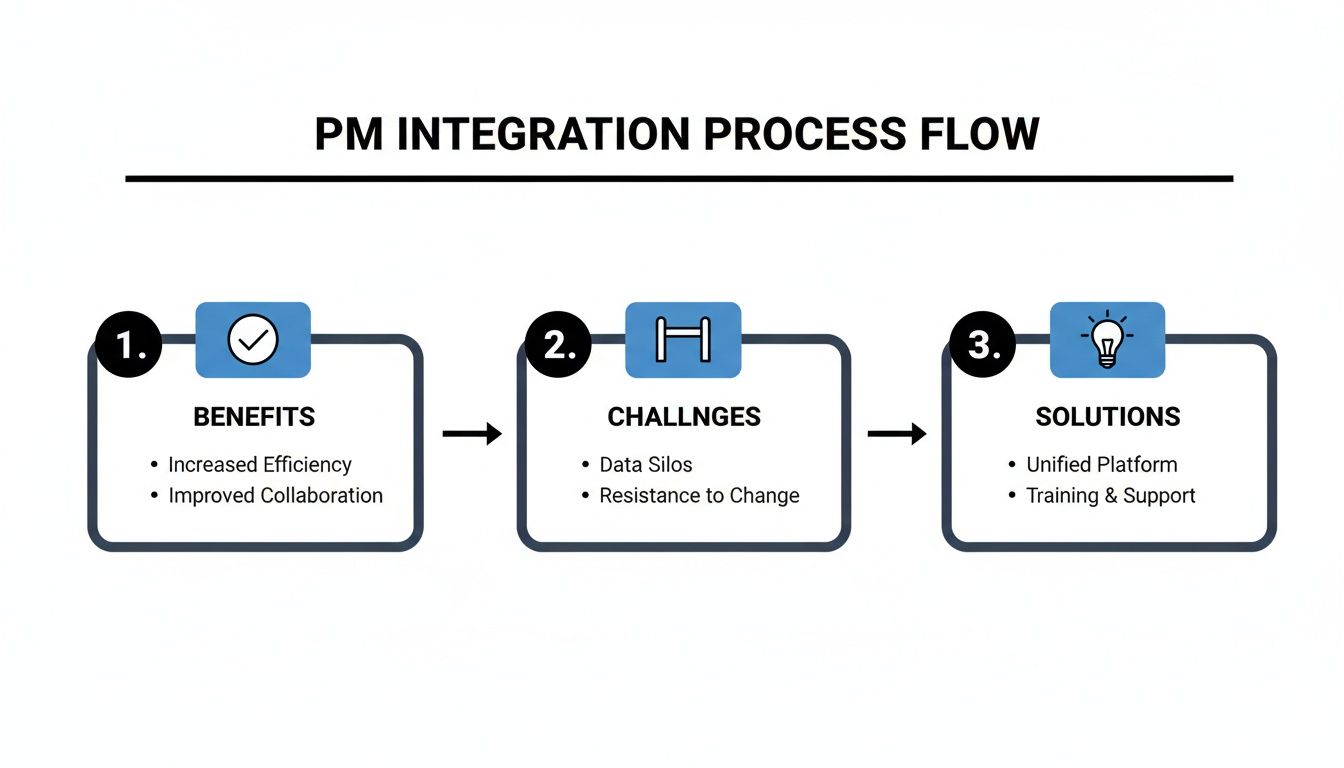
As the visual shows, a winning strategy is all about drawing a straight line from the challenges you've identified to the specific solutions that will solve them. This creates a clear path to getting the results you want.
Finally, figure out your success metrics from day one. Track the objectives you set earlier and report on them regularly. This data-driven approach doesn't just prove the ROI of your integration project; it also gives you the insights you need to keep refining and improving your system over time. Follow this blueprint, and you'll build a more connected, efficient, and profitable operation.