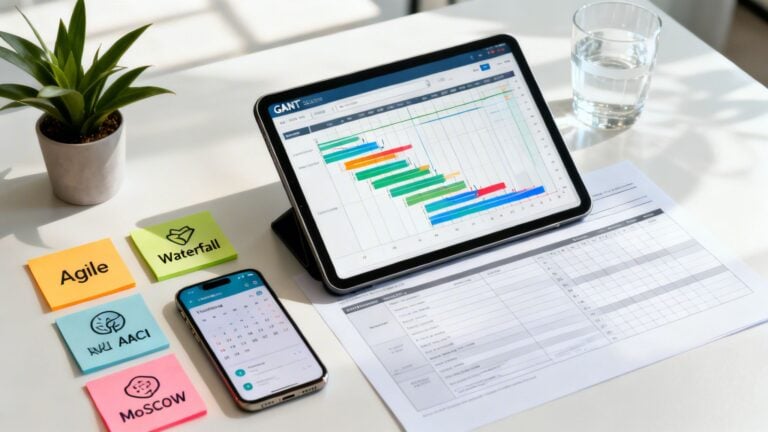
Project resource planning is all about figuring out who and what you need to get a project done. It's the process of identifying, scheduling, and assigning every resource—from your people and their specific skills to the tools and budget required—to see a project through on time and on budget.
Think of it this way: It’s about having the right people with the right skills free at the right time. Get that right, and you're already halfway to a successful delivery.
Why Project Resource Planning Is Your Agency's Secret Weapon

Ever tried conducting an orchestra without knowing which musicians showed up or what instruments they play? You'd get chaos, not a symphony. That's exactly what running an agency or a professional services firm feels like without solid project resource planning.
This isn't just some administrative box to tick. It’s the strategic engine that drives profitability, client satisfaction, and—just as importantly—prevents your team from burning out.
Moving From Reactive to Proactive
A project manager is like an air traffic controller. Their mission is to guide multiple projects (the "airplanes") safely to their destinations. Without a clear view of available runways (your team's capacity), flight paths (project timelines), and crew assignments (who's working on what), collisions are bound to happen.
In the agency world, these collisions look like:
- Budget overruns: The project drags on, requiring more hours or more people than you planned for.
- Resource conflicts: Your lead developer is suddenly needed on two critical projects at the same time.
- Team burnout: Your best people are stretched thin across too many projects, leading to exhaustion and sloppy work.
- Missed deadlines: Progress grinds to a halt because the right person isn't available to complete a key task.
Without a plan, your team is stuck in a constant state of reactive firefighting, always scrambling to solve the latest crisis. It's stressful, inefficient, and incredibly expensive.
Effective resource planning transforms this chaos into a controlled, predictable system. It shifts your agency from making frantic, last-minute decisions to executing a well-defined strategic plan.
The Financial Impact of Poor Planning
The financial fallout from bad planning is very real. A 2023 Statista survey found that a staggering 33% of organizations blew past their budgets on major projects. This is a direct reflection of what happens when resources are stretched thin and visibility is low.
When you don't know who's available or how much work they can handle, profits quickly erode. By embracing data-driven project resource planning, you gain the foresight to manage your team’s capacity effectively and protect your bottom line. You can explore a deeper dive into resource planning for projects to see how to build a more resilient framework.
Understanding the Core Metrics of Resource Management
To get project resource planning right, you have to speak the language. This isn't about guesswork; it's about embracing a few core metrics that turn the chaotic art of managing people into a predictable science.
Think of running your agency like managing a busy restaurant on a Saturday night. You wouldn't just cross your fingers and hope you have enough staff, tables, and ingredients. You'd measure everything. Your success hinges on balancing four key pillars, each giving you a different piece of the puzzle. Together, they paint a complete picture of your agency’s operational health.
Capacity: The Total Available Time
First up is capacity. This is the absolute maximum number of hours your team can possibly work. In our restaurant analogy, it’s the total number of seats you have and the total hours your entire staff is scheduled to be there. It’s your full potential.
For an agency, you calculate capacity by simply multiplying your total number of employees by their available work hours over a set period (like 40 hours a week). This number is the entire pool of time you have to work with.
Allocation: Who Is Doing What
Next, we have allocation. This is the nitty-gritty of assigning specific people to specific projects and tasks. If capacity is all the seats in your restaurant, allocation is the host deciding which waiter is responsible for which tables. It’s your game plan for how you intend to use your available time.
Good allocation ensures the right people with the right skills are on the right projects. It's the difference between a smooth service and a chaotic one. To get this right, it helps to review different strategies for Mastering Project Management and Resource Allocation.
Utilization: The Measure of Productivity
Here’s the metric that really matters for the bottom line: utilization. It measures how much of your team's available time is actually spent on productive, billable work. Back to the restaurant, it's not just about having waiters on the clock (capacity), but how much of their time they spend serving customers versus standing around.
A high utilization rate means your team is a well-oiled, revenue-generating machine. A low rate is a red flag—you might have too many people on the bench, or non-billable tasks are eating up all your profits. Want to get granular? We've got a whole guide on how to calculate utilization rate.
By tracking utilization, you can spot who’s burning out and who has room to take on more work. This simple act prevents both overwork and inefficiency.
Forecasting: Predicting Future Needs
Finally, there’s forecasting. This is where you use current and past data to predict what you’ll need in the future. A smart restaurant manager looks at next weekend’s reservations and events to schedule the right number of staff. You need to do the same.
Project managers use forecasting to look at the sales pipeline, anticipate upcoming projects, and make sure they have the right talent ready to go. This forward-looking approach lets you make smart hiring decisions and avoid those last-minute scrambles for people. It’s the strategic glue that holds everything else together.
Key Resource Planning Metrics Explained
To wrap your head around these concepts, here’s a quick-reference table. Think of it as your cheat sheet for understanding what these numbers are really telling you about the health of your agency.
| Metric | What It Measures | Why It Matters for Agencies |
|---|---|---|
| Capacity | The total possible work hours your team can provide. | Defines your agency's maximum output and revenue potential. |
| Allocation | How available hours are assigned to specific projects and tasks. | Shows if you have the right people on the right jobs at the right time. |
| Utilization | The percentage of available time spent on billable or productive work. | Directly impacts profitability and reveals operational efficiency. |
| Forecasting | Predicting future resource needs based on sales pipelines and historical data. | Enables proactive hiring, prevents resource gaps, and supports growth. |
Getting a handle on these four metrics isn't just about crunching numbers. It's about building a resilient framework that can handle whatever projects come your way—and stay profitable while doing it.
Building a Repeatable Resource Planning Framework
Let's move from theory to practice. You can talk about resource planning all day, but without a structured system, you're just putting out fires. A repeatable framework brings order to the chaos, giving you the power to make proactive decisions that protect both your team and your bottom line.
Think of it like building a high-performance engine. Every single component needs to be perfectly calibrated for the whole system to run smoothly. The goal is to build a reliable process that you can count on, no matter how big or complex the project is.
Start With a Comprehensive Resource Audit
Before you can plan where you're going, you need to know what you've got. The first step is a thorough audit of your team’s skills and availability. This is way more than just a headcount—it’s a deep dive into who can do what, and when they can actually do it.
A skills inventory is essential here. Create a simple list of each team member and their specific skills, certifications, and experience level. This simple document is the key to moving beyond just assigning tasks to whoever is free and starting to match the right expert to the right challenge.
Next, you have to get a real picture of everyone’s capacity. A 40-hour workweek is a myth in terms of pure project work. You must account for all the non-billable time that eats into the week:
- Internal Meetings: Think all-hands, department check-ins, and one-on-ones.
- Administrative Tasks: Time tracking, expense reports, and the daily email grind.
- Paid Time Off: Vacations, sick days, and public holidays.
- Professional Development: Time blocked for training and learning new skills.
Skipping this step is a classic mistake that leads straight to over-allocation and burnout. Nailing your software development capacity planning is crucial to building a framework that's both robust and realistic.
Centralize Your Project Pipeline and Allocation
Okay, so you have a clear view of your resources. What's next? You need to centralize your entire project pipeline. Every confirmed and potential project needs to live in a single, accessible place. This unified view gives you a bird's-eye look at all the demand coming your way, letting you spot resource conflicts before they blow up.
This is where you start translating that demand into a concrete allocation plan. Based on your skills audit and real capacity data, you can begin assigning specific people or roles to projects. The key here is to make the process visual and easy to adjust on the fly.

This flow is the core of turning your team's raw capacity into measurable output. By sticking to it, you can make sure every available hour is put to strategic use.
Establish Real-Time Tracking and Reporting
A plan is only as good as its connection to reality. The final, critical piece of your framework is a system for tracking progress in real-time and adjusting as you go. Manual timesheets and weekly check-in meetings are often outdated by the time you actually get the information.
Tools like TimeTackle change the game by using calendar data as the single source of truth. It kills manual entry, gives you live utilization dashboards, and makes it possible to course-correct in an instant.
Success here isn't a secret. The numbers show that organizations with strong frameworks have a 92% success rate in hitting their goals. And it's no surprise that high-performers are 77% more likely to use project management software, especially when 85% of managers are juggling multiple projects at once.
If you want to go deeper, check out our detailed guide on creating a project management resource plan. By building and constantly refining this kind of repeatable framework, you lay the foundation for predictable delivery and sustainable growth.
How to Sidestep Common Resource Planning Pitfalls
Even with a solid framework, project resource planning can easily go off the rails. A few common mistakes act like hidden traps, quietly wrecking agency operations and paving the way for burnout and blown budgets. Spotting these pitfalls is the first step toward building a more resilient, accurate planning process.
Most managers stumble into the same few traps. They lean too heavily on their top performers for every critical task, conveniently forget the mountain of non-billable work that fills every week, and make crucial decisions based on outdated, inaccurate data from manual timesheets.
Let's break down these all-too-common issues and map out some clear solutions.
The Over-Allocation Overload
It’s always tempting to assign your best designer or top engineer to every high-stakes project. They’re reliable, they deliver excellent work—why wouldn’t you? The problem is, this pattern is a one-way ticket to burnout.
Before: A senior developer is allocated at 100% across three "critical" projects. But in reality, with all the context switching and overlapping demands, her actual workload is closer to 150%. Quality starts to drop, deadlines begin to slip, and she quickly becomes a major retention risk.
After: You put a strict capacity ceiling in place, never allocating anyone beyond 80% of their available hours. That 20% buffer accounts for unexpected problems and gives people room for focused work, protecting your most valuable team members from being stretched too thin.
Ignoring the Non-Billable Reality
Projects are funded by billable hours, so it's only natural to focus your planning around them. But when you ignore internal meetings, admin tasks, and professional development, you're creating a fictional plan that reality will shatter in a heartbeat.
A resource plan that doesn’t account for non-billable time isn't a plan—it's a guess. This invisible work can easily eat up 20-30% of an employee's week, creating an immediate and significant gap between what you planned and what's actually possible.
The fix? Start treating internal work just like any other project. Block out time for these activities directly in your resource schedule. This simple move gives you a much more honest view of who is truly available, prevents you from making unrealistic commitments, and keeps your project timelines grounded in reality.
Relying on Stale, Manual Data
Are you still making critical staffing decisions based on last week’s timesheets? Manual time tracking is notoriously slow and often riddled with inaccuracies. By the time you get the data, it's already ancient history, making proactive planning completely impossible.
- Before: A project manager reviews timesheets on Friday afternoon to plan for the next week. She has no idea a key team member spent ten unexpected hours on an urgent client fire drill. She over-commits them to a new project, creating an instant conflict first thing Monday morning.
- After: The agency uses a tool like TimeTackle that automatically captures activity from employee calendars. Now, the manager has a real-time dashboard showing exactly how time is being spent. She can see the fire drill's impact as it's happening and adjust the resource plan on the fly.
By sidestepping these common pitfalls, you can finally shift from a reactive, crisis-driven management style to a proactive and strategic approach to project resource planning.
Using Calendar Data to Automate Resource Planning
What if your project resource planning data could collect itself, without anyone filling out a single, dreaded timesheet? For too long, we've relied on manual entry—a slow, inaccurate process that's a major headache for everyone involved. A modern, automated approach flips the script entirely by using the employee calendar as the single source of truth.
Think about it: our calendars already hold the blueprint of our workweek. Every client meeting, internal sync, and focused work block is already there. By tapping into this existing stream of data, you get a real-time picture of how time is actually being spent, not how someone remembers spending it days later.
Turning Calendars into Data Engines
The whole thing kicks off by connecting a tool like TimeTackle directly to your team’s Google or Outlook calendars. Once authorized, the platform automatically captures every event, creating a live log of all activity. No manual work required from your team. This gives you an immediate, unfiltered view of where time and effort are going across the entire organization.
Of course, raw calendar data is just the starting point. The real magic happens when you enrich that information.
- Custom Tags and Properties: You can build rules that automatically tag events based on keywords, attendees, or meeting types. For example, any event with "Client ABC" in the title can be instantly tagged to that specific client and marked as billable.
- Project and Task Allocation: Tags are the bridge that connects calendar events directly to projects, clients, and specific tasks in your project management system.
- Workflow Automation: Set up rules to categorize different kinds of work. You can easily distinguish between a "Sales Demo," an "Internal Review," and "Client Onboarding" without lifting a finger.
This is what it looks like when a tool like TimeTackle visualizes that calendar data, offering immediate insights into what your team is up to.

The dashboard translates a jumble of events into clear, simple metrics on utilization and time allocation. Suddenly, resource management becomes a visual, data-driven process.
A Real-World Transformation
Picture a busy digital agency that was constantly wrestling with inaccurate timesheets. Project managers spent hours each week just chasing people down, and the data they got back was often a rough guess at best. This led to unreliable utilization reports and frequent budget overruns because they never had a true pulse on project costs.
By switching to a calendar-driven system, they completely turned their operations around.
The agency set up automated rules to tag all client-facing meetings and link them to the corresponding projects in their CRM. Suddenly, they had a perfect record of all billable time spent in meetings without anyone lifting a finger.
This simple change freed up dozens of administrative hours every single week. But more importantly, their project profitability reports became incredibly accurate. They could see exactly which clients were eating up the most time and adjust their resource allocation on the fly.
The result? A huge improvement in both operational efficiency and overall profitability. They turned project resource planning from a painful chore into a genuine strategic advantage. It just goes to show the power of building your planning process on a foundation of live, automated data.
Looking Ahead: The Future of Resource Planning Tech

The world of resource management is changing fast. Technology is turning what used to be educated guesswork into a predictive science. The future of project resource planning isn't about slightly better spreadsheets; it’s about creating smarter, more resilient organizations that can adapt to just about anything.
This shift is already happening, with artificial intelligence and machine learning leading the charge. These tools are graduating from simple scheduling assistants to powerful forecasting engines.
AI-Powered Forecasting and Agility
Imagine a system that sees your resource needs weeks down the road, flagging a potential skills gap long before it becomes a problem. Modern planning tools can comb through past project data and current team workloads to spot individuals who might be heading for burnout, giving managers a chance to step in. It’s a game-changer for staying agile, especially as remote and hybrid work becomes the norm.
Getting on board with these advancements is really about future-proofing your business. It sets you up to not just react to change, but to get out ahead of it, keeping your agency competitive and your team in a good place.
You can see this trend reflected in the market's explosive growth. The enterprise resource planning tech market was valued at USD 3,231.41 million in 2022 and is expected to rocket to USD 67,172.04 million by 2030. This surge is fueled by agencies jumping on cloud-based platforms that automate resource allocation. If you're curious, you can discover more insights about this shift toward advanced planning tools.
Frequently Asked Questions About Project Resource Planning
Diving into project resource planning always brings up a few questions. Let's tackle some of the most common ones we hear from agency leaders.
What Is an Ideal Utilization Rate to Aim For?
It’s tempting to shoot for 100% utilization, but that’s a surefire recipe for burnout. A much healthier—and more realistic—target for most agencies is somewhere between 75% and 85%.
This sweet spot keeps your team productive and your projects profitable, while still leaving enough breathing room for all the essential non-billable work: internal meetings, professional development, and admin tasks. That buffer also gives you the agility to handle last-minute client requests without throwing your entire project portfolio into chaos.
How Should We Handle Unexpected Scope Changes?
Scope creep happens. The real test is how you handle it. A solid change management process is your best defense.
When a client asks for something new, the first step is to document it. Assess exactly how the change will affect the project's timeline, budget, and resource needs. Next, communicate those impacts back to the client, clearly and without ambiguity. Once they give the green light, immediately update your resource plan. This is where real-time planning tools are worth their weight in gold—they let you see the ripple effect of reassigning one person across every other dependent project.
What Is the First Step for a Team New to This?
If you're just getting started, don't jump into complex software or elaborate frameworks. The first, most crucial step is to get an honest snapshot of your team's actual capacity.
Run a simple two-week time audit. Ask everyone to track everything—billable projects, internal meetings, coffee breaks, you name it. This simple exercise gives you a realistic baseline to build from. It’s how you stop guessing and start making data-driven decisions for your project resource planning.
Ready to swap timesheet headaches for automated, calendar-driven clarity? TimeTackle gives you a real-time view of your team's utilization, so you can plan projects with confidence. See how it works at https://www.timetackle.com.