
Running a professional services team without a clear view of your capacity is like navigating a ship in a storm without a compass.Running a professional services team without a clear view of your capacity is like navigating a ship in a storm without a compass. You know people are busy, but you can't confidently answer critical questions: Can we take on that new project? Who is truly overworked, and who has availability? Are we staffed correctly for next quarter's pipeline? This uncertainty leads to reactive decision-making, team burnout, and missed revenue opportunities.
The right resource capacity planning tools replace guesswork with data-driven clarity, providing a single source of truth for your team's availability and workload. They help you forecast future demand, optimize staff utilization, and ensure projects are profitable. However, the market is crowded with options, each with a different approach to solving this challenge, from simple visual schedulers to complex professional services automation (PSA) platforms.
This guide cuts through the noise. We've compiled a comprehensive list of the best tools available, focusing specifically on the needs of agencies and consulting firms. For each platform, you'll find a concise summary, key features, an honest assessment of its pros and cons, and pricing information. We'll explore solutions like Float, Resource Guru, and Kantata, providing screenshots and direct links to help you evaluate them efficiently. Our goal is to give you all the information needed to select the best platform that fits your team's size, workflow, and specific planning challenges, ensuring you can move from reactive scrambling to proactive, strategic resource management.
1. TimeTackle
Best for automated, calendar-driven utilization and capacity insights.
TimeTackle stands out by fundamentally shifting how teams track and analyze their most valuable asset: time. Instead of relying on manual timesheets, it transforms your team's existing Google or Outlook calendars into a dynamic data source for capacity planning. By automatically capturing activities and using AI-powered recommendations, it provides a real-time, ground-level view of how resources are actually being spent, eliminating the guesswork and administrative friction associated with traditional time tracking.
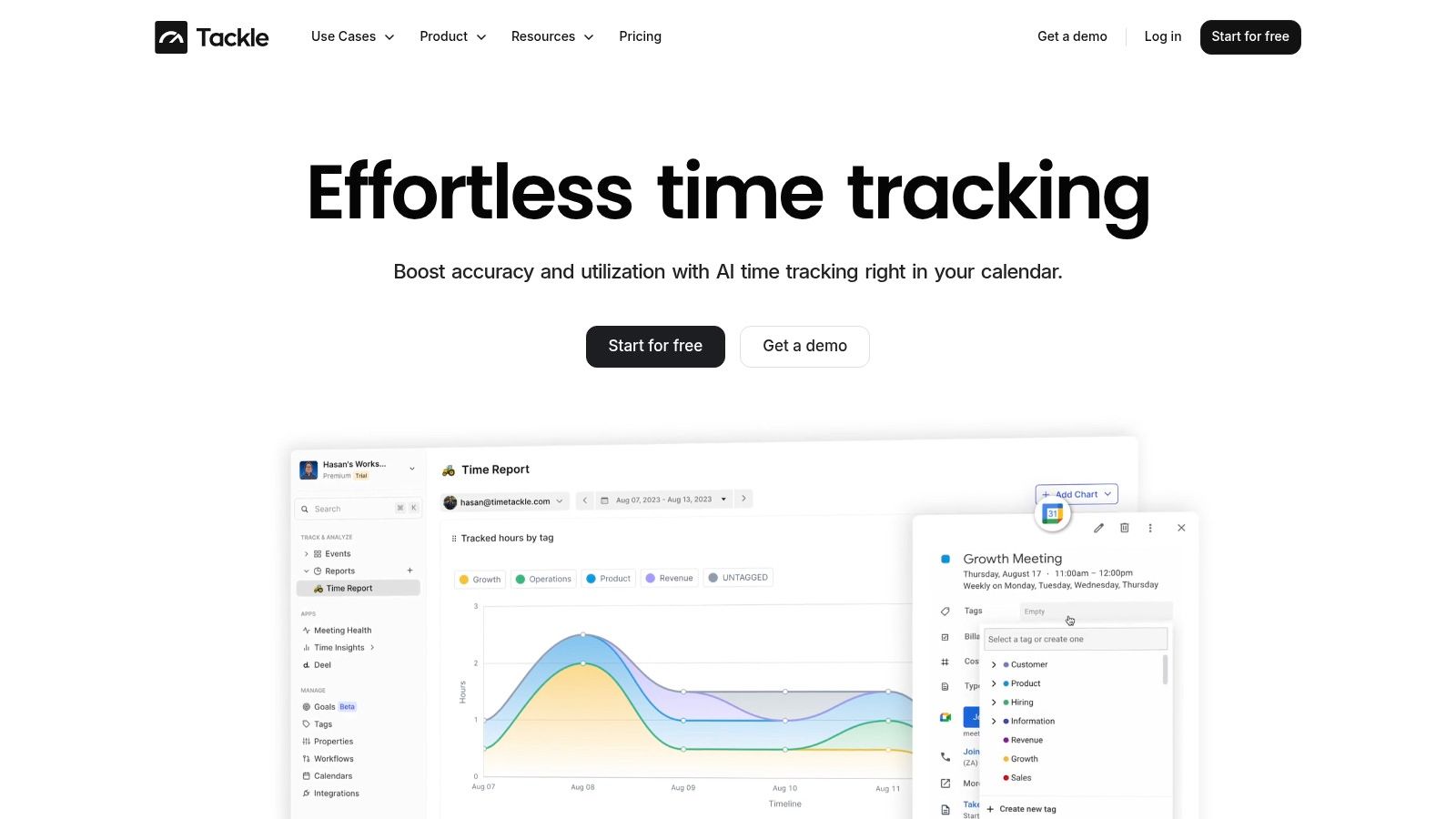
This calendar-first approach makes it an exceptional choice for professional services, agencies, and customer-facing teams where schedules are a direct proxy for work. It moves beyond simple time capture to deliver sophisticated operational intelligence. Its strength lies in turning raw calendar data into strategic insights about project ROI, team utilization, and billing accuracy, making it a powerful hybrid of productivity and resource capacity planning tools.
Key Strengths & Use Cases
- Automated Time Capture: The platform's deep calendar integrations mean time is logged as it's scheduled. This is ideal for agencies needing to reduce non-billable administrative overhead and improve reporting accuracy without burdening their teams with manual entry.
- Intelligent Categorization: With custom tags, properties, and a rule-based workflow builder, you can automate how activities are categorized. For instance, a consulting firm can automatically tag all meetings with a specific client domain as "Client A – Billable" or "Pre-Sales," streamlining project accounting.
- Advanced Analytics & Reporting: Dynamic dashboards provide a clear view of where time is going. Operations leaders can filter data by project, team, or individual to identify capacity constraints, forecast availability, and ensure utilization targets are met. The ability to sync with a full data warehouse allows for deep, custom analysis beyond the platform's native reporting.
Evaluation & Pricing
- Pros: Its "zero-input" philosophy significantly reduces timesheet fatigue, leading to higher data integrity. The platform is highly secure, with SOC 2 Type II certification, and is trusted by over 300 teams, providing strong social proof.
- Cons: The model's success hinges on disciplined calendar usage across the team. Initial setup of rules and integrations may require some technical configuration. It's best suited for mid-sized organizations; very small teams might find the feature set more extensive than needed.
- Pricing: TimeTackle offers a free-to-start option. Detailed public pricing is not listed, suggesting custom and enterprise-focused plans tailored to team size and integration needs. A demo is recommended for a precise quote.
Learn More: TimeTackle Website
2. Float
Float is a highly visual and intuitive resource management platform designed for the fast-paced workflows of agencies, studios, and professional services firms. Its core strength lies in its simplicity and speed, allowing teams to quickly schedule resources, track project budgets, and forecast capacity without the steep learning curve associated with heavier project management systems. This focus on ease-of-use makes it one of the standout resource capacity planning tools for teams that prioritize clarity and immediate adoption.
The platform centers around a visual scheduler where managers can see who is working on what, who is available, and planned time off at a glance. It excels at answering critical capacity questions by providing real-time utilization reports, helping prevent burnout and identify hiring needs. Float also integrates seamlessly with popular tools like Jira, Slack, and Google Calendar, pulling in project tasks and events to centralize scheduling.
Key Features & Use Cases
- Best For: Creative, marketing, and consulting agencies that need a straightforward, visual tool for scheduling and utilization tracking without the overhead of a full PSA.
- Visual Scheduling: A drag-and-drop interface for assigning tasks, managing team availability, and visualizing project timelines.
- Capacity & Utilization Reporting: Instantly view individual and team capacity, track billable vs. non-billable hours, and monitor utilization rates to ensure profitability.
- Budget Tracking: Set project budgets (by fee or hours) and compare estimated effort against actuals in real-time to protect project margins.
- Integrations: Connects with Google/Outlook calendars, Jira, Asana, Trello, and more via a robust API to keep scheduling in sync with project management.
Pricing & Evaluation
| Pros | Cons |
|---|---|
| Exceptionally intuitive UI for fast team onboarding. | Lacks advanced financial modules (e.g., invoicing, expense tracking). |
| Strong security and compliance (SOC 2, GDPR). | Placeholder and guest limits on lower-tier plans. |
| Free guest users for client or contractor visibility. | Not a comprehensive PSA solution for complex enterprise needs. |
| Direct calendar sync provides a single source of truth for time. | Can become costly for very large teams with fluctuating headcounts. |
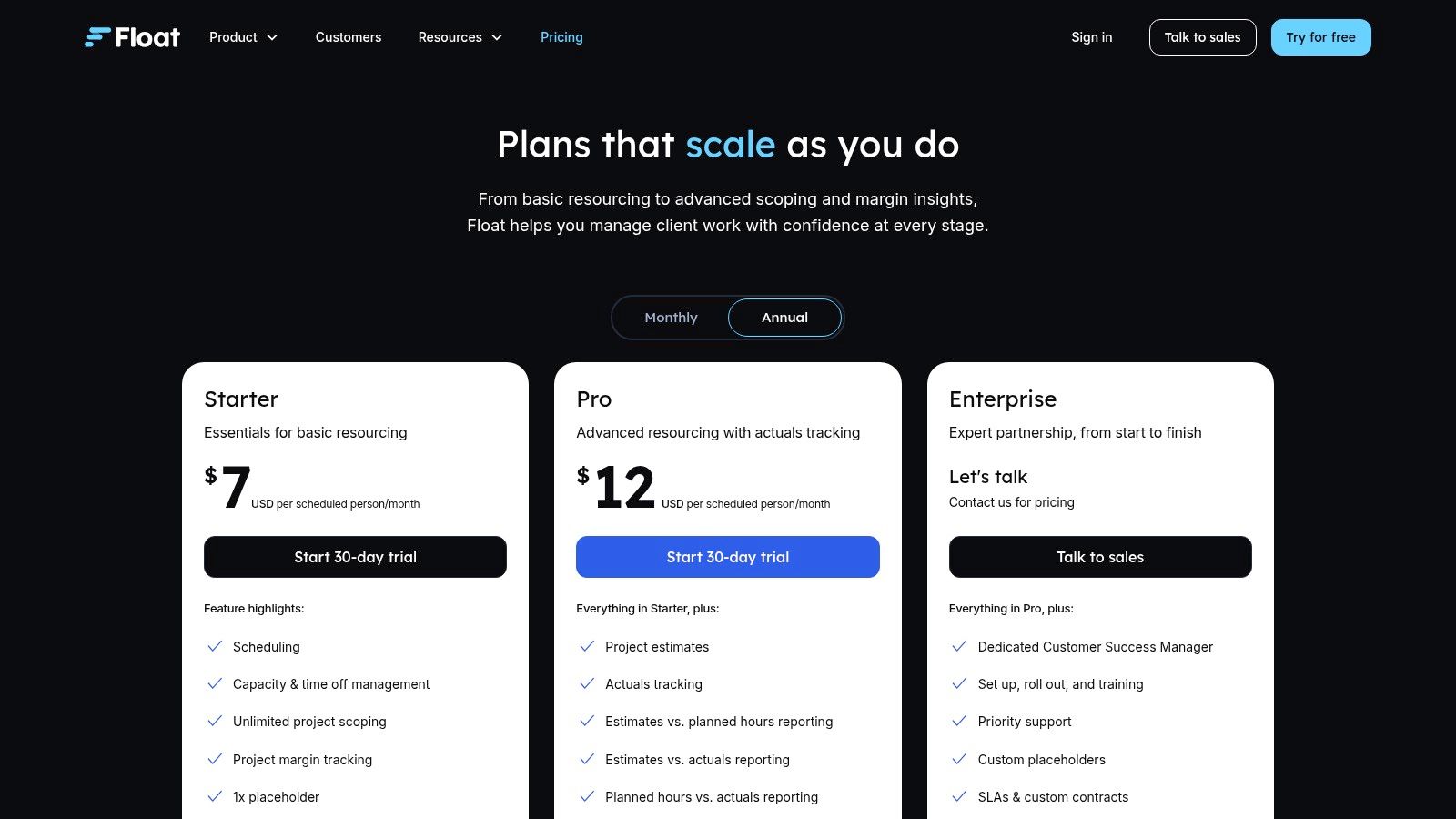
Pricing: Float offers a tiered structure starting with the Resource Planning plan at $7.50 per person/month, which includes core scheduling and capacity features. The Resource Planning + Time Tracking plan at $12.50 per person/month adds timesheets and more detailed reporting. A 30-day free trial is available.
3. Resource Guru
Resource Guru is a refreshingly simple and cost-effective scheduler built for booking people, rooms, and equipment with equal ease. Its primary strength is its fast, visual interface centered on drag-and-drop bookings, availability management, and clear leave tracking. This makes it an excellent choice for teams that need to manage both human and non-human resources without the complexity of a full-scale project management suite, positioning it as one of the most accessible resource capacity planning tools for growing teams.
The platform is designed around a central calendar that prevents over-bookings and scheduling clashes, providing instant clarity on who or what is available. For teams needing straightforward capacity insights, Resource Guru offers a streamlined approach. By understanding its foundational scheduling capabilities, you can better grasp what is capacity planning and how a tool like this helps prevent resource conflicts and bottlenecks before they disrupt project timelines. Its focus on speed and simplicity makes adoption nearly frictionless for busy teams.
Key Features & Use Cases
- Best For: Small to mid-sized agencies, studios, and businesses that need to manage a mix of team members, meeting rooms, and physical equipment.
- Drag-and-Drop Bookings: A visual, color-coded scheduler with built-in clash detection to avoid double-booking any resource.
- Leave & Absence Management: Centralize vacation, sick leave, and time-off requests, which automatically updates team availability and syncs with personal calendars.
- Flexible Resource Types: Add people, equipment, vehicles, or any other custom resource type to the scheduler for a unified view of all assets.
- Customizable Reporting: Generate reports on utilization, billable vs. non-billable time, and project overtime to monitor team performance and capacity.
Pricing & Evaluation
| Pros | Cons |
|---|---|
| Extremely easy to learn and use with minimal onboarding. | Lighter on advanced analytics compared to enterprise-level PSA suites. |
| Low entry-level pricing is ideal for growing teams. | Advanced security features like SSO are limited to the top-tier plan. |
| Excellent for managing mixed resource types (people & gear). | Lacks integrated financial tools like invoicing or expense management. |
| Simple, effective clash management saves scheduling time. | Reporting features are basic on the entry-level plan. |
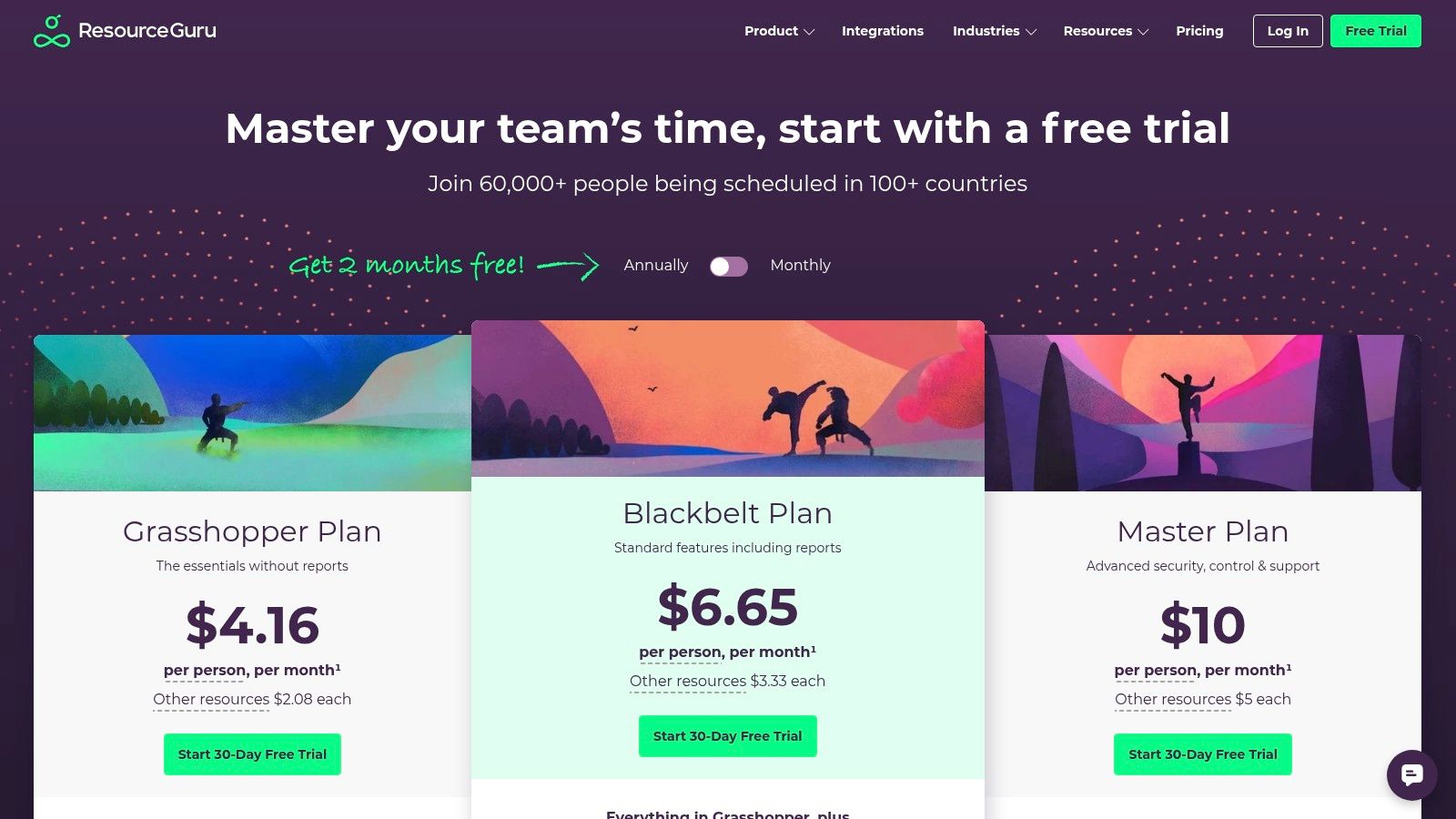
Pricing: Resource Guru offers three main tiers. The Grasshopper plan starts at $4.16 per person/month, the Blackbelt plan at $6.65 per person/month adds timesheets and enhanced reports, and the Master plan at $10.00 per person/month includes SSO and data import features. A 30-day free trial is available.
4. Kantata
Kantata, the platform created by the merger of Mavenlink and Kimble, is an enterprise-grade Professional Services Automation (PSA) solution. It’s built for large or complex professional services organizations that require end-to-end management of projects, resources, and financials in one unified system. Its strength lies in providing deep, interconnected data across the entire project lifecycle, from sales and scoping to delivery and billing, making it a powerful choice among resource capacity planning tools for firms needing holistic operational control.
The platform delivers a sophisticated approach to capacity planning through its Centralized Resource Center, which goes beyond simple scheduling. It incorporates skills-based matching, role demand, and detailed approval workflows, allowing for precise resource allocation. This makes Kantata ideal for multi-department agencies and global consulting firms that need to manage a diverse and distributed workforce, including both internal employees and external contractors.
Key Features & Use Cases
- Best For: Mature consulting firms, enterprise professional services teams, and large agencies needing a single source of truth for all project operations, from resource management to financial accounting.
- Centralized Resource Center: A comprehensive hub for managing allocations, scheduled hours, requests, approvals, and skills-based recommendations.
- End-to-End PSA: Integrates resource management with project accounting, time and expense tracking, billing, and advanced business intelligence.
- Advanced Financial Controls: Features sophisticated rate cards, multi-currency support, and revenue recognition capabilities to manage complex project finances.
- External Talent Management: Provides specific licensing and workflows to manage distributed teams and external contractors seamlessly within the platform.
Pricing & Evaluation
| Pros | Cons |
|---|---|
| End-to-end PSA breadth across projects, time, billing, and analytics. | Sales-led pricing and heavier implementation process. |
| Strong governance with permissions and approvals for larger organizations. | Can be overkill and overly complex for very small teams or studios. |
| Deep financial and forecasting capabilities for high-level insights. | The user interface can have a steeper learning curve than simpler tools. |
| Highly configurable to match specific business processes and workflows. | Initial setup and configuration require significant time investment. |
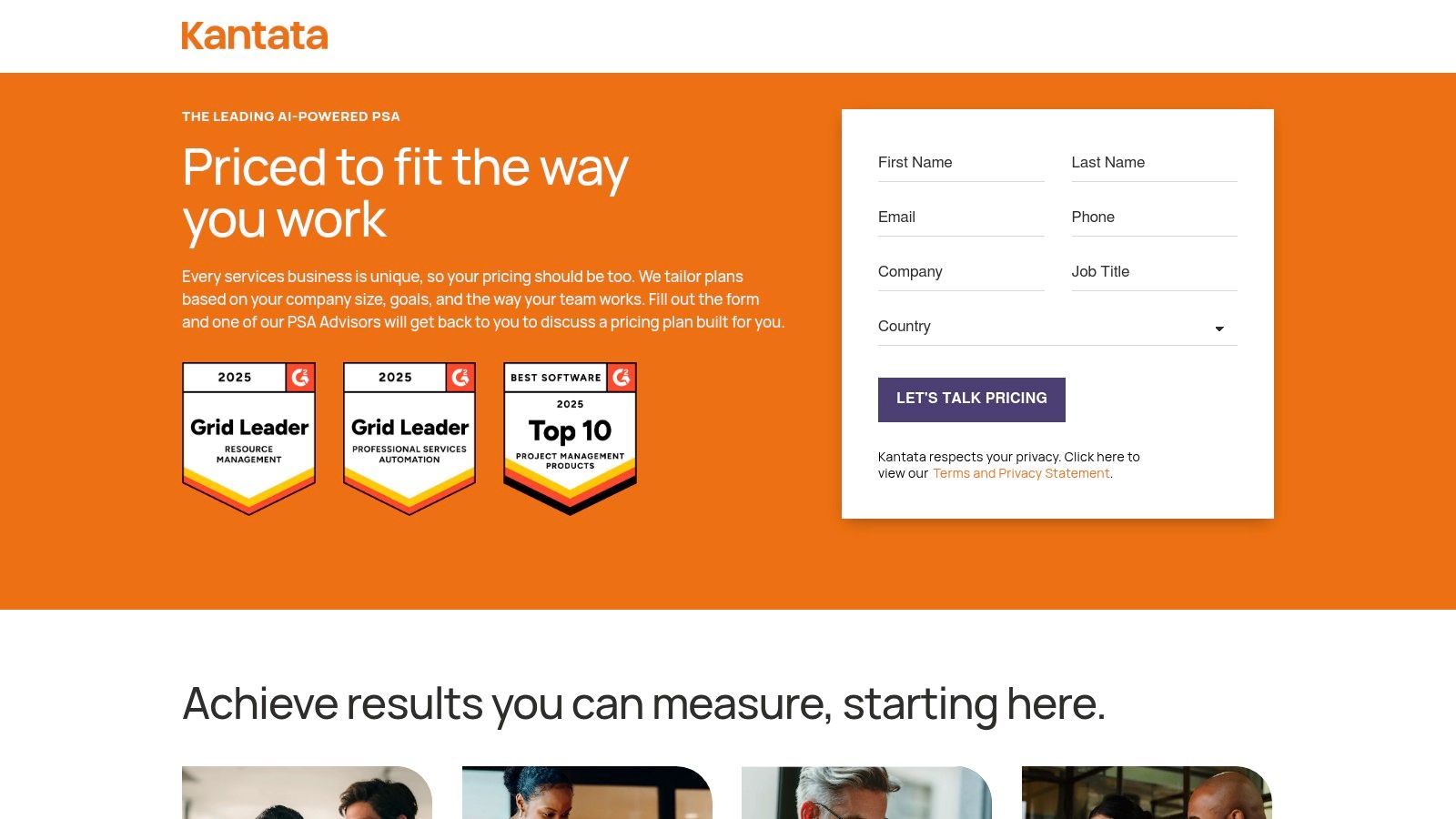
Pricing: Kantata uses a quote-based pricing model tailored to team size, specific feature needs, and implementation requirements. You must contact their sales team for a custom quote. A product demo is available upon request.
5. Smartsheet Resource Management (formerly 10,000ft)
For teams deeply embedded in the Smartsheet ecosystem, the Resource Management module (formerly the popular 10,000ft platform) is a powerful extension. It bridges the gap between project planning in Smartsheet’s grid-based interface and the human element of resource allocation. This module transforms Smartsheet from a project management tool into a more comprehensive work management platform, making it one of the most integrated resource capacity planning tools for existing users.
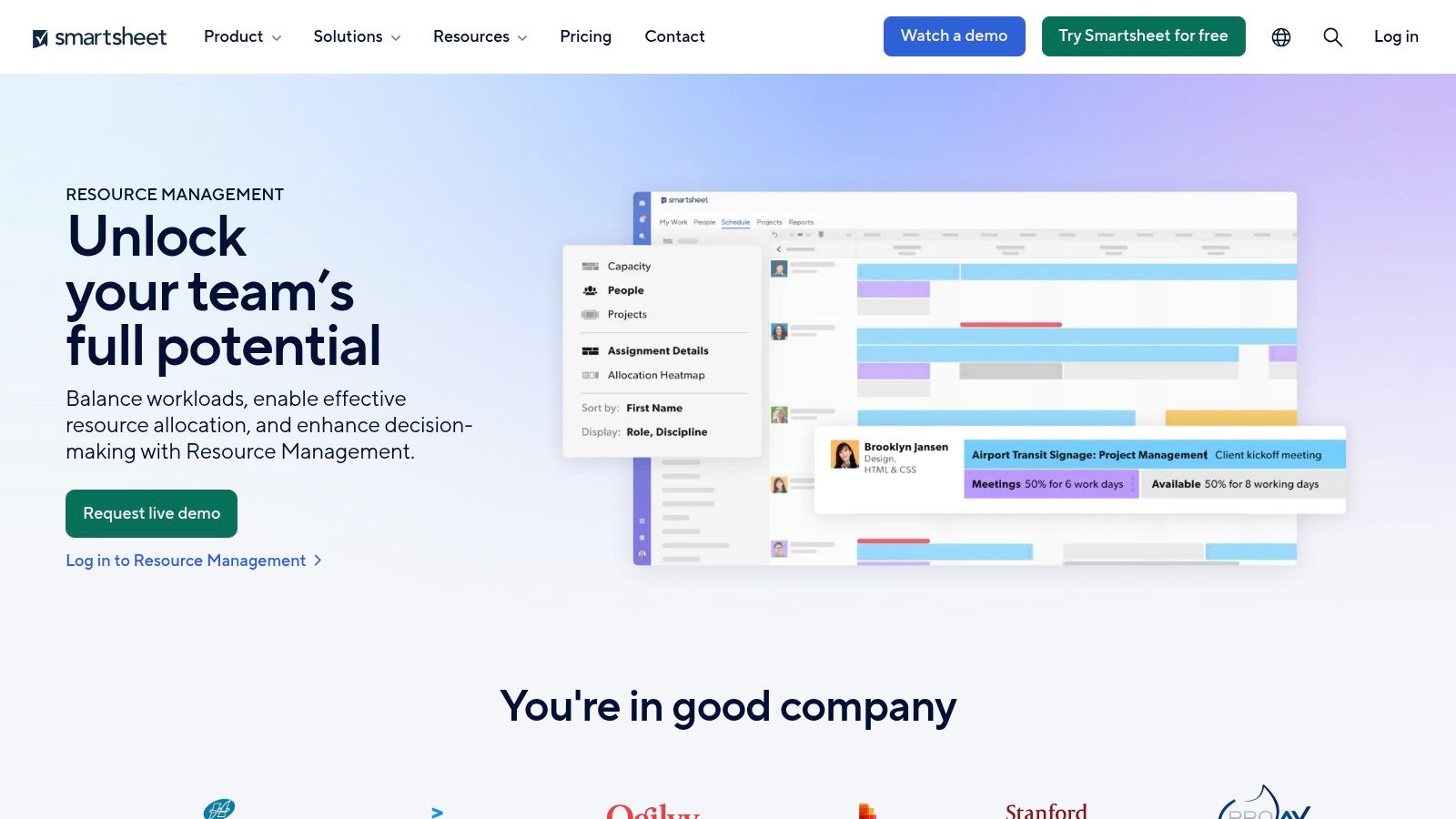
The platform’s strength is its direct linkage between project sheets and resource schedules, allowing managers to see workload impacts in real-time as project timelines shift. It provides a visual, schedule-based view of team availability, skills, and assignments, enabling managers to balance workloads and forecast future hiring needs based on the project pipeline. For businesses that use Smartsheet as their central hub, this eliminates the need for a separate, disconnected resourcing tool.
Key Features & Use Cases
- Best For: Organizations and large teams already standardized on Smartsheet for project and portfolio management who need native resource planning capabilities.
- Capacity Planning & Workload Tracking: Provides a centralized schedule to view team capacity, track project assignments, and manage availability across the entire portfolio.
- Placeholders & Skill-Based Assignments: Plan for future roles using placeholders and find the right person for a task by filtering based on skills, roles, or departments.
- Time Entry & Utilization Reporting: Team members can track time against projects, which feeds directly into utilization and forecasting reports within the Smartsheet environment. You can explore how to master projects with Smartsheet time tracking to improve efficiency.
Pricing & Evaluation
| Pros | Cons |
|---|---|
| Tight, native integration with Smartsheet projects and reports. | Resource Management is a paid add-on, not a standalone product. |
| Powerful for matrixed organizations managing complex portfolios. | Requires a Smartsheet Business or Enterprise plan to purchase. |
| Consolidates project and resource data into a single platform. | Can be expensive if your team is not already invested in Smartsheet. |
| Leverages existing Smartsheet automations and dashboards. | The interface may feel less modern than newer, dedicated tools. |
Pricing: Resource Management by Smartsheet is available as an add-on to Business or Enterprise plans. Pricing is custom and requires contacting their sales team. Smartsheet plans themselves start at $25 per user/month.
Visit Smartsheet Resource Management
6. Runn
Runn is a modern resource management and forecasting platform that bridges the gap between simple scheduling and complex PSA systems. It's designed for dynamic professional services teams, agencies, and software companies that need clear visibility into their project pipeline, resource availability, and financial health. The platform excels at providing powerful "what-if" scenario planning, making it one of the most agile resource capacity planning tools for businesses that need to adapt quickly to change.
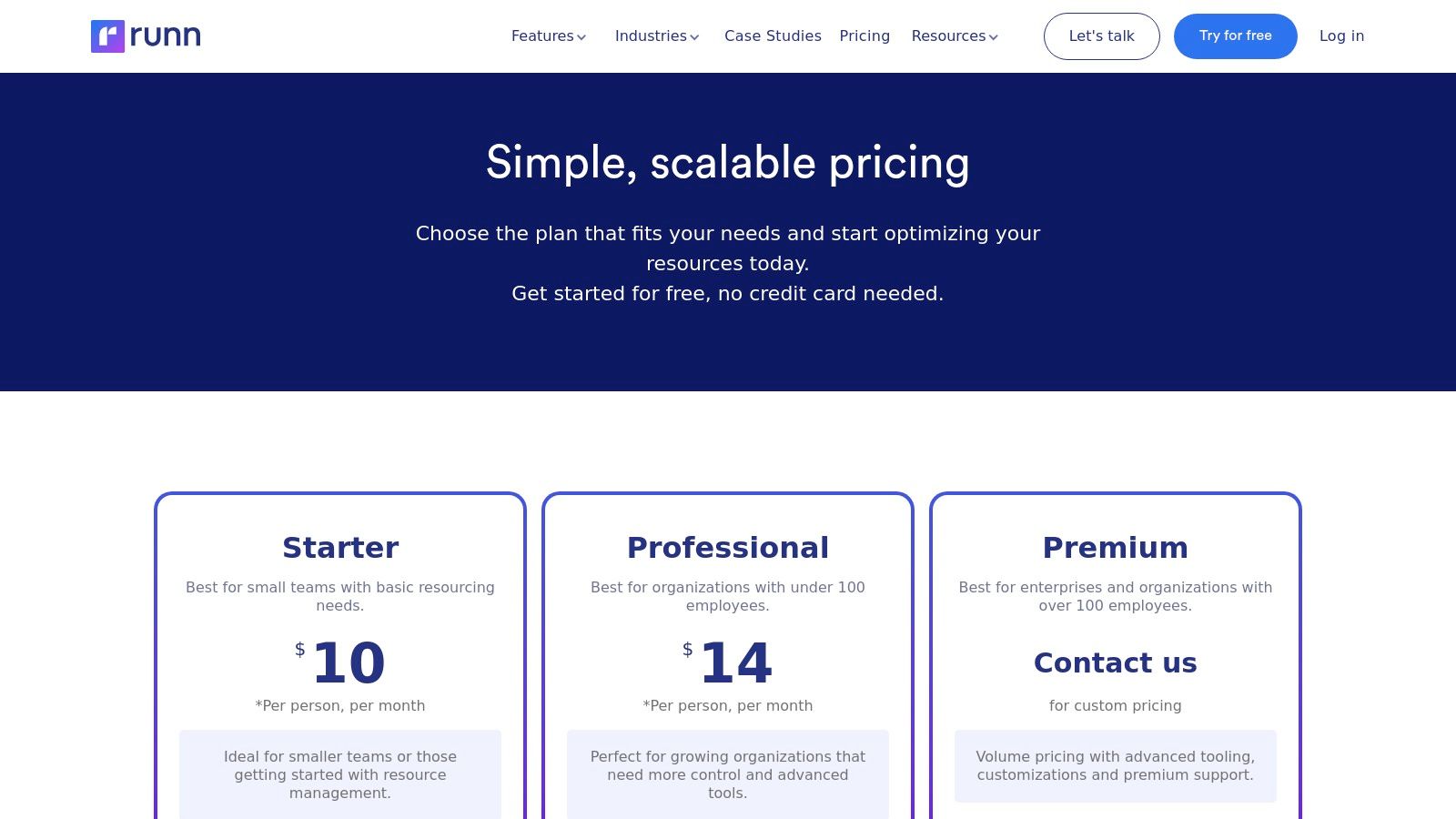
The core of Runn is its real-time planner, which visualizes capacity, utilization, and project progress in a clean, intuitive interface. Managers can quickly see the impact of new projects on their team's workload and make data-driven decisions about hiring or reallocating resources. Its integrated timesheets and variance reporting allow teams to compare planned effort against actuals, ensuring projects stay on track and profitable.
Key Features & Use Cases
- Best For: SMB agencies, software development teams, and consulting firms needing a balance of powerful forecasting and user-friendly scheduling.
- Scenario Planning: Model different project timelines and resourcing plans to understand their impact on capacity, revenue, and profitability before committing.
- Real-Time Scheduling: A visual planner for assigning work, managing placeholders for future hires, and tracking availability across the entire organization.
- Project Financials & Forecasting: Track budgets, view forecasted revenue and costs, and monitor project health with integrated financial dashboards.
- Timesheets & Variance Reporting: Capture actual hours worked and compare them against scheduled time to identify scope creep and improve future estimates.
Pricing & Evaluation
| Pros | Cons |
|---|---|
| Free for up to 5 people, making it accessible for small teams. | Reporting depth is lighter than large, enterprise-grade PSA suites. |
| Clear, modern UI with helpful and intuitive planning views. | Advanced governance and enterprise features are part of a sales-led plan. |
| Powerful scenario planning is a key differentiator. | Fewer direct integrations compared to some more established platforms. |
| Strong API for building custom connections and workflows. | Might be too robust for teams only needing basic scheduling. |
Pricing: Runn offers a free plan for up to 5 managed people. The Pro plan is $10 per person/month and includes unlimited projects, scenario planning, and advanced reporting. A 14-day free trial is available for the paid plan.
7. Mosaic
Mosaic is an AI-powered workforce intelligence platform that moves beyond simple scheduling to provide a holistic view of team performance and project profitability. It integrates resource management, project planning, and financial reporting into one system, using AI to automate planning and surface insights. This focus on connecting operational data with financial outcomes makes it one of the more strategic resource capacity planning tools for services organizations aiming to optimize their entire business, not just their schedules.
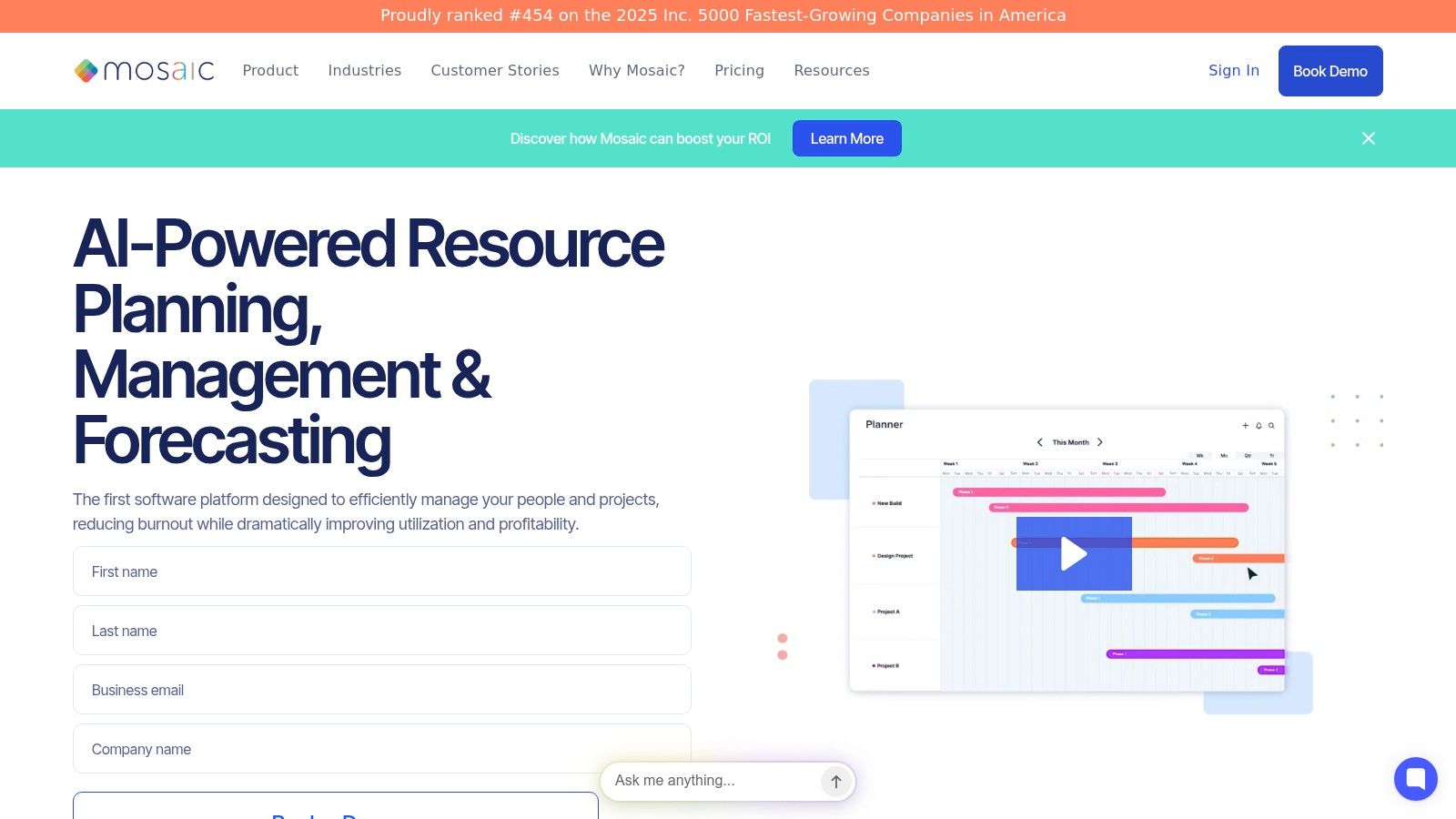
The platform centralizes workforce planning by showing who is working on what, analyzing utilization rates, and forecasting future demand. Mosaic stands out by automatically creating project plans and suggesting resource assignments based on skills and availability. Its analytics dashboards provide real-time visibility into key metrics like budget variance, project margin, and team utilization, enabling leaders to make data-driven decisions quickly and confidently.
Key Features & Use Cases
- Best For: Growing agencies, consulting firms, and professional services teams that need to connect resource planning directly to financial performance and business intelligence.
- AI-Powered Planning: Automatically generates work plans and provides intelligent resource suggestions to streamline project setup and staffing.
- Workforce Intelligence Dashboards: Offers real-time views of utilization, project budgets, team capacity, and profitability KPIs.
- Integrated Time Tracking: Connects timesheets directly to project plans and budgets, simplifying reporting and variance analysis.
- Scenario Planning & Forecasting: Allows managers to model different project scenarios and forecast resource needs to proactively manage hiring and workload distribution.
Pricing & Evaluation
| Pros | Cons |
|---|---|
| AI-driven features help automate tedious planning tasks. | Pricing details are not prominently displayed on the main website. |
| Strong focus on connecting operations to financial KPIs. | Implementation depth may vary by use case, requiring some setup. |
| Competitive entry-level pricing for small to mid-sized agencies. | Can be more complex than simple drag-and-drop scheduling tools. |
| Offers a 30-day free trial to evaluate its fit for your team. | AI features might be overkill for very small teams with simple needs. |
Pricing: Mosaic offers three plans: Team, Business, and Enterprise. The Team plan starts at $14.99 per user/month and is designed for smaller teams needing core resource management. A 30-day free trial is available to test the platform.
8. Hub Planner
Hub Planner is a feature-rich resource management and scheduling platform that offers a powerful combination of capacity planning, time tracking, and financial management. It’s designed to scale from growing small businesses to large enterprises, providing a highly customizable environment for managing teams, projects, and budgets. Its modular approach, with a core platform and optional extensions, allows organizations to build one of the more tailored resource capacity planning tools for their specific operational needs.
The system provides deep visibility into resource availability, utilization, and skills, helping managers make informed staffing decisions. With integrated timesheets, budget tracking, and extensive reporting capabilities, Hub Planner connects resource allocation directly to project profitability. The platform excels at handling complex requirements like custom fields for skills matching, resource requests, and approval workflows, making it a robust solution for managing a diverse talent pool.
Key Features & Use Cases
- Best For: Mid-sized to enterprise organizations in professional services, engineering, and IT that require detailed control over resource scheduling, financial tracking, and skills management.
- Resource & Capacity Planning: Visual scheduler with heatmaps to quickly identify who is over or under-utilized, along with detailed capacity and availability reporting.
- Skills Management: Use custom fields and tags to categorize team members by skill, location, or department, then filter and search to find the best-fit resource for a project.
- Timesheets & Financials: Integrated time tracking that feeds into project budget reporting, allowing you to track actuals against estimates, manage billable rates, and monitor project spend.
- Modular Extensions: Add-on functionality for features like leave management, resource requesting, and advanced reporting dashboards to extend the core platform's capabilities.
Pricing & Evaluation
| Pros | Cons |
|---|---|
| Strong price-to-feature value and highly scalable. | UI can feel dense when configuring advanced options. |
| Many extensions and dashboards for deeper control. | Some core features are delivered as extensions, which can add complexity. |
| Granular control over skills, rates, and permissions. | The sheer number of features may require a longer onboarding period. |
| Robust reporting and API for custom integrations. | Less focused on a minimalist UX compared to some newer competitors. |
Pricing: Hub Planner uses a modular pricing model. The Scheduler starts at $7 per resource/month. You can add extensions like Timesheets ($7/resource/month) or Reporting ($7/resource/month). Bundles are available, with the All-In-One Pro plan offering significant savings. A 30-day free trial is offered.
9. Parallax
Parallax is a purpose-built PSA-lite platform designed specifically for the operational needs of digital, creative, and marketing agencies. It bridges the gap between sales and delivery by integrating with your CRM and time-tracking tools to provide a unified view of your pipeline, active projects, and resource availability. This focus on connecting sales forecasts to actual capacity makes it one of the most strategic resource capacity planning tools for agencies aiming to improve profitability and make data-driven hiring decisions.
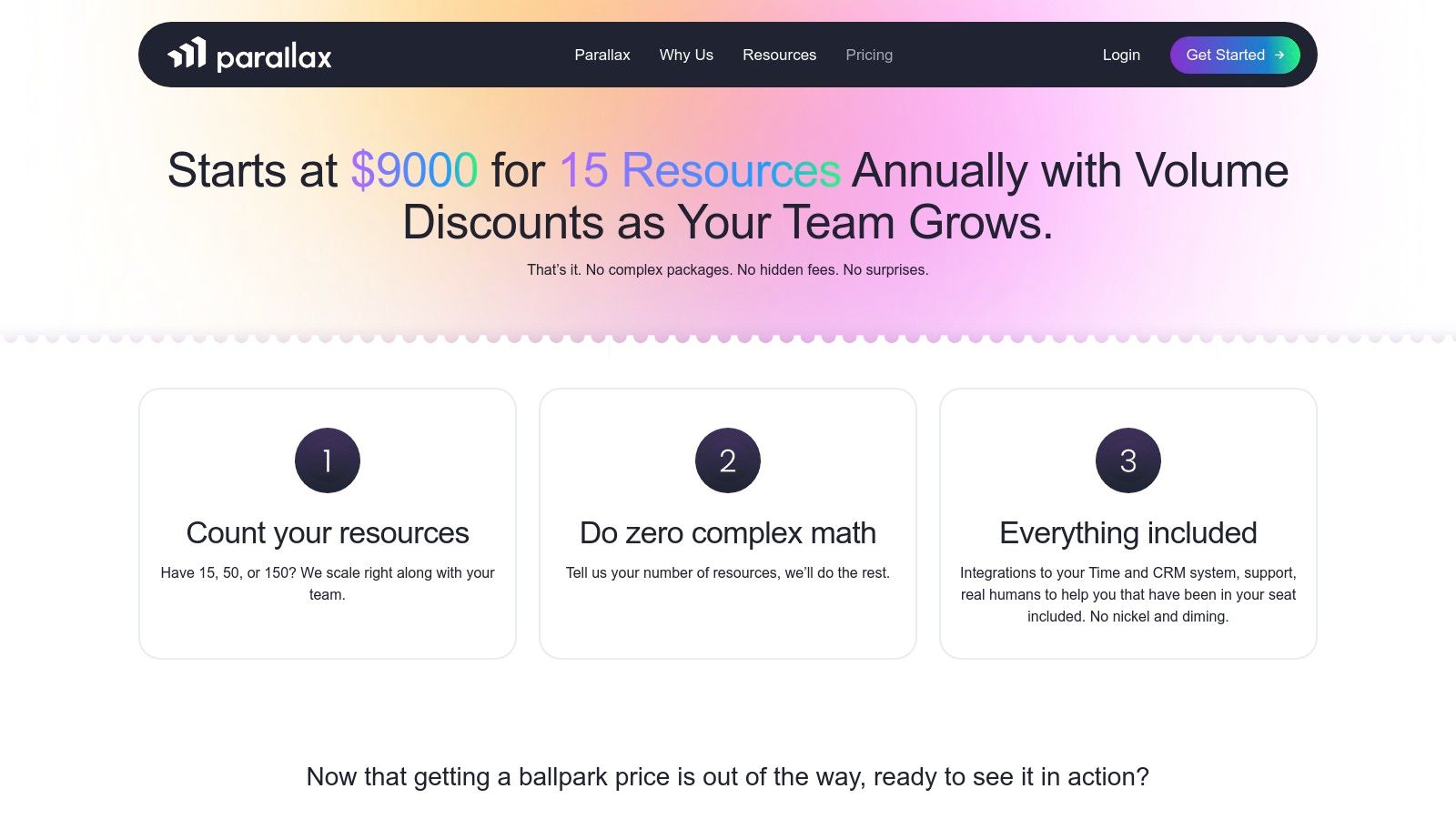
The platform excels at turning sales opportunities into resource demand forecasts, allowing leadership to see the impact of new business on future team utilization. By providing clear, forward-looking insights, Parallax helps agencies move from reactive staffing to proactive resource management. The bundled onboarding and support ensure teams can quickly adopt the tool and start seeing value, replacing cumbersome spreadsheets with automated, actionable reports.
Key Features & Use Cases
- Best For: Mid-sized digital and marketing agencies that need to align their sales pipeline with resource capacity to forecast hiring needs and protect margins.
- Sales & Delivery Alignment: Integrates with popular CRMs (like HubSpot, Salesforce) and time-tracking tools to create a single source of truth for project demand and resource availability.
- Predictive Forecasting: Uses project data and sales pipeline information to generate accurate utilization and revenue forecasts, helping leadership plan ahead.
- Strategic Capacity Planning: Offers powerful insights into team capacity versus demand, highlighting who is overbooked, who is available, and when to hire.
- Guided Onboarding: Subscriptions include comprehensive support and onboarding services to ensure successful implementation and adoption.
Pricing & Evaluation
| Pros | Cons |
|---|---|
| Focused on digital and creative agencies with relevant connectors. | Price floor may be high for very small agencies or startups. |
| Transparent, simple pricing for leadership teams. | Requires an annual commitment to realize the platform's full value. |
| Bundled support and onboarding adds significant value. | More of a strategic forecasting tool than a granular, daily scheduler. |
| Strong forecasting links sales pipeline to actual capacity. | May not replace a dedicated project management tool for task execution. |
Pricing: Parallax offers custom pricing based on the size and needs of the agency, with plans designed to scale. Pricing is typically presented as an annual subscription, and you must contact their sales team for a personalized quote.
10. Productive
Productive is an all-in-one agency management platform designed to replace multiple disconnected tools with a single, integrated hub for operations. It combines project management, time tracking, budgeting, invoicing, and resourcing into one system, providing a holistic view of agency health. By centralizing data from sales to delivery, Productive positions itself as one of the most comprehensive resource capacity planning tools for service-based businesses looking to streamline their entire workflow and drive profitability.
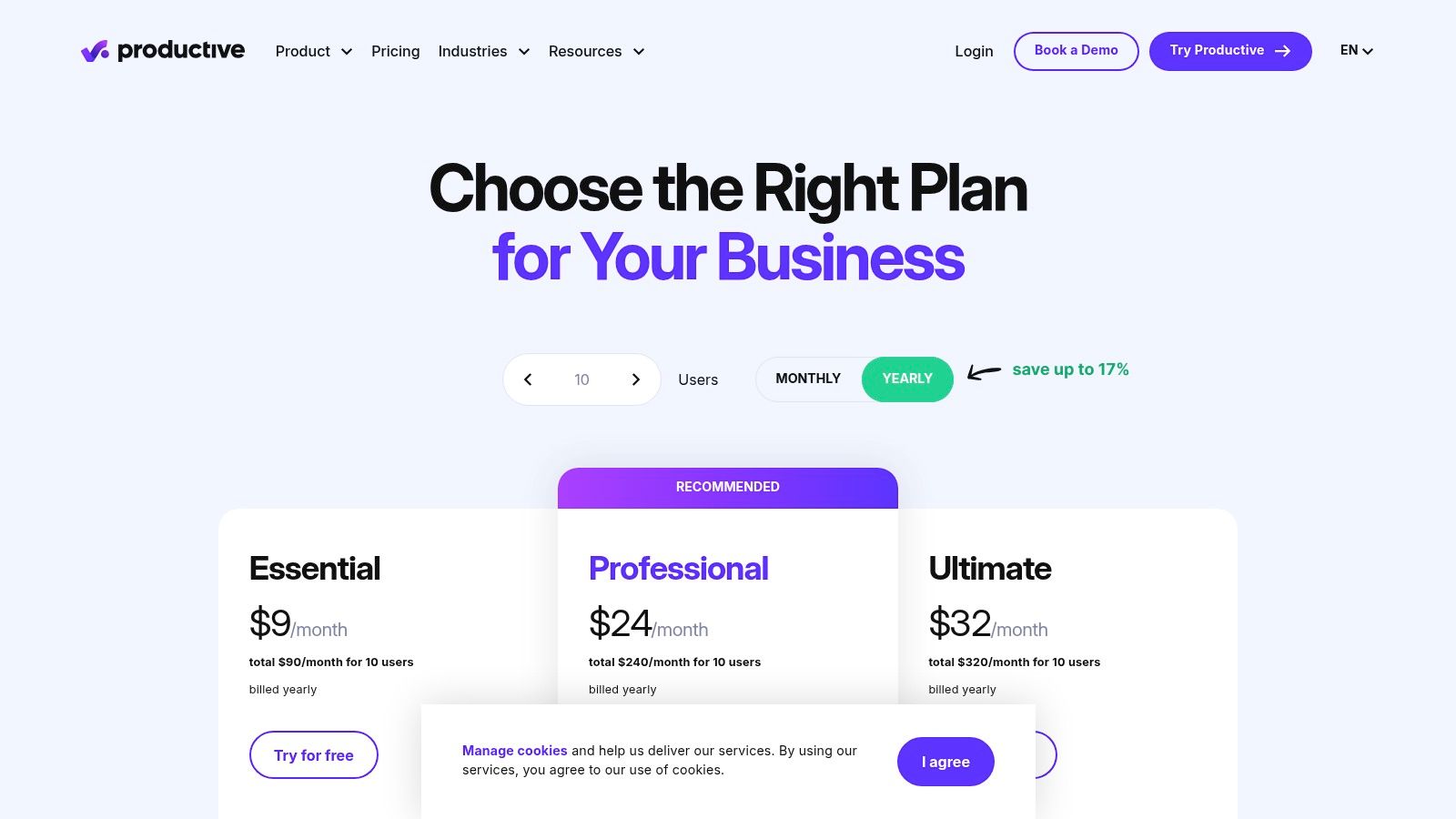
The platform’s strength lies in its deep financial integrations, allowing managers to connect resource plans directly to project budgets, cost rates, and profitability reports. This end-to-end visibility helps agencies understand the true financial impact of their capacity decisions. Its scheduling module provides clear views of team utilization and availability, making it easy to allocate the right people while forecasting future resource needs based on the sales pipeline.
Key Features & Use Cases
- Best For: Mid-sized agencies and consulting firms that want to consolidate their tech stack and gain deep financial insights from a single operational platform.
- Integrated Resource Planning: Schedule team members based on real-time availability, manage time-off requests, and view utilization dashboards that connect directly to project profitability.
- Budget & Profitability Reporting: Create detailed budgets with custom cost and billable rates, track expenses, and generate real-time reports to monitor project margins and overall agency performance.
- End-to-End Agency Management: Covers the entire project lifecycle, including sales pipeline management, project planning, task management, time tracking, and invoicing.
- Advanced Integrations: Offers a public API, SSO/2FA on higher tiers, and connects with tools like QuickBooks, Xero, and Zapier for a fully integrated workflow.
Pricing & Evaluation
| Pros | Cons |
|---|---|
| Replaces multiple tools with a single source of truth. | Can have a steeper learning curve due to its extensive feature set. |
| Mature financial features including custom cost and bill rates. | Minimum seat requirements (e.g., 3 paid seats) on plans. |
| Strong connection between resourcing and project profitability. | Advanced features are locked behind higher-priced tiers. |
| Highly customizable to fit complex agency workflows. | Setup can be more involved than simpler, single-purpose tools. |
Pricing: Productive offers a tiered structure, starting with the Standard plan at $20 per user/month, which includes time tracking, budgeting, and invoicing. The Premium plan, at $30 per user/month, adds resource planning, advanced reporting, and integrations. A free trial is available.
11. Teamwork
Teamwork is a comprehensive project management platform built specifically for client work, embedding resource management directly into its core workflows. It excels at connecting tasks, time tracking, and client billing into a single ecosystem, making it a strong choice for agencies looking to manage the entire project lifecycle. While known for its project management capabilities, its integrated workload and scheduling features make it one of the more versatile resource capacity planning tools for service-based businesses.
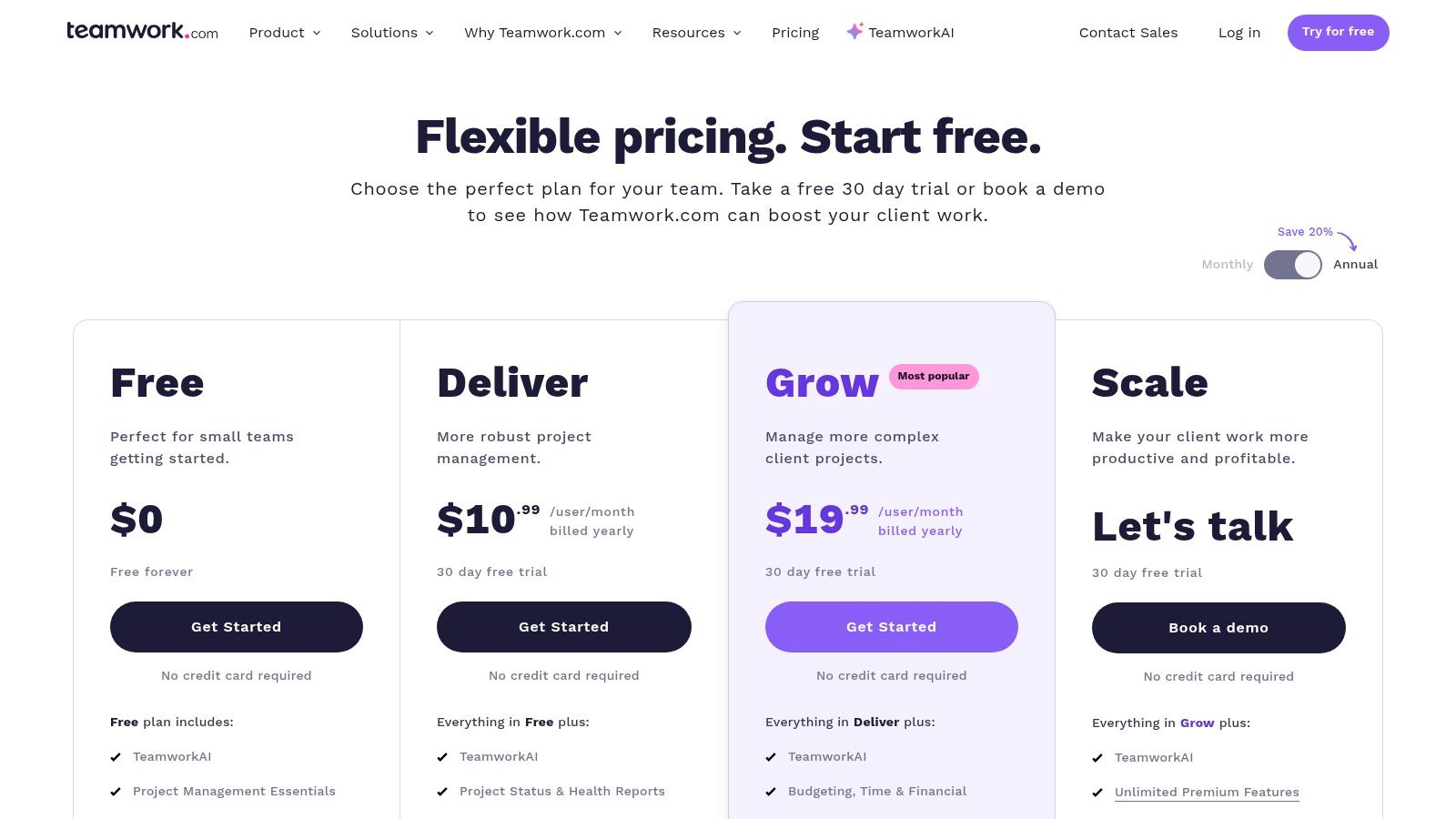
The platform provides a Workload feature that gives managers a visual overview of team capacity, helping them assign work evenly and spot potential bottlenecks before they occur. By tying resource allocation directly to project tasks and timelines, Teamwork ensures that capacity planning is grounded in actual client deliverables. Its strength is in offering an all-in-one solution where teams can manage projects, track time, and monitor profitability without juggling multiple applications.
Key Features & Use Cases
- Best For: Agencies and client service teams seeking an all-in-one project management and resource planning tool with strong financial and billing integrations.
- Workload Management: Visually manage team capacity, see who is overworked or underutilized, and reassign tasks with a simple drag-and-drop interface.
- Time Tracking & Utilization: Integrated time tracking allows for accurate timesheets, which feed into utilization and profitability reports to measure team efficiency.
- Budgeting & Profitability: Set project budgets, track billable hours against estimates, and generate profitability reports to ensure client work stays on track financially.
- Client-Centric Integrations: Seamlessly connects with tools like HubSpot and QuickBooks, streamlining the workflow from project delivery to client invoicing.
Pricing & Evaluation
| Pros | Cons |
|---|---|
| Affordable entry-level plans with robust project management. | Advanced resourcing and capacity features are gated in higher tiers. |
| Excellent integrations for client-billing ecosystems. | May require add-ons or top-tier plans for full PSA-level reporting. |
| Combines task management and resource planning in one platform. | The interface can feel busy for users needing only simple scheduling. |
| Strong focus on profitability and client work management. | Less specialized for pure resource forecasting than dedicated tools. |
Pricing: Teamwork offers a free forever plan for basic task management. Paid plans start with Deliver at $9.99 per user/month, adding time tracking and invoicing. The Grow plan at $19.99 per user/month unlocks Workload management and more advanced reporting. A free trial is available.
12. Wrike
Wrike is a versatile work management platform that embeds powerful resource management capabilities within its broader project and collaboration toolset. Unlike niche scheduling tools, Wrike is designed for teams that need to connect high-level capacity planning directly to granular project tasks, approvals, and workflows. Its strength lies in providing a unified environment where managers can visualize team workloads and make assignments, making it one of the most integrated resource capacity planning tools for organizations looking to manage projects from start to finish in one place.
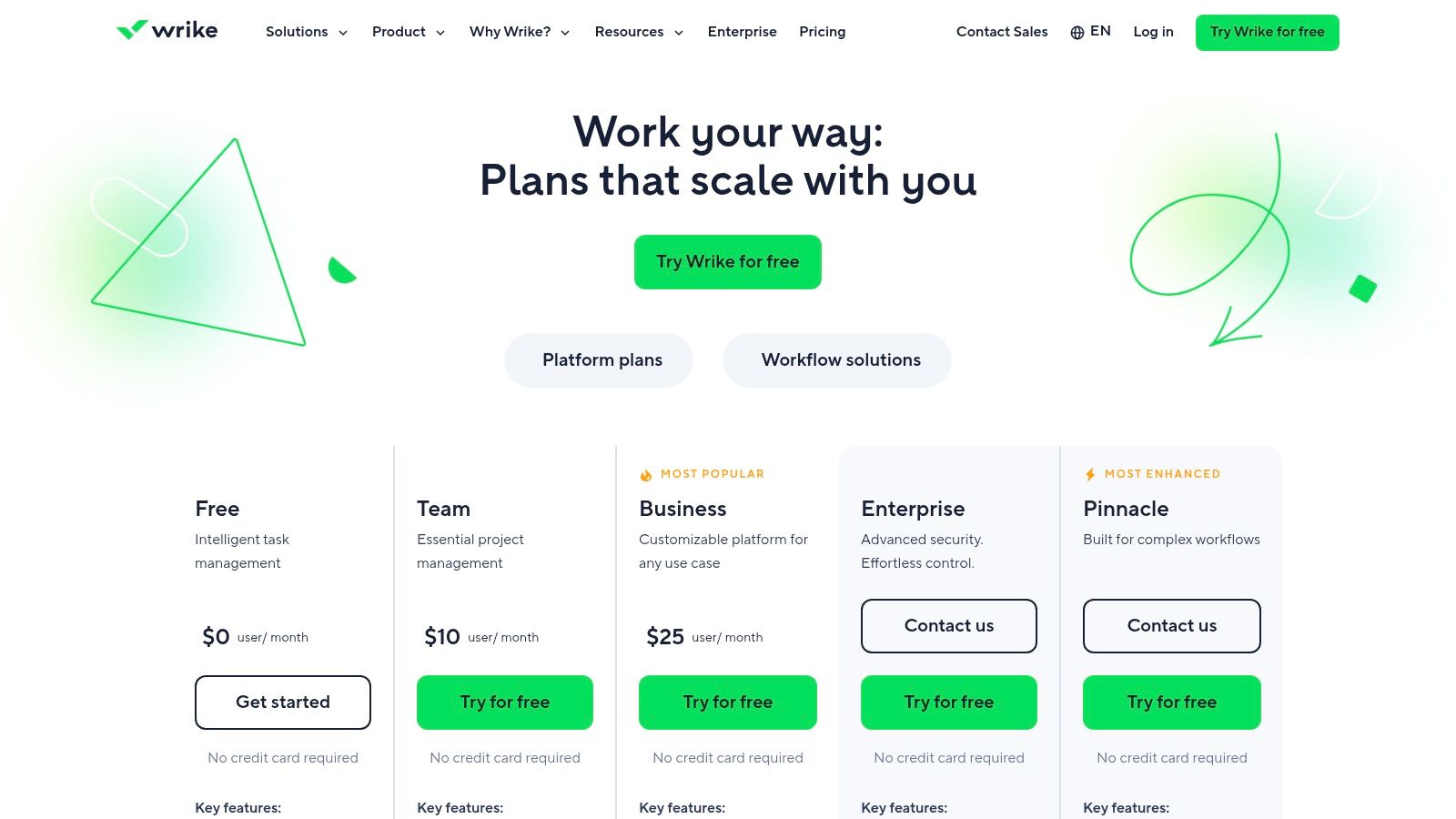
The platform's Workload charts offer an immediate, color-coded view of each team member's bandwidth, highlighting who is over or under-allocated. This visual clarity, combined with time tracking and utilization reports, helps managers balance assignments and forecast future needs effectively. Wrike's approach is particularly beneficial for services teams that need to align resource planning with project management, as the two are seamlessly connected within the same system.
Key Features & Use Cases
- Best For: Mid-sized to enterprise teams, particularly professional services, that need a comprehensive work management platform with integrated resource and capacity tools.
- Workload Charts & Resource Views: Visualize team capacity at a glance, identify bottlenecks, and reallocate work with a drag-and-drop interface.
- Resource Bookings & Effort Management: Plan and book resources for projects based on role or individual, and track planned effort against actual time spent.
- Time Tracking & Utilization: Capture billable and non-billable hours with built-in timesheets and generate reports to monitor team utilization and project profitability.
- Integrated Project Management: Connects resource allocation directly to tasks, milestones, and project timelines within a single, collaborative platform.
Pricing & Evaluation
| Pros | Cons |
|---|---|
| Broad collaboration and resource features in one platform. | Resource features vary by plan and can be confusing. |
| Scales from small teams to enterprise with PSA add-ons. | Initial setup may be complex for teams new to Wrike’s structure. |
| Highly customizable to fit complex organizational workflows. | Core capacity planning is not available on lower-tier plans. |
| Robust reporting and analytics capabilities. | Can feel overly complex for teams needing simple scheduling. |
Pricing: Resource management features begin with the Business plan at $24.80 per user/month. More advanced capabilities, including bookings and utilization reporting, are available in higher-tier plans like Pinnacle or through specialized add-ons for professional services. A 14-day free trial is available.
Top 12 Resource Capacity Planning Tools Comparison
| Product | Core features ✨ | UX / Quality ★ | Pricing / Value 💰 | Target audience 👥 | USP / Notes 🏆 |
|---|---|---|---|---|---|
| TimeTackle 🏆 | Calendar-first AI time capture; rule-based tagging; dashboards; API & exports | ★★★★☆ SOC 2 Type II; accurate capture; 300+ teams | 💰 Start free; custom/enterprise plans; strong billing ROI | 👥 Mid-size agencies, services, product & customer-facing teams | 🏆 Calendar automation + Chrome extension; visual workflow builder |
| Float | Visual scheduler; capacity & time-off; budget vs actuals; calendar/Jira integrations | ★★★★☆ Clean UI; quick adoption; SOC 2 & GDPR | 💰 Tiered plans; free guest users; fast time-to-value | 👥 Agencies & professional services | Simple scheduling & margin visibility; rapid setup |
| Resource Guru | Drag-and-drop bookings; clash avoidance; leave mgmt; timesheets (mid tiers) | ★★★★ Very quick to learn & use | 💰 Low entry price; cost-effective for growth | 👥 Teams booking people, rooms & equipment | Lightweight scheduler; minimal learning curve |
| Kantata | Enterprise PSA: resource center, forecasting, rate cards, financials | ★★★★☆ Robust governance; enterprise-grade | 💰 Sales-led pricing; higher TCO | 👥 Large agencies & consulting firms | End-to-end PSA breadth; strong permissions & approvals |
| Smartsheet Resource Management | Capacity planning; skill-based assignments; utilization reporting in Smartsheet | ★★★★ Best when Smartsheet is standard | 💰 Add-on on Business/Enterprise tiers | 👥 Teams already using Smartsheet broadly | Tight project↔resourcing integration |
| Runn | Real-time scheduling; placeholders; scenario planning; timesheets | ★★★★ Modern UI; clear planning views | 💰 Free for up to 5; transparent plans | 👥 SMB agencies & small teams | Scenario planning + approachable UX |
| Mosaic | Scheduling & forecasting; KPI dashboards; AI-driven insights | ★★★★ Competitive entry; 30-day trial | 💰 Competitive entry price; pricing less prominent | 👥 Agencies & services organizations | AI workforce intelligence & planning automations |
| Hub Planner | Visual scheduler; skills/tags; timesheets; budgets & reports | ★★★★ Scalable feature set; UI can be dense | 💰 Strong price-to-feature; extensions may add cost | 👥 SMB → Enterprise resource teams | Extensive extensions & dashboards for control |
| Parallax | Capacity planning; utilization forecasting; native time/CRM integrations | ★★★★ Agency-focused UX; bundled onboarding | 💰 Transparent pricing; annual commitment often required | 👥 Digital & marketing agencies | PSA-lite with agency connectors & support |
| Productive | All-in-one: projects, time, budgeting, resourcing, reporting | ★★★★ Mature financials; setup time required | 💰 Min seat requirements; advanced features on higher tiers | 👥 Agencies wanting single ops hub | Replace multiple tools; strong profitability modeling |
| Teamwork | Workload & resource scheduling; time tracking; budgeting | ★★★★ Affordable entry; client-billing friendly | 💰 Affordable entry tiers; add-ons for PSA features | 👥 Client-service teams & agencies | Good HubSpot/QuickBooks integrations for billing |
| Wrike | Workload charts; resource bookings; time tracking; roles | ★★★★ Broad collaboration + resourcing (plan-dependent) | 💰 Resourcing on Business+; scalable enterprise options | 👥 Teams needing collaboration & resource mgmt | Flexible platform with PSA-focused add-ons |
Final Thoughts
Navigating the landscape of resource capacity planning tools can feel overwhelming, but the journey from reactive scheduling to proactive resource management is a transformational one for any professional services firm. We've explored a diverse set of platforms, from the visual simplicity of Float and Resource Guru to the enterprise-grade power of Kantata and Smartsheet Resource Management. Each tool offers a unique approach to solving the fundamental challenge: aligning your team’s capacity with project demand to maximize profitability and minimize burnout.
The core takeaway is that there is no single "best" tool, only the best tool for your specific context. Your ideal solution depends heavily on your team size, project complexity, existing tech stack, and reporting needs. A 50-person creative agency has vastly different requirements than a 200-person consulting firm, and your choice should reflect that reality.
Key Insights and Actionable Next Steps
As you move forward, keep these critical points in mind:
- Start with Your Process, Not the Tool: Before you even start a free trial, map out your current resource management workflow. Identify the biggest bottlenecks. Is it inaccurate forecasting, a lack of visibility into utilization, or the administrative burden of manual data entry? The right tool will solve your most painful problem first.
- Data Accuracy is Non-Negotiable: Your capacity plans are only as good as the data feeding them. The most sophisticated forecasting algorithms are useless if they're based on inaccurate or incomplete timesheets. This is why connecting your planning tool to a reliable source of actual time data is paramount.
- Adoption is Everything: A powerful tool that no one uses is a wasted investment. Prioritize user experience, especially for the team members who will be interacting with it daily. A complex implementation that requires extensive training can doom a tool before it ever gets off the ground. Look for intuitive interfaces and seamless integrations that fit into existing workflows.
Making the Right Choice for Your Agency
To distill your options, consider these guiding questions:
- What is our primary goal? Are we trying to improve billable utilization (consider Parallax, Kantata), get a better handle on project forecasting (look at Runn, Mosaic), or simply make day-to-day scheduling less chaotic (Float, Resource Guru)?
- How mature are our operations? If you're just moving away from spreadsheets, a straightforward tool like Teamwork or Productive might be the perfect entry point. If you have complex, multi-phase projects and need deep financial reporting, a more robust platform like Smartsheet or Wrike is likely a better fit.
- What does our data foundation look like? Do your teams already live in their calendars? If so, a solution that leverages that existing behavior will face the least resistance. Manual timesheets are a known point of failure, so any tool that can automate or simplify that data capture has a significant advantage.
Ultimately, selecting the right resource capacity planning tools is a strategic decision that directly impacts your operational efficiency and financial health. It’s about more than just filling a schedule; it’s about empowering your teams to do their best work without the friction of outdated processes. By focusing on your specific needs and prioritizing a smooth implementation, you can unlock a new level of clarity and control over your most valuable asset: your people's time.
Before you can plan capacity, you need an accurate picture of where time is actually spent, without adding to your team's administrative burden. TimeTackle automates this by turning your team's existing Google or Outlook calendar data into precise, report-ready timesheets and analytics. Integrate this ground truth with your chosen planning tool to build forecasts you can finally trust. Visit TimeTackle to see how you can eliminate timesheet fatigue and get a crystal-clear view of your team's actual capacity.