Using a stopwatch with time tracking isn’t just about measuring work; it's about capturing it live, as it happens, instead of trying to piece together your day from memory. This simple start-and-stop approach gives you crystal-clear data, moving you from foggy guesswork to sharp precision.
Why Stopwatch Time Tracking Is a Game Changer
Ever get to the end of the day and struggle to fill out your timesheet, trying to recall every single task you juggled? You're not alone. For most professionals, logging hours after the fact—what we call retrospective logging—is a huge source of stress and, frankly, inaccuracy. This is exactly where a small shift in your process can make a world of difference.
By using a stopwatch for your time tracking, you’re adopting a more honest and intuitive method: measuring your work in real time. Instead of estimating, you capture the exact duration of every task, right as you're doing it.
From Guesswork to Accurate Data
Think of traditional timesheets like trying to remember every turn you took on a long road trip after you've already reached your destination. It's a fuzzy memory at best. A stopwatch, on the other hand, is like having a GPS that logs your route as you drive. It replaces flawed human memory with hard, factual data.
This simple change brings some immediate and powerful benefits:
- Improved Accuracy: It completely cuts out the recall bias that causes us to over or underestimate our hours. Your billing and project data become rock-solid.
- Greater Transparency: Clients and managers can see exactly how time was spent, which builds trust and makes it easy to justify costs.
- Effortless Logging: Tracking becomes a simple, in-the-moment habit. Just click 'start' and 'stop'. The administrative headache vanishes.
- Enhanced Focus: The act of starting a stopwatch signals to your brain that it's time for deep work, helping to minimize distractions and improve concentration.
A New Mindset for Productivity
Switching to a stopwatch workflow is more than just grabbing a new tool. It’s a strategy for taking back control of your productivity and profitability. The start-stop method creates a clean line between focused work and all the little interruptions that pop up. When you hit pause on the timer for a coffee break or an unexpected phone call, you get a true, unvarnished picture of your actual productive hours.
By measuring work as it occurs, you gain an honest, unfiltered view of your efficiency. This data is the foundation for smarter decisions, from scoping future projects to identifying your most profitable activities.
Ultimately, this turns time tracking from a dreaded chore into a powerful business intelligence tool. It gives you the clarity you need to make sure every minute of your effort is accounted for, valued correctly, and perfectly aligned with your goals. It's the first real step toward making every second count.
From Race Tracks to Desktops: A Stopwatch History
To really get why a modern stopwatch with time tracking is so essential, you have to look back at where it came from. The stopwatch wasn't born in a cubicle or a corner office. Its story starts on the racetrack, built for one simple, powerful reason: to capture duration with absolute precision. That core mission hasn't changed a bit, even as its purpose has shifted from finish lines to project deadlines.
The whole journey began with a very specific problem. Before the stopwatch, timing things like horse races was messy, inconsistent, and wide open to human error. People needed a reliable way to settle bets, declare winners, and log official records that everyone could trust.
The Dawn of Precision Timing
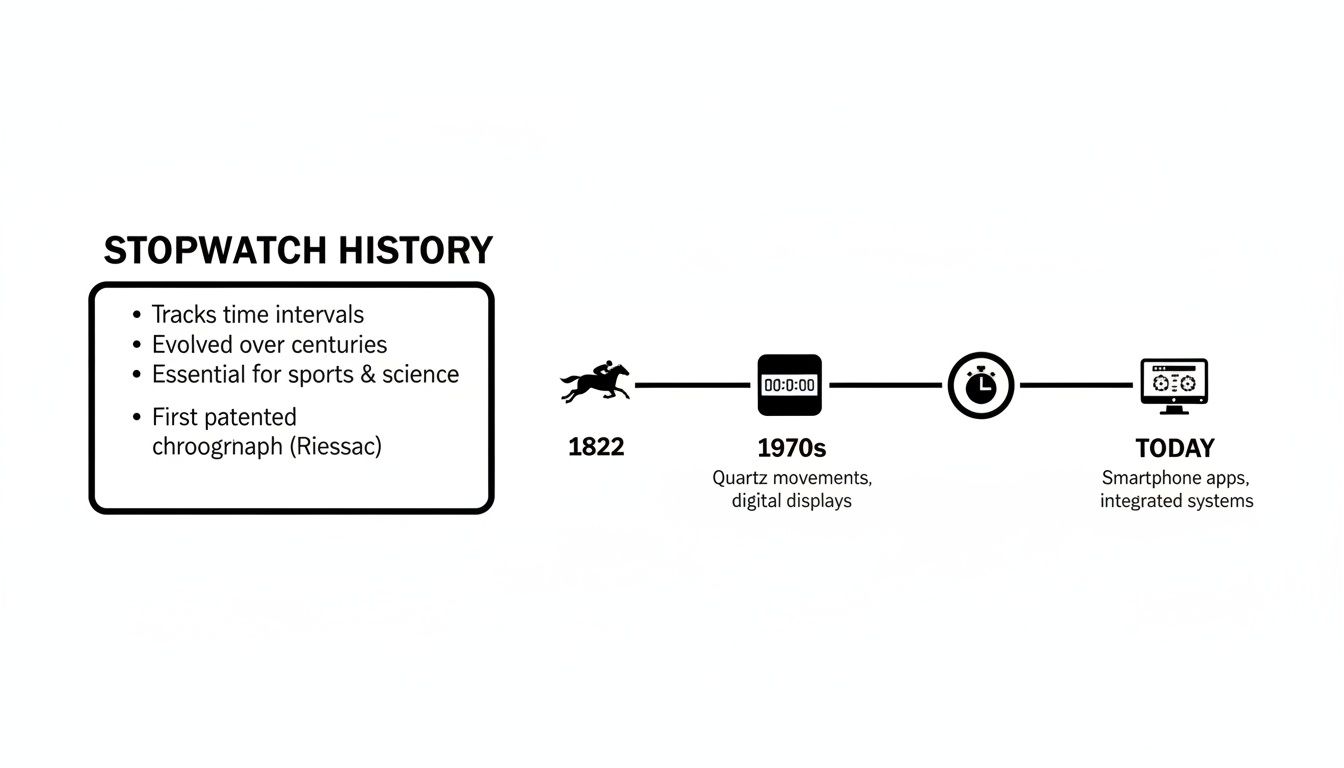
The first real stopwatch was invented to solve that exact problem. Back in 1822, Nicolas Mathieu Rieussec was hired by King Louis XVIII to accurately time horse races in Paris. His invention, a chronograph, used a tiny ink-tipped needle to mark a rotating dial—literally "writing time." For the first time, there was a verifiable, impartial record of how long a race took.
This mechanical wonder set the standard for a long time. Its role in sports was locked in when a similar device was used to time events at the very first modern Olympic Games in 1896. For the better part of a century, these intricate, gear-driven devices were the gold standard.
The stopwatch was born from a need for undeniable proof. Its goal wasn't just to measure time, but to create an objective record that could stand up to scrutiny—a principle that’s just as critical for client billing today as it was for horse racing back then.
The Digital Leap and Modern Workflows
The next big jump happened in the early 1970s with the arrival of electronic digital stopwatches. Gears and springs were out, replaced by quartz crystals and digital screens. This shift brought even greater accuracy and made precision timing way more accessible. Suddenly, you didn't have to be a race official or a scientist to time something accurately.
This evolution set the stage for the software-based stopwatches we all use today. The fundamental need for precision that drove Rieussec’s invention is the same reason you and I rely on a digital stopwatch with time tracking. We're just timing different things—project tasks, client calls, and deep work sessions instead of horses.
The stopwatch has traveled from a physical tool on a racetrack to a seamless feature in our digital lives. As we'll get into, learning how to use it well is key to unlocking better productivity. The tech has changed, but the mission is exactly the same: capture time accurately to get the clear, reliable data you need to make smart decisions.
Choosing the Right Tool: Stopwatch vs. Timer vs. Clock
It’s easy to throw around words like "stopwatch," "timer," and "clock" as if they all do the same thing. But when it comes to managing your time effectively—especially in a professional setting—they are fundamentally different tools with very distinct jobs.
Picking the right one is the first step toward building a workflow that’s actually precise. Think of it like a carpenter choosing between a measuring tape, a level, and a square. Each one gives you a critical, but different, piece of information. Using the wrong one for the job just doesn't work.
What Question Is Your Tool Answering?
The best way to tell these tools apart is to think about the question you need answered. Each one provides a specific piece of information that the others simply can’t.
Here’s a quick breakdown to help you choose the right tool for any situation.
Stopwatch vs Timer vs Clock: A Functional Comparison
| Tool | Primary Function | Best Use Case | Key Benefit |
|---|---|---|---|
| Clock | Tells you the current time of day | Scheduling future events or referencing a specific moment | Provides a fixed point of reference (e.g., "The meeting is at 2:00 PM.") |
| Timer | Counts down from a set duration | Time-boxed activities like a Pomodoro session or a presentation rehearsal | Creates focus and urgency by setting a clear endpoint |
| Stopwatch | Counts up from zero to measure elapsed time | Tracking the actual time spent on a task, like a client call or coding session | Captures the true duration of an activity for accurate billing and project analysis |
For accurately billing a client, measuring how long a design task really took, or understanding your true project costs, the stopwatch is your best friend. It’s the only tool built to capture the reality of how long work actually takes. It's ideal for freelancers tracking billable hours, students logging study sessions, or anyone needing to understand where their time goes.
A clock tells you when to start and a timer tells you when to stop, but a stopwatch with time tracking tells you how much value you created in between. This simple shift in perspective is what unlocks truly accurate data.
The stopwatch isn't a new concept. It has evolved from a clunky mechanical device used for timing horse races in 1822 to the indispensable digital app on our desktops and phones today.
This long history just goes to show its singular, enduring purpose: to measure elapsed time with ever-increasing precision. By understanding which tool to grab for which job, you can move from just managing your schedule to accurately measuring your output.
How to Implement Stopwatch Tracking in Your Workflow
Switching to stopwatch-style tracking isn't about mastering some complex new software. It’s about building a simple, incredibly powerful habit. The mechanic is dead simple: when you start a task, you hit "go." When you stop, get interrupted, or pivot to something else, you hit "stop." The real shift is in your mindset—moving from guessing after the fact to actively measuring in the moment.
This "track-as-you-go" approach weaves time tracking into the fabric of your workday, turning it from a chore you dread into a natural reflex. It’s all about creating an honest log of your effort as it happens, which completely removes the stress and wild inaccuracy of trying to remember what you did hours or even days ago.
The goal is to make it feel as automatic as opening a new document. Instead of seeing it as another admin task, think of it as the ultimate way to get credit for every single minute of focused work you put in.
Putting It Into Practice
The secret to building this habit? Start small and be consistent. Don't try to track every minute of your entire day right out of the gate. That's a recipe for burnout. Instead, pick one client or one specific type of task to focus on.
Here’s a practical, no-fuss roadmap to get you started:
- Choose Your First Task: Pick something with clear boundaries, like a client meeting, a design concept, or a specific coding block.
- Start the Stopwatch: Before you dive in, open your time tracking tool and hit the start button. Name the entry something obvious (e.g., "Logo Concept – Client X").
- Work and Pause as Needed: This is the magic step. If you get a phone call or step away for coffee, just pause the timer. This is how you capture your true, uninterrupted focus time. You can also use lap timers to mark specific milestones within a larger task.
- Stop and Save: Once you’ve finished the task or you're switching to another billable activity, stop the timer. Your tool now has a perfect, accurate record of the exact duration.
This simple process keeps your time data clean and precise. Before you know it, this becomes second nature, generating accurate data without adding any friction to your day. You can find more advice in our complete guide to time tracking best practices to help make this new workflow stick.
The most significant benefit of using a stopwatch for time tracking is the immediate feedback loop it creates. You see exactly where your time is going, which naturally encourages you to be more intentional with your focus and cut down on context switching.
Real-World Scenarios
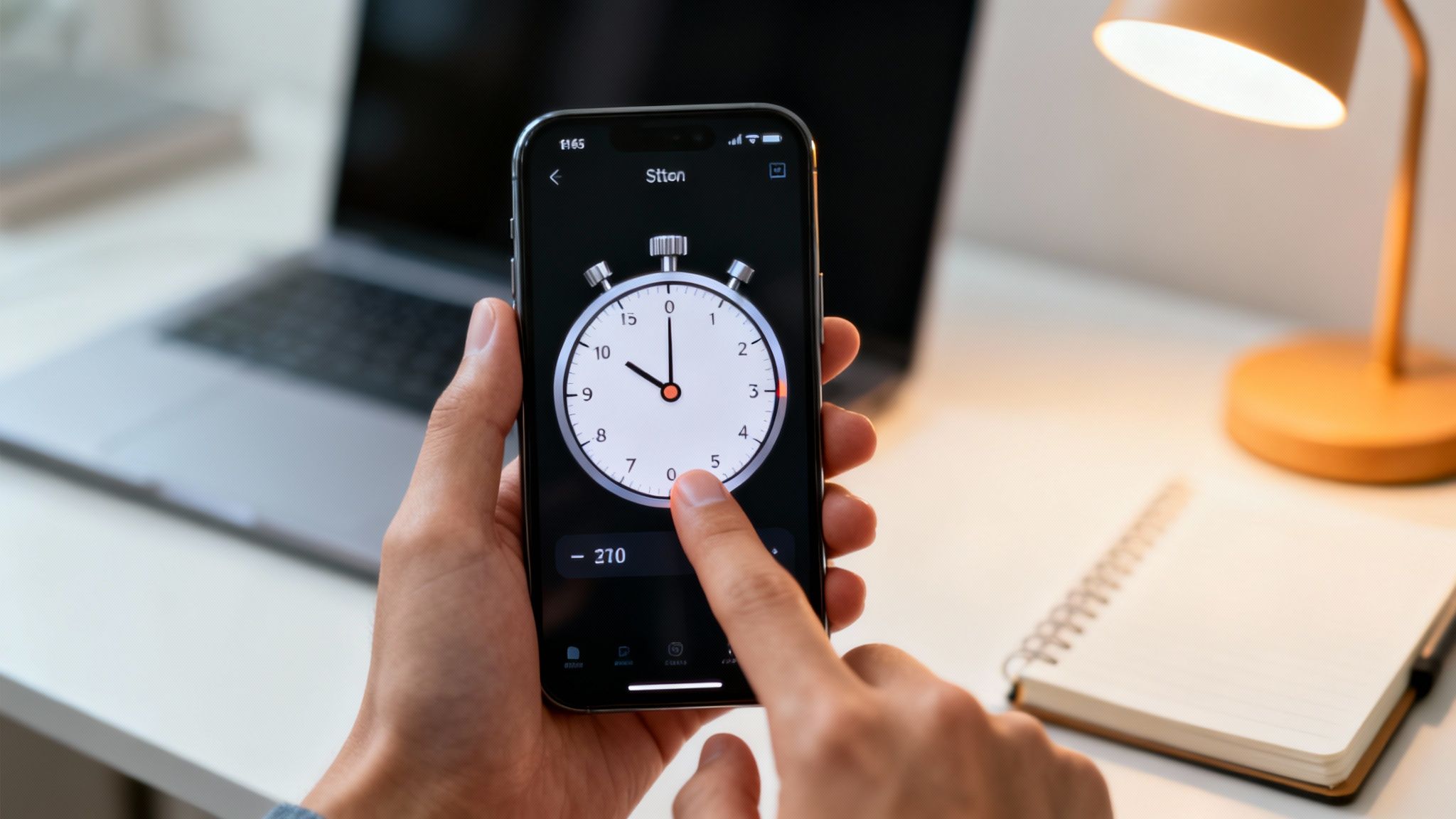
Let's say you're a designer working on a new logo. As you sit down to start sketching, you kick off a stopwatch labeled "Logo Sketches."
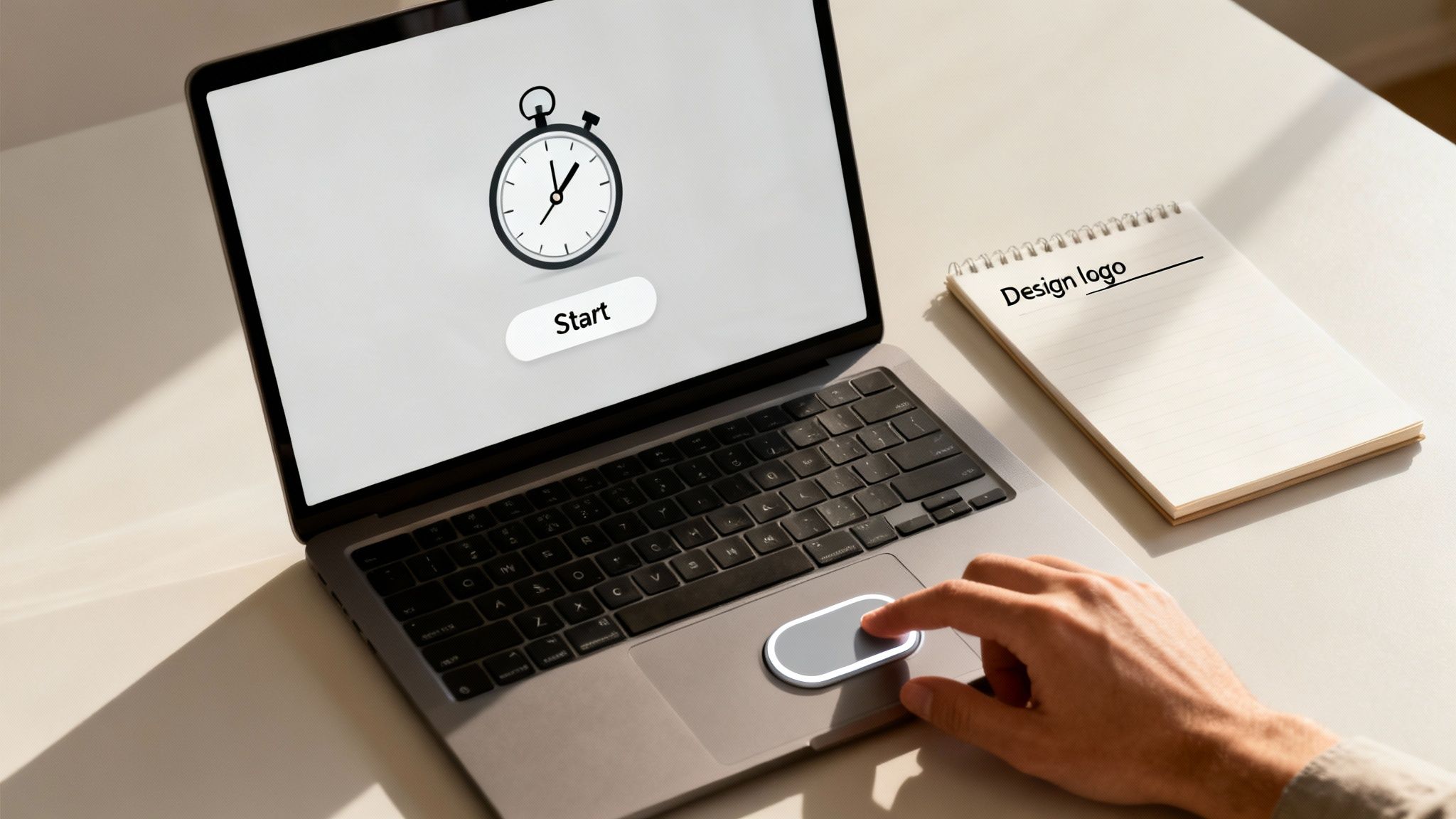
The image above captures this perfectly—a direct, simple link between a specific task and the act of tracking it in real-time.
A colleague pops by your desk with a question about another project. No problem. You just pause the timer and restart it once you're back to the logo. This simple action prevents "time leakage" and guarantees the client is only billed for the time you were actually working on their project. This is how you get the granular, accurate data needed for fair billing and razor-sharp project estimates.
Kicking Timesheet Fatigue to the Curb with Smarter Habits
We’ve all been there. It’s Friday afternoon, and the dreaded timesheet is looming. That frantic scramble to remember what you worked on all week is more than just annoying—it’s a recipe for stress and wildly inaccurate data. This is timesheet fatigue, and it’s the burnout that hits when you’re constantly trying to reconstruct your days from memory.
The best way to fight it? Stop treating time tracking like a chore you put off until the last minute. The secret is to make it a seamless, in-the-moment habit.
This is where the "track-as-you-go" approach comes in. Using a stopwatch with time tracking features lets you capture work as it happens, completely erasing the mental gymnastics of trying to recall your day. This isn't about adding another task to your list; it's about building a better, less stressful workflow that also happens to generate data you can actually trust.
Making Tracking an Effortless Background Habit
For this to stick, you have to eliminate as much friction as possible. The goal is to make starting and stopping your timer feel as automatic as opening a new browser tab. Luckily, modern tools are built for exactly this, with simple features that pack a serious punch.
Here are a few habits that can make a world of difference:
- Connect Every Entry to a Project: Get into the habit of using tags to link every single timed session to a specific project or client. A simple tag like "#ProjectAlpha" ensures every second is neatly categorized without any manual cleanup later.
- Embrace Browser Extensions: Most time tracking platforms have browser extensions that put a start/stop button right inside the apps you live in all day, like Asana, Jira, or Trello. That one-click access is the key to making tracking feel effortless.
- Let Your Apps Do the Work: Some tools can kick off a timer automatically based on the application you’re using. Imagine opening a design in Figma or a document in Google Docs, and the stopwatch just starts. That’s when tracking truly becomes a background process.
These small shifts in behavior transform time tracking from a painful data entry chore into a simple, automated reflex.
Timesheet fatigue thrives on guesswork and faulty memory. The 'track-as-you-go' method kills it with real-time data, turning a painful weekly task into a simple, ongoing habit that provides immediate value and accuracy.
Practical Tips for a Smoother Workflow
Building new habits takes a little time, but a few practical strategies can speed things up and keep you on track. The real key is to weave tracking so deeply into your routine that you barely even notice you're doing it.
For example, start small. Focus on just one high-priority client and make a personal rule that you only work on their stuff when a stopwatch is running. This builds muscle memory fast.
Also, get in the habit of hitting pause on the timer for any interruption that lasts more than a minute. This simple practice keeps your data clean and gives you a much clearer picture of your actual, focused work time. By making these small changes, you’ll find that timesheet fatigue starts to feel like a distant memory.
Unlock Business Insights with Your Time Data
Modern stopwatch tools do a lot more than just count the seconds ticking by; they're actually powerful business intelligence generators. When you get into the habit of using a stopwatch with time tracking, you stop guessing and start building a rich dataset that tells the real story behind your operations. This raw data is your first step toward some serious strategic advantages.
Platforms like TimeTackle and Toggl are built to turn this pile of data into something you can actually use. Through automated tracking, smart tagging, and visual dashboards, they transform simple time entries into a clear picture of your business's health. You can finally move beyond just logging hours and start asking the tough, critical questions.
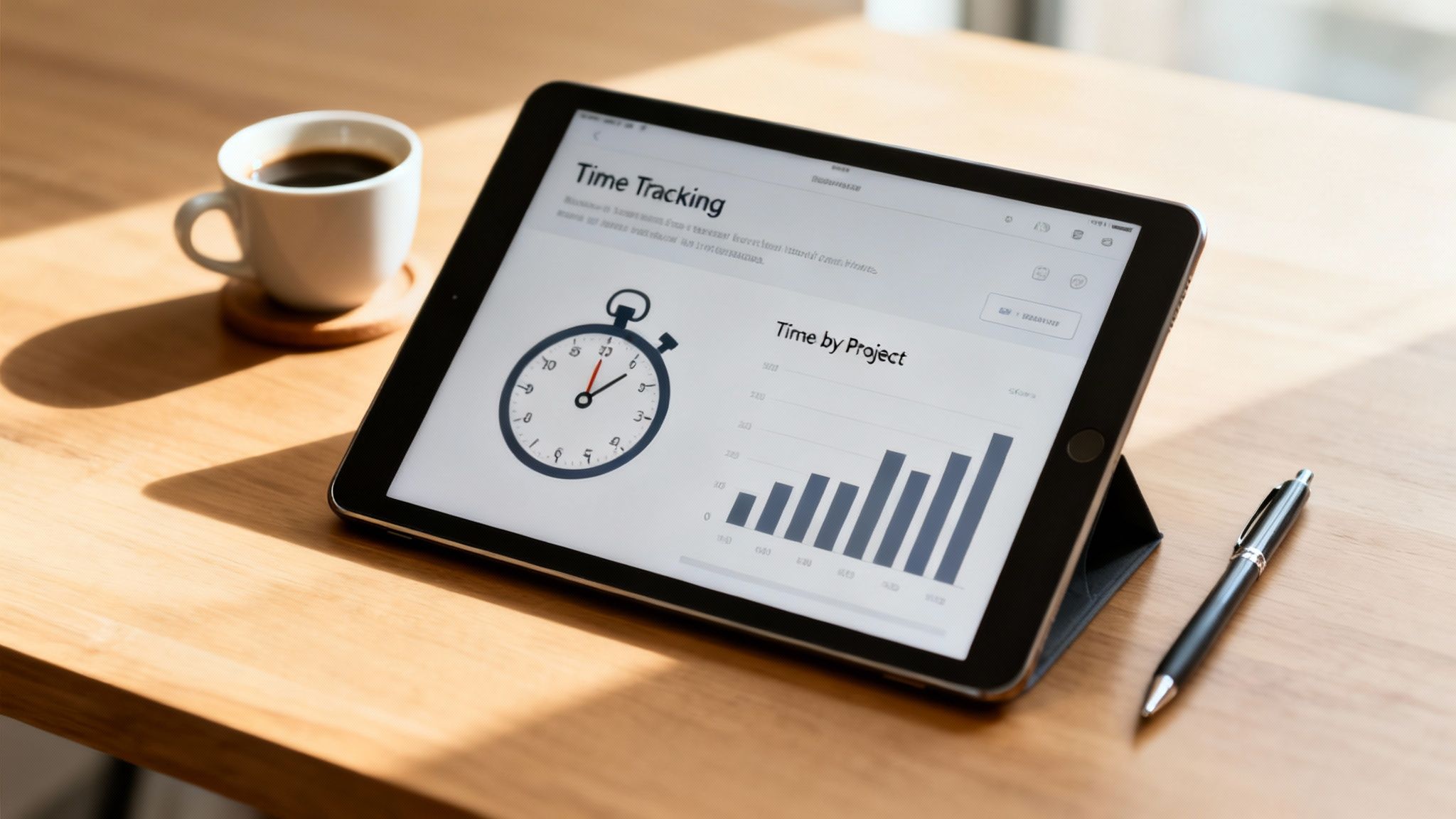
From Raw Data to Smarter Decisions
Once your time data is organized, you can pinpoint exactly which activities are making you money and which are just draining your resources. This kind of clarity empowers you to make smarter, evidence-based decisions that fuel real growth and efficiency.
Here’s a glimpse of what you can do:
- Identify Your Most Profitable Clients: By tagging time entries, you can run reports that show the exact hours spent on each client versus the revenue they bring in. Suddenly, your true ROI is crystal clear.
- Scope Future Projects Accurately: Your historical data from similar projects becomes a reliable baseline for creating precise quotes and timelines. This is your best defense against scope creep and shrinking margins.
- Optimize Team Resource Allocation: Visual dashboards immediately show you who’s overworked and who has bandwidth. This lets you distribute tasks more effectively and keep your team from burning out. For a closer look, check out these excellent performance dashboard examples that bring key metrics to life.
This focus on analytics has a long history. The first digital stopwatch was pioneered by Seiko for the 1964 Tokyo Olympic Games, a huge leap from old-school mechanical timekeeping. Fast forward to 1983, and Seiko introduced a decimal stopwatch that measured time in hundredths of a minute—a design made specifically for industrial efficiency studies.
Your time data is more than just a record of work; it's a strategic asset. Analyzing it helps you understand profitability, forecast accurately, and build a more resilient and efficient business from the ground up.
Just as time data unlocks operational insights, other analytical approaches are vital for a holistic business strategy. For example, solid financial projections are another pillar of smart planning, as detailed in A Founder's Guide to Sales Forecasting Methodology.
Ultimately, using a stopwatch with time tracking shifts you from reactive management to proactive leadership, all guided by data you can actually trust.
So, Where Do We Go From Here? Make Every Second Count
If you take one thing away from this guide, let it be this: using a stopwatch for your time tracking is a fundamental shift in how you value your work. It’s about giving your effort the precision it deserves. This isn't just another way to fill out a timesheet; it's about capturing the real focus that goes into every task, pulling your operations out of foggy guesswork and into the light of crystal-clear, real-time data.
We’ve seen how the simple stopwatch went from timing horse races to becoming a powerhouse tool for modern business. Its core job—measuring how much time has passed—is the same as it ever was. But how we use it has completely changed, turning a simple timer into a serious engine for business intelligence.
The Path to Precision and Profitability
By building a simple start-and-stop habit, you’ll immediately see the downstream effects. Billing gets more accurate. Team productivity gets a real-world benchmark. You start getting invaluable insights into your own business.
Suddenly, you know which clients are actually profitable and which projects are resource black holes. That knowledge gives you the confidence to scope future work without flying blind. This data-first approach transforms time from something you just track into something you strategically invest.
The real goal is to stop tracking time and start investing it. A stopwatch is simply the tool that ensures every second you invest contributes directly to your bottom line and your biggest goals.
The final call to action is as simple as it gets: start tracking your time with a stopwatch today. This one small change empowers your team to take control of their work, make smarter decisions, and build a more efficient—and profitable—business, one second at a time.
Ready to turn your time data into your most valuable asset? See how TimeTackle uses calendar-driven automation to make every second count. Start your free trial today.