
Let's be honest, that old spreadsheet you're using for timesheets isn't just a hassle—it's actively costing you money. A clunky, poorly designed template of timesheet is more than an administrative headache. It's a quiet killer of your agency's profitability, creating a mess of inaccurate billing, frustrated teams, and revenue that just vanishes into thin air.
Why Manual Timesheets Are Hurting Your Bottom Line
If your team is still plugging hours into a basic spreadsheet, you're almost certainly leaving money on the table. The whole process is painfully slow, riddled with errors, and, let's face it, nobody enjoys doing it.
Every minute your team spends trying to remember what they did last Tuesday is a minute they're not spending on billable client work. This administrative drag snowballs, creating a culture of timesheet fatigue where "good enough" becomes the unfortunate standard.

But the real gut punch? It's all the unrecorded work. The five-minute email replies, the quick internal check-ins, the document searches—none of it ever makes it onto the timesheet. Individually, they seem small, but together they add up to a massive financial leak.
The Staggering Cost of Untracked Time
It’s tempting to brush off those little tasks, but their cumulative impact is staggering. Unrecorded work activities are estimated to cost the U.S. economy 50 million productive hours every single day. That translates to a mind-boggling $7.4 billion in losses—daily. This isn't just an abstract number; it's a critical vulnerability for any agency or firm that bills by the hour.
So, why does this financial leak keep happening? It usually boils down to a few familiar reasons:
- Memory Gaps: People just forget. It's human nature. Those small but frequent tasks performed throughout the day are the first to be forgotten by Friday afternoon.
- Timesheet Apathy: When the process is a chore, your team will rush through it. They'll under-report hours just to get it over with.
- Lack of Granularity: A basic template often doesn't have the right fields to capture quick, non-project-specific work that is still valuable and, more importantly, billable.
The core problem with most timesheet templates isn't just what they track; it's what they fail to capture. The forgotten 15-minute calls and strategy sessions are where your profitability disappears.
Moving Beyond Manual Entry
The solution isn't to be stricter or to send more nagging reminder emails. It's about fundamentally changing the process from a manual chore to an automated workflow.
Imagine pre-populating timesheets by connecting them directly to your team's calendars. All their meetings and scheduled work blocks are captured automatically. This one simple shift ensures every billable minute is accounted for without adding a single extra task to your team's plate. If you're still on the fence, it’s worth exploring the pros and cons of timesheets in Excel or Google Docs to see what you're up against.
When you automate time capture from the source—the calendar—you eliminate the reliance on memory and drastically reduce human error. The data becomes more accurate, and the process becomes less painful. Suddenly, your timesheet transforms from a document of dread into a strategic tool for understanding true project costs and boosting your team's utilization.
Crafting Your High-Performance Timesheet Template
Ready to ditch the basic spreadsheet? A truly useful template of timesheet is more than just a grid for logging hours. It's a strategic tool you design to capture the exact data your business needs to grow, whether you're a creative agency, a consulting firm, or a legal practice.
The whole point is to build a template that’s painless for your team to use but gives leadership the detailed data they need. This means going way beyond simple "start time" and "end time" columns. A high-performance template tells the full story of where your team's most valuable asset—their time—is actually going.

Building the Foundation of Your Template
Every great timesheet starts with a solid, logical structure. Think of this as the skeleton holding all your critical data together. At a bare minimum, every time entry needs a clear place to live.
Let's start with the non-negotiables for any professional services team. These are the core columns that ensure every hour gets accounted for and properly attributed.
- Employee Name: Absolutely essential for payroll and keeping track of individual performance.
- Date: The specific day the work actually happened.
- Start & End Times: The classic fields for logging work periods.
- Total Hours: This should be an automated calculation (End Time – Start Time) to reduce errors.
Once you have this foundation, you can start adding layers of detail that unlock much deeper insights.
Adding Granularity for Business Intelligence
This is where your timesheet goes from a simple logbook to a powerful business intelligence tool. Adding specific identifiers helps you slice and dice your data to finally understand profitability, utilization, and project health.
Think about a creative agency for a second. A single designer might touch three different client projects in one day. Without proper tagging, all those hours just blur together into a meaningless number. An advanced template fixes this by adding a few key fields.
The most impactful change you can make to your timesheet is adding fields that distinguish why the work was done, not just when. This simple shift is the key to unlocking true profitability insights.
Introduce these crucial fields to give every hour its proper context:
- Client Name/ID: Directly links time spent to a specific client account. No more guessing.
- Project Name/Code: Associates the time with a particular project or deliverable.
- Task Description: A brief, clear summary of the work completed (e.g., "Drafting V1 of homepage mockups").
This level of detail means you can run reports that answer critical questions like, "How many hours did we really spend on the Acme Corp website redesign last month?"
Distinguishing Billable from Non-Billable Hours
One of the most common—and costly—mistakes I see is teams failing to clearly separate billable client work from internal, non-billable tasks. A high-performance template of timesheet makes this distinction crystal clear, which is vital for accurate invoicing and understanding your team’s true utilization rate.
It's as simple as adding a column or a dropdown menu with these two options:
- Billable: For any work that will be directly invoiced to a client.
- Non-Billable: For all the other stuff—internal meetings, admin tasks, training, or business development.
This separation is incredibly powerful. It shows you exactly how much of your team's time is generating revenue versus how much is spent on operational overhead. That insight alone is essential for better resource planning and boosting overall efficiency. If you want a head start, grab one of our pre-built templates.
Download Your Starter Templates
- Download Excel Template (.xlsx)
- Download CSV Template (.csv)
- Download PDF Template (.pdf)
These downloadable examples are designed to be a flexible starting point. Feel free to customize them by adding or removing columns to perfectly match your agency's unique workflow and reporting needs.
The Essential Fields for True Profitability Reporting
The real power of a timesheet isn't just about logging hours—it's about connecting that time to real business outcomes. A basic template might tell you who worked for how long, but a strategically designed one reveals why that work mattered and, crucially, whether it was profitable.
This is where the right fields can turn your timesheet from a simple logbook into a powerful diagnostic tool for your agency.
Without these specific data points, you’re essentially flying blind. You can't see which clients are secretly draining your resources or which project types are your golden geese. By adding just a few non-negotiable fields to your timesheet template, you create a direct line of sight into your agency's financial health and operational efficiency.
Beyond the Basics: Client and Project Identifiers
Every single time entry absolutely must be tied to a specific client and project. It sounds obvious, but you'd be surprised how often this step gets skipped in the rush to just get timesheets submitted. This simple act of categorization is non-negotiable for understanding where your team's effort is actually going.
Think of it this way: without these identifiers, all your team's hours are just one big, undifferentiated pool of time. It becomes impossible to answer critical business questions.
- Client Identifier: This links every hour worked directly back to a paying account. It’s the foundational step for calculating client-level profitability.
- Project Code/Name: This narrows the focus from the client to a specific deliverable or scope of work. It’s how you spot that "quick website update" that's secretly eaten up dozens of unbilled hours.
Adding just these two fields instantly elevates your reporting from basic time tracking to business-critical analysis.
The goal is to make every hour accountable. When time entries have clear client and project codes, you can finally spot unprofitable projects before they derail your entire quarter.
Getting Granular with Task Categories
Knowing the project is a great start, but it's not enough. You also need to understand the type of work being done. Was that time spent on high-value strategy sessions, routine design work, or internal administrative overhead?
This is where task categories come in. They are the key to unlocking a deeper understanding of your team's workload and optimizing how their skills are deployed.
For instance, a creative agency might use categories like:
- Strategy & Discovery: High-value, upfront client work.
- Design & Creative: The core production tasks.
- Development & QA: Technical implementation and testing.
- Project Management/Admin: Essential but often non-billable overhead.
This level of detail can reveal some powerful, and sometimes surprising, insights. You might discover your senior designers are spending 30% of their time on low-level admin tasks—a clear signal that you need to adjust workflows or delegate differently. It also gives you a treasure trove of historical data, allowing you to create much more accurate quotes for future projects because you know how long each phase actually takes.
If you're using spreadsheets, you can even take this a step further. For a deeper dive into automating these calculations, check out our guide on timesheet Excel formulas.
A well-structured template provides far more than just a record of hours; it offers a narrative about your business. Let's look at the difference between a basic and an advanced setup.
Comparison of Basic vs Advanced Timesheet Template Fields
This table highlights how moving from a simple log to a more detailed template can dramatically improve the business insights you can gather. The "Advanced" examples aren't just extra work; they are the building blocks of smarter, data-driven decisions.
| Field Type | Basic Template Example | Advanced Template Example | Business Insight Gained |
|---|---|---|---|
| Identifier | Employee Name | Employee Name, Role/Level (e.g., Senior Designer) | Allows for profitability analysis by role and helps calculate blended team rates. |
| Project Info | Project Name | Client Name, Project Code, Project Name | Enables client-level profitability reporting and granular project cost tracking. |
| Task Detail | Description of Work | Task Category (e.g., Design, Admin), Billable/Non-Billable | Identifies where non-billable time is spent and highlights process inefficiencies. |
| Time Entry | Hours Worked | Start Time, End Time, Total Hours | Provides data for workload balancing and helps identify patterns of overwork. |
Ultimately, the advanced fields give you the data you need to ask—and answer—the tough questions about where your team's time is best spent.
How to Automate Your Timesheet with Calendar Data
Let's be honest, the best timesheet template is the one your team never has to touch. Even a beautifully designed spreadsheet is still a chore. It relies on someone remembering what they did three days ago and takes valuable time away from actual billable work. The only real solution is to get people out of the timesheet business altogether.
How? By pulling data directly from the place where work is already planned and documented: their digital calendar. Instead of asking your team to reconstruct their week from memory, you can connect tools like TimeTackle directly to their Google or Outlook calendars. Suddenly, every scheduled meeting, client call, and focused work session transforms into a pre-filled timesheet entry, closing the gap between planning the work and accounting for it.
Connecting Your Calendar for Effortless Data Capture
It all starts by syncing your team's calendars with a time capture tool. This integration is designed to read event details like titles, durations, and attendees, creating a perfect log of every scheduled activity. If your team is already using effective time blocking strategies, you're one step ahead—a well-structured calendar is the perfect foundation for automation.
Once you're connected, the magic happens when you set up rules to automatically sort this raw data. For instance, you could create a rule that tags any calendar event with "Client X" in the title as a billable hour and assigns it directly to the "Client X Project."
- Rule Example 1: If an event title contains "Discovery Call," automatically tag it as "Sales – Pre-Billable."
- Rule Example 2: If an event attendee includes anyone from "Acme Corp," assign the time to the "Acme Corp Redesign" project.
This kind of setup ensures that every minute spent in a scheduled meeting is captured and correctly allocated without anyone on your team having to lift a finger.
From Raw Data to Strategic Insights
Just capturing the data is only half the battle. The real goal is to turn that raw stream of calendar information into structured, analyzable data that helps you make smarter business decisions.
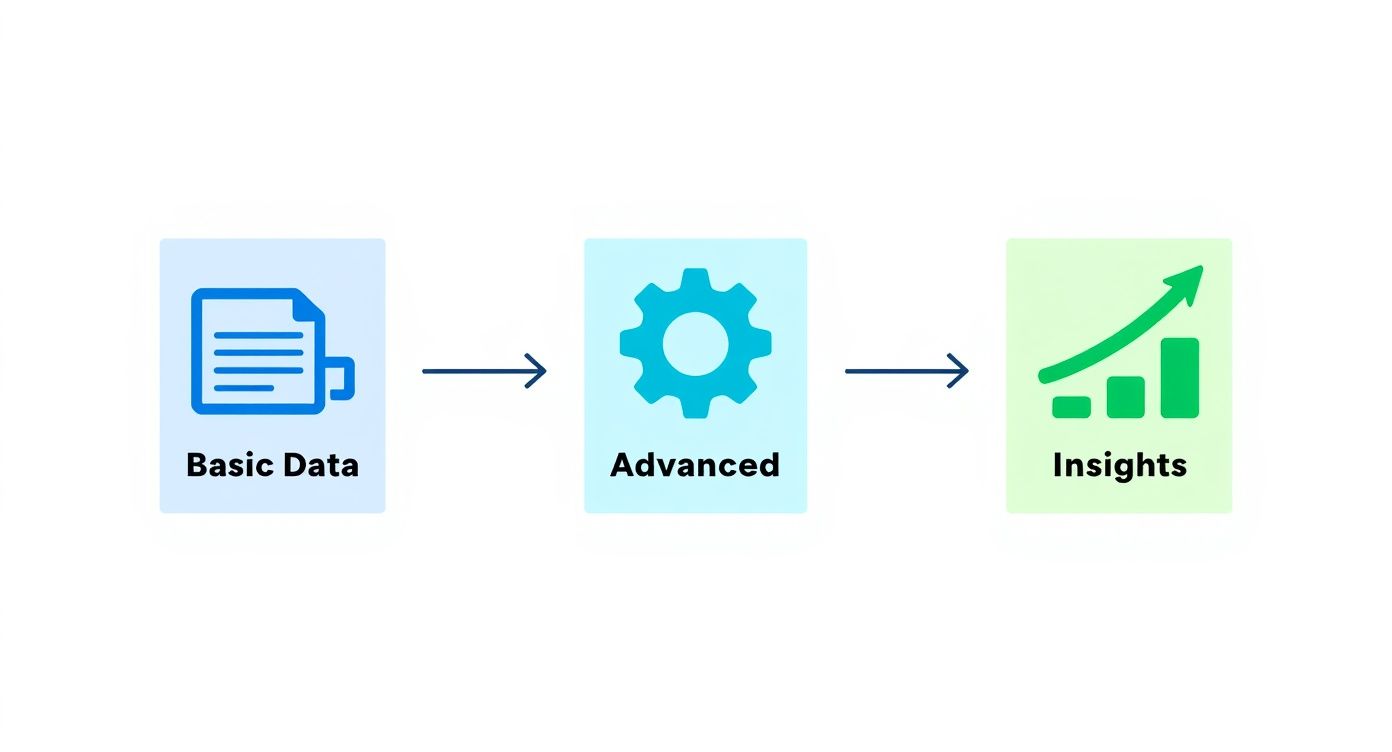
As you can see, raw calendar events are just noise. But when they're processed through an intelligent template with smart automation rules, they become the strategic insights you need for accurate profitability and utilization reports.
This isn't just a convenient workflow; it's a major shift in how modern teams operate. The global market for time tracking software was valued at around USD 7.13 billion in 2024 and is projected to hit nearly USD 29.88 billion by 2033. This explosive growth shows just how critical automated time management has become.
By automatically converting calendar events into timesheet entries, you eliminate human error and data gaps. Every billable minute is accounted for, creating a perfect record of time spent that stands up to any client scrutiny.
Ultimately, this move to automation frees your team from a task they hate, makes your billing more accurate, and gives leadership a real-time, crystal-clear view of where resources are going. To see how this works in practice, check out our detailed guide on how to convert your calendar events into a timesheet. It’s time to make timesheets a background process that works for you, not against you.
Using Timesheet Data to Make Smarter Decisions
A filled-out timesheet is so much more than a simple record of hours. It’s a goldmine of business intelligence just waiting to be tapped. The real magic isn't just in tracking the time, but in understanding what it tells you. When you start digging into this data, you can shift from putting out fires to leading with foresight.
The first step, of course, is getting your team to enter their time consistently and accurately. This isn't about micromanagement; it's about building a culture of clarity. Frame it as a tool for fairness. When your team sees that good data leads to balanced workloads and realistic project deadlines, they're much more likely to get on board.
Pinpoint Your Most Profitable Work
With reliable data flowing in, you can start asking the big questions. The most critical one is usually: "Where are we actually making our money?" By filtering your timesheet entries by client and project, you can calculate the true labor cost behind every single deliverable.
This kind of analysis almost always unearths some surprising truths. You might discover that a client who looks great on paper is secretly draining your team's resources with endless revisions and scope creep. On the flip side, a smaller project you hadn't paid much attention to might be your most efficient and profitable piece of work.
Armed with these insights, you can:
- Focus your energy on high-margin clients and projects.
- Go back and renegotiate contracts for accounts that are underperforming.
- Quote future work with confidence, using real historical data as your guide.
Your timesheet data is the ultimate source of truth for profitability. It cuts through assumptions and shows you, in black and white, which activities generate the most value for your business.
Check on Team Capacity and Head Off Burnout
Beyond just profits, timesheet analysis is an incredible tool for managing team utilization and preventing burnout. When you review the data, patterns like consistent overtime or a lopsided workload distribution jump right out. This allows you to spot team members who are stretched thin long before they start feeling disengaged.
Good data also shines a light on where time gets lost to tasks that don't move the needle. Research shows that a staggering 68% of workers feel they don't have enough uninterrupted time to focus. With teams spending about 23% of their time in meetings and another 19% on chat, your timesheet can pinpoint exactly where these productivity drains are happening. You can learn more about how time is spent at work.
To really unlock the full potential of this data, you'll want to connect it with other business systems. Following effective data integration best practices can help you build a complete picture of your operations. When you transform those raw numbers into a clear story, you can make smarter decisions that fuel real, sustainable growth.
Answering Your Team's Toughest Timesheet Questions
Even with a perfect timesheet template, you're bound to run into questions from the team. Let's tackle some of the most common ones I hear, so you can clear up any confusion and get the most out of your time tracking.
Which Format Is Better: Excel or PDF?
For pure usability and data analysis, Excel or CSV is always the superior choice. It's a no-brainer. These formats are built for sorting, running calculations, and plugging directly into other tools like TimeTackle or your accounting software. Think of them as living, breathing documents ready for analysis.
A PDF template, on the other hand, is static. It’s best for when you need a final, non-editable copy for your records or to get a client's signature. My advice? Use Excel for the day-to-day work and save a PDF for the final, locked-down version.
How Can I Actually Get My Team to Fill Out Timesheets Accurately?
This is the million-dollar question, isn't it? The secret isn't nagging; it's making the whole process ridiculously easy. You have to remove the friction.
- Automate, Automate, Automate: The single biggest lever you can pull is using a tool that automatically populates timesheets from your team’s calendars. This alone can wipe out 80% of the manual entry and guesswork.
- Give Them the "Why": People are more likely to do something if they understand its purpose. Show them how accurate time data leads to better project planning, smarter resource allocation, and fairer workloads for everyone. Frame it as a tool that helps them, not just a reporting tool for management.
- Keep It Simple: Set one clear, simple deadline—like the end of the day on Friday—and then lead by example.
When timesheets are mostly filled out for them, your team members stop being data entry clerks and become reviewers. That one shift makes all the difference in getting people on board and keeping the data clean.
Can I Hook My Timesheet Up to Our Payroll Software?
Absolutely. In fact, this is one of the biggest wins of using a structured timesheet template in Excel or CSV.
Most modern payroll platforms, like QuickBooks or Gusto, are built for this. They have straightforward import functions that let you map the columns from your timesheet export—like Employee, Hours, and Rate—directly into their system. This simple step eliminates the headaches of manual entry, slashes the risk of costly errors, and gives your finance team back hours of their time.
Ready to eliminate timesheet fatigue for good? TimeTackle automatically captures your team’s work from their calendars, transforming it into accurate, actionable data. See how you can automate your timesheets today at https://www.timetackle.com.