
A time tracker is simply a tool that records how much time is spent on specific tasks, projects, or clients. But thinking of it as just a stopwatch is missing the bigger picture. In reality, it’s a data-gathering engine that gives you crucial insights into how your agency's most valuable resource—its time—is actually being used.
Why a Time Tracker Is Your Agency's Growth Compass
Let's change the conversation around time tracking. Too often, it gets a bad rap as a tedious chore or, even worse, a form of micromanagement. But what if you saw it not as a clock to watch, but as the financial ledger for your agency's most critical asset?
Think about it. A financial ledger provides undeniable clarity on where every dollar goes. A time tracker does the exact same thing for your minutes and hours, revealing the true cost and value of every bit of effort.
This shift in perspective is everything when it comes to growth. Without tracking time, you're essentially flying blind and just guessing about your agency's health. You might feel like a project is profitable or a client is a breeze to work with, but the data can tell a completely different, and sometimes shocking, story. A modern time tracker is the analytics engine that uncovers these hidden truths.
Beyond Billing: A Strategic Compass
The biggest misconception is that time trackers exist only for sending out invoices. While they’re fantastic for that, their real power is in the business intelligence they generate. For agencies, this data is the bedrock of smarter, more confident decision-making.
It helps you finally get concrete answers to the fundamental questions that drive profitability and efficiency:
- Project Profitability: Are our fixed-fee projects actually making us money, or are they secretly draining resources and team morale?
- Client Value: Which clients respect our time and process, and which ones are scope-creep magnets that cost us a fortune?
- Team Capacity: Is our team truly maxed out, or is their valuable time being eaten up by non-billable admin work and endless internal meetings?
- Accurate Quoting: How can we build future project estimates on hard data from past projects instead of just winging it?
The core functions of a modern time tracker are designed to provide clarity on these exact points, turning raw data into a strategic advantage.
Core Functions of a Modern Time Tracker
| Core Function | Business Impact for Agencies |
|---|---|
| Data Capture | Creates an accurate record of how all time is spent, forming the foundation for analysis. |
| Profitability Analysis | Directly links time investment to project revenue, revealing true profit margins. |
| Resource Planning | Shows who is overworked and who has capacity, enabling smarter workload distribution. |
| Accurate Quoting | Provides historical data to create reliable, data-driven estimates for future projects. |
| Operational Efficiency | Pinpoints time sinks like excessive meetings or administrative overhead. |
By accurately mapping where time is invested, you can finally pinpoint the leaks in your process and spot opportunities for growth. Learning how to track billable hours effectively is the first, most critical step in this entire process.
The growing adoption of these tools isn't just a coincidence; it reflects a global shift in how businesses operate. The time tracking software market is projected to skyrocket from USD 3.8 billion in 2025 to a massive USD 16.1 billion by 2035. This surge is largely driven by the need to manage distributed and remote teams where old-school oversight just doesn't work. You can find more details on time tracking software market trends here. This isn't just a fleeting trend; it’s a fundamental change in turning time data into a real competitive edge.
Navigating the Different Types of Time Trackers
With so many options on the market, choosing the right time tracker can feel like a chore in itself. But it doesn't have to be. Most tools fall into a few key categories, and understanding them is the first step to finding the perfect fit for your agency’s workflow and culture.
The biggest fork in the road is deciding between a manual and an automatic tracker. This one choice has a massive impact on your team’s day-to-day experience and, more importantly, the quality of the data you collect.
Think of it like a decision tree. The path you take directly influences whether your agency finds a clear route to growth or gets stuck in the weeds.
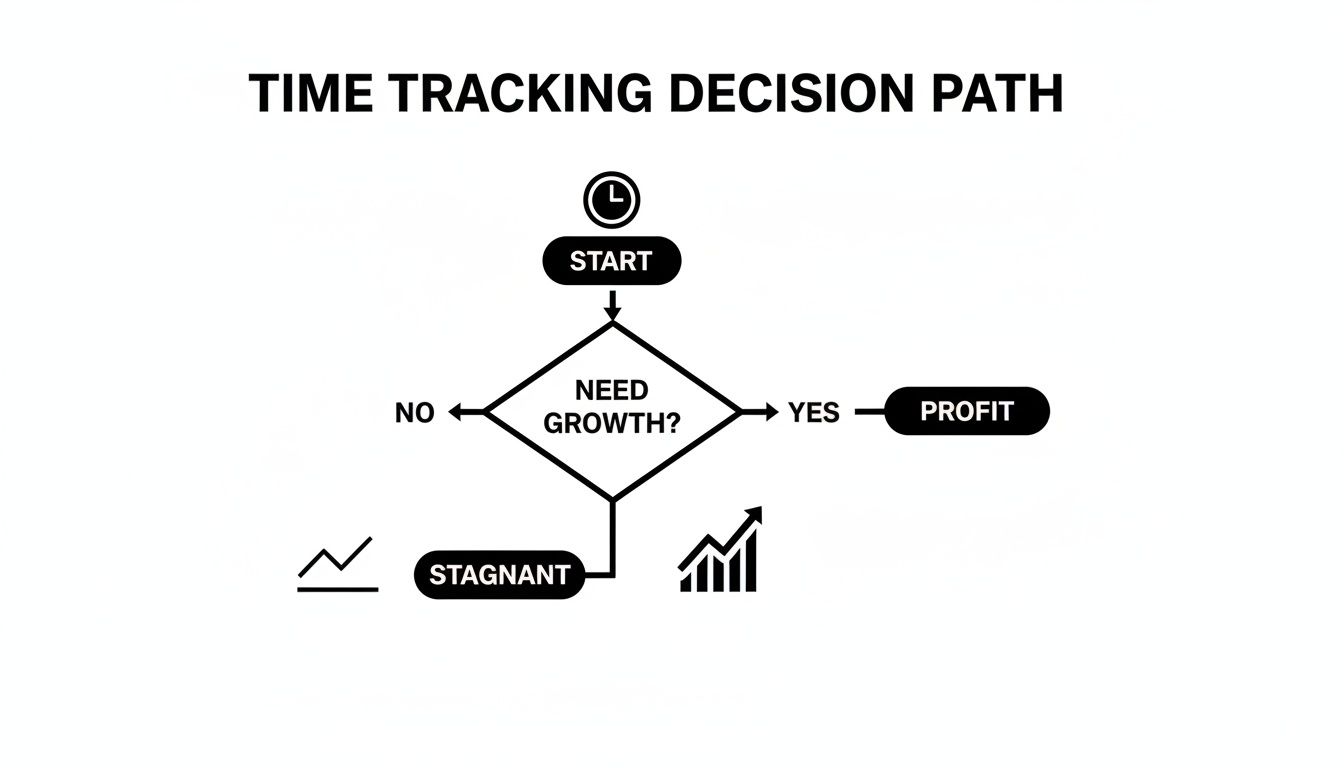
As you can see, actively investing in better tools and insights is what leads to real profitability. Sticking with the status quo often just leads to… well, more of the same.
Manual vs. Automatic Time Trackers
A manual time tracker is basically a digital stopwatch. Your team members have to hit "start" and "stop" for every single task. While this gives them a lot of control, it hinges entirely on people being diligent and consistent—which is a big ask.
Let's be honest: its biggest flaw is human error. It's incredibly easy to forget to start a timer, get pulled into another task without switching it, or leave it running through a lunch break. This leads to wonky data and forces managers to waste hours fixing timesheets.
An automatic time tracker, on the other hand, is the silent partner you've always wanted. It runs quietly in the background, logging computer activity like the apps you use, websites you visit, or documents you have open. No constant clicking required.
At the end of the day, your team can just review their activity log and assign those blocks of time to the right projects. It shifts the burden from "remembering to track" to simply "categorizing what I did."
This isn't about watching over someone's shoulder; it's about getting accurate data without the hassle. Studies show the average person switches tasks as much as 10 times per hour. Automatic tracking captures all of that effortlessly.
This automated approach is a game-changer for busy agencies. It frees up your team from tedious admin work and ensures the data you're using to make business decisions is actually reliable.
Standalone Apps vs. Integrated Platforms
Another key difference is whether a tool is a standalone app or built directly into the software you already use for project management.
- Standalone Apps: These are tools that do one thing and one thing only: track time. They're often simple and focused, but you’ll likely have to manually shuffle data over to your other systems for invoicing or planning.
- Integrated Platforms: These trackers live inside tools like Asana, Jira, or your CRM. The beauty of this is the seamless workflow. Your team can log time right on the task they’re working on without ever leaving the application, which makes adoption so much easier.
For most agencies, an integrated platform is the way to go. It weaves time tracking into the fabric of the work itself, turning it from a dreaded chore into a natural habit. There's a whole world of agency time tracking software out there built around these kinds of deep integrations.
Specialized Time Tracking Solutions
Beyond these broad categories, you'll also find some specialized tools designed for very specific jobs. While they might be overkill for a typical agency, it's good to know they exist.
Some tools offer GPS tracking, which is perfect for field teams in construction or sales who need to log their time and location. Others focus on visual timelines or screenshots, giving creative teams a visual diary of their progress. Ultimately, the best choice boils down to your specific operations and what kind of data you need to steer the ship.
Essential Features Your Agency Needs to Succeed
Once you’ve settled on the type of time tracker that fits your agency’s culture, the real work begins. The difference between a simple timer and a genuine business tool is in the features—the stuff that turns raw data into profitable decisions. A basic stopwatch tells you how long someone worked, but the right features tell you why it matters to your bottom line.
For any agency, some features aren't just "nice-to-haves." They're non-negotiable. These are the tools that rescue managers from administrative quicksand and deliver the clarity you need to run the business with confidence.
Seamless Integrations with Your Tech Stack
Your time tracker can't be an island. For it to actually work, it needs to plug right into the other software you already use to run your agency. Think of it as the central nervous system for your operations, where information flows automatically without anyone having to lift a finger.
The big two? Project management and accounting software. When your time tracker syncs with a tool like Asana or Jira, your team can log hours directly against the tasks they’re already working on. This simple connection removes friction, boosts adoption rates through the roof, and ensures time is always tied to a specific deliverable.
Likewise, an integration with QuickBooks or Xero transforms the painful, multi-step invoicing process into a one-click affair. All those approved billable hours get pushed over automatically to generate perfect invoices, killing manual data entry and dodging costly human errors.
Automated Timesheet Management
Let's be honest: nobody likes chasing down timesheets. A great time tracker takes this entire painful process off your plate and frees up your project managers from playing the role of "timesheet police."
Look for features that make this workflow invisible:
- Automated Reminders: The system should send out gentle, automated nudges to anyone who's behind on their hours. No more manual follow-ups.
- Approval Workflows: Managers need a simple way to review, approve, or reject timesheets with comments. This creates a clear, auditable trail for both billing and payroll.
- Lockable Timesheets: Once a billing period is closed, the ability to lock timesheets is crucial. It prevents accidental edits and keeps your financial records clean and accurate.
These automated systems do more than just save time; they build a culture of accountability. When the process is this easy and consistent, submitting timesheets on time becomes a natural habit instead of a dreaded chore.
This kind of automation means your data isn't just accurate—it's always there when you need it for big-picture business analysis.
Detailed Reporting and Analytics Dashboards
This is where your time tracker truly earns its keep. Raw time data is just noise. It’s the reporting and analytics that turn that noise into business intelligence. A great tool gives you a dashboard that shows the health of your projects and your business at a single glance.
Your checklist should include the power to generate reports on the metrics that actually matter to an agency:
- Project Profitability: Instantly see if a project is on budget by comparing tracked hours against your estimate and revenue. This is how you finally get concrete proof of which clients are your most valuable.
- Team Utilization: Get a clear view of who has room for more work and who's nearing burnout. This data is gold for smart resource planning and keeping your team healthy.
- Client Reporting: Create professional, easy-to-read reports for clients that justify every line on an invoice. It's a massive trust-builder.
- Task-Level Granularity: Dig deep to see exactly how much time is being spent on specific tasks, like "client revisions" or "internal meetings," to find hidden drains on your efficiency.
For example, a granular report might reveal that one client consistently requires 50% more revision time than your agency average. That’s not just a complaint anymore—it's a powerful data point. You can use it to adjust your quotes or change your client feedback process. This is the kind of insight that separates agencies that thrive from those that just get by.
When you're comparing different time trackers, it helps to separate the must-haves from the nice-to-haves. Agencies just starting out should focus on the essentials, while more established ones might look for advanced features to further optimize their operations.
Feature Comparison for Agency Time Trackers
| Feature Category | Essential for All Agencies | Advanced (Nice-to-Have) | Key Benefit |
|---|---|---|---|
| Integrations | Project Management & Accounting | CRM & Communication Tools | Automates workflows and kills manual data entry. |
| Management | Automated Reminders & Approvals | Custom User Permissions | Saves manager time and improves data consistency. |
| Reporting | Project Profitability & Utilization | Predictive Forecasting | Turns time data into actionable business intelligence. |
| Accessibility | Mobile App & Browser Extension | Offline Tracking Mode | Lets your team track time from anywhere, easily. |
In the end, the right features give you the power to stop guessing and start knowing. They provide the hard evidence you need to fine-tune your operations, build stronger client relationships, and drive real, sustainable growth.
How to Get Your Team to Embrace Time Tracking
Let's be honest: the best time tracking software in the world is completely useless if your team hates it. The biggest roadblock to getting value out of a time tracker isn't the technology—it's the people. Getting your team on board isn’t about forcing a new rule on them; it’s about changing the story from "big brother is watching" to "we're protecting our time."
The goal is to show them this isn't a management tool for keeping tabs, but a team tool for defending everyone’s focus, balancing workloads, and actually hitting project goals without the last-minute chaos. Success comes down to clear communication, total transparency, and leading from the front.

Frame the Why Before the How
Before you even whisper the name of a new app, you need a rock-solid answer to the one question on everyone’s mind: “What’s in it for me?” Kicking things off with a conversation about shared headaches is way more effective than just dropping a new software mandate in Slack.
Start by talking about the pain points everyone feels. The stress of impossible deadlines. The soul-crushing frustration of scope creep. The burnout that comes from a few people carrying all the weight. Then, you can introduce a time tracker as the solution to those problems.
Explain that the data will be used to:
- Protect their focus time by flagging projects that always run over, which helps you build more realistic quotes in the future.
- Justify hiring new people with hard data that shows when the team is stretched too thin.
- Prevent burnout by making sure work is spread out fairly and no one is consistently overloaded.
- Improve project planning so everyone gets a realistic amount of time to do their best work, not just rush to finish.
When your team starts to see the tool as an advocate for their own well-being, the resistance just melts away.
Lead by Example and Start Small
Nothing kills trust faster than a "do as I say, not as I do" attitude. The single best way to get buy-in is for all leadership—from the CEO to the project managers—to start tracking their own time first. When the team sees that everyone is doing it, it shatters the perception that this is just a way to micromanage junior employees.
It shows that this is about understanding the business as a whole, including how much time managers are sinking into meetings or admin work. Once leadership is on board, roll out the tool with a small, friendly pilot group.
Pick a team that's generally open to new ideas. Their positive experience will become an internal case study, creating genuine buzz that makes the company-wide rollout feel like a proven upgrade, not some untested experiment.
This phased approach lets you iron out the wrinkles in a low-stakes environment and collect real feedback to fine-tune your training.
Make It a Two-Way Conversation
As you roll things out, open up clear channels for feedback. Acknowledge that building a new habit takes time and there’s going to be a learning curve. Make it a safe space for people to ask questions and voice concerns without feeling judged.
Check in regularly and ask for their thoughts:
- What’s working really well with the new tool?
- Are there any parts of the process that feel clunky or confusing?
- Do you have any ideas for making this even easier for everyone?
This turns the implementation from a top-down order into a collaborative project. The real explosion in time tracking software happened after 2020 as remote work took over, creating a massive need for better coordination. In fact, the market is set to grow by USD 4.05 billion between 2025 and 2029, a shift driven by project-based agencies that need this kind of precision. By making adoption a team effort, you're tapping into this modern need for transparent, data-driven work. If you're curious, you can learn more about the time tracking industry trends and see where things are headed.
Turning Raw Time Data Into Business Intelligence
Consistent time tracking is a huge win, but it’s only the first step. The raw data your team generates—all those hours logged against projects and tasks—is like a pile of uncooked ingredients. On their own, they have potential. But to create something valuable, you need to turn them into actionable business intelligence.
This is where your time tracker evolves from a simple record-keeper into the strategic brain of your agency. Moving beyond basic timesheet reports allows you to uncover powerful insights that drive smarter, more profitable decisions. It’s about transforming numbers on a screen into a clear roadmap for growth.

Crafting Bulletproof Project Estimates
Let's be honest: how many times has your agency created a project estimate based on a gut feeling, only to watch the actual hours spiral out of control? It's a common and incredibly costly mistake. This is one of the first and most powerful ways to leverage your time data.
With a backlog of historical time data, you can build new proposals based on reality, not guesswork. By analyzing similar past projects, you see exactly how long specific phases actually took.
You might discover that "initial design concepts" consistently take 25% longer than you've been quoting. This isn't a failure—it's a critical piece of business intelligence. Armed with this data, you can create bulletproof estimates that protect your profit margins and set realistic expectations with clients from day one.
Identifying Scope Creep in Real Time
Scope creep is the silent killer of agency profitability. It starts with a small, "quick" client request and slowly balloons until a profitable project is deep in the red. A good time tracker is your early warning system, flagging this issue long before it derails your budget.
When your team tracks time against granular tasks, you can instantly spot when things are going off the rails.
Imagine running a report and seeing that a project's "client revisions" phase has already eaten 80% of its budgeted hours, yet the project is only halfway done. This isn't a hunch; it's an undeniable signal that the scope has expanded, giving you a concrete reason to talk to the client immediately.
This allows you to address scope creep proactively, whether that means re-scoping the project, adjusting the invoice, or simply improving the client feedback loop for next time. It turns a potential conflict into a data-driven business discussion.
Optimizing Team Utilization and Preventing Burnout
Understanding your team's capacity is critical for sustainable growth. Without data, resource planning is a constant guessing game that usually leads to one of two bad outcomes: overworked, burnt-out employees or underutilized, inefficient ones. Time data provides the clarity you need to strike the right balance.
Utilization reports show you, at a glance, who is at capacity, who has room for more work, and who is consistently logging excessive hours. If you see one designer is at 115% utilization while another is at 70%, you have a clear opportunity to rebalance tasks and prevent one person from burning out while keeping the other engaged.
This isn't about checking if people are "busy." It's about ensuring their time is spent on high-value, billable work that moves the agency forward. A healthy utilization rate is a sign of an efficient, well-managed team. For a deeper dive, check out our guide on how to calculate utilization rate and what it really means for your business.
By transforming raw data into business intelligence, your time tracker becomes one of your most valuable strategic assets. It equips you with the hard proof needed to refine your processes, protect your profitability, and build a more resilient and successful agency.
How TimeTackle Solves Common Tracking Headaches
We've all seen the benefits of a time tracker on paper, but the reality of using one? That's a different story. Agencies often get stuck with tools that demand endless manual entry, offer zero clarity on project profitability, and make auditing anyone's time a complete nightmare. What starts as a strategic asset quickly becomes just another chore nobody wants to do.
TimeTackle was built from the ground up to kill these frustrations. Instead of making your team start and stop timers all day, we tap into the one data source you already obsessively maintain: your calendar.
From Manual Drudgery to Automated Clarity
Ask anyone what they hate about time trackers, and they'll tell you it's the sheer effort involved. People forget to hit "start," they guess which project to log hours against, and then waste the end of their week trying to reconstruct what they actually did. It’s an inefficient process that produces notoriously inaccurate data, making any insights you get from it shaky at best.
TimeTackle flips the script by automatically analyzing your Google or Outlook calendar events. Every client call, every team meeting, every block of focused work—it's all right there, creating a passive, precise record of how time is actually being spent.
By turning your calendar into your timesheet, you get a zero-effort source of truth. The friction of manual entry disappears, which means your team can focus on client work, not administrative busywork.
This calendar-first approach means your time data is always complete and accurate, without ever asking your team to do a single extra thing.
Unifying Profitability and Meeting Insights
Here's another huge gap in most time tracking: connecting hours logged to actual project profitability. Sure, it’s nice to know your team spent 40 hours on a project. But what if 30% of that time was eaten up by disorganized internal meetings? That's a classic hidden cost that kills your margins.
TimeTackle makes these connections impossible to ignore. Our analytics dashboards don’t just spit out a total number of hours. They let you tag and categorize your calendar events so you can see exactly where your team's energy is going.
Suddenly, you can answer mission-critical questions in seconds:
- How much time is our sales team spending on pre-sales calls versus post-sales support?
- Are our project kickoffs consistently blowing past their time budgets?
- Which clients are demanding the most meeting time compared to the revenue they bring in?
This is so much more than just logging hours. It’s a granular, real-world view of your agency's operational efficiency. You can spot the profit drains and fine-tune how your team collaborates. With TimeTackle, your calendar data transforms into a powerful tool for protecting—and boosting—your bottom line.
Frequently Asked Questions About Time Trackers
Even after seeing all the benefits laid out, there are always a few nagging questions that can stall the decision to bring in a new tool. Let's tackle the most common ones agency leaders ask, so you can move forward with confidence.
Will My Team Feel Micromanaged?
This is probably the biggest concern, and it's a completely fair one. But here’s the thing: it’s entirely avoidable if you frame it correctly from day one. This isn't about watching over shoulders. It’s about gaining clarity.
When you show your team that the data is being used to prevent burnout, balance workloads fairly, and build sane project estimates, the tool transforms. It stops being a "boss tool" and becomes a "team tool" that protects their time and energy.
The fastest way to build trust here? Lead by example. When the agency partners and leadership track their time right alongside everyone else, it sends a powerful message. It proves the goal is business-wide clarity, not just employee monitoring. That one move can change the entire conversation.
How Long Does Implementation Take?
For most small to mid-sized agencies, say in the 10-50 employee range, you’re looking at a 2 to 4-week phased rollout. This isn't just flipping a switch; it's a process.
That timeline usually covers the initial setup, a pilot program with a few keen team members, some training sessions for the whole agency, and then the full launch. Honestly, the tech side is the easy part. The real work is in the change management—helping everyone build a new, consistent habit.
What Is the Biggest Agency Benefit?
Getting invoices right is a huge win, no doubt. But the real game-changer is finally getting true clarity on which projects and clients are actually profitable.
A good time tracker shows you exactly where your team's most valuable, non-renewable resource—their time—is going. That data is gold. It empowers you to write smarter proposals, go back and renegotiate those retainers that are secretly draining your resources, and make strategic calls that directly fatten your bottom line.
Ready to turn your agency's calendar into a source of automated, accurate business intelligence? See how TimeTackle eliminates manual tracking and provides the clarity you need to grow profitably. Start your free trial today.