
Let's cut through the jargon. At its core, a timesheet is a detailed receipt for your team's most valuable asset—their time. Think of it as a systematic log that connects hours worked directly to specific projects, tasks, and clients.
What Are Time Sheets Really For
A timesheet is much more than a simple record of clocking in and out; it's a foundational business intelligence tool. It transforms abstract work hours into concrete data, providing a clear answer to that one critical question: "Where did the time actually go?"
This clarity is everything for any service-based business, from creative agencies to consulting firms, where profitability is directly tied to how effectively time gets managed.
Without this record, businesses are just operating on assumptions. They guess how long projects take, estimate client profitability, and approximate team workloads. A well-maintained timesheet replaces all that guesswork with hard evidence, forming the bedrock for sound operational and financial decisions.
From Administrative Task to Strategic Asset
Historically, filling out timesheets was a manual, often tedious chore associated with paper logs or cumbersome spreadsheets. That perception often masks their true purpose. The real goal isn't just to track hours for payroll, but to unlock insights that actually drive efficiency and growth.
A modern timesheet acts as the source of truth for your business operations. It reveals the true cost of projects, highlights your most profitable clients, and ensures you bill for every minute of valuable work.
This data empowers leaders to protect their margins and make informed strategic choices. For instance, timesheets help you:
- Ensure Accurate Client Billing: Capture every single billable hour, preventing revenue leakage and ensuring fair compensation for your team's hard work.
- Understand Project Profitability: Finally see which projects are genuine profit centers and which ones are quietly draining resources without a clear return.
- Improve Resource Planning: Gain visibility into team workloads to prevent burnout, balance assignments, and forecast future staffing needs before they become a problem.
To help you get started, here's a quick breakdown of the core ideas behind timesheets and why they matter.
Quick Guide to Timesheet Concepts
| Concept | Simple Explanation | Primary Business Goal |
|---|---|---|
| Billable Hours | Time spent on client-facing work that you can directly invoice. | Maximize revenue and ensure accurate client invoicing. |
| Non-Billable Hours | Time spent on internal tasks like meetings or admin work. | Minimize overhead and improve operational efficiency. |
| Utilization Rate | The percentage of a team member's time that is billable. | Measure team productivity and optimize resource allocation. |
| Project Costing | Calculating the total cost of a project based on time spent. | Understand true profitability and inform future quoting. |
| Resource Planning | Allocating team members to projects based on availability. | Prevent employee burnout and ensure projects are staffed. |
This table shows how each piece of the timesheet puzzle connects to a tangible business outcome, turning a simple log of hours into a powerful strategic tool.
Ultimately, what are time sheets? They're the instruments that give you the data needed to run a smarter, more profitable, and sustainable business. For those still relying on manual methods, understanding the pros and cons of timesheets in Excel is a crucial first step toward adopting a more powerful system.
The Evolution From Paper Logs To AI Calendars
The story of the timesheet is really the story of workplace technology itself—a slow but steady march from manual grunt work to smart automation. For decades, the best tools we had were paper logs and mechanical punch clocks. They did the job, but they were notoriously clunky, leading to lost records, simple math errors, and a huge administrative headache just to collect and add up everyone's hours.
In those early days, the timesheet was seen as a necessary evil. It was a chore for employees and a burden for managers, a backward-looking process that offered zero real-time insight into what was actually happening.
The Digital Leap To Spreadsheets
Then came the personal computer, and with it, the spreadsheet. This was the first major jump forward, offering a welcome change from piles of paper. Calculations were easier, and records could be stored in one place. But really, it just moved the manual work from a notebook to a screen.
Spreadsheets brought their own set of headaches:
- Data Entry Fatigue: People still had to remember what they did and manually type it in, often days later, which is a recipe for inaccuracy.
- Scalability Issues: Trying to wrangle dozens or hundreds of individual spreadsheets for reporting was a nightmare of version control and copy-paste errors.
- Lack of Integration: Spreadsheets were islands, completely disconnected from the project management or billing software where the data actually needed to go.
This timeline gives a great visual of how we got from point A to point B, from basic logs to the intelligent systems we have now.
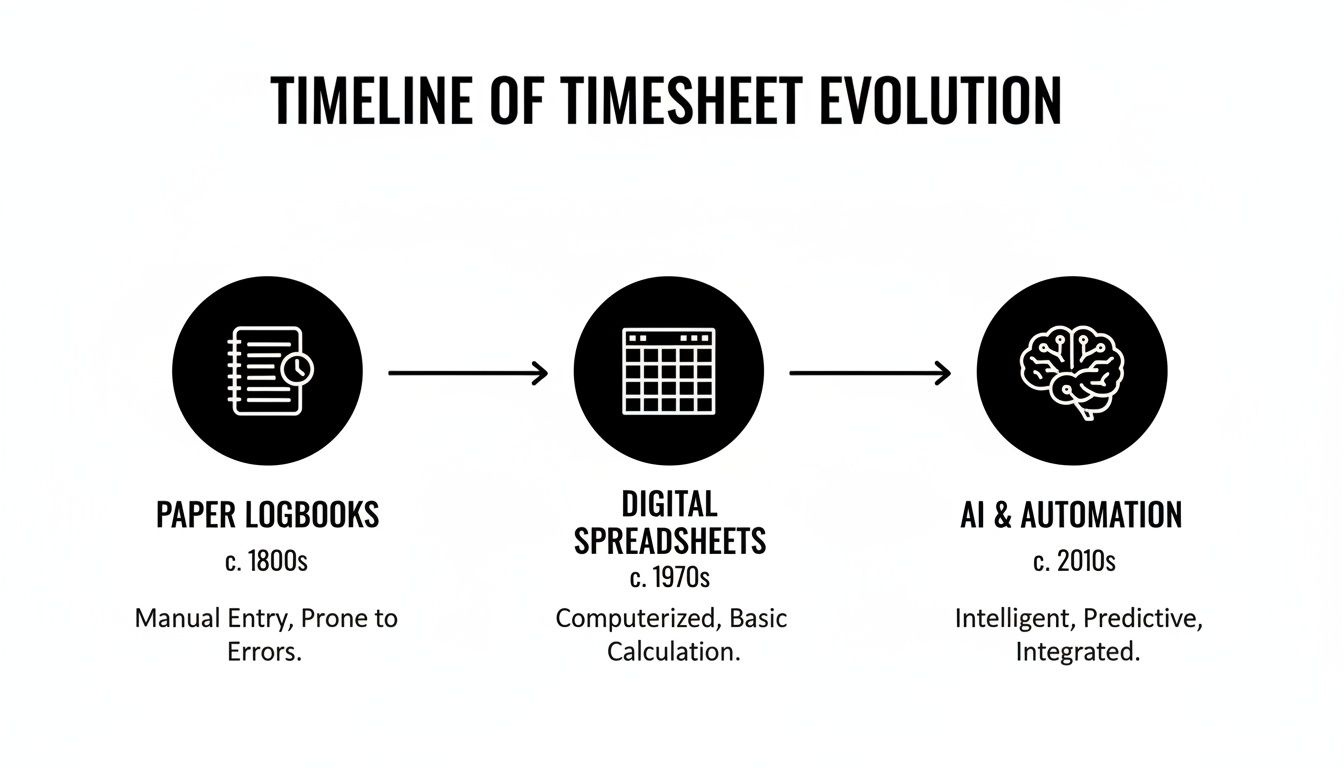
You can see how each step chipped away at the manual effort while boosting the value of the data we were collecting.
The Current Era of AI and Automation
Today, we're in a whole new phase driven by automated, intelligent tools. The global time tracking software market, the engine behind modern timesheets, hit USD 7.13 billion and is on track to reach a staggering USD 29.88 billion by 2033. That's a growth rate of 17.26% CAGR, a clear sign that businesses are done with manual logs. Instead, they're turning to AI-powered platforms that sync with calendars and CRMs automatically. You can get more details on this trend from Straits Research.
The biggest shift is moving from recording time to capturing activity. Modern tools don't ask employees to remember their day; they use existing digital footprints from calendars to build an accurate timesheet for them.
AI-powered tools that plug right into Google or Outlook calendars have flipped the script. They’ve turned a boring, passive task into an active, intelligent data-gathering system. By automatically pulling in meetings, tasks, and other scheduled events, these platforms practically eliminate the need for anyone to track time manually. We dive deeper into this shift in our comprehensive guide to AI time tracking, which breaks down how automation is changing the game.
This gives leaders a real-time, ground-level view of their operations, turning the once-dreaded timesheet into a powerful strategic asset.
How Accurate Timesheets Fuel Your Business
Timesheets often get a bad rap—seen as just another administrative chore. But that view misses the bigger picture entirely. When done right, they’re less of a logbook and more like the central nervous system of your company.
Accurate time data is the engine that drives your most critical operations. Without it, you're essentially flying blind, guessing at profitability, team capacity, and project health. It provides the hard data needed to stop assuming and start making sound financial and operational decisions.

Driving Profitability and Client Trust
For any service-based business, the most immediate impact of precise timesheets is on the bottom line. Think about it: your team's time is the inventory you sell. Failing to track it properly is like giving away your product for free. Every minute of hard work needs to be captured to prevent revenue from slipping through the cracks.
But it's not just about getting paid. This level of detail builds trust. When you can give clients a transparent, detailed breakdown of where their money is going, you strengthen the relationship. It’s a foundational piece of managing your revenue streams, and you can get the full rundown on perfecting this with effective billable hours tracking.
An accurate timesheet is the difference between hoping a project is profitable and knowing it is. It replaces assumptions with concrete data, allowing you to identify your true profit centers versus the projects that quietly drain resources.
Ensuring Compliance and Fair Compensation
Beyond client billing, timesheets are your cornerstone for legal and ethical operations. They provide the clear, documented proof needed to pay your team correctly for all their hours, especially overtime. This isn't just good business sense; in many places, it's the law.
These records are your best defense in the event of a wage dispute or a surprise audit. They create a clean, auditable trail that confirms you’re complying with labor laws. This process is so critical that entire roles, like a payroll virtual assistant, exist just to manage this function. That tells you everything you need to know about how vital accurate time data is for fair pay and compliance.
Enabling Strategic Planning and Resource Management
Finally, consistent timesheet data is an absolute goldmine for strategic planning. It peels back the curtain on team capacity, project timelines, and operational weak spots. Armed with this information, managers can finally move from reactive problem-solving to proactive, data-driven leadership.
Here’s how that plays out in the real world:
- Smart Resource Allocation: You can instantly see who’s drowning in work and who has room for more. This lets you balance workloads effectively and spot the early signs of burnout before it torpedoes team morale.
- Data-Driven Forecasting: Forget guesswork. Historical time data gives you a reliable baseline for quoting future projects. You can build smarter, more accurate proposals that protect your margins right from the start.
- Spotting Hidden Inefficiencies: By analyzing how time is actually spent, you can pinpoint bottlenecks in your workflows. It’s like a diagnostic tool for your business processes, showing you exactly where you can make changes for a massive productivity boost.
So, what are timesheets really for? They’re the raw material you need to run a lean, profitable, and sustainable business.
Common Timesheet Challenges That Drain Agency Profits
While the idea of a timesheet seems simple enough, the reality of using them is often a source of massive frustration. For a lot of agencies, old-school timesheet processes aren't just a bit inefficient; they're actively torpedoing profitability. These outdated systems, whether on paper or in a spreadsheet, create a kind of operational friction that quietly eats away at your margins and drives your team crazy.
The real problem is that they dump the entire burden of data collection onto your employees. It's a chore that quickly falls to the bottom of the list when client demands and tight deadlines are piling up. This manual-first approach is fundamentally broken, and it creates a domino effect of issues that hit your bottom line hard.
Pervasive Timesheet Fatigue
The first and most common issue we see is timesheet fatigue. This is that nagging, low-grade annoyance that builds up from the daily grind of having to remember, record, and categorize every single minute of your workday. It's a repetitive task that offers no immediate payoff for the employee, which naturally leads to people just… not doing it.
When tracking time feels like a punishment, your team will inevitably put it off, forget about it, or fill it out with a sigh on Friday afternoon. The result? A system brimming with incomplete and unreliable data, making it almost worthless for any real business analysis.
The true cost of timesheet fatigue isn't just the annoyance—it's the operational blindness that follows. Leaders are left making critical financial decisions based on a shaky foundation of guesswork and partial information.
Inaccurate Guesstimates and Lost Revenue
Think about it: when someone waits until Friday at 4 PM to fill out their timesheet for the entire week, they aren't logging time—they're guessing. This retroactive "guesstimation" is a recipe for financial disaster. Human memory is notoriously flaky, and research shows that waiting even just a day can throw off accuracy in a big way.
This leads directly to two major financial leaks:
- Chronic Under-billing: All those small tasks, quick phone calls, and brief email chains get forgotten, but they add up fast. It's not uncommon for an agency to lose 10-15% of its billable hours simply because that time was never captured.
- Flawed Project Analysis: If your project hours are based on rough estimates, you have no real way to know if a project is actually profitable. Something might look good on paper but could be a massive resource drain in reality—and you’d have no idea.
The outcome is a direct hit to your revenue and a total inability to understand what your projects truly cost. Your team is putting in the work, but you’re not getting paid for all of it, and you're making your next big business decision based on bad intel.
How Modern Tools Solve These Persistent Problems
Let's be honest: traditional timesheet problems aren't just minor annoyances. They're operational hurdles that sink productivity and eat into profits. Thankfully, modern technology offers a powerful solution. Instead of forcing teams into clumsy, manual processes, today's smart tools can turn time tracking from a dreaded chore into a seamless background activity.
The whole approach has been flipped on its head. Rather than relying on someone's memory of what they did last Tuesday, these platforms connect directly to the digital calendars and apps where the work is already happening. This simple shift moves the entire process from manual entry to automated capture.
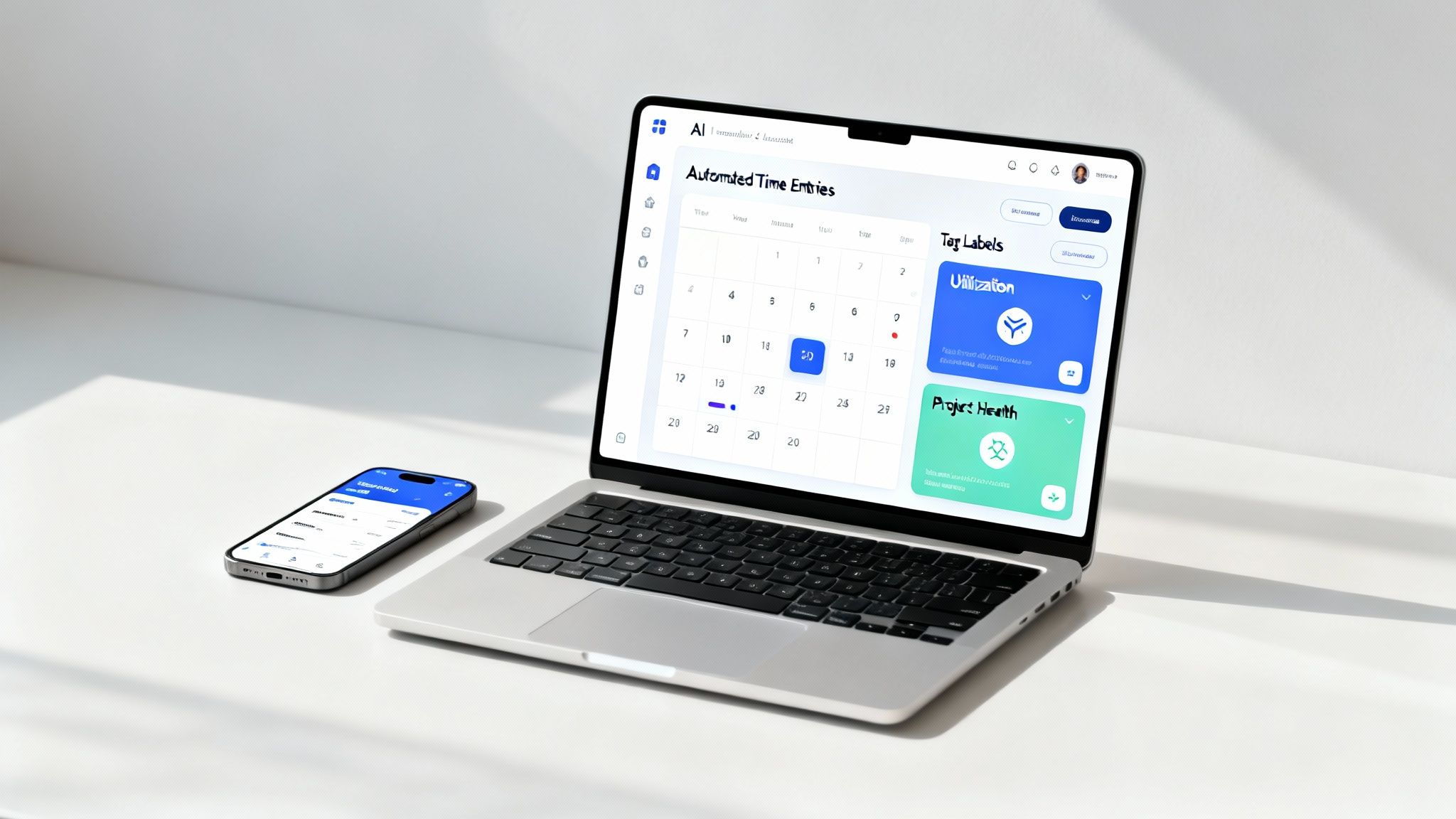
The dashboard above is a perfect example. It gives you a clear, real-time view of where time is going by automatically pulling data from connected calendars. No guesswork needed.
Automated Time Capture Ends Manual Entry
The biggest, most immediate fix for timesheet fatigue is taking the human out of the data entry loop. AI-powered tools like TimeTackle integrate directly with Google or Outlook calendars, automatically logging every single meeting, call, and scheduled task. The first draft of the timesheet gets created without anyone lifting a finger.
Your team no longer has to piece together their week from memory. Their job changes from tedious data entry to simple verification. All they have to do is confirm the captured activities and add a little context where needed—a process that takes minutes, not hours.
AI-Powered Tagging for Reliable Reports
Inaccurate data leads to useless reports. It's that simple. Modern tools tackle this head-on by using AI to intelligently categorize time entries. Based on meeting titles, attendees, or project details in the calendar event, the system can suggest or even automatically apply the right tags for specific clients, projects, and tasks.
This automation ensures every entry is consistent and precise across the entire company. These systems lean on sophisticated data parsing techniques to accurately process raw calendar data and transform it into valuable business intelligence. The result? The data flowing into your reports is finally clean and reliable, giving you a true picture of project health and profitability.
The real win with automation isn't just speed; it's the massive jump in data quality. When time is captured and categorized automatically, the insights are trustworthy enough to base critical business decisions on.
This approach is becoming indispensable for professional services. The time tracking software market, currently valued at USD 6.9 billion, is expected to skyrocket to USD 37.04 billion by 2033 as agencies discover they can claw back up to 25% more billable time. This growth is supercharged by AI recommendations that can slash billing disputes by as much as 80%—a huge improvement over manual methods that cost U.S. firms billions.
Gaining Real-Time Visibility
One of the most dangerous things about manual timesheets is the lag time. You’re making decisions based on data that might be days or even weeks old. Modern platforms completely eliminate this problem by offering real-time dashboards.
At any given moment, a manager can see:
- Project Budget Burn: How do actual hours stack up against the estimate? You can spot scope creep before it gets out of hand.
- Team Utilization: See who’s drowning in work and who has capacity, which allows for much smarter resource allocation.
- Client Profitability: Instantly tell which clients are driving your revenue and which ones are secretly draining your resources.
This immediate visibility allows leaders to be proactive, spotting potential fires and putting them out before they turn into full-blown crises. In this new context, timesheets are no longer just historical records. They’re living, breathing dashboards for business intelligence.
Frequently Asked Questions About Time Sheets
Even after you're sold on the idea of timesheets, some practical questions always pop up before you're ready to pull the trigger on a new system. Let's tackle some of the most common ones to help you feel confident about moving from manual tracking to a more strategic, automated approach.
How Do You Get Employees To Fill Out Timesheets Accurately?
Here's the secret: you make the process almost disappear. Traditional timesheets fail because they put the entire burden on the employee. They have to remember what they did, stop their work, and manually enter everything. It’s a chore, which is exactly why so many people avoid it.
The best way to get accurate timesheets is to flip the script and automate the data capture. Modern tools that hook into your team's calendars, like Google Calendar or Outlook, log activities as they happen. This means the timesheet is already filled out for them with a perfect record of their day.
By removing the friction, you change the task from tedious data entry to simple verification. When employees only need to confirm their time and apply smart tags, the process becomes a seamless part of their workflow instead of a dreaded chore.
This shift doesn't just improve the quality of your data—it helps your team see the value. Once they realize accurate data helps balance workloads and prove the value of their work, getting buy-in is a whole lot easier.
What Is The Difference Between Time Tracking And Timesheets?
It helps to think of this as a verb versus a noun. Time tracking is the act of recording time as you do the work, ideally in the moment. A timesheet is the final record—the report that pulls all that tracked time together over a specific period, like a week or a pay cycle.
In the old days, the timesheet was created by looking back and trying to remember everything you did. This created a huge gap between the work itself and the record of that work.
Today's systems close that gap entirely. They perform continuous, automated time tracking in the background to produce a ridiculously accurate timesheet with almost zero effort from the user. The tracking feeds the timesheet, making sure the final record actually reflects reality.
How Can Timesheet Data Improve Project Management?
For any project manager, timesheet data is an absolute goldmine. It turns project oversight from a game of guesswork and gut feelings into a data-driven discipline. You get crystal-clear insights into where every single minute and dollar is actually going.
With this level of detail, project managers can suddenly do some pretty critical things:
- Compare Estimates vs. Actuals: See exactly how your initial quotes stack up against real-world hours. This is priceless for making future proposals more accurate.
- Identify Critical Bottlenecks: Pinpoint specific tasks or phases that consistently eat up more time than planned, letting you fix workflow issues before they wreck your timeline.
- Monitor Budget Burn Rate: Keep an eye on project spending in real time. No more surprise budget overruns or awkward conversations with stakeholders.
- Analyze Team Utilization: Make sure your best people are working on the right things, preventing burnout for some while others are underutilized.
Essentially, you get to stop putting out fires and start making proactive, evidence-based decisions.
Are Digital Timesheets Legally Compliant For Payroll?
Yes, absolutely. In fact, digital timesheets from reputable software platforms aren't just compliant—they're far superior to paper records. They create a clean, timestamped, and auditable digital trail that's incredibly difficult to fudge or tamper with.
This level of accuracy is essential for complying with labor laws like the Fair Labor Standards Act (FLSA) in the United States, which requires employers to keep precise records of all hours worked by non-exempt employees.
On top of that, many modern platforms come with built-in features for calculating overtime and exporting reports that are ready for payroll. This simplifies the whole process and gives you solid, easy-to-find documentation if you ever face a wage dispute or an audit. It's a critical layer of protection for any business.
Ready to stop chasing down timesheets and start getting real-time insights into your business? TimeTackle uses AI to automate time tracking directly from your team's calendar, eliminating manual entry and providing the clear, accurate data you need to boost profitability and performance. Explore how TimeTackle can transform your operations today.