At its core, a timesheet is simply a record of how much time someone spends on a specific job, project, or client. But that's like saying a car is just a box with wheels. In reality, modern timesheets are so much more—they’re a company's strategic health tracker, capturing the raw data needed for everything from billing and project costing to performance analysis.
Understanding the Role of Modern Timesheets
Think of a timesheet as a fitness tracker for your business. A Fitbit measures vital health stats like steps and heart rate, giving you a clear picture of your physical well-being. A timesheet does the same for your most valuable, non-renewable asset: time. It provides a crisp, data-driven look at where this critical resource is going, revealing insights that are absolutely essential for operational efficiency and, ultimately, profitability.
For COOs and operations VPs, this isn't just administrative data; it's the bedrock of strategic decision-making. It moves way beyond simple attendance tracking and helps answer the most fundamental business questions:
- Are we actually making money on our projects?
- Is our team's workload balanced, or are we heading for burnout?
- Are we billing clients accurately for every single minute of our team's hard work?
From Simple Logs to Intelligent Platforms
The evolution of the timesheet really mirrors the broader shift in how modern businesses manage data. What started as manual paper logs or clunky spreadsheets has transformed into intelligent, automated systems that plug right into a company's entire tech stack. While plenty of businesses still wrestle with the pros and cons of timesheets in Excel or Google Docs, the tide is turning quickly toward more sophisticated solutions.
This isn't just about logging hours anymore. As the graphic below shows, today's timesheet data is the central nervous system for three core business functions: billing, planning, and analysis.
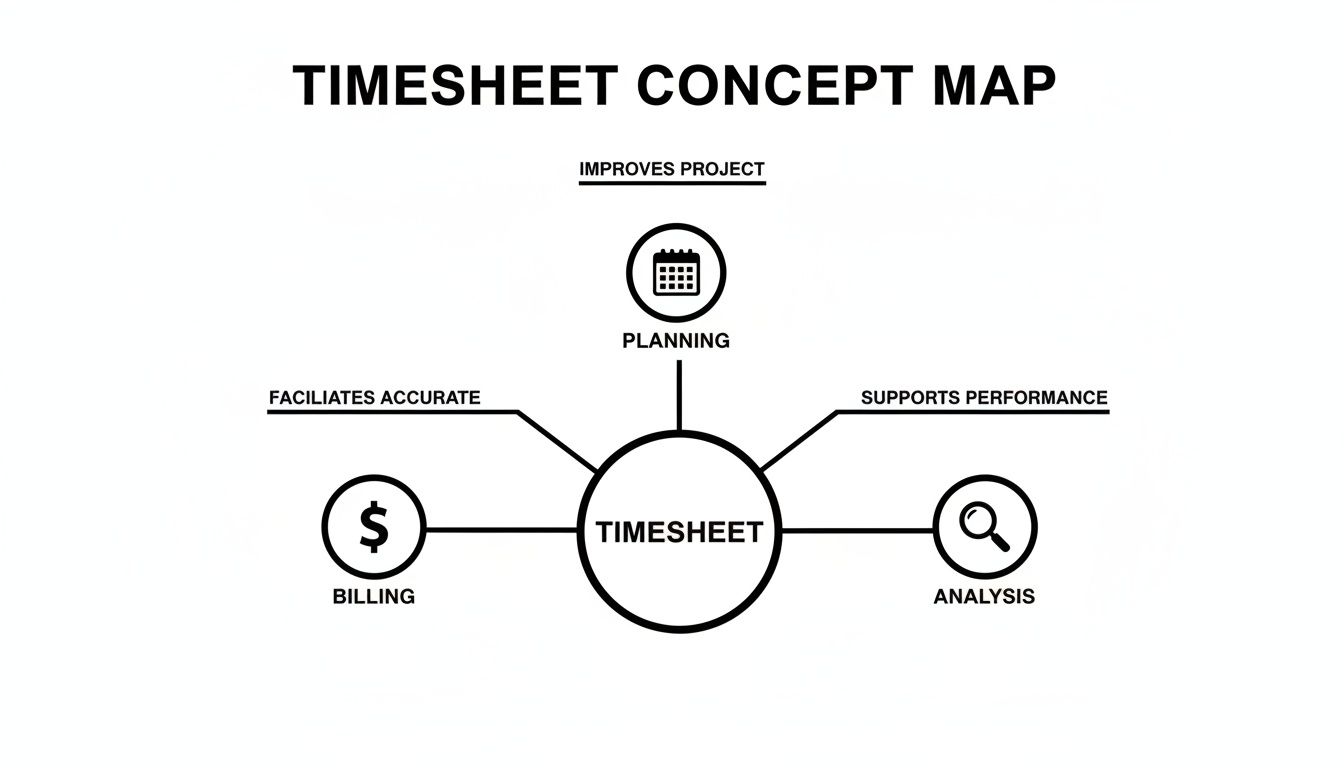
This shift from a simple record to a central data hub is driving some serious market growth. The global employee timesheet tool market, valued at a respectable USD 1.2 billion in 2023, is on track to more than double, hitting a projected USD 2.5 billion by 2032. What's fueling this surge? A massive demand for automated, AI-powered tools that slash administrative overhead and deliver insights you can actually use.
The table below breaks down the key differences between the old way of doing things and the modern, automated approach.
Traditional vs Modern Timesheets At a Glance
The leap from manual entry to automated intelligence is a big one. It's the difference between having a simple logbook and having a dynamic dashboard that tells you the story of your business in real-time.
| Feature | Traditional Timesheet (Manual) | Modern Timesheet (Automated) |
|---|---|---|
| Data Entry | Manual input, often at the end of the day or week. Prone to errors and guesswork. | Automated capture, often from calendar events, apps, and project tools. |
| Accuracy | Low to moderate. Relies on memory, which can be faulty. | High. Captures time as it happens, eliminating recall bias. |
| Admin Effort | High. Requires constant chasing, reminders, and manual data consolidation. | Low. Minimal human intervention needed; data flows automatically. |
| Insights | Limited. Basic reports on hours worked, difficult to analyze profitability or utilization. | Rich and actionable. Real-time dashboards on project health, profitability, and resource allocation. |
| Integration | Standalone. Often a spreadsheet or paper form disconnected from other systems. | Integrated. Connects with project management, billing, and CRM software. |
| Purpose | Primarily for payroll and basic attendance tracking. | A strategic tool for business intelligence, forecasting, and operational optimization. |
As you can see, the game has completely changed. Modern timesheets aren't just about compliance; they're about competitive advantage.
A timesheet is more than a record of hours; it is the source of truth for project profitability, resource utilization, and operational health. Getting it right is not an administrative task—it's a strategic imperative.
At the end of the day, a modern timesheet system is what turns raw hours into business intelligence. It converts the daily grind of your team's activities into a clear story about performance, efficiency, and return on investment. This empowers leaders to stop guessing and start guiding their organizations with confidence and precision.
The Hidden Costs of Manual Time Tracking
Picture this: It's Friday afternoon, and instead of wrapping up strategic work for a key client, a project manager is stuck chasing down her team for their timesheets. She’s sending a flurry of "friendly reminders" and trying to make sense of cryptic notes about hours logged against the wrong project code. This little scene plays out in countless agencies every single week, a quiet but relentless drain on productivity known as timesheet fatigue.

This administrative headache is far more than just a minor annoyance—it's a real financial liability. Manual time tracking, whether on paper or cobbled together in spreadsheets, is notoriously inaccurate. It's totally reliant on human memory, which means it’s full of guesswork that almost always leads to under-billed hours and revenue slipping through the cracks. For consultancies and financial agencies where every minute is billable, these small slip-ups pile up into massive losses.
The Ripple Effect of Flawed Data
The trouble with manual timesheets goes way beyond just lost revenue. When your foundational data is flawed, it poisons every strategic decision you try to make with it.
- Inaccurate Project Estimates: How do you bid on future projects? You look at past data. If that data is based on under-tracked hours, your new proposals will be under-scoped from the start, setting your team up for budget overruns and razor-thin margins.
- Poor Utilization Visibility: Operations leaders can't tell who's overworked and who has room for more. This leads directly to team burnout on one end and missed opportunities on the other, all while resources are being used inefficiently.
- Eroded Client Trust: Sending inaccurate invoices is a surefire way to spark disputes and damage client relationships. When you can't produce a clear, auditable record of the time you spent, justifying your costs becomes an uphill battle.
What's really surprising is how many businesses are still stuck in the past. A staggering 38% of firms in the US and 58% in Canada still lean on paper timesheets. This is despite the fact that 50% of professionals call data entry their single biggest waste of time. The good news? Teams are more than ready for a change, with three out of four workers open to using AI to handle their admin tasks.
Quantifying the Administrative Burden
All that time spent managing manual timesheets is a hidden operational cost that eats directly into your profitability. Every hour a manager spends chasing entries or an employee spends trying to piece together their week is an hour they're not spending on billable client work.
This administrative overhead creates a vicious cycle of frustration. Teams resent the chore, managers dread the nagging, and leaders are left making critical decisions based on unreliable information. It’s a systemic problem that manual processes simply can’t fix.
For agencies juggling dozens of clients and projects, the consequences are severe. The true cost of any given project becomes completely obscured, making it impossible to know if you're actually profitable. This lack of clarity is a major roadblock for any operations leader trying to scale the business effectively. A quick comparison of spreadsheets vs. timesheet apps shows just how much efficiency is lost to these old-school methods. The only way forward is to move away from these error-prone systems and embrace a more reliable, automated solution.
How Accurate Timesheets Power Business Functions
Once you've wrestled with the chaos of manual time tracking, the value of getting it right becomes painfully obvious. Accurate timesheets aren't just records; they're the engine powering your most critical business functions. They turn raw data into a strategic asset. When you can actually trust your time data, you're set up to build a more profitable, efficient, and compliant business from the ground up.

This shift from administrative chore to operational intelligence really boils down to three core areas that directly shape a company's health and future.
Secure Billing and Boost Profitability
For any service-based business—especially agencies and consulting firms—your time is literally the product you sell. Inaccurate timesheets are a direct line to revenue leakage. Every uncaptured 15-minute phone call or quick task is money left on the table, and it adds up fast, potentially costing thousands per project.
Accurate, automated time tracking plugs these leaks by creating a detailed, verifiable log of all client-facing work. This precision means your invoices aren't just correct; they're defensible. When a client questions a bill, you can instantly pull up a granular report showing exactly where every minute went. That builds trust and screams professionalism.
This data-driven approach hits the bottom line in a few key ways:
- Captures All Billable Time: It stops the bleeding caused by guesswork and forgotten tasks.
- Increases Invoicing Accuracy: Fewer disputes mean you get paid faster.
- Reveals True Project Profitability: You get a crystal-clear picture of which clients and projects are actually making you money.
Optimize Resource Utilization and Planning
One of the biggest headaches for any operations leader is balancing workloads. Without good data, you're just guessing. Is your team on the verge of burnout, or is there hidden capacity you could be tapping into? Accurate timesheets give you the visibility to manage your most valuable asset: your people.
By analyzing where the time is going, managers can spot who is consistently overloaded and at risk of burning out. On the flip side, they can see which team members have the bandwidth to take on new projects. This insight is gold for strategic staffing, letting you build project teams based on actual availability and skills, not just a gut feeling. It even helps with hiring by showing you exactly where you need more hands on deck to support growth.
Ensure Compliance and Reporting Integrity
Let's be clear: staying compliant with labor laws like the Fair Labor Standards Act (FLSA) isn't optional. Accurate timesheets provide a rock-solid audit trail, proving that you're correctly tracking work hours, breaks, and overtime. This documentation is your first line of defense against wage-and-hour disputes or a government audit.
For companies with government contracts, the stakes are even higher. DCAA (Defense Contract Audit Agency) compliance demands meticulous, real-time tracking. An automated system ensures records are created as the work happens and can't be easily fudged, giving you the integrity needed for these high-stakes projects.
Accurate timesheets are critical for financial accuracy, impacting payroll and client billing. For further insights into financial operations and how data drives them, you might want to learn more from payments experts on financial operations.
Ultimately, from the invoices you send clients to the reports you share with stakeholders, trustworthy data builds confidence across the board. It empowers everyone to make smarter, faster decisions.
Moving from Manual Entry to Automated Workflows
For so many businesses, the reality of time tracking is stuck in the past. Teams are still leaning on paper logs, messy spreadsheets, or simple timers that need to be manually started and stopped for every little task. The problem? All these old-school methods share the same fatal flaw: they rely entirely on human memory and constant effort. That makes them a breeding ground for errors, guesswork, and costly mistakes.
This manual approach creates a ton of friction. Employees dread it as a tedious chore, and managers get stuck in the awkward position of having to chase people down for late or incomplete entries. What you're left with is a system bogged down by administrative drag that produces data you can't even trust.
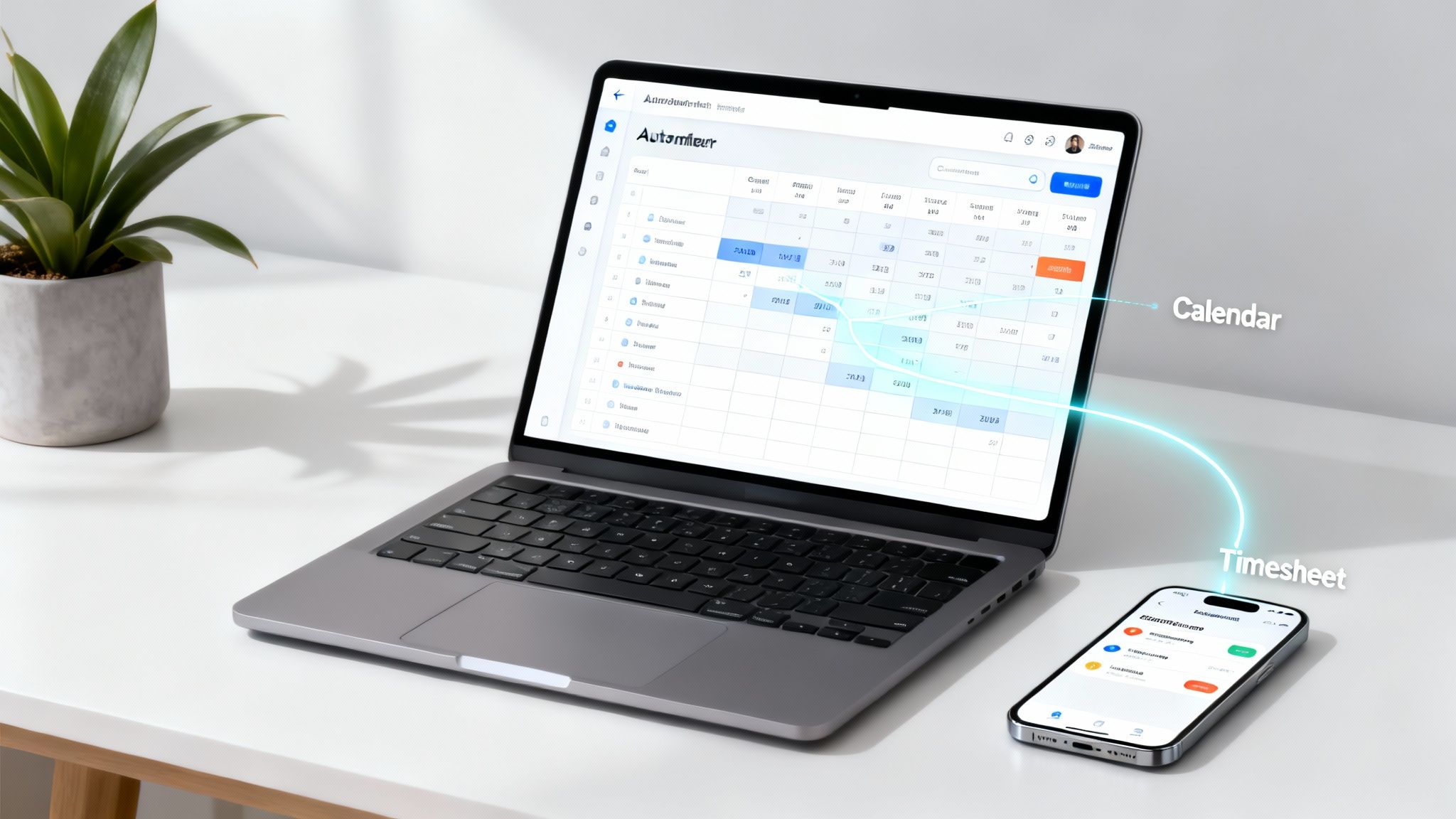
This is the future: a connected, automated system where your calendar is the engine that drives your timesheet. The real magic happens when you stop relying on memory and start using a record of activities that's already been verified.
The Paradigm Shift to Calendar-Driven Automation
The modern approach completely flips the script. Instead of asking employees to remember what they did all week, automated platforms treat their digital calendar—like Google Calendar or Outlook—as the single source of truth. Every meeting, client call, and focused work block is already there, creating the perfect blueprint for an accurate timesheet.
This calendar-first method gets rid of manual timers and that Friday afternoon scramble to fill in the blanks. The workflow becomes refreshingly simple:
- Automatic Capture: The system passively pulls in all calendar events without anyone lifting a finger.
- Intelligent Categorization: Smart rules and AI automatically assign every activity to the right project, client, or task code.
- Review and Approve: At the end of the week, team members just give their pre-filled timesheet a quick once-over and hit "approve."
Suddenly, time tracking is no longer an annoying, disruptive task. It just happens seamlessly in the background.
By plugging directly into the calendar, automated timesheet tools take the mental weight off your team. They can focus on high-value work instead of getting bogged down in admin. The job shifts from tedious data entry to simple verification.
Leveraging AI for Smarter Categorization
This is where things get really powerful. Modern systems don't just grab calendar events; they use intelligent automation to categorize work with surgical precision. This is where AI makes a real, tangible difference in your day-to-day operations.
For example, you can set up custom rules to:
- Automatically tag any meeting with attendees from a specific client domain (like
acmecorp.com) to their project. - Categorize internal meetings based on keywords in the event title, such as "Daily Standup" or "Team Sync."
- Link activities to specific sales opportunities by integrating with your CRM.
This level of automation doesn't just save a ton of hours; it radically improves the quality of your data. More than just accuracy, modern timesheet systems are essential for streamlining your entire operation. You can learn more about the broader value of automating your business workload and the efficiencies it unlocks. When you remove the friction of manual entry, you can finally get the accurate, granular data you need to make smart calls on profitability, resource allocation, and the overall health of your business.
Implementing a Modern Timesheet System
Switching to a new timesheet system is about so much more than just picking the right software. It’s really about launching a thoughtful strategy that puts your people, processes, and technology first. A smooth rollout depends almost entirely on getting team buy-in right from the start.
This kicks off with clearly communicating the "why" behind the change. Frame it not as another piece of admin to deal with, but as the solution to all those common frustrations everyone hates—like manual data entry and uneven workloads. When your team sees how it frees them up for more valuable, client-facing work, you’ll see adoption rates climb.
Setting Up for Success
Once you’ve got everyone on board with the vision, the next step is building a clear, logical structure for how time is captured. This means creating a standardized system for tagging and categorization that everyone can understand without a second thought.
Define your core data points:
- Clients and Projects: Get a consistent naming convention in place for all clients and the projects tied to them. No more guesswork.
- Tasks and Activities: Create a master list of common tasks, both billable and non-billable (e.g., "Client Communication," "Project Management," "Creative Development").
- Custom Tags: Use tags to get more granular. Think tracking specific initiatives, project phases, or different service lines for sharper reporting.
A well-organized system from day one prevents data chaos down the road. It ensures the insights you pull are clean, accurate, and genuinely useful for making smarter business decisions.
Integrating Your Tech Stack
This is where a modern timesheet system really shows its power—when it starts talking to your other essential tools. Integrating with software you already use, like your CRM or project management platform, creates a seamless flow of information that kills duplicate data entry.
For example, connecting your timesheet tool to your CRM can automatically link logged hours with specific sales opportunities or client accounts. Suddenly, you have a complete, 360-degree view of client profitability. It transforms your timesheet from a simple record-keeper into a central hub of operational intelligence. You can get a head start by exploring the benefits of automated timesheets designed for exactly this kind of deep integration.
Training and Onboarding for High Adoption
At the end of the day, even the most intuitive system will collect dust if your team doesn’t know how to use it properly. You have to invest time in real training and onboarding, tailored to different roles within your company.
Show your project managers how to pull utilization reports in seconds. Walk your team members through how quickly they can review and approve their pre-populated timesheets.
A successful implementation isn’t just about flipping a switch. It's about empowering your team with the tools and knowledge they need to embrace a new, more efficient way of working.
While 72% of business leaders use timesheets to plan workloads, outdated methods often create more problems than they solve. The pain is especially real for mid-sized agencies. A staggering 38% of US employees are still using paper timesheets, and 50% wrestle with manual adjustments, fueling massive timesheet fatigue. To get the full picture on this industry challenge, you can read the full benchmarking report.
By focusing on clear communication, a solid structure, and hands-on training, you can make sure your new system actually delivers on its promise of better accuracy and efficiency.
Got Questions About Timesheets?
Switching to a modern timesheet system is a big move, and it's totally normal for agency leaders and ops managers to have a few questions. Getting these concerns out in the open is the best way to see the real value in leaving manual methods behind for a smarter, automated approach.
Here are the straight answers to some of the most common questions we hear.
How Can Automated Timesheets Really Be More Accurate?
It’s a fair question. The simple answer is that automated, calendar-driven systems are built on a verified record of what actually happened—your team's digital calendar. Instead of asking people to recall what they did days ago, these tools capture events as they occur, creating an objective source of truth.
From there, the accuracy gets even sharper. Smart rules can automatically categorize work based on meeting titles, who was there, or even data pulled from your CRM. The whole process gets flipped on its head. Team members just need to review and approve their pre-filled timesheets, only stepping in to handle the rare exception instead of building the whole thing from memory.
This approach cuts down on human error, gets rid of the guesswork, and gives you a clear, defensible audit trail for every minute spent.
Will My Team Feel Like They're Being Micromanaged?
This is probably the number one concern we hear, and it’s a valid one. But the goal here isn't surveillance—it's transparency and efficiency. The focus is on understanding workloads, making sure work is distributed fairly, and protecting your most talented people from burnout.
By pulling time data automatically from a shared calendar, you kill the dreaded "Did you do your timesheet?" chase. The conversation shifts from policing compliance to having strategic chats about project profitability and team capacity.
For your team, the upside is immediate. It means way less admin hassle, fewer interruptions, and more solid blocks of time to focus on doing great work for clients. It becomes a tool that empowers them, not one that watches over their shoulder.
What's the Real ROI of an Automated Timesheet Tool?
The return on investment for an automated timesheet platform hits you in a few different ways, and it goes well beyond just saving a bit of admin time.
The ROI really breaks down into three key areas:
- Direct Time Savings: First up, you get huge chunks of time back by killing manual data entry. Across a whole agency, that can add up to hundreds of billable hours reclaimed every single year.
- Increased Revenue Capture: Next, you start capturing all the billable hours you've been missing. This plugs the massive revenue leaks that happen when people forget small tasks or underestimate time on their manual logs.
- Actionable Business Intelligence: Finally, you unlock incredible insights. With precise data on project profitability and team utilization, you can make smarter, faster calls on pricing, staffing, and which projects to bid on next.
This gives operations leaders the clear visibility they need to connect daily work to the bigger strategic goals, turning time data from a chore into a serious competitive advantage.
Ready to eliminate timesheet fatigue and unlock powerful business insights? TimeTackle transforms your team's calendar into an automated, accurate timesheet, giving you a crystal-clear view of project profitability and resource utilization. Discover how TimeTackle can streamline your operations.