
At its core, workflow automation is all about using technology to put repetitive business tasks on autopilot. It’s about building smart, rule-based systems that can automatically kick off actions, move data where it needs to go, and see processes through to the end—all without a single human click.
Think of it as turning your most tedious, time-sucking checklists into seamless, hands-off operations.
Moving Beyond Manual Checklists
Let's take your agency's client onboarding process as an example. Done manually, it’s a long chain of small, annoying steps: create a new project folder, draft and send a welcome email, add the client to your billing software, then try to schedule a kickoff meeting. Every single one of those steps is a chance for a delay or a simple mistake to happen.
So, what is workflow automation in this scenario? It’s like having a digital assistant who handles that entire sequence the very moment a new contract is signed. No delays, no forgotten steps.
This leap from manual checklists to automated processes isn’t just about making things a little easier; it's a completely different way for modern agencies to run. By linking up your different apps—like your CRM, calendar, and project management tool—automation builds an ecosystem where information flows freely and tasks get done the same way, every time. This frees up your team to stop chasing administrative tasks and start focusing on the strategic work that actually delights clients.
Workflow automation turns a series of separate, disjointed tasks into one unified, intelligent process. It’s the difference between building a car piece by piece by hand versus watching a modern assembly line do it with incredible speed and precision.
The Growing Importance of Automation
It's no surprise that more and more businesses are catching on. The global workflow automation market is expected to hit USD 29.945 billion in 2025 and then skyrocket to USD 87.744 billion by 2032. You can explore more data on this growth trajectory to see just how fast the market is moving. That kind of explosion tells you one thing loud and clear: automation isn't a "nice-to-have" anymore. It’s a core piece of any competitive business strategy.
To really nail down the difference, it helps to see the two approaches side-by-side.
Manual Workflow vs Automated Workflow At a Glance
Here’s a quick breakdown that highlights the fundamental shift that happens when you move from manual to automated systems.
| Aspect | Manual Workflow | Automated Workflow |
|---|---|---|
| Execution | Needs a person to push every button and check every box. | Runs on its own based on triggers you set up once. |
| Speed | Moves at human speed, which means it’s slow and limited. | Instant. It works 24/7 without getting tired or taking breaks. |
| Consistency | Wide open to human error, typos, and forgotten steps. | Does the exact same thing perfectly every single time. |
| Scalability | Hard and expensive to scale. You just have to hire more people. | Scales up to handle more work without breaking a sweat. |
| Data | Data gets stuck in different apps and has to be copied over. | Data flows seamlessly between your systems automatically. |
By bringing in automation, you’re not just speeding things up; you're building a reliable operational backbone for your agency. You’re guaranteeing that all the crucial, behind-the-scenes work gets done right and on schedule, every single time. That kind of solid foundation is exactly what you need to grow your services without letting your administrative costs spiral out of control.
The Building Blocks of an Automated Workflow
To really get what workflow automation is all about, you have to look under the hood. Think of any automated workflow not as a single event, but as a series of smart, interconnected dominoes, all set up to fall in perfect sequence. Each piece has a specific job in turning a tedious manual process into a hands-off operation.
The very first domino in this chain reaction is the trigger. This is the initial nudge that gets everything moving. It's a specific event that your automation software is constantly watching for, signaling that it's time to get to work.
A trigger can be almost anything that happens in your business. For instance, a new meeting popping up on a team member's Google Calendar could be a trigger. A client signing a contract in DocuSign or a fresh lead getting added to your CRM can also act as the starting pistol for a new workflow.
This image helps visualize how automation works as the central gear, connecting a trigger to a series of actions that turns a manual slog into an automated process.
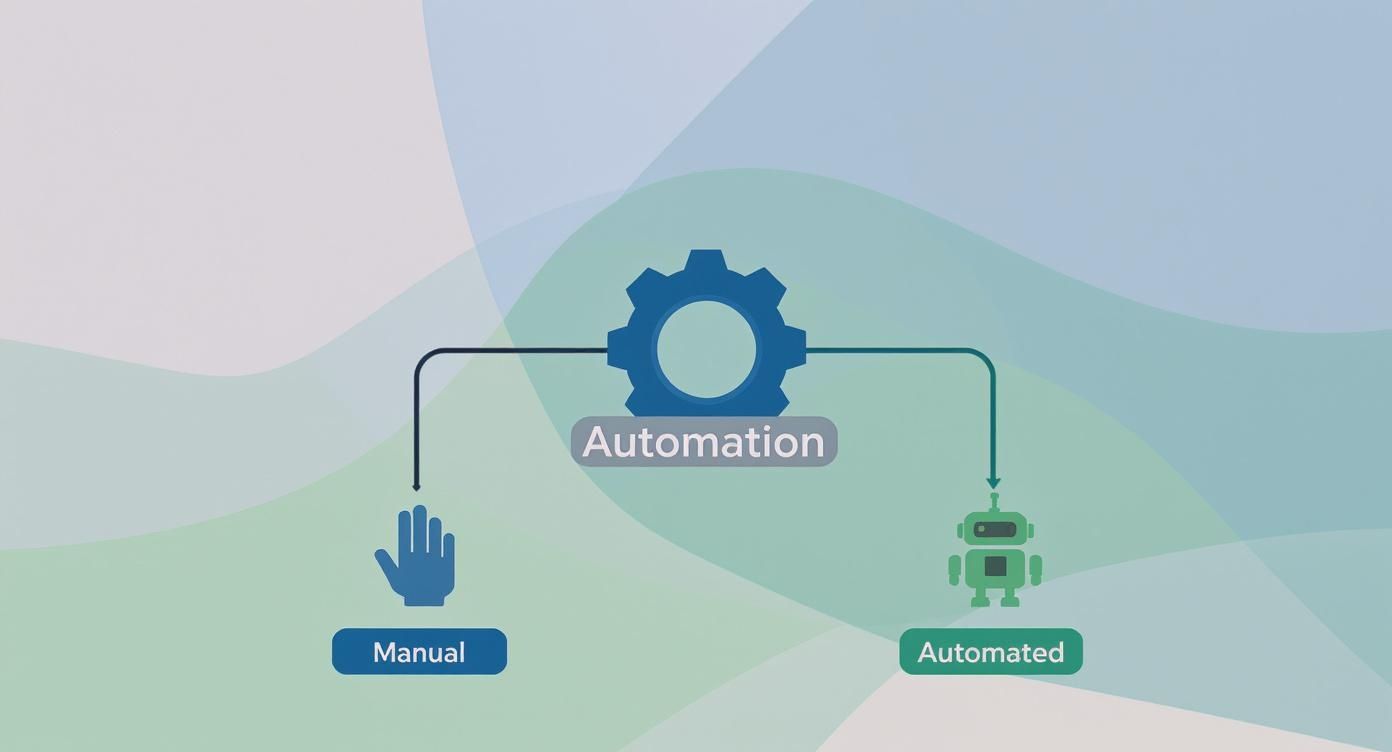
The big idea here is that automation acts as the bridge between separate events and a smooth, cohesive process, completely cutting out the need for someone to step in and do it manually.
Defining Your Workflow Actions
Once a trigger fires, the next set of dominoes—the actions—starts to topple. Actions are the specific tasks the software carries out automatically in response to that trigger. This is where the real magic happens, as one simple trigger can set off a whole cascade of useful steps.
These actions can be simple or complex, sometimes involving just one app or juggling several at once. Here are a few examples of what actions could look like for an agency:
- Create a new project folder in your shared drive.
- Send a standardized welcome email to the new client.
- Generate a pre-filled timesheet entry based on a calendar event.
- Assign a task to a project manager in your project management tool.
These are all steps that once required someone to log into different systems and click around. Now, they happen instantly and without a single error. The sequence of these actions is the core of your automated workflow, making sure nothing ever falls through the cracks.
Think of an automated workflow as a digital recipe. The trigger is turning on the oven, the actions are the steps like mixing ingredients and baking, and the logic is what makes sure you only add the frosting after the cake has cooled.
Applying Logic and Conditions
The final, and smartest, component of any automated workflow is the logic. This is what directs the path the dominoes take, using simple "if-this-then-that" rules to make decisions along the way. This allows for much more sophisticated and flexible automations that can handle different scenarios.
This conditional logic is what makes modern workflow automation so powerful. It's no longer just about a simple, one-track sequence; it introduces real decision-making into the process.
For example, you could set up a workflow with this logic: IF a calendar event is with "Client X," THEN tag the corresponding timesheet entry as "Billable." But, IF the meeting is with an internal team member, THEN tag it as "Non-Billable."
Today’s automation platforms, including TimeTackle, have visual workflow builders that make setting up this kind of logic incredibly easy. You don't need to write a single line of code. Instead, your team can just drag and drop triggers, actions, and conditions to build powerful workflows that perfectly match how your agency operates, turning everyone into an efficiency expert.
How Automation Drives Agency Growth
Let’s move past the theory and talk about what really matters: how workflow automation impacts your agency's bottom line. For any professional services team, this isn't just a nice-to-have upgrade. It's a genuine competitive advantage that directly fuels how profitable and scalable you can be.
The first and most obvious win is getting back your team's most precious resource—billable hours. We all know how administrative tasks like manual time tracking, pulling client reports, and prepping invoices can suck the life out of a workday. Automating these chores frees up your best people to do what they do best: focus on client strategy, creative work, and high-value tasks.
Eliminate Errors and Boost Your Bottom Line
On top of saving time, workflow automation is brilliant at cutting down on human error. When your team is manually copying data from calendars, project management tools, and CRMs, mistakes are just a matter of time. A single forgotten meeting or a typo in a timesheet can lead to billing mistakes that cost your agency real money.
Automation brings that risk down to virtually zero. When you set up rules to automatically capture and categorize every single billable activity, you build a system of record that's both rock-solid and easy to audit. That precision flows directly into more accurate invoices and healthier project profit margins, replacing operational guesswork with hard data.
By automating routine data collection, agency leaders get a real-time dashboard showing project health, team utilization, and client profitability. That kind of visibility is exactly what you need to make smart decisions that steer the agency toward sustainable growth and away from projects that just aren't worth it.
Build an Operational Foundation That Can Scale
Maybe the biggest long-term payoff is creating an operational framework that grows with you. As your agency gets bigger, those manual processes that used to work just fine suddenly become major bottlenecks. The old solution—hiring more people to do more admin work—is a trap. It just bloats your overhead.
Workflow automation creates systems that can handle a rising tide of work without breaking a sweat. It means you can bring on new clients and expand your team without watching your efficiency crumble. For leaders serious about growth, this is non-negotiable. You can find more practical ideas in our guide on the top ways to automate and grow your small business.
The market is already signaling this shift loud and clear. The workflow automation industry is projected to skyrocket to $78.26 billion by 2035, growing at a blistering compound annual growth rate of 21%. The business process automation slice of that pie is expected to lead the way, as more and more companies adopt tech that irons out repetitive tasks and makes operations more consistent. You can learn more about the research behind workflow automation's growth.
The Real-World Results of Automation
When agencies truly embrace what workflow automation can do, they shift from being reactive and manual to proactive and efficient. The results aren't fuzzy—they're clear, measurable, and they hit the P&L.
- Higher Billable Utilization: Teams spend way less time bogged down in administrative muck and more time on the client work that actually generates revenue.
- Healthier Cash Flow: Accurate, automated invoicing means you get paid faster and deal with fewer billing disputes.
- Happier Clients: Consistent, professional reporting and communication, all powered by automation, build the kind of trust that keeps clients around.
- Smarter Resource Allocation: When you have crystal-clear data on where time is going, you can put your people on the projects that make the most sense—and the most money.
At the end of the day, workflow automation lets your agency do more with what you already have. It helps you build a more resilient, efficient, and profitable organization that's ready to handle whatever growth comes its way.
Real-World Automation Examples for Agencies
Theory is one thing, but seeing workflow automation in action is where the lightbulb really goes on. These aren't just abstract ideas; they're practical, high-impact changes that smart agencies are making right now to get rid of tedious work and win back valuable time.
Let's walk through three powerful examples that solve some of the most common headaches in agency life.

These automations are all about turning those promised benefits into real, measurable results that touch everything from team morale to client happiness.
Automating Time Tracking from Your Calendar
Ask anyone in an agency what their least favorite task is, and manual time tracking will probably be at the top of the list. It’s a constant battle, leading to forgotten entries, inaccurate data, and ultimately, lost billable hours.
Calendar-driven automation flips this entire process on its head.
Imagine a system that’s always watching your team’s calendars. When it sees a client meeting or a block of focused work pop up, it gets to work instantly.
- Trigger: A new event is added to a team member's Google or Outlook calendar.
- Action 1: The system automatically creates a pre-filled timesheet entry with the right date, time, and description.
- Action 2: Using rules you've already set, it tags the entry with the correct client and project code.
- Action 3: The draft timesheet lands in the team member's inbox for a simple, one-click approval.
Suddenly, time tracking isn't a chore—it's a quick review. This simple workflow ensures every single billable minute is captured right from the source where the work was planned: the calendar. The outcome? A massive drop in admin work and a serious improvement in billing accuracy.
This one automation can easily save each person several hours a month. But the real win is creating a perfect, trustworthy record of all billable work, which builds client confidence and makes cash flow so much healthier.
Automating Client Project Reporting
Keeping clients in the loop is non-negotiable, but pulling together weekly or monthly reports is a grind. It usually means logging into three different tools, copying and pasting data into a template, and then manually sending it off. This is a prime target for automation.
Think about a workflow that runs like clockwork every Friday afternoon.
- Trigger: A scheduled time (say, Friday at 3:00 PM).
- Action 1: The system automatically pulls key stats from your project management tool, like tasks completed and budget burn.
- Action 2: It grabs the relevant time tracking data to show hours logged against project milestones.
- Action 3: All this information is compiled into a clean, professional-looking report.
- Action 4: The finished report is automatically emailed to the right client contact.
This automation guarantees clients get consistent updates on time, every time, without anyone on your team having to do a thing. It standardizes your reporting, kills the risk of sending old info, and frees up your project managers to focus on strategy, not spreadsheets. These are just a couple of ideas, and you can find more in this list of 10 business process automation examples that can be adapted for almost any professional service.
Automating Invoice Preparation
That end-of-month scramble to get invoices out the door is another all-too-familiar pain point. Chasing down billable hours, organizing them by client, and building each invoice one-by-one is tedious and full of opportunities for expensive mistakes.
An automated workflow can make this whole process faster, easier, and way more accurate.
Here’s how an automated invoice prep system could work.
- Trigger: A scheduled date, like the 28th of every month.
- Action 1: The system gathers all approved, billable time entries for every client from the past month.
- Action 2: It organizes these hours into a detailed list, ready to be invoiced.
- Action 3: It then generates a draft invoice for each client directly in your accounting software.
- Action 4: Finally, it sends a notification to your finance lead or the account manager, letting them know the drafts are ready for a final once-over.
This workflow slashes the time spent on billing, closes the gaps where unbilled hours might leak through, and helps create a much more predictable and reliable cash flow for your agency.
For a clearer picture, here are some of the most common manual tasks agencies face and how automation completely changes the game.
| Top Automation Opportunities for Agencies |
| :— | :— | :— |
| Manual Task | Automated Workflow Solution | Primary Benefit |
| Manually filling out timesheets | Calendar-driven time capture that pre-fills entries | Increased Billing Accuracy |
| Compiling weekly client reports | Scheduled data pulls from PM & time tools into a report template | Consistent Client Communication |
| Gathering hours for invoicing | System aggregates all approved time entries into draft invoices | Faster Billing Cycles |
| Onboarding a new client or project | Triggered checklists, folder creation, and team notifications | Error-Free Project Kickoffs |
These examples show that automation isn’t about replacing people; it’s about freeing them up from repetitive tasks so they can focus on the high-value, creative, and strategic work that truly drives the business forward.
How to Start Automating Your Agency Workflows
Jumping into workflow automation can feel like a massive project, but it doesn't have to be. The best way to get started is with a practical, step-by-step approach that lets you build momentum, prove the value, and get your team excited without disrupting everything.
The secret? Start small. Focus on one single, high-impact process.
Your best bet is to begin with the low-hanging fruit—those tasks that are both highly repetitive and universally disliked by your team. Think about the administrative chores that drain energy and time, like manually creating timesheets or compiling weekly progress reports. Our guide on how to automate repetitive tasks is a great resource for spotting these exact opportunities.
Identify and Map Your First Workflow
You can't automate a process you don't fully understand. Before you touch any software, grab a whiteboard (or a virtual one) and get your team to visually map out the current workflow. This simple exercise is often incredibly revealing. You'll quickly spot hidden bottlenecks, redundant steps, and obvious chances for improvement.
While you're mapping it out, ask some pointed questions:
- Where do things usually get stuck? Pinpoint the steps where tasks stall or wait for someone to manually approve them.
- What data is being moved around? Look for any instance where information is copied from one system and pasted into another.
- Which steps are just rule-based? Find the simple "if this, then that" logic that a machine could handle without breaking a sweat.
Getting the team involved in this mapping session not only clarifies the process for you but also builds early buy-in from the very people who will benefit from the automation.
This image shows a team doing just that—collaborating to hash out their internal workflows.

Breaking down a process visually like this is the first real step toward building a smarter, automated version of it.
Choose the Right Tools and Start Small
Once you have a crystal-clear process map, you can start looking at technology. To get your bearings, exploring the best workflow automation tools can give you a solid overview of what's out there. Your focus should be on solutions that play nicely with your existing tech, especially your calendar, project management software, and CRM.
Crucial Tip: Resist the urge to automate everything at once. Pick one simple, high-impact workflow to start. A successful first project builds the confidence and momentum you'll need to tackle more complex processes down the road.
The rapid adoption of these tools tells you everything you need to know about their value. The global market for workflow automation is expected to hit around USD 21.17 billion in 2025. From there, projections show it growing at over 14.3% annually to blow past USD 80.57 billion by 2035. This isn't just a trend; it's a fundamental shift in how modern businesses operate.
Test, Gather Feedback, and Iterate
With your first automated workflow built, it's time for a pilot test. Don't roll it out to everyone. Instead, give it to a small, controlled group of users who are directly involved in that process day-to-day. Their feedback is pure gold for finding any kinks or areas for improvement before a wider launch.
Treat automation as a cycle, not a one-and-done project.
- Launch the Pilot: Deploy the workflow to your small test group.
- Monitor Performance: Keep an eye on key metrics. Are you saving time? Reducing errors?
- Gather Feedback: Actively ask users what works and what doesn't. Make it easy for them to share their thoughts.
- Refine and Improve: Use that feedback to tweak the automation and make it even better.
- Scale Up: Once it's running smoothly and delivering results, you can expand it to the rest of the team.
This phased approach guarantees a much smoother transition, minimizes resistance, and builds a solid foundation for your agency’s automation efforts. By starting smart and iterating based on real-world results, you set your team up for long-term success.
Jumping into workflow automation can deliver some incredible wins for your agency, but a few common missteps can easily trip you up before you even see the benefits. Knowing what these challenges are ahead of time is half the battle, making sure your efforts lead to real, measurable improvements.
The biggest mistake we see? Automating a broken process. If your current workflow is confusing, inefficient, or clunky, automation will only make your team do the wrong things faster. Think of it like paving a winding, bumpy road instead of taking the time to straighten it out first. Always map out, clean up, and fix the underlying process before you even think about layering automation on top.
Getting Your Team On Board
Another classic pitfall is failing to get your team genuinely excited about the change. The moment people hear "automation," they can start to worry about their jobs. This is a communication hurdle you have to clear right from the start.
Don't pitch automation as a replacement for people. Frame it as a powerful assistant that's here to take away their most tedious, soul-crushing tasks. This frees them up to focus on the strategic, creative, and high-value work that requires a human touch—the stuff they were actually hired to do.
When your team sees automation as a tool to kill administrative headaches and make their jobs better, they'll become its biggest champions. Without their support, even the slickest system will fail to get off the ground.
Avoiding Common Implementation Mistakes
Beyond the big-picture strategy and communication, a few practical errors can quietly undermine your success. Keeping these in mind can save you a ton of time and frustration as you get started.
To set your agency up for a smooth rollout, make sure you steer clear of these issues:
- Choosing the Wrong Tool: Picking software that’s overly complex, doesn't play nice with your core systems (like your calendar or project management tools), or can't grow with your agency is a recipe for disaster. The right tool should feel like a natural extension of how you already operate.
- Trying to Boil the Ocean: It's tempting to want to automate everything all at once, but that's a fast track to overwhelm and burnout. Start small. Pick one or two high-impact, low-effort workflows to prove the concept and build momentum.
- Setting It and Forgetting It: Automation isn't a crockpot meal. Your agency’s needs change, and your workflows have to evolve, too. Make a habit of regularly reviewing your automations to ensure they’re still doing their job effectively and look for new opportunities to tweak and improve.
By tackling these potential issues head-on—fixing your processes first, winning over your team, and taking a smart, step-by-step approach to implementation—you're building a rock-solid foundation for success. This is how you ensure your investment in what is workflow automation pays off from day one.
Still Have Questions About Workflow Automation?
Even after seeing the benefits laid out, it's natural to have a few practical questions bubble up. Let's tackle some of the most common ones we hear from agencies and professional services teams who are just starting to explore automation.
Do I Need to Be a Coder to Automate Workflows?
Not at all. The old days of automation being locked away in the IT department are long gone. Today's best platforms are built around intuitive, no-code or low-code visual builders.
This is a huge shift. It means the people who actually know the processes—project managers, operations leads, account executives—can be the ones to build and refine the workflows. If you can understand drag-and-drop interfaces and simple "if-then" logic, you can connect your apps and set up powerful automations without writing a single line of code.
Isn't Workflow Automation Just for Big Corporations?
That's a common misconception, but the reality is the complete opposite. While massive companies were the first to jump on board, the explosion of affordable, user-friendly cloud tools has made automation a secret weapon for small and mid-sized agencies. In many ways, leaner teams feel the positive impact even more.
Think about it: for a smaller agency, getting back just a few hours each week for every employee isn't a small win—it's a massive boost in capacity and profitability. The ROI from wiping out manual errors and saving time can be a true game-changer, letting smaller teams punch well above their weight.
The real power of modern automation is how it levels the playing field. It gives smaller, more agile teams the same kind of operational efficiency that used to be reserved for corporations with massive IT budgets.
How Do I Know if My Automation Efforts Are Actually Working?
Success with automation isn't just a gut feeling; it's something you can—and absolutely should—measure with clear Key Performance Indicators (KPIs). Tracking the right numbers proves the value of what you're doing and shows you where to double down.
You'll want to focus on tangible results that directly affect the health of your agency.
- Hours Saved: This is the easiest place to start. Track the real reduction in time your team spends on tasks like filling out timesheets or pulling together client reports.
- Error Reduction: Look at the drop in costly mistakes. This could be anything from billing inaccuracies to missed steps in your client onboarding checklist.
- Faster Turnaround Times: How quickly are things getting done now? Measure the time it takes to get from project completion to sending the final invoice.
- Happier Team Members: This one is a bit softer, but no less important. A quick survey can show you how removing tedious, soul-crushing work has boosted morale and let your team focus on what they do best.
When you track these metrics, you're not just guessing. You're building a clear, data-backed case for the positive impact automation is having on your agency's bottom line.
Ready to eliminate manual timesheets and get a clear view of your team's productivity? TimeTackle uses calendar-driven automation to capture every billable hour accurately and effortlessly. See how much time you can save by visiting https://www.timetackle.com.