
If you want to boost your team's productivity, you have to stop guessing where their time goes and start knowing with cold, hard data. This means ditching the manual timesheets and embracing automated tools that can sniff out the hidden inefficiencies—like endless meetings or administrative tasks—that quietly drain your most valuable, billable hours.
The True Cost of Inefficient Time Tracking
For anyone running an agency, the biggest threat to your profitability isn’t some massive, one-time expense. It’s the slow, daily bleed of time spent on non-billable “work about work.” Think about it: the constant internal meetings, the never-ending email chains, and all the little administrative jobs that pull your team away from actual client deliverables. This isn't just a minor headache; it's a direct shot to your bottom line.

This slow drain is often hard to spot. It hides in plain sight, disguised as necessary collaboration or internal processes. The table below breaks down some of the most common culprits I’ve seen kill agency efficiency over the years.
The True Cost of Inefficient Time Tracking
| Productivity Killer | Example | Impact on Agency |
|---|---|---|
| Meeting Overload | Back-to-back internal syncs with no clear agenda or outcome. | Reduces "deep work" time, leading to missed deadlines and rushed, lower-quality client work. |
| "Work About Work" | Chasing approvals, updating project trackers, endless email threads. | Inflates non-billable hours, directly squeezing profit margins on every project. |
| Manual Time Logging | Employees spending 15-30 minutes daily recalling and logging hours. | Wastes billable time and often leads to inaccurate, guesstimated data that's useless for forecasting. |
| Poor Resource Allocation | Senior designers stuck doing administrative tasks instead of high-value creative work. | Squanders your most expensive talent, lowers morale, and slows down project velocity. |
Seeing it laid out like this really puts things into perspective, doesn't it? These aren't just minor annoyances; they are systemic problems that silently erode your profitability day after day.
Beyond the Usual Productivity Hacks
Most traditional productivity advice just doesn't cut it because it fails to get to the root of the problem. You can preach about focus time and better to-do lists all day long, but without solid data, you're essentially fighting a battle blindfolded. The real secret to understanding how to increase employee productivity is to make the invisible, visible.
This requires a complete shift in mindset, moving from assumptions to actual analysis. Instead of relying on gut feelings or notoriously flawed timesheets, forward-thinking agencies are now using automated, calendar-based analytics to get a truly unbiased picture of their operations.
The core problem is that knowledge workers—your marketing strategists, designers, and developers—dedicate a staggering 60% of their time to these non-core activities instead of producing meaningful work.
But here’s the kicker: companies that adopt AI-driven processes like automated time tracking and calendar analytics (the kind baked into TimeTackle) are reporting 2.5x higher revenue growth and 2.4x greater productivity. If you want to dive deeper into these numbers, you can read the full research on employee productivity statistics.
Find Your Roadmap in Your Calendar Data
Imagine turning your team’s existing Google or Outlook calendar data into a clear, actionable roadmap for peak efficiency. This approach completely cuts out the painful overhead and guesswork of manual timesheets, giving you an objective look at where every single hour is really going.
By diagnosing these hidden productivity leaks, you can finally:
- Pinpoint meeting overload: See exactly which teams are losing critical focus time to too many meetings or low-value calls.
- Track non-billable creep: Put a real number on the time spent on internal admin versus profit-driving client work.
- Re-evaluate resource allocation: Find out if your most skilled—and expensive—employees are bogged down with low-impact tasks.
At the end of the day, this is about finding and plugging all the small, consistent leaks that are costing you serious money. When you turn raw data into actionable insights, you can finally stop guessing and start making strategic decisions that directly boost both your team's output and your agency's profitability.
Figure Out Your Agency's Productivity Baseline
You can’t improve what you don’t measure. For years, agencies have chased productivity gains by tracking hours worked, but that’s a fundamentally broken approach. Real insight doesn't come from counting hours; it comes from understanding what kind of work is actually getting done.
The first, non-negotiable step is to build an honest productivity baseline. This means ditching unreliable, self-reported timesheets and switching to a system that captures work as it happens. Your team's Google or Outlook calendars are treasure troves of objective data, logging every client call, internal meeting, and focused work block without anyone having to lift a finger.
Shift from Guesswork to Diagnosis
When you tap into this calendar data, you can automatically map out how time is really being spent across the agency. This isn't about playing Big Brother; it's about diagnosis. You’re hunting for patterns that reveal those systemic inefficiencies that are otherwise completely invisible.
For instance, an operations lead might suspect their top creative team is losing too much time to internal syncs. Without data, that’s just a hunch. But with calendar analytics, it becomes an undeniable fact: they're losing 12 hours per week to non-essential meetings. Now you have an actionable insight you can fix by restructuring meetings or pushing for better asynchronous updates.
A data-driven diagnosis gives you an unshakeable foundation for every productivity improvement you make later. It swaps subjective complaints for objective facts, which makes getting buy-in for changes a whole lot easier.
This initial analysis is where the real work begins. You can finally start asking the critical questions that manual timesheets could never answer with any degree of accuracy.
- Meeting Overload: Is your project manager spending more time in meetings than actually managing tasks?
- Constant Interruptions: How often are your developers being pulled away from deep work to handle random, ad-hoc requests?
- Effort vs. Profit: Is the team spending most of its time on your most profitable clients, or are they getting bogged down by low-margin legacy accounts?
Answering these questions gives you a clear snapshot of your agency’s operational health. It points you directly to the biggest drains on your team’s energy and your agency's bottom line.
Build Your Baseline with Calendar Analytics
To pull this off, you need a tool that can pull in and categorize all this calendar information automatically. This is where solutions built for time tracking for agencies become so valuable. They can translate raw calendar events into meaningful business intelligence without creating more admin work for your team.
This automated approach lets you establish a baseline that is both comprehensive and effortlessly maintained. You can see, week over week, how your changes are affecting work patterns. Did canceling that recurring Monday morning sync actually free up more time for client work? The data will tell you, plain and simple.
This whole first step is about creating a single source of truth for your agency’s time. It removes emotion and assumptions from the equation, giving you a clear, unbiased starting point to build all future productivity gains upon.
With this baseline in place, you’re no longer guessing—you’re diagnosing.
Connecting Daily Tasks to Strategic Agency Goals
It's an old saying, but it's true: being busy isn't the same as being productive. Real productivity kicks in when your team's most valuable asset—their time—is actually spent on high-impact work that pushes the agency forward. The secret to boosting employee productivity is linking their day-to-day calendar data directly to your big-picture business objectives.

When you overlay calendar insights with your strategic goals, you suddenly have a powerful diagnostic tool. COOs and department heads can finally see, in black and white, if people and resources are pointed at the most profitable clients or key growth initiatives. It completely changes the conversation from "Are we busy?" to "Are we busy with the right things?"
This shift is crucial for plugging profit leaks. Imagine a manager pulling up a dashboard that visualizes time spent by project. They might realize a low-margin legacy client is eating up a shocking amount of senior talent's time—a resource drain they never would have seen with clunky manual timesheets.
From Disconnected Effort to Aligned Impact
This kind of clarity does more than just fix resource allocation; it has a direct line to employee engagement. When team members can actually see how their work contributes to the bigger picture, their sense of purpose and motivation goes through the roof. Disconnected effort just leads to disengagement, which is a silent killer of agency profits.
And that drain is massive. Globally, only 21% of workers feel truly engaged, leading to a mind-boggling $438 billion in lost productivity every year. For mid-sized agencies, the hit is even harder, with disengaged teams showing 14% lower productivity and 78% higher absenteeism. You can discover more insights about these workplace statistics to see the full financial fallout.
By connecting daily tasks to strategic outcomes, you turn abstract company goals into tangible, daily actions. It shows every single person on your team that their time and effort matter, which is a powerful driver of both morale and performance.
Practical Steps for Goal Alignment
So, how do you start building this connection? It begins by mapping calendar data against your most important business metrics. This isn't just about counting hours; it's about weighing the value of those hours.
Here are a few places to start:
- Analyze Client Profitability vs. Time Spent: Run a report comparing the time your team sinks into each client against their overall profitability. Are your top five clients getting the focus they deserve from your best people? Or is time being siphoned off elsewhere?
- Track Time on Strategic Initiatives: Create specific tags or categories for key growth areas, like "New Business Pitches" or "Product Development." This shows you whether you're investing enough in your future or just treading water with current accounts.
- Review Billable vs. Non-Billable by Department: Pinpoint which teams are getting bogged down in internal meetings or administrative fluff. That insight allows you to make targeted process improvements, freeing up valuable brainpower for client-facing work.
By making these connections visible, you empower your entire organization to make smarter, more strategic decisions about where their time goes every single day.
Implementing Changes That Genuinely Boost Productivity
You've got the data, you've established your baseline, and you've connected your team's day-to-day grind to the bigger picture. Now comes the fun part: taking action. This is where we shift from diagnosis to intervention, making deliberate changes that give your team back their most valuable resource—focused time.
The key here is to sidestep the generic productivity hacks you've heard a million times. Real, lasting change comes from fixing the systemic issues your calendar data has already brought to light. So, forget just telling people to "manage their time better." Let's fix the processes, tools, and culture that dictate how their time is spent in the first place.
Streamline Your Internal Processes
One of the quickest wins is often found by tackling administrative overhead. For instance, using rule-based automations to categorize calendar events instantly wipes out the tedious task of manual tagging. It’s a small tweak, but it frees up mental energy and keeps your data consistently accurate without anyone lifting an extra finger.
Think about a common agency problem: a project manager burning hours every week just logging meetings against different client projects. An automated system can handle that instantly based on who’s in the meeting or keywords in the event title.
This isn't just about saving a few minutes; it's a fundamental shift. By automating low-value tasks, you create the space for employees to concentrate on the high-value, strategic work that actually drives revenue and client satisfaction.
Another powerful move is to overhaul your meeting culture. Use your calendar analytics to pinpoint those recurring, low-value meetings clogging everyone’s schedule. That weekly "status update" that could have been a two-sentence email? It’s a prime candidate for the chopping block. Cutting just one of those can free up entire afternoons for the deep, focused work that creative and strategic tasks demand.
Rationalize Your Tech Stack and Meeting Culture
Your data can also be a powerful ally when you need to justify spending on new tools. If your analysis shows the design team loses five hours a week wrestling with a clunky, outdated file-sharing system, you suddenly have a crystal-clear ROI for an upgrade. The cost of a new tool is easily covered by the 20+ hours of productive time you reclaim each month. This approach ensures every new tool you bring in solves a real, identified bottleneck.
Similarly, fixing a broken meeting culture requires more than just good intentions. It needs data.
- Implement "No-Meeting" Blocks: Carve out and protect sacred chunks of the day for deep work, especially for roles that demand intense concentration.
- Mandate Agendas: Institute a simple rule: no meeting gets on the calendar without a clear agenda and a desired outcome. This simple filter discourages pointless gatherings before they even happen.
- Audit Recurring Meetings: Every quarter, pull up a list of all standing meetings and ask the tough question: "Is this still necessary?"
To really move the needle, it's crucial to understand the difference between being busy and being productive. It's about learning how to get more done without working more. And remember, getting your team on board is half the battle. You can learn more about how to motivate employees to track time by framing it as a benefit for them, not a burden from you.
Give Your Team Actionable Insights, Not Manual Reports
Let’s be honest: manual reporting is a soul-crushing task. I've seen firsthand how hours spent exporting data, wrestling with spreadsheets, and chasing down numbers for timesheets just drain the life out of a team. It kills morale and keeps everyone stuck looking in the rearview mirror. It's time to ditch those tedious exercises for dynamic, real-time dashboards that put actionable information directly into your team's hands.
The first move is to automate your data capture. When your reporting workflows run on their own—think syncing calendar insights directly to Google Sheets or building custom reports in minutes instead of hours—you instantly reclaim a massive chunk of productive time. This isn't about surveillance; it's about empowerment.
Shift from Micromanagement to Empowerment
When team leads and individual contributors get direct access to clear, real-time data on their own time allocation, something powerful happens. They can spot their own bottlenecks, make smarter decisions about their priorities, and self-correct without a manager hovering over their shoulder. This builds a genuine culture of ownership and proactive improvement.
For instance, a project manager can use dynamic filters to instantly see a project's ROI by comparing hours logged against the client's budget. That immediate feedback loop allows for quick course corrections and much more accurate scoping for future projects, which directly boosts profitability.
The goal is to make data a helpful guide, not a tool for scrutiny. When employees see how their time contributes to successes, they become more engaged and motivated to find efficiencies on their own.
This is where you can start seeing real, measurable impact. The key areas to focus on—processes, tech, and meetings—are where targeted improvements pay the biggest dividends.
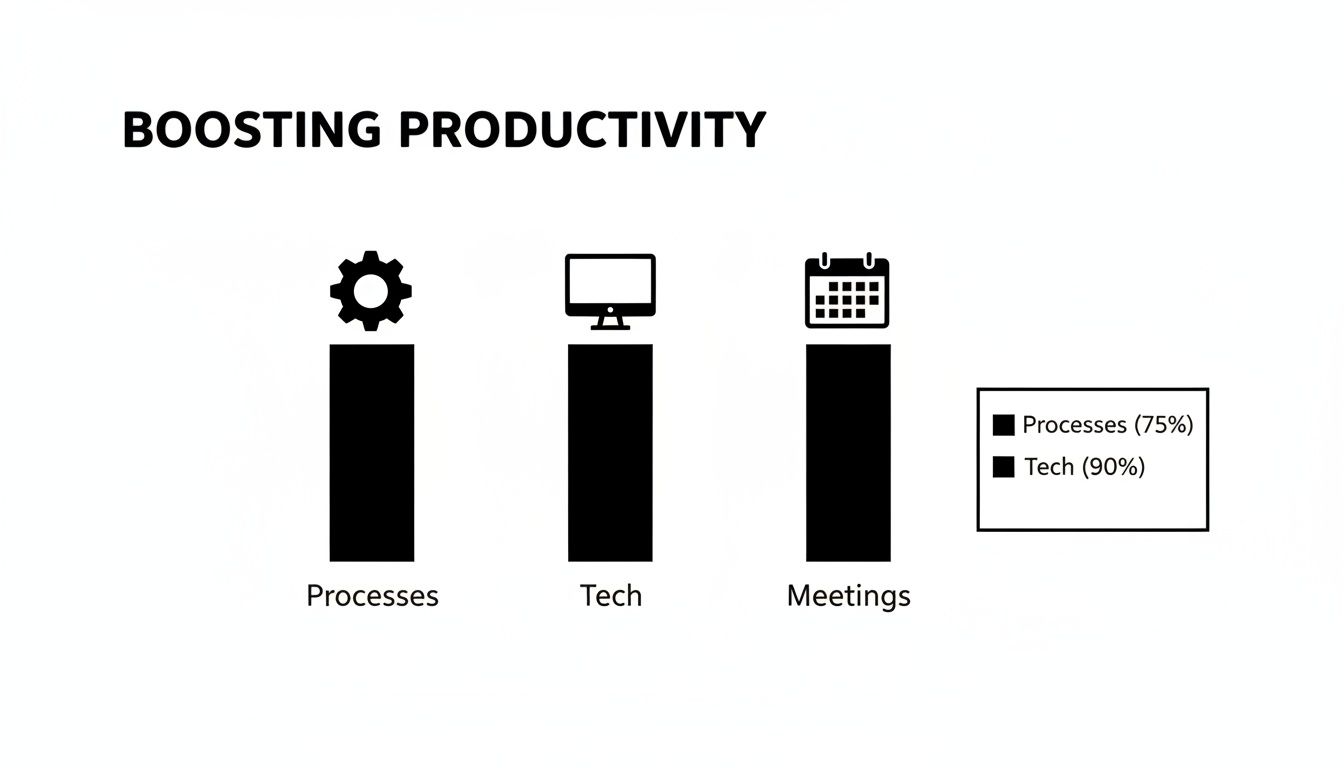
As the chart shows, these three pillars are all connected. Improve one, and you’ll almost always see positive ripple effects across the others, creating compounding gains in productivity.
Foster a Culture of Continuous Improvement
Automated insights make data-driven conversations the new normal. Instead of relying on gut feelings, teams can talk about resource allocation and project timelines with objective information right in front of them. This transparency builds trust and gets everyone aligned on the same goals.
Suddenly, it becomes easy to spot trends, like a team that’s consistently sinking too much time into non-billable admin work. That single insight can spark a crucial conversation about process improvements.
To really empower your team and clean up operations, you might even consider using a no-code automation platform to take repetitive tasks completely off their plate. These efforts are fundamental to understanding how to increase productivity of employee teams for the long haul.
You can also get more specific by learning how to automate repetitive tasks in your organization. The more you can clear from your team’s path, the more they can focus on work that truly moves the needle.
This shift from manual to automated isn't just about saving a few hours; it fundamentally changes how your team operates. The table below paints a pretty clear picture of the before-and-after.
Manual vs Automated Productivity Workflow
| Task | Manual Approach (Hours/Week) | Automated with TimeTackle (Minutes/Week) | Key Benefit |
|---|---|---|---|
| Client Time Reporting | 2-3 hours | 15 minutes | Increased billing accuracy and freed-up project manager time. |
| Internal Meeting Audit | 1-2 hours | 5 minutes | Instantly identifies and helps eliminate low-value meetings. |
| Project ROI Analysis | 4+ hours | 10 minutes | Provides real-time visibility to improve project profitability. |
Ultimately, this transition does more than just save time—it changes mindsets. It moves your team from a reactive state of just logging what they did to a proactive one of optimizing what they're going to do. That's how you create a sustainable cycle of improvement.
Keeping the Momentum Going in a Flexible Workplace
Hitting a new productivity peak is a great feeling, but making it last? That’s a whole different ballgame, especially now that flexible work is the new standard. With hybrid and remote teams, it’s easy for those hard-won gains to slip away if you’re not paying attention. The secret is to stop thinking of productivity as a one-time project and start treating it as a continuous cycle of improvement.
This means keeping a close eye on your calendar analytics to catch new inefficiencies before they become major problems. Team dynamics and work habits are always changing—what worked last quarter might be a drag on your team today. You have to stay plugged into how time is actually being spent to get ahead of productivity drains.
Balancing Workloads in a Hybrid World
You’ve probably seen it yourself: productivity patterns can swing wildly between in-office and remote days. It's common for office days to get completely swallowed by back-to-back meetings, forcing all the real, focused work onto the days people are at home. That kind of imbalance is a fast track to burnout and inconsistent performance.
This is where calendar data is so valuable. It gives you the clarity to see if workloads are distributed fairly, no matter where your team is logging in from. By watching for signs of overload—like meetings scheduled late into the evening or days packed with no breaks—you can step in before your team hits a wall.
This isn't about micromanaging people's schedules. It's about spotting systemic issues that are hurting the whole team. The real goal is to build a sustainable pace of work that keeps burnout at bay, because that’s what drives long-term success. After all, studies show burned-out employees are 61% more likely to have symptoms that tank their productivity.
Creating a Cycle of Refinement
Keeping your team at its best means building a culture where you constantly measure, refine, and adapt. It’s about creating a rhythm for improvement that keeps pace with the future of work.
Here are a few practical ways to keep the momentum going:
- Celebrate the Wins: Did a team successfully slash their meeting time? Did they streamline a clunky process? When the data shows a clear win, call it out! Public recognition reinforces good habits and inspires other teams to follow suit.
- Make Data a Routine: Don't let your dashboards gather dust. Carve out time in your weekly or bi-weekly leadership meetings to specifically review team utilization and project allocation. Make it a non-negotiable part of the agenda.
- Start a Conversation: The data tells you the "what," but your team can tell you the "why." Use your findings as a jumping-off point for real conversations. Ask them what the numbers feel like in their day-to-day and what ideas they have for making things better.
When you weave data-driven refinement into the fabric of your operations, you’re not just reaching peak productivity—you're building the systems to stay there.
Common Questions About Boosting Team Productivity
Even with a solid plan, managers usually run into a few practical hurdles when they start digging into productivity. Let's tackle some of the most common questions that pop up when you're trying to figure out how to make your team more effective.
How Can I Measure Productivity Without Micromanaging My Team?
This is a big one. The trick is to stop thinking about individual surveillance and start thinking about systemic analysis. Instead of tracking what a single person is doing minute by minute, you're using aggregated, anonymized calendar data to spot bigger trends across the whole team.
Frame the whole thing as an effort to fix operational problems—like constant meeting interruptions or clunky workflows—not to police anyone's work.
When your team sees that the goal is to make their work easier and more impactful, they’re much more likely to get on board. It becomes a tool for making things better, not a method of control.
By focusing on team-level insights, like which projects are eating up the most hours, you empower people without making them feel like they're under a microscope.
What Is the First Step if My Team Hates Timesheets?
If your team is completely burned out on manual timesheets, the single best thing you can do is get rid of them. Immediately.
Switch to an automated, passive time capture system that pulls data directly from the Google or Outlook calendars they already use. This completely removes the manual drudgery. Announce it as "the end of timesheet headaches." This simple move positions the new system as a win for them, which is absolutely critical for getting buy-in right out of the gate.
How Long Until We See Real Results?
You'll see some high-impact insights almost instantly. I'm not kidding—within the first week of analyzing your calendar data, you'll probably spot glaring issues like meeting overload or a huge imbalance in how resources are allocated across projects.
From there, acting on those findings can lead to measurable improvements in team capacity and focus within just 2-4 weeks. The bigger wins, like significant shifts in project profitability and overall efficiency, usually become clear over a full quarter as those new, smarter workflows become second nature.
Ready to stop guessing where your agency's time really goes? TimeTackle gives you the automated calendar analytics you need to diagnose inefficiencies, align your team with what matters, and build a more productive, profitable operation—all without the pain of manual timesheets. See how it works at https://www.timetackle.com.