
For many nonprofits, the idea of time tracking brings to mind tedious spreadsheets and another administrative task on an already full plate. But what if it was the key to unlocking major grant funding, proving your mission's impact, and guaranteeing compliance?
That’s what effective non profit time tracking is really about. It’s the process of recording hours worked by staff and volunteers on specific programs, grants, and administrative tasks. It moves your organization from guesswork to data-driven storytelling.
Why Time Tracking Is Mission-Critical for Nonprofits

Let's be honest—time tracking often feels like a chore. But what if it was the single most powerful tool for securing your organization's future? For nonprofits, accurate time data is far more than a payroll input; it’s the foundation for proving impact, justifying budgets, and maintaining the trust of your donors and grantors.
Think about a mid-sized nonprofit juggling three major grants, each with unique reporting rules. The program manager spends the last week of every quarter chasing down team members, deciphering cryptic spreadsheet entries, and manually piecing together reports. One grant needs a breakdown of hours on direct client services versus community outreach, while another wants a detailed account of administrative overhead.
This scenario is incredibly common. In fact, 35% of nonprofits still rely on manual, time-consuming reporting, and 41% cite a lack of process automation as their biggest operational hurdle. These outdated methods don't just waste time; they create a significant risk of funding loss and audit penalties.
From Administrative Burden to Strategic Asset
When you flip the script, time tracking transforms from an administrative headache into a strategic asset. Knowing precisely where every hour goes means you can answer the tough questions from your board, donors, and auditors with complete confidence.
It’s no longer about guessing how much a program really costs to run; it's about presenting concrete data that tells a powerful story.
Here’s how that shift in perspective empowers your organization:
- Grant Compliance and Reporting: Generate accurate, detailed reports that meet the specific requirements of each funder, from federal grants to private foundations. This builds credibility and significantly increases your chances of securing renewal funding.
- Budgeting and Financial Planning: Understand the true cost of your programs, including the often-hidden administrative overhead. This allows you to create realistic budgets and justify resource allocation with hard numbers.
- Demonstrating Impact: Translate hours into compelling narratives. Showcasing thousands of volunteer hours on a campaign or the precise staff time invested in a successful initiative provides tangible proof of your impact.
- Operational Efficiency: Pinpoint where your team spends its time. This data can reveal bottlenecks, highlight the need for more resources in certain areas, and help you streamline workflows to focus more on your mission.
The goal isn't to micromanage your team. It's to gather the essential data needed to tell your organization's story effectively, secure funding, and make smarter decisions for long-term sustainability.
Ultimately, robust time tracking is about accountability—to your funders, your community, and your mission.
Manual vs Automated Time Tracking for Nonprofits
The difference between wrestling with spreadsheets and adopting an automated system is night and day. For nonprofits, where every minute and dollar counts, making the switch can directly impact your ability to deliver on your mission.
| Operational Area | Manual Tracking (Spreadsheets, Paper) | Automated Tracking (e.g., TimeTackle) |
|---|---|---|
| Grant Reporting | Time-consuming, error-prone, difficult to customize for different funders. | Fast, accurate, and easily filtered to meet specific grant requirements in minutes. |
| Data Accuracy | High risk of human error, forgotten entries, and inconsistent data. | Real-time, consistent data capture reduces errors and ensures reliability. |
| Staff/Volunteer Time | A significant administrative burden, taking time away from mission-focused work. | Minimal effort required from the team; often runs automatically in the background. |
| Operational Insights | Difficult to see the "big picture" or identify trends in resource allocation. | Clear dashboards and reports reveal program costs and efficiency opportunities. |
| Audit Readiness | A scramble to gather and verify records, often leading to stressful situations. | Secure, organized, and easily exportable data provides a clear audit trail. |
Moving to an automated solution isn't just an upgrade; it's a fundamental shift that frees up your most valuable resource—your team's time—to focus on what truly matters.
Tracking What Truly Matters in Your Organization
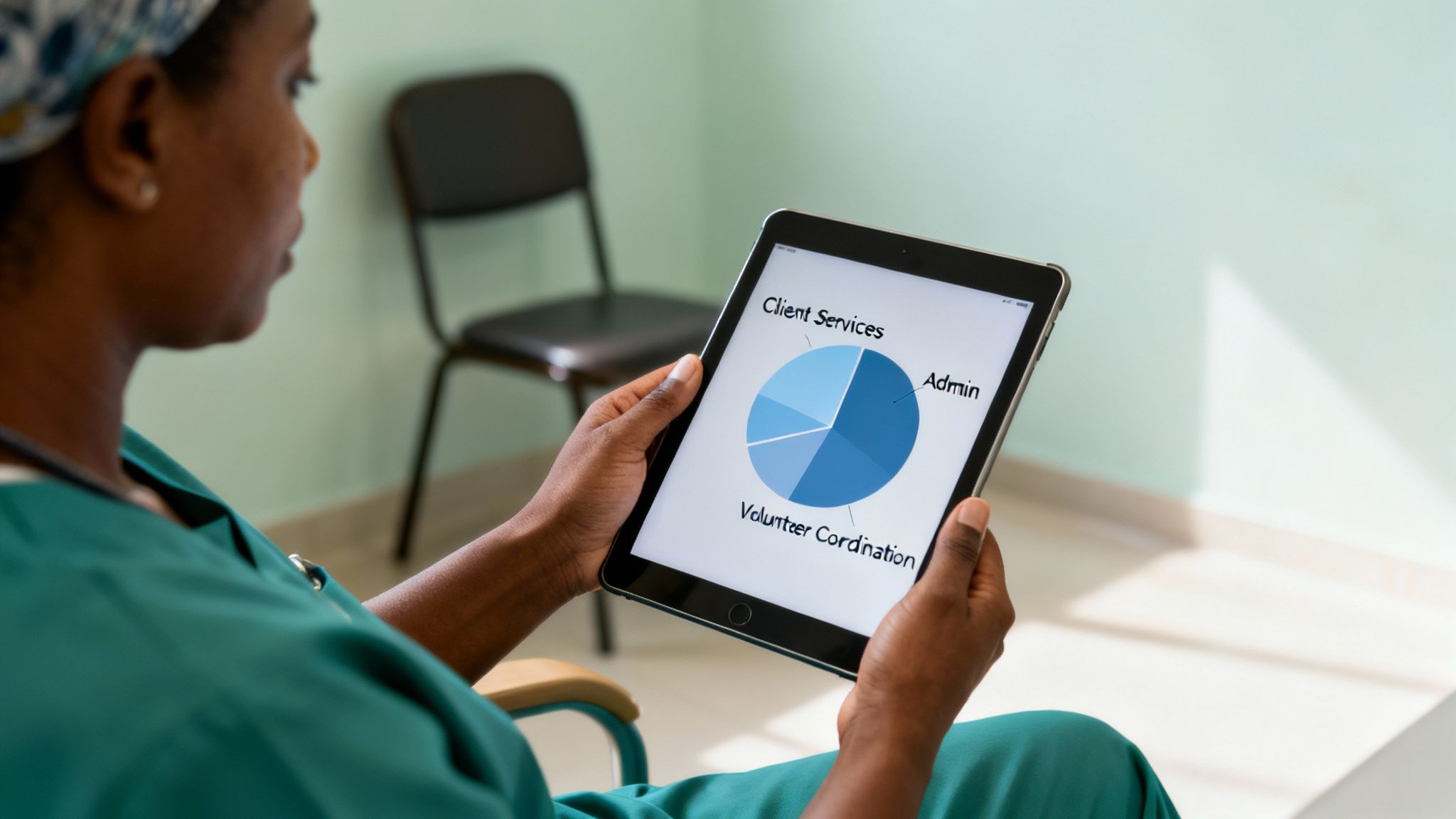
If you want to get real, meaningful insights from time tracking, you have to capture the right data. This isn't just about clocking in and out. It's about categorizing every single hour in a way that tells the full story of your nonprofit's hard work. To do that, you need a clear strategy for what gets logged and why.
The first big split is between your paid staff and your volunteers. For staff, you’re obviously tracking hours for payroll, compliance, and figuring out labor costs. But for volunteers, the goal is different—and just as crucial. You aren't just counting hours; you're putting a number on their incredible contribution to your cause.
Capturing volunteer time is a must for showing community support and calculating in-kind contributions. So many grants require this data, and it’s an incredibly powerful metric to show donors the true scale of your impact. For instance, 1,000 volunteer hours at a standard rate can easily translate into tens of thousands of dollars in operational support.
Differentiating Programmatic and Administrative Time
Once you've separated staff and volunteer hours, the next layer is splitting programmatic work from administrative overhead. This distinction is the absolute core of good grant reporting and financial transparency. Without it, you can't accurately calculate your program efficiency or prove to funders that their money is going directly to the mission.
Here’s a simple way to think about it:
- Programmatic Time is any work directly tied to delivering your nonprofit's services. This could be a counselor's client sessions, an outreach coordinator’s time at a community fair, or a food bank worker sorting donations.
- Administrative Time covers all the essential background tasks that keep your organization alive and kicking. This bucket includes things like fundraising, accounting, HR duties, and general office management.
Failing to separate these two is a classic mistake. It clouds your financial reports and makes it nearly impossible to determine the true cost of running a specific program—a key metric most grant applications demand.
A Real-World Tracking Example
Let's think about a community health worker, Maria. A basic spreadsheet just can't handle the complexity of her day, where she might be splitting her time between multiple grants and different types of work. But a solid time tracking system lets her categorize her hours with pinpoint accuracy.
On a typical Tuesday, Maria’s time log could look something like this:
- 3 hours: Direct client home visits – Coded to "Grant A – Programmatic"
- 2 hours: Writing a report required by that grant – Coded to "Grant A – Administrative"
- 1 hour: Training new volunteers on client intake – Coded to "General Ops – Programmatic Support"
- 2 hours: Attending a fundraising strategy meeting – Coded to "Fundraising – Administrative"
This level of detail is a headache to manage manually, but it’s absolutely vital for accurate reporting. It clearly shows how Maria’s salary is spread across different funding sources and activities, giving you the hard data needed to justify budgets, nail your grant reports, and plan for the future with confidence.
Building a Compelling Case for Funders and Donors
Accurate time data is more than just an internal metric—it’s your most persuasive asset when you’re in a room with funders. When you can translate hours into tangible impact, you stop simply asking for money and start demonstrating a clear return on every single donated dollar.
This is your chance to shift from just tracking time to truly telling your story. Instead of only talking about your mission, you can show exactly how much effort goes into bringing it to life. Imagine being able to say that your team dedicated 800 hours last quarter to direct community outreach. That’s not just a number; it’s a powerful narrative backed by hard data.
Turning Time Data into Key Funder Metrics
Grantors and major donors often lean on specific financial ratios to quickly gauge a nonprofit’s health and effectiveness. Detailed time tracking is the engine that powers these calculations, providing the raw data on labor costs—which is almost always your largest expense. Two of the most critical metrics here are the Program Efficiency Ratio and Fundraising Efficiency.
These ratios get right to the heart of what funders want to know:
- Program Efficiency Ratio: This shows how much of your spending goes directly to your mission versus administrative overhead. A higher ratio is a strong signal to donors that their contributions are fueling real impact.
- Fundraising Efficiency: This metric calculates how much it costs you to raise each dollar. Proving that you can raise funds without breaking the bank builds immense trust and confidence.
We dive much deeper into connecting your time data to these specific outputs in our comprehensive guide on time tracking for grant reporting.
Your time data allows you to calculate the true, all-in cost of a successful program. When you can tell a funder, "Our after-school tutoring program costs exactly $75 per child per week based on 150 hours of staff and volunteer time," you present a case that is both compelling and irrefutable.
Crafting a Narrative of Impact and Efficiency
The story you tell has to be crystal clear and convincing. While commercial companies might log around 66% of their hours as billable, nonprofits are under a different kind of pressure.
Consider this: global charitable giving is a staggering $2.3 trillion, but first-time donor retention is stuck at a dismal 19%. Proving efficiency isn't just a nice-to-have; it's a survival strategy. The disconnect? Only 9% of nonprofits see themselves as highly data-driven, leaving a massive opportunity on the table. If you want to dig into the numbers, you can explore more time tracking insights and statistics that show how data shapes success.
Ultimately, your goal is to present a narrative of excellent stewardship. By showcasing the monetary value of volunteer hours or the precise staff cost for a successful campaign, you transform abstract activities into tangible results. This data-driven approach proves you’re not just passionate about your cause—you’re an effective, responsible manager of the resources people have entrusted to you.
Setting Up Your Time Tracking System for Success
Rolling out any new system can feel like a massive undertaking, but a thoughtful approach makes all the difference. Successfully implementing nonprofit time tracking is less about the tech itself and more about clear communication, smart planning, and getting your team on board from day one.
The whole process really kicks off by figuring out what you need to track and why. Before you even start looking at software, get your program managers and finance team in the same room. The goal here is to hash out a simple, logical list of categories that map directly to your grants, programs, and operational functions.
Define Your Tracking Policies and Categories
Clarity is your absolute best friend here. A common pitfall is creating dozens of hyper-specific categories that just end up confusing everyone. It’s better to start with broad buckets and use sub-tasks or tags if you need more granular detail.
For example, your initial setup might look something like this:
- Program A (e.g., After-School Tutoring)
- Direct Service Delivery
- Program Administration
- Program B (e.g., Community Food Pantry)
- Client Intake
- Donation Sorting
- General & Administrative
- Fundraising & Development
- Financial Management
- Volunteer Activities
- Event Support
- Outreach
This kind of structured approach ensures every hour logged has a clear purpose and can be sliced and diced easily for grant reports. The bottom line: if a category is confusing or feels redundant, your team won't use it correctly.
For most nonprofits, this setup process naturally connects to how donor reports get built. This visual breaks down that simple but powerful workflow, showing how tracking hours feeds directly into creating compelling reports.
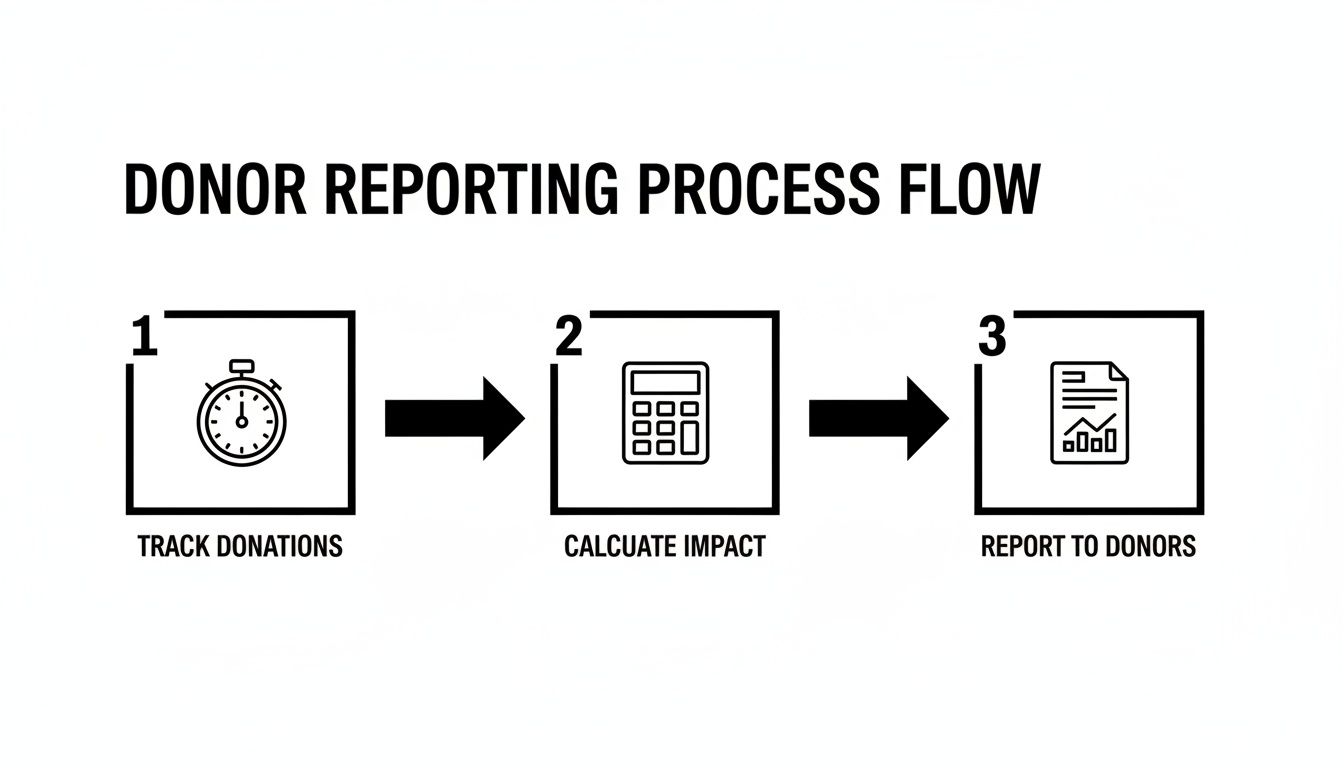
It’s a clear illustration of how consistent, daily tracking is the foundation for the calculations needed to produce accurate and trustworthy reports for donors and grantors.
Secure Team Buy-In and Provide Training
Let's be real—resistance to change is natural. This is especially true if your team sees time tracking as a form of micromanagement. The key is to frame it as a tool for advancing the mission, not for individual surveillance. You have to show them how their data will be used to secure more funding, which in turn supports the very programs they’re so passionate about.
When you launch the system, hold a training session that focuses on the 'why' behind the change. Explain that accurate data helps tell the story of their hard work to funders, justifying the resources needed to continue and expand their impact.
Walk them through how simple the process is; a good system should only take a few minutes each day. Provide clear documentation and make sure you’re available to answer questions during that initial rollout period. This level of support is what transforms a mandatory task into a real collaborative effort.
If you're just starting out or have simpler needs, exploring tools like grant tracking spreadsheet templates can be a great first step to get a handle on managing grant-related hours.
Choosing the Right Tool for the Job
Not all time tracking software is created equal, and what works for a for-profit agency might be a terrible fit for a nonprofit. You need a solution built with your unique compliance and reporting needs in mind.
When you're evaluating different platforms, it's easy to get lost in a sea of features. This table breaks down the essentials—the capabilities you absolutely need to look for to ensure compliance, usability, and powerful reporting.
Essential Features in Nonprofit Time Tracking Software
| Feature Category | Essential Capability | Why It Matters for Nonprofits |
|---|---|---|
| Compliance & Auditing | DCAA/grant compliance settings, secure data storage, and detailed audit trails. | This is non-negotiable for federal grants. It ensures your data is defensible during an audit. |
| User Experience | Simple, intuitive interface with mobile access and calendar integration. | If it’s hard to use, people won’t use it. Ease of use drives adoption and data accuracy. |
| Categorization | Multi-level project/grant codes, custom tags, and service/program tracking. | Allows you to map time directly to specific funding sources, programs, and overhead costs. |
| Reporting & Analytics | Customizable dashboards, automated grant reports, and budget vs. actuals analysis. | Saves countless hours and provides the insights needed to manage budgets and prove impact to funders. |
| Integrations | Seamless sync with accounting software (like QuickBooks) and your CRM/donor database. | Creates a single source of truth for financial and program data, eliminating manual data entry. |
| Volunteer Management | Separate tracking for volunteer hours vs. paid staff time. | Critical for calculating in-kind contributions and demonstrating community support to grantors. |
Think of this as your checklist. A tool that ticks these boxes will do more than just count hours—it will become a core part of your financial management and storytelling toolkit.
Establish a Routine for Data Review and Reporting
Implementation doesn't stop once the training is over. To make time tracking a sustainable habit, you have to build it into your regular operations. That means setting up a simple, consistent routine for reviewing and approving timesheets.
Here’s a practical way to get started:
- Set Weekly Submission Deadlines: Require all staff and volunteers to submit their hours by a specific time each week, like Friday afternoon. This keeps data fresh.
- Assign Approval Roles: Designate program managers or team leads to review and approve their team’s hours. This distributes the workload and puts a second set of eyes on the data for accuracy.
- Schedule Monthly Reporting: Block out time each month to run your key reports. You should be looking at budget vs. actuals for major grants and reviewing your program efficiency ratios.
By making data review a consistent practice, you ensure the information stays accurate and genuinely useful. More importantly, it helps you spot trends, catch budget overruns early, and continuously refine your operations to better serve your mission.
Choosing the Right Tools for Your Mission
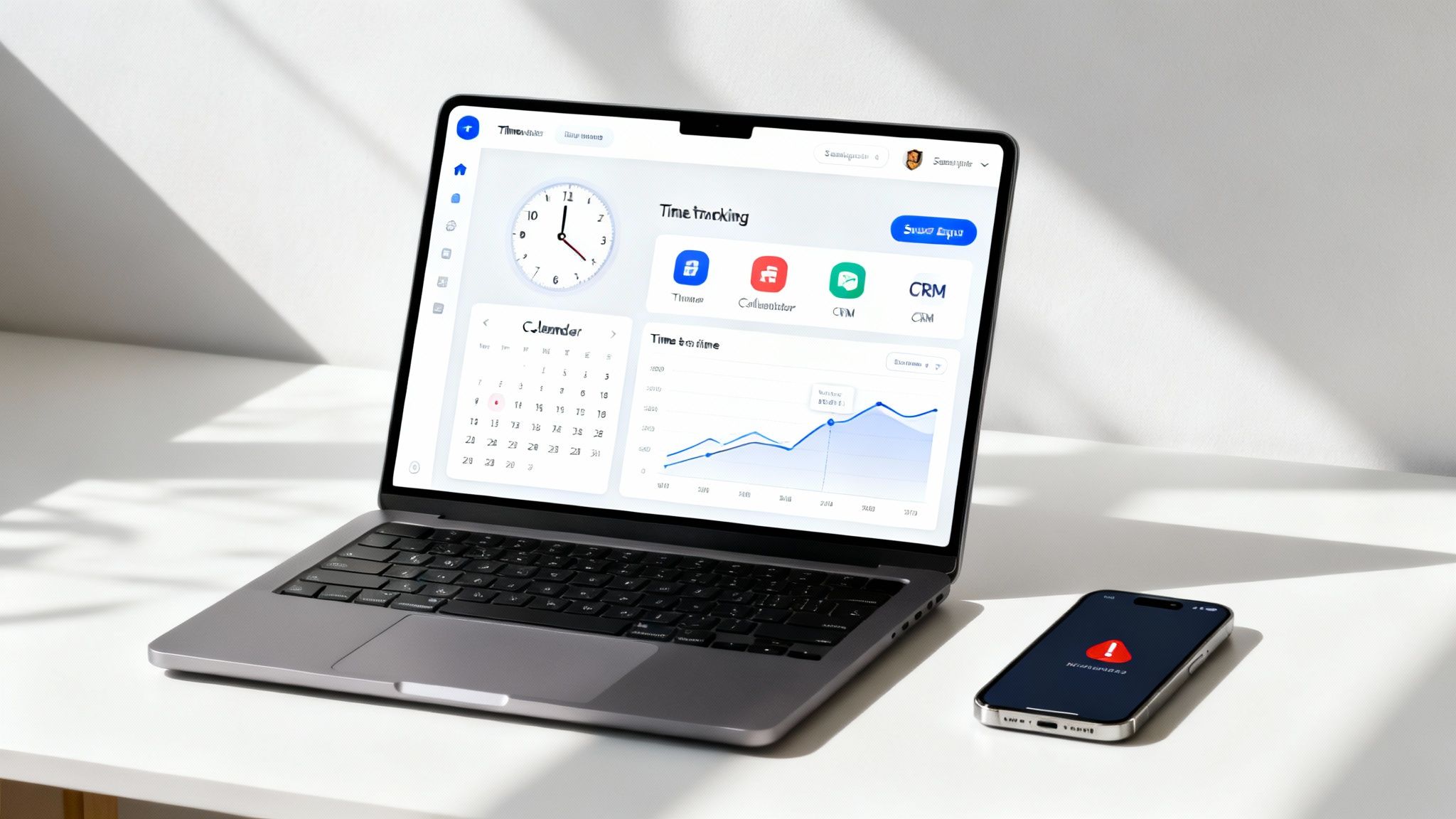
Let's be honest—not all time tracking software is created with the unique pressures and compliance needs of a nonprofit in mind. When you’re picking a platform, you're doing more than just counting hours. You’re adopting a system that should actively support your mission by saving precious time, clarifying your true costs, and ultimately strengthening your funding proposals.
The modern nonprofit is a buzzing ecosystem of programs, fundraising campaigns, and volunteer efforts all happening at once. For your team to manage all that effectively, your tools have to work together. This is where seamless integrations become an absolute game-changer.
Focus on Automation and Connectivity
Your goal should be to find a solution that plugs directly into the tools your team already lives in every day. The whole point is to slash the administrative burden so your staff can focus on high-impact work instead of mind-numbing manual data entry.
Here are the key integrations to look for:
- Calendar Integration: This is probably the most valuable feature you can get. A system that automatically pulls in meetings and scheduled events from Google Calendar or Outlook eliminates the need for manual logging. This one feature dramatically improves accuracy and gets your whole team on board.
- CRM/Donor Database Sync: Hooking your time tracker up to your CRM allows you to link staff hours directly to specific fundraising campaigns or donor outreach. Suddenly, you have a crystal-clear picture of the real cost and effort behind all your development work.
- Accounting Software Links: A direct sync with platforms like QuickBooks streamlines payroll and ensures your financial reporting is always grounded in accurate labor cost data.
Just as important as time tracking, finding the right membership management software for nonprofits can seriously streamline your operations and boost your organization's overall impact.
Reporting That Speaks to Funders
The ultimate value of any time tracking tool is measured by the clarity of its reports. Generic, one-size-fits-all exports just won't cut it when a grantor asks for a detailed breakdown of programmatic versus administrative hours tied to their specific funding.
You need a platform with flexible, customizable reporting that lets you filter data by grant, program, team member, and time period with just a few clicks. The ability to create secure, professional-looking PDFs or CSV exports for board meetings and grant applications is non-negotiable.
The need for this kind of clarity is critical when you consider the efficiency gaps many organizations face. Research shows that up to 60% of working hours can be lost to less meaningful work, a figure that hits nonprofits hard when 41% already struggle with process inefficiencies. You can discover more insights about time management statistics that highlight just how badly better systems are needed.
Finally, don't overlook real-time dashboards. Giving your program managers instant visibility into how hours are being allocated against their budgets empowers them to make smarter decisions on the fly. It helps prevent overspending and ensures your resources are being deployed where they’re needed most. For a deeper dive into available options, check out our guide on the best time tracking and billing software on the market today.
Common Questions About Nonprofit Time Tracking
Even the best-laid plans run into real-world questions. When you're rolling out a new process like time tracking, you're bound to hit a few snags or hear some valid concerns from your team. Getting ahead of these is the secret to a smooth implementation.
Let's walk through some of the most common hurdles nonprofit leaders face and how to clear them from the start.
How Do We Convince Our Team It Isn't Micromanagement?
This is, without a doubt, the biggest and most important question you'll face. Get this wrong, and you'll struggle to get buy-in.
The trick is to frame nonprofit time tracking as a tool for storytelling, not surveillance. From the very first conversation, your messaging has to center on how this data secures the funding that makes everyone's work possible. It's about protecting the mission.
Be transparent. Explain that the goal is to finally understand the true cost of your programs, not to watch the clock on individuals. Show them exactly how the data will populate a grant report or justify a budget increase. Once your team connects the dots between accurate tracking and more resources for the mission, they'll see it as a powerful ally, not a threat.
Frame the conversation around collective success. Try saying, "This data is what proves our impact to funders. It's what keeps our programs running and helps us grow." This simple shift moves the focus from individual monitoring to mission sustainability.
What Is the Best Way to Track Volunteer Hours?
This one is crucial. Volunteer hours are the backbone of in-kind contributions—a metric that can make or break a grant application.
The best systems let you create a specific "volunteer" user role. This makes it incredibly simple to pull their hours separately for reports. From there, you can assign a standard in-kind hourly rate to their time and instantly calculate the total financial value of their contribution.
The key here is to make the process ridiculously easy for them. A volunteer who has to jump through hoops won't track their time. Look for tools with a simple mobile app or even a one-click kiosk mode for signing in and out. The less friction, the better your data will be.
We Have a Very Limited Budget. Are There Affordable Solutions?
Absolutely. The nonprofit tech world is full of providers who get the budget constraints you're working with. When you're looking at different tools, your first question should always be, "Do you offer a nonprofit discount?" Many do, but you often have to ask for it.
But don't just look at the sticker price—think about the return on your investment. If a system saves your program manager 10 hours a month on manual reporting, it's already paying for itself. If it helps you secure just one new grant, it's paid for itself many times over.
If you have to prioritize, focus on tools that can automatically pull data from your team's existing calendars. This single feature delivers the biggest time savings right out of the gate and offers the highest value for a tight budget.
Ready to turn your team's time into a powerful story for funders? TimeTackle automates the entire process by syncing with your existing calendars. You get the accurate, real-time data you need for grant reporting and smarter operations, without the manual data entry. See how it works at https://www.timetackle.com.