
A modern time tracker for remote workers is simply a tool that automatically logs what your team is working on, usually by syncing up with their digital calendars. It’s a world away from manual spreadsheets, completely cutting out the guesswork and administrative drag for teams spread out across different cities and time zones.
Why Manual Timesheets No Longer Work for Remote Teams
We’ve all been there. It’s 5 PM, you’re staring at a blank spreadsheet, and you have to somehow piece together every single task you worked on. For remote teams, this isn’t just a frustrating ritual; it’s a massive operational blind spot that quietly drains profitability.

Trusting manual timesheets is like trying to navigate a new city with a crumpled, hand-drawn map. You’ll probably get lost, you’ll definitely miss the important details, and you’ll waste a ton of time. In today's work environment, your team's calendar—packed with client calls, deep work blocks, and project check-ins—is the real map. It's the ultimate source of truth.
The Growing Disconnect in a Remote-First World
The professional landscape has shifted for good. Projections show that by 2026, 27% of full-time employees worldwide will be fully remote, with another 52% working in hybrid roles. That’s nearly 80% of the entire global workforce in some kind of flexible arrangement, making remote work the default setting for agencies and consultancies.
Yet, old-school timesheets are completely stuck in the past, ignoring the calendar-driven reality of modern work. This disconnect causes some very real problems:
- Timesheet Fatigue: Constantly chasing down your team to fill out timesheets is a surefire way to kill morale and cause burnout.
- Inaccurate Billing: People forget. Hours get guesstimated. And all those small inaccuracies add up to under-billed clients and lost revenue.
- Zero Visibility: You have no real idea where your team’s most critical resource—their time—is actually being spent.
This gap is more than just a minor headache. The pitfalls of manual timesheets are a perfect example of why modernizing operations is so critical, underscoring the need for process and automation in finance to move past tedious, error-prone tasks.
Manual time tracking relies on memory, which is notoriously unreliable. It's not a matter of trust; it's a matter of human nature. An automated time tracker for remote workers removes this fallibility, ensuring every billable minute is accounted for.
Your Calendar Holds the Key
Think about it: your agency’s calendar is already the perfect, detailed ledger of every important activity. It tracks sales calls, project sprints, client meetings—everything. It’s the single source of truth that manual spreadsheets will always miss. When you compare spreadsheets vs. timesheet apps, the limitations of the old way become painfully obvious.
By ignoring this treasure trove of data, you’re essentially operating with blinders on and leaving money on the table. It’s time to close the gap and start using a tool built for how your team actually works today.
Unlock Your Agency's True Profitability
Ever wonder which clients are your golden geese and which are quietly bleeding you dry? That's not a rhetorical question. It's the kind of clarity you get when you finally ditch manual spreadsheets for an automated time tracker built for remote teams. This one move can completely reshape your agency’s operations and, more importantly, its financial health.
The first domino to fall is achieving unshakable billing integrity. Let's be honest, when your team fills out timesheets from memory, you're losing money. It's a guarantee. Those small tasks, quick phone calls, and "just one more tweak" revisions get forgotten, creating a slow, steady revenue leak that can easily add up to thousands per employee every year. An automated system snags every client-facing activity right from the calendar, ensuring every single billable minute makes it onto the invoice.
Achieve Total Clarity on Team Utilization
Beyond just getting paid for your work, you suddenly get a crystal-clear picture of how your team is actually spending their time. For any agency, the million-dollar question is simple: how much of our payroll is going toward work that actually makes us money? Manual tracking turns this into a frustrating guessing game.
An automated time tracker, on the other hand, gives you a precise breakdown of billable versus non-billable hours. This lets you finally see:
- Who's burning the midnight oil and heading for burnout.
- Which teams have the bandwidth to take on that exciting new project.
- How much time is really being sunk into internal meetings or administrative fluff.
This isn't just data for data's sake; it's the foundation for smart resource planning. You can balance workloads, prevent your best people from quitting, and make hiring decisions based on what you actually need, not just what you feel.
Before we dive into the other benefits, it's worth seeing the difference side-by-side. The gap between old-school timesheets and a modern, automated approach is wider than most people think.
Manual vs Automated Time Tracking
| Feature | Manual Timesheets | Automated Time Tracker (e.g., TimeTackle) |
|---|---|---|
| Data Capture | Relies on employee memory; prone to errors and omissions. | Captures every event directly from Google or Outlook Calendar. |
| Accuracy | Often inaccurate, with significant revenue leakage. | 100% accurate capture of billable time. |
| Admin Time | Requires 2-4 hours per employee per month for manual entry. | Zero admin time for employees; runs in the background. |
| Utilization Insights | Provides a vague, often misleading view of billable vs. non-billable time. | Delivers precise, real-time dashboards on team and project utilization. |
| Project ROI | Requires manual data crunching in spreadsheets to estimate profitability. | Automatically connects time to clients and projects for instant ROI analysis. |
| Employee Experience | A universally disliked, tedious chore that adds administrative friction. | Eliminates timesheet dread, boosting morale and focus on high-value work. |
The takeaway is clear: automation doesn't just make time tracking easier; it turns it into a strategic tool that directly impacts your bottom line.
Gain True ROI Visibility on Every Project
So, how much does it really cost to service each of your clients? An automated time tracker finally connects the dots, linking time data directly to specific projects and clients to reveal the true cost behind every deliverable. When you integrate it with your CRM or project management platform, you can map hours worked directly against project budgets and revenue.
This creates an incredibly powerful feedback loop. You're no longer flying blind.
With this kind of visibility, you can stop putting out fires and start making strategic moves. It gives you the hard data needed to renegotiate contracts with scope-creeping clients, price future proposals more accurately, and double down on your most profitable partnerships.
Imagine discovering that a "small" client is secretly eating up 30% of your senior designer's time with an endless stream of revisions, pushing the account deep into the red. Armed with that data, the account manager has a rock-solid case for either bumping up the retainer or clearly redefining the scope of work.
Boost Morale by Eliminating Timesheet Dread
Finally, never underestimate the human element. The weekly ritual of begging for timesheets is a soul-crushing experience for everyone involved. It's a tedious, non-billable chore that adds friction to the workday and casts managers in the role of nagging time-keepers.
Automating the process lifts that burden completely. It gives your team back their mental energy, letting them focus on what you hired them for: creative, strategic, and high-impact work. This simple shift sends a powerful message—you trust your team and value their time.
The productivity boost is real, too. Research shows remote workers often log about 10% more hours than their in-office colleagues, and an automated system makes sure that extra effort is captured and properly allocated. If you're curious about the numbers, you can explore detailed statistics on remote work productivity to see the full picture.
The Must-Have Features of a Modern Time Tracker
Picking a time tracker for your remote team isn't just about downloading another app. It's about choosing an operational system that will either make your life easier or add another layer of complexity you just don't need. The market is packed with options, but very few are actually built for how modern, calendar-driven teams really work.
Let's cut through the noise. You need to focus on features that solve real-world problems, not just the ones that look flashy on a sales page. The right tool should feel almost invisible to your team while delivering powerful, clear insights to leadership. It's about eliminating administrative drag, not just moving it around.
Automatic and Calendar-Based Time Capture
This is it. The single most important feature. If a tool doesn't have automatic, calendar-based capture, it's not a modern time tracker. This is the absolute, non-negotiable foundation.
Why? Your team already lives and breathes by their calendars. Every client meeting, project block, and focus session is planned out in Google or Outlook. A tool that plugs directly into this existing workflow isn't just tracking time—it's reflecting reality as it's already planned. It captures every scheduled event without anyone having to fill out a single manual timesheet.
This one feature instantly wipes out the two biggest headaches of traditional time tracking: inaccuracy and timesheet fatigue.
- It kills the guesswork: No more "What was I doing Tuesday at 2 PM?" black holes.
- It frees up hours of admin: Your team gets that time back to focus on actual billable work.
- It guarantees 100% accuracy: Every minute is accounted for, which means no more revenue leakage.
Think of it this way: instead of making your team keep a separate, clunky diary of their workday, you're just tapping into the one they already meticulously maintain. To see how foundational this is across the industry, it's worth exploring the core functions of different time clock systems for small businesses to understand what's essential.
Smart Automation and Integrations
Once you’ve captured the time, the next job is to make it mean something. Raw data on its own is pretty useless. This is where smart tagging and seamless integrations turn a simple log of hours into a business intelligence powerhouse.
Rule-based tagging lets you set up simple "if-then" rules that categorize time for you. For example, you can create a rule to automatically tag any calendar event containing "Client ABC" as billable work for the "Q4 Launch Campaign" project. That level of automation keeps everything consistent and lifts the burden of manual sorting off your team's shoulders.
Just as critical are CRM and project management integrations. A great time tracker doesn't live on an island. It needs to talk to the tools you already rely on, whether that’s Salesforce, HubSpot, or Asana.
By linking time data directly to your CRM, you can finally draw a straight line from hours worked to revenue generated. This is how you see the true ROI of every client, every project, and even every single sales opportunity.
Actionable Insights and Enterprise-Grade Security
Finally, all this fantastic data is worthless if you can't easily understand and act on it. A top-tier tool has to present your data through dynamic dashboards and flexible reporting. You shouldn't need a data science degree to figure out which projects are making you money and which are draining resources.
Look for tools that provide:
- Dynamic Dashboards: Quick, at-a-glance views of key metrics like team utilization, project profitability, and the all-important billable vs. non-billable ratio.
- Flexible Data Exports: The power to easily pull raw data into CSV or Excel for custom analysis or to feed into other BI tools.
- A Robust API: For agencies with unique needs, an API is crucial for building custom connections and pulling time data into your own proprietary systems.
And last but absolutely not least, never compromise on security. When you’re tracking client work, you’re handling sensitive business information. SOC 2 certification is the gold standard here. It proves a vendor has rigorous internal controls to protect your data. For any agency working with larger, enterprise-level clients, this isn't a nice-to-have; it's a table-stakes requirement that builds critical trust and credibility.
Implementing a Time Tracker Your Team Will Actually Use
Even the most incredible tool is worthless if it just collects digital dust. When it comes to time trackers for remote workers, success hinges less on flashy features and more on how you introduce the whole idea. The key is to frame it not as a surveillance device, but as a way to kill tedious admin work and protect your team's most valuable asset: their time.
A clumsy rollout can breed suspicion and resistance, turning a helpful tool into a source of friction. On the other hand, a thoughtful, transparent implementation plan builds trust and can even get your team excited to use it. It all comes down to a strategy that puts their experience first.
And make no mistake, the demand for these tools is exploding. The remote workplace services market is on track to jump from $20.1 billion to a massive $58.5 billion by 2027. This growth is all about closing the visibility gaps in hybrid teams—the same teams where flexibility is so non-negotiable that 76% of workers would consider quitting if it was taken away.
This is what a modern, automated time tracking process looks like in practice—a simple flow from capturing data to analyzing it.
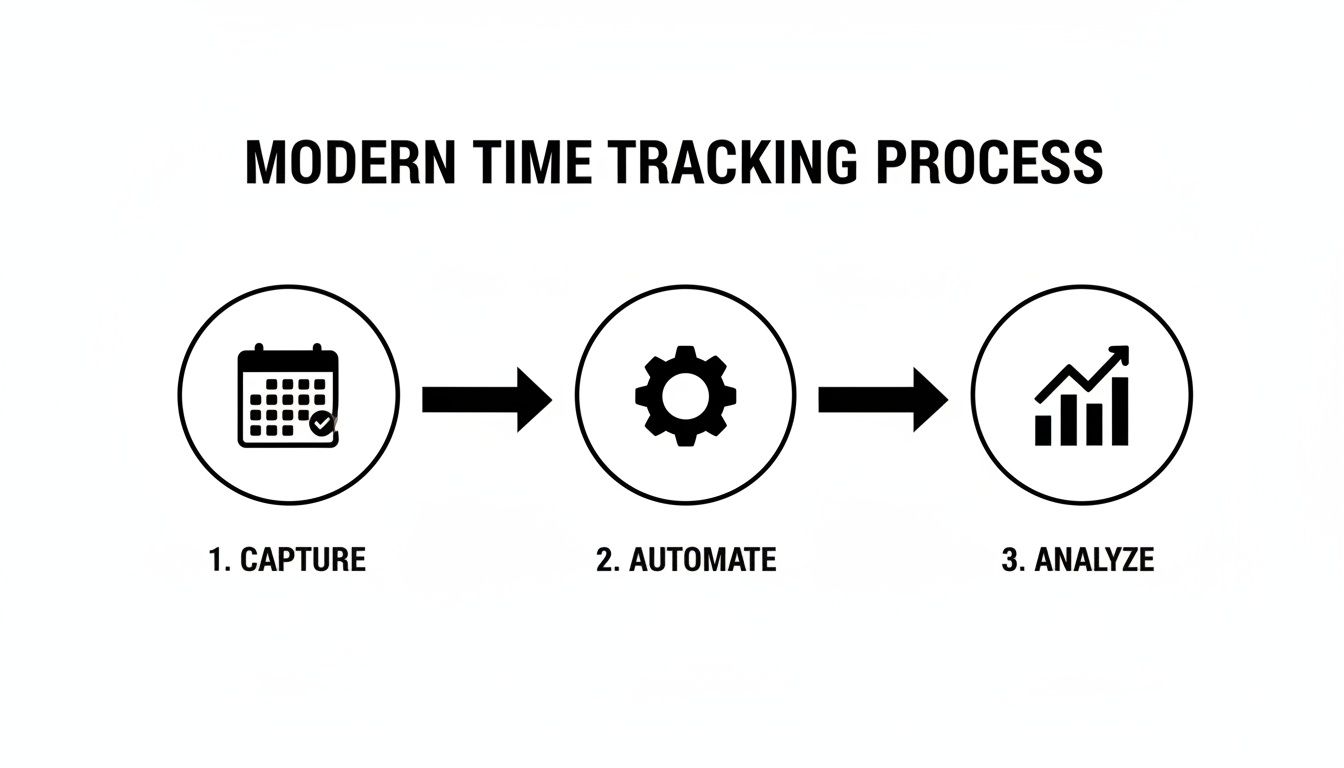
As you can see, the whole workflow is hands-off. Time is captured from existing tools like calendars, automatically sorted and categorized by rules you set, and then served up as clear, actionable insights.
Your Step-by-Step Rollout Checklist
A great implementation is one part technical setup and nine parts smart change management. Rushing the process is a surefire way to fail. Instead, follow a structured plan that brings your team along for the ride.
-
Start with a Pilot Group: Before you go company-wide, grab a small group of "champions"—those tech-savvy folks who are always open to trying new tools. Let them use the time tracker for a couple of weeks to work out any bugs and give you some honest feedback. Their positive stories will become your best marketing material for the rest of the company.
-
Define Your Tagging Structure First: Don't try to figure out your project codes and client tags on the fly. Before anyone even logs in, sit down with your project managers and team leads. Hammer out a clear, logical structure for clients, projects, and task types. Consistency here is everything if you want clean, reliable data down the line.
-
Host a "What's In It For You" Training Session: Your launch meeting needs to be 90% benefits and only 10% technical how-to. The big headline? This is the official end of manual timesheets. Show them exactly how automation will save them hours of painful admin work each month and help you ensure workloads are balanced fairly across the team.
Position the time tracker as a shield, not a sword. It’s a tool to protect employees from burnout, ensure fair workload distribution, and eliminate the universally hated task of filling out timesheets from memory.
Nurturing Long-Term Adoption
The first month is make-or-break for cementing new habits and proving the tool's value. Your job isn't done just because the training session is over.
-
Set Clear Expectations: Be crystal clear about what you expect. For example: "For the first month, our only goal is to get everyone's calendar connected and have them review their captured time once a week." Keep the initial ask small and incredibly easy to achieve.
-
Build a Feedback Loop: Create a dedicated Slack channel or simple forum where your team can ask questions, flag issues, and offer suggestions. Listen actively to what they're saying and be ready to tweak your tagging rules or workflows. Making your team feel heard is the single most effective way to get their buy-in.
Ultimately, getting people to adopt a new tool comes down to showing them you respect their time and are investing in things that make their work lives easier. For more on this, check out our guide on how to motivate employees to track time and get your whole team on board.
Measuring Success with the Right KPIs
Okay, you've rolled out your new time tracker and the team is logging their hours. Great. But the real work starts now. It's not enough to just collect data; you have to connect that data to what actually matters—your agency's bottom line.
This is where your time tracker stops being a simple administrative tool and becomes a strategic asset. You'll get the hard evidence needed to make smarter calls on pricing, staffing, and even which clients are worth keeping. Without tracking the right metrics, you’re just gathering numbers without a purpose.
Essential KPIs for Remote Agencies
To see what's really going on, you need to focus on a few core metrics. These KPIs cut through the noise and show you exactly where your team's efforts are creating the most value.
-
Billable Utilization Rate: This is the big one for any service business. It’s the percentage of an employee's logged hours spent on actual, billable client work. A healthy target for most agencies lands between 70-80%. This sweet spot ensures you’re profitable while leaving enough time for crucial non-billable tasks like business development and training.
- Formula: (Total Billable Hours / Total Logged Hours) x 100
-
Project Profitability: This KPI directly ties time to revenue. By tracking all the hours logged for a specific project and stacking that cost against the project's budget, you can finally see which clients and projects are your cash cows and which ones are draining resources.
- Formula: (Project Revenue – (Total Hours x Blended Hourly Cost Rate))
-
Reporting Efficiency: Don't forget to measure the tool’s internal ROI. How much time is your team saving now that they aren't wrestling with manual timesheets? Even saving 2-3 hours per employee per month adds up to a massive productivity boost across the entire agency.
Getting a handle on these metrics is fundamental. For a deeper dive into this, check out our guide on how to measure team productivity to really nail these concepts down.
Calculating the ROI of Recaptured Time
Let’s make this real with a quick calculation. Think about all the small, unbilled moments that slip through the cracks every day—that quick email, a short phone call, a minor revision. An automated time tracker for remote workers catches these moments without anyone having to think about it.
Imagine your agency recaptures just 15 unbilled minutes per employee per day. It sounds small, right? But the financial impact is anything but. This isn't about working your team harder; it’s about accurately billing for the work that’s already being done.
Here’s how the math shakes out for a 50-person agency with an average billable rate of $150/hour:
- Daily Recaptured Revenue Per Employee: 0.25 hours x $150 = $37.50
- Daily Recaptured Revenue (50 Employees): $37.50 x 50 = $1,875
- Annual Recaptured Revenue: $1,875 x 260 workdays = $487,500
Suddenly, that tiny change adds up to nearly half a million dollars in extra annual revenue. It was all there, just lost in the shuffle. This simple math proves just how much value is locked away in your team's daily activities, waiting for an accurate, automated system to uncover it.
How TimeTackle Powers Profitable Remote Agencies
We've covered the theory behind effective time tracking, but theory doesn't pay the bills. This is where TimeTackle comes in, turning those abstract concepts into real, tangible results. Think of it as the operational engine built specifically to solve the headaches remote agencies face every day. It's much more than just a time tracker for remote workers; it’s a system designed to unlock profitability.
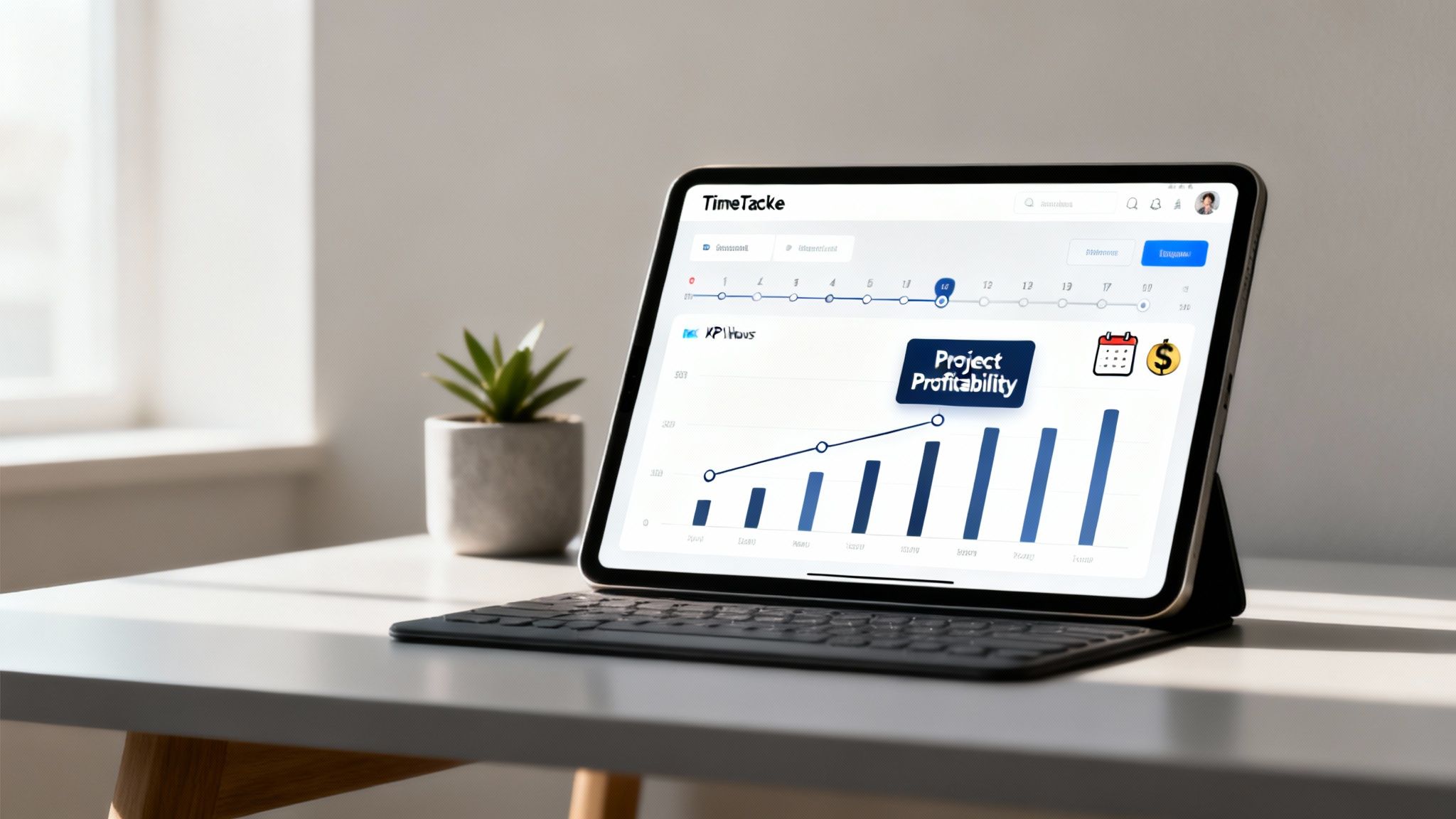
Our entire platform is built on a calendar-first foundation. This means it captures every single billable moment right from the tools your team already lives in—their Google and Outlook calendars. Our AI-powered approach finally delivers on the promise of effortless, 100% accurate time capture, completely wiping out the need for manual timesheets and the revenue leaks they always create.
From Raw Data to Actionable Intelligence
TimeTackle doesn't just clock hours; it gives them meaning. The real magic happens with our rule-based automations, which act as the brains of the operation. They intelligently sort and tag every time entry based on your agency's unique structure. For instance, you can create a simple rule to automatically tag any calendar event containing a specific client's name, assign it to the correct project, and mark it as billable. Done.
This is the kind of automation that leads to massive efficiency gains. One of our clients, a fast-growing digital marketing agency, managed to slash its administrative reporting time by a staggering 80%. Their project managers went from chasing down timesheets and wrestling with spreadsheets to focusing on what actually matters: client strategy and growth.
TimeTackle connects the dots between effort and outcome. By integrating directly with your CRM, it provides a clear, unbroken line of sight from the time your team invests to the revenue each client generates, revealing true project ROI.
Security and Scalability You Can Trust
We get it. Working with enterprise-level clients means you can't afford to mess around with data protection. That's precisely why TimeTackle is SOC 2 Type II certified. This gives you and your clients total confidence that all sensitive project information is locked down tight.
Combine that enterprise-grade security with a powerful API for any custom integrations you might need, and you have a platform that can easily scale with your agency as you land bigger and more complex projects.
Ultimately, TimeTackle provides the clarity you need to make smarter business decisions. By automating the entire time capture and categorization mess, we free up agencies to focus on what they do best: delivering incredible work for their clients. It’s the practical application of every best practice we’ve discussed, built to fuel your growth.
Frequently Asked Questions
Let's be honest, bringing in any new tool raises questions. Below are the straight answers to the most common concerns managers have when looking at a time tracker for their remote team. My goal here is to cut through the noise and give you the clarity you need.
How Do I Prove This Is Not a Surveillance Tool?
This is always the first—and most important—question. The answer comes down to framing and transparency. An automated time tracker for remote workers like TimeTackle is designed to eliminate administrative work, not to micromanage. It's crucial to make that distinction from day one.
This kind of tool doesn’t track keystrokes, take random screenshots, or monitor web browsing. Its only job is to organize work based on the calendar events your team already creates. The real goal is to ensure workloads are balanced, protect your team from burnout, and guarantee clients are billed accurately. You're giving them back the hours they used to waste filling out timesheets.
The conversation should be about liberation from admin tasks, not the introduction of oversight. Emphasize that you are automating a broken process to make everyone's lives easier and more focused on valuable, creative work.
How Much Setup Time Is Required?
Getting started is surprisingly quick. The initial setup is as simple as connecting your team's Google or Outlook calendars, which literally takes just a few clicks. The real time-saver, though, is how little ongoing effort it takes.
Forget the daily nagging and constant reminders that come with manual timesheets. A modern time tracker just works in the background. After a one-time setup to create your rules for tagging clients and projects, the system handles all the categorization automatically. It’s a small upfront investment that pays back hundreds of hours across your agency every single year.
Can This Tool Handle Our Complex Agency Work?
Absolutely. Agencies are built on complexity—juggling dozens of clients, intricate projects, and a mix of billable and non-billable tasks. A generic, one-size-fits-all time tracker just won’t cut it.
That's why a flexible, modern platform is designed to mirror how your agency actually works. You can create custom tags and properties for anything that matters to your business, whether it's tracking specific project phases, task types, or even non-billable work like sales pitches and internal training.
When you pair that flexibility with seamless integrations into your existing CRM and project management tools, you get a true, multi-dimensional view of where every minute of effort is going. This ensures all the nuanced, high-value work your agency delivers is accurately captured and tied directly to your bottom line.
Ready to eliminate timesheet dread and unlock your agency's true profitability? TimeTackle provides an AI-powered, calendar-based time tracker that gives you 100% accurate data with zero effort from your team. Start your free trial today and see the difference for yourself.