At its core, time tracking software is a tool that records the time your team spends on specific tasks and projects. But that's a dry definition. What it really does is move you past clunky, manual timesheets and into a world of automated data capture.
For modern agencies, the real goal isn't just about watching the clock—it's about finally getting the strategic insights you need to understand resource allocation, accurately measure profitability, and make your operations run smoother.
Rethinking How Your Agency Tracks Time
Let's be honest. For most agencies, time tracking feels like a chore. It's that tedious, end-of-the-week scramble to fill out a spreadsheet, trying to remember what you actually did on Tuesday morning. This old-school approach isn't just inefficient; it creates what I call "operational blindness."
When your team is just guessing or relying on memory to fill out timesheets, you lose all visibility into your most precious asset: their time. This guesswork leads directly to under-billing clients, totally miscalculating project profitability, and making big strategic decisions with fundamentally flawed data.
Think about it this way: trying to run your agency on manual timesheets is like trying to navigate a ship with a hand-drawn map from last year's voyage. You might get where you're going, eventually, but you'll have no idea if you took the best route or how much fuel you burned along the way. That outdated map is your manual timesheet.
The Shift From Manual Entry to Automated Insights
Modern time tracking software represents a huge leap forward—a move from reactive data entry to proactive data capture. Instead of hounding employees to remember what they worked on, these tools often plug right into their digital calendars (like Google Calendar or Outlook) to automatically log meetings and scheduled work.
Right away, this simple automation fixes the most annoying part of the process, making sure the data is accurate and complete without anyone having to lift a finger.
The benefits are immediate and obvious:
- Less Admin Drudgery: Your team gets to spend less time managing timesheets and more time doing what they do best—delivering great work for clients.
- Spot-On Billing: By capturing every billable minute, agencies plug revenue leaks and make sure they're being fairly paid for all their hard work.
- Real-Time Project Health: Leaders get a clear, live view of where time is going, helping them catch potential budget overruns before they become a real problem.
This shift is why the market for these tools is exploding. With the rise of remote work and the critical need for good operational data, global demand is surging. Projections show the market could jump from an estimated USD 3.8 billion in 2025 to over USD 16 billion by 2035. You can find more insights about this market growth on Fact.MR.
The image below shows the difference between the old way and the new way. It's a stark contrast.

You can see the move from a chaotic, error-prone paper mess to a clean, digital source of truth that actually helps you make smarter business decisions.
Finding Features That Drive Real Business Value
Let's be honest, a simple stopwatch app isn't going to cut it. The real magic of modern time tracking software happens when it moves beyond just logging hours and starts delivering business intelligence. For agencies and operations teams, the goal isn't just to track time—it's to uncover insights that lead to smarter, more profitable decisions.
The best features are the ones your team barely notices but that have a massive impact on the business. Instead of piling another task onto their already full plates, the right software actually lifts the administrative burden. It makes their lives easier while giving you the clean, actionable data you need to grow.
Automation That Works For You
The biggest complaint about time tracking has always been the manual entry. It’s tedious, it’s a recipe for mistakes, and your team absolutely hates doing it. The best platforms solve this problem head-on by capturing data automatically from the tools your team already lives in.
Think about it: your team’s calendar is already a detailed log of their planned work—client meetings, project work blocks, internal syncs. Why on earth would you ask them to type all of that information into a second system?
Key automation features to look for include:
- Calendar Integration: This is non-negotiable. The software must connect directly to Google Calendar or Outlook and pull in events automatically, creating a draft timesheet with zero manual effort.
- CRM and Project Management Sync: Connecting to your CRM (like Salesforce) or project management tool (like Asana or Jira) is a game-changer. It automatically ties time to the right clients, projects, or sales opportunities, making sure every minute is accounted for and correctly allocated.
- Rule-Based Tagging: This is where things get really smart. You can set up rules to automatically categorize time entries. For example, any calendar event with "Acme Corp" in the title can be instantly tagged with the "Acme Corp" project and marked as "Billable."
By automating how time is captured and categorized, agencies can typically recover 10-15% of lost billable hours. That's time that used to fall through the cracks because of forgetfulness or simple manual entry errors.
This automated foundation gives you data that’s both complete and accurate right from the start, setting the stage for reporting you can actually trust.
To help you figure out what's truly essential versus what's just a "nice-to-have," we've put together a quick comparison table. This should help you prioritize features based on the core needs of a busy agency or operations team.
Essential vs. Nice-to-Have Software Features
| Feature Category | Essential for Agencies & Ops | Why It's Essential |
|---|---|---|
| Automation | Calendar & CRM Integration, Rule-Based Tagging | Eliminates manual entry, reduces errors, and ensures complete data capture without bothering your team. It's the foundation of modern time tracking. |
| Reporting | Dynamic Dashboards, Client Profitability Reports, Team Utilization Views | Provides immediate answers to critical business questions, turning raw data into strategic insights for resource planning and financial health. |
| Security | SOC 2 Compliance, Data Encryption | Protects sensitive client and internal data, building trust and ensuring you meet enterprise-level security requirements. |
| Customization | Custom Tags & Categories | Allows you to track what matters to your business—specific project phases, task types, or internal initiatives—for more granular analysis. |
| Mobile Access | Mobile App with Basic Tracking | Nice-to-have. While useful for on-the-go logging, most deep work happens at a desk. Automation from calendars often covers this need. |
| AI Forecasting | Predictive Analytics for Project Budgets | Nice-to-have. Advanced AI can be powerful for predicting budget overruns, but it's not a core requirement for getting started. Solid historical reporting is more critical. |
Ultimately, focusing on the "Essential" column will ensure you get a tool that solves immediate pain points and delivers a clear return on investment from day one.
Dynamic Reporting and Dashboards
Raw time data is just noise. The real value is unlocked when you can visualize and interpret it in a flash. Forget static, spreadsheet-style reports. Today’s time tracking software provides dynamic dashboards that give you a live pulse on your most important metrics.
These dashboards need to do more than just display pretty charts; they have to answer your most pressing business questions instantly. For an agency, that means having pre-built views for things like:
- Client Profitability: See at a glance which clients are your cash cows and which are draining resources by comparing billable hours against contract value.
- Project Budget vs. Actuals: Keep projects healthy by tracking progress in real-time. You'll spot potential overages long before they become a real problem.
- Team Utilization: Get a clear picture of how your team's capacity is being used. This helps you balance workloads and ensure your best people are focused on high-value work.
The power to filter, segment, and drill down into the details is what turns a simple tool into a strategic command center for your entire operation.
Security and Compliance as a Cornerstone
In a world where data breaches are front-page news, security isn’t just another feature—it’s the price of entry. It’s how you build and maintain client trust. When you’re tracking time against client projects, you are handling sensitive business information, which means enterprise-grade security is an absolute must.
Look for providers who take security seriously, with the certifications and policies to back it up. SOC 2 Type II compliance, for example, is a big one. It's an independent auditing standard that proves a company has robust controls for handling customer data securely over time. It’s a powerful signal that they know what they’re doing.
This intense focus on security is a global priority, but different regions have different hot buttons. While North America and Europe are leading the charge in adopting these advanced platforms, their priorities can differ. For instance, North American customers often put a heavy emphasis on standards like SOC 2. Meanwhile, buyers in the booming Asia-Pacific market might be more focused on cost-effectiveness and sticking to local labor laws. You can dive deeper by exploring the full analysis of the time tracking market on Straits Research.
At the end of the day, choosing a platform with rock-solid security means you can confidently meet the demands of any client, anywhere in the world.
How to Calculate the ROI of Automated Time Tracking
Putting a budget toward new software can feel like a leap of faith. But with automated time tracking, the return on investment (ROI) isn't some vague promise—it's a number you can actually calculate. Let's move past the bells and whistles and translate the benefits of a modern time tracking software platform into the cold, hard financial metrics that operations leaders and CFOs want to see.
The real value here isn't about watching the clock. It's about turning previously invisible data into measurable gains in revenue, efficiency, and profitability. When you quantify these improvements, you can build a business case that shows the software paying for itself, often in just a few short months.
The diagram below breaks down the simple, three-step process of turning raw team activity into powerful financial insight.
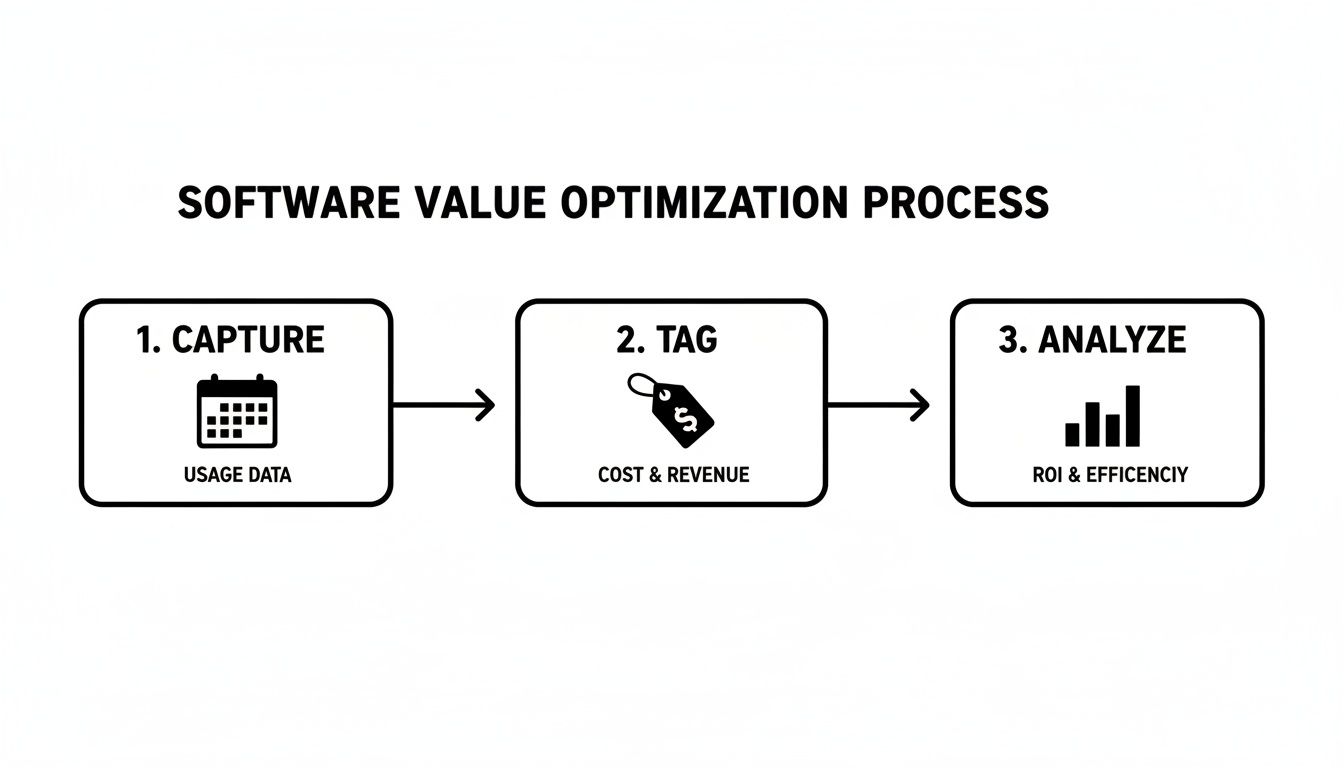
This flow shows exactly how automated software pulls time from tools like your calendar, tags it with crucial client and project data, and then analyzes it all to reveal what's really going on with your bottom line.
Uncovering Lost Billable Hours
The most immediate financial win comes from plugging revenue leaks. Let's be honest, manual timesheets are a mess. Studies consistently show that people who log hours by hand underreport their time because of foggy memory and the sheer hassle of it all. This is lost money, plain and simple.
Imagine a mid-sized agency with 50 billable employees, each with an average billable rate of $150 per hour.
- If automated tracking recovers just 15 minutes of lost billable time per employee each day, that’s an extra $37.50 in revenue per person, every single day.
- Across the 50-person team, this adds up to $1,875 per day.
- Annually, that's over $450,000 in recovered revenue that was previously just evaporating into thin air.
This calculation alone is often enough to justify the entire investment. To get even deeper into optimizing your revenue, check out our guide on using a billable hours calculator to dial in profitability.
Reducing Administrative Overhead
The next piece of the ROI puzzle is straight-up cost savings from cutting down on administrative grunt work. Just think about the hours your team wastes each week trying to remember what they did, filling out clunky spreadsheets, and chasing down late timesheets. All of that is non-billable time that should be spent on client work.
Let’s stick with our 50-person agency example:
- Employee Time Saved: If each person saves 30 minutes per week on timesheet admin, that's 25 hours clawed back across the team weekly. At an average loaded cost of $75/hour, that's a $1,875 weekly saving—or $97,500 per year.
- Manager Time Saved: What if managers save 2 hours per week on chasing and approving timesheets? That's even more high-value time freed up for strategic work.
Automated time capture and analytics are proven to deliver these results. Many businesses report a 10–30% improvement in billable utilization and up to a 60% reduction in time spent on manual reporting, leading to payback periods well within the first year.
Gaining Profit from Smarter Decisions
The final, and arguably most powerful, part of the ROI comes from making smarter strategic moves. Accurate time data is the bedrock for business decisions that directly beef up your bottom line.
With clear, real-time reports, you can finally get definitive answers to critical questions:
- Which clients are truly profitable? You might discover a client that seems valuable is actually a massive resource drain, giving you the leverage to renegotiate or reallocate your team.
- Are our project estimates any good? By comparing estimated hours to actuals, you can craft far more profitable proposals for future work instead of just guessing.
- Is our team's workload balanced? Identifying overworked and underutilized team members helps you prevent burnout and improve overall team efficiency.
These strategic insights allow you to fine-tune resource allocation, boost project margins, and focus your energy on the work that actually drives growth. While it's harder to put a number on it upfront, the long-term profit gains from data-driven decisions often dwarf the initial cost savings. The switch to proper time tracking software brings measurable benefits across the board.
Your Checklist for Choosing the Right Software
Feeling overwhelmed by the sheer number of time tracking software options out there? You're not the only one. Picking the right platform can feel like a huge decision, but it doesn’t have to be so complicated. The trick is to look past the flashy marketing and zero in on what your agency actually needs to solve its real-world problems.
Think of it like buying a new car. You wouldn't just pick one based on its color. You'd check its engine, safety ratings, and whether it can actually fit your family's needs. In the same way, the right software has to fit your team's workflow, your current tech stack, and where you want your business to go.
This simple checklist will walk you through everything from defining your needs to running vendor demos with confidence, making sure you end up with a smart, informed choice.
First, Pinpoint Your Core Problems
Before you even glance at a single feature list, you need to diagnose your specific challenges. Are you constantly fighting chronic under-billing? Do you have zero visibility into which projects are actually profitable? Is your team getting buried in administrative timesheet work? Get specific.
A classic mistake is shopping for features instead of shopping for solutions. When you clearly define your top three to five pain points, you create a powerful filter that instantly helps you evaluate vendors. It turns a vague, endless search into a focused mission.
For instance, if your biggest headache is recovering lost billable hours, then automated calendar integration becomes a non-negotiable. If you're flying blind on resource allocation, then powerful reporting dashboards are your top priority.
Evaluate These Critical Software Criteria
Once you know what problems you’re solving, use these criteria to vet every platform you look at. As you put together your checklist, it's helpful to understand the finer points of choosing the best time and attendance system so it covers all your operational and compliance bases.
Here are the absolute must-haves for any modern agency:
- Seamless Integrations: The software has to play nice with the tools your team already lives in every day. We’re talking native connections to Google Calendar or Outlook, your CRM, and whatever project management platform you use. Without these, you’re just signing up for more manual work.
- Ease of Use and Adoption: If the software is clunky or confusing, your team simply won't use it consistently. Look for a clean, intuitive interface and features that make their lives easier, not harder. A great tool should feel like it's working silently in the background.
- Powerful Automation: The whole point is to kill manual entry. Does the platform offer rule-based tagging to automatically categorize time? Can it build draft timesheets right from calendar events? This is where you'll see the biggest wins in both efficiency and data accuracy.
- Actionable Reporting: Don’t settle for basic data dumps. You need dynamic dashboards that give you at-a-glance insights into client profitability, team utilization, and project budget health. The data should answer your most important business questions without you having to build a monster spreadsheet. For a closer look, check out our full guide to agency time tracking software to see what world-class reporting really looks like.
- Enterprise-Grade Security: Protecting client data is non-negotiable. Look for vendors with serious security credentials like SOC 2 Type II compliance. This isn't just marketing fluff; it's an independent certification that proves the provider has robust, audited systems in place to keep your sensitive information locked down.
To make this process even easier, use a simple scoring matrix to compare your top contenders side-by-side. This removes the guesswork and helps you objectively see which option truly fits your needs.
Software Evaluation Checklist
| Evaluation Criteria | Weight (1-5) | Vendor A Score | Vendor B Score | Notes |
|---|---|---|---|---|
| Integrations (Calendar, CRM, PM) | 5 | How deep are the integrations? | ||
| Ease of Use / User Interface | 4 | Does it feel intuitive? | ||
| Automation Capabilities | 5 | How much manual work does it eliminate? | ||
| Reporting & Analytics | 4 | Can we get the insights we need easily? | ||
| Security (SOC 2, etc.) | 5 | Are they certified? | ||
| Pricing & Value | 3 | Does the cost align with the benefits? | ||
| Customer Support | 3 | What do reviews say about their support? | ||
| Total Weighted Score | – | (Weight x Score) for each row |
By systematically running each potential software through these core requirements and your checklist, you can cut through the noise. You’ll be able to pinpoint the one solution that will actually help your agency grow and run like a well-oiled machine.
A Smooth Implementation and Migration Plan
Picking the right time tracking software is a huge win, but the real victory lap comes after your team actually starts using it—and liking it. Moving from a jumble of spreadsheets or a clunky old tool to a modern, automated system doesn't have to be a headache. With a solid game plan, you can make the switch feel like a genuine upgrade for everyone, not just another chore from management.
A great rollout comes down to smart planning, clear communication, and showing your team the value from day one. The goal here is to get them out of the weeds of manual tracking and into a system that works quietly in the background to make their jobs easier. This isn't just about installing software; it's about fixing a core business process that's probably been broken for a while.
Phase 1: Foundational Setup and Configuration
Before you even think about inviting your team, you need to lay the groundwork. This is where you bake your agency's logic right into the software, making sure it reflects how you actually work. A badly configured system creates friction from the get-go, but a thoughtful setup makes adoption feel natural.
Your first moves should be quick and targeted:
- Integrate the Essentials: First thing's first—connect the software to your team's most critical tools. That means linking everyone's Google Calendar or Outlook to automatically pull in scheduled meetings and work blocks. This step alone eliminates a massive chunk of manual data entry and delivers an immediate "aha!" moment.
- Map Out Your Tagging Structure: Sit down with department heads and agree on a simple, consistent set of custom tags. These tags are the secret sauce for your reporting, allowing you to slice data by client, project, service (like "Strategy," "Creative," "Development"), and billable status. You can always get more granular later, so keep it simple to start.
- Set Up User Roles and Permissions: Figure out who needs to see what. Create clear roles for team members (who just need to track time), project managers (who need project-level views), and administrators (who get the keys to the whole kingdom).
A classic mistake is over-engineering the setup with dozens of complicated tags and rules right away. Start with the basics. It's far easier for a team to adopt a clean, simple system than a convoluted one.
Phase 2: Team Onboarding and Training
Once the system is ready, it's time to bring in your team. Good training isn't about walking them through every single feature. It's about showing them how this new tool solves the biggest pains of the old system. You have to frame it around the "what's in it for me?" principle.
Here’s a proven game plan for onboarding:
- Explain the 'Why': Before you even schedule a training session, send out a communication explaining why this change is happening. Talk about the benefits that matter to them: no more manual timesheets, fairer workload distribution, and better data for project estimates that prevent stressful crunches down the line.
- Run a Hands-On Workshop: Don't just talk, do. Walk your team through the core workflow. Have them connect their calendars live and watch their events pop up automatically. Show them how to apply a few key tags. Keep the focus on the daily actions they'll actually be taking.
- Create a Simple Cheat Sheet: Put together a one-page guide or a short video covering the absolute essentials. This becomes the go-to resource for anyone with a question after the training is over.
Phase 3: Gradual Rollout and Feedback
Instead of flipping a switch for everyone at once, think about a phased rollout. Start with a pilot group—maybe a single, tech-friendly department or a handful of volunteers. This gives you a safe space to find and squash any bugs before going company-wide. Their feedback will be pure gold for refining your approach.
During this phase, actively ask for feedback and prove you're listening. As the team gets comfortable, you can start introducing more powerful features, like setting up rules for automated timesheets that tag recurring client meetings without any manual effort. This gradual approach builds momentum and makes sure the transition sticks for the long haul.
Turning Time Data into Strategic Insights
Collecting time data is just step one. Without context, raw numbers in a spreadsheet are nothing more than noise. The real magic happens when you turn that raw data into clear, strategic answers that actually guide your business. This is the moment your time tracking software stops being a simple logging tool and becomes a powerful business intelligence engine.
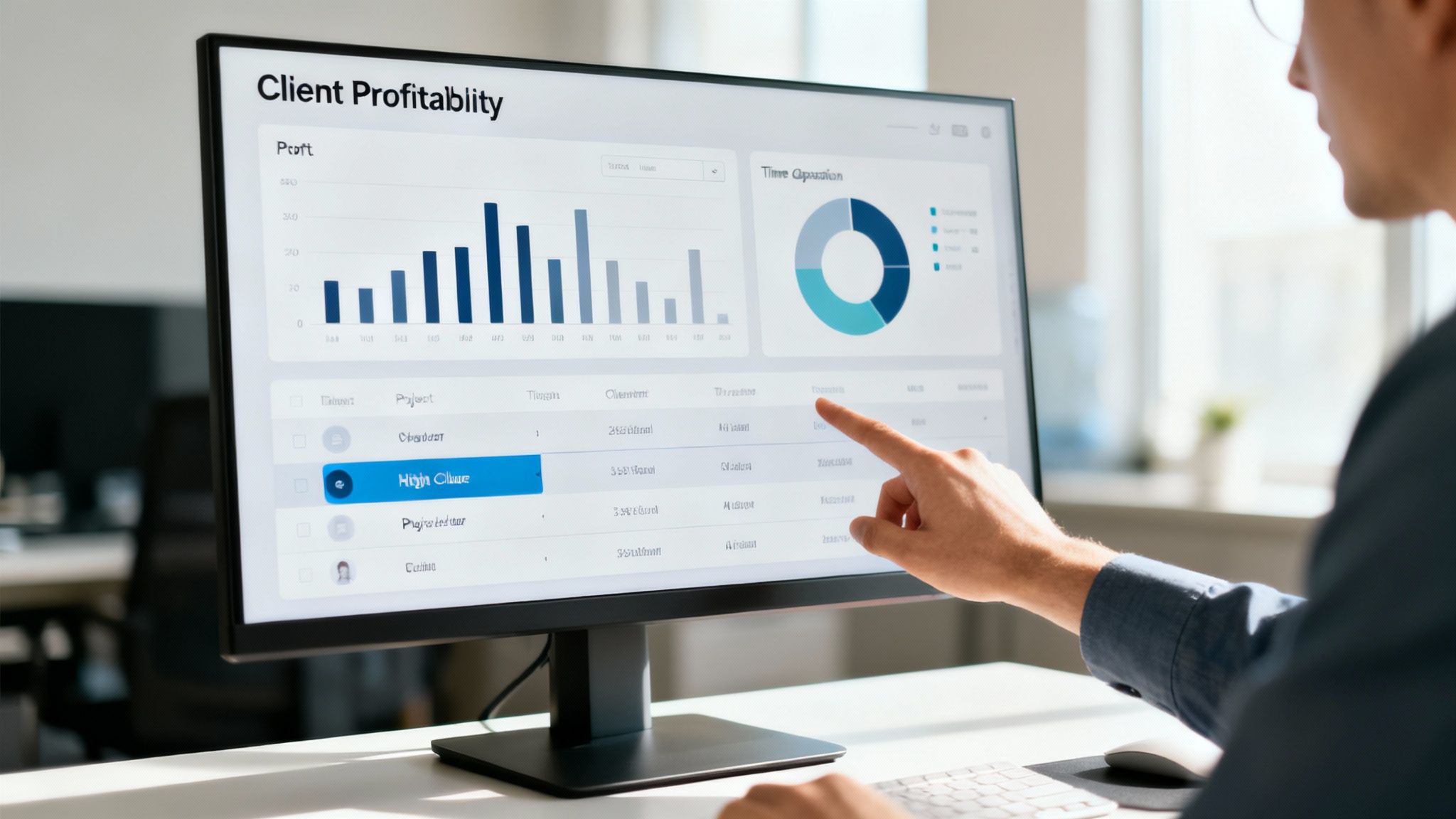
Think of it like a GPS. The raw data points are just a bunch of coordinates. The GPS is what transforms them into a map showing you where you are, where you've been, and the best way to get where you're going. To really make this leap, it helps to understand the core principles of business intelligence. The right dashboards and reports act as your agency's GPS, answering mission-critical questions at a glance.
The Client Profitability Dashboard for Agency Leaders
For anyone leading an agency, the biggest question is always, "Where are we really making money?" A Client Profitability Dashboard answers this by showing the direct relationship between the hours you invest and the revenue you get back from each account. It helps you move past gut feelings and get a hard, data-backed look at your portfolio's health.
Key metrics you absolutely need on this dashboard include:
- Total Billable Hours vs. Non-Billable Hours: Instantly see the ratio of revenue-generating work to internal overhead for every single client.
- Effective Billable Rate: This is your true hourly rate, calculated by dividing total revenue by the total hours worked. This little number often reveals some shocking truths about your supposedly "high-value" clients.
- Project Margin: Pit the cost of the hours logged against the project fee to see a clear, simple profit percentage.
This dashboard is your early warning system for scope creep before it silently drains your resources. It also shines a massive spotlight on your most valuable partnerships, letting you focus your team's energy where it truly counts.
By regularly reviewing client profitability, agencies often discover that 20% of their clients are generating 80% of their profits. This is the kind of insight you’ll never get from manual timesheets, and it's essential for smart growth.
The Project Health Report for Project Managers
While leaders are watching the bottom line, project managers are in the trenches, focused on execution and keeping the trains running on time. A Project Health Report is their command center for keeping initiatives on track, on schedule, and on budget. It’s built to answer one simple question: "Are we going to deliver this successfully?"
This report needs to provide a crystal-clear snapshot of:
- Budget vs. Actuals: A live comparison of hours logged against what was allocated for the project or a specific phase.
- Resource Allocation: A quick view of which team members are spending time on the project. This helps ensure the right people are on the job without getting burned out.
- Task-Level Progress: The ability to drill down and see how time is being spread across different tasks, flagging potential bottlenecks before they become real problems.
Common Questions About Time Tracking Software
Let's be honest: even when the benefits are crystal clear, rolling out a new tool can stir up some totally valid questions. If you're considering a new time tracking software, getting out ahead of these conversations is the secret to a smooth launch.
So, let's walk through some of the most common hurdles that pop up and tackle them head-on. Answering these questions openly builds trust and helps everyone see the new system for what it is—a step forward, not a Big Brother tactic.
"Will My Team Feel Micromanaged?"
This is almost always the first question, and it’s a good one. No one wants to feel like they're being watched over.
The truth is, modern time tracking tools are built to spot high-level patterns for better planning and profitability—not to monitor individual clicks. The real magic comes from automatically pulling data from tools your team already uses, like their calendars, which actually reduces their admin burden.
Frame it as the tool that finally kills the dreaded Friday afternoon scramble to fill out a timesheet. When you position it as a way to protect workloads and highlight where more resources are needed, it stops being a threat and starts being a solution.
The goal isn't surveillance; it's clarity. When you can see where time is going, you can protect your team from burnout, justify hiring more help, and ensure projects are priced fairly so their hard work is properly valued.
"How Hard Is It to Switch from Spreadsheets?"
It's way easier than you'd think, especially with platforms designed to be user-friendly from the get-go. The trick is to avoid a "big bang" launch that overwhelms everyone. Start small and get a quick win on the board.
The fastest path to value? Integrate with your team's calendars first. This one move automates the bulk of the work by creating draft timesheets for everyone, instantly. Once that's running smoothly, you can start layering in custom tags and more advanced reports. A good software partner will walk you through it, making sure the transition is quick and painless.
"What's the Single Most Important Feature for an Agency?"
For any agency or professional services firm, it all comes down to one thing: seamless, automated integration with your calendars (like Google or Outlook) and your CRM.
This combo is the powerhouse. It automatically logs all the client-facing work that actually drives revenue, giving you a rock-solid foundation for billing and project costing.
Without that core automation, you're still stuck relying on memory and manual data entry—the very headaches you're trying to escape. This is the feature that delivers the biggest impact with the least amount of ongoing effort from your team.
Ready to transform your agency’s operations with effortless, automated time tracking? TimeTackle integrates directly with your team's calendars to provide the clarity you need to boost profitability and eliminate manual work. See how TimeTackle can work for you.