
Let's be honest—traditional timesheets are a nightmare for agencies. They’re tedious, notoriously inaccurate, and drain hours that could be spent on actual client work.
The solution is a tool your team already lives in every single day: Google Calendar. It holds a nearly perfect record of how time is being spent, from client meetings to deep work blocks.
Why Your Calendar Is the Best Time Tracking Tool You Already Have
Traditional time tracking is broken. For agencies and project managers, the endless cycle of chasing timesheets, correcting sloppy entries, and manually compiling reports is a huge operational drag. It’s a reactive process that feels more like administrative punishment than a smart business tool.
The real problem? It’s completely disconnected from where the work actually happens.
Your team doesn’t live in a timesheet app; they live in their calendars. Every client call, internal sync-up, and project planning session is already documented right there. This makes your calendar a goldmine of raw data—a nearly perfect ledger of how time is allocated across your entire organization.
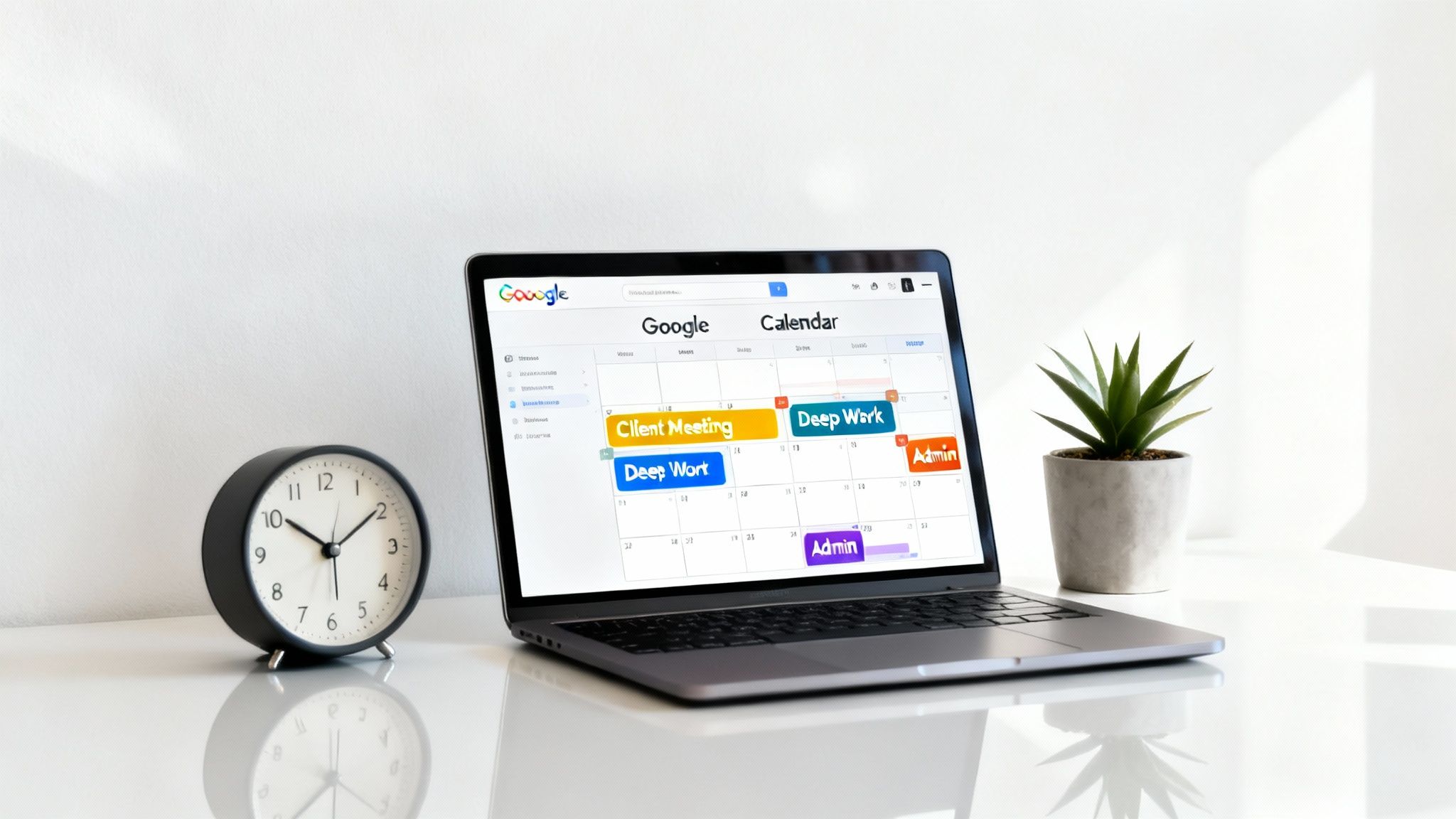
This setup is the most natural foundation for accurate time tracking. Instead of forcing your team to piece together their week from memory, you can finally meet them where they already are.
Moving From Manual Entry to Automated Insights
The whole point of time tracking with Google Calendar is to kill redundant data entry. By connecting your calendar to an automation platform like TimeTackle, you can turn those existing events into precise, categorized timesheet entries—automatically. This isn't just a minor tweak; it's a fundamental shift in how you operate.
- Boost Accuracy: Time entries are based on scheduled events, not memory. This alone drastically reduces errors.
- Save Administrative Hours: It completely eliminates the need for manual data entry and all those follow-up emails.
- Gain Real-Time Visibility: Project managers get an immediate, up-to-date view of resource allocation without waiting for reports.
The goal is to make time tracking a natural byproduct of your team's workflow, not another task to check off. This approach builds better habits and delivers data you can actually trust for critical business decisions.
Manual Timesheets vs Calendar-Based Time Tracking
The difference between the old way and the new way is stark. When you put them side-by-side, it's clear how much friction calendar-based tracking removes from the process.
| Metric | Manual Timesheet Process | Calendar-Based Tracking (with TimeTackle) |
|---|---|---|
| Effort Required | High. Requires daily memory recall and manual entry. | Minimal. Events are logged automatically from the calendar. |
| Accuracy | Low. Prone to guesstimates, rounding, and forgotten tasks. | High. Based on precise, pre-scheduled calendar events. |
| Time to Complete | Significant. Hours per employee per month are lost to entry/review. | Instant. Timesheets are generated in real-time. |
| Data Richness | Limited. Often just hours against a project or client. | Rich. Includes meeting details, attendees, and custom tags. |
| Managerial Overhead | High. Constant reminders and chasing down late submissions. | Low. Automated reports provide instant visibility. |
Ultimately, relying on the calendar transforms time tracking from a dreaded chore into a source of valuable, effortless business intelligence.
The True Cost of Inefficient Time Tracking
The hidden costs of manual timesheets go way beyond just wasted hours. In the fast-paced agency world, the average knowledge worker spends a staggering 23 hours per week in meetings alone. Before 2020, agencies wrestling with clunky spreadsheets spent 70% more effort on data entry.
Tools that auto-populate timesheets from Google Calendar events have been shown to slash prep time by over 70% and boost accuracy through the roof.
By simply switching your source of truth to the calendar, you're already on your way to improving workflow efficiency and boosting productivity. This simple change provides immediate clarity and control over your agency's most valuable resource—time.
Build a Strong Foundation for Calendar Time Tracking
Before you can even think about automating your time tracking with Google Calendar, you have to start treating it like a proper dataset. If your calendar is a mess of sloppy, inconsistent events, no tool in the world will be able to make sense of it. The secret is building simple, repeatable habits that transform your calendar from a basic scheduler into a powerful engine for automation.
It all starts with how you name your events.
A vague title like "Catch-up" is completely useless for reporting. Instead, you need to establish a standardized naming convention that your whole team can get behind. A simple but incredibly effective formula is [Client] – [Project] – [Task]. An event named Acme Corp – Q3 Campaign – Creative Review, for example, instantly gives you all the context you need.
This small shift ensures every block of time is pre-categorized before it even happens. It does the heavy lifting for tools like TimeTackle, allowing them to assign hours correctly without anyone having to lift a finger.
Just look at the difference between a calendar with clear names and one with vague ones.
"Marketing Sync" tells you almost nothing. But an event like "Zenith Inc – Website Redesign – Wireframe Walkthrough" is packed with valuable data, making it far more useful for accurate reporting.
Use Color Coding for High-Level Categories
Another deceptively simple but powerful technique is strategic color-coding. Colors give you a quick, visual way to separate different kinds of work, making your calendar scannable in an instant. For most agencies, the best approach is to assign colors based on high-level financial categories.
Here's a common setup we see all the time:
- Blue: Billable Client Work
- Green: Non-Billable Client Work (think relationship building or initial pitches)
- Gray: Internal Meetings & Admin
- Yellow: Business Development
This visual system immediately shows you how your week is balanced between revenue-generating activities and internal overhead. Better yet, when you connect a tool like TimeTackle, you can build rules around these colors—for example, "all blue events are billable"—which pushes your automation even further. For more ideas on structuring your calendar, you can create Google Calendar templates to save even more time.
A well-organized calendar isn't just about scheduling; it's about creating a clean, reliable source of truth for your agency's most valuable asset—time. These foundational habits are what make seamless automation possible.
Add Context in Event Descriptions
Last but not least, don't sleep on the event description field. While the title provides the core data points for automation, the description is the perfect spot for adding critical context for project managers. Use it to jot down key decisions, link to relevant documents, or outline the meeting's agenda.
This simple practice creates a historical record tied directly to that specific block of time. When a PM is reviewing a project's budget weeks down the line, they can click into the calendar event and see exactly what was discussed and accomplished. That level of detail is priceless for justifying invoices and understanding how a project's scope has evolved.
How to Automate Your Workflow with TimeTackle
Once your Google Calendar is neatly structured with clear naming conventions and color-coding, you're ready to stop just managing time and start making it work for you. This is where an automation tool like TimeTackle enters the picture, turning your calendar into a self-updating timesheet system that hums along quietly in the background.
First things first, you'll need to connect your Google Calendar to TimeTackle. This sync pulls in all your existing and future events, creating a live feed of your team's scheduled activities. Think of it as laying the foundation—this raw data is what the automation rules will soon organize for you.
Creating Your First Automation Rules
This is where the real magic happens. By setting up a few simple rules, you essentially teach TimeTackle how to interpret your calendar based on the system you've already built. These are straightforward "if-then" commands that do all the heavy lifting of categorization.
For instance, a marketing agency could create a rule that automatically tags any event containing the keyword [Client X] as billable work. It could even assign it to the "Q4 Social Media" project. Just like that, a single rule ensures every meeting, work block, and call for that client is logged correctly without anyone ever touching a timesheet.
This is why that upfront setup work is so critical. The naming conventions, color codes, and context you add to events are what fuel effective automation.
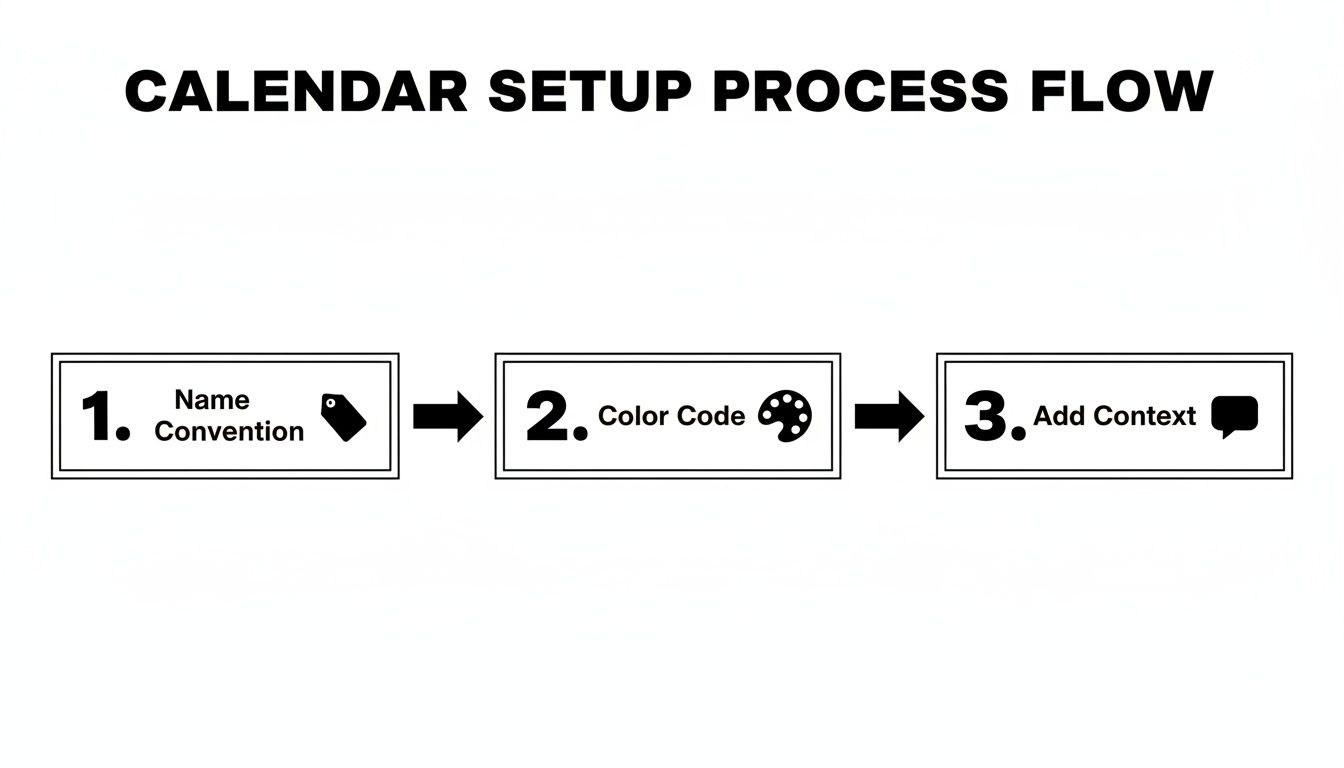
As the visual shows, these simple habits create the structured data that automation thrives on.
Color-coding is another powerhouse for automation. You could set a rule where all events colored "Green" are automatically categorized as "New Business Development." Suddenly, every pitch, networking event, or follow-up call marked in green is tracked and reported under the right bucket. This gives you an instant, accurate view of your business development efforts without any manual work.
The Immediate Impact of Automation
This initial setup is a one-time investment with an immediate payoff. It virtually eliminates manual categorization, slashes the risk of human error, and guarantees that every minute is accounted for. For teams looking to build a strong foundation, using features like Google Calendar workflows can make this process even smoother.
The impact here is huge. Studies have shown that as much as 40% of work time can get lost in unanalyzed calendar events. But when agencies automate this data, they see a 70% reduction in the effort it takes to categorize their time. Accuracy skyrockets to 95% or higher—a massive leap from manual entry, which can have error rates as high as 25%.
By setting up just a handful of smart rules, you transform your team's calendar from a simple scheduling tool into a dynamic, automated time-tracking engine that powers your entire operation.
Ultimately, this frees your team from the tedious chore of filling out timesheets, letting them focus on what they do best: high-value client work. The data you get is not only more accurate but also available in real-time, giving managers the insights they need to make smarter decisions, faster.
If you want to dig deeper into the platform's features, you can check out our guide on the TimeTackle time tracker.
Generate Reports That Reveal Actionable Insights
Once your time data is automatically captured and neatly categorized, you can finally stop just logging hours and start turning that information into real business intelligence. This is exactly where your hard work setting up a structured calendar pays off—transforming simple event data into powerful reports that actually guide your strategy.
Effective time tracking with Google Calendar isn't just about filling in a timesheet; it’s about getting a handle on your entire operation. The goal here is to build dashboards and reports that give you a crystal-clear view of your agency's health, answering those tough questions with hard data, not guesswork.
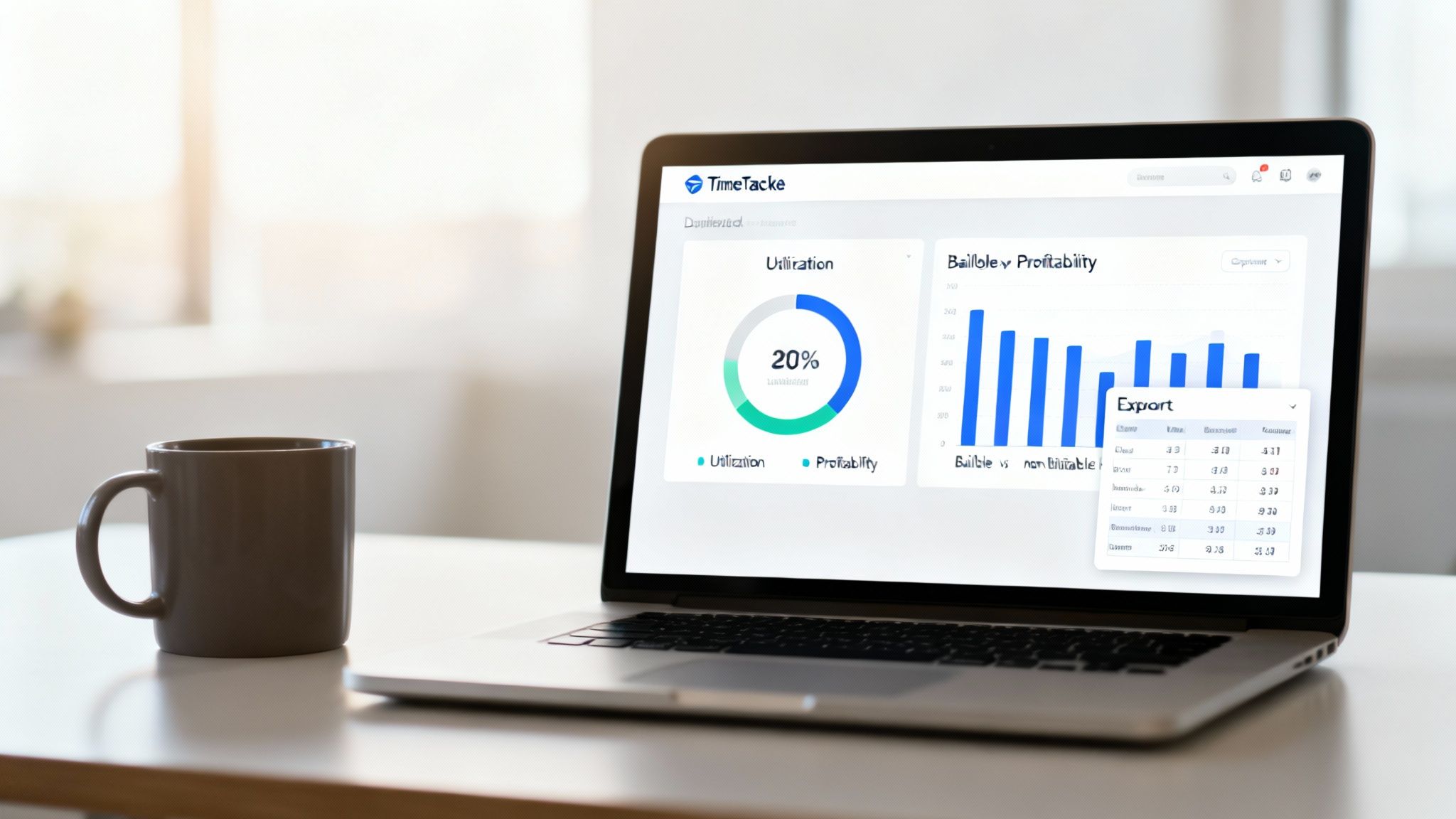
Uncovering Key Agency Metrics
For anyone in operations, the right reports can shine a light on critical performance indicators that used to be buried in messy spreadsheets. Forget guessing—now you can monitor vital metrics in near real-time.
- Team Utilization Rates: Instantly see who's over capacity and who has bandwidth. This makes resource allocation for upcoming projects a whole lot smarter.
- Project Profitability: Pit the total billable hours logged against a project’s budget. You'll quickly figure out which clients are driving revenue and which ones are secretly draining your resources.
- True Client ROI: Take a hard look at the ratio of billable to non-billable hours for each account. This helps you finally answer questions like, "How much non-billable time are we really sinking into our biggest client?"
It's shocking, but without automated time capture, a staggering 70% of employees' time spent in meetings and prep work goes completely untracked or misallocated. Tools that sync with your calendar reveal planned vs. tracked views that can flag 20-30% overruns on project timelines long before they blow up your budget. Financial agencies have even seen a 15% utilization uplift after using these exports to spot and cut low-ROI activities.
The real power of automated reporting is connecting the dots between day-to-day activities and your bottom line. It shifts your mindset from “Did we track our time?” to “Is our time being spent effectively?”
From Raw Data to Actionable Exports
Getting data out of the system and into the hands of the people who need it is just as crucial as collecting it in the first place. A platform like TimeTackle offers flexible export options built for different business needs, ensuring the insights you uncover can be put to work right away. When you build and share these reports, you’re creating a culture of accountability and transparency.
Here are a few ways teams put exports to work:
- Excel/CSV Exports: These are perfect for deep-dive analysis, financial modeling, or plugging into other BI tools your company already uses.
- PDF Reports: Need something clean and professional? PDF reports are ideal for client invoicing or internal performance reviews.
- Google Sheets Sync: This creates a live, dynamic connection. You can build out custom dashboards in Google Sheets that automatically update as new time data flows in, giving you a real-time pulse on your most important metrics.
For project managers, this data is gold for resource planning. For leadership, it’s the concrete evidence needed to optimize services and drive sustainable growth. If you want to create specific views for your team, our guide on building custom reports with TimeTackle is a great place to start.
Go Beyond Invoicing: Advanced Strategies for Agency Leaders
For agency leaders and project managers, the real magic of automated time tracking isn't just about churning out invoices faster—it's about turning your historical data into a serious strategic advantage. Once you have a reliable stream of time data flowing from Google Calendar into a tool like TimeTackle, you can finally stop reacting to fires and start predicting them. This is where you graduate from basic reporting to sophisticated, data-driven operations.
The most immediate win? Resource forecasting. Guesswork is a recipe for disaster, leading to overworked teams, missed deadlines, or unprofitable downtime. But with concrete data, you can look at the actual hours your team logged on past projects and use that intel to staff upcoming ones with pinpoint accuracy.
Forecast Resource Needs with Confidence
Let's get practical. Imagine you're quoting a new website redesign for an e-commerce client. Instead of plucking a number out of thin air, you pull a quick report from TimeTackle. It shows that similar projects over the last six months required, on average, 150 design hours and 200 development hours.
Suddenly, you're operating with a whole new level of clarity. This data-driven approach means you can:
- Prevent Over-Staffing: Stop throwing too many people at a project and watching your profit margins shrink.
- Eliminate Under-Staffing: Make sure you have enough hands on deck to hit deadlines without burning out your best talent.
- Justify Timelines: Walk into a client meeting and present a project timeline backed by hard evidence, not just a hunch.
This simple process transforms your time tracking data from a mere record-keeping chore into a powerful tool for strategic planning. It takes the emotion and ambiguity out of resource allocation, setting every project up for success from the get-go.
The goal here is to shift from a "best guess" model to a predictive one. When you can accurately forecast your team's capacity, you start making much smarter decisions about which new clients to pursue and when.
Fight Back Against "Meeting Creep"
We’ve all seen it. That slow, insidious drain on productivity known as "meeting creep." It's the endless parade of internal syncs, check-ins, and reviews that quietly cannibalizes precious, billable client time. Your calendar data is the perfect weapon to diagnose and fix this problem.
By analyzing the ratio of internal meeting hours to actual billable work, you can spot troubling trends in minutes. Is one team spending 30% of its week in non-billable meetings? Is a particular project manager scheduling way too many "quick check-ins"? This data gives you surgical precision to find and plug the leaks in your team's schedule.
Look, this isn't about waging a war on all meetings. It’s about arming yourself with the right data to ask critical questions. "Could this status update have been a quick Slack message?" or "Can we merge these two weekly syncs into a single, more focused session?" The insights from a simple time report give you the leverage you need to streamline internal workflows and protect your team’s most valuable asset—their time.
Got Questions About Time Tracking with Google Calendar? We've Got Answers.
Switching up your team's workflow always brings up a few "what ifs." When you start tracking time with Google Calendar, you'll naturally wonder about the curveballs—like surprise tasks, jam-packed group meetings, and, of course, data security.
Let's clear the air on some of the most common questions we hear. Answering these is the key to rolling out this system with total confidence.
First up, the big one: what happens when work isn't on the calendar?
Can I Still Track Time for Unscheduled Tasks and Spontaneous Calls?
Of course. The real magic of this approach is automating what's already scheduled, but any good system has to account for the messy reality of a workday. Not everything is planned, and tools built for this workflow, including TimeTackle, get that.
You can easily pop in a manual time entry for an ad-hoc task that came up or fire up a timer when a client calls out of the blue. This hybrid model means you capture every billable minute. It doesn't matter if it was a planned two-hour strategy session or a frantic fifteen-minute fix—it all ends up in one complete picture of your day.
How Does This Work for Meetings with a Bunch of Team Members?
This is where a calendar-based system really shines. When you have a single Google Calendar event with multiple people on the invite, a platform like TimeTackle can apply the same tracking rules to every single person automatically.
A project manager can set one rule for a recurring project sync—say, tagging it as "Client X – Billable"—and that time gets logged correctly for everyone involved. It completely wipes out the need for repetitive data entry. More importantly, it keeps the data consistent across the entire team without anyone having to lift a finger.
The ability to sync and apply rules to everyone on a calendar invite is a massive efficiency win. It shifts time tracking from a solo chore to a seamless, automated team process.
How Secure Is My Calendar Data with a Third-Party Tool?
Security should be a deal-breaker, period. Any reputable platform will invest heavily in protecting your sensitive calendar and client information. For example, TimeTackle is SOC 2 Type II certified, which is a fancy way of saying it undergoes regular, rigorous, and independent audits of its security, availability, and confidentiality controls.
When you're looking at any tool, always dig for enterprise-grade security features like data encryption and a transparent privacy policy. This is how you ensure your agency's operational data stays locked down and confidential.
What Happens If a Meeting Gets Rescheduled or Canceled?
Schedule changes are handled without you even thinking about it. Because the time tracking tool is synced directly with your Google Calendar, any update you make there—rescheduling, shortening, or deleting an event—is reflected instantly.
If that client call gets bumped to Tuesday, or a one-hour meeting is cut to 30 minutes, your timesheet data adjusts in real-time. This dynamic link is what prevents frustrating inaccuracies and saves you the headache of going back to manually fix old entries.
Ready to stop chasing timesheets and start getting real-time insights from the tool your team already lives in? TimeTackle transforms your Google Calendar into a powerful, automated time tracking engine. Get started for free and see how much time you can save.