Staring at a pile of incomplete timesheets is more than just an administrative headache—it's a direct threat to your agency's bottom line. Manual processes for tracking billable hours are notorious for letting revenue slip right through the cracks, turning small, untracked moments into significant financial losses over time.
The Hidden Costs of Manual Timesheets
It’s easy to dismiss a few untracked minutes here and there. A quick five-minute client call, a short email confirming project details, or an impromptu huddle to hash out a strategy can feel too minor to log.
But those seemingly insignificant tasks compound. Pretty soon, they create a substantial gap between the work your team delivers and the revenue you actually earn.

This isn't just a hypothetical problem; the data paints a pretty stark picture. For example, attorneys lose an average of 600 billable hours annually per lawyer. That adds up to around $150,000 in lost revenue for each one. This happens because only a fraction of the workday—often as little as 33%—ends up on an invoice, leaving hours of valuable work completely uncompensated.
From Minor Annoyance to Major Liability
Think about a typical day at a creative agency. A project manager spends 15 minutes clarifying a brief with a client on the phone but forgets to log it while rushing to the next meeting. Later, a designer spends 10 minutes making a "quick fix" requested via chat.
Individually, these are minor events. But across a team of 20 people, these small leaks can easily add up to thousands of dollars in unbilled work every single month.
And it’s not just about the lost income. Inaccurate tracking also cripples your ability to:
- Assess Project Profitability: Without a true picture of the hours invested, you can't possibly know if a project was actually profitable or just a drain on your resources.
- Create Accurate Quotes: Future project estimates become pure guesswork. This often leads to underbidding and setting your team up for failure from the start.
- Maintain Client Trust: Vague or incomplete invoices can spark disputes and erode confidence in your agency’s professionalism.
The real cost of manual time tracking isn't just the unbilled hours. It's the strategic blindness it creates, preventing you from making informed decisions about pricing, staffing, and business growth.
Ultimately, clinging to outdated methods like spreadsheets is a huge financial liability. The conversation has moved far beyond a simple discussion of spreadsheets vs. timesheet apps; it’s about fundamental operational efficiency. Making the switch isn't just an upgrade—it's a necessary step to protect your bottom line.
Laying the Groundwork: Your Time Tracking Policy
Before you even think about tools or workflows, you need a solid foundation. That foundation is a crystal-clear time tracking policy. This isn't just bureaucratic paperwork; it's the rulebook that prevents confusion, sidesteps disputes, and gives your team the confidence to log their hours accurately.
Without one, you're leaving the critical process of tracking billable hours up to guesswork. That's a surefire recipe for messy data, frustrated team members, and, ultimately, lost revenue. The whole point is to remove ambiguity so no one ever has to ask, "Should I bill for this?"
Billable vs. Non-Billable: Drawing the Line
First things first: you have to draw a sharp line between work that makes money and work that keeps the lights on. This distinction is the absolute bedrock of accurate client invoices and understanding your true project costs. When the lines are blurry, people either under-bill to be "nice" or over-bill because they're not sure. Both scenarios are bad for business.
For a typical agency, the breakdown is pretty straightforward:
Billable Work: This is any time spent directly on client deliverables—the stuff they're paying you for.
- Client kickoff calls and scheduled project meetings.
- Research and strategy directly related to a client's project.
- The actual "doing": designing, writing, coding, creating.
- Project management that moves a client project forward.
- Making revisions based on client feedback.
Non-Billable Work: These are the essential, behind-the-scenes tasks that can't be tied to a single client invoice.
- Internal team huddles or general brainstorming sessions.
- Writing proposals and pitching new business.
- Admin work like organizing files or internal software updates.
- Training, professional development, and industry events.
Getting this right is a huge deal. Remember, just 15 untracked minutes per day can snowball into more than 60 hours of lost billable time for each employee every single year.
Setting Expectations: How to Log Time the Right Way
Once everyone knows what to track, you have to define how they should track it. Consistency is everything if you want data that's actually useful for invoicing and analysis. Your policy needs to be explicit about how often and with how much detail time entries should be made.
Let's be honest, a timesheet entry that just says "Project Work" is completely useless. It tells you nothing. Instead, you need descriptions that add context and meaning.
A strong time tracking policy is proactive, not reactive. It anticipates questions and provides clear guidance upfront, turning a dreaded administrative task into a smooth, professional workflow.
A great entry combines a project identifier with a specific action. Think "PROJ-123: Drafted homepage copy" instead of just "Writing." This level of detail makes invoices transparent for your clients and gives you incredible insight into where your team's effort is really going.
Getting Buy-In: How to Roll Out Your Policy
Crafting the perfect policy is only half the battle. The real test is getting your team to understand and adopt it. Firing it off in an email and crossing your fingers won't cut it.
Set aside time for a dedicated meeting to walk everyone through the new guidelines. This is your chance to explain the "why" behind it all—how accurate tracking leads to fairer workloads, smarter project quotes, and a healthier, more stable company for everyone.
Finally, make the policy a living document. Stick it in a shared drive or your company wiki where it's always easy to find. Encourage questions and make it clear that it's okay to ask for clarification. When your team sees tracking billable hours as a vital business function instead of micromanagement, you'll see compliance and accuracy skyrocket.
Using Your Calendar to Automate Time Capture
Let's be honest: manually logging every minute of your day is a recipe for disaster. It leads to forgotten tasks, inaccurate entries, and a whole lot of frustration. But what if the data you need for perfect timesheets is already sitting in the one tool your team lives in all day?
I'm talking about the calendar. It’s the real source of truth for how your team's time is spent. By plugging it into a modern time tracking tool, you can automatically turn every scheduled meeting, client call, and focus block into a pre-filled timesheet entry. This isn't just a minor tweak; it's a fundamental shift from relying on spotty memory to leveraging automatic capture.
This simple three-step process is all it takes to build a time-tracking policy around your calendar.
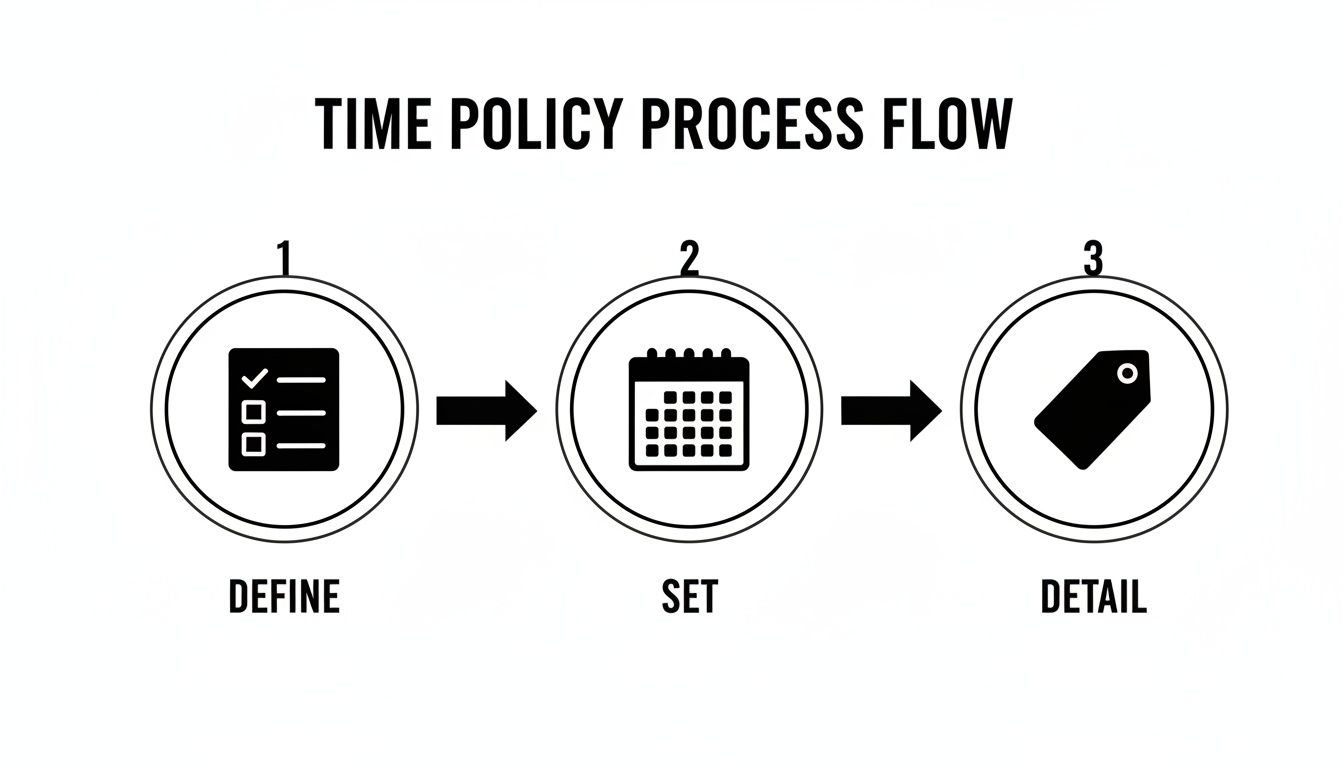
As you can see, the flow is logical: define your rules, set up the system, and then add the details that make your reports truly valuable.
Connect Your Calendar as the Single Source of Truth
First things first: you need to integrate your team's Google or Outlook calendars with a tool built for the job. Platforms like TimeTackle are designed to do exactly this—pull event data like titles, attendees, and duration, and use it as the starting point for time logs.
This one connection instantly gets rid of the need for anyone to remember what they worked on hours or even days ago. The calendar event is the time entry. This slashes administrative busywork and kills the friction that causes timesheets to go unfilled.
The beauty of this approach is that you aren't adding a new chore to your team's list. You're just adding a layer of intelligence to a workflow they already follow religiously.
Every client interaction that's scheduled—from a kickoff call to a weekly check-in—gets captured by default. If it's on the calendar, it’s ready to be logged as billable time, no extra steps required.
Use Tags and Rules for Smarter Automation
Just pulling in calendar events is a huge step forward, but the real magic happens when you teach the system how to categorize time for you. This is where custom tags and automation rules come in, turning a stream of raw data into clean, report-ready information.
Think of tags as simple, smart labels. A lot of teams find success by using hashtags right in their event titles:
#ClientAor#ProjectXto link the time to a specific account.#billableto flag the event as chargeable.#designor#strategyto classify the type of work being done.
With these tags in place, you can create simple but powerful automation rules. For instance, you could set up a rule that says: "If a calendar event contains '#ClientA', automatically assign it to the 'Client A' project and mark it as billable." Suddenly, your team doesn't even have to think about categorizing their time; the system does it for them based on the context they've already provided.
A Real-World Example of a Calendar-Based Workflow
Let's look at Sarah, a project manager with a completely booked day. Her calendar might look like this:
| Time | Event Title |
|---|---|
| 9:00 AM | Project Phoenix Kickoff #ClientB #billable |
| 11:00 AM | Internal Sync – Q3 Goals #nonbillable |
| 1:00 PM | Draft creative brief for Phoenix #ClientB |
| 3:30 PM | Client Check-in: Apollo Project #ClientC |
Without automation, Sarah would have to stop at the end of the day and manually create at least three separate timesheet entries, trying her best to remember the details. With a calendar-based system, the work is already done. The tool pulls these events in and, based on her rules, has them categorized before she even opens her timesheet.
This is the key to making the whole process of tracking billable hours feel like a background task instead of a primary chore. For agencies juggling dozens of clients, this level of automation saves hundreds of hours and massively boosts the accuracy of your billing data.
To see just how deep you can go with this approach, you can learn more about time tracking with Google Calendar and discover how it fits into a modern agency's workflow.
Getting Your Team to Actually Track Their Time
Let's be honest. Even with the perfect policy and the slickest tools, the human element is always the trickiest part of tracking billable hours. You can have the best system in the world, but it’s completely useless if your team sees it as just another chore and refuses to use it properly.
This pushback, what we call "timesheet fatigue," is a very real—and very expensive—problem. It usually comes from the feeling that time tracking is all about micromanagement, a box-ticking exercise for managers rather than something that actually helps the team. To get this right, you have to flip that script from a chore they have to do into a process they want to do.
Make Tracking Disappear into the Background
The real secret to getting people on board is to make the entire process feel invisible. The less friction, the less it feels like an annoying administrative task tacked onto their day. This means building time capture directly into the tools your team already lives in.
When tracking time is just a natural part of their calendar or project management software, it stops being a separate, dreaded task. You're no longer asking them to stop their workflow to go fill out a timesheet; you're simply meeting them where they already are.
This is where AI-powered suggestions are a game-changer. Imagine a system that looks at calendar events and automatically suggests pre-tagged time entries. The task shifts from tedious data entry to a simple, one-click confirmation. That's a process people will actually follow.
It’s Not Just the ‘How,’ It’s the ‘Why’
Your team has to understand that their time data is more than just a number that ends up on an invoice. It's the key ingredient for smarter project planning, better resource allocation, and preventing the entire team from burning out.
You need to frame the conversation around the benefits that matter to them:
- Protecting their own time: Show them how solid data helps you spot when someone is overloaded and makes the case for hiring more help. It becomes a tool for ensuring workloads are fair and sustainable.
- Winning better projects: Explain how precise data helps you create more accurate quotes. That means healthier budgets, less scope creep, and fewer fire drills.
- Growing the company: Connect their daily logs to the agency's bottom line. Everyone wants to be on a winning team, and this data is the proof of their contribution.
When your team sees how their data directly leads to better-planned projects, fairer workloads, and a healthier company, time tracking becomes an act of collective responsibility, not just a manager's demand.
This kind of transparency builds a culture of ownership. People are far more willing to contribute when they can see the positive impact their efforts have on themselves and their coworkers.
The Real Money on the Line
For anyone still struggling with inconsistent tracking, think about the direct hit to your revenue. The stakes are incredibly high. For example, a recent industry survey found that US law firms saw a steady 3.5% rise in demand, which was measured by the billable hours they logged.
This meticulous tracking directly contributed to a massive revenue growth of 12.6%. Poor adoption means you are literally leaving that 3.5% growth on the table. You can find more details on these legal industry trends at Law360.com.
Manual vs. Automated Time Tracking
When it comes to getting your team on board, the difference between old-school manual methods and modern automated ones is night and day. Manual systems put the entire burden of remembering and logging on the employee, which is a recipe for fatigue and bad data. Automated systems, on the other hand, do the heavy lifting for them.
Here’s a quick breakdown of how they stack up.
| Feature | Manual Tracking (Spreadsheets/Apps) | Automated Calendar-Based Tracking (TimeTackle) |
|---|---|---|
| Process | Requires active, manual entry and trying to recall past activities. | Passively captures data from existing calendar events in the background. |
| Accuracy | Prone to errors, forgotten entries, and "guesstimates" made at day's end. | Extremely high accuracy based on real-time calendar data. |
| Team Impact | High friction; often seen as a chore, leading to burnout and low compliance. | Low friction; becomes a natural part of the workflow, encouraging adoption. |
In the end, driving adoption isn't about enforcing rules with an iron fist. It's about making the right way the easy way. By automating the capture process and clearly communicating the value, you can finally put timesheet fatigue to rest and unlock what your team's time is truly worth.
Turning Time Data Into Business Insights
Accurate time data is so much more than a number on an invoice; it's a strategic asset just waiting to be unlocked. Everything changes when you stop seeing tracking billable hours as an administrative chore and start viewing it as business intelligence gathering. The data you collect reveals the true health of your projects, the efficiency of your team, and the profitability of your client relationships.

This simple shift in perspective moves you from reactive invoicing to proactive, data-driven decision-making. Suddenly, you can answer critical questions with real confidence: Which clients are truly our most profitable? Where are we constantly underestimating project scope? Who on our team needs more support, and who has the bandwidth to take on more?
Your Dashboard: The Mission Control for Your Business
The heart of this transformation is a dynamic, real-time dashboard. Forget about static spreadsheets that are already outdated the moment you create them. A live dashboard is your business's mission control, giving you an immediate, visual pulse on the metrics that actually matter.
Instead of digging through raw timesheet data, you can see at a glance:
- Project Profitability: Instantly compare hours logged against the project budget to see which jobs are on track and which are bleeding money.
- Team Utilization: Visualize how your team's capacity is being used, identifying who is over-leveraged and who might be underutilized.
- Resource Allocation: See how hours are distributed across different services—like design, development, or strategy—to understand where your efforts are really going.
This kind of visual reporting makes trends and outliers impossible to ignore. For a deeper dive into what makes these tools so powerful, you can check out our guide on effective performance dashboard examples and see how they can be tailored to your agency's specific needs.
From Raw Data to Custom Reports
While a dashboard gives you that crucial high-level overview, the real magic happens when you generate custom reports to answer specific business questions. This is where your meticulously tracked billable hours become a powerful tool for strategic planning. You can slice and dice your data in countless ways to uncover insights you never would have seen otherwise.
For example, you could run a report filtered by client to see which accounts generate the most revenue relative to the hours invested. You might just discover that a client you assumed was a top performer is actually barely breaking even due to scope creep and endless revisions.
Your time tracking data isn't just for looking back at what happened. It's for looking forward and making smarter choices about where to invest your most valuable resource: your team's time.
Another powerful report is one filtered by service type. This might reveal that your "strategy" services yield a much higher effective hourly rate than your "implementation" work. That single insight could lead you to re-evaluate your entire pricing structure or shift your business development focus toward more profitable engagements.
Making Data-Driven Decisions on Pricing and Staffing
This level of insight has a direct impact on your bottom line, especially when it comes to pricing your services. For project-based industries, understanding true project costs and profitability is paramount, often achieved through rigorous efforts in job costing in construction. The same principle applies to agencies and consultancies; without accurate time data, your pricing is really just a guess.
With historical data on your side, you can confidently quote new projects based on what similar work has actually cost you in the past. This ends the painful cycle of underbidding and protects your profit margins right from the start.
This data is also crucial for capitalizing on market trends. For instance, a recent report analyzing $67 billion in legal spend showed that partner rates in Mergers & Acquisitions jumped 12.4%, with top firms seeing an overall rate hike of 8.3%. Without precise time logs, a firm can't confidently justify raising its rates to match market demand, effectively leaving money on the table.
Similarly, staffing decisions become strategic rather than reactive. Utilization reports might show you that your design team is consistently at 110% capacity while your content team is sitting at 70%. This isn't a gut feeling; it's a clear, data-backed signal that it’s time to hire another designer, not a writer.
Ultimately, by transforming your time data into actionable insights, you equip your business with the intelligence needed to navigate challenges, seize opportunities, and build a more profitable, sustainable future.
Wrestling with the Gray Areas of Billable Hour Tracking
Even with a rock-solid time tracking policy, you're going to run into some tricky situations. Those gray areas can be tough to navigate, but getting them right is what separates the pros from the amateurs and keeps both your clients and your accountant happy.
Let's break down some of the most common questions and sticking points that pop up when you're tracking billable hours.
One of the first puzzles nearly everyone tries to solve is what to do with fixed-fee or retainer projects. It feels weird, right? You're tracking hours but not billing by them. Still, it's one of the most important things you can do for your business.
Think about it: without that data, you're flying blind. You have no idea if that project was actually profitable. Tracking your team's hours against that fixed fee is the only way to figure out your effective hourly rate. It tells you if your pricing is sustainable or if you're slowly losing money on certain types of work. That insight is pure gold for quoting future projects.
What About Non-Billable Client Work?
Another classic dilemma is how to handle all the essential work that happens behind the scenes. We're talking about the time spent prepping for a big client meeting or the internal back-and-forth it takes to crack a tough problem for them. It's real work, but it doesn't always feel directly billable.
The key here is having a clear, consistent policy. Most successful agencies I've seen will categorize this "internal prep" time as non-billable but still tag it to the specific client or project. This keeps it off the client's invoice but ensures it's still factored into your profitability analysis.
This gives you a much more complete picture of the total effort a client actually requires. That kind of information is incredibly valuable when it’s time for a contract renewal or a conversation about scope creep.
Time tracking on fixed-fee projects isn't for the client's invoice—it's for your business intelligence. It reveals which projects are profitable and which are draining your resources, allowing you to price future work with confidence.
How Do We Keep All This Data Secure?
When your team is tracking their time so carefully, you’re collecting a massive amount of sensitive data—project details, client names, internal notes, you name it. Keeping that information safe isn't just an IT problem; it's a fundamental part of maintaining client trust and professional integrity.
Here's what you absolutely need to nail down for data security:
- Pick a SOC 2 Certified Tool: This isn't just marketing fluff. SOC 2 is a serious, third-party audit that confirms a provider securely manages your data. It’s the industry standard for a reason.
- Lock Down Access Controls: Not everyone on your team needs to see everything. Your system should let you set up role-based permissions, so only leadership can access sensitive client profitability reports.
- Encrypt Everything: Make sure any platform you use encrypts your data both in transit (while it's traveling over the internet) and at rest (when it's sitting on a server). It's a non-negotiable.
By tackling these common questions head-on, you're building more than just an accurate system for tracking billable hours. You're creating a fair, transparent, and secure process that removes ambiguity for your team and reinforces a data-driven approach in every client relationship.
Ready to eliminate timesheet fatigue and get a crystal-clear view of your agency's profitability? TimeTackle uses your team’s existing calendar to automate time capture, making accurate tracking effortless. See how our AI-powered insights can transform your operations by visiting https://www.timetackle.com.