



Most agency workload problems don't look like a systems problem at first. They look like a people problem.
A designer misses a deadline, so the account team thinks design is slow. A project manager says nobody updated the spreadsheet. A client success lead promises a quick turnaround because one developer looked free on Friday, then finds out that person was already buried in internal work, support requests, and two half-scoped fixes nobody logged properly.
That's how workload chaos usually shows up. Not as one dramatic failure, but as a steady stream of bad handoffs, messy staffing calls, late timesheets, and profit leaks you only see after the month closes.
For mid-sized agencies and professional services firms, that chaos usually starts when the business outgrows spreadsheets, chat threads, and manager memory. You can still deliver work that way for a while. You just can't plan well, price cleanly, or protect your team from overload.
The familiar chaos of managing agency workloads
By the time an agency hits real scale, the same pattern appears again and again. Work is coming in from too many places. Capacity lives in too many heads. Nobody fully trusts the resourcing view, so managers build private versions of the truth.
One team tracks assignments in Excel. Another uses Asana or ClickUp for tasks. PTO sits in HR software. Urgent asks arrive in Slack. Meeting load lives in Google Calendar or Outlook. Timesheets get filled in late, which means the numbers you use to manage the business are already stale by the time you see them.
What this looks like on the ground
On Monday morning, the delivery lead thinks the week is staffed. By Tuesday afternoon, a client adds a rush request, one strategist is out sick, and a senior designer is somehow booked across three projects at once. Nobody meant to create the problem. The system created it.
That's why I don't treat workload planning as an admin issue. It's an operating model issue. If your agency can't see who's available, what work is really consuming time, and where demand is piling up, you're running the business on guesswork.
Most agencies don't have a laziness problem. They have a visibility problem.
The worst part is that spreadsheets can look good enough right up until they fail. They give leaders a false sense of control because they contain data. But static data isn't the same as an up-to-date capacity model.
Why manual tracking breaks first
A spreadsheet usually fails in four places:
- Availability gets distorted. Someone looks “free” because the sheet doesn't reflect meetings, support work, or approved time off.
- Skills get ignored. The planner sees hours, not whether the person can do the job well.
- Reallocation happens too late. Teams spot overload after deadlines slip, not before.
- Profitability gets blurred. If time capture is weak, you can't see which clients or projects are eating margin.
When leaders say, “We need better resource management,” what they usually mean is simpler. They need a reliable way to decide who should do what, when, and at what cost to the business.
That's the job of workload management software.
What workload management software really is
Workload management software gives operations leaders a live view of capacity, demand, and staffing risk. In agencies and professional services firms, that matters because planning decisions affect billable utilization, delivery quality, and margin long before they show up in a status report.
Project management tools answer, “What needs to get done?” Workload management tools answer, “Who can do it, when, at what cost, and what breaks if priorities change?” That difference is operational, not cosmetic.
A useful comparison is air traffic control. The job is not just tracking what exists. The job is sequencing movement, spotting conflicts early, and using limited capacity without causing delays. Good workload software does that for client work. It shows who is committed, where demand is building, which teams are stretched, and which projects only look adequately staffed because the plan ignores skills, leave, or non-billable work.
That changes the conversations leaders can have before a problem hits revenue:
- Can we accept this new project without hurting existing accounts?
- Which roles are likely to become the bottleneck next month?
- Where are we paying for bench time we could redeploy?
- Which accounts are consuming senior time that isn't reflected in the fee?
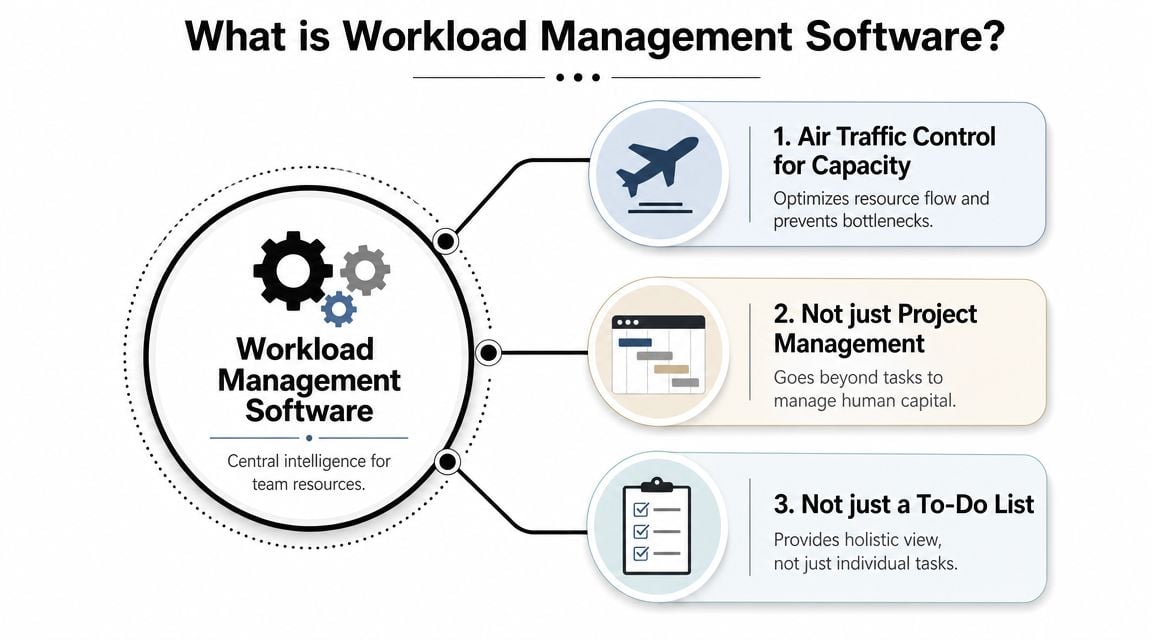
The practical point is simple. This category sits between task management and financial control. It connects incoming work, staffing decisions, time capture, and delivery capacity so managers can make better trade-offs while there is still time to act.
That is why agencies outgrow generic project tools. A project board can show ten active jobs. It usually cannot tell you whether the same account director is overcommitted across six of them, or whether the “available” designer is only available on paper because internal support work is missing from the plan.
If you want a clean distinction between workflow and workload, Tooling Studio's workflow guide is useful. Workflow covers how work moves through steps and approvals. Workload covers whether the right people have the capacity and skill mix to handle that work profitably.
For firms comparing planning categories, it also helps to review workforce planning software for forecasting staffing and utilization. The overlap becomes important once hiring plans, future demand, and utilization targets need to sit in the same operating view.
A task list tracks activity. A workload system shows whether the business can deliver the work without overrunning people or eroding margin.
That is what workload management software really is. It is a planning and decision system for protecting utilization, reducing burnout, and keeping project economics visible while work is still in motion.
The core capabilities that solve agency problems
Agency buyers get lost when vendors throw feature grids at them. You don't need fifty features. You need a small set of capabilities that change staffing decisions, reporting accuracy, and project economics.
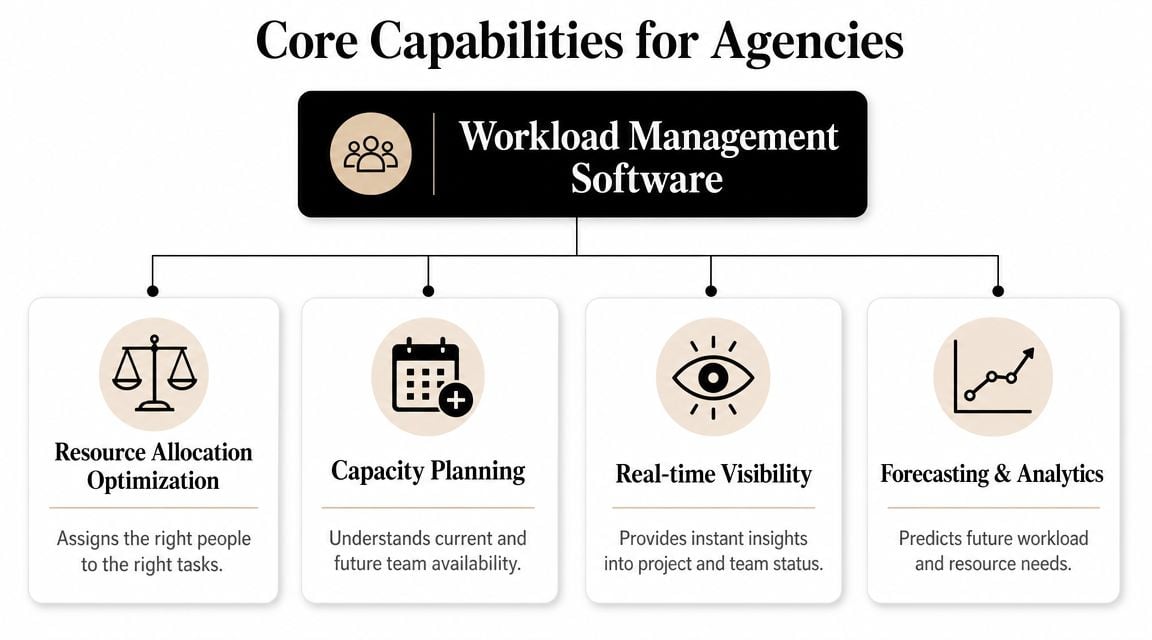
Capacity-aware scheduling
If a platform can't model real capacity, it won't fix workload problems. It will only digitize them.
Real capacity means more than headcount. It includes working hours, leave, role fit, and the non-billable time that eats delivery bandwidth. Agencies that ignore those constraints usually overpromise because their resource plan assumes everyone is fully available all the time.
What works is a system that lets planners assign work based on actual availability and then recalculate when priorities shift. What doesn't work is a static weekly sheet that someone updates after the fact.
Work capture that people will actually maintain
Many implementations stall. Leaders buy planning software, yet still depend on late manual timesheets to understand what happened. This creates a gap between planned workload and actual workload.
For agencies, better work capture matters because billing, utilization, and profitability all depend on it. Calendar-based capture, CRM-linked activity logging, and tagging rules reduce the reporting burden. That's one reason some teams pair resource planning tools with products built around automated activity capture. One example is resource management software options for agencies, which includes tools designed to improve visibility without forcing everyone back into heavy admin.
Visibility that shows overload early
Managers need more than one view. A board can show workflow status, but it won't always show a capacity problem. A timeline can show upcoming collisions. A heatmap can show where one team is carrying too much of the portfolio.
Planisware notes that modern tools now include workload visualization, resource forecasting, AI-assisted analytics, and automated task allocation. The same source also reports that over 65% of task management deployments are cloud-based, 39% of enterprises use AI-driven task management, and 54% of workers say they save 5+ hours per week from automation in its workload management tools comparison. That matters because cloud-first, automation-led tools are easier to keep current than spreadsheet-heavy setups.
If managers only see overload after people complain, the system is too slow.
Forecasting tied to agency economics
Forecasting is where software starts paying for itself. Not because prediction is glamorous, but because agencies live or die on staffing timing.
When the system can compare future demand to available capacity, you can make better calls on start dates, freelancers, hiring, and sales commitments. You can also see whether margin risk comes from underpricing, bad scoping, or putting the wrong mix of people on the work.
A few signs a platform is built for real operations:
- It supports scenario planning. You can test what happens if a project starts earlier, slips, or needs a different staffing mix.
- It connects effort to commercial data. You can compare budgeted time with actual time before the job is unrecoverable.
- It automates repetitive planning logic. Reusable templates and rule-based assignment reduce planner guesswork.
- It fits into your stack. Calendar, CRM, finance, and project tools need to connect, or the data will drift.
Feature lists are cheap. The useful question is whether the software changes the quality of your operating decisions.
A buyer's checklist for agencies and professional services
A platform can look polished in a demo and still be wrong for agency work. The test isn't whether it has a resource screen. The test is whether it can model the messy reality of billable delivery.
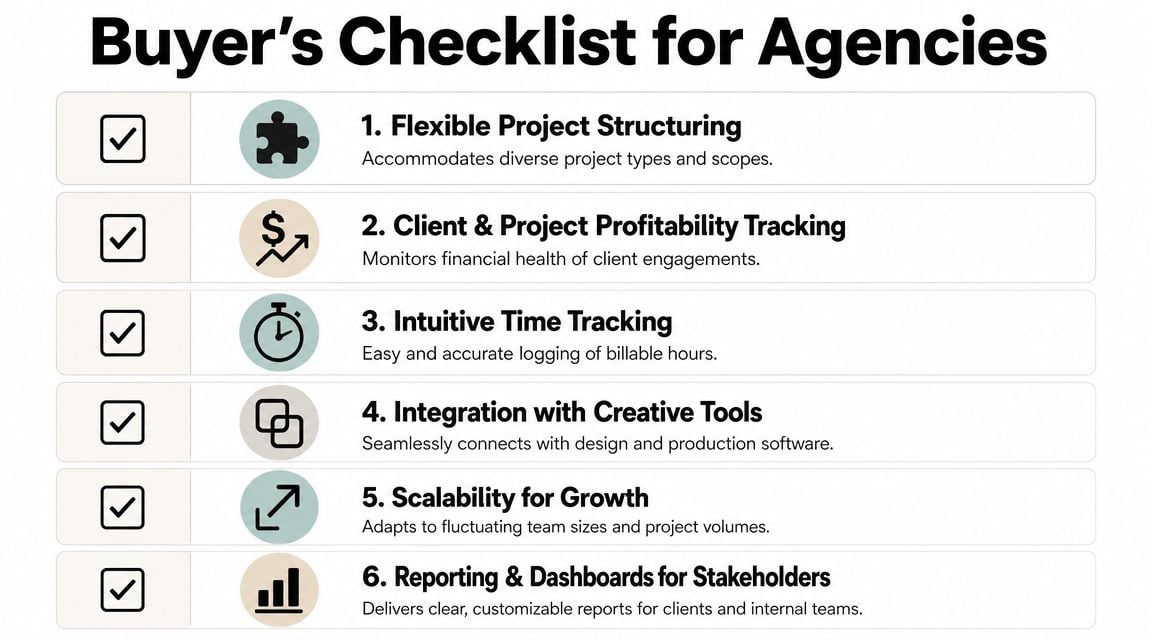
What to ask in the demo
Start with the planning model, not the interface.
Toggl's 2026 guide says workload views like timelines and heatmaps are essential for spotting who is over capacity, and it stresses planning based on real availability, including working hours and PTO, because nominal headcount can overstate true capacity. That point alone rules out a lot of lightweight tools. If you want to review that framing, see Toggl's guide to workload management software.
Then get specific. Ask the vendor to show you how the system handles a normal agency week, not an ideal one.
- Real calendars: Can it account for PTO, public holidays, part-time schedules, and recurring meetings?
- Billable and non-billable work: Can you separate client delivery from internal work, pre-sales, admin, and support?
- Skill-based assignment: Can planners filter by role, experience, or capability, instead of just available hours?
- Multiple views: Can team leads switch between calendar, timeline, list, and capacity views without rebuilding the plan?
What usually gets missed
Teams often focus on scheduling and forget reporting. That's a mistake because agencies don't just need to assign work. They need to explain where time went.
A buyer should also pressure-test these areas:
| Question | Why it matters |
|---|---|
| Can the tool compare planned time to actual time? | Without that, estimates never improve. |
| Can you see profitability by project or client? | Margin problems often hide inside “busy” teams. |
| Does it integrate with calendars and existing delivery tools? | If data entry doubles, adoption drops fast. |
| Can department heads trust the dashboards without exporting to Excel? | If not, the platform becomes another data source, not the source. |
Buy for decision quality, not feature count.
The non-negotiables
If I were screening tools for a mid-sized agency today, I'd reject any option that fails on these points:
- Capacity must reflect reality. A planner should see usable time, not fantasy availability.
- Reporting must be manager-ready. Leaders need answers without rebuilding charts by hand.
- The system must support different planning horizons. Daily assignment, weekly staffing, and monthly forecasting are different jobs.
- It has to fit agency economics. If the platform can't connect workload to billable performance, it won't help the people who own margin.
Agencies don't need generic task software with a workload tab bolted on. They need a planning system that respects how service businesses make money.
Two workflows that deliver immediate ROI
The fastest way to judge workload management software is to follow the work, not the brochure.

Workflow one: proactive capacity planning
A sales lead wants to close a new retainer. The old way is familiar. Ask department heads if they have room, get three different answers, then commit to a start date based on optimism.
A better workflow starts in the planning view. The operations lead checks future capacity by team, sees where design is tight, notices strategy has room in the first phase, and spots a developer coming off another account in two weeks. Now the agency can commit with a real staffing plan instead of crossing its fingers.
IBM describes workload management as a multi-step process: plan work, supply resources, then distribute it fairly so employees aren't overloaded and work-life balance is protected. That framing is useful because overload usually begins in the planning step, not the execution step. You can read IBM's definition in its workload management overview.
The payoff here isn't abstract. The agency stops selling work it can't staff cleanly, and the team avoids the last-minute reshuffle that burns trust.
Workflow two: protecting project margin before it disappears
Fixed-fee work often gradually goes off track. The hours drift up. Scope edges widen. A project manager senses the problem but can't prove it early enough.
With a live workload and actuals view, the PM sees that delivery effort is running ahead of plan while the remaining milestones still need senior time. Instead of waiting until invoicing exposes the damage, the PM raises it during the week, talks to the account lead, and either resets scope, changes staffing, or goes back to the client with a cleaner conversation.
That's where workload software earns its keep. It turns “we feel busy” into a usable operating signal.
Fair distribution of work protects more than morale. It protects schedule quality, client trust, and margin.
These workflows aren't fancy. They're repeatable. That's why they matter.
Getting your team on board a simple implementation guide
The software decision is only half the job. Adoption is where organizations stumble.
If people think the new system is there to watch them more closely, they'll route around it. If they see it as the thing that stops double-booking, reduces timesheet pain, and gives managers fewer excuses to make bad staffing calls, adoption gets much easier.
Start with one team and one operating rhythm
Don't launch across the whole agency at once. Pick one team with visible workload pain and a manager who will use the planning views.
Run the pilot inside an existing meeting rhythm, usually the weekly resourcing or delivery meeting. Open the software during that meeting. Review capacity there. Make assignment changes there. If key decisions still happen in Slack and spreadsheets, the rollout is already drifting.
Keep the data model simple
Most failed implementations are overbuilt early. Teams create too many tags, too many project types, and too many reporting rules before they've proved basic usage.
Start with a small structure:
- Project classification: A simple way to separate client work, internal work, support, and pre-sales.
- Time categories: Enough detail to report meaningfully, but not so much that people freeze when tagging work.
- Ownership rules: Clear responsibility for who updates projects, approves allocations, and checks exceptions.
- Review cadence: A set moment each week to clean up anomalies before they spread.
Frame the change the right way
Managers need to say this plainly. The goal is not tighter surveillance. The goal is fairer planning.
If someone's calendar is packed with meetings and ad hoc requests, the system should protect them from being treated as “available” just because no task was assigned. If another person has too little client work, the system should show that early too, so leaders can fix utilization before it becomes a financial problem.
A good rollout message is simple: this tool helps the agency plan transparently, report accurately, and stop making staffing decisions from incomplete information.
The metrics that prove its worth to your bottom line
Leaders rarely need more dashboards. They need a tighter link between operations data and business performance.
The best workload systems make four metrics easier to trust:
The four that matter
- Utilization rate: You can see how much time goes to billable versus non-billable work, by team, role, or person.
- Project profitability: You can compare actual effort with budgeted effort while the project is still active, not after the margin is gone.
- Forecast accuracy: You can compare planned allocations with what really happened, which helps teams scope and staff future work better.
- Cycle time: You can track how long work takes to move from assignment to completion and spot the bottlenecks slowing delivery.
For teams building a reporting layer around those measures, this guide to project management metrics is a useful reference point.
The bigger point is simple. Workload management software matters when it changes decisions that affect revenue, staffing, and client delivery. If it helps you price with more confidence, assign work more fairly, and catch margin drift sooner, it's doing its job.
If your agency is trying to reduce timesheet friction and get a cleaner view of how work is really distributed, TimeTackle is one option to look at. It connects with Google or Outlook calendars, captures activity data, applies tags and rules, and gives teams reporting on utilization, project effort, and operational patterns without relying only on manual entry.


