


Month-end billing has a way of exposing every weakness in a firm’s time capture process. Partners ask why realization feels soft. Managers chase staff for missing entries. Seniors stare at blank timesheets on Friday afternoon and try to rebuild a week from memory, client by client, task by task.
That routine feels normal in a lot of firms. It’s also expensive.
The hard part is that the loss rarely shows up as one obvious mistake. It shows up as tiny omissions. A client call that never made it into the system. Prep work logged too loosely. Internal review time dumped into the wrong code. When that happens across a mid-sized team, the billing report stops reflecting the work people did.
Early in any software evaluation, I look less at feature lists and more at the method of capture. That’s where most firms make the wrong choice. They replace a spreadsheet with a prettier stopwatch, then wonder why staff still hate time entry and why the data still looks patchy.
A better buying process starts with a simple question. How will this system get accurate time data from busy accountants without creating more admin work?
| Software type | Best fit | Main strength | Main weakness | What to check first |
|---|---|---|---|---|
| Practice management suites | Firms that want one system for many workflows | Shared data across billing, jobs, and client work | Time capture may feel clunky | Approval flow and audit trail |
| Standalone trackers | Firms that need strong reporting and flexible integrations | Faster setup and cleaner tracking experience | Can create another system to manage | Integration depth with accounting tools |
| Calendar-based automated tools | Mid-sized firms with heavy meeting, advisory, and review work | Lower admin load and better capture of invisible work | Needs thoughtful setup rules | Calendar sync, categorization logic, security |
The silent profit killer in every accounting firm
A partner looks at the month-end numbers and sees decent demand, busy teams, and a full client roster. Yet margin still feels tighter than it should. Usually the first instinct is to question rates, write-offs, or staffing mix. Those matter, but there’s often a simpler problem sitting underneath them. The firm never captured all the work in the first place.
Accountants lose an estimated 15 to 20% of billable time because they fail to record it, and the root cause is usually manual entry done after the fact rather than in the moment, according to Keito’s review of time tracking for accountants. That’s why the issue is bigger than admin hygiene. It hits revenue before billing even starts.
In practice, this usually looks familiar:
- End-of-day reconstruction: Staff try to remember which client a block of work belonged to.
- Week-end catch-up: People fill gaps with rough estimates because the actual details are gone.
- Soft under-reporting: Accountants round down time because they aren’t fully sure what they did.
For firms that want a cleaner grip on revenue, billable hours tracking isn’t just an ops project. It’s a profit control issue.
The missed time is rarely dramatic. It’s usually ordinary work that nobody logged cleanly enough to bill.
Same-day entry became standard for a reason. A quick entry made while the work is fresh is more reliable than reconstructing a long block of activity later. That sounds obvious, but many firms still run on habits built for another era, when manual timesheets were accepted as a necessary annoyance.
The result is a P&L that doesn’t tell the full story. Teams may be working hard, but leadership can’t see true utilization, true client effort, or true engagement profitability if the raw time data is incomplete.
That’s why choosing accountants time recording software shouldn’t start with “Which app has the most features?” It should start with “Which method gives us cleaner time data with the least friction?”
The table stakes of accountants time recording software
A flashy dashboard does not fix weak time data. In accounting firms, the basics decide whether the system supports billing discipline or creates another admin problem.
Before comparing AI summaries, utilization charts, or custom reports, check whether the software can capture time in a way your team will use and your finance lead can trust.

Time capture has to fit real work
Accountants do not work in neat, uninterrupted blocks. A senior might review a file, answer two client emails, join a call, update notes, and then return to the original job, all within an hour. If the system only works well for start-stop timer habits, people fall back to memory. That is where accuracy drops.
The baseline requirement is simple. The tool needs to support both active and low-friction time entry.
At minimum, I’d expect:
- Timer and manual entry options: Some tasks suit a live timer. Others need a quick entry after the fact.
- Mobile access: Partners and managers still review, approve, and record time away from their desks.
- Fast same-day entry: Recording five or ten minutes should feel easy, not like a mini admin task.
- Calendar or activity context: Mid-sized firms get better adoption when staff can reconstruct work from what already happened, instead of relying on a stopwatch alone.
If you’re comparing the basics, this guide to what time tracking software is is a useful reference because it separates simple logging tools from systems that support operational reporting.
Billing logic matters more than interface polish
Good design helps. Billing structure matters more.
Accounting firms rarely bill with one model. They run hourly work, fixed-fee engagements, retainers, write-ups, write-downs, and internal admin codes at the same time. If the software cannot mirror that structure, staff create shortcuts outside the system. Then finance teams spend month-end cleaning up coding errors, missing approvals, and vague descriptions.
The software should support clear links between time records and the operational units that matter:
- Clients and engagements
- Service lines and staff roles
- Budgets, fee arrangements, and write-off controls
- Approval status before billing
This is also where the capture method starts to matter. A firm can have every billing code in place and still lose margin if people are expected to manually start and stop timers all day. For mid-sized firms, table stakes now include a path away from pure stopwatch tracking and toward faster, calendar-based capture that reflects how work is performed.
Approvals and audit trails protect margin
Time records do more than feed invoices. They affect utilization reporting, recovery rates, payroll in some firms, and client conversations when a bill is challenged.
That means the software needs:
- Manager or partner approval workflows: Review should happen before time flows into billing.
- Edit history: Teams need to see what changed, who changed it, and when.
- Audit-ready records: Client disputes are easier to handle when the entry trail is clear.
- Permission controls: Staff should see and edit only what fits their role.
I treat this as a screening issue. If approvals, edit logs, and role-based controls feel bolted on, the product was probably built for generic productivity tracking rather than accounting operations.
There is also a wider business case here. Cleaner time data supports pricing decisions, staffing decisions, and the broader strategies to improve business profitability that partners care about once they can trust engagement-level numbers.
A quick screen-out checklist
Cut the shortlist fast if a product misses any of these:
| Requirement | Why it matters in accounting |
|---|---|
| Client and engagement-level coding | Revenue and profitability depend on accurate attribution |
| Approval workflow | Prevents unreviewed time from reaching draft bills |
| Edit history | Helps resolve disputes and internal review questions |
| Accounting or practice management integration | Reduces duplicate entry and reconciliation work |
| Flexible billing structures | Supports hourly, fixed-fee, retainer, and mixed engagements |
| Low-friction capture options | Improves adoption and reduces end-of-day reconstruction |
This is the floor, not the finish line. Firms waste a lot of time comparing small feature differences before confirming whether the core workflow is usable, billable, and governable.
Moving beyond the stopwatch to find hidden profits
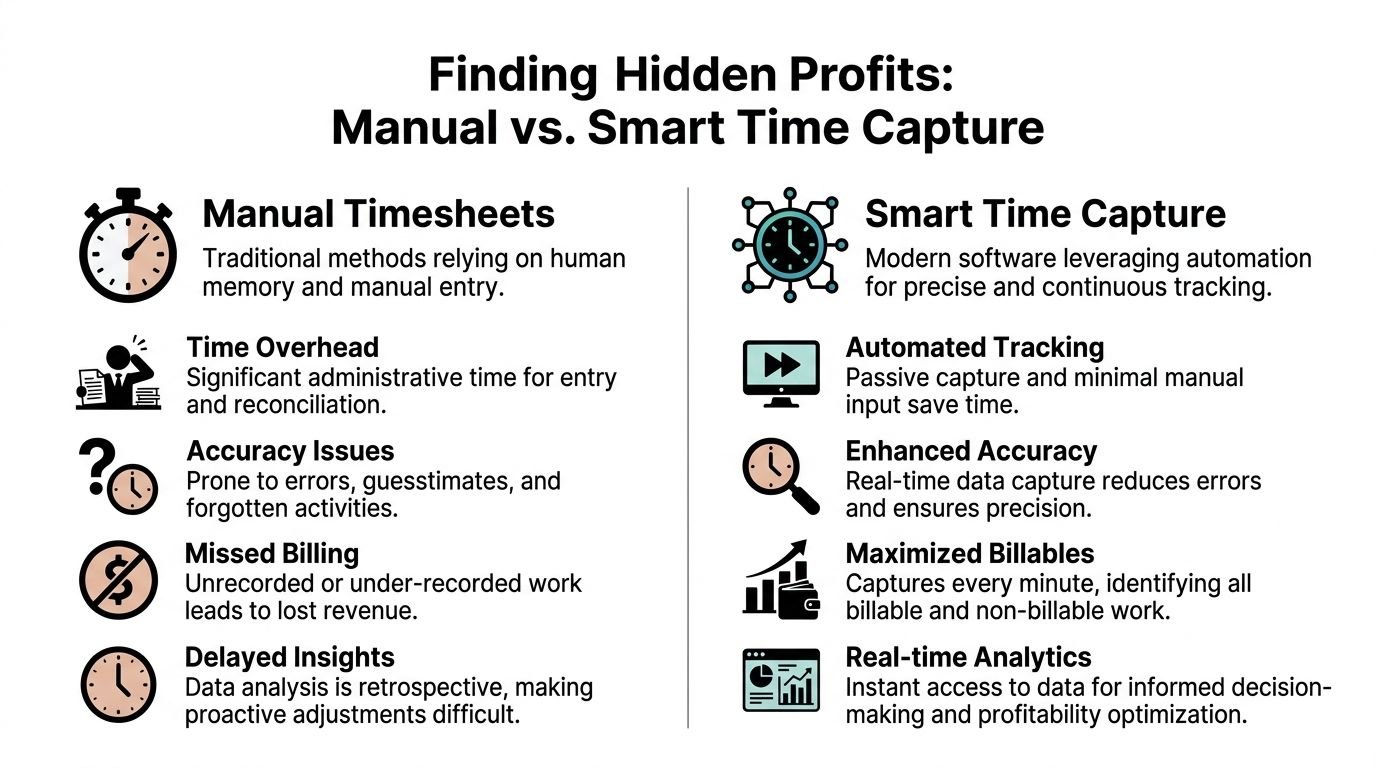
The biggest shift in this market isn’t prettier timesheets. It’s the move from active tracking to passive capture.
That change matters because stopwatch-style tools still depend on perfect human behavior. People have to remember to start the timer, stop the timer, switch codes, and clean up the entry later. In accounting, that breaks down fast. Work is fragmented. Days are full of calls, review notes, handoffs, and client prep that don’t fit a neat start-stop pattern.
Why manual capture misses valuable work
Manual systems do a decent job when work is linear and obvious. They do a poor job when value is scattered across a day.
Think about advisory-heavy teams, tax managers, and client-facing seniors. A lot of their useful work happens in pieces:
- Client calls and follow-ups
- Review prep before meetings
- Internal coordination tied to a billable engagement
- CRM updates connected to active client work
Those activities often disappear in stopwatch systems because they don’t feel like “real” timer moments. They still consume time, and clients still benefit from them.
According to Toggl’s article on accountant time tracking tools, integrating calendars and CRMs for passive, AI-driven tracking can capture 25 to 35% more “invisible” hours that traditional methods miss. The same source notes that adoption of SOC 2 Type II certified platforms with API and warehouse syncs rose 40% among mid-sized firms in the last year.
That’s the shift many firms haven’t caught up with yet. They’re still shopping for “time entry software” when they should be shopping for a system that observes work patterns and reduces logging effort.
The method of capture changes behavior
There’s a morale angle here that buyers often miss. Manual tools train staff to think of time recording as a separate chore. Passive systems fold the process into the workday.
That changes three things:
Less memory work
People review what happened instead of rebuilding it from scratch.Better coding quality
Rules and templates can categorize recurring work more consistently than rushed humans can.Lower resistance
Staff don’t feel like the firm added another admin tax to their day.
If your firm is already looking at broader strategies to improve business profitability, this is one of the cleaner operational levers because it improves capture, reporting, and manager visibility at the same time.
Integration is where real gains show up
A passive system only works if it connects to the tools accountants already use. Calendar sync is the obvious piece, but CRM links, accounting platform sync, and flexible exports matter just as much because they turn captured activity into usable financial data.
That’s why I’m cautious with tools that market a polished timer but treat integration as a side feature. In a mid-sized firm, disconnected software just moves admin work around. It doesn’t remove it.
A useful way to think about it is this:
| Capture method | What staff must do | Typical weak point |
|---|---|---|
| Manual timesheet | Recall and enter work later | Missing details and rounding |
| Stopwatch timer | Start and stop every task accurately | Context switching and forgotten stops |
| Calendar-based passive capture | Review and confirm detected activity | Initial setup and rule design |
For teams still stuck in classic timer workflows, this short piece on the stop watch approach to time tracking helps show why stopwatch logic often creates friction instead of solving it.
Passive capture doesn’t remove accountability. It removes avoidable clerical work, which is a much better use of software.
The firms that get the most value from modern systems don’t ask staff to become perfect timekeepers. They use software to collect more of the day automatically, then ask professionals to review and refine the record. That’s a far more realistic operating model.
Understanding the three main types of time recording tools
The market looks crowded because buyers often compare tools that solve different problems. Once you sort them into categories, the decision gets easier.

Practice management suites
These are broad systems that include time recording inside a larger operating platform. Firms often choose them when they want client work, jobs, billing, and approvals in one place.
The upside is obvious. Shared data reduces handoffs. If your firm already lives inside one suite, keeping time records there can simplify adoption because users don’t have to jump between tools.
The trade-off is also obvious. Time capture may not be the strongest part of the product. In many suites, the time module exists because firms expect it to be there, not because the vendor obsessed over making time entry painless.
This category often works best when:
- The firm values system consolidation over specialized capture
- Operations wants one vendor relationship
- The team can tolerate a more rigid user experience
Standalone time trackers
These tools focus on time, reporting, and often invoicing. They usually give a better tracking experience than broad suites, especially for firms that care about integrations and reporting flexibility.
Benchmark comparisons collected by TMetric show the shape of this category well. QuickBooks Time is strongest inside QuickBooks environments because of its tight integration. TMetric pushes the integration angle in another direction with 50+ integrations and one-click timers that pre-code entries. Uku sits closer to the accounting workflow side, with bulk entry, automatic time estimations, a Capterra rating of 4.7/5, and $38 per user per month pricing. The same benchmark notes that enterprise plans in this part of the market average $30 to $50 per user per month.
That tells you something useful. This category is broad. Some tools are strongest when accounting software integration is the priority. Others are stronger when flexible tracking and broader workflow connections matter more.
A practical reading of the trade-offs:
| Tool example | Where it fits | Where it can frustrate |
|---|---|---|
| QuickBooks Time | Firms deeply committed to QuickBooks | Less attractive if your stack is mixed |
| TMetric | Teams that want many integrations and cleaner cross-tool tracking | Less focused on accounting-specific controls |
| Uku | Firms that want accounting-oriented billing flexibility | Price and setup may feel heavier for smaller teams |
If you’re mapping detailed requirements before buying, this guide to detailed hour tracking functionality is useful because it forces you to define what the system must capture, not just what the demo makes look easy.
Automated time intelligence platforms
This is the category many mid-sized firms should consider more seriously. These systems use calendars, CRM activity, rules, and automated tagging to create a draft record of work. Users review, adjust, and approve rather than build entries from scratch.
That model is a better fit for firms with heavy meeting volume, client advisory work, review cycles, and teams that hate timesheet admin. It’s also a stronger fit when leadership wants cleaner utilization reporting without constantly policing compliance.
The upside is lower friction and better visibility into work that traditional tools miss. The downside is that setup matters. You have to define categories, tags, and rules in a way that reflects how the firm operates.
One example in this category is TimeTackle, which connects calendars and related systems to capture activity, then uses tags, properties, and rule-based automations to categorize work with less manual input. For firms trying to reduce timesheet fatigue while improving reporting depth, that approach is materially different from buying another timer.
Which category fits which firm
I usually match the category to the firm’s operating problem, not its wish list.
Choose a suite when process consolidation matters most. Choose a standalone tracker when the firm needs a stronger dedicated time product and already has clear operational discipline. Choose an automated platform when the current issue is incomplete capture, weak utilization visibility, and low staff tolerance for manual entry.
Buying the wrong category creates the same pattern every time. The software goes live, the workflow gets more complex, and people slide back into bad habits.
A buyer’s guide should make this plain. You’re not just picking a vendor. You’re picking a philosophy of how time gets recorded.
Making the business case pricing, ROI, and security
A mid-sized firm can buy a low-cost timer, roll it out in a month, and still lose money on the decision.
I see that pattern often. The subscription looks reasonable, procurement signs off, and six months later partners still do not trust the utilization reports. Staff are filling gaps from memory, managers are correcting entries before billing, and operations is exporting data into spreadsheets to answer basic questions. The actual cost sits in the workflow around the software, not just the line item on the vendor invoice.
Pricing still matters, but it belongs in context. Entry-level tools are cheaper because they ask more of your team. Automated, calendar-based systems usually cost more per user, yet they can reduce missed time, shorten billing prep, and produce reporting that finance can use. For a mid-sized accounting firm, that trade-off deserves a hard look.
Price the operating model, not just the license
The practical comparison is not tool A versus tool B on monthly fees. It is active tracking versus passive capture, and what each method costs your firm in admin time, compliance effort, and lost revenue.
Review these cost areas before you approve anything:
- Admin load: Who owns matter lists, codes, approvals, exceptions, and billing corrections?
- Manager time: How many hours go into chasing incomplete timesheets or fixing vague entries?
- Integration effort: Does data flow into your practice management and billing systems cleanly, or will someone rekey and reconcile it?
- Reporting work: Can finance answer realization and utilization questions inside the system, or will every month end require manual exports?
- Adoption risk: If staff already resent timesheets, will this product improve compliance or just document non-compliance more neatly?
That last point gets missed. A cheaper stopwatch-style product can be the more expensive option if your team avoids it or uses it badly.
ROI shows up in captured time and better decisions
The cleanest business case has two parts. First, the firm captures more of the work already being done. Second, leaders stop making staffing and pricing decisions off distorted data.
A simple review table usually gets to the truth faster than a long vendor model:
| ROI question | What it tests |
|---|---|
| Will people record work closer to when it happens, with less manual effort? | Revenue recovery |
| Will managers spend less time policing timesheets? | Admin savings |
| Will reports reflect real client effort across meetings, review cycles, and internal support work? | Better utilization data |
| Will billing prep and approvals require fewer corrections? | Faster invoicing and less rework |
The method of capture matters here. Passive, calendar-based recording often improves ROI because it picks up work people forget to start a timer for in the first place. That matters in advisory-heavy firms, where value is spread across calls, follow-ups, internal collaboration, and review work rather than one long, obvious task block.
Related professional services face the same buying questions around workflow, records, and tool sprawl. This roundup of best legal tech tools for lawyers and law firms is useful for seeing how other billable-hour businesses assess software beyond feature checklists.
Security review should happen early
Time data is not harmless operational exhaust. It can contain client names, meeting subjects, employee activity patterns, billing records, and approval history. Treat it like business-sensitive data from the start of the buying process.
Ask vendors plain questions and expect plain answers:
- What security certifications, controls, and audit practices are in place?
- How are permissions handled for staff, managers, and finance users?
- What can be exported, by whom, and how is that action logged?
- What are the retention and deletion rules?
- How does data move between the time system, calendars, email, and your accounting stack?
- Can your team review changes to entries, approvals, and edits later?
For automated platforms, one more issue matters. If the system captures from calendars or adjacent tools, the firm needs clear rules on what is recorded, what is excluded, and how personal or non-billable activity is handled. Better capture should not create privacy confusion.
A sound business case is straightforward. Pay for a system that gets cleaner data with less staff effort, improves billing confidence, and meets the same security standard you apply to the rest of your finance stack. If the software is cheap but the reporting is weak and adoption is poor, the ROI was never there.
How to implement new software without a team revolt
Most time tracking rollouts fail for a simple reason. Leadership buys the tool to fix reporting, but staff experience it as surveillance and extra admin.
That gap is real. A 2025 survey cited by TimeRewards says 62% of firms report low adoption of time tracking software due to “timesheet fatigue aversion.” That wording may be blunt, but it matches what people say in practice. They don’t hate accountability. They hate clumsy systems and repetitive entry.
Start with the operating pain, not policy
If your rollout message is “everyone must complete timesheets better,” expect resistance. If the message is “we’re removing avoidable admin and cleaning up billing data,” you’ll get a much better reception.
Good implementation starts by naming the shared frustrations:
- Late Friday catch-up
- Managers chasing missing entries
- Bad reporting caused by vague coding
- Too much manual reconciliation before billing
People engage when they see their problem in the plan.
Roll out in phases
Mid-sized firms often try to switch the whole company at once. That creates noise, not momentum. A phased rollout works better because it lets you test the workflow where the pain is sharpest.
A practical sequence looks like this:
Pilot with one service line or team
Pick a group with enough volume to test approvals, coding, and reporting.Fix categories and rules before broad launch
Most early issues are configuration issues, not product issues.Train managers first
If approvers are confused, the whole rollout stalls.Expand only after the first team is stable
Early wins matter more than a fast company-wide announcement.
The first rollout goal isn’t perfection. It’s proving that the new method feels easier than the old one.
Keep training short and role-based
One long training session usually fails. Staff forget most of it, and they leave with edge-case questions that weren’t relevant to their role.
Short sessions work better when they match what each group does:
| Role | Training focus |
|---|---|
| Staff and seniors | Daily review, coding, and quick fixes |
| Managers | Approvals, exception handling, and team compliance |
| Partners | Profitability views and reporting interpretation |
| Operations | Setup, reporting controls, and workflow management |
Don’t force a bad process into a new system
Some firms buy better software, then recreate their old mess inside it. They keep too many codes, vague categories, or approval steps nobody needs. That makes the product feel harder than it is.
Clean up the workflow during implementation. Simplify code structures. Remove duplicate fields. Decide which approvals are necessary and which are habit.
The firms that get adoption right don’t ask people to work harder at time entry. They make time entry easier, cleaner, and more obviously useful.
Why TimeTackle fits the modern, mid-sized accounting firm
For mid-sized firms, the problem usually isn’t the absence of a time tool. It’s the mismatch between how accountants work and how the software expects them to record that work.
That’s where a calendar-centered approach makes sense. Firms with advisory work, internal reviews, client meetings, and fragmented days need a system that captures activity from the tools people already use, then makes review and categorization simple.
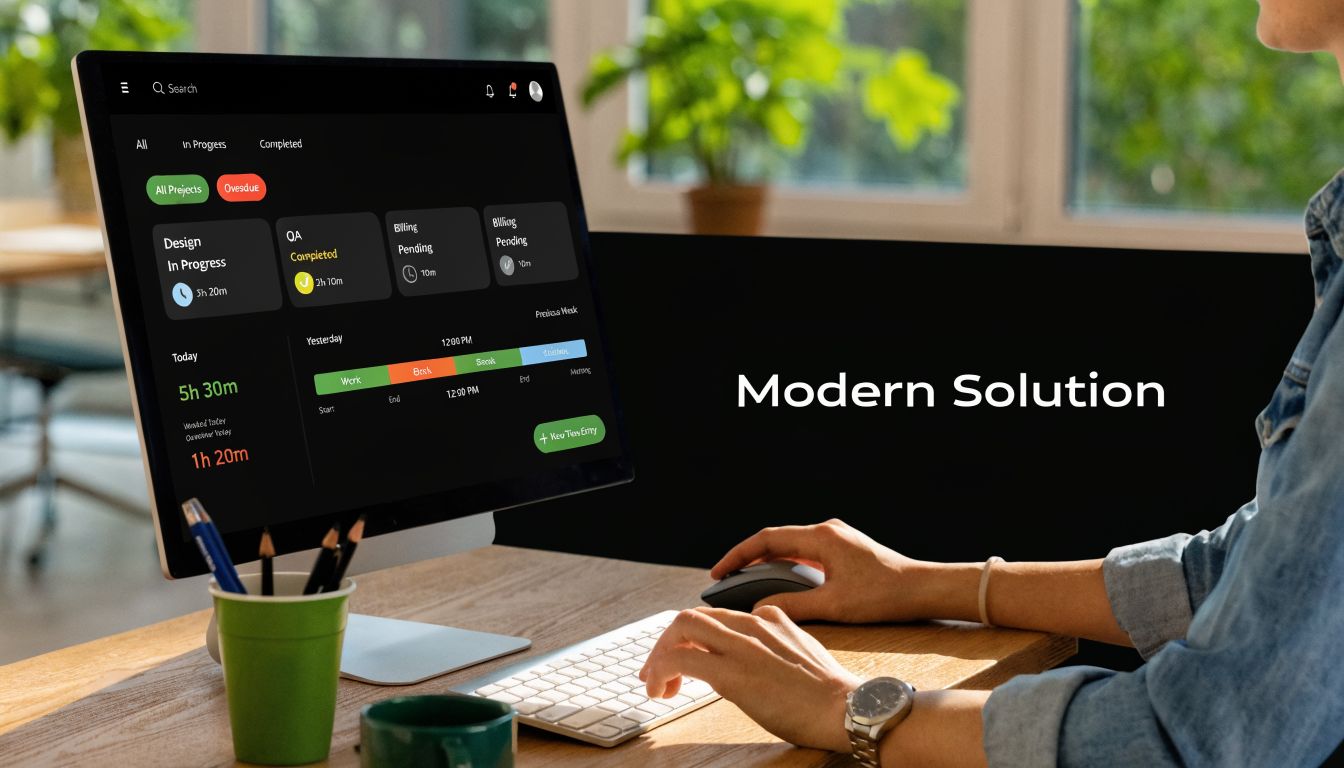
What makes this model practical for firms in the fifty to two hundred employee range is the balance between automation and control. Calendar sync can draft the day’s activity. CRM and related data can add context. Rules and tags can classify work without asking staff to fill every field manually. Managers still keep oversight through reporting, filters, and approvals.
That combination matters because mid-sized firms usually feel pain in three places at once:
- Incomplete time capture
- Weak visibility into utilization and client effort
- Low tolerance for more manual process
A system built around passive capture addresses all three more directly than another stopwatch app.
There’s also a reporting advantage. When time comes from real calendar activity and structured categorization, leaders can look at profitability, team allocation, and client effort with more confidence. That makes staffing reviews and billing conversations less dependent on guesswork.
Security belongs in that same conversation. When a platform is built for operational reporting and connected workflows, firms should expect serious controls, clean exports, and data handling that fits a professional services environment.
For firms evaluating accountants time recording software in 2026, that’s the bigger shift to understand. The next gain probably won’t come from asking staff to enter time more diligently into the same old model. It will come from changing the model itself.
If your firm wants to replace manual timesheets with calendar-based capture, automated categorization, and cleaner utilization reporting, take a look at TimeTackle. It’s a practical option for teams that want less admin work and better visibility into where time is utilized.


