



Friday afternoon. A partner opens their timesheet, scrolls through a week of half-remembered calls, drafts, internal reviews, and client emails, then starts rebuilding the past from Outlook, sent items, and guesswork. Everyone in legal has done this. Everyone knows it’s bad practice. Plenty of firms still run this way.
I’ll be direct. If your lawyers are reconstructing time from memory, you have a revenue problem, not just an admin problem. And if your ops team still treats legal time recording software as a basic timer, you’re leaving money on the table twice. First when work goes unrecorded, then again when bad entries create invoice friction, write-downs, and collection delays.
The hard part isn’t buying software. The hard part is choosing a system your team will use, then designing a process that survives a real day of interruptions, context switching, and imperfect human behavior.
The hidden cost of the billable hour
The billable hour breaks down long before the invoice goes out. It breaks down when a lawyer finishes a call, jumps into a draft, gets pulled into an internal meeting, answers three emails, then tells themselves they’ll enter time later. “Later” is where firms lose margin.
This is common enough that it shouldn’t be treated as personal sloppiness. It’s a system issue. According to ABA and related research discussed by Accurate Legal Billing, 80% of lawyers spend at least 5 hours per month on manual timesheet entry, and recording time retrospectively can lead to losing up to 10% of a lawyer’s time.
That should change how you think about the problem. Manual entry doesn’t just waste staff time. It creates missing time, vague narratives, and weak billing support.
Why firms feel this in operations first
Ops leaders usually see the damage before lawyers do:
- Billing teams chase missing entries because too much time stays in drafts or doesn’t get entered at all.
- Partners review weak narratives that don’t clearly support the bill.
- Finance sees slower cash movement because disputed invoices take longer to clear.
- Practice leaders lose planning visibility because bad time data ruins utilization reporting.
Practical rule: If your firm needs reminders, deadline pressure, and month-end cleanup just to get timesheets in, your process is already failing.
What this means in practice
A firm can look busy and still underbill. Lawyers can feel overloaded while the system undercounts what they did. That gap is where profit disappears.
Good legal time recording software fixes the root issue. It captures work closer to when it happens, ties it to the right matter, and gives billing enough detail to invoice with confidence. That’s the point of the category. Not cleaner admin. Better revenue capture.
What is legal time recording software really for
Most vendor pages define these tools too narrowly. They talk about timers, entries, invoices, and dashboards. That’s all true, but it misses the business point.
Legal time recording software is a revenue protection system. It exists to make sure work becomes usable billing data, then becomes an invoice you can defend and collect. If it doesn’t do that well, the rest is decoration.
It started as timekeeping and became operational infrastructure
Early tools were basically digital replacements for manual logs. That model made sense when most work happened at a desk and billing teams could clean up the mess later. That world is gone.
As Lawmatics notes in its review of the category, legal time tracking software shifted quickly after 2010 toward cloud-based and AI-powered systems, driven by remote work demands and regulatory needs. That change matters because modern firms need more than a stopwatch. They need systems that follow work across devices, sync with matter and billing tools, and reduce reliance on memory.
What the software should actually do
If I’m advising a mid-sized firm, I want the system to do five jobs well:
| Job | Why it matters |
|---|---|
| Capture time as work happens | Reduces missed entries and vague reconstruction |
| Assign work to the right client or matter | Prevents cleanup work and billing errors |
| Standardize descriptions and codes | Makes invoices clearer and lowers rejection risk |
| Sync with billing and finance tools | Cuts duplicate entry and handoff mistakes |
| Produce useful reports | Gives leaders data for staffing, pricing, and utilization decisions |
A lot of products can do one or two of these. Fewer can do all five without creating user friction.
Why this category is no longer optional
Hourly billing still depends on defensible time records. Even firms expanding fixed-fee work still need accurate time data for scope control, staffing decisions, and margin analysis. Add LEDES requirements, client scrutiny, and distributed teams, and weak time capture becomes an operational liability.
The software isn’t there to monitor lawyers. It’s there to stop memory from running your revenue process.
That’s why I treat legal time recording software as part of the firm’s core operating system. It sits between the work itself and the financial outcome. If that layer is weak, profitability gets noisy fast.
The core features that drive profitability
Features only matter if they change financial outcomes. Plenty of firms buy tools based on long feature lists, then wonder why realization and billing speed barely improve. The answer is simple. They bought software that looked capable, not software that fit how lawyers operate.

Real-time capture beats memory every time
This is the first thing I check. If the system doesn’t make contemporaneous entry easy, the rest won’t matter. According to TimeMiner’s discussion of law firm time tracking challenges, delayed time logging can cause lawyers to lose 10-25% of billable hours. The same source says real-time capture tools such as digital stopwatches and mobile apps can cut end-of-day batching by 70%.
That tells you where to focus. You want tools that reduce the gap between doing the work and recording the work.
The features that usually help most are:
- Matter-linked timers: Lawyers shouldn’t start with a blank entry screen. They should start from the client, matter, or task already in context.
- Mobile capture: If someone leaves court, finishes a call in transit, or reviews documents away from their desk, they need to record time then, not later.
- Multiple timers: Useful for lawyers and consultants who bounce between matters. Not because multitasking is good, but because context switching is real.
- Quick-add entry paths: Keyboard shortcuts, recent matters, and prefilled templates cut resistance.
Billing integration is where efficiency becomes cash flow
Time capture alone doesn’t fix much if entries still need manual rework before invoicing. The system needs to feed billing cleanly.
I want legal time recording software to connect with practice management, accounting, and invoicing workflows so the same data doesn’t get re-entered three times. Products like Clio, Rocket Matter, LeanLaw, QuickBooks-connected tools, and other billing systems matter here because they reduce handoff errors. The less often your staff copies time from one place to another, the fewer mistakes you’ll have to fix later.
A strong billing layer should include:
- Rate logic: Different attorney rates, task rates, and client-specific arrangements need to apply correctly without spreadsheet patchwork.
- Narrative consistency: Descriptions should be detailed enough for clients and consistent enough for invoice review.
- Compliance support: LEDES and code handling matter if your clients require electronic billing standards.
- Draft invoice visibility: Partners need to review bills without pulling data from separate systems.
If billing has to “clean up” the output of your timekeeping system every month, the software isn’t saving time. It’s just moving the work downstream.
Automation should remove admin, not create mystery
Automation is useful when it handles repetitive categorization and formatting. It’s dangerous when firms trust it blindly.
Good automation does simple things well. It assigns recurring internal meetings to non-billable buckets. It suggests matter tags based on known contacts. It builds narrative drafts from activity context. It moves approved entries into billing queues without extra admin work.
I’m less interested in flashy AI language than in whether the product gives ops teams control. You need editable rules, visible audit trails, and clear exception handling. Lawyers should be able to see what the system inferred and fix it quickly.
Reporting should help managers act
A profitable system doesn’t just store entries. It lets you ask better questions:
- Which matters generate the most write-downs?
- Where do attorneys lose time between activity and entry?
- Which clients create heavy admin drag?
- Which teams are recording work promptly, and which are backfilling late?
If the dashboard only tells you total hours, that’s weak reporting. Good reports show where process failure starts, because that’s what gives leaders a chance to fix it.
Solving the real-world friction of time tracking
Most buying decisions go wrong because vendors present time capture methods as if they’re simple preferences. Manual or passive. Timer or auto-capture. Lawyer choice. Done.
That’s not how this plays out in a busy firm.

Manual tracking gives control, but asks too much from memory and discipline
Manual systems are straightforward. Start a timer. Stop it. Add notes. Submit the entry. The upside is obvious. Lawyers stay in control, and they usually trust what they enter because they did it themselves.
The downside is also obvious. The system depends on perfect behavior from people working in imperfect days. Calls run over. Meetings stack up. Drafting gets interrupted. Someone forgets to start the timer, then fills the gap from memory later.
Manual entry can work in a disciplined team with clean workflows and strong habits. It usually breaks down when the day gets chaotic, which is exactly when firms need the data to stay accurate.
Passive tracking captures more activity, but it creates a review burden
The opposite model is passive capture. The software logs app usage, meetings, emails, or other digital activity, then asks users to classify it later. This sounds attractive because it reduces dependence on memory.
But the trade-off is real. As MyCase points out in its discussion of legal timekeeping software, passive tools can capture more data while also requiring significant manual correction, and there’s no benchmark that quantifies the hidden admin cost or adoption impact.
That missing benchmark matters. Because the question isn’t “does it capture more?” The question is “how much cleanup does it create?”
More captured activity is not the same as more billable time. If the system floods lawyers with messy suggestions, they stop trusting it.
Context switching is the real accuracy problem
A basic timer works fine for a single-task day. Few lawyers have single-task days. They move from client call to internal strategy discussion, then review a document, answer two matter-specific emails, and jump into a business development meeting. Some of that is billable. Some isn’t. Some belongs to one matter. Some belongs to another.
That’s why simple timer logic often fails in professional services. The hard problem isn’t recording duration. It’s attribution.
When I review timekeeping workflows, I look for four things:
- Can users split time cleanly across matters without re-entering everything?
- Can the system distinguish billable, non-billable, and internal work without guesswork?
- Can managers audit why an entry was assigned to a client or category?
- Can the product use workflow signals like calendar events, attendees, CRM records, or project tags to reduce ambiguity?
If the answer is no, your team will end up doing manual correction anyway.
The practical middle ground
Most firms don’t need pure manual tracking or pure passive tracking. They need a guided system that captures enough context automatically, then lets users confirm and edit quickly.
That’s the only model I’ve seen hold up in firms with real interruption load. Calendar data, meeting attendance, client records, and known work patterns provide a strong starting point. Lawyers still need final review, but they shouldn’t have to rebuild the day from scratch.
If your team is struggling with adoption, the issue may not be motivation alone. It may be process design. This guide on how to motivate employees to track time and improve team productivity is useful because it addresses the human side of compliance, not just the software side.
The bottom line is simple. Don’t buy a system because it has both manual and automatic modes. Buy one that handles messy, interrupt-driven days without turning review into another admin chore.
A practical checklist for choosing the right software
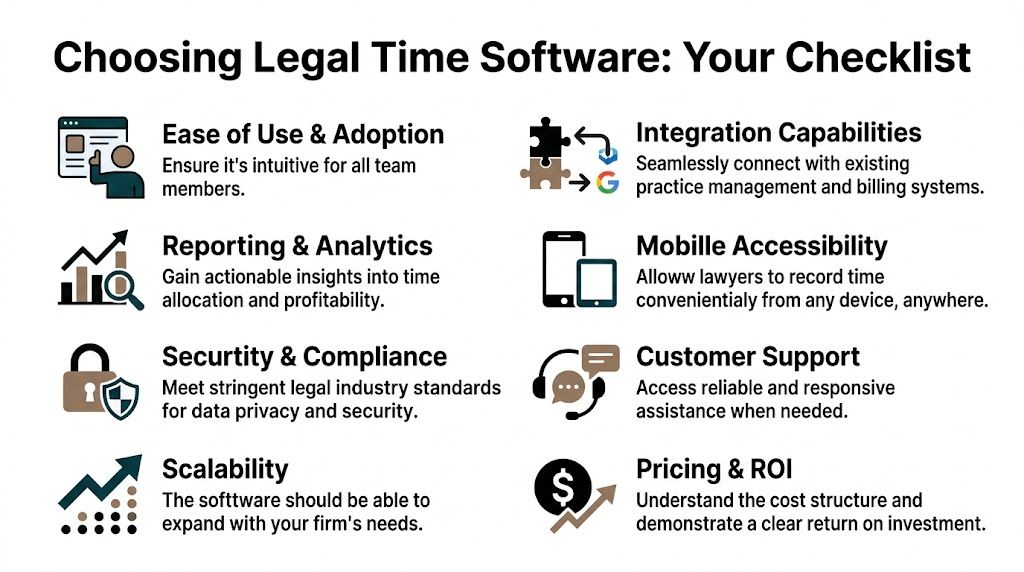
Buying legal time recording software without a structured checklist is how firms end up with tools lawyers avoid and finance teams resent. You need a short list of decision criteria that reflect your workflow, not a vendor demo script.
This checklist is the one I’d use with a mid-sized firm evaluating options.
Start with adoption, not features
If partners and associates won’t use it consistently, nothing else matters.
Ask:
- Can a busy lawyer enter or confirm time in seconds, not minutes?
- Does the interface make sense without formal training every time someone uses it?
- Can people work from desktop and mobile without losing context?
- Does the product fit how your firm already works, or will it force awkward behavior?
I’d rather buy a less flashy tool that people use than a powerful system that turns into shelfware.
Test the integration depth
Many evaluations remain too shallow. “It integrates with Clio” or “it syncs with billing” tells you almost nothing. You need to know what data moves, when it moves, and what breaks when fields don’t match.
Review these areas carefully:
| Evaluation area | What to ask |
|---|---|
| Practice management sync | Do matters, clients, and contacts stay current automatically? |
| Billing handoff | Can approved entries flow directly into invoice prep? |
| Calendar connection | Can the system use scheduled work as time capture context? |
| Reporting export | Can ops pull data into Sheets, Excel, or BI tools cleanly? |
If you’re reviewing the broader ecosystem around legal operations, this roundup of best legal tech tools is a useful companion because timekeeping decisions usually connect to billing, intake, document, and workflow tools.
Don’t skip reporting and governance
A lot of firms buy for daily entry and forget managerial visibility. That’s a mistake. You need reporting that helps practice leaders and finance spot problems early.
Look for:
- Custom filters and tags: You’ll want to slice by client, matter, team, office, and work type.
- Editable automation rules: Ops should control logic without filing support tickets for every change.
- Audit trails: You need to know who changed an entry, when, and why.
- Clear exception handling: Unassigned or questionable time should be visible, not buried.
One practical starting point is this review of law firm time and billing software options, which can help frame vendor comparisons before demos begin.
Security and vendor support matter more than the sales call
Law firms handle sensitive data. That means security review isn’t optional. It also means support quality matters after go-live, when your team starts hitting real workflow edge cases.
My advice is simple. Ask vendors hard questions before procurement, not after rollout. If they can’t explain setup, support response, permissioning, or data handling in plain English, move on.
Getting your team on board with new software
A bad rollout can make decent software fail. I’ve seen firms blame the product when the underlying issue was weak implementation discipline.
People don’t resist time tracking because they hate technology. They resist when the new process feels like extra admin, management surveillance, or a half-finished system dumped on them with no explanation.
Start with the firm’s reason, not management’s convenience
Your rollout message should be direct. Tell people why the change is happening.
Not “we’re modernizing operations.” Not “we need better reporting.” Say what matters to them and to the firm:
- cleaner time entry during busy days
- fewer month-end chases
- better billing support
- less reconstruction from memory
- more accurate records of the work they already did
That message matters because lawyers will judge the system by what it removes from their day, not by what it adds to the dashboard.
“If your rollout message sounds like finance wrote it for finance, adoption will stall.”
Use a pilot group before firm-wide launch
Do not roll this out to everyone at once. Pick a small group with different work styles. Include one skeptical lawyer, one reliable operator, and one person who switches contexts constantly. Those are the users who expose failure points.
Have them test:
- entering time during a normal day
- correcting auto-suggested entries
- moving between devices
- reviewing billing narratives
- handling internal versus client work
Then fix the process before broader launch. That means adjusting defaults, cleaning up naming conventions, refining tags, and tightening approval rules.
Set habits early and make managers model them
New software sticks when people know exactly what “good use” looks like. Don’t leave this vague. Define when entries must be reviewed, who approves what, and how exceptions get resolved.
I’d put these rules in place fast:
- Daily review cadence: People should confirm or clean up entries while the day is still fresh.
- Clear ownership: Lawyers own accuracy. Billing owns invoice prep. Ops owns workflow rules.
- Leader visibility: Partners and team leads need to use the system themselves, not just demand compliance from others.
- Short support loops: Questions should get answered quickly during the first weeks, before frustration hardens into resistance.
Train for real scenarios, not abstract features
Most software training is too generic. It walks through buttons and menus, but not the situations that cause data loss.
Train people on actual cases. A hearing that runs long. A block of drafting interrupted by calls. A meeting that starts internal and ends client-facing. A day where someone works from phone, laptop, and conference room.
That kind of training does two things. It builds trust in the system, and it exposes where your process still needs work.
If you want adoption, make the software feel like relief. If it feels like homework, your lawyers will delay it, and delayed entry is the problem you were trying to fix.
Measuring success with reports that matter
Once the software is live, don’t judge it by login rates or total hours recorded alone. Those are weak signals. What matters is whether the system improves the firm’s economics and gives managers better operating data.
A useful reporting setup turns time entries into management decisions.
Focus on realization, utilization, and collection quality
The most valuable reports usually sit around three questions.
First, are people recording enough of the work they do? That’s a utilization question.
Second, how much of recorded work survives review and becomes invoiced? That’s a realization question.
Third, how smoothly do invoices convert into cash? That’s a collection question.
According to Accountants Law Lab’s discussion of billing and timekeeping challenges, firms using automated software with integrated billing report an 18% uplift in realized billables, driven in part by billing rate engines and clearer, itemized bills that reduce disputes and support collection.
That’s why I tell firms to watch where hours disappear between activity, entry, approval, invoicing, and payment. Every stage has its own leakage point.
Use reports to find process failure, not to police people
Good reporting should answer questions like these:
- Which clients generate the most write-down pressure?
- Which matter types create the weakest narratives?
- Which teams submit time late and need process fixes?
- Where does non-billable internal work consume too much senior capacity?
If you only use reports to compare individual lawyers, you’ll get defensive behavior and bad data. Use reports to identify broken workflows first.
For leaders who want a broader operating framework, this guide on how to measure team productivity is worth reading because it pushes beyond simplistic output counts and into more useful performance signals.
Build a small dashboard and review it often
Keep the first dashboard simple. I’d start with:
| Dashboard view | Why it matters |
|---|---|
| Tracked vs invoiced time | Shows where realization drops |
| Billable vs non-billable by team | Exposes staffing and scope issues |
| Late-entered time | Reveals habit and workflow problems |
| Write-down trends by client or matter | Helps pricing and client management |
That’s enough to run the business better. You don’t need endless charts. You need reports that lead to action.
The future is calendar-centric and automatic
Most legal timekeeping systems still start from the wrong assumption. They assume the lawyer should be the primary source of truth. That’s exactly where friction begins.
The better starting point is the calendar.
Why the calendar solves the attribution problem
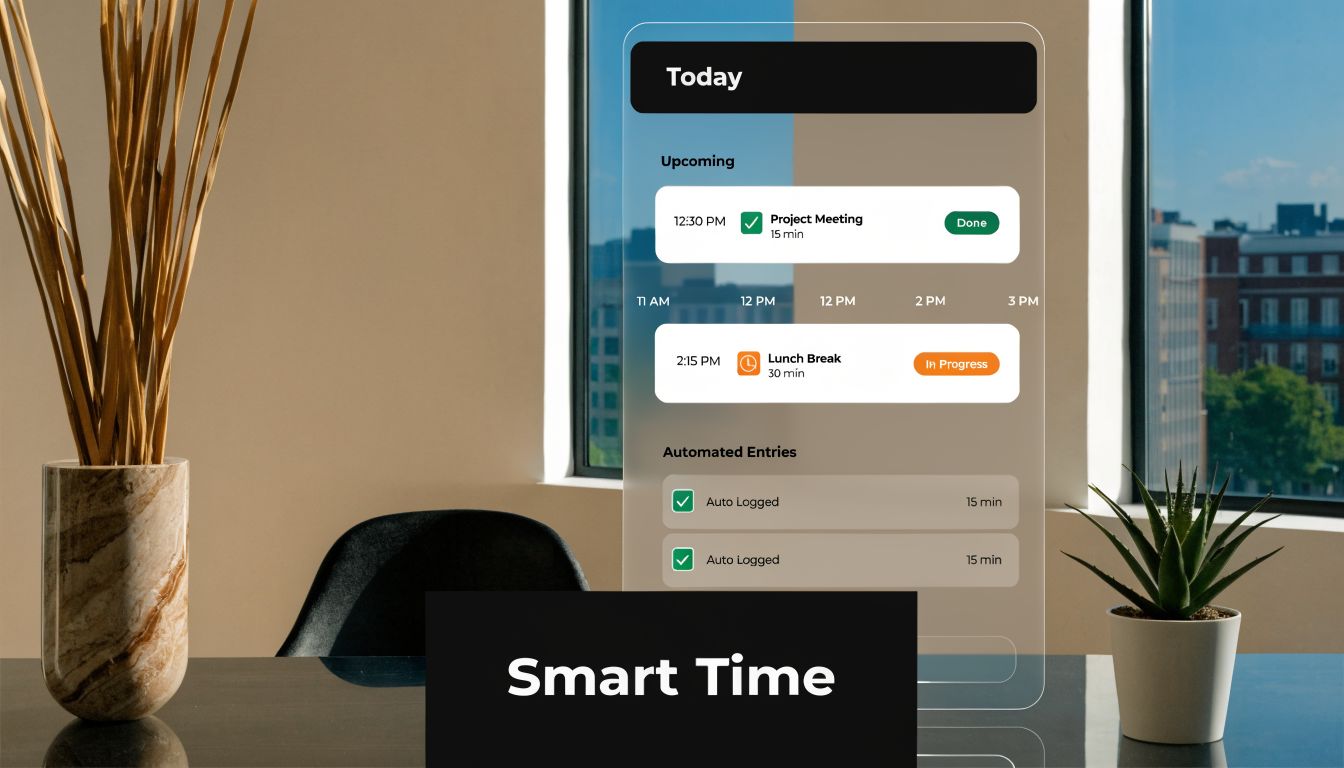
A calendar already contains the structure of the day. Meetings, attendees, time blocks, matter-related calls, internal reviews, travel buffers, and planned work all live there. That makes it a stronger foundation for time recording than a blank timer or a pile of passive app data.
For firms dealing with constant context switching, calendar-centric capture makes more sense because it starts with known events, then layers categorization and review on top. That reduces blank-page entry, lowers memory dependence, and gives managers a cleaner audit trail.
Automatic doesn’t mean uncontrolled
Many firms get stuck thinking automation means giving up review. It doesn’t.
The right model is automatic capture plus controlled confirmation. Calendar events, CRM records, client tags, and rules give the system context. Users then review, split, edit, and approve where needed. That is a much better operating model than asking people to rebuild their day from scratch.
One example in this category is TimeTackle, which connects calendar activity with tagging, rules, dashboards, and exports for time analysis and reporting. If you want to see the logic behind this approach, their guide to time tracking with Google Calendar is a practical reference.
Where this is heading
Legal time recording software is moving toward systems that operate unobtrusively in the background, then ask users for lightweight confirmation instead of full manual entry. That’s the only path that effectively addresses interruption-heavy professional work.
The broader shift toward AI-assisted operations points in the same direction. This piece on how AI automation can reclaim significant time is a useful example of how teams are reducing repetitive admin by building workflows around the tools they already use.
The firms that win here won’t be the ones with the most features. They’ll be the ones that reduce friction, keep attribution clean, and make time data trustworthy enough to run the business on.
If your firm is tired of chasing timesheets, cleaning up weak entries, and guessing where time really goes, take a look at TimeTackle. It’s built around the calendar, which makes it a practical fit for teams that need lower-friction time capture, cleaner categorization, and reporting that ops and finance can use.


