


Your team probably already has the data it needs. The problem is that it lives in five different tools, changes at different times, and gets copied by hand before anyone can use it.
A sales lead closes in the CRM. Someone messages operations. A project manager builds the job in Asana or ClickUp. Finance exports another file later to work out margin. Account leads update a spreadsheet to explain why hours went over. Every person is doing sensible work, but the system around them is fragile.
That's where API data integration starts to matter. It gives your software a way to pass information directly, so the handoffs happen in the background instead of through inboxes, spreadsheets, and memory. For agency teams, that means less admin, fewer reporting arguments, and a much clearer view of delivery, utilization, and profitability.
If you're also thinking about data exposure while you connect more tools, Querio on data leak prevention is a useful read because it explains how access controls still matter when people want easier reporting.
Your agency is leaking data and you might not even see it
Most agency data leaks don't look dramatic. They look ordinary.
A project budget gets copied from the CRM into the project tool, but the final deal value changed before kickoff. A client's retainer hours sit in finance, while the actual delivery hours sit in a time tool. Someone pulls both into a spreadsheet on Friday, and by Monday the numbers are stale again. Nothing has “broken,” but leaders are making calls from partial information.
That leak shows up in a few familiar ways:
- Manual re-entry creates drift. Two systems hold the “same” field, but one of them is already out of date.
- Reporting takes too long. Teams spend more time collecting numbers than reading them.
- Ownership gets fuzzy. Nobody knows which tool is the source of truth.
- Small mistakes spread fast. One wrong client code or project name can throw off billing and reporting downstream.
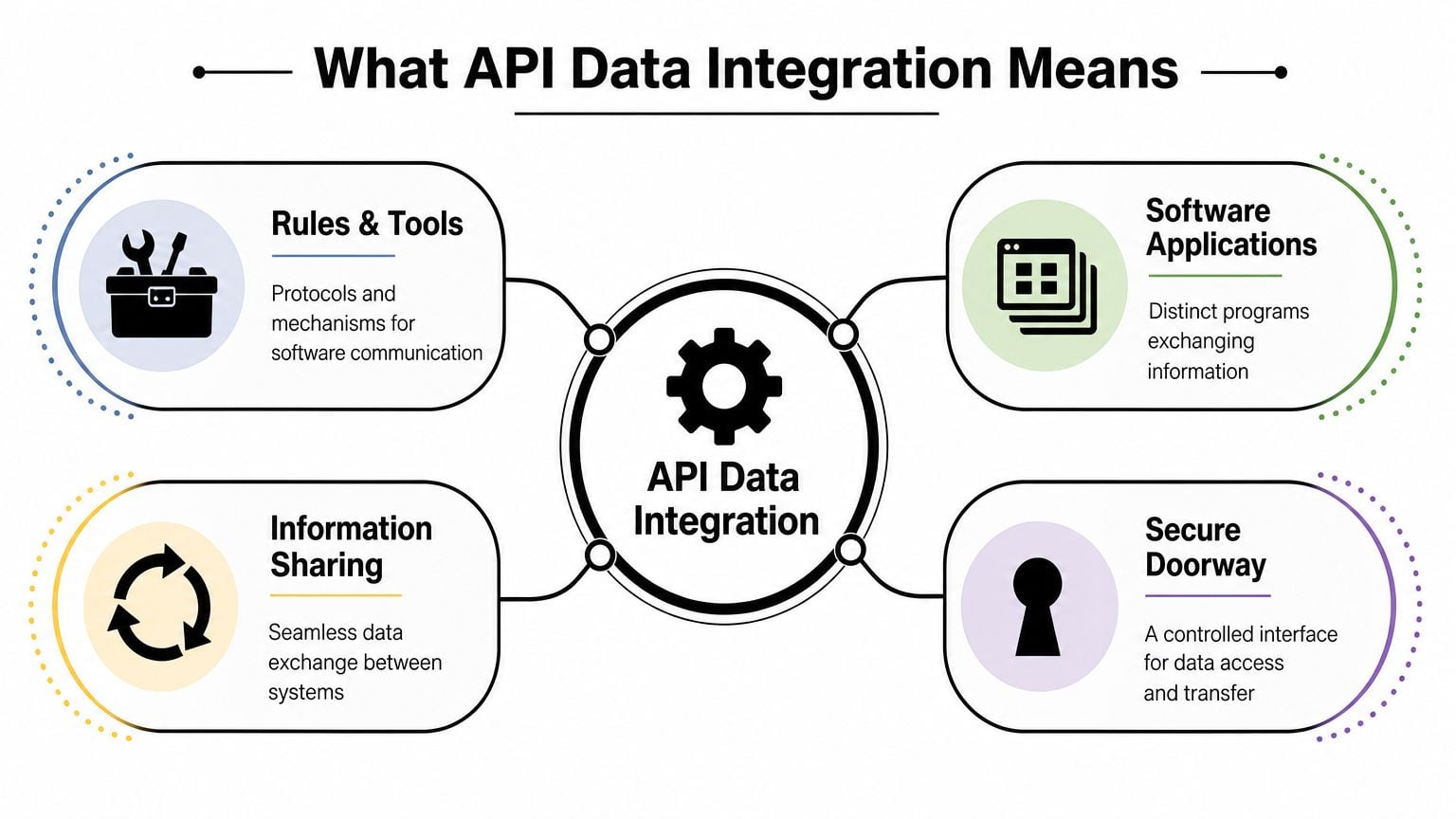
API data integration is the fix for that kind of operational leakage. In plain English, it's a way for software systems to exchange information automatically through defined rules. I usually explain it like this: each app speaks its own language, and the API is the agreed doorway where another app can ask for data or send an update. Integration is the translation layer that makes the exchange useful.
Practical rule: If a staff member copies the same data between tools more than once, that workflow is a candidate for integration.
For agency operations leaders, the payoff is simple. You reduce the number of handoffs that depend on memory, and you get reports that reflect what's happening now, not what someone had time to clean up yesterday.
What API data integration actually means for your operations
API data integration is not just a technical connector. In practice, it changes how work moves across the agency.
When two systems are integrated through APIs, one tool can push or pull specific information from another without waiting for a person to export a file. Your CRM can pass won deal details into your project system. Your calendar or time system can send work logs into reporting. Your finance stack can receive approved delivery data without another round of copying and checking.
Why this has become an operations issue
The scale alone explains why this matters. Organizations use an average of 897 applications, yet only 29% of those applications are integrated, and businesses generate more than 2.5 quintillion bytes of data per day, according to Peliqan's summary of MuleSoft's 2025 Connectivity Benchmark Report. That gap is why so many teams feel data-rich and insight-poor at the same time.
For an agency, you don't need hundreds of apps to feel the pain. A CRM, project platform, finance tool, calendar, BI layer, and a few client systems are enough to create confusion if they don't sync well.
The shift usually happens when ops leaders stop asking, “Can these tools connect?” and start asking, “Which process should move automatically, and which system should own each field?”
What changes after you connect the right systems
The biggest operational change is that reporting stops being a collection exercise.
Before integration, your team does this:
- export from HubSpot or Salesforce
- clean names in Sheets
- check hours in a second tool
- ask finance for invoice status
- patch the gaps by Slack message
After integration, the same workflow can run with far less manual effort because systems pass updates in the background and reports pull from synced data.
That doesn't mean every report becomes perfect overnight. It means you spend less time building the dataset by hand, so leaders can spend more time deciding what to do with it.
If your team is also looking at the wider automation picture, workflow automation in agency operations is the next logical topic because integration is often the plumbing that makes automation reliable.
Good integration cuts admin work, but the larger win is trust. When people trust the numbers, they stop running side spreadsheets.
Common architectures and when to use them
Not all integrations are built the same way. Non-technical leaders often get stuck, because vendors talk in product language while the underlying issue is operational design.
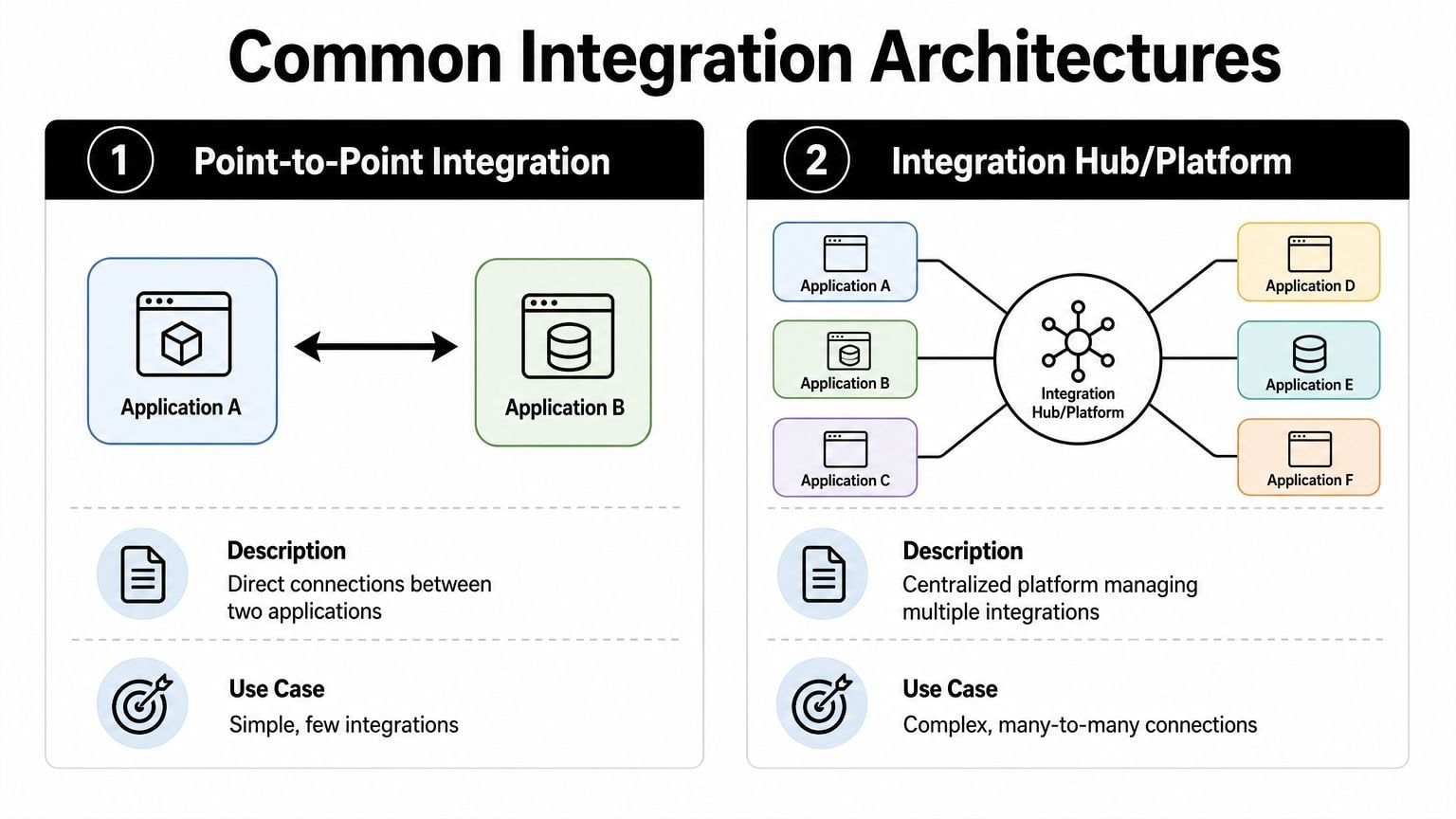
The simplest way to think about it is flights. You can book a direct flight between two cities, or route traffic through a central hub. Both work. The right choice depends on how many places you need to connect, how often plans change, and how much complexity your team can manage.
Point-to-point connections
A point-to-point integration links one app directly to another. CRM to project tool. Calendar to timesheet app. Finance system to BI dashboard.
This approach is attractive because it's quick to understand and often quick to launch. If your agency has one painful workflow and two cooperative systems, direct integration can be enough.
It becomes messy when you add more apps.
- Pros. Fast setup for a narrow use case, simple logic, lower upfront effort.
- Cons. Harder to maintain at scale, logic gets duplicated, and every new system adds more dependencies.
- Best fit. A small number of stable connections where the process is unlikely to change much.
A lot of agencies start here, and that's fine. The problem starts when five direct connections turn into fifteen and nobody can explain what breaks if one field changes.
Hub-and-spoke or iPaaS setup
A hub-and-spoke model connects each system to a central platform that handles routing, mapping, and often monitoring. This is the model many integration platforms use.
For a growing agency, this setup usually ages better because you manage logic in one place instead of scattering it across custom scripts and one-off automations. If a field name changes in one source system, you can often update that centrally rather than touching multiple downstream connections.
“Simple first” is good advice for a pilot. It's bad advice if it leaves you with a pile of unmanaged automations a year later.
A hub model makes sense when you need to connect sales, delivery, time tracking, finance, and reporting in a way that other teams can understand and support. If you want a sense of the broader ecosystem of connected tools agencies rely on, project management integrations for delivery teams gives a practical view.
The decision in plain terms
Here's the trade-off most operations leaders need:
| Option | Best when | Main risk |
|---|---|---|
| Point-to-point | You need one or two direct workflows live quickly | Maintenance grows fast as more tools are added |
| Hub or iPaaS | You want shared logic, visibility, and easier scaling | More setup discipline upfront |
If you run a mid-sized agency with several core systems, I'd usually lean toward a central integration layer unless the need is entirely isolated.
API integration vs ETL and ELT
Ops leaders often hear these terms in the same meeting and assume they mean the same thing. They don't.
API integration is usually about moving a specific event or record between systems so work can continue. ETL and ELT are usually about collecting larger volumes of data into a warehouse or analytics environment so you can analyze patterns over time.
Think transactions versus analysis
If a deal closes and you want a project created right away, that's an API integration job.
If finance wants to compare years of project margin, client retention, and staffing patterns in one reporting model, that's where ETL or ELT usually comes in.
The difference is less about technology labels and more about timing and purpose. One keeps operations moving. The other supports deeper reporting and planning.
API integration vs. ETL/ELT key differences
| Characteristic | API Data Integration | ETL/ELT |
|---|---|---|
| Main purpose | Keep apps in sync and trigger actions | Prepare and centralize data for analysis |
| Timing | Often real-time or near real-time | Often batch-based or scheduled |
| Typical output | A created record, status update, or triggered workflow | A cleaned dataset in a warehouse or reporting layer |
| Best use case | Operational handoffs between tools | Historical analysis and cross-system reporting |
| Example in an agency | Create a project when a sale closes | Analyze profitability trends across clients and years |
Why agencies often need both
This isn't an either-or choice. Many agencies need API-based workflows for day-to-day execution and a data pipeline for board reporting, profitability analysis, or forecasting.
A common pattern looks like this:
- Operational sync keeps systems current during the day.
- Batch reporting flows pull data into a warehouse or dashboard for broader analysis.
- Finance and ops use the same core fields, but for different decisions.
- Leadership gets fewer arguments about where the numbers came from.
If your reports always lag because the data only comes together at month-end, you may need both layers, not just more dashboard work.
A practical roadmap for implementation
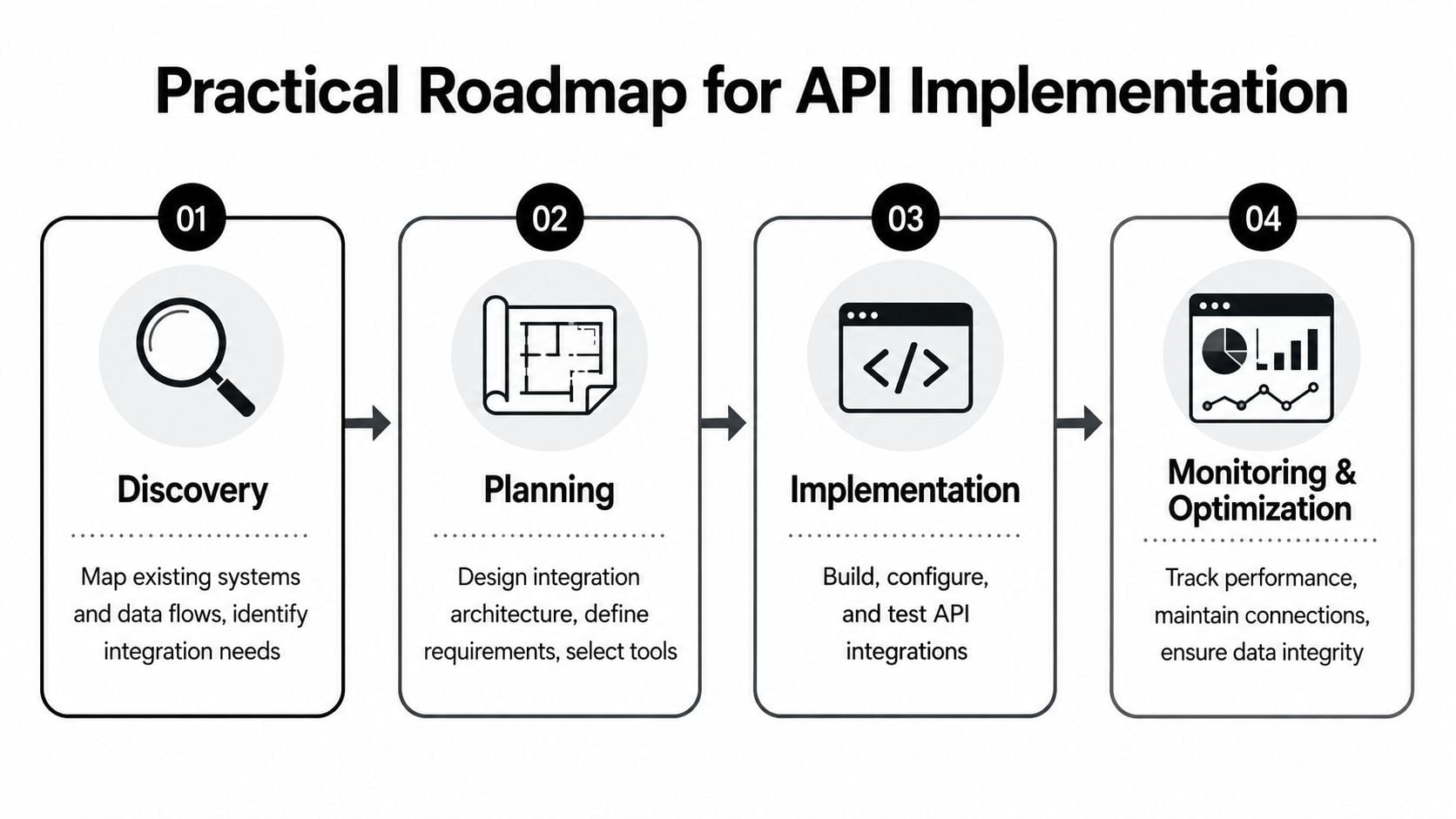
Most integration projects fail because teams start with tools before they start with process. A better approach is to begin with one painful workflow, define the handoff clearly, and only then pick the method.
Phase one: discovery
Don't map every system in week one. Start with the workflow that wastes the most management time or creates the most reporting doubt.
Look for work that meets at least two conditions:
- It happens often. Repeated manual work gives you a quick return.
- It crosses teams. Sales to delivery, delivery to finance, or calendar to reporting are common examples.
- It creates errors when delayed. Project setup, billing status, and time categorization all fit.
- It affects leadership reporting. If executives ask for the same reconciled report every week, that's a signal.
Write down three things only: the trigger, the data fields that matter, and the system of record for each field.
Phase two: strategy and tooling
This is the build-versus-buy decision, and it often matters more than anticipated. According to Nexla's guide to API data integration, custom connectors give you control, while middleware or an iPaaS can reduce maintenance burden and improve schema consistency, which matters if you want to reuse data across reporting, BI, and AI work.
That advice matches what I see in agency environments. Custom code can work well when the process is unique and you have technical ownership. A platform is often the better call when the workflow spans several common SaaS tools and the ops team needs visibility.
A quick decision filter:
| If your situation looks like this | Lean toward this |
|---|---|
| One unusual system, custom business rules, strong developer support | Build |
| Multiple common SaaS tools, frequent reporting needs, limited engineering time | Buy |
| You expect field mappings to change often | Buy or centralize |
| The integration feeds BI or AI use cases later | Favor consistency over short-term speed |
If time data is part of the workflow, reviewing a concrete API model helps. TimeTackle's time tracking API is a useful example of how teams can pull or update time records as part of a broader reporting setup.
Phase three and four
Pilot one workflow before you expand. A good first pilot is narrow but visible, such as creating a project from a closed deal or syncing approved time data into a reporting layer.
Then put governance around it:
- Name an owner for each integration.
- Document key fields and which system owns them.
- Set alerting rules so failures don't sit unnoticed.
- Review changes whenever a vendor updates fields, authentication, or permissions.
The first integration should solve a real problem. The second should prove you can run integrations as an operating discipline, not a one-time fix.
Security, performance, and common pitfalls to avoid
A working integration is not the same as a reliable one. This is a common struggle for many teams. The workflow looks fine in a demo, then six months later a token expires, a field changes, or an API limit gets hit during a busy period.
The hidden cost grows with every new connection. Chift's overview of API integration challenges notes that maintenance gets more expensive as connected systems increase because API changes, authentication updates, and schema drift create ongoing work. It also points to versioning and rate limiting as recurring burdens.
Four areas to watch closely
- Security first. Give each integration only the permissions it needs. If one tool only needs project names and IDs, don't grant broad access to everything else.
- Performance limits. APIs often control how many requests an integration can send. If you ignore that, syncs can slow down or stop.
- Error handling. Decide what should happen when a request fails. Retry logic, alerts, and logs save a lot of pain later.
- Maintenance ownership. Someone must own field mapping, authentication reviews, and vendor change notices.
The most common agency mistakes
The pattern is usually not technical incompetence. It's operational neglect.
Teams often make these choices because they're trying to move fast:
- They let every department build its own one-off automation.
- They skip field standards, so “client name” means different things in different tools.
- They don't track failures until a report looks wrong.
- They assume the setup work ends once the integration goes live.
That last one causes the most trouble. Integrations are living systems. Vendors update APIs. Permissions change. Internal processes change too. If nobody budgets for upkeep, reliability erodes until trust disappears.
If a report depends on an integration, then the integration is part of your operating system. Treat it that way.
Putting it all together with real-world agency examples
Let's make this practical with two agency workflows.
Example one: from closed deal to live project
A sales team marks an opportunity as “Closed Won” in Salesforce. That event triggers an API-based workflow. The integration creates a new project in Asana, assigns the delivery owner, copies across the client name, budget reference, scope summary, and target dates, then posts a note back to the CRM.
This kind of setup removes a lot of invisible delay. Sales doesn't need to wait for ops to retype deal details. Delivery doesn't start from a blank project. Finance can work from the same reference fields later because the handoff happened in a structured way.
The detail that often gets missed is format consistency. If one system stores a client code one way and another stores it differently, reporting breaks later even if the project got created correctly.
Example two: calendar activity into reporting and profitability views
Your team is already doing the work in calendars, client calls, internal reviews, and project sessions. Instead of asking everyone to rebuild that history manually in weekly timesheets, an agency can use calendar-driven capture and move that data into its reporting setup.
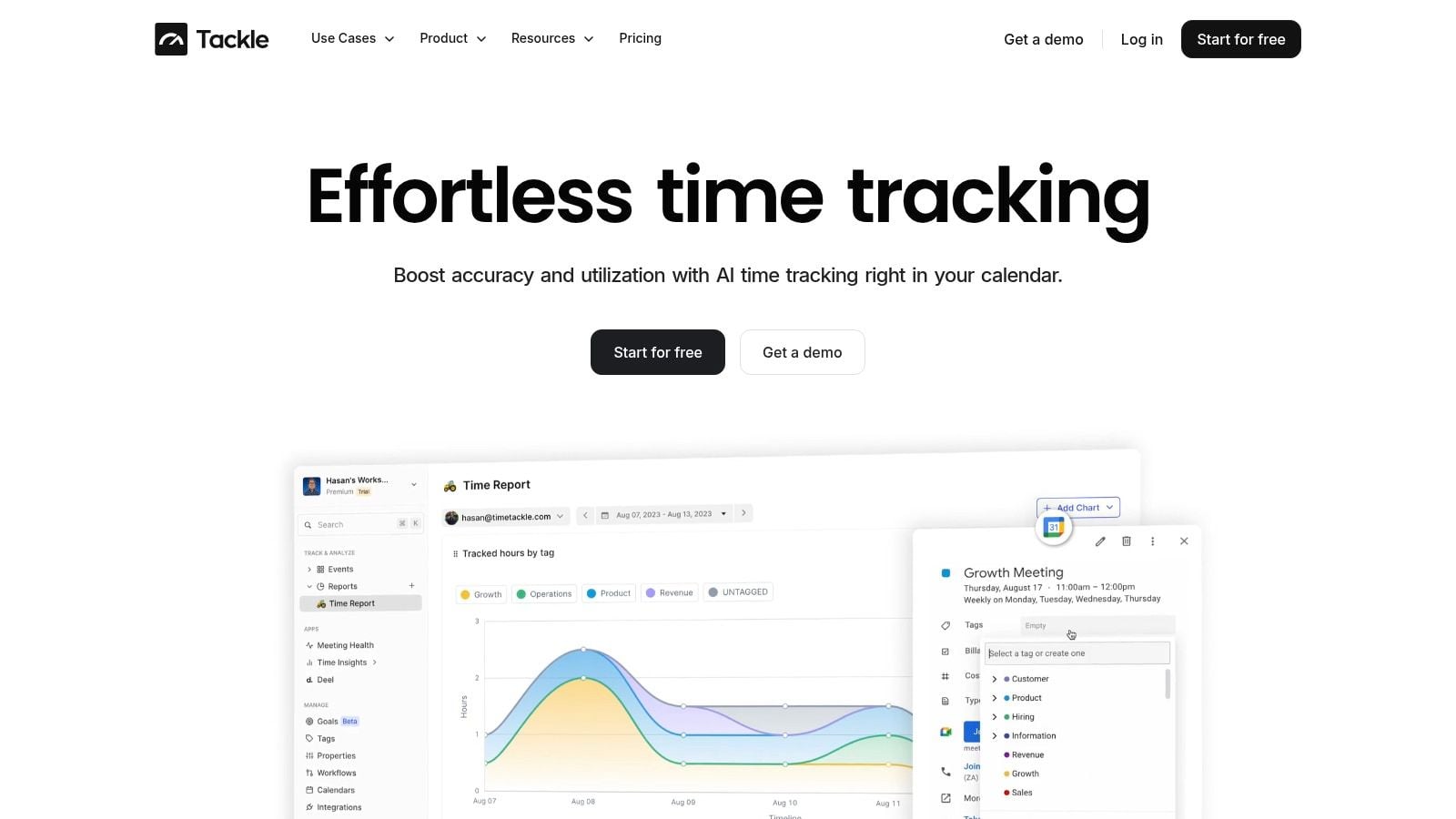
One option is TimeTackle, which connects calendar activity with time tracking and reporting workflows. In an agency setup, that data can be exported or synced into downstream systems for utilization, client effort, and profitability analysis without relying on end-of-week reconstruction.
This is where design quality matters. Theneo's guidance on integration resilience recommends a standardized data exchange layer to normalize formats before downstream processing, which reduces schema mismatch errors and improves monitoring across flows. In plain English, that means you don't want every destination system interpreting raw source data differently.
A simple pattern works well:
- Capture activity in one structured format
- Normalize fields before sending them onward
- Push the cleaned data into sheets, BI tools, finance workflows, or a warehouse
- Monitor failures in one place instead of guessing where the mismatch happened
That's how API data integration becomes more than plumbing. It becomes a cleaner way to run the agency.
If your team wants to reduce timesheet fatigue and get cleaner operational reporting, TimeTackle is worth a look. It connects calendar activity with time tracking data and gives ops teams a way to move that information into reporting workflows with less manual cleanup.


