Your team knows the drill. Friday afternoon arrives, project managers start chasing updates, and people try to rebuild a week from memory. A designer remembers the client call but forgets the revision loop. An account lead logs the workshop but skips the follow-up messages and internal handoff. A developer books time to the story, then someone else logs to the parent task, and now the report looks tidy but wrong.
That's why Jira time tracking frustrates so many agencies. The problem usually isn't that Jira lacks a time feature. It's that the typical manual process asks tired people to remember fragmented work after the fact. For agencies with mixed client work, meetings, ad hoc requests, and constant context switching, that method breaks down fast.
Jira can still be useful here. Its native tools give you a baseline, and if you configure them properly, you can get reliable issue-level reporting. But native setup alone won't fix timesheet fatigue. To get clean data, you need two things at once. First, a disciplined structure for estimates and worklogs. Second, a way to capture work that people would otherwise never record.
Why your agency is probably losing money with manual time tracking
The weekly timesheet scramble feels normal in a lot of agencies, but it's expensive. Professional services teams can miss 15–40% of billable hours when they rely on manual workflows, especially when work gets split across meetings, chat, research, quick edits, and task switching, as noted in Rize's review of Jira time tracking.
That number lines up with what operations teams see in practice. People don't ignore timesheets because they're careless. They skip them because the workday doesn't happen in one clean stream. It happens in fragments. Jira tickets only capture part of that picture, and end-of-week memory fills in the rest with guesses.
Jira Cloud already has native time tracking enabled by default, which means most agencies don't need to “turn on” the feature to start. The main issue is that they stop there. They assume availability equals adoption, then wonder why reports still feel soft.
If your agency bills by the hour, by retainer, or by blended delivery margins, weak time data turns into pricing mistakes. If you want a good parallel, legal teams have lived with this problem for years. This comprehensive guide on timekeeping for law firms is worth reading because it shows how quickly small gaps in logging turn into larger reporting and billing problems.
For agency leaders, the first fix is mindset. Stop treating missed worklogs as a compliance issue and start treating them as a workflow issue. The process is asking people to do too much reconstruction.
A few patterns show up almost every time:
- End-of-week logging fails: people remember the big blocks, not the fragmented work in between.
- Client-facing teams lose the most detail: calls, prep, follow-up, and internal coordination often disappear.
- Managers trust the report because it looks complete: a full spreadsheet can still be built on partial recall.
- Manual systems punish busy teams: the more context switching your team does, the less complete the timesheet becomes.
If this sounds familiar, it helps to compare your current process against other time tracking approaches for agencies. The common thread is simple. When logging depends on memory, data quality falls first, and margin follows after that.
“The best time tracking setup for Jira is the one that actually captures the hours your team works, not just the hours they remember to log.”
Setting up Jira's native time tracking the right way
A familiar agency pattern looks like this. Leadership turns on Jira time tracking, assumes the team will use it, and a month later the reports still do not explain where hours went. The problem is rarely the feature itself. The problem is a partial setup that leaves too much room for inconsistent logging.

Start with global settings
Jira Cloud includes native time tracking, but the defaults are not neutral. Admins can set hours per day, days per week, default units, and display formats such as “Pretty,” “Days,” or “Hours” in the Jira Cloud time tracking configuration documentation. Those choices shape estimates, worklogs, and every report your team reads afterward.
Agencies should standardize those settings before rollout. If account managers discuss effort in hours while finance reviews reports in days, small interpretation errors spread fast. The same issue shows up when one team logs in decimal hours and another expects day-based planning. You can work around that for a week or two. You cannot run margin reporting on it for long.
Permissions are just as important. Users need the right to log work, and admins need to confirm the setup with a normal user account instead of assuming the admin view reflects reality.
Then make time tracking visible inside the workflow
Many rollouts stall at this point. Native time tracking can be active at the instance level, but the Time Tracking field still has to appear on the issue types your team uses. If it is missing from Stories, Tasks, Bugs, or custom delivery items, people will conclude that Jira tracking time is unreliable when the underlying issue is configuration. Atlassian Community walks through that field-level setup in this Jira time tracking guide for 2025.
That gap matters more than teams expect. If logging is even slightly hard to find, people defer it. Once logging is deferred, recall drops and the numbers get cleaned up later from memory.
Use a simple setup check before training the team:
- Set global time rules: hours per day, days per week, format, and default unit.
- Confirm permissions: the people doing delivery can log work.
- Add the Time Tracking field to active issue types: not just the default ones.
- Test the workflow as a real contributor: open an issue, estimate it, log time, and verify the entry appears in reporting.
Practical rule: If logging time takes more than a few seconds to find and complete, adoption drops and data quality goes with it.
Set the structure before you ask for compliance
Configuration alone will not fix bad data. The issue structure has to match how agency work is delivered.
A single client task often contains strategy, copy, design, revisions, QA, and internal coordination. If all of that effort sits on one top-level item, Jira can still collect hours, but it will not give delivery leads or finance a clean view of where time is being spent. That is the hidden weakness of manual native tracking. It captures entries, not context, unless you design the workflow carefully.
The practical fix is to make sure work is broken into the units where people do it. Then estimates and logged time have a fair chance of matching reality. Jira's built-in reporting becomes more useful once that structure is consistent because teams can compare original estimates, revised expectations, and logged effort without trying to decode a lump of mixed work.
Native Jira time tracking can work. For smaller teams or lower-volume projects, it is often the right starting point. But it only works when the setup removes friction instead of adding another admin task to an already busy delivery day.
Mastering worklogs and estimates for accurate data
A common agency failure looks like this. The client wants to know why a campaign ran over budget. The Epic shows one total, the Story shows another, and half the team logged time wherever Jira was easiest to reach. Finance sees hours. Delivery sees confusion. Nobody sees the actual cost of the work.
That is the weakness of manual Jira time tracking. It can collect entries, but accuracy depends on people choosing the right issue level, keeping estimates current, and remembering to log fragmented work at the end of a busy day. If you want cleaner numbers from native Jira, start with issue-level discipline. If you want less manual cleanup later, use Jira for time tracking with less admin overhead.
Log time at the level where work actually happens
For agency delivery, that usually means the sub-task.
A Story like “Launch paid social campaign” is still too broad for reliable time data. It mixes different roles, different effort types, and different revision cycles. If people log everything to the Story, reporting gets vague fast.
A cleaner setup looks like this:
- Sub-task for creative production: the designer logs concepts, revisions, and export prep
- Sub-task for copywriting: the copywriter logs drafts, edits, and client change rounds
- Sub-task for campaign build: the media buyer logs setup, QA, and platform changes
- Sub-task for reporting setup: the analyst logs dashboard configuration and tracking checks
That structure helps in two ways. Delivery leads can see where the work expanded. Finance can separate labor by function instead of trying to interpret one blended time total.
Estimates only work if they stay alive
Agencies often treat the original estimate like a formality. Someone adds a number at kickoff, the scope shifts three times, and nobody updates the issue. Jira will still show a variance report, but the report is now comparing real work against an outdated guess.
The practical fix is simple. Estimate the sub-tasks, then revise those estimates when the scope changes. Do not wait until the end of the sprint or the end of the month. If a client adds another review round, if QA finds rework, or if internal coordination starts eating hours, update the estimate while the context is still fresh.
That is the trade-off with native Jira. It can show estimate versus actual clearly. It does not protect the estimate from becoming stale.
Why Epic totals mislead agency teams
Epics are useful for planning and client-facing scope. They are weak as the main place to judge time accuracy.
Jira does not automatically give many agencies the roll-up they expect at the Epic level across child issues. As a result, a project lead can open an Epic, see an incomplete picture, and assume the team failed to log time. Sometimes the actual problem is structure, not compliance. Atlassian users run into this often, as discussed in this Atlassian Community thread on Epic time tracking summaries.
Use this rule:
| Where you log | What you get |
|---|---|
| Sub-task | The clearest record of actual effort |
| Story or Task | Faster logging, weaker detail |
| Epic | Planning context, unreliable as the main logging level |
Log to the issue that owns the work, not the issue that looks cleanest in a status meeting.
Worklog habits that keep reports usable
Teams do not need a complicated policy. They need one they will follow on a busy client day.
Use these rules:
- Log daily: fragmented work is hard to reconstruct later
- Update estimates when scope changes: otherwise variance reports lose value
- Use one logging standard across roles: mixed habits create mixed data
- Review outliers weekly: unusually high or low entries usually point to a delivery problem, a setup problem, or both
When these habits stick, Jira reports become useful for planning, staffing, and margin review. When they do not, native tracking turns into after-the-fact admin work, and agency leaders start making decisions from partial data.
When native Jira tracking isn't enough
At some point, many agencies hit the same wall. They've configured Jira correctly. They've trained the team. They've pushed for cleaner worklogs. Yet the complaints keep coming, and the numbers still don't feel complete.
That's usually the point where native Jira time tracking stops being enough.
What native Jira does well
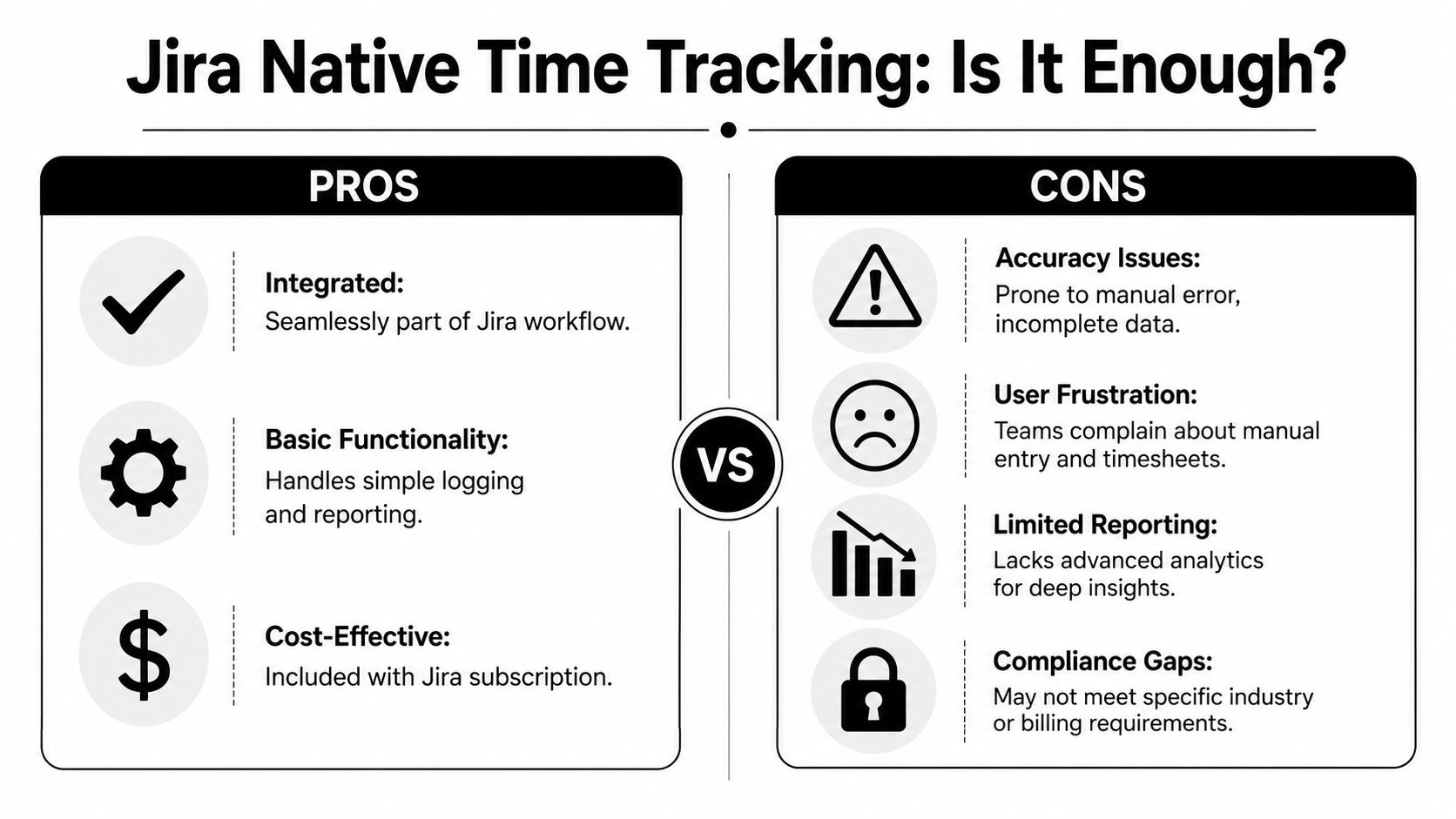
Jira's built-in tools work fine for basic needs. They're already in the workflow, they can compare estimates against actuals, and they give operations teams a shared source of issue-level effort. For some internal software teams, that's enough.
If your work is simple and your team has strong logging habits, native Jira may cover the basics. Marketplace tools then become optional rather than necessary.
Where the friction shows up
Agency work is rarely simple. People move between tickets, meetings, approvals, research, and client communication all day. Native Jira still expects someone to come back and log that effort. That creates the same old problem in a cleaner interface.
The trade-off looks like this:
- Native Jira: low extra cost, basic reporting, but heavy dependence on user discipline
- Marketplace add-ons like Tempo: more structure, more reporting depth, more planning features, but still often built around manual worklogs
- External automation tools: less worklog friction, broader capture, but a different operating model
A tool like Tempo is often the next step because it gives teams deeper Atlassian-based timesheets, planning, and reporting. For agencies that want to stay inside Jira, that can be a sensible upgrade. But it still doesn't fully remove the burden of manual entry. It mostly makes manual entry easier to manage.
If you're evaluating options, this overview of Jira for time tracking is useful because it frames the decision around workflow fit rather than just features.
The warning signs are easy to spot
You don't need a formal audit to know native tracking is under strain. Watch for these symptoms:
- People log in batches: reports get filled late, often right before review meetings.
- Managers question every variance: the team spends more time defending data than using it.
- Epic-level reporting disappoints: parent views don't match the actual effort below them.
- Timesheet complaints never go away: the process keeps feeling like admin work, not operational control.
If your process needs constant reminding, it isn't a reporting problem. It's a design problem.
That's the core limitation of native Jira. It can store time data well enough. It just doesn't solve the human problem of getting complete, timely, low-friction input.
The modern fix for Jira time tracking: automation
The biggest shift in Jira tracking time isn't another worklog field or another timer button. It's the move away from asking people to remember everything. Users have been asking for tools that track time automatically, including by status or with less repetitive logging, in Atlassian Community discussions and on Reddit, where the broader trend points toward AI-driven automatic capture rather than purely manual worklogs in this Reddit discussion on Jira time tracking.
That shift makes sense because the manual model fails at the same point every time. It asks the person doing the work to stop the work, classify the work, and record the work with enough accuracy for billing and planning. In agency environments, that's a poor bet.
Connect, capture, categorize
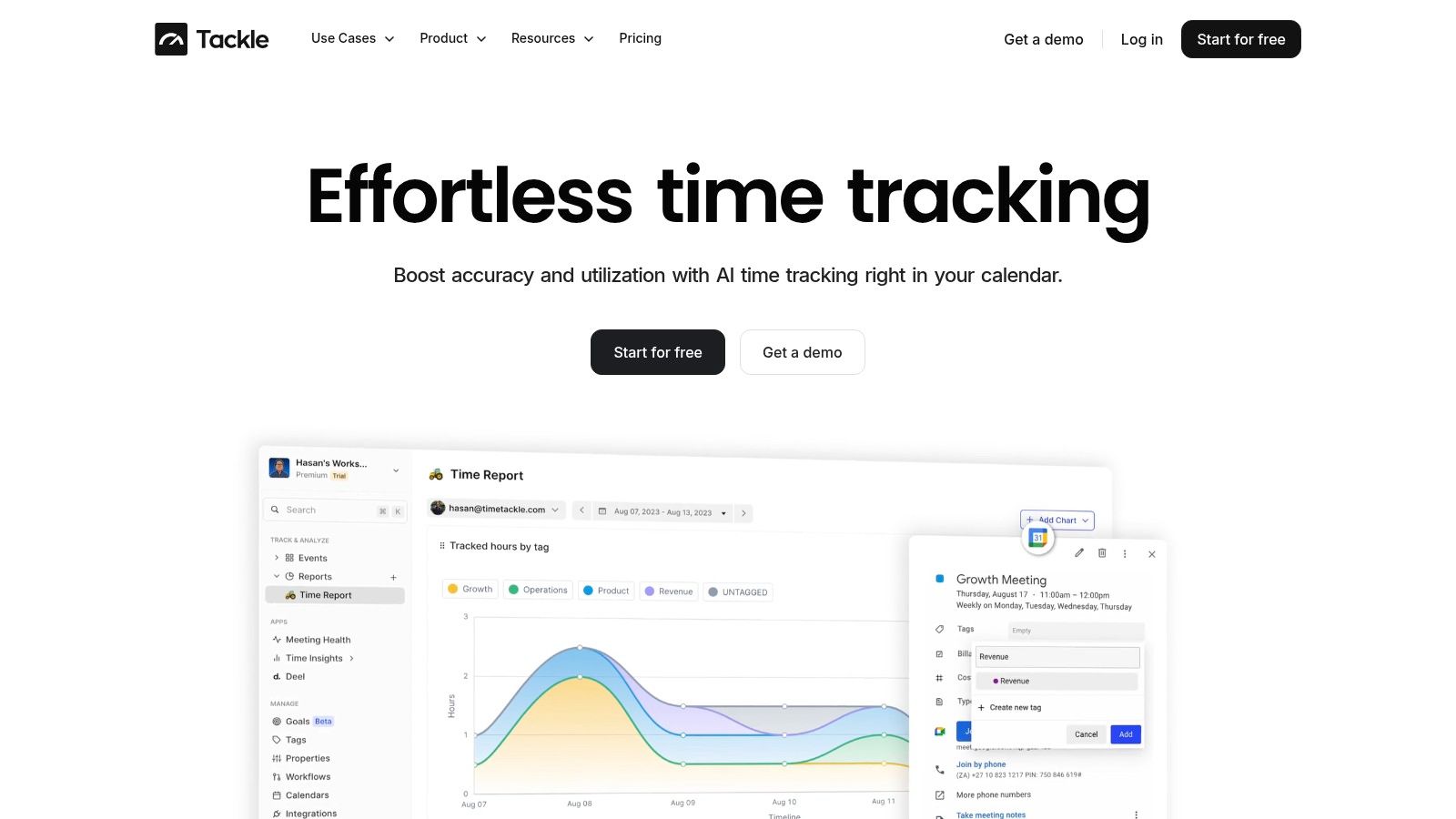
A better workflow starts outside the issue screen. For many client-service teams, the calendar is the closest thing to a daily system of record. Meetings, check-ins, workshops, reviews, and internal handoffs already live there.
The modern process is simple:
- Connect the source systems: usually Google Calendar or Outlook, sometimes CRM data too.
- Capture activity automatically: bring in the events and work patterns people would never type by hand.
- Categorize with rules or AI: map activities to projects, clients, and types of work.
- Review and approve: keep human control before anything syncs into billing or delivery records.
- Push approved time into Jira: send cleaner entries into the right issues instead of reconstructing the day from memory.
This model doesn't remove judgment. It removes repetitive recall.
Why calendar-first tracking works better for agencies
Most agencies don't lose time on long production blocks. They lose it on the edges. The pre-call prep. The internal debrief. The “quick” Slack-driven change. The status review that turns into fifteen follow-up actions.
Manual Jira worklogs miss that edge work because nobody wants to stop six times an hour to update tickets. Automated capture closes that gap by collecting the day first, then letting the team sort and approve it.
That idea also fits a larger operations pattern. If you're reworking approvals, routing, reporting, and handoffs across your business, this business process automation guide gives a useful lens for thinking about where manual admin should end and automation should begin.
What automation does not fix
Automation isn't magic. If your Jira issue structure is chaotic, automatic capture can still land in the wrong place. If your billing rules are unclear, cleaner input won't solve policy confusion. And if leaders use time data to police individuals instead of improving delivery, adoption will suffer.
Use automation for accuracy and less admin, not for surveillance.
A strong model usually includes:
- Clear project and client taxonomy: naming has to be consistent.
- Approval before sync: managers and team members still need a review step.
- Rules for recurring work: recurring meetings and common task types should map cleanly.
- A privacy stance people can trust: if the tool feels invasive, teams will resist it.
For agencies that have already tried to “coach” their way out of timesheet fatigue, automation is often the first real fix because it changes the workflow instead of demanding better memory.
Building dashboards that actually drive decisions
Friday afternoon is when weak time data shows up. An account lead asks whether a retainer is still profitable, delivery wants to know who can absorb a rush project, and finance needs a clean read on where senior hours went. If your Jira dashboard only reflects whatever people remembered to log, you get a tidy report and a bad decision.
That is the core problem with manual Jira tracking. The issue is not that Jira lacks charts. The issue is that agencies often build dashboards on partial input, then expect those dashboards to guide staffing, pricing, and scope control.
Jira gives you a starting point. Its time tracking supports manual worklogs, calendar-style visualization, and list-view tracking, and it can generate reports for a selected project or saved filter, according to this overview of Jira time tracking reports. That can support useful reporting if the underlying entries are complete enough to trust.
Start with the questions, not the gadgets
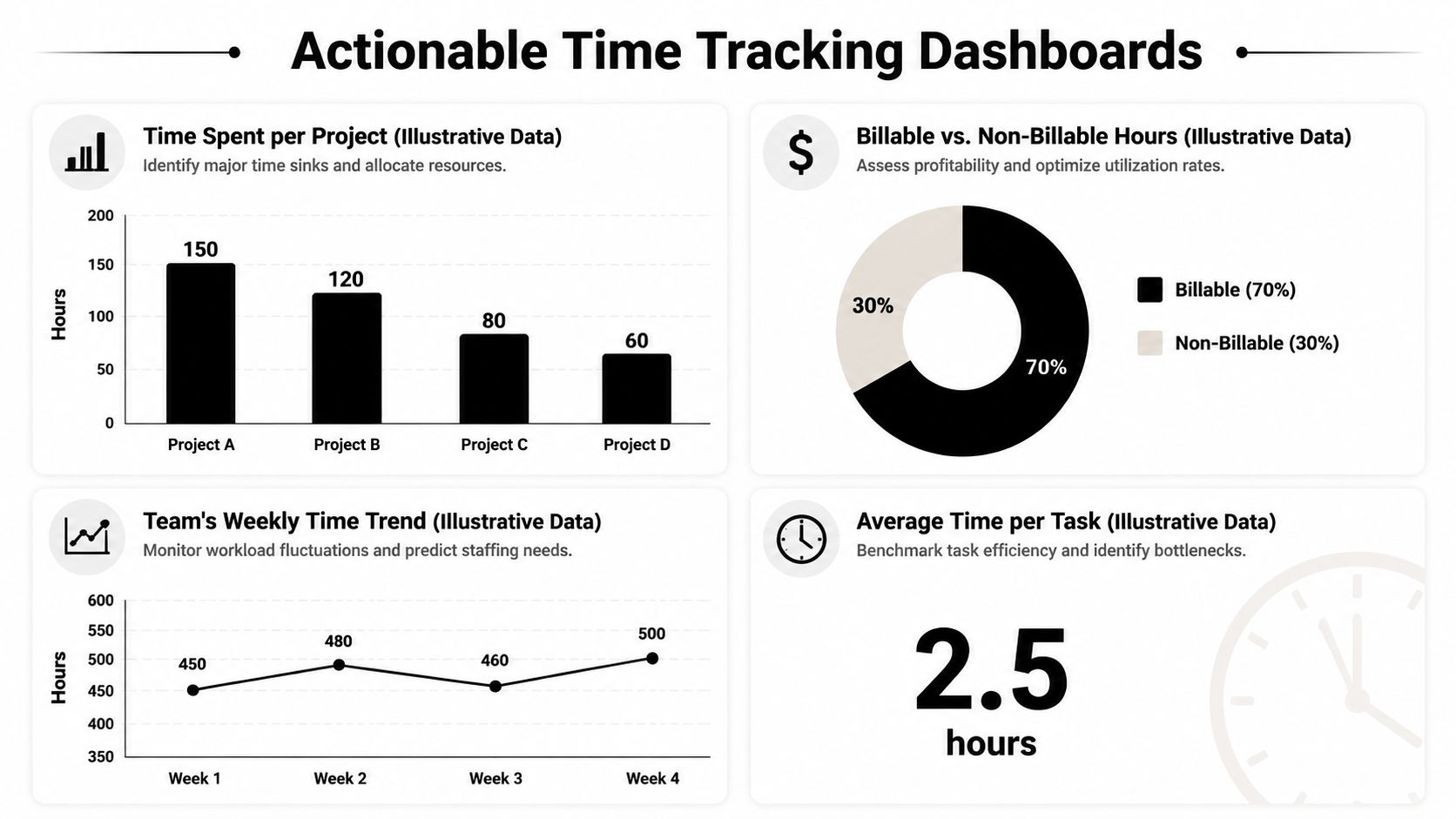
Dashboards fail when teams start with widgets instead of decisions. Pick a short list of management questions first, then build views that help answer them fast.
Good examples include:
- Which projects are overrunning estimates: use the Time Tracking Report and issue filters.
- Where is effort concentrated: use pie or list views by assignee, parent, or category.
- What kind of work fills the week: compare project delivery against internal and client service load.
- Which teams are overloaded: watch trend lines over time, not just one reporting period.
If you automate reporting, keep the outputs readable and limited to what managers will review. This piece on understanding report automation benefits and pitfalls is useful for that reason. It explains a trade-off I see often in agencies. Automation saves time only when it produces a dashboard someone uses to act.
What better input makes possible
When Jira issue data is combined with cleaner captured activity, the dashboard becomes far more useful. You can see more than hours attached to tickets. You can track effort by client, delivery type, team, and time period with fewer blind spots from missed worklogs.
That changes the management conversation.
| Business question | Dashboard view that helps |
|---|---|
| Are we pricing retainers correctly? | Time by client and work type |
| Which accounts need staffing changes? | Weekly workload and utilization trends |
| Where are senior people doing low-value work? | Time split by role and task category |
| Which delivery stage creates the most variance? | Estimate versus actual by issue grouping |
For teams refining the layout and cadence of those views, these performance dashboard examples for operations and management reporting are a useful reference.
A dashboard should help someone make a staffing, pricing, scope, or workflow decision. If it cannot do that, it is just stored reporting.
Keep the review loop tight
The best dashboard routine is boring on purpose. Review a small set of metrics every week. Review a deeper set monthly for margin, utilization, and scope control. Teams do not need twenty tiles on a screen. They need a few signals they trust.
A useful review loop often includes four checks:
- Estimate variance: where planned work and actual effort diverged
- Team distribution: who carries the load, and where work gets stuck
- Client mix: which accounts absorb non-billable effort
- Trend movement: whether the same problem repeats or improves
Better dashboards reveal why manual time tracking keeps falling short for agencies. They are not about prettier reporting. They give leaders enough confidence to change staffing before burnout hits, fix pricing before margin slips further, and catch workflow waste while there is still time to correct it.