


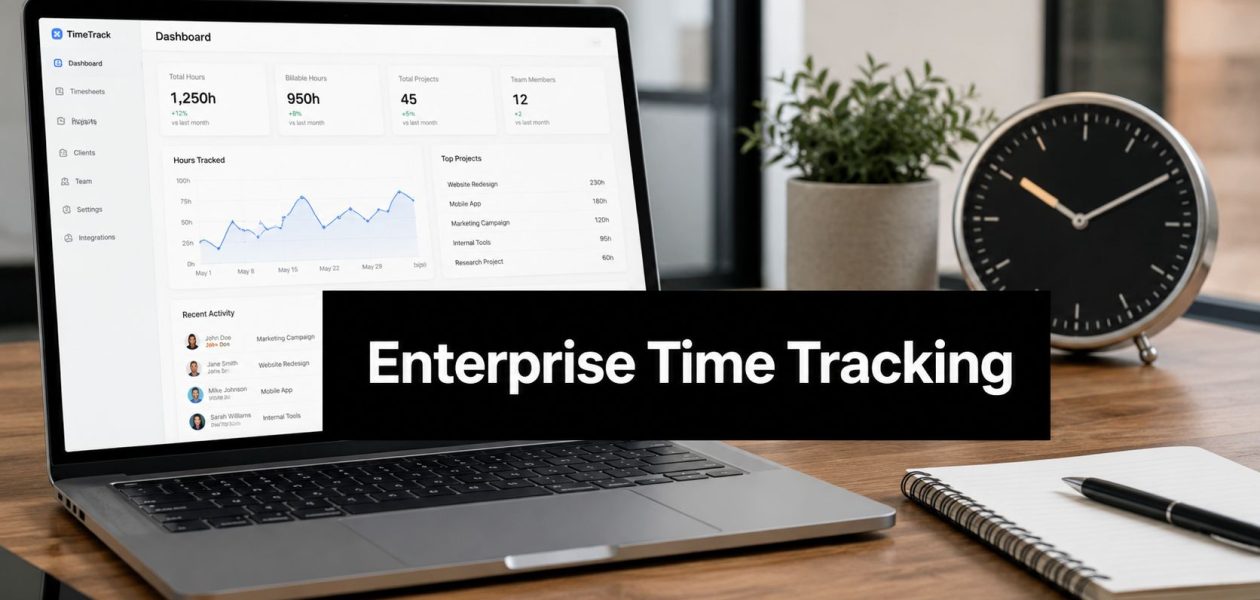
Friday afternoon is when bad time tracking systems show their true cost.
The work is done. Client calls are over. Delivery leads want next week's staffing plan. Finance wants clean numbers for billing. Instead of doing any of that, operations is still chasing people for missing entries, correcting vague notes like “project work,” and trying to turn half-remembered hours into something an invoice can survive.
That pattern gets expensive fast. Not only because billing slips, but because every downstream decision gets weaker. Forecasts rely on rough estimates. Utilization reports stop being trusted. Team leads can feel overload building, but they can't prove where capacity went.
That's why this category keeps expanding. The global time tracking software market is projected to grow from $3.94 billion in 2025 to $18.17 billion by 2035, at a 16.52% CAGR, driven by remote work adoption and demand for productivity analytics, according to Market Research Future's time tracking software market report. Buyers aren't adding one more admin tool. They're trying to fix a reporting problem that touches revenue, planning, and team health.
Your week is drowning in timesheet reminders
I've seen the same loop in agencies over and over. Monday starts with good intent. People mean to log time as they go. By Wednesday, delivery gets busy, meetings pile up, and tracking slips. On Friday, someone in ops sends the first reminder. A few hours later, there's another one. Then one more on Monday morning because payroll, billing, or client reporting can't move without it.
The damage isn't dramatic. It's cumulative. A strategist forgets the prep work behind a client call. A consultant rounds down internal coordination because it feels too small to log. A creative lead dumps eight hours into a single bucket because nobody wants to reconstruct the week from memory.
What manual tracking breaks first
Manual timesheets usually fail in the same places:
- Billing accuracy drops: If the record is built from memory, billable work gets missed or grouped too broadly to defend in front of a client.
- Forecasting gets soft: Resource planning for next month turns into opinion because historical data isn't detailed enough to trust.
- Managers lose margin visibility: Teams may feel busy, but nobody can clearly see which accounts are efficient and which ones eat time.
- Staff get annoyed: Repeated reminders turn time tracking into a compliance fight instead of a useful habit.
Practical rule: If your system depends on people remembering the last five days in detail, your data is already compromised.
There's also a human cost. Timesheet fatigue is real in agencies because the burden lands on people who are already context-switching all day. Designers, account managers, consultants, product leads, they don't need another end-of-week task that asks them to rebuild their calendar from scratch.
That's where enterprise time tracking software earns its place. The point isn't stricter enforcement. The point is replacing weak recall with better capture, then turning that captured activity into data leaders can use.
What better looks like
A stronger setup gives you cleaner records without adding friction. Calendar events, client meetings, internal reviews, and delivery work become the raw material for time entries, so people edit and confirm instead of starting from a blank sheet. That one shift changes the conversation. Less chasing. Better billing. More useful reporting.
What enterprise time tracking software really is
A lot of teams still hear “time tracking” and think of a digital punch clock. That's the wrong frame for agency and services work.
Enterprise time tracking software is a management system, not a stopwatch. It connects time to clients, projects, meetings, delivery stages, and financial outcomes. A basic timer can tell you that someone spent two hours on something. An enterprise system should tell you what that time was tied to, whether it was billable, how it affected project margin, and who needs that view.
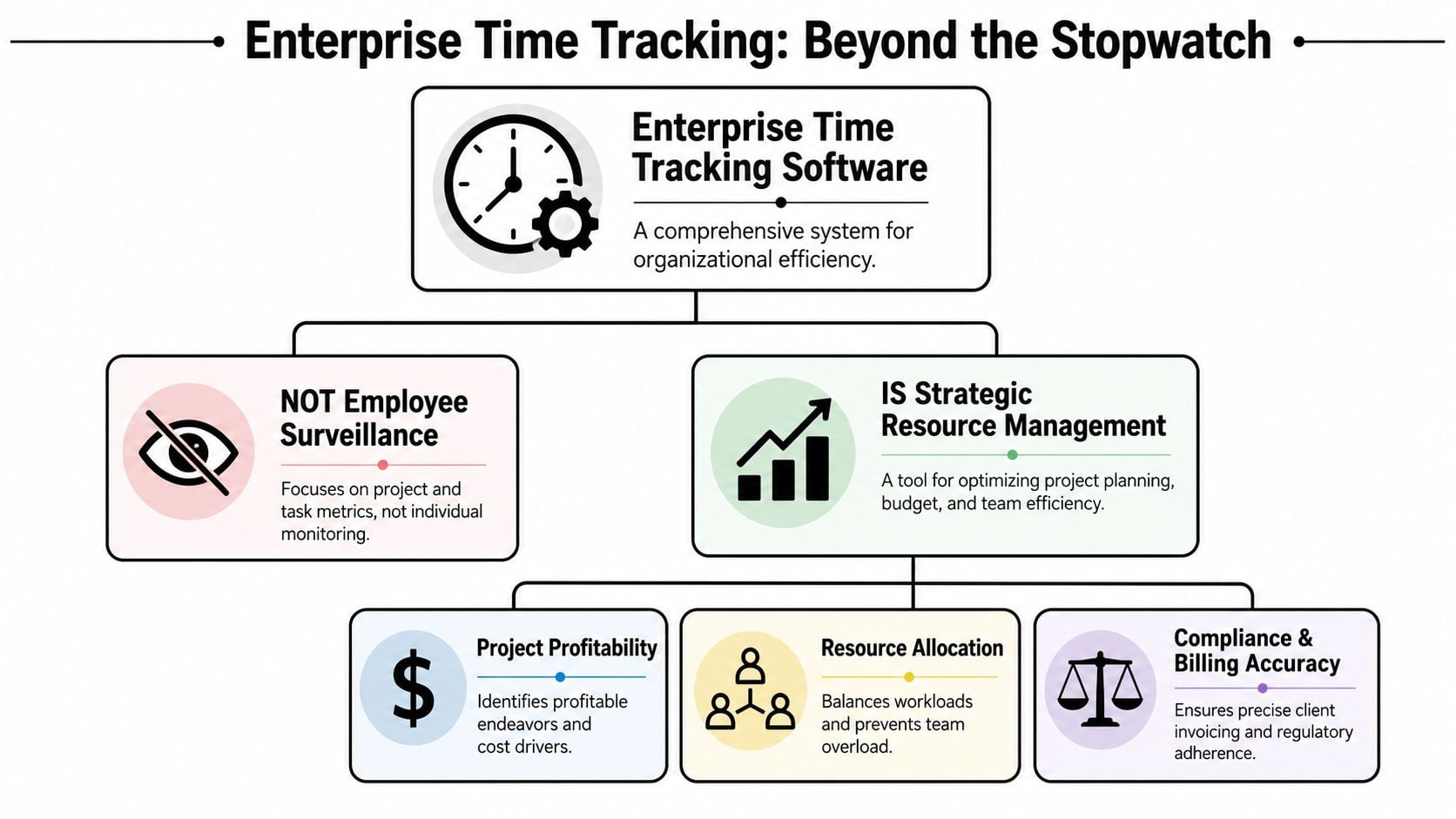
It's about operations, not watching people
The best systems reduce friction first. That matters because adoption falls apart when logging time feels like punishment. Companies using modern time tracking report a 35% increase in productivity, 70% of employees using mobile apps feel more accountable for their time, and AI time tracking reduces administrative task time by 50%, according to Breeze's time tracking statistics roundup.
Those numbers make sense in practice. When software removes manual entry, people stop treating timesheets as a separate chore. They review, tag, and approve work that the system already detected.
Here's the primary distinction:
- Basic tools record duration: Start timer. Stop timer. Hope the person remembers to categorize it later.
- Enterprise tools capture context: Meeting title, client, project, owner, team, tags, billing status, approval path.
- Manual systems ask for reconstruction: People guess after the fact.
- Automated systems start from evidence: Calendar activity and connected tools provide the first draft.
Time data becomes useful when it explains work, not when it merely counts hours.
Why calendar-based capture changes the game
Calendar-based automation is one of the cleanest fixes for timesheet fatigue because meetings already structure a large share of agency work. Sales calls, internal reviews, client workshops, handoffs, standups, planning sessions. Those events exist whether or not anyone fills out a timesheet.
A modern system can pull that activity in, suggest categories, and route it to the right client or initiative. That doesn't remove human judgment. It removes blank-page entry. People still need to review what belongs where, but they're editing a record instead of inventing one from memory.
That's what makes the “enterprise” part matter. At larger scale, time tracking isn't just data entry. It's the business intelligence layer that helps leaders decide staffing, pricing, scope, and delivery priorities.
Key capabilities that matter for large teams
Once a team crosses into real complexity, simple timers stop being enough. The problems change. You're not only asking, “Did people log hours?” You're asking whether the data can support billing, planning, manager visibility, and finance review without constant cleanup.
Four capabilities separate true enterprise time tracking software from lighter tools.
Automated activity capture
This is the first filter I use. If the platform still depends on users building every entry manually, expect low adoption and weak data quality.
Calendar sync matters because it catches the work that people forget to log. Chrome extensions can help with browser-based work. Rule-based tagging helps map recurring meetings, client names, or project codes to the right buckets. AI suggestions can speed categorization, but they need review controls.
What works is simple. The system drafts the entry, then the user confirms it.
What doesn't work is total automation with no review layer. That creates false confidence and bad billing records.
Reporting that answers real questions
A large team doesn't need more dashboards. It needs reports that answer specific operating questions.
Can the delivery director see time by team and client? Can finance split billable from non-billable without exporting raw logs into a spreadsheet cleanup exercise? Can account leads compare planned effort against actuals for a single account without asking ops for a custom report every week?
Useful reporting usually needs these views:
- Client-level reporting: For invoice support, profitability review, and scope control.
- Project-level reporting: For burn tracking, overruns, and staffing decisions.
- Team-level reporting: For utilization and workload review.
- Activity-level reporting: For finding hidden admin time, heavy meeting load, or recurring inefficiencies.
If reporting can't be filtered and saved in ways different teams need, you'll end up rebuilding the same analysis outside the tool.
Permissions that match how companies actually run
This one gets ignored until rollout starts.
Managers rarely need access to company-wide financial data. Finance doesn't need every internal note from delivery. Team leads should see their team's records and maybe cross-functional project detail, but not executive-level billing settings. Strong permission design keeps the system usable because each group sees what matters to them.
Look for role-based access that handles:
- Department boundaries
- Approval rights
- Client confidentiality
- Billing and rate visibility
- Executive reporting access
Scale without friction
Some tools look fine with twenty users and turn messy with a hundred. Reporting slows down. Approval flows get awkward. Data structures break when one client has multiple service lines and shared contributors.
Selection test: If a platform can't handle messy reality, it won't survive a quarter in an agency with shared teams and changing account structures.
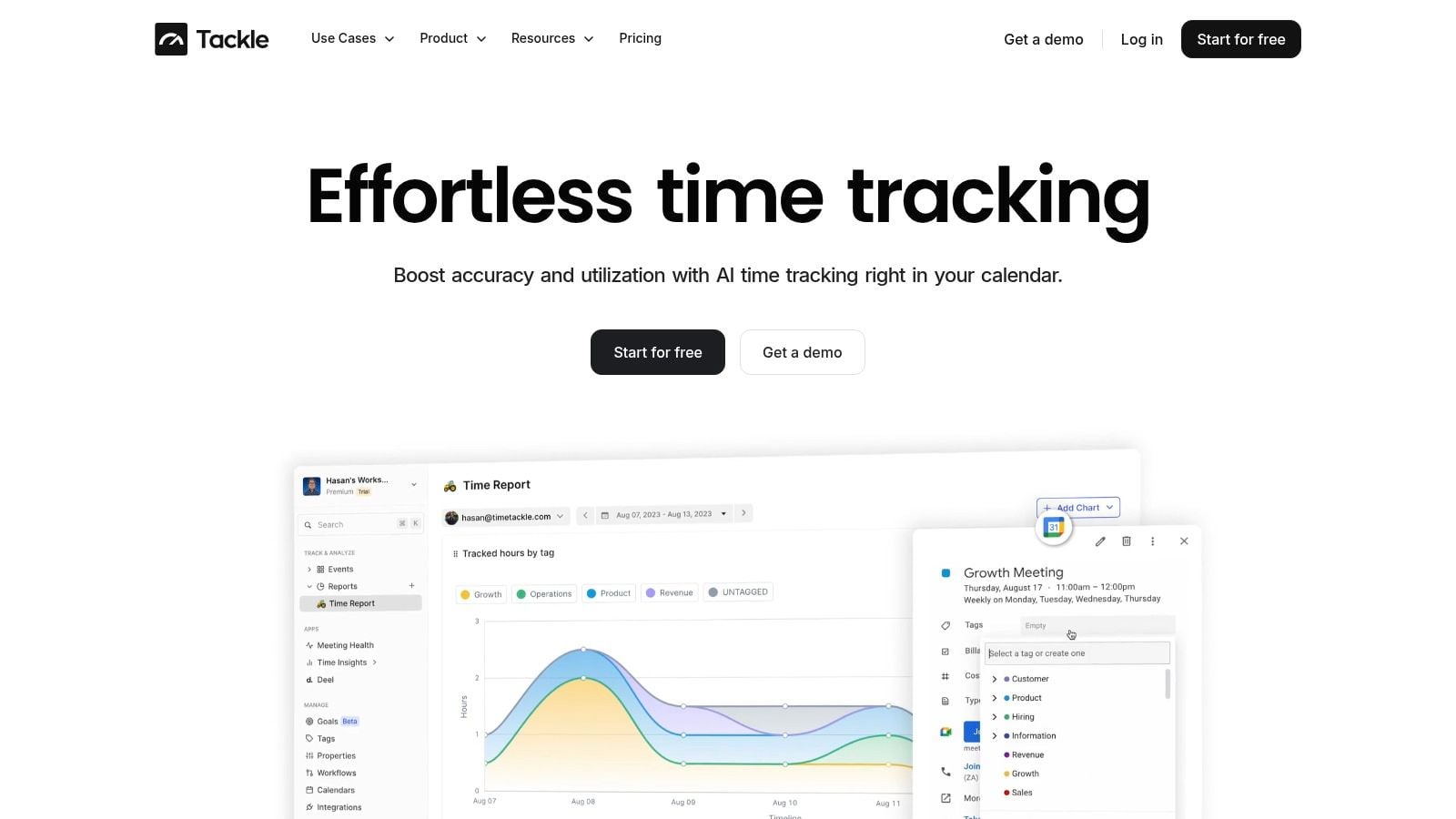
Vendors like TimeTackle fit a specific use case. It uses connected calendars and CRMs to capture activity, then applies tags, properties, and automations for reporting. That model is often a better match for agencies than timer-first tools because the raw material already exists in calendars and customer-facing workflows.
Must-have security, compliance, and integrations
Enterprise buying decisions usually stall in one of two places. Security review, or integration review. That's normal, and it should be.
Time data may look harmless at first glance, but it often includes client names, meeting titles, internal project details, staffing patterns, and billing records. If that data moves through the wrong system, you create risk fast.
Security isn't a nice-to-have
For serious teams, SOC 2 Type II should be the baseline. Encryption matters. Audit trails matter. SSO often matters. So do role-based permissions, especially when one platform touches operations, delivery, HR-adjacent workflows, and finance.
A vendor should be able to explain, in plain language, how it protects data, how access is controlled, and how customers can review security posture. If you need a practical benchmark, this overview of enterprise-grade security controls is the kind of detail I'd expect in an evaluation process.
Privacy matters too. If your company works across regions, ask direct questions about GDPR and CCPA support, data handling, and retention settings. Don't assume the legal language on a pricing page answers operational questions.
Integrations decide whether the data stays useful
A disconnected tracker creates another silo. That means more exports, more manual mapping, and more room for errors between delivery and billing.
I'd look at integration fit in two layers.
| System area | What the platform should connect to | Why it matters |
|---|---|---|
| Project work | Project management tools and calendars | Keeps time tied to actual work instead of separate admin logs |
| Revenue ops | CRM and opportunity data | Helps connect client-facing activity to accounts and revenue context |
| Finance | Accounting or invoicing workflows | Cuts re-entry and supports cleaner billing records |
| Data layer | API, exports, and warehouse sync | Lets ops and finance analyze time data in their own reporting stack |
Payroll-adjacent workflows deserve extra attention. If time records flow into pay, leave, or overtime processes, mistakes become expensive. This guide to avoiding payroll fines is a useful reminder that sloppy process design doesn't only create admin pain. It can create compliance problems too.
A strong API matters because your process will change. New reporting needs show up. Departments want different joins. Leadership asks for one dashboard that combines staffing, project health, and commercial data. If the platform can't move data cleanly, your team ends up doing the hard work by hand again.
Calculating the ROI and picking the right vendor
The business case gets easier once you stop talking about time tracking as a discipline problem and start treating it as an operating system problem.
Leadership usually signs off when they can see where the gain shows up. Faster billing. Better capture of billable work. Less admin time. Cleaner resource planning. Fewer disputes over what happened on an account.
The broader market points the same way. Effective implementation of these tools can boost revenue by up to 61% while reducing employee stress by 25%, and the large enterprise segment is projected to grow from USD 1.69 billion in 2024 to USD 8.91 billion by 2035, according to Mordor Intelligence's time tracking software market analysis. You still need your own business case, but the category is growing for a reason.
How I'd build the ROI case
Start with current waste, not vendor promises.
Estimate how many hours operations, finance, and team leads spend each month chasing, correcting, approving, and reclassifying time entries. Then look at invoice delays tied to missing records. After that, review where project margin is hard to trust because non-billable effort is hidden or billable effort goes uncaptured.
Good ROI models usually include:
- Admin time removed: Hours spent on reminders, cleanup, approvals, and report prep.
- Billing recovery: Work that happened but didn't make it onto invoices cleanly.
- Resource planning quality: Better visibility into capacity before overload turns into missed deadlines.
- Margin control: Faster identification of accounts or project types that absorb too much effort.
“If you can't explain where team time went, you can't explain margin with confidence.”
You can also use a simpler before-and-after structure. How long does timesheet close take now? How often do managers challenge the numbers? How many exports and spreadsheet edits happen before reporting is usable? Those are measurable process costs.
For a deeper framework, this guide to ROI tracking software is a useful reference point because it ties time data to business outcomes instead of treating tracking as an isolated admin task.
Vendor selection checklist
| Criterion | What to Look For | Why It Matters |
|---|---|---|
| Automation method | Calendar sync, activity capture, rule-based tagging, review workflows | Reduces manual entry and improves data quality |
| Reporting flexibility | Filters by client, project, team, and billing status | Different departments need different views |
| Security standards | SOC 2 Type II, encryption, audit logs, access controls | Protects client and company data |
| Integration depth | CRM, project tools, finance systems, API access | Prevents another silo |
| User experience | Fast review flow, simple approvals, low-friction daily use | Adoption drives data quality |
| Support quality | Responsive onboarding, admin guidance, change support | Large rollouts need process help, not just software access |
A vendor demo should answer operational questions with live examples. If the conversation stays at the feature-tour level, push harder.
Role-specific use cases for your teams
The fastest way to judge a platform is to ask how different teams will use it on a normal Tuesday. If the answer stays abstract, the tool probably won't stick.
Modern time tracking platforms can reveal project profitability, which helps businesses identify which clients or projects consume more resources than they return, according to Workant's guide to time tracking software for teams and businesses. That matters because each department sees the same data through a different lens.
Creative agencies protecting margin
Creative teams usually lose money in the gray areas. Concept development. Internal review rounds. Revisions that feel too small to log one by one. Cross-functional handoffs.
A calendar-based system helps because much of that work already appears in reviews, client calls, and planning sessions. The team can tag those activities to campaigns, retainers, or internal buckets, then compare non-billable support time against the original budget. That gives account and ops leaders a cleaner way to spot accounts that look healthy on paper but drain delivery time in practice.
Consulting firms tightening utilization
Consulting teams care about billable capture, but they also need visibility into pre-sales support, internal delivery meetings, travel-related blocks, and account management work that doesn't always show up neatly.
What works here is structured categorization. Consultants shouldn't have to remember every code manually. The system should suggest the client, engagement, or activity type based on calendar and CRM context, while managers review utilization patterns without policing every entry.
A firm can then separate three useful views:
- Client delivery time
- Internal operations time
- Business development support
- Leadership and mentoring time
That split helps invoicing, staffing, and hiring decisions.
Product and engineering teams tracking where effort goes
Product teams often reject classic timesheets because they don't map well to how work happens. But they still need visibility into feature work, bugs, support, planning, and meeting load.
Field note: Product leaders rarely need minute-by-minute surveillance. They need category-level truth about where engineering capacity actually went.
Calendar-based capture helps with recurring ceremonies and stakeholder meetings. Lightweight tagging helps categorize focused work into features, defects, or support streams. Once that's in place, leadership can see whether roadmap delays come from underestimation, meeting overload, or support interruption.
How to implement the software and get your team on board
A rollout usually succeeds or fails before the first login. If leaders frame the tool as enforcement, people resist. If they frame it as a way to cut admin work and create fairer workload visibility, adoption gets much easier.
The practical move is to start small, with a pilot team that has real reporting pain and a manager who will give direct feedback. Don't pick the easiest group. Pick one that does enough client or cross-functional work to expose the edge cases early.
A rollout sequence that works
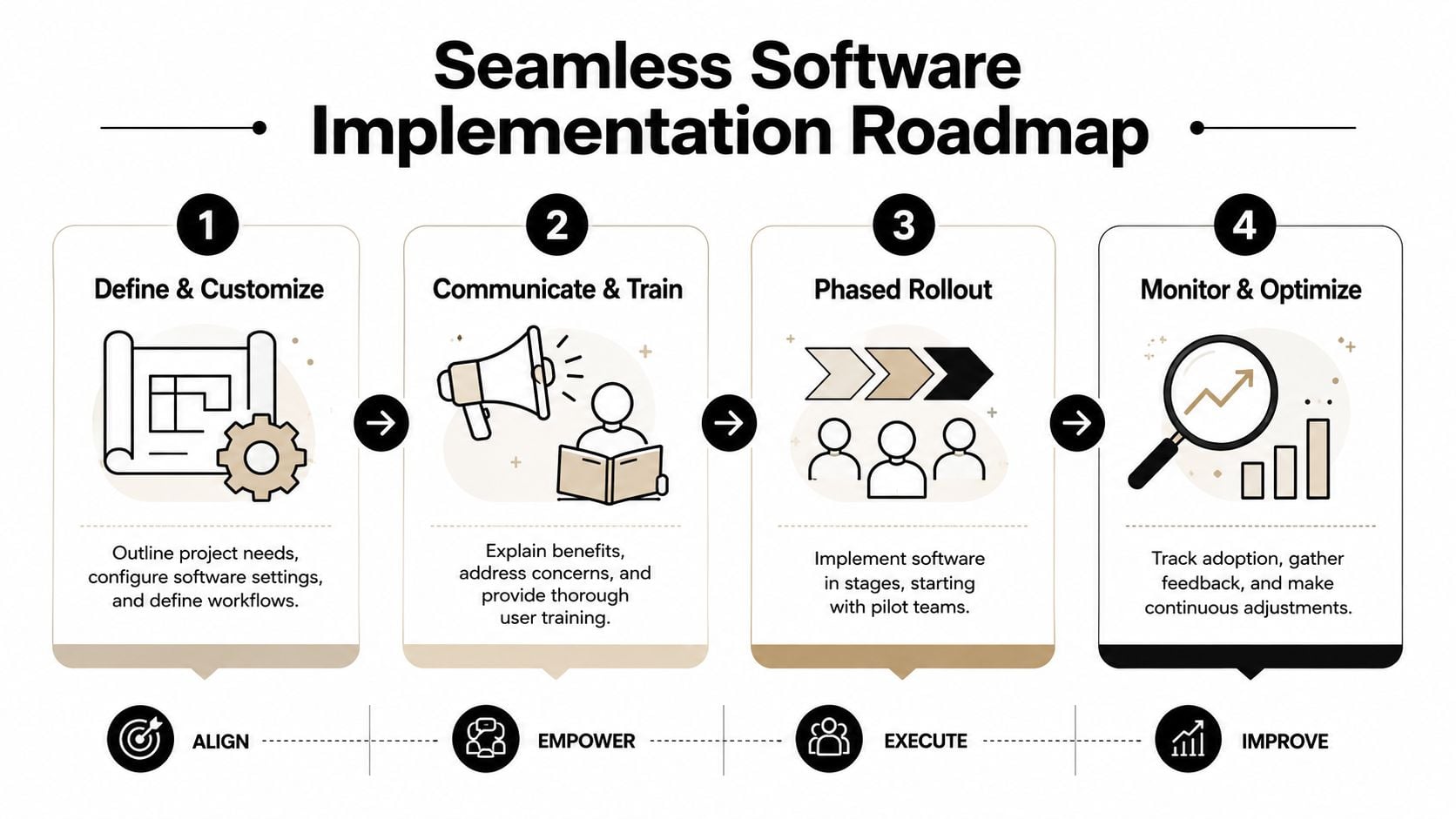
I'd keep the rollout tight:
- Define the operating model. Decide what needs tracking, what counts as billable, who approves entries, and which reports matter first.
- Configure the system around real work. Set up clients, projects, tags, permissions, and automations based on how teams already operate.
- Train for daily use. Show people how to review and correct entries quickly. Don't drown them in admin settings they'll never touch.
- Review feedback fast. Fix category gaps, confusing labels, and approval bottlenecks in the first few weeks.
- Expand in phases. Roll out to the next teams once reporting is clean and the workflow feels stable.
How to earn buy-in
Most resistance comes from fear of extra work or fear of surveillance. Deal with both directly.
Tell teams what the software is for. Better billing support. Less manual entry. Cleaner workload data. Fewer end-of-week memory games. If you need a practical playbook for the people side, this article on how to motivate employees to track time gives useful messaging angles.
Use plain rules in training:
- Review daily, don't rebuild weekly
- Tag work close to when it happens
- Ask when categories are unclear
- Flag broken automations early
That last part matters. Teams lose trust fast when the system guesses wrong and nobody fixes it.
The goal isn't perfect data on day one. The goal is a low-friction habit that produces reliable enough data to improve over time. Once people see fewer reminders, faster reporting, and fairer visibility into workload, the tool stops feeling like a burden.
If your team is stuck in manual timesheets, TimeTackle is one calendar-based option to evaluate. It connects Google or Outlook calendars with CRM context, applies tags and automations to captured activity, and gives operations, finance, and team leads cleaner reporting without asking people to rebuild their week from memory.


