


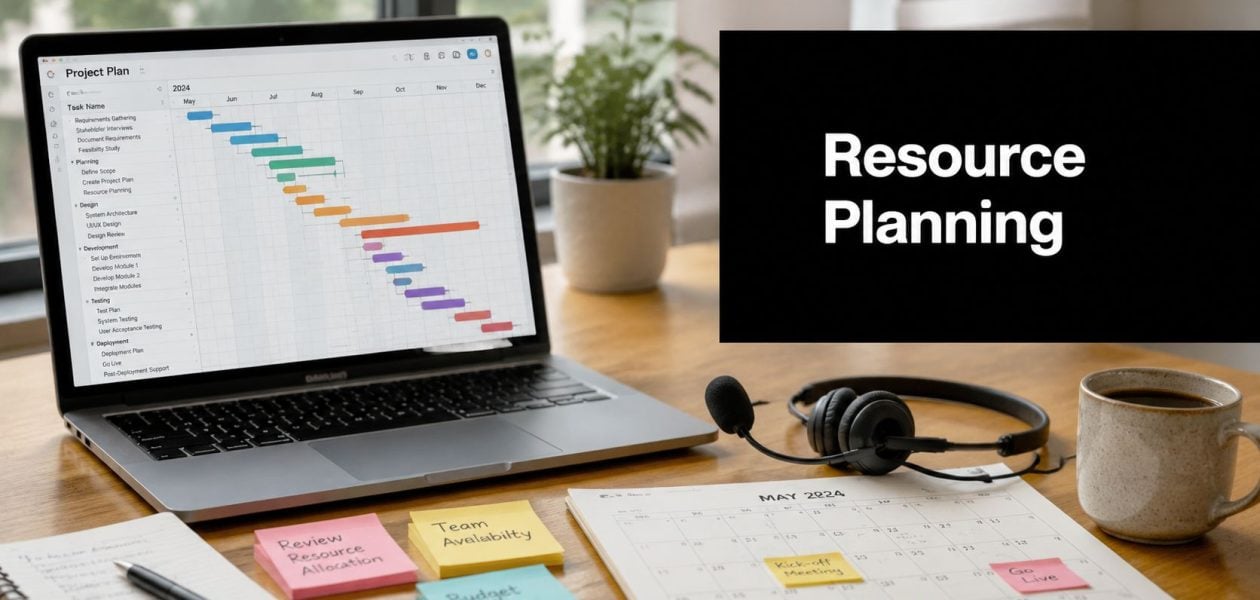
You probably know the pattern. A delivery date slips, a senior engineer gets pulled into an urgent fix, another project lead swears they only need “a few hours,” and suddenly nobody can answer a basic question: who has room to take on work this week?
At that point, teams often blame execution. I usually blame visibility first.
Most mid-sized software teams don't struggle because people aren't working hard. They struggle because planning lives in scattered spreadsheets, side conversations, Jira boards, Slack threads, and one manager's memory. That system works right up until it doesn't. Then the same problems show up fast: overloaded specialists, idle generalists, vague timelines, and a lot of energy spent renegotiating commitments that should have been clear earlier.
Good resource planning in software engineering isn't admin for admin's sake. It's the operating system for matching the right people to the right work at the right time, with enough realism built in to survive changes. Teams that want to move past spreadsheet chaos usually need more than a prettier planning sheet. They need cleaner inputs, a simple workflow, and tools that cut manual overhead instead of adding to it.
Why spreadsheets and gut feelings are failing your team
A common setup looks harmless at first. One spreadsheet tracks headcount. Another tracks project dates. Team leads keep private notes on who's stretched. Project managers ask around on Slack. Engineering managers make judgment calls based on instinct and whatever happened in the last sprint.
That setup feels lightweight, but it breaks as soon as work starts moving across teams.
I've seen this happen in organizations that were disciplined in every other part of delivery. They had standups, retros, sprint boards, and roadmap reviews. But staffing still ran on guesswork, so one backend engineer ended up booked across three priorities while another developer had capacity nobody could see. The problem wasn't effort. The problem was that nobody had one trusted view of capacity, demand, and actual time spent.
Spreadsheets make this worse because they freeze fast-changing work into static snapshots. By the time a manager updates the sheet, it's already behind. That's one reason the debate around spreadsheets vs timesheet apps matters so much for planning. If your time and availability data arrive late, every forecast built on top of them drifts.
The real job of planning
Resource planning in software engineering is not just scheduling. It is the discipline of turning delivery goals into realistic staffing decisions, while accounting for skills, timing, competing priorities, and the work people never stop doing in the background.
That's why teams hit trouble when they treat planning as a spreadsheet maintenance task. It's a management system, not a document.
“If you can't see capacity clearly, every staffing decision becomes a negotiation.”
For mid-sized teams, that shift matters. Once you're past a small startup size, managers can't keep the whole system in their heads. Work crosses functions. Specialists become bottlenecks. Hiring takes time. Even simple requests need context. That's also where broader software solutions for business efficiency start to matter, because planning only works well when it connects with the tools teams already use for delivery, reporting, and operations.
What gut feel gets wrong
Gut feel isn't useless. Experienced managers often know where risk is building. But instinct alone usually fails in four places:
- Hidden load: Meetings, support, reviews, interviews, and incident response eat into delivery time.
- Specialist constraints: One platform engineer or one staff-level architect can block multiple projects.
- Timing conflicts: Two projects can look staffed on paper and still collide in the same week.
- Skill mismatch: An available engineer is not always the right engineer.
Once those issues pile up, work starts late, context switching rises, and burnout follows. The answer isn't more status meetings. It's a planning approach that reflects how software teams operate.
The three pillars of software resource planning
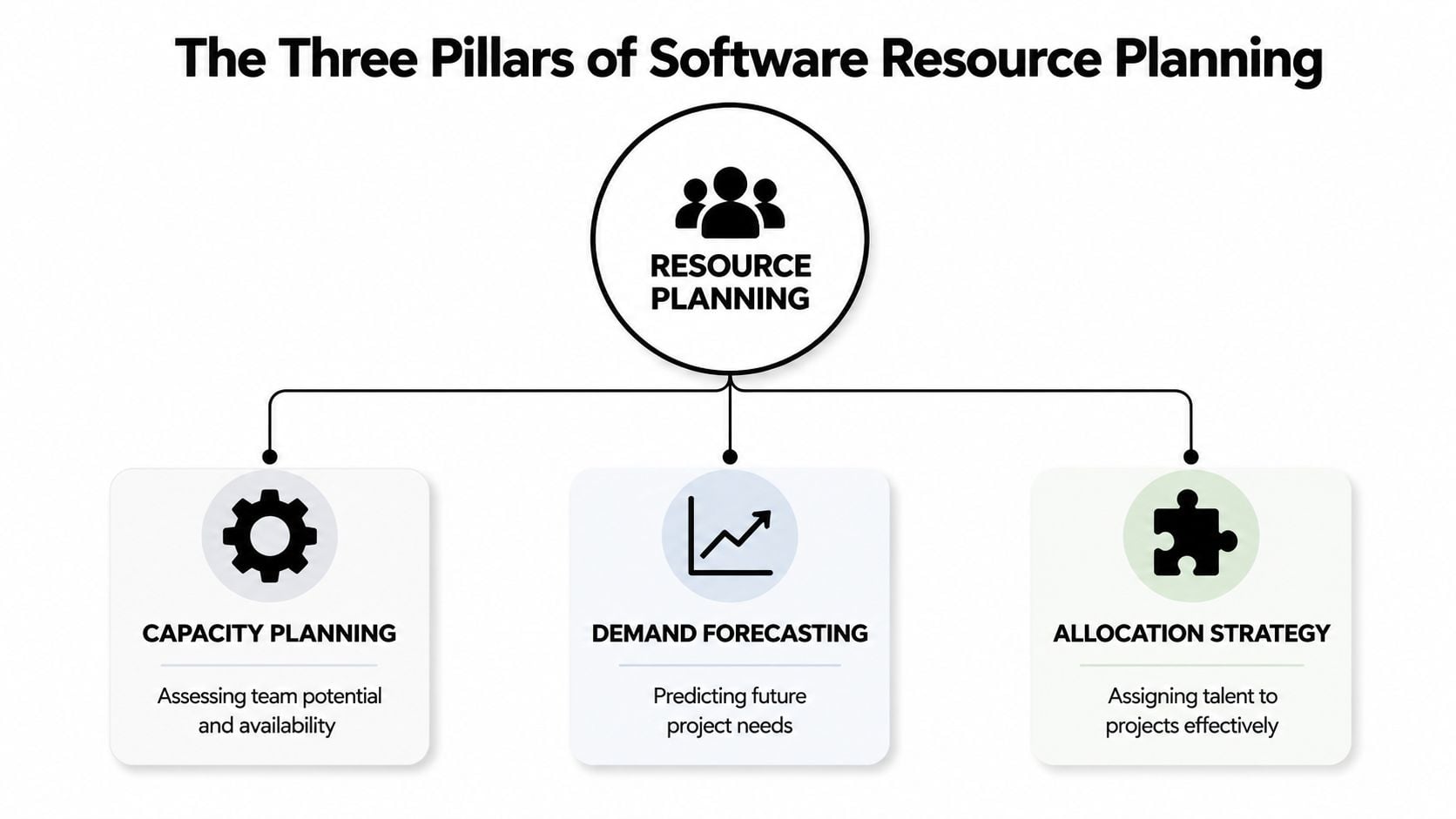
The teams that get this right usually stop treating planning as one big fuzzy process. They break it into three separate jobs: capacity planning, demand forecasting, and allocation strategy. If one of those is weak, the whole system gets noisy.
Here's the simple model I use. Capacity is your water tank. Demand is every pipe pulling from it. Allocation is the set of valves deciding where the water should go first.
Capacity planning
The initial focus in resource planning is often headcount, which is understandable and wrong. Ten engineers do not equal ten engineers' worth of project capacity. Some are onboarding. Some handle incidents. Some review most of the architecture work. Some are on leave next month. Some spend a big part of the week in customer calls or internal support.
A useful capacity view has to include availability factors before anyone assigns work. That means planned leave, vacations, and immovable milestones need to be visible up front, because ignoring them causes forecasted utilization to drift away from actual capacity, as noted by Jellyfish on engineering resource planning.
A decent rule is simple: if your capacity model assumes people are freely available whenever they aren't in a task tracker, your model is lying.
For teams building this from scratch, a practical starting point is a shared capacity view tied to calendars, approved leave, recurring non-project work, and role-specific constraints. The mechanics matter less than the consistency. If you want a plain-language breakdown, this guide to capacity planning basics is a good companion.
Demand forecasting
Forecasting demand is where many planning efforts fall apart. Teams often know what projects are active, but they haven't translated that pipeline into actual work by phase, skill, and timing.
That's where a Work Breakdown Structure, or WBS, matters. Effective resource planning in software engineering requires a WBS to decompose projects into phases, deliverables, and tasks, ensuring every element is accounted for before assigning resources to prevent last-minute surprises and capacity mismatches, according to Scoro's resource planning guide.
A WBS doesn't need to be fancy. It needs to answer concrete questions:
- What phases exist: Discovery, architecture, implementation, QA, rollout, support.
- What work sits inside each phase: Not epics only, but real task groups with owners.
- What skills each part needs: Backend, frontend, DevOps, QA, data, security.
- When demand lands: Not “sometime in Q3,” but which weeks carry the load.
Without that breakdown, managers forecast with labels instead of labor. “Customer portal rebuild” sounds tidy, but it hides sequencing, dependencies, and specialist demand.
Allocation strategy
Allocation is the decision layer. Once you know capacity and forecasted demand, you still have to make trade-offs. Who gets staffed first. Which project can wait. Which specialist should stay protected. When should a generalist step in, and when is that a false economy.
This part is where planning becomes management, not math.
A good allocation strategy usually accounts for:
| Decision area | What strong teams do |
|---|---|
| Project priority | Staff work based on strategic value, not who asks loudest |
| Skill fit | Match engineers to work they can do well, not just work they can technically touch |
| Continuity | Avoid unnecessary handoffs that create rework |
| Buffer | Leave room for support, defects, and change requests |
Practical rule: Don't assign people from a list of “available names.” Assign from a ranked view of who fits the work, who can absorb it, and what gets delayed if they take it.
When these three pillars are separate and visible, planning becomes much easier to improve. You can see whether the issue is bad availability data, weak task breakdown, or poor assignment decisions. That's a big step up from blaming “execution” every time a project gets messy.
Metrics that matter for engineering teams
Once a planning system is in place, the next mistake is obvious. Teams drown themselves in reporting. They track everything, review nothing, and still can't answer whether planning is improving.
The metrics worth keeping are the ones that change decisions.
Utilization answers whether people are overloaded or sitting idle
Utilization is useful when you treat it as a planning signal, not a productivity score. A fully packed team can still be inefficient if the work is fragmented, blocked, or assigned without regard to skill fit.
One benchmark does matter here. Effective resource planning in software engineering requires a 90-Day Improvement Loop to refine forecasts, update skills matrices, and adjust buffer rules, and the 80% capacity threshold is a critical industry benchmark used in resource planning grids, according to Monograph's engineering resource planning guidance.
That threshold matters because teams need slack. Once someone lives above it for too long, managers usually see the same pattern: slower turnaround, more task switching, and fewer options when something urgent appears.
A simple way to read utilization:
- Below expected range for a sustained period: You may have weak demand shaping, poor visibility, or overstaffing in the wrong skills.
- Near a healthy operating range: You likely have room to absorb routine variance.
- Above the threshold too often: Your system is borrowing from future delivery and people's energy.
Variance tells you whether your plan is honest
Planned hours versus logged hours is one of the fastest checks for planning quality. If a team consistently misses by a wide margin, the issue is usually not one bad estimate. It's often a pattern in scoping, hidden work, or poor decomposition.
Many teams get useful insight from agile software development metrics. The point isn't to produce more dashboards. The point is to compare plan versus reality often enough to catch drift before delivery dates move.
Track variance by type of work, not just by project. Support, reviews, and urgent fixes often distort engineering capacity more than the planned roadmap does.
Vacancy shows where demand is going unfilled
One metric I like, even when teams don't formalize it heavily, is vacancy in the planning sense: work demand that has no clear owner or no realistic staffing path. That may show up as an unassigned role, a delayed specialist dependency, or a project that appears committed but lacks real capacity.
That number matters because it exposes false confidence. A roadmap can look staffed until you ask who will do the platform migration, the security review, or the customer-specific integration work.
Cycle time keeps planning tied to delivery
Planning systems can become too internal. Managers stare at utilization charts and forget the customer outcome. That's why cycle time still matters. If allocations improve but work still moves slowly, the team may be over-fragmented, trapped in approvals, or carrying too many partial commitments.
A short scorecard usually works better than a giant dashboard:
| Metric | Question it answers |
|---|---|
| Utilization | Are people overloaded or underused? |
| Planned vs logged variance | Is our forecast grounded in reality? |
| Vacancy | What committed work lacks staffing? |
| Cycle time | Is work flowing faster or getting stuck? |
The review cadence matters as much as the metric
Metrics only work when teams revisit them on a rhythm. The 90-Day Improvement Loop is useful because it forces planning to become iterative. Review the data, talk to project leads, find the biggest bottleneck, then update the forecast and rules.
That cycle beats endless spreadsheet cleanup. It turns planning into a repeated management habit instead of a quarterly panic.
A modern resource planning workflow
A workable process for a mid-sized software team does not need a resource management department. It needs clear ownership, a small number of handoffs, and enough automation that people aren't retyping the same information into three systems.
The best workflows I've seen are lightweight, but they are not casual.
Who owns what
Planning usually fails when ownership is fuzzy. People assume “the business” handles demand, “engineering” handles staffing, and “project management” somehow keeps it all together. That split creates gaps.
A cleaner model looks like this:
- Project or delivery managers: Translate incoming work into timing, scope assumptions, and skill demand.
- Engineering managers: Validate capacity, constraints, and the actual fit between work and people.
- Team leads: Adjust day-to-day assignments when reality changes.
- Leadership: Decide priorities when demand exceeds supply.
When each role has one clear part of the process, decisions move faster and arguments get shorter.
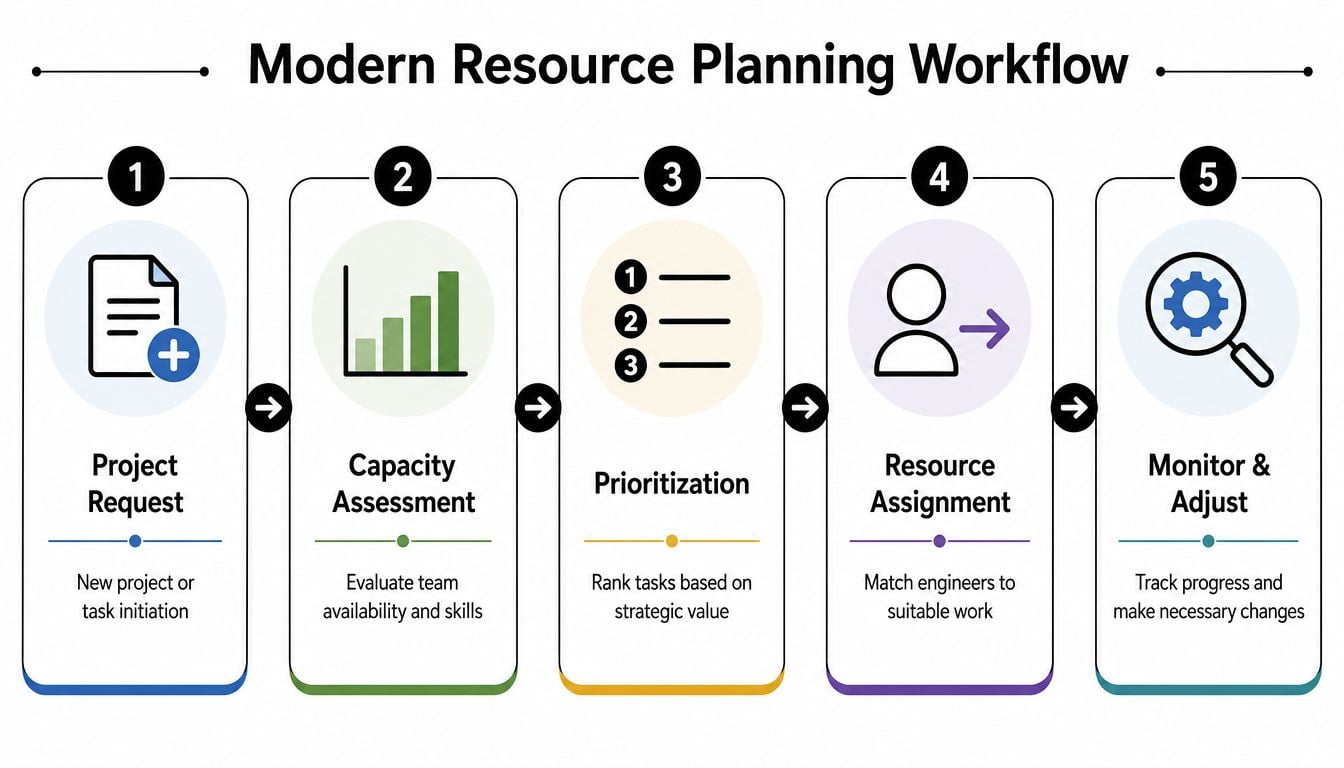
The five-step flow that works
I'd keep the operating model close to this:
Intake the work
New requests enter through one path. Not email, Slack, and hallway conversations at once. The intake should capture scope, timing, priority, and required skills.Assess real capacity
Engineering managers check not just names, but actual availability, specialist constraints, leave, support load, and current commitments.Prioritize conflicts
If two pieces of work want the same people, leadership or a delegated owner decides which one wins. Teams lose time when nobody makes that trade-off explicit.Assign and publish
Team leads turn the agreed plan into visible assignments, with start windows, expected load, and assumptions.Monitor and adjust
Review actuals regularly. Don't wait for the next monthly planning cycle if a key dependency has already slipped.
The automation pattern that reduces overhead
The transition away from spreadsheet chaos usually works best when teams stop asking engineers to produce planning data manually. The better pattern is to pull signals from systems that already reflect real work.
That often means combining:
- calendar activity for meetings and recurring non-project time,
- project or ticket systems for planned work,
- leave systems for availability,
- CRM or pipeline data for upcoming demand,
- time tracking or activity data for actual effort.
The gain is not “more data.” It is less manual reconciliation.
If your weekly resource meeting starts with fifteen minutes of arguing about whose spreadsheet is current, your system is too brittle.
This is also where adjacent operating changes matter. Teams thinking about future staffing pressure often find value in reading about implementing AI in recruitment, because hiring decisions get better when they connect to actual capacity signals instead of broad impressions that “engineering is stretched.”
Keep the workflow light
A modern planning workflow should not turn engineers into clerks. That means a few design rules help:
| Workflow rule | Why it matters |
|---|---|
| One intake path | Stops hidden commitments from entering sideways |
| Shared planning view | Prevents private versions of the truth |
| Weekly review rhythm | Catches drift before it becomes a deadline problem |
| Automation for recurring data | Cuts manual updates and reporting fatigue |
That's the shift mid-sized teams need most. Not more process. Better signal quality, tighter ownership, and fewer manual handoffs.
Common pitfalls and how to fix them
Teams' planning failures typically aren't due to carelessness. They fail because smart people keep stepping into the same traps.
The pattern is predictable. They build a plan, everyone feels better for a week, then reality breaks it. At that point, they either give up and go back to gut feel, or they add more admin and make the system harder to maintain.
The better move is to know the traps early.
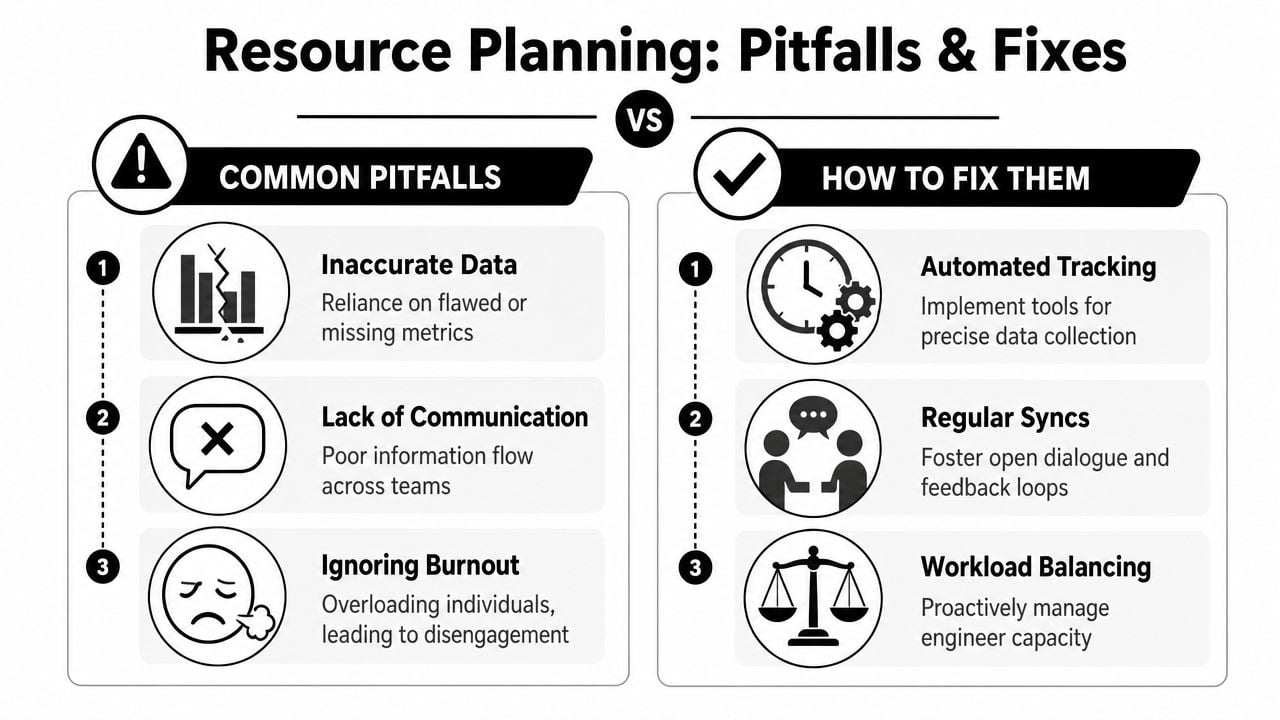
Pitfall one: bad inputs dressed up as precision
A lot of plans look detailed and still fail because the underlying data is weak. Logged time arrives late. Meetings never get counted. Support work stays invisible. Managers end up discussing decimal points on top of rough guesses.
The escape route is to reduce manual capture where you can and make hidden work visible by default. If code reviews, incidents, interviews, and internal support consume time every week, put them in the planning model. Don't wait for them to “show up” in variance later.
Pitfall two: planning only billable or roadmap work
Software teams often plan the visible work and ignore the background load that keeps the organization running. That missing layer is where plans go off course. A senior engineer can look available on paper while carrying architecture reviews, on-call escalation, and unblocker work that nobody else can do.
I'd rather see a less ambitious plan that includes reality than a beautiful forecast built on omission.
Planning gets easier when you stop pretending side work is exceptional. In healthy teams, support load is normal work and should be planned as normal work.
Pitfall three: treating everyone as interchangeable
This shows up all the time in spreadsheet-based systems. A cell says “frontend, 20 hours,” so managers think any frontend engineer can absorb it. But software delivery rarely works that way. Product context, system knowledge, customer familiarity, and seniority all determine the appropriate staffing choice.
The fix is to model constraints at the role and person level where it matters most. You don't need a giant skills ontology. You do need to know which people are true bottlenecks.
That connects to a useful rule from resource management practice: 80% of resource constraints typically stem from just 20% of the workforce, which means planning should focus on constrained resources first to avoid bottlenecks before dealing with general team availability, according to Planview's resource management best practices.
Pitfall four: no buffer for business volatility
Sales changes priorities. Customers escalate. Infrastructure breaks. Scope grows subtly. If a plan only works in a perfect week, it is not a plan. It is a hope document.
The practical fix is to build explicit buffer rules and revisit them when reality changes. Some teams set aside capacity at the team level. Others protect specific people from full booking. The exact method matters less than the discipline.
Here's a quick diagnostic table I use with teams:
| Pitfall | What it looks like | Better fix |
|---|---|---|
| Inaccurate data | Planning meetings turn into data cleanup sessions | Capture work closer to where it happens |
| Hidden work | Engineers seem “available” but miss commitments | Add recurring non-project load to capacity |
| Specialist blind spots | One person blocks multiple projects | Identify and plan around constrained roles first |
| Zero slack | Small changes break the whole week | Use explicit buffer and rebalance often |
Pitfall five: communication that arrives too late
Even strong planning systems fail when teams don't talk early enough. A project lead knows scope changed. A manager knows someone is near burnout. A team lead knows an estimate is stale. But those signals stay local until the delivery problem is already visible.
The fix is boring and effective: regular syncs with a narrow purpose. Not giant status meetings. Short reviews focused on change, constraints, and assignments.
When that rhythm is missing, planning becomes archaeology. Managers spend their time figuring out what happened instead of deciding what to do next.
Getting started with better resource planning
If your team is still running planning through spreadsheets and manager memory, don't try to replace everything in one go. Start by making current work visible enough to trust, then add structure where the pain is highest.
The first place I'd look is calendar data and actual activity patterns. Not because calendars tell the whole story, but because they reveal where time is already going. Meetings, recurring support, customer calls, reviews, and blocked focus time often explain why a “fully staffed” plan still misses.
Start with a narrow operating window
Don't build a yearly planning machine on day one. For mid-sized teams, a short forward view works better. Forecast the next few weeks in enough detail that managers can act on it.
That gives you a manageable rollout:
- Map active work: List current projects, major requests, and the skills each one needs.
- Add availability constraints: Include leave, recurring internal work, and known milestones.
- Run a weekly review: Keep one shared view and make assignment changes there, not in side messages.
- Track actual effort: Compare planned work against what people really spent time on.
This approach is less glamorous than buying a tool and hoping it fixes the problem. But it works because it gives the team a stable habit first.
Move from maintenance to system design
Once the weekly process is stable, the next move is automation, at which point teams usually feel the difference between “we have a plan” and “we have a planning system.”
A useful modern setup often includes:
- automatic capture of calendar-based activity,
- synced availability from leave or HR systems,
- project demand from delivery tools,
- reporting that updates without manual spreadsheet rebuilding.
That last part matters more than people think. Mid-sized teams often don't reject planning because they dislike structure. They reject it because the reporting overhead lands on already busy managers.
There's also a solid financial case for making that shift. When engineering firms implement specialized resource planning software, they typically achieve utilization improvements of 10% to 15%, which across a 200-person organization can translate to hundreds of thousands of dollars in recovered billable capacity annually, according to Retain's analysis of engineering resource planning software.
You don't need to obsess over the upper bound of that range to see the point. Even modest gains in utilization and visibility matter when labor is your main cost and specialist time is hard to replace.
What “good enough” looks like at first
Teams often think they need a perfect model before they can trust planning. They don't. They need a model that is current, shared, and good enough to drive better decisions than guesswork.
A sensible early target looks like this:
| Early capability | What it gives you |
|---|---|
| Shared view of committed work | Fewer hidden assignments |
| Real availability inputs | Less fake capacity |
| Short-range demand forecast | Better staffing calls in the near term |
| Weekly adjustment rhythm | Faster correction when plans drift |
That's enough to move out of chaos.
What matters most is consistency. Teams get better at resource planning in software engineering by tightening the loop between planned demand, real capacity, and actual effort. The spreadsheets usually disappear later, once people trust the new flow more than the old one.
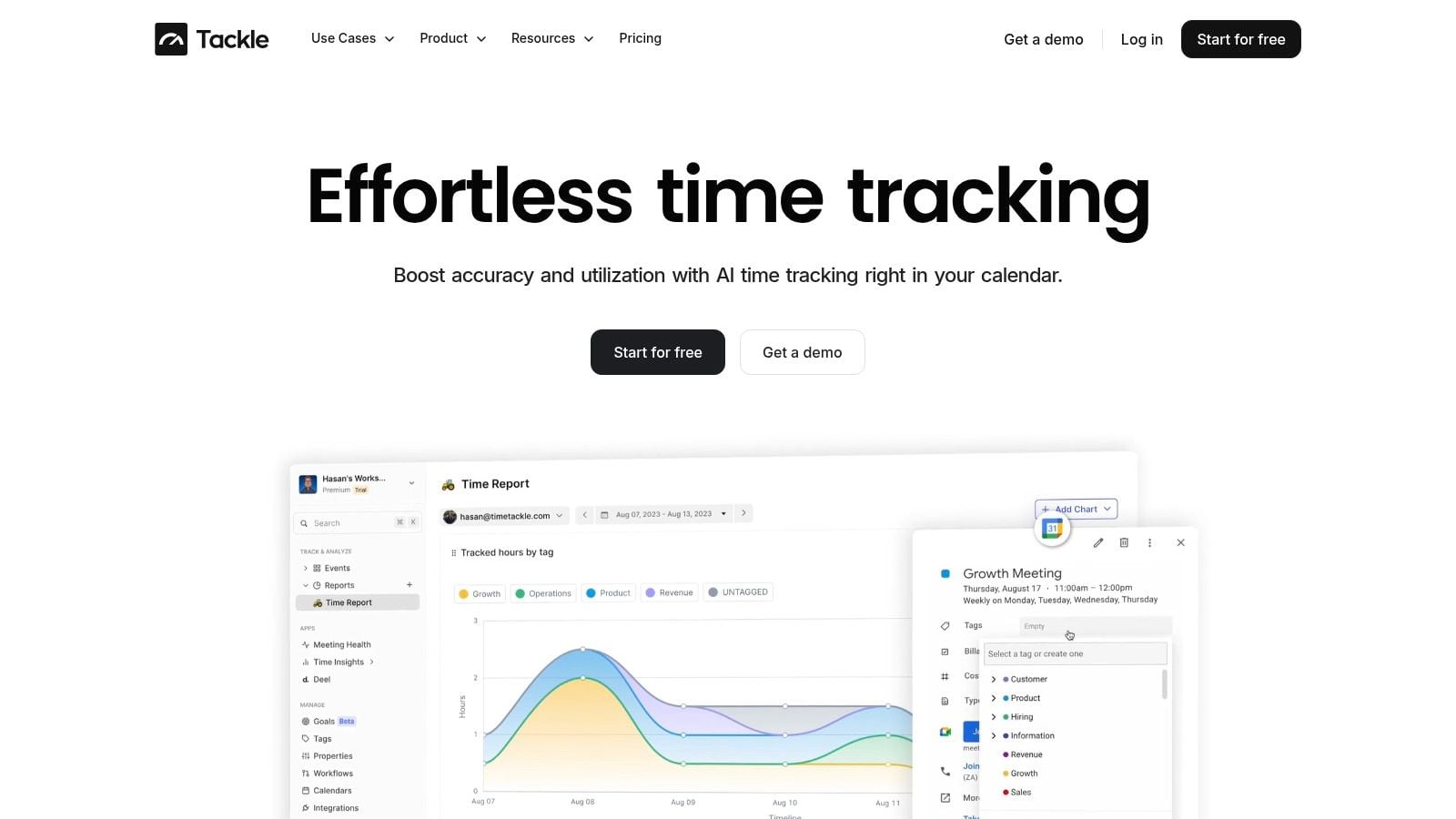
If you want a simpler way to turn calendar activity into usable planning data, TimeTackle is worth a look. It helps teams capture work from Google or Outlook calendars, tag it with rules, and turn that activity into reporting that managers can effectively use for capacity, utilization, and resource decisions without chasing everyone for manual updates.


