You're trying to keep projects moving, clients billed, and staff busy without letting your team drown in spreadsheet noise. That's usually when a search for Resource Management Incorporated starts, because the name can point to a real company, a broader operating idea, or both. In agency work, that confusion matters, since the wrong tool or partner can leave you with clean contracts but messy utilization, or better time tracking but no staffing support.
A good way to think about it is simple. RMI sits in the staffing and employer-services world, while resource management is the operating discipline behind planning, scheduling, and allocation. If you're also comparing workflow tools, ScanStay tips for hiring agencies is a useful example of how agencies think about service fit before they buy.
That split is why TimeTackle belongs in the same conversation. RMI can cover the employment side, while a calendar-based tracking layer covers the visibility side that many PEO-focused discussions skip.
What agencies search for when they look up Resource Management Incorporated
A lot of agency teams type Resource Management Incorporated into search after a rough week. They are trying to sort out capacity, billing, and delivery risk, and they want to know whether RMI is a real operating partner or just another name that sounds like a planning tool. That question is reasonable, because the phrase can point to a specific company and to the wider practice of managing people and work.
Two different searches, one confusing result
If you need a professional employer organization, you are usually checking whether RMI can take on employment services, staffing support, or workforce administration. If you need help with project allocation and utilization visibility, you are really asking about the operating discipline of resource management itself. Those are connected, but they are not the same job.
Practical rule: separate the employment problem from the planning problem before you buy anything.
That is the cleaner way to evaluate the market. Agencies often need both layers, but they rarely need both from the same vendor. The employer-services layer handles people, compliance, and staffing support. The tracking layer shows where time went, who is overloaded, and which client or project is pulling capacity off course.
For readers who also buy into other agency systems, the same logic applies elsewhere. ScanStay tips for hiring agencies is a useful reminder that a solid buying process starts with a clear problem statement, not a brand name.
Resource Management Incorporated makes sense to explore if you need a partner for workforce administration. It does not replace the operational discipline of knowing who is assigned where, which work is drifting, or how utilization looks in real time. That distinction keeps agency operators from buying a staffing answer when they need a planning answer.
The history and growth of Resource Management Incorporated
RMI's public record points to a company that built enough scale to matter, even if the origin story is not perfectly aligned across its own sources. One account says Resource Management, Inc. formed in September 1992 in Salt Lake City, Utah, began with three founders, and grew into a multi-office professional employer organization. That same profile says it expanded from those three people to a staff of 50 serving over 12,000 employees across 47 states Resource Management, Inc. company profile.
A separate company background page tells a slightly different version. It says the company marked its 20th anniversary in 2015, which points to a 1995 start in that account, and it describes growth to 60 staff serving over 18,000 employees in all 50 states while also placing RMI among the top 50 Hispanic-owned businesses in the United States RMI company background. I would not smooth out that mismatch, because buyers should pay attention to how a vendor presents its own history before they trust it with workforce support.
What that scale says in practice
The useful takeaway is not which date won the branding argument. It is that RMI built itself around enough scale to serve distributed employers and enough market presence to work across state lines. For a buyer, that matters more than a polished origin story, because multi-state workforce work gets messy fast when payroll, staffing, and employer obligations sit in different places.
That also helps explain why RMI sits closer to workforce solutions, staffing, and employer services than to pure project planning software. The company story fits organizations that need outside help managing human capital, not just a nicer view of a resource calendar. If you are building an RFP around that distinction, download this RFP IT template and adapt it to your staffing and operations questions before you talk to vendors. For the planning side, a resource plan for agencies gives you a cleaner structure for comparing capacity, assignments, and utilization across teams.
How resource management works in practice
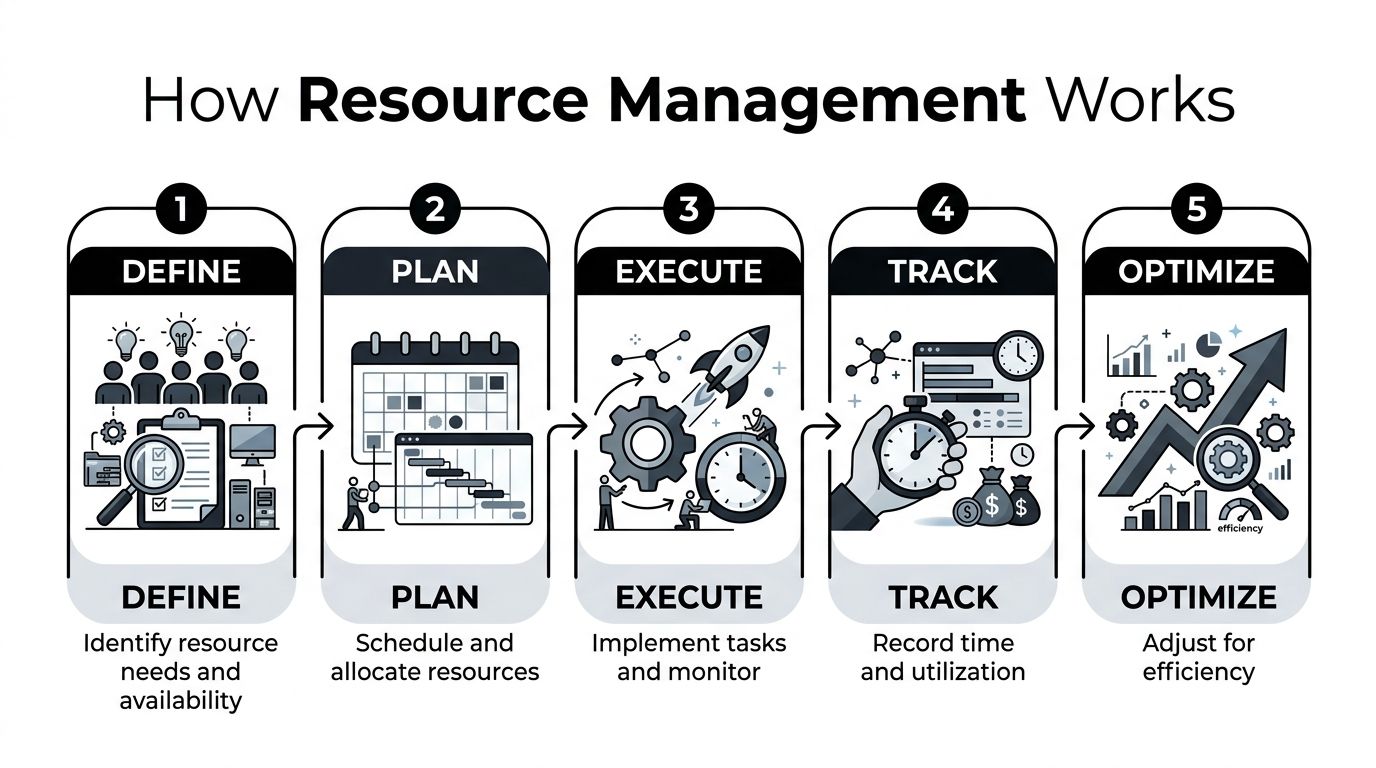
The clean definition is straightforward. Resource management is the planning, scheduling, and allocation of people, money, and technology so a project or program can finish successfully Planview resource management guide. In agency terms, that means putting the right people on the right work at the right time without blowing scope, time, or budget.
The four tasks that matter
Incident-management guidance breaks the work into four parts. First, you need systems for describing, inventorying, requesting, and tracking resources. Second, you need to activate those systems before, during, and after work starts. Third, you dispatch resources during the work itself. Fourth, you deactivate or recall them when the work ends USDA incident-management guidance.
That maps well to how agency operators run the shop.
- Describe and inventory: know who is available, what skills they have, and what work they can take.
- Activate and request: confirm capacity before you commit to a client or a new project phase.
- Dispatch and assign: place people where the work is, then watch for overload or gaps.
- Recall and reset: pull people off finished work so they don't sit in the wrong queue.
The best resource process is boring in the right way. It tells you who is free, who isn't, and what moved.
The UK government's planning guidance makes the same point in business language. It says resource management is about balancing supply and demand for the right people, equipment, materials, or facilities, while checking capacity needs, finding gaps, and watching for overallocation, underuse, and key-person risk UK resource management guidance. Many teams miss that timing. They treat resource management as a kickoff task, then discover too late that the team was never sized for the work in front of it.
For a practical planning view, resource plan guidance for agencies fits neatly here because it frames the work around capacity, allocation, and actual execution. That is the gap between having a plan and running a team day to day.
Who uses Resource Management Incorporated and where it falls short
RMI tends to make sense for organizations that need workforce support more than software logic. Construction firms, government contractors, property management companies, staffing agencies, and mid-sized professional services teams are the clearest fit. The appeal is practical. A company with documented multi-state reach and employer-services experience can reduce staffing strain, handle administrative load, and deal with the friction that comes with operating across jurisdictions.
For an agency leader, the central question is not whether RMI can support employment complexity. It is whether that support matches the way the team runs work. If the problem is hiring, coverage, and compliance, RMI can fit well. If the problem is visibility into utilization, project allocation, and time capture, the fit gets weaker fast.
Where RMI fits well
For a construction firm or contractor, the value is often in workforce scale and admin relief. For a staffing agency, it is the ability to handle employment complexity without building that machine in-house. For a property management team, the appeal is more about keeping people and coverage in place without adding more internal overhead.
That fit is strongest when the organization needs help with employment services and talent placement. It is weaker when leaders need project-level resource planning, real-time utilization dashboards, or automated time capture. If your daily pain is seeing who worked on what, when they worked, and how that maps to billable load, RMI by itself leaves a gap. A resource management workflow still needs a tracking layer, and Tackle time tracker is the kind of tool that fills that operational gap without pretending to be a staffing service.
| Agency Type | RMI Fit Assessment by Agency Type | Typical Gap |
|---|---|---|
| Construction firm | Strong for workforce support and administrative lift | Project-level utilization visibility |
| Government contractor | Strong for staffing structure and multi-state employment support | Real-time tracking by project or contract |
| Property management company | Good for labor administration and coverage | Time visibility across sites or portfolios |
| Staffing agency | Strong for employment and placement needs | Operational analytics on actual utilization |
| Mid-sized professional services team | Useful if hiring and compliance are the pain | Dashboards and automated time capture |
That gap shows up quickly in day-to-day operations. A firm can have the right people on paper and still miss the actual load on each team. Schedules drift, utilization gets guessed at, and managers rely on spreadsheets or status emails to fill in the missing detail. The trade-off is straightforward. RMI can help organize the workforce, but it does not replace the systems that show where time actually went.
Enterprise resource-management systems usually need screen response times of 2 to 5 seconds to keep user interactions usable technical specification for a resource-management system. If a tool slows down when managers check schedules or utilization, people stop trusting it. They go back to email, Slack, and spreadsheets, which is how visibility disappears in practice.
How TimeTackle complements resource management workflows
Once the staffing side is handled, the next problem is visibility. Teams need to know what people did, how much time landed on each client or project, and whether the allocation story matches the calendar story. That's where TimeTackle fits as a tracking layer rather than a staffing layer.
The operational workflow
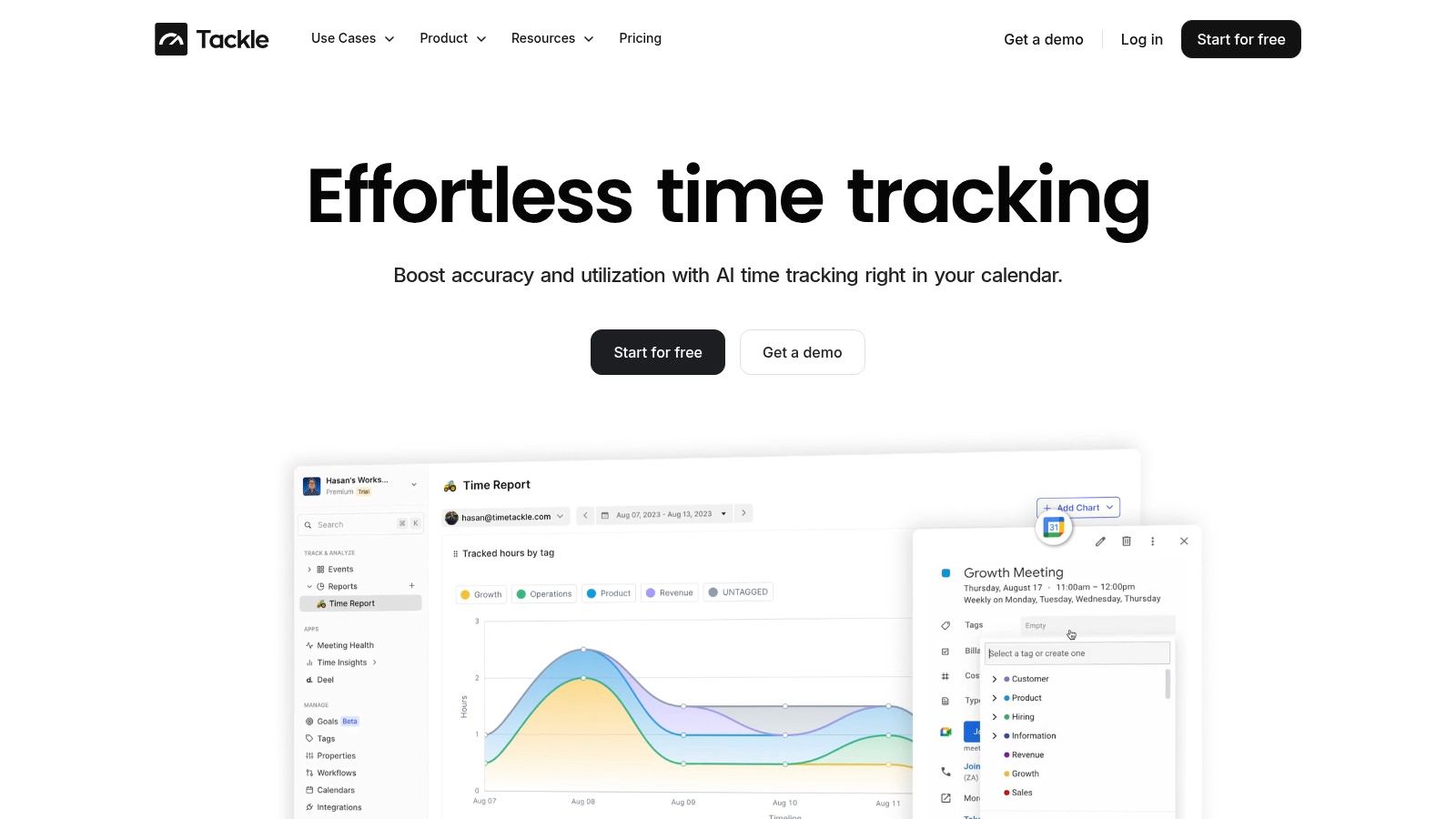
Teams connect Google or Outlook calendars and CRMs, then TimeTackle captures activities and applies custom tags, properties, and rule-based automations so the data gets categorized with less manual work. That matters because manual timesheets are where most reporting systems slow down. If the capture step is clunky, managers get partial data and bad dashboards.
The platform then surfaces utilization, ROI, and operational efficiency by project, client, team, or opportunity. It also supports exports to Excel, CSV, PDF, and Google Sheets sync, plus a Tackle API and data warehouse sync for deeper analysis. For teams that want to reduce friction further, the Chrome extension and intelligent recommendations help people record time with less back-and-forth.
Practical rule: if leaders can't see utilization without chasing timesheets, the process will always lag reality.
That's also why goal alignment matters. When daily activities connect back to strategic outcomes, managers can see whether a team is spending its time on the work that moves the business. For readers comparing tools, best resource management software is a good place to judge how resource tracking options differ once the staffing question is already solved.
If you want to see how the time-capture side works in more detail, Tackle time tracker shows the mechanics behind the workflow. The point isn't to replace RMI, it's to cover the part of resource management that staffing vendors usually don't touch.
What agency and operations leaders should evaluate before deciding
The first question is not “Which brand is better?” It's “What problem am I paying to solve?” If you need staffing support, employer compliance help, or help scaling across states, a PEO model like RMI's is relevant. If you need resource visibility, allocation tracking, and time data that managers can trust, you need a tracking layer.
A simple decision filter
Use this test before you buy anything.
- If the problem is employment administration, start with RMI or another PEO review.
- If the problem is utilization blind spots, start with a resource tracking tool.
- If the problem is both, plan for two layers, not one.
The equity question matters here too. Research on participatory resource management keeps pointing to the same issue, people who do the work need a real voice in how resources get assigned, because exclusion hurts legitimacy and long-term stability participatory natural resource management. At the same time, justice-oriented approaches can run into weak institutions, uneven power, and limited capacity, so inclusion has to be practical, not performative waste and resource management for underserved communities.
For agencies with sales and delivery pressure, the same logic shows up in tooling. If your CRM is messy, planning gets messy too. streamlining sales with custom CRM is a reminder that the system around the work shapes the quality of the work.
| Team size | What usually works | What usually breaks |
|---|---|---|
| Under 50 employees | Simple staffing support, light reporting, fewer systems | Heavy process, too many dashboards |
| 50 to 200 employees | Clear staffing help plus automated visibility | Manual timesheets and scattered approval chains |
| Enterprise multi-project operations | Layered staffing, planning, and analytics | One-tool thinking |
For small agencies, don't overbuy. For mid-sized firms, the pain usually comes from too much manual reporting, so a visibility tool matters fast. For larger operations, the stack needs to separate employment support from planning and analytics, or leaders end up with one vendor doing half the job and nobody owning the rest.
Practical next steps for agencies evaluating resource management solutions
If staffing and compliance are your main issues, compare RMI against other PEO providers the same way you'd compare any vendor, by service scope, geography, and support model. If project visibility and time capture are the pain, pilot a tracking tool first and connect it to the calendars and systems your team already uses.
If you need both, don't force one platform to do everything. Bring in the employment layer first, then add the tracking and analytics layer so managers can see allocation, utilization, and workload without waiting on manual reports. That split usually works better than trying to make a staffing partner act like a resource planning system.
The main idea is simple. Resource management is not one tool and not one vendor. It's staffing support, planning discipline, and operational visibility working together. Agencies that separate those layers make better decisions and usually spend less time fixing avoidable scheduling mistakes.
If you're trying to get a clearer view of who's doing what, where time is going, and how your team can stay on top of utilization without more spreadsheet work, TimeTackle gives you the tracking layer that sits alongside staffing support. It connects calendars and work systems into usable resource data, so you can make decisions with less guesswork and fewer reporting bottlenecks.