



A project looked fine on Monday. The brief was approved, the kickoff call felt productive, and everyone left with a decent level of confidence. By Thursday, the client had added “just a few tweaks,” the strategist was double-booked across two accounts, nobody had logged time since last week, and the account lead was building a status report by digging through Slack, calendars, and half-finished task comments.
That's normal in agency life. It shouldn't be, but it is.
Many teams don't fail because they're lazy or disorganized. They fail because they're trying to run modern agency work with an operating system built for slower, simpler projects. People work hard, but the system around them still depends on late timesheets, manual updates, and project plans that look tidy at kickoff and fall apart the moment real work starts.
The truth about why most agency projects go off the rails
Agency projects rarely break in one dramatic moment. They slip a little at a time. A deadline moves because feedback arrives late. Scope grows because nobody wants to create friction with the client. Team capacity gets stretched because every project is “high priority.” Then managers spend more time stitching together updates than fixing the actual problems.
That pattern is bigger than any one team. Only 35% of projects are completed successfully, according to Harvard Business Review research summarized by Ravetree. Put plainly, most projects miss on time, budget, outcomes, or some mix of all three.
That number should feel validating, not depressing. If your agency has smart people, solid intentions, and still ends up in delivery chaos, the issue usually isn't effort. It's the method.
Successful delivery breaks when teams rely on memory, goodwill, and heroics instead of clear rules, real capacity data, and fast visibility.
What doesn't work is familiar. Giant project plans nobody updates. Status meetings that repeat what the PM tool already says. Timesheet reminders sent on Friday afternoon. Post-mortems that produce good notes and zero behavior change.
What does work is less glamorous and a lot more useful:
- A sharp definition of success: Everyone knows what “done well” means before work starts.
- Resource planning based on actual availability: Not fantasy utilization.
- Automatic activity capture: So reporting comes from real behavior, not memory.
- A communication rhythm: Short, predictable, boring in the best way.
- Fast change control: So new requests get evaluated, not absorbed blindly.
That's the playbook. Not prettier Gantt charts. Not more process for the sake of process. Just a tighter system that holds up when agency life gets messy, which it always does.
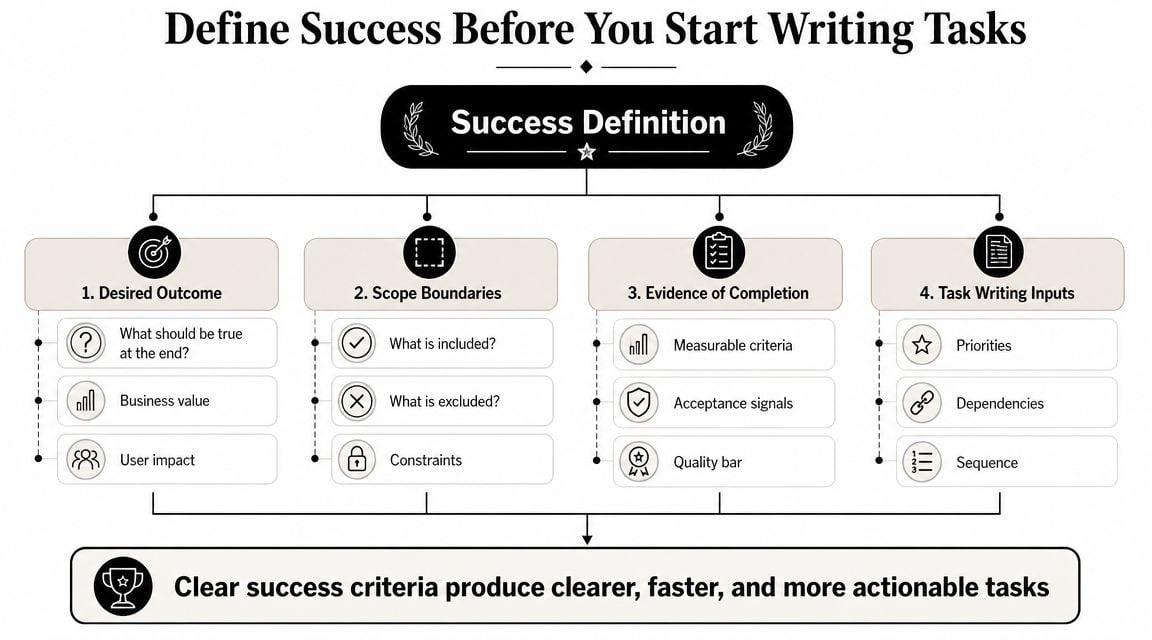
Define success before you start writing tasks
Most weak project plans start with a list of actions. Write the copy. Design the page. Build the flow. QA the handoff. That feels productive, but it skips the harder question: what has to be true for this project to count as a win?
That question matters because “on time and on budget” is too thin on its own. Adobe's guidance expands the usual project view into six measurable factors: benefits delivered, time or schedule, cost, scope, quality, and risk, and recommends defining 3–4 critical success factors before execution begins, as explained in Adobe's overview of project metrics.
Start with a one-page brief
Before tasks go into Asana, ClickUp, Monday.com, Jira, or Notion, put the project on one page. Keep it short enough that people will read it.
A useful one-page brief includes:
- Business outcome: What the client or internal team wants to change
- Success factors: The 3–4 things that matter most
- Stakeholders: Who approves, who advises, who executes
- In scope and out of scope: Written plainly
- Known risks: The obvious things that could go wrong
- Decision rules: How change requests will be handled
If your team needs a starting point, this guide on how to make a project plan is a practical place to begin.
Turn vague goals into measurable signals
Agencies lose money when they agree on goals in principle but not in detail. “High quality” means one thing to the design lead and another to the client. “Fast turnaround” sounds clear until nobody agrees which milestones matter most.
So write success factors in language the team can act on.
| Weak definition | Better definition |
|---|---|
| Launch the campaign smoothly | Launch by agreed date, with approvals complete and no open blockers |
| Keep the client happy | Stakeholders respond positively in review and approve final deliverables without major rework |
| Stay on budget | Team tracks effort against planned work and flags overruns early |
| Deliver quality work | Final output meets agreed standards and passes internal review before client handoff |
Practical rule: If a success factor can't change a decision during the project, it's too vague.
Freeze the edges early
A lot of project pain isn't bad execution. It's sloppy boundaries.
If a website build also becomes a messaging exercise, an analytics cleanup, and a CRM fix, the project didn't “grow naturally.” It lost definition. The team then pays for that confusion through rework, longer reviews, and awkward budget conversations.
Successfully managing projects often becomes very unsexy, very fast. You have to write down what the team is not doing. Clients usually respect boundaries more when they're spelled out early and calmly, instead of raised for the first time when the work is already late.
Plan resources based on reality not wishful thinking
Most agency resource plans are just staffing guesses with a spreadsheet wrapped around them. A manager looks at the team, sees open space on paper, and assigns work. Then meetings, internal reviews, PTO, sales support, and random admin eat the week alive.
The result is familiar. The project looked profitable at kickoff and strained by mid-delivery.
Capacity is not the same as availability
A person may be “on” a project without having enough clean time to move it forward. That's the mistake. Teams often allocate based on total hours in a week, not usable delivery capacity.
A better planning habit is to estimate capacity from the workweek backward:
- Start with total work time: The full working week
- Subtract fixed commitments: Team meetings, 1:1s, admin, training, support work
- Subtract planned leave: PTO, holidays, partial-day absences
- Keep a buffer: For client feedback cycles, rework, and normal interruptions
If you allocate every person to the edge of their visible capacity, you're not planning. You're gambling.
Build one shared resource view
You don't need enterprise PMO software to do this well. A simple central view in Float, Harvest Forecast, Kantata, Asana, or a clean spreadsheet can do the job if people maintain it. The key is that everyone works from the same source.
A solid resource plan answers four questions fast:
- Who is already committed
- What type of work they're committed to
- Where specialist bottlenecks are forming
- Whether the agency should even take on the next project
That last question gets ignored too often. Agencies ask, “Who can do this?” when they should ask, “Can we deliver this without wrecking margin, quality, or another client account?”
For teams trying to clean up this part of operations, a project management resource plan gives the structure most agencies need.
Stop planning at 100%
A fully allocated team looks efficient in a spreadsheet and fragile in real life. There's no room for creative iteration, client delays, internal review, or the fact that human beings switch context badly.
When every person is booked wall to wall, small problems turn into deadline problems.
The agencies that run better usually do one thing differently. They treat slack as a management tool, not a waste. A bit of breathing room protects delivery, keeps senior staff out of constant rescue mode, and gives account leads space to handle changes without detonating the whole plan.
If that sounds less aggressive than your current model, good. Aggressive planning often creates the exact inefficiency leaders are trying to avoid.
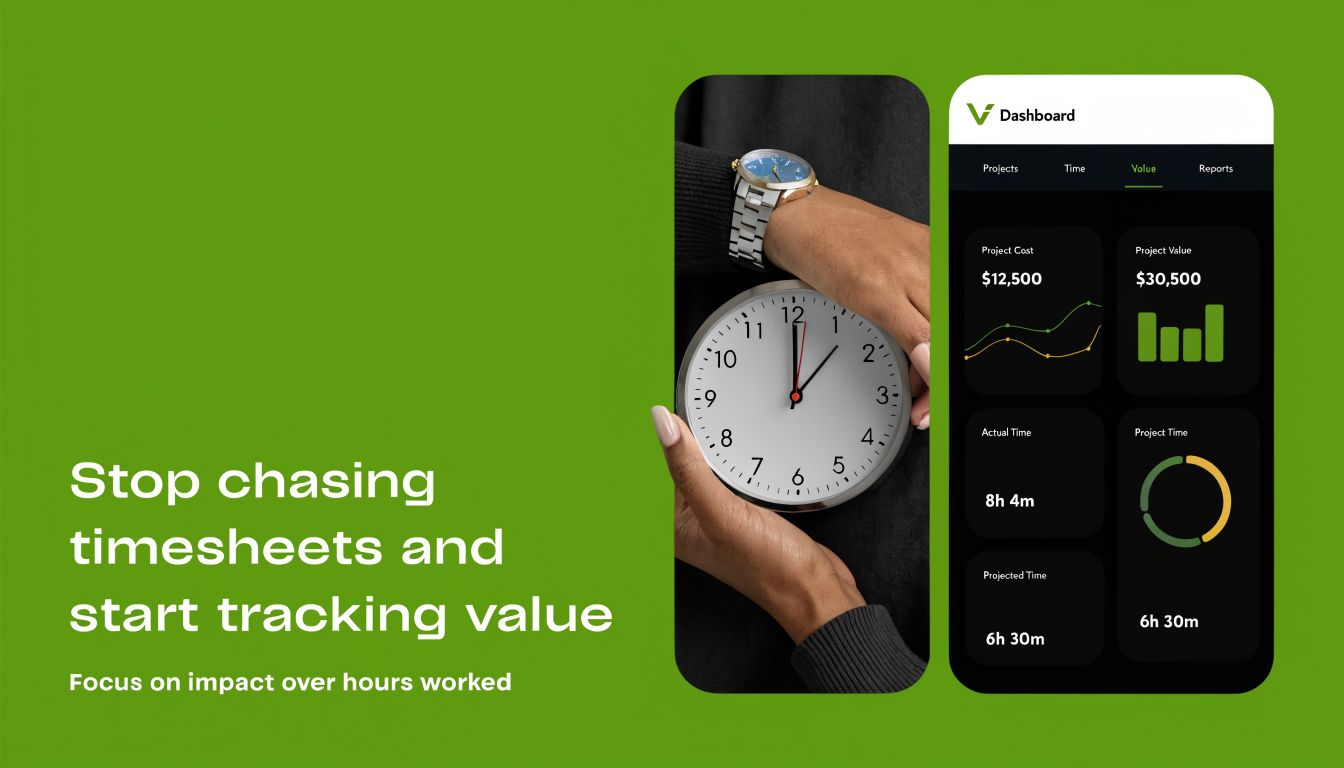
Stop chasing timesheets and start tracking value
Manual timesheets are one of the most accepted bad habits in agency operations. Everyone complains about them, nobody trusts them fully, and many teams still build core reporting around them anyway.
That's backwards.
The hidden cost isn't just bad data. It's the hours lost chasing entries, correcting categories, rebuilding utilization reports, and asking people to remember what they did three days ago. As Lakewood's project management article points out, manual updates, utilization reporting, and retrospective time entry are often the biggest source of “project management pain” for mid-sized agencies. That shifts the fundamental question from planning better to spending less time proving the plan happened.
Why manual time entry fails in practice
Manual systems assume people will stop doing work in order to document work. That already puts the process in conflict with reality.
Then the usual failure points appear:
- Memory decay: People reconstruct the week instead of recording it
- Category drift: One person logs “client strategy,” another logs “meetings,” another uses a custom note no report can read
- Manager cleanup: Ops and finance teams spend hours fixing what should have been captured once
- Late visibility: By the time the report is ready, the overrun already happened
A timesheet completed on Friday might satisfy finance, but it rarely helps delivery in the moment.
Use calendar-based capture instead
For many agency teams, the cleaner model is automatic activity capture tied to the calendar. Meetings already exist in Google Calendar or Outlook. Client calls, internal reviews, workshops, and handoffs already live there. Pull that data in, categorize it consistently, and you've removed a big chunk of admin before anyone touches a form.
One option in this category is automated timesheet software. TimeTackle, for example, connects calendars and other systems so teams can capture activity, tag work to projects or clients, and reduce retrospective entry. That kind of setup is useful when you want visibility into effort without asking staff to become part-time data clerks.
Track effort in a way managers can act on
Good tracking should answer operational questions quickly:
| If you want to know | Your system should show |
|---|---|
| Which accounts are eating unplanned time | Activity by client, project, and category |
| Whether meetings are crowding out delivery | Calendar time compared with planned execution time |
| Where utilization is fuzzy | Effort by person, role, and team |
| Which projects need intervention | Actual effort versus plan, while work is still active |
The point of tracking time isn't to police people. It's to see the truth early enough to make better calls.
That's a very different posture from “Please finish your timesheets by 5 PM.” One helps managers steer work. The other just creates another reminder email.
Establish a rhythm for communication and execution
Projects get noisy when communication has no shape. People ask for updates in Slack because they don't know when they'll get one otherwise. Stakeholders chase account leads because last week's status email said very little. Internal meetings drag because everyone comes in with different assumptions about priorities.
A simple operating rhythm fixes a lot of that.

Run check-ins for decisions, not recaps
The internal check-in should be short and boring. If it turns into a stage for every person to explain what they did yesterday, it's too long and probably useless.
A better check-in covers only what needs group attention:
- Top priorities: What must move before the next check-in
- Blockers: Anything waiting on feedback, assets, approval, or access
- Risk signals: Scope creep, effort spikes, review delays
- Ownership: Who is doing what next, by when
That can work daily on fast-moving production work or weekly on lower-frequency projects. The cadence matters less than the consistency.
Use a stakeholder update that people will read
Most client and executive updates fail because they try to look thorough. They become long, padded, and strangely empty. A good weekly update should help the reader grasp project health in under a minute.
Here's a format that works:
Progress this week
Completed homepage wireframes, approved messaging draft, and closed analytics setup blocker.Coming up next
Design review on Tuesday, build handoff on Thursday, client feedback due Friday.Needs attention
Waiting on product screenshots and final legal copy. Delay in either will move the next milestone.Scope or budget notes
New request for landing page variant is under review for timeline impact.
That's enough. If someone wants detail, they can ask.
Protect the team from status theater
Some meetings exist only because reporting is weak. If managers had a reliable view of effort, progress, and blockers, half the update meetings on the calendar would disappear.
That's why communication rhythm and tracking method belong together. If the data is stale, people compensate with meetings. If the data is current, communication becomes lighter and more focused.
A few habits keep this from slipping:
- Send updates on the same day each week: Predictability reduces random pings
- Keep issue escalation separate from general status: Don't bury urgent decisions in recap emails
- Write in plain language: Avoid tool jargon and internal shorthand
- End meetings with named owners: Ambiguity is what creates follow-up chaos
Good project communication feels almost plain. That's usually a sign the system is working.
Manage risk and change before they derail your project
Most agencies treat risk and change as things to deal with once they happen. By then, you're already negotiating from a weak position. The timeline is under pressure, the team is annoyed, and the client thinks the new request is small because nobody framed the trade-off early.
You don't need heavy governance to fix this. You need a habit.
Keep a lightweight risk register
A simple risk register works fine if people use it. Skip the corporate language and write risks in plain terms.
This format is enough:
- If the client delays feedback beyond the agreed review window,
- then the PM shifts downstream milestones and flags the account lead,
- so the team avoids hidden compression later.
Or:
- If the developer is pulled into urgent support work,
- then the project lead reassigns QA and narrows the sprint goal,
- so the release stays realistic instead of pretending nothing changed.
Write the top risks at kickoff. Revisit them in the weekly check-in. Delete the ones that no longer matter. Add new ones when the project changes shape.
Make scope change visible fast
The worst way to handle scope change is informal acceptance. Someone asks for “a small extra,” the team starts work to be helpful, and only later realizes that the extra work affected design time, review cycles, and delivery dates.
A one-page change request solves most of this. It doesn't need legal language. It needs clarity.
A useful change request includes:
| Field | What to write |
|---|---|
| Request | What is being added or changed |
| Reason | Why it's needed now |
| Delivery impact | What timeline or sequence changes |
| Effort impact | Which roles need extra time |
| Budget impact | Whether it fits the current agreement |
| Decision | Approved, deferred, or declined |
This protects both sides. The client gets a clear answer instead of vague resistance. The team gets permission to stop absorbing every request as if it were free.
Don't confuse flexibility with passivity
Agencies often pride themselves on being adaptable. That's fine, but adaptability without boundaries turns into margin loss and delivery instability.
Successfully managing projects means staying open to change while naming the cost of change. A client can absolutely ask for a new route. They just shouldn't be told it has no effect when it plainly does.
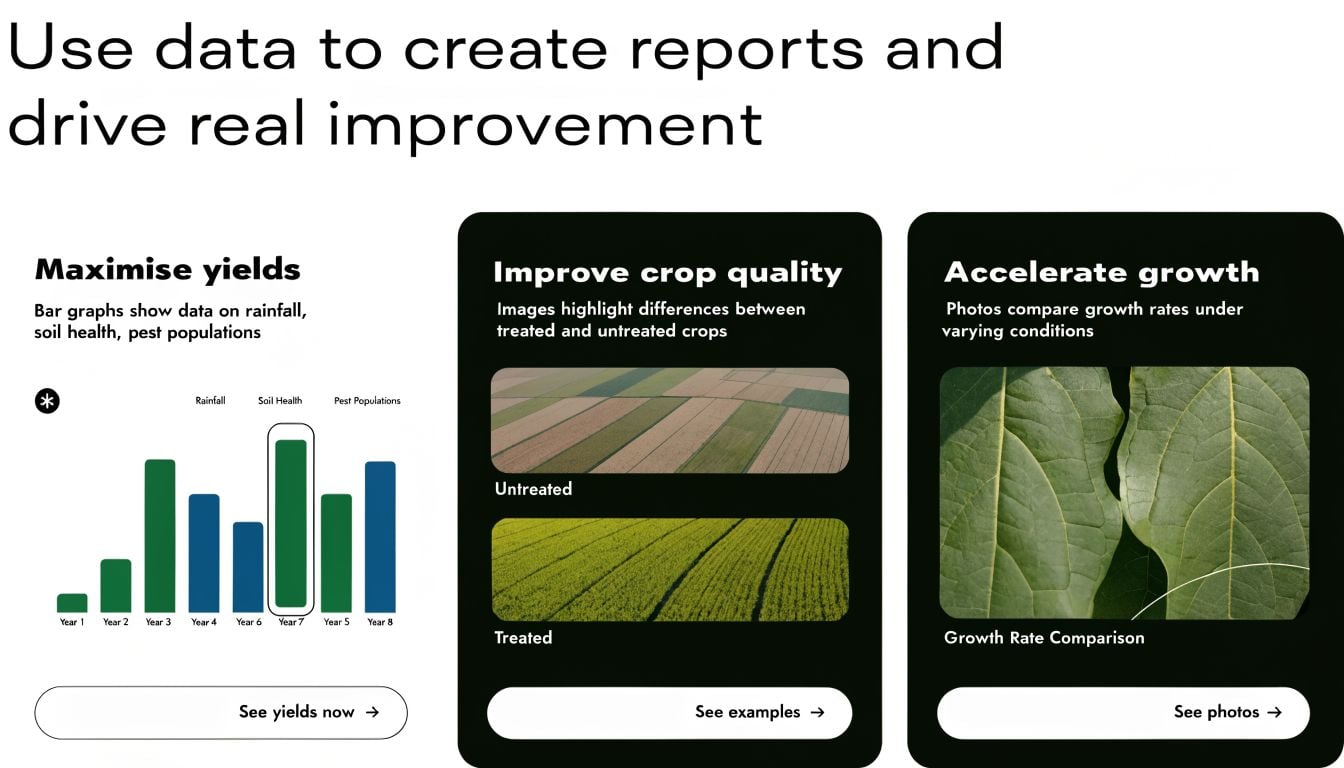
Use data to create reports and drive real improvement
Most project reporting is backward-looking admin. It tells you what already happened, usually after someone spent too long assembling it. That doesn't help much when a project is drifting now.
The better approach is to build reporting around decisions. What needs attention. Where effort is going. Whether the work delivered value, not just activity.
PMI's project success guidance makes that distinction clear. It recommends combining delivery metrics with stakeholder value scoring, using a 0–10 scale, where 9–10 counts as success, as described in PMI's discussion of project success. That matters in agency work because a project can hit the schedule and budget target while still leaving the client underwhelmed or the business result weak.
Build dashboards people can use
A bad dashboard tries to impress. A good dashboard answers a few sharp questions quickly.
| Bad dashboard | Good dashboard |
|---|---|
| Packed with every metric available | Focused on project health and action |
| Shows only completed time periods | Shows current progress and risk |
| Splits data across too many tabs | Keeps related signals together |
| Tracks hours without context | Connects effort to scope, budget, and value |
| Looks polished but changes nothing | Triggers clear decisions |
For agencies, the most useful views usually include current effort by project, planned versus actual work, where meeting load is crowding out production time, open risks, and a simple signal for client sentiment or stakeholder confidence.
Score the outcome, not just the process
At closeout, don't ask only whether the work shipped. Ask whether it was worth doing in the way it was done.
A practical review can cover:
- Delivery result: Did the team hit key milestones and stay within the agreed frame?
- Client or stakeholder value: Would the main stakeholders rate the result highly?
- Operational truth: Where did effort leak into rework, meetings, or unplanned scope?
- Repeatable lesson: What should become standard on the next project
A project can be technically complete and still be a weak piece of management.
Run a blameless post-mortem
The post-mortem should improve the next job, not assign guilt for the last one. Keep it tight. Bring the PM, delivery lead, account lead, and anyone close enough to speak candidly about what happened.
Use four prompts:
- What worked that we should keep
- What slowed us down
- What we missed early
- What we'll change next time
Capture the lesson in a place people will revisit. Then update the template, checklist, or planning rule that caused the issue. If the learning never changes the system, the meeting was just therapy.
If your team is tired of chasing timesheets, rebuilding status reports by hand, and guessing where project effort goes, TimeTackle is worth a look. It uses calendar-based tracking and reporting to help agencies see work as it happens, cut manual admin, and make project decisions with cleaner data.


