
Friday afternoon. Finance wants draft invoices. Project leads want to know which accounts ran hot this week. Team leads are still pinging people for missing entries, and half the consultants are trying to rebuild Monday from a blur of calls, Slack messages, and browser tabs.
That's the point where most firms admit their current setup isn't really a system. It's a weekly recovery exercise.
Good consulting hours tracking should do two things at once. It should give leaders clean data for billing, staffing, and forecasting, and it should fit the way consultants work. Those two goals often get treated like opposites. They aren't. The problem is that a lot of firms still choose between strict timer discipline and loose end-of-week timesheets, when hybrid teams usually need something in the middle.
The better approach is calendar-based automation with clear rules behind it. You still need a policy. You still need categories, approvals, and reporting. But you stop asking people to remember every switch between tasks, and you stop pretending that memory-based timesheets are accurate enough for margin control.
Why your current hours tracking is probably broken
The warning signs usually look small at first. A consultant submits time late. A project manager rounds a few entries because the task list is messy. Someone bills “client work” instead of the right phase because they're in a rush. None of that feels dramatic on its own, but week after week it turns into bad data, billing leakage, and planning mistakes.
Manual timesheets create a drag most leaders underestimate. Conservative industry estimates say consultants using manual timesheet processes waste about 2 to 4 hours per week on tracking activities. For a mid-sized agency with 100 consultants, that adds up to roughly 200 to 400 lost hours each week that could have gone to billable work, according to this breakdown of timesheet waste in consulting.
That number gets real fast when you look at what happens inside a normal week:
- Monday gets lost: People jump from kickoff calls to client emails to internal reviews, then tell themselves they'll log it later.
- Wednesday gets blurred: Work is split across small chunks, so nobody remembers the true time spent on strategy, revisions, or account management.
- Friday gets rebuilt: Managers chase entries, consultants estimate from memory, and finance gets data that looks tidy but isn't very trustworthy.
- Next week gets planned on bad inputs: Capacity decisions depend on hours that were guessed, miscoded, or never entered.
Most firms don't have a time tracking problem. They have a memory problem wrapped inside a process problem.
This also affects morale. People don't like doing admin work they see as pointless, especially when the process feels slow and the categories are confusing. Once that frustration sets in, compliance drops and the data gets worse. If your team already struggles with context switching, the broader pattern will feel familiar in other parts of the workday too. That's why I often tell ops leaders to look at time entry alongside poor time management patterns inside teams, because the same friction shows up in both places.
First things first, designing your tracking policy
Before you pick software, write the rules. If you skip that step, the tool just digitizes confusion.
A good policy answers four basic questions. What counts as billable work. What counts as non-billable work. How detailed entries need to be. Who approves what. Most agencies leave at least one of those vague, which is why their reports become hard to trust after a month or two.

Start with naming and categories
A practical structure works better than a clever one. A proven method is to use the format “Client Name – Project Name – Phase” and define explicit non-billable categories like admin and business development. That structure matters because it gives you reporting that can compare actual hours against project budgets in a way people can understand, as outlined in this consulting time tracking methodology.
That means “Acme – CRM rollout – Discovery” is useful. “Acme work” is not.
Your non-billable set should also be tight. If you let people invent labels, your reports will fill up with junk categories that no one can roll up cleanly later.
A simple policy should spell out:
- Billable work: Client workshops, delivery tasks, project management tied to a client account, revision rounds, and documented client communication related to delivery.
- Non-billable internal work: Admin, internal meetings, recruiting support, training, and business development.
- Pre-sales gray areas: Discovery calls, solution design, or scoping should be assigned to a specific pre-sales category so leaders can see how much effort sales support is really taking.
- Meeting rules: Internal meetings tied directly to a client project should be logged to that project. General team meetings should not.
Decide the level of detail you actually need
Too much granularity creates resistance. Too little creates reports that nobody can use. You need enough detail to answer commercial questions, not enough detail to turn every consultant into a clerk.
I usually recommend writing examples directly into the policy. People follow examples better than abstract rules.
Practical rule: If a consultant can't tell where to put an hour within a few seconds, the policy is too vague or the categories are too broad.
A strong policy also supports pricing decisions. If your firm is rethinking how to connect effort, scope, and margin, this piece on how Australian SMEs can boost profits is worth reading because it shows why activity visibility matters well beyond simple hourly billing.
Set review and approval rules
Policy doesn't end at entry. You need a cadence for review, and it should be light enough that managers will indeed do it.
Use a short weekly review for team leads. Check missing entries, miscoded phases, and obvious scope creep. Then use a monthly review for operations or finance to inspect patterns across clients, service lines, and non-billable load. That's where consulting hours tracking starts to become operating data instead of payroll admin.
Choosing your time capture method
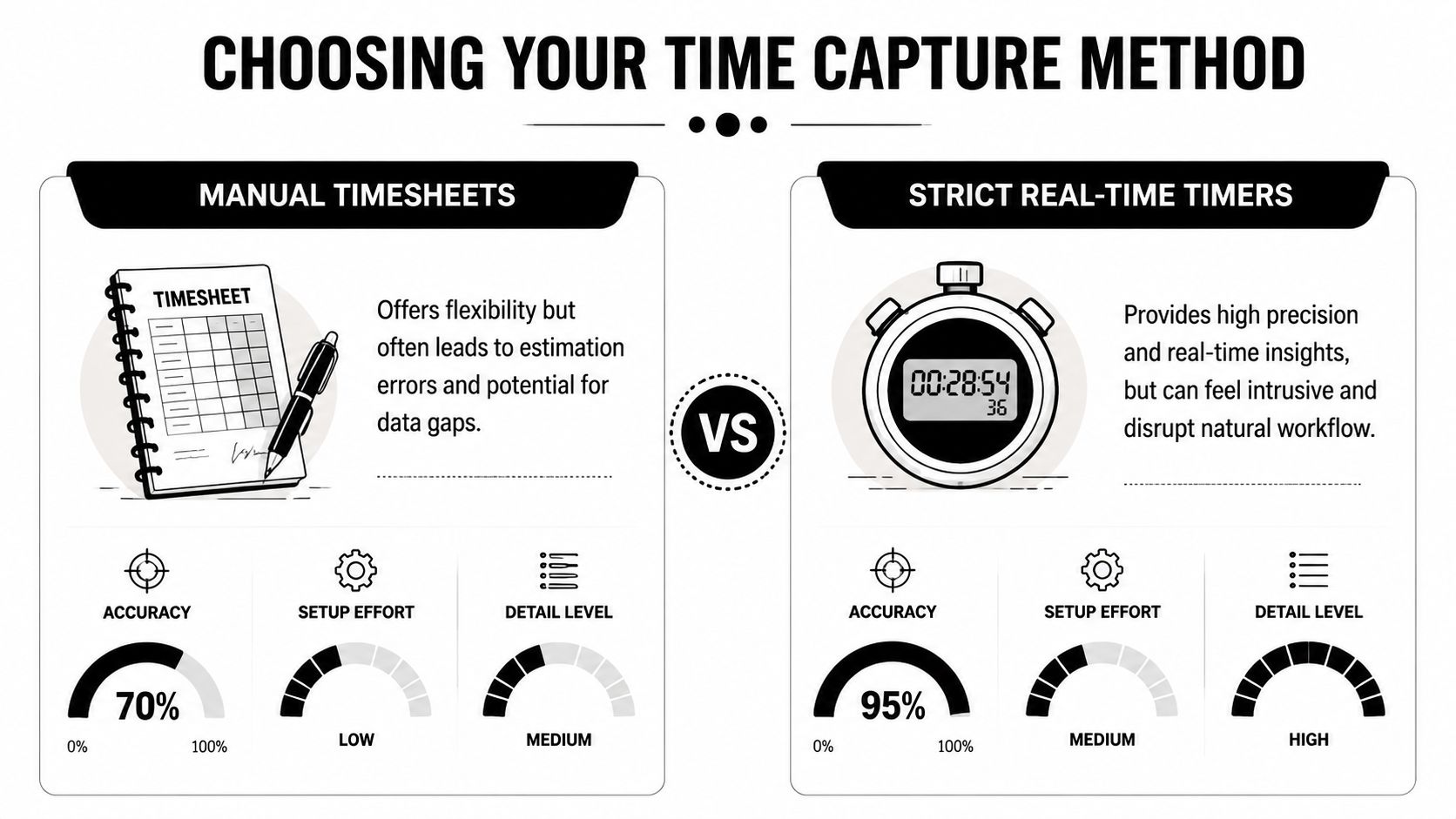
Most firms think they have two choices. Either consultants run strict live timers all day, or they fill out timesheets from memory later. That's the old debate, and for hybrid agencies it's the wrong one.
The practical choice set is wider now. You can still use manual entry. You can still use strict timers. But there's a third option that fits the way modern teams work far better: calendar-based automation with suggested entries and rules.
Why the old debate keeps failing
Strict timer use sounds accurate on paper. In real consulting work, people switch between client calls, document reviews, Slack threads, and internal handoffs all day. Asking them to start and stop a timer every time assumes a neat work pattern that usually doesn't exist.
For mid-sized agencies with hybrid teams, strict real-time tracking can increase timesheet fatigue by 40%. By contrast, calendar-integrated auto-suggestions can achieve over 90% accuracy while reducing manual effort by 65%, according to this consultancy time tracking guide summarizing the trend. That trade-off matches what many ops teams already feel: the most “disciplined” process often gets worse adoption.
Time capture methods compared
| Method | Accuracy | Team friction | Best for |
|---|---|---|---|
| Manual timesheets | Lower consistency because people reconstruct work from memory | High | Very small teams with simple work and low reporting needs |
| Strict real-time timers | High when people use them correctly | High for hybrid teams with fragmented work | Narrow task-based environments with stable workflows |
| Calendar-based automation | High enough for billing and reporting when rules are well set | Low to moderate | Mid-sized consulting and agency teams juggling meetings, project work, and client communication |
| Hybrid approach with timer plus calendar review | Useful for teams with mixed work styles | Moderate | Firms that want some live capture without forcing everyone into the same habit |
The interesting thing is that calendar-based capture doesn't mean “trust the calendar blindly.” It means using the calendar as a draft, then applying tags, rules, and review steps so people confirm the work instead of rebuilding it.
What works in a hybrid agency
If your consultants spend a lot of time in Google Calendar, Outlook, Zoom, Meet, CRM activity, and project tools, then calendar-based capture usually fits better than stopwatch discipline. It follows the work they already do. It doesn't ask them to stop mid-thought and perform admin.
That's one reason many teams now compare broader workflow options before they pick a tracking setup. If your environment runs heavily on Google tools, it helps to compare Google Workspace productivity tools first, because the quality of your calendar and workflow stack shapes how well time capture will fit.
There are also different ways to structure this in software. Some tools focus on timers first. Others center on retrospective entry. Others, including different time tracking approaches for modern teams, build around the calendar so consultants confirm and categorize work that already happened.
A timer records intent. A calendar often records reality. The best systems use both where it makes sense, but they don't force timer behavior on every kind of work.
Setting up your tags and integrations
Once you've picked a capture method, the next job is making the data useful. Raw hours don't answer business questions on their own. Tags, properties, and integrations do.
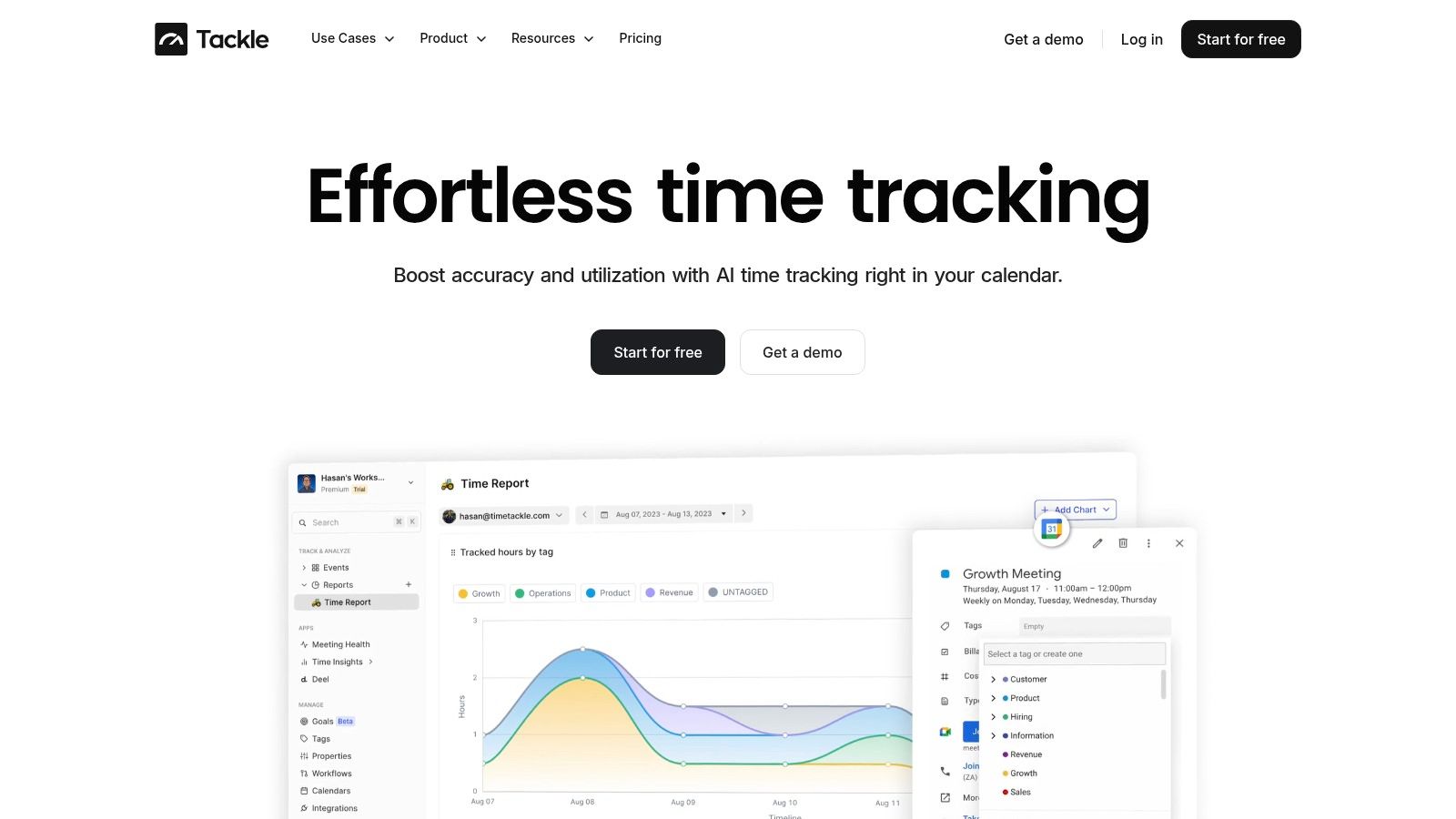
A workable setup starts with the reporting questions you care about. Do you want to see margin by client, by service line, by project phase, or by team? Build tags backward from those questions. If you start by copying someone else's tag list, you'll get a taxonomy that looks organized and tells you very little.
Build tags that answer real questions
Most mid-sized agencies need a small set of core dimensions:
- Client tag: Which account consumed the time.
- Project or engagement tag: Which body of work the entry belongs to.
- Phase tag: Discovery, strategy, implementation, reporting, revision, support, or another stage that matches how you scope work.
- Work type tag: Billable, non-billable, internal, pre-sales, admin.
- Team or discipline tag: Strategy, creative, delivery, PM, engineering, analytics.
That's enough for most firms. If you go much further without a specific reason, reporting gets fragile because people choose tags inconsistently.
Connect the systems your team already uses
At this stage, many implementations either become smooth or stay painful. Your tracking setup should pull in the systems that already hold evidence of work. Calendar is the starting point for most firms, then CRM, project management, and billing.
The flow should be simple. Calendar events suggest time entries. CRM or project metadata supplies the right client and deal context. Project tools add phase or delivery detail. Billing or finance gets approved hours, not raw entries.
One option in this category is TimeTackle, which connects Google or Outlook calendars and CRM data, then applies custom tags and rule-based automation so teams can categorize activities with less manual work. The point isn't the brand. The point is the model. Put the work where people already are, then automate the classification layer.
Use rules to cut repeat admin
Rules are where consulting hours tracking starts paying back the setup effort.
For example:
- Recurring client meetings can auto-tag to the same account and project phase.
- Internal recurring meetings can auto-tag as non-billable team operations.
- Pre-sales calls booked from a CRM stage can route into a business development category.
- Events with certain keywords can trigger suggested tags that users confirm rather than type from scratch.
If a consultant has to make the same categorization choice twenty times a month, the system should remember it.
Done well, integrations cut duplicate entry and reduce the chance that billing data, project data, and capacity data drift apart. That's what gives you one version of the truth instead of three exports that never quite match.
From data to dollars with reporting and billing workflows
A time tracking process isn't finished when the hours are logged. It's finished when leaders can use those hours to bill accurately, spot margin issues early, and make staffing decisions before a project goes sideways.
That's where reporting design matters. Most firms export timesheets and call it reporting. That's not enough. You need views that answer live questions: who is underused, which accounts are over-serviced, where scope creep is showing up, and which teams are overloaded.

The metric most firms need to trust
Billable utilization is still one of the clearest operating measures in consulting. The common benchmark for professional consulting firms is 75% to 85%, and automating the link between time-tracking and project management tools can increase billable utilization by 8% to 12% within weeks by giving leaders near real-time visibility into capacity, according to this guide on tracking billable hours as a consultant.
That doesn't mean every person should sit at the top of the range all the time. It means you need dependable data so you can see whether low utilization comes from weak demand, too much internal work, poor role design, or bad project staffing.
Build reports around decisions
The best reporting stack is boring in a good way. It tells each role what action to take.
| Report | Main user | What it should answer |
|---|---|---|
| Weekly utilization view | Team leads | Who has spare capacity, and who is overloaded |
| Budget vs actual by project phase | Project managers | Which phase is burning too fast |
| Billable vs non-billable by team | Operations | Whether internal load is eating delivery capacity |
| Draft billing review | Finance | Which hours are ready for invoice and which need correction |
You don't need dozens of dashboards. You need a few clean ones that people open every week.
Tighten the handoff to billing
Bad billing workflows usually break in one of two places. Either entries are too messy to invoice cleanly, or approvals happen too late and finance spends days cleaning up project data.
A better sequence is simple:
- Capture quickly: Pull time in from the team's actual work pattern.
- Categorize with rules: Apply tags and project structure early.
- Review weekly: Fix errors while the week is still fresh.
- Approve for billing: Send only validated time into invoicing.
If you're thinking about automating those approval and handoff steps, Faberwork's latest automation insights are useful because they show how repetitive review work can move into defined workflows instead of staying manual.
For firms that need a tighter link between approved time and invoicing, it also helps to look at billing software connected to time tracking workflows. The main value isn't speed alone. It's reducing the number of places where hours can get lost, edited badly, or delayed.
Making it stick by driving team adoption
Most consulting hours tracking rollouts fail for a simple reason. Leaders treat adoption like a compliance issue when it's really a design issue.
Consultants don't resist because they hate visibility. They resist when the process interrupts work, feels unfair, or asks them to do admin that could have been automated. If entry is slow, vague, or repetitive, people will delay it. Once they delay it, quality drops.
The 10-second rule
For time tracking to become a stable habit, logging needs to be frictionless and take no more than 10 seconds per entry. If it takes longer, adoption drops. That's why calendar-integrated entry is treated as an essential requirement in this guide to how consulting firms track billable hours.
That rule is easy to understand and hard to ignore. If your current process requires opening a separate tool, finding the right client, choosing from a long task list, adding notes, and splitting an hour across categories, it won't stick. It may get done under pressure, but it won't become routine.
“If the entry step feels heavier than the work itself, people will put it off.”
Roll out with fewer mandates and more proof
The firms that get good adoption usually communicate the change in practical terms. Less Friday admin. Fewer follow-up messages from finance. Fairer workload visibility. Better evidence when a client is under-scoped or a team is stretched too thin.
Use a rollout pattern like this:
- Pilot with one team: Pick a group with messy but visible work, such as account management or implementation, and fix the rough edges there first.
- Train on examples, not theory: Show exactly how to tag a client call, an internal planning meeting, a pre-sales session, and a revision block.
- Collect friction fast: Ask what feels slow, confusing, or repetitive after the first week, then remove that friction.
- Keep managers accountable: If leads don't review and clean entries weekly, the team learns that quality doesn't matter.
Show people what they get back
Adoption improves when consultants see personal value, not just company value. Better systems reduce the need to reconstruct the week, reduce disputes about who worked on what, and make hidden work more visible. That last point matters a lot in hybrid teams, where internal support and coordination work can disappear unless the system catches it cleanly.
If you want honest buy-in, don't pitch tracking as surveillance. Pitch it as protection. Protection against underbilling, against overloaded teams, and against bad planning built on guessed numbers.
Stop chasing time and start managing it
The shift most firms need isn't from paper to digital. It's from reconstruction to visibility.
Good consulting hours tracking starts with a clear policy, then uses a capture method that fits real work, not an idealized workflow. After that, tags and integrations turn activity into operating data, and reporting turns that data into decisions about billing, staffing, and scope. The last step is adoption, which comes from low friction, clear rules, and weekly review habits.
The firms that get this right stop treating timesheets as a weekly cleanup task. They use time data to understand delivery, protect margins, and see workload problems early enough to act.
This is the fundamental point. Time tracking isn't about watching people. It's about understanding where your firm spends its most limited resource, then making better calls because the data is finally trustworthy.
If your team is stuck between messy timesheets and disruptive timers, TimeTackle is worth a look. It uses calendar-based time capture, tagging, and automation to reduce manual entry while giving operations, finance, and team leads cleaner reporting for billing and utilization.