
Let's be honest, the quickest way to get a handle on your team's hours is with a good old-fashioned timesheet template. We’ve built one from the ground up—available in both Excel and Google Sheets—that you can download for free and start using today. It’s perfect whether you’re a freelancer, running a small agency, or managing a larger team.
Your Free Timesheet Template Is Ready To Go
Forget building something from scratch. A solid timesheet is more than just a grid; it’s a core tool for figuring out project profitability and where your team’s real efforts are going. There’s a reason the time tracking software market is exploding—it’s expected to hit USD 29.88 billion by 2033. Everyone is trying to get smarter about how they manage their most valuable resource: time.
This shift away from clunky manual logs is all about winning back hours and getting a clear picture of your operations. Our template is designed to give you that clarity from day one.
What Makes This Template Different
This isn't just another generic spreadsheet. We've packed it with fields that are absolutely essential for service-based businesses like creative agencies and consulting firms.
You'll find dedicated columns for things like:
- Client Codes: Keep your billing and reporting airtight by assigning a unique code to every client.
- Project Tasks: Get granular. Break down big projects into specific tasks ('Creative Direction,' 'Client Strategy Call') so you can see exactly where the hours are burned.
- Billable vs. Non-Billable Hours: This is huge. Instantly see the difference between revenue-generating work and internal admin, a critical metric for understanding your team's real efficiency.
Here’s a look at the clean, straightforward layout you’ll get. No clutter, no confusion.

We kept the design simple on purpose. Your team should be able to pick it up and run with it, no lengthy training session required.
Key Takeaway: A well-designed timesheet template isn't just for counting hours. It's your window into resource allocation, project costs, and the overall financial health of your business.
We've baked in formulas that automatically calculate total hours, which is a simple way to cut down on manual mistakes and save a ton of admin time.
And if you're a spreadsheet wizard looking to do more, our guide on the most useful timesheet Excel formulas will show you how to customize it even further. Think of this template as a powerful starting point—it gives you immediate control without the headache of building a system from the ground up.
Customizing Your Timesheet for Agency and Consulting Work
A generic timesheet template is a decent starting point, but let’s be honest—for agencies and consulting firms, the real power is in the customization. Your business isn't one-size-fits-all, so your time tracking tool shouldn't be either. When you tailor your timesheet, you transform it from a simple logbook into a serious business intelligence tool.
The first move is to add custom fields that actually mirror how your team works. Think beyond just "start time" and "end time." For any busy agency, this means adding columns for client names, specific project IDs, and even granular task categories.
Instead of a vague entry like "Worked on Client X," a properly customized timesheet gives you specifics like:
- Client: Global Tech Inc.
- Project ID: GTC-Q3-Launch
- Task: Creative Direction
- Hours: 2.5 (Billable)
This is the kind of detail you need for accurate invoicing and figuring out if a project is actually making you money.
Standardize Entries with Data Validation
One of the biggest headaches I see with manual timesheets is messy, inconsistent data. One person logs time to "GTC Launch," another enters "Global Tech Campaign," and suddenly your reporting is a nightmare. You can kill this problem before it starts by using data validation to create dropdown menus.
In either Excel or Google Sheets, just create a master list of all your active clients and projects on a separate tab. From there, use the data validation feature to turn the "Client" and "Project" columns into dropdowns that pull directly from that list. This simple trick enforces consistency, stops typos in their tracks, and makes filling out the timesheet way faster for your team.
Here’s a look at how a customized timesheet with clear project fields and billable status columns might look in action.

This kind of setup gives you an immediate, at-a-glance view of how time is being split across different projects and whether it's billable or not.
Use Conditional Formatting for Quick Insights
Another trick I love is using conditional formatting. This feature lets you automatically change a cell's color based on what's inside it, giving you instant visual cues so you don't have to hunt for information.
For example, you could set up a rule to highlight any time logged as "non-billable" in yellow. Or maybe flag any daily total that goes over eight hours in red. This kind of visual feedback helps project managers spot potential burnout or scope creep without having to dig through rows of data.
These customizations aren't just nice-to-haves; they're essential for service-based businesses. If you're managing complex client portfolios, it might be time to look into a dedicated agency time tracking software. These tools can automate many of these processes, giving you even deeper insights into team utilization and project health.
By tailoring your template, you’re not just tracking hours—you're building a system that actively supports your billing structure and operational goals.
The True Cost of Manual Time Tracking
It’s easy to think a basic spreadsheet or a stack of paper timesheets is the simplest way to track time. It feels straightforward, but that simplicity is deceptive. In reality, it’s a silent killer of both productivity and revenue. The real expense isn’t the price of a spreadsheet program; it’s buried in the tiny inaccuracies, the forgotten hours, and the crushing administrative weight of keeping it all afloat.
This old-school approach is practically an open invitation for human error. A team member forgets to log a quick 15-minute client call. Someone else rounds down their hours at the end of a long day. On their own, these moments seem tiny, almost insignificant. But when you add them up across a team over an entire year, they snowball into a serious financial problem. Just think about all those five-minute emails and quick check-ins that never even make it onto a timesheet.
The Unseen Financial Leaks
The financial fallout from these unbilled moments is truly staggering. Research shows that unrecorded activities like short emails and impromptu meetings cost the U.S. economy around 50 million productive hours—a jaw-dropping $7.4 billion—every single day. What’s even more shocking is that roughly 38% of companies in the United States are still clinging to manual paper systems, leaving the door wide open for these leaks.
And it’s not just about lost billable hours. The administrative overhead is a massive, often overlooked cost. Managers waste precious time every single week just chasing down missing timesheets, trying to make sense of messy handwriting, and manually punching numbers into payroll or invoicing software. This is high-value time that could be invested in growing the business, strengthening client relationships, or mentoring their team.
Key Insight: The true cost of manual time tracking isn't just the hours you fail to bill; it's also the high-value strategic time your managers lose to low-value administrative tasks.
The Problem with Inaccurate Data
Beyond the immediate hit to your bottom line, manual methods destroy your ability to make smart business decisions. Without reliable, accurate data, you’re left guessing on critical questions:
- Which projects are actually profitable, and which ones are secretly draining your resources?
- Is project scope slowly creeping past the original estimate?
- Are my team members completely overloaded or sitting on unused capacity?
When your entire strategy is based on inconsistent entries and pure guesswork from a simple template for timesheet, you're building your business on a foundation of sand. To really grasp what’s at stake, it’s worth exploring the ROI of business process automation. This context makes it clear why moving away from error-prone manual entry isn’t just an efficiency upgrade—it's a critical move for any service business that wants sustainable growth.
Turning Your Calendar Into Billable Hours
Your work calendar is already a surprisingly accurate log of your billable life. Every single meeting, focused work block, and client call is time that needs to be tracked and, more importantly, billed for. The real challenge is turning that schedule into clean timesheet entries without letting billable hours slip through the cracks.
Think of it as a weekly financial reconciliation, but for your time. By setting aside a small window at the end of each week to scan your calendar, you can capture hours that are easily forgotten by the time Monday morning hits. It’s a simple, manual habit, but it's a powerful first step toward getting your billing right every time.
The Weekly Calendar Review Habit
The easiest way to get started is to just do it. Block out 30 minutes on your calendar every Friday afternoon. When the time comes, pull up your timesheet template and your calendar—whether it's Google Calendar or Outlook—side-by-side. Then, just walk through your week, day by day, event by event.
For each thing on your calendar, ask a few simple questions:
- Was this billable? A client strategy session is an obvious yes. But what about the 30 minutes you spent prepping for it? That’s billable, too. Don't shortchange yourself.
- Which client and project? Match the event to the right client code and project ID in your timesheet. Be specific.
- Did the scheduled time match reality? That meeting booked for 60 minutes might have actually run for 75. Adjust your timesheet to reflect what really happened.
This disciplined review quickly turns those abstract calendar blocks into tangible, billable data. It's a habit that pays for itself almost immediately.
Translating Events Into Actionable Data
Once you get into the rhythm of the weekly review, you can start adding more detail. Not all calendar events are created equal, and your timesheet should reflect that nuance.
A "Project Kick-off Meeting" for Client A isn't just a one-hour entry. It should be logged under a specific task category like "Client Onboarding" or "Strategic Planning." This is the kind of detail that becomes invaluable when you're quoting future projects or planning resources.
For instance, a two-hour block on your calendar just labeled "Work on GTC-Q3-Launch" is a decent start, but it's not enough. For your timesheet, you need to break it down. Maybe one hour was spent on "Creative Direction" and the other on "Copywriting." This level of specificity transforms your timesheet from a simple logbook into a strategic tool that shows you exactly where your team’s effort is going.
To get a head start on this, you can even explore using a Google Calendar hours calculator to pull the raw numbers before you add your own detailed notes.
Mastering this manual process does more than just clean up your current billing. It throws a spotlight on the sheer volume of valuable data your calendar holds and builds the perfect foundation for eventually automating this entire workflow. Once you see the data clearly, you'll never let a billable moment get missed again.
Moving Beyond Spreadsheets with TimeTackle
A solid timesheet template is a huge step up from sticky notes or trying to remember your week from memory. But let's be honest, it's still manual work. True efficiency kicks in when you stop actively tracking time and let a system track it for you.
This is where tools like TimeTackle come in. They represent the next logical leap, plugging directly into your calendar to make manual timesheets a thing of the past.
Instead of nagging your team to fill out a spreadsheet, the system quietly captures every meeting, focused work block, and client call right from Google or Outlook Calendar. This isn't just about saving a few minutes here and there; it’s about flipping the script on time tracking from a dreaded chore to something that just happens in the background.
Think of the manual steps you’re taking right now. This is what it looks like.
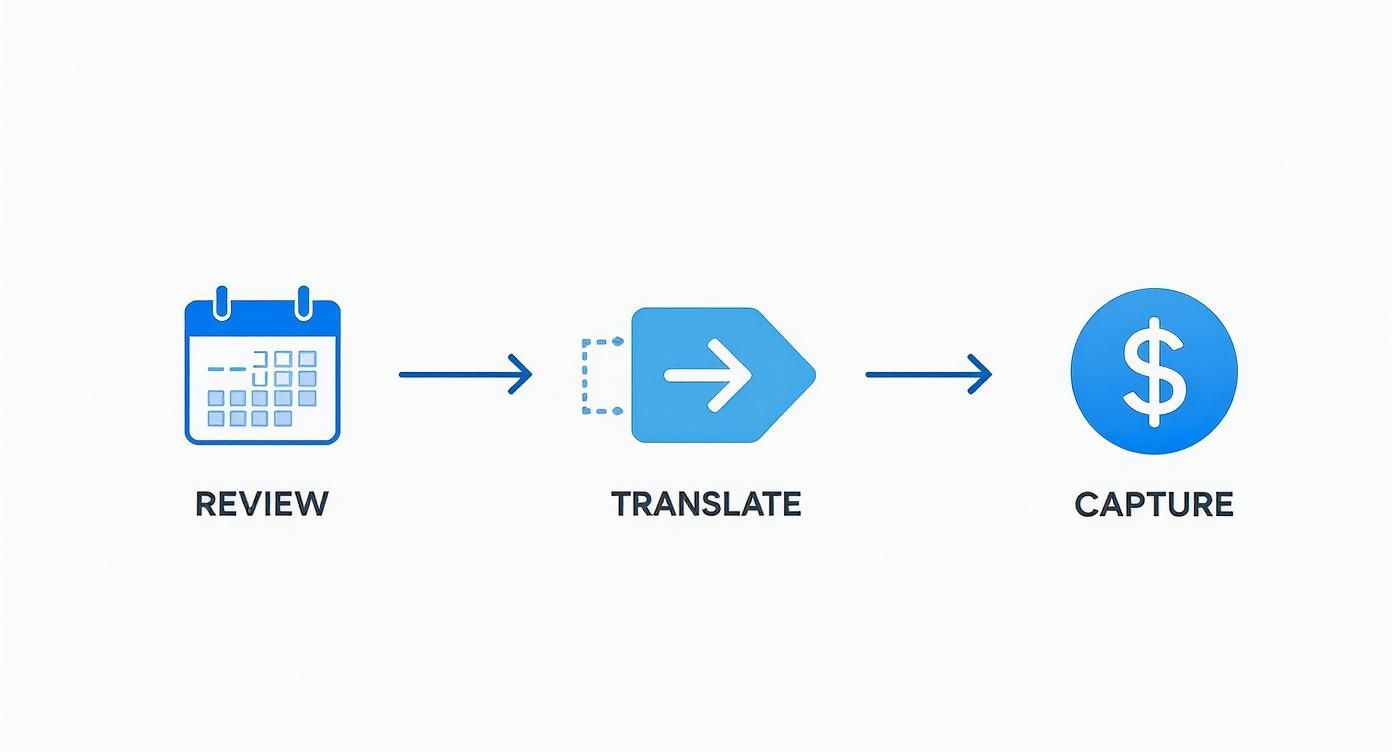
Each of those steps—reviewing your calendar, translating events into billable hours, and capturing that value—is a potential failure point. It's where hours get missed or miscategorized when you’re relying on memory alone.
Reclaiming Lost Productivity
The need for a better system becomes painfully obvious when you look at how modern teams actually work. Research suggests the average employee is truly productive for only about 2 hours and 53 minutes a day. So where does the rest of the time go? It's eaten up by meetings and emails, the exact kind of fragmented work that rarely makes it onto a manual timesheet.
Without an automated way to scoop up all this activity, businesses are essentially flying blind, unable to spot where time and money are leaking out.
Automation creates a perfect, passive record of everything. Imagine a consultant juggling three different clients. With an automated tool, every call and meeting is captured and tagged to the right project without them ever opening a spreadsheet.
This hands-off approach pays off in a few huge ways:
- Flawless Accuracy: No more human error, forgotten entries, or guesstimates.
- Time Savings: Your team gets back the time they used to spend on administrative grunt work.
- Deeper Insights: You can finally generate powerful reports on team utilization, project profitability, and client ROI.
From Simple Tracking to Business Intelligence
This is about more than just logging hours. It's about turning raw time data into actual business intelligence. You can instantly see how much time is spent on billable vs. non-billable work, track project budgets in real-time, and finally figure out which clients are your most profitable.
This shift transforms time tracking from a backward-looking compliance task into a forward-looking strategic tool. You stop asking, "Did everyone fill out their timesheet?" and start asking, "Are we deploying our most valuable resource effectively?"
Advanced tools can even help you connect attendance records directly to payroll. By exploring different sessions payroll management solutions, you can find ways to automate pay calculations, taking yet another manual task off your plate.
Ultimately, connecting your time tracking directly to your work calendar creates a seamless flow. You not only ensure every billable minute is captured but also gain the data you need to make smarter, more profitable business decisions. It’s the natural next step after mastering the calendar-to-timesheet method.
Common Questions About Timesheet Templates
Whenever a team starts tracking time differently, a few questions always pop up. Getting them answered is the key to a smooth rollout and making sure the new process actually sticks. My goal here is to get ahead of those common hurdles.
We'll dig into everything from picking the right format to getting your team to actually fill the thing out. Think of this as your quick-start guide to avoiding the friction that can sink a perfectly good time tracking plan.
Excel or Google Sheets for My Timesheet Template?
Ah, the classic debate. The right answer really boils down to how your team operates day-to-day. Both are fantastic tools, but they’re built for different ways of working.
- Excel is an absolute powerhouse for offline work and heavy-duty calculations. If your team is out in the field with spotty Wi-Fi or you need to run complex financial models right inside your timesheet, Excel is usually the safer bet.
- Google Sheets is the undisputed champ of real-time collaboration. For remote teams or projects where several people need to be in the same file at once, its cloud-first design is a lifesaver. It just flat-out eliminates version control headaches.
While our free download gives you both, I find myself recommending Google Sheets for most agencies and consulting firms these days. For a distributed team, the easy access and sharing capabilities are just too good to pass up.
How Do I Get My Team on Board?
Getting people to fill out timesheets on time and with any degree of accuracy can feel like pulling teeth. The secret isn't about being stricter; it's about making the process smarter and giving it a purpose.
First, make it dead simple. A confusing template or vague instructions are guaranteed to kill compliance. Keep it clean. Then, set a clear but reasonable deadline—say, end-of-day Friday—and use automated calendar reminders for a friendly nudge.
The most important piece of the puzzle is explaining the "why." You have to show them that accurate time tracking isn't about big brother watching over their shoulder. It’s about smarter project planning, making sure workloads are fair, and ensuring the company actually gets paid for all its hard work. When people see the direct benefit, it stops feeling like a chore.
When Is It Time to Ditch the Spreadsheet?
A spreadsheet is the perfect place to start. But eventually, it will start to hold you back. If you find yourself nodding along to any of these, it's probably time to look into dedicated software:
- You're spending more than an hour a week just chasing down timesheets or fixing errors.
- You need reports on things like client profitability or team utilization that are a nightmare to build by hand.
- Your team has grown beyond 5-10 people, and the single spreadsheet is becoming a chaotic mess.
- Manual errors are starting to pop up in your billing and payroll, costing you real money.
The second you need to connect your time data with invoicing or project management tools, that’s your sign. The spreadsheet has served its purpose, and it's time to upgrade.
Ready to ditch manual entry and guarantee perfect timesheet accuracy? TimeTackle plugs right into your calendar to capture every billable minute automatically. See how much time you can save by exploring the platform.