
You probably know the moment already. A project runs long, a few people stay late to finish client work, and payroll gets a stack of timesheets that don't quite agree with what managers remember seeing. In a mid-sized agency, that's where time and half turns from a math term into a real payroll risk, because one missed adjustment can flow into every pay run after that.
The federal rule is simple on paper. Under the Fair Labor Standards Act, most nonexempt employees must be paid at least 1.5 times their regular rate for hours worked beyond 40 in a workweek, and the law has used that overtime premium since 1938 (Congressional Research Service overview of FLSA overtime). In practice, the hard part is not the formula, it's the data. If payroll input is late, incomplete, or split across tools, the premium gets misapplied and the cost shows up later in corrections, back pay, and audit cleanup. For teams trying to integrate payroll with fund accounting, that kind of mismatch is exactly where the work gets messy.
Why time and half trips up even experienced payroll teams
A lot of agency leaders assume overtime mistakes come from bad math. In practice, the failures usually start earlier, with late approvals, inconsistent time entries, and too many hands on the same hours before payroll closes.
I've seen the same pattern repeat in mid-sized marketing firms and professional services shops. A strategist logs client calls at the end of the week, a project manager edits a timesheet after approval, and finance discovers too late that the week crossed the 40-hour line. Under federal law, the overtime trigger sits inside a fixed, recurring 168-hour workweek, not the calendar week your team sees on a planner, so weekend or holiday work only matters if it pushes total hours over the threshold in that defined week (U.S. Department of Labor overtime guidance).
What time and half means
Time and half is the federal overtime premium, not a bonus. It means a nonexempt employee gets paid at least 1.5 times their regular rate for each hour beyond 40 in the workweek, and the employee may still work any number of hours if the schedule needs it, because the rule controls pay, not scheduling (CRS FLSA report, DOL overtime guidance).
A weekly premium can look small in isolation and still distort an agency's numbers fast. A mid-sized marketing firm with client service, creative, and account teams may have one account running hot while another stays under budget, so a single misclassified overtime rate can throw off project margins, utilization reports, and client billing in the same pay period.
That difference matters because overtime is a recurring cost line that shows up in payroll runs again and again. If your team handles multiple clients or cost centers, one wrong premium rate can contaminate reporting long after the check clears, and the correction often lands in a later period where managers no longer remember who approved the extra hours.
Practical rule: treat overtime as a compliance issue first and a payroll calculation second. If the hours are wrong, the rate won't save you.
When agencies run clean payroll, they pair time tracking with accounting controls early. That matters when you try to integrate payroll with fund accounting, because the same discipline that keeps payroll clean also keeps job costing, approvals, and labor allocation from drifting apart. A team that closes time late can still pay people, but it pays for the mistake later in corrections, audit questions, and manual cleanup.
How to calculate time and half across common payroll scenarios
A payroll run can look correct at first glance and still miss the overtime premium. That happens in agencies and professional services firms when the regular rate shifts because of bonuses, commissions, salaried nonexempt status, or fluctuating workweek arrangements, while the spreadsheet keeps treating every extra hour the same. Workforce.com explanation of time and half, Paychex guidance on calculating time and half, Tennessee MTAS fluctuating workweek reference
The standard formula is still simple. Multiply the employee's regular hourly rate by 1.5, then multiply that overtime rate by the number of overtime hours. If someone earns $20 per hour, the overtime rate is $30 per hour because $20 × 1.5 = $30.
Start with the basic hourly example
For a worker at $20 per hour who logs 45 hours, the first 40 hours are paid at the regular rate and the extra 5 hours are paid at $30 per hour. That part is easy, which is exactly why payroll teams sometimes stop checking once the first row balances.
The test is whether your process handles the cases that do not fit the clean hourly example. In agency payroll, that is where errors usually start, because one missed rule can carry through client billing, project margin reporting, and payroll corrections in the same cycle.
Watch the regular rate when pay is variable
Bonuses, commissions, and incentives can change the regular rate, which means they can change the overtime amount too. If a nonexempt employee receives extra pay tied to work in the same week, payroll cannot assume the original hourly rate still applies.
Salaried nonexempt employees create another common trap. If the salary covers only straight-time pay for the first 40 hours, overtime still applies when the employee works beyond that point, and the regular rate has to be recalculated from that week's actual hours and eligible pay components. Mid-sized firms get caught here when they rely on a fixed template instead of checking what went into that week's pay.
Use the fluctuating workweek rule only when the facts fit
The fluctuating workweek method works differently. Because the fixed salary is treated as covering straight-time pay for all hours worked, the overtime premium is only half-time, not full time and a half, and the calculation adds 0.5× the regular rate for each hour over 40.
That can lower overtime cost per extra hour, but only if the salary is fixed and the arrangement meets FLSA requirements. In real payroll reviews, teams often assume the method applies because the employee is salaried, then discover the setup never met the rule in the first place.
| Pay structure | Regular rate | Overtime rate | Example (45 hours) |
|---|---|---|---|
| Hourly, standard overtime | Hourly wage | 1.5× regular rate | 5 hours at overtime rate, plus 40 regular hours |
| Salaried nonexempt, straight overtime | Weekly salary converted to regular rate | 1.5× regular rate | Recalculate from that week's hours, then pay the premium |
| Fluctuating workweek | Weekly salary divided by hours worked | 0.5× regular rate | 5 hours at half-time premium, if the method applies |
| Variable pay with bonus or commission | Base rate plus eligible extras in the regular rate | 1.5× adjusted regular rate | Recompute the overtime rate before payroll closes |
If the regular rate changes, the overtime rate changes with it. That is the part that breaks manual reviews.
For teams that still build overtime in spreadsheets, a clean starting point is the timesheet Excel formula guide, but spreadsheets only help if the input is already right.
Federal and state overtime rules that affect your agency
Federal law gives you the floor, not the whole rulebook. The FLSA's 40-hour overtime trigger is the baseline, but state law can set stricter rules, and in those states you can't stop at the federal minimum (U.S. Department of Labor overtime guidance).
The salary threshold also keeps moving, which affects who counts as exempt. Historical markers in the record show the threshold at $455 per week in 2004 and about $23,660 annually, then $684 per week in 2019 and about $35,568 annually, then $844 per week effective July 1, 2024, and $1,128 per week effective January 1, 2025 (NBER overtime study and history of threshold changes). That means a job title alone never settles the question, and an old exemption memo can age out.
Why the workweek definition matters
The FLSA defines a workweek as a fixed, regularly recurring 168-hour period, or seven consecutive 24-hour days (DOL overtime guidance). That definition matters because payroll sometimes treats Sunday through Saturday as the only valid window, then misses overtime that belongs to a different internal pay cycle. The legal clock is the defined workweek, not the calendar your team uses for project planning.
For agencies with employees across states, this gets even more delicate. Some states use daily overtime thresholds or double-time rules, so a federal-only review can leave a gap even when the U.S. baseline looks clean. A useful state-specific reference for one example is Arizona overtime law guidance, but the larger point is simple, every state file needs its own check.
What changed in the salary thresholds
The repeated threshold changes tell you something about compliance work. It is not static, and old payroll rules do not stay safe just because they once passed review. When a threshold changes, exemption status can change too, which means a manager who looked exempt last year may need overtime protection this year.
Managers often remember the title, but payroll has to track the threshold.
That gap is where agencies get surprised. They keep the same job structure, the same approval chain, and the same assumptions, then one updated salary rule turns a long-standing arrangement into a liability.
Compliance mistakes that cost agencies thousands
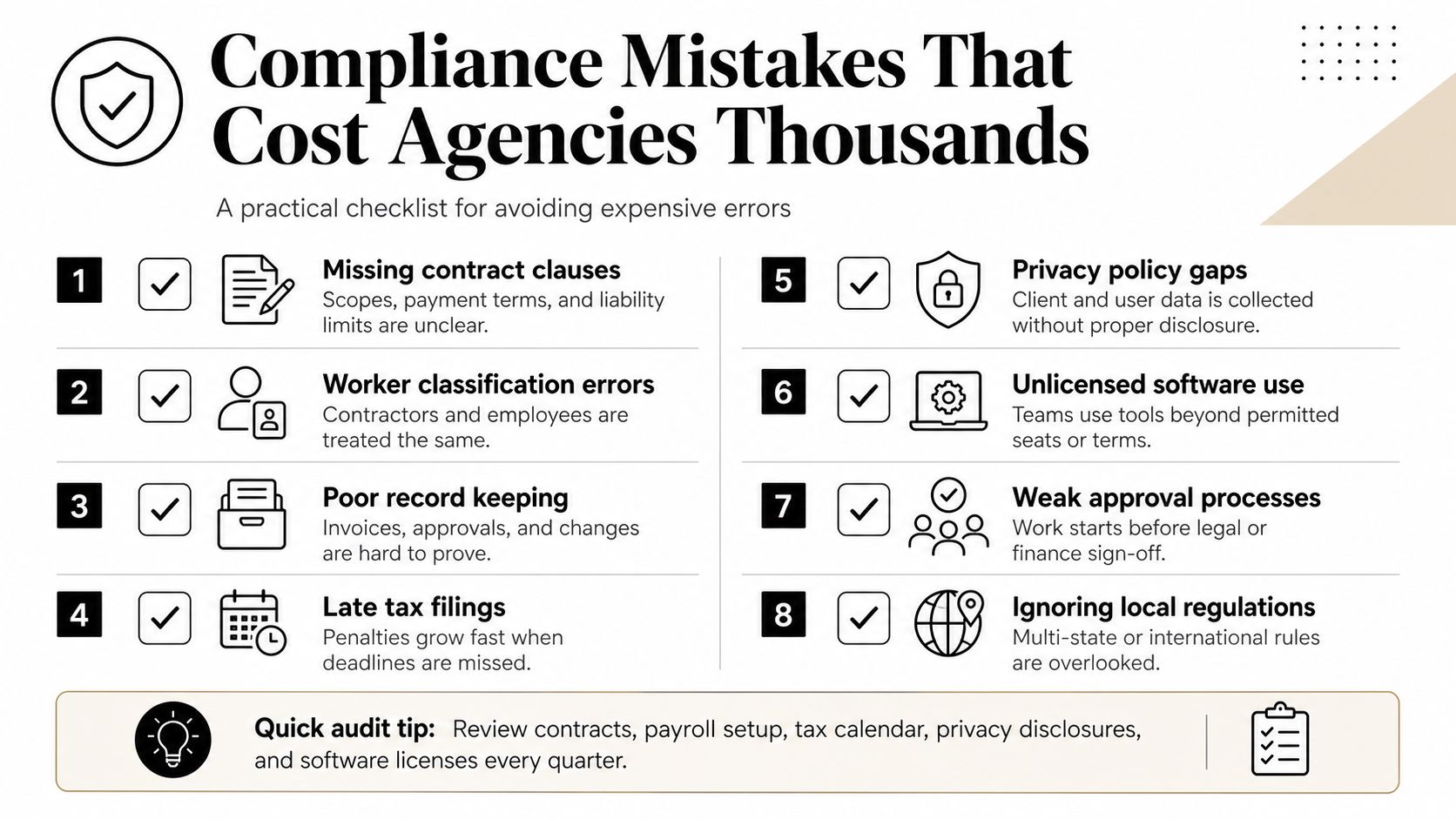
The most expensive overtime errors usually look boring in the moment. A manager classifies someone as exempt because the role sounds senior. Payroll runs the check without reworking the regular rate. Finance assumes weekend work automatically earns premium pay. Each of those shortcuts can leave a gap.
Historical research found that noncompliance with time and half rules has been material for decades, with the share of covered workers who worked overtime but did not receive the legally required premium reported in the range of 25%, and one dataset showing almost 16% of covered overtime workers did not receive time and half (NBER study). That is why this issue keeps showing up in audits. It's not rare, it's easy to miss.
The mistakes I see most often
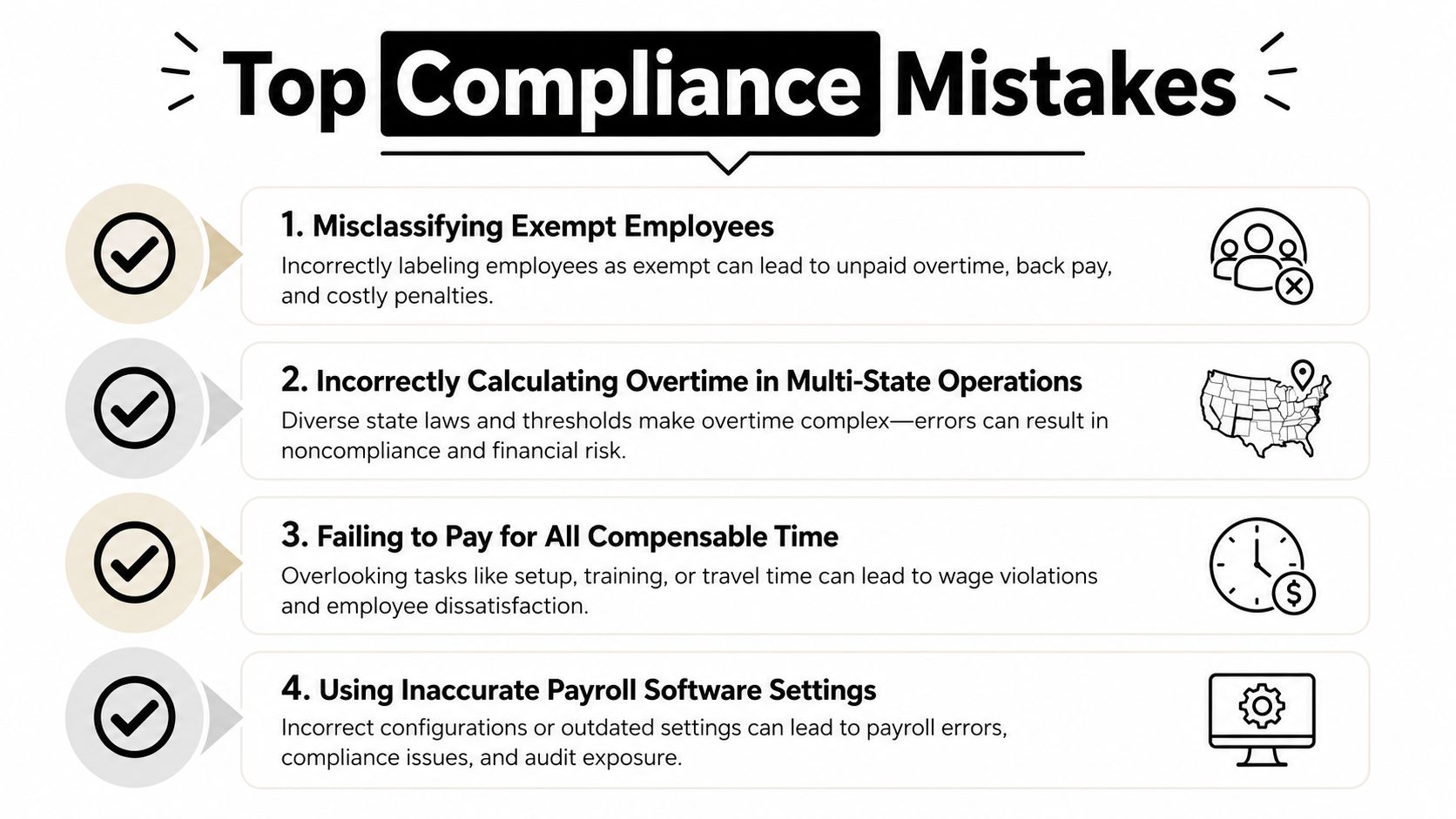
- Misclassifying exempt employees: A job title sounds exempt, but the salary threshold or duties test may not support it.
- Skipping regular-rate updates: Bonuses and commissions change the overtime base, so the rate from last week may no longer be right.
- Treating weekends as automatic overtime: Weekend work only triggers premium pay if total hours cross the 40-hour line in the FLSA workweek.
- Confusing calendar weeks with the legal workweek: Payroll can use a calendar view for planning, but compliance still follows the fixed 168-hour period.
- Trusting old settings in payroll software: If the system is still built around last year's threshold or method, it will keep making the same mistake.
That list sounds basic until you review a file set with mixed pay types, multiple states, and last-minute approvals. Then it starts looking like a pattern, because the errors usually come from the same place, weak input control.
Where agencies stay exposed
Professional services firms are especially vulnerable when managers spread hours across client work, internal meetings, and business development. A timesheet that looks fine at the task level can still hide an overtime problem at the week level, because payroll cares about total compensable hours, not just the work category.
I've also seen teams assume salaried workers are safe from overtime review. They're not, if they're nonexempt and the salary only covers straight time, the overtime premium still applies, and the calculation has to be right before the pay run closes.
How calendar-based tracking eliminates overtime errors and timesheet fatigue
Manual timesheets create the same problems over and over. People log time late, round differently, or forget low-friction work like internal meetings and quick client calls. By the time payroll sees the file, the week is already closed, and the cleanest fix is usually a correction instead of prevention.
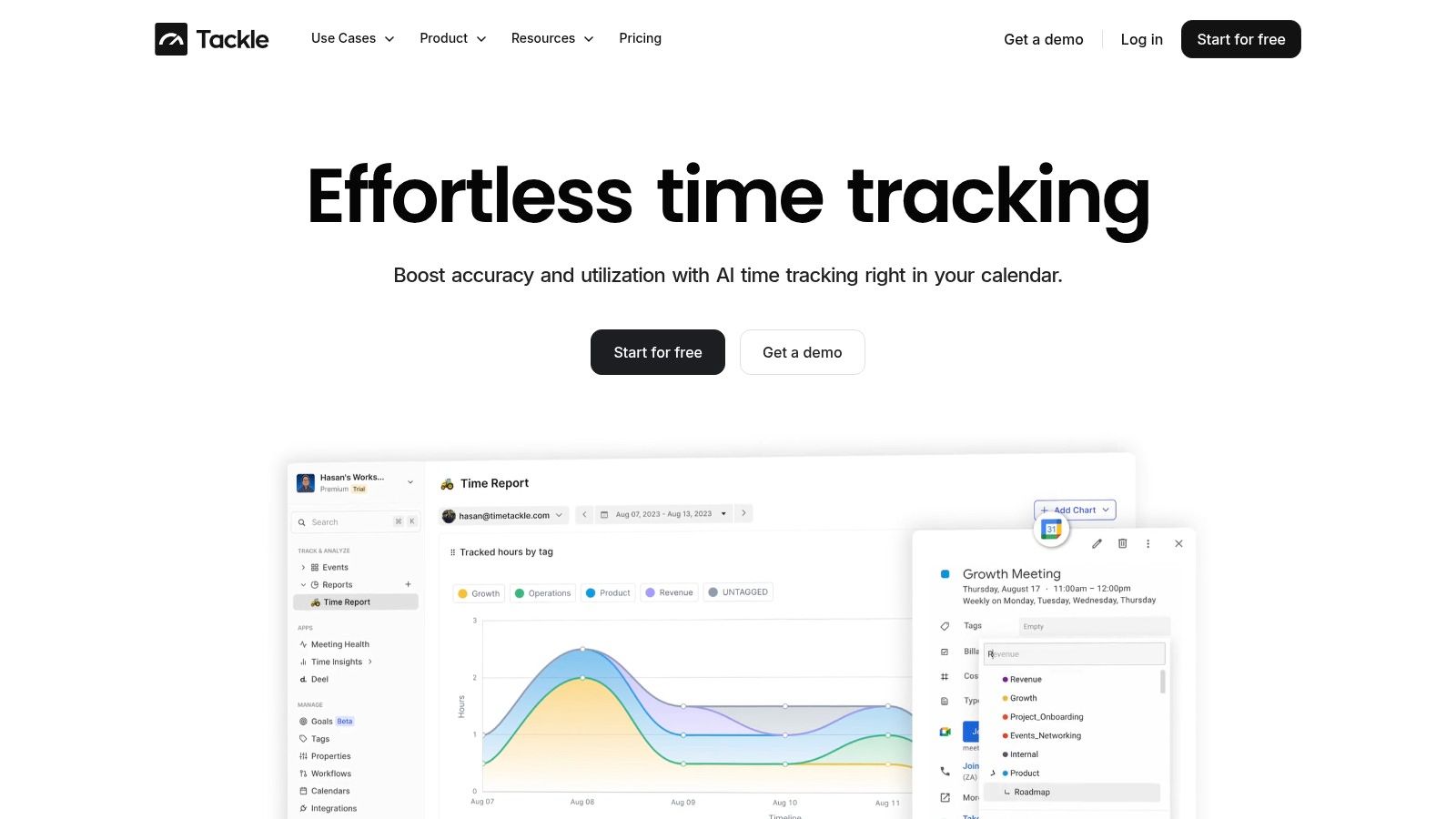
Calendar-based tracking gives operations a different starting point. Calendar-based tools connect to Google or Outlook calendars, capture activities automatically, and use custom tags plus rule-based automations to categorize work with less manual entry. That matters because the team sees time as it happens, not after someone tries to reconstruct it from memory.
Why the calendar view changes the workflow
A calendar gives managers early signals. If a client team is already close to the 40-hour mark, an operations lead can catch it before overtime lands in payroll. That creates a different workflow from chasing timesheets after the fact, because the action happens while the week is still open.
The best overtime control is the one that starts before the sheet gets submitted.
If you need a related comparison point, the IR35 timesheet essentials article shows how time capture becomes a compliance record, not just an admin task. The same logic applies here, because the quality of the record drives the quality of the payroll result.
What good automation does
TimeTackle also surfaces utilization data through dashboards and filters, which helps leaders see work by project, client, team, or opportunity. That matters because overtime mistakes often hide inside reporting gaps, not inside payroll math itself. A cleaner capture process gives finance and operations the same view of the week before they make a pay decision.
If your team still depends on manual reporting, the Tackle time tracker overview lays out the workflow details. The point is not that software replaces judgment. The point is that software removes repetitive capture work, so judgment arrives before payroll closes.
Your action plan for accurate overtime pay and compliance
Start by auditing exemption status against the latest salary threshold and your state rules, then fix any role that no longer fits the current test. Next, verify that your regular rate includes bonuses, commissions, and other variable pay where required, because the overtime rate depends on that number.
Define your official FLSA workweek in writing, share it with managers, and stop letting calendar weeks confuse approval habits. Then replace manual timesheets with calendar-based capture so hours show up as work happens, not after someone guesses them back into a spreadsheet. If you want a practical reference for payroll process work, the payroll management category can help teams compare common workflows and controls.
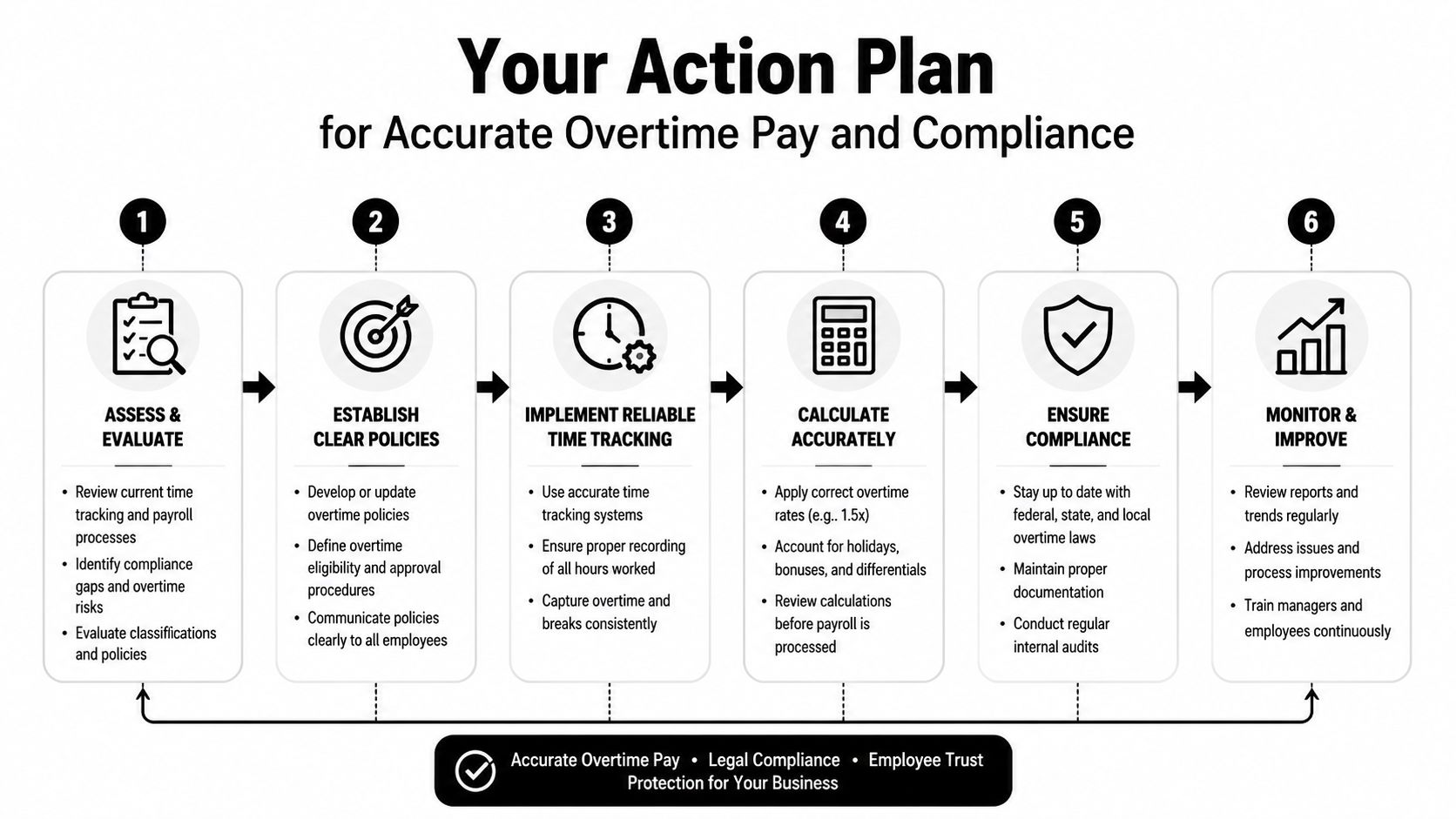
Success looks like this: managers see overtime risk before payroll closes, finance trusts the rate calculation, and employees stop redoing timesheets.
If you're ready to cut overtime mistakes and reduce timesheet fatigue, visit TimeTackle to see how calendar-based tracking can help your team capture hours more accurately and keep payroll cleaner.