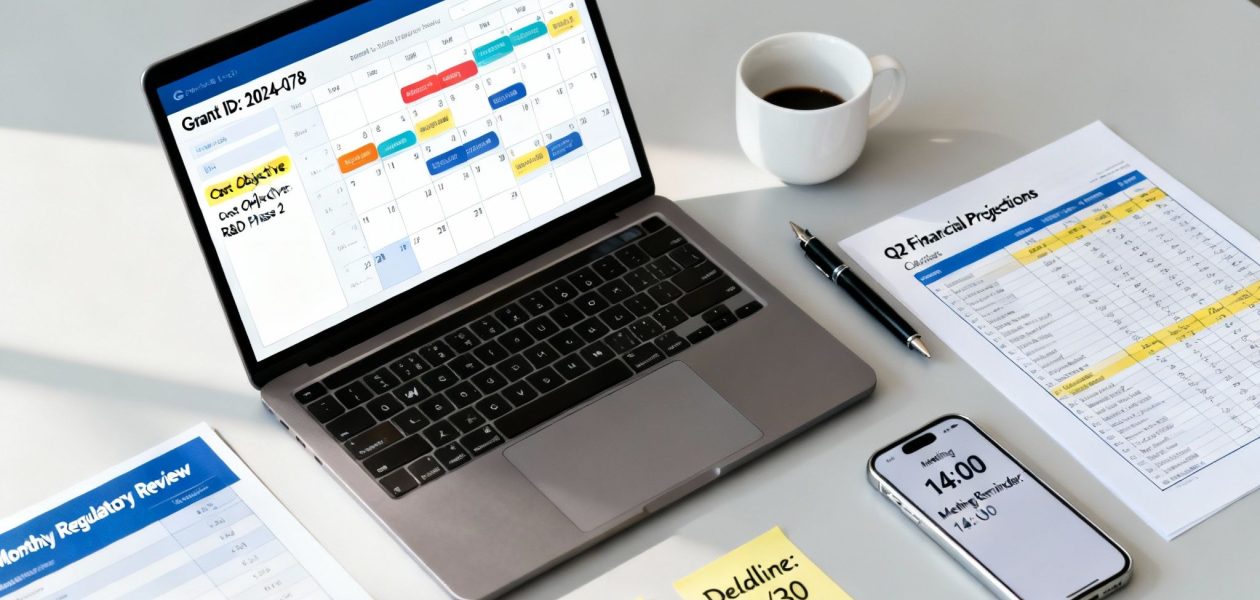
Getting your time tracking right for grant reporting is the absolute foundation of compliance and staying financially healthy. It’s all about systematically logging your team’s hours against specific grant activities. This isn't just about pushing paper—it's how you justify costs, keep funders happy, and steer clear of some pretty serious penalties. Think of it less as an administrative chore and more as a strategic process that proves your organization’s impact and builds unshakable trust with grantors.
Why Accurate Grant Reporting Is Your Secret Weapon
Let's be honest, grant reporting can feel like a grind. But what if you started looking at it as a strategic advantage? When you shift your mindset beyond "we have to do this," you start to see how meticulous tracking strengthens your entire organization. We're talking about more than just filling out timesheets; this is about building a bulletproof system that protects your funding and proves the value of your mission.
This change in perspective is critical because the fallout from sloppy tracking can be rough. Grantors, especially federal agencies, are all about accountability. They need to see a crystal-clear line connecting the funds they provide to the work your team performs. If that line gets fuzzy, you’re looking at potential funding delays, auditors questioning your costs, and a hit to your reputation that can be hard to shake.
The Compliance Bedrock: Time and Effort Reporting
At the core of grant compliance is a little something called time and effort reporting. It’s not just a good idea; it's mandated by federal guidelines like the Uniform Guidance (2 CFR 200). In simple terms, this requires organizations to keep detailed records that prove the personnel costs charged to a grant actually reflect the work done for that grant.
Here’s a glimpse at the official guidelines that set the stage for these reporting rules.
This screenshot shows the structure of the electronic Code of Federal Regulations, the source for these critical compliance rules. The stakes for getting this wrong are incredibly high. For instance, a 2022 U.S. Government Accountability Office (GAO) report found that over 40% of audited federal grants had questioned costs tied to personnel charges, leading to over $500 million in recoveries.
The core principle is simple: your records must be supported by a system of internal controls that provides reasonable assurance that the charges are accurate, allowable, and properly allocated.
To give you a real-world sense of this, let's compare the old way of doing things with a more modern, automated approach. It really highlights the hidden costs and risks involved.
The Real Cost of Manual vs. Automated Grant Tracking
| Aspect | Manual Tracking (Spreadsheets, Paper) | Automated Tracking (Calendar-Based System) |
|---|---|---|
| Accuracy | Prone to human error, guesstimates, and forgotten entries. High risk of non-compliance. | Captures time as it happens, ensuring precise, auditable records. Low risk. |
| Time Investment | Hours spent weekly by staff and managers on data entry, chasing timesheets, and manual calculations. | Minimal staff effort; time is logged automatically from calendar events. Admin time is for review, not data entry. |
| Audit Readiness | A scramble to compile, verify, and format data. Often results in incomplete or inconsistent records. | On-demand, audit-ready reports are generated in minutes with consistent, reliable data. |
| Data Insight | Difficult to get a clear picture of effort allocation or budget burn rates until it's too late. | Real-time dashboards provide immediate insight into project progress and resource allocation. |
| Cost | "Free" tools hide significant labor costs, productivity loss, and the high financial risk of audit penalties. | A predictable software cost that saves thousands in labor and drastically reduces financial risk. |
The table makes it pretty clear. While spreadsheets might seem free, the hidden costs in labor, inaccuracies, and potential penalties can be staggering. An automated system isn't just a convenience; it's a strategic investment in your organization's stability.
Beyond Avoiding Penalties
Proper time tracking does a lot more than just keep auditors at bay. It’s a powerful way to showcase fiscal responsibility, which is a massive advantage when you’re looking to secure future funding. When you can clearly demonstrate how every dollar was spent to achieve program goals, you build a compelling case for continued support.
For organizations just starting out, understanding the nuances of applying for government grants is a crucial first step, and it really underscores why getting your reporting right from day one is so important. It’s a key part of the bigger picture of team productivity and accountability, something we dive into deeper in our article about the importance of time tracking for teams.
Turn Your Calendar Into a Compliance Engine
What if grant reporting wasn't a separate, painful chore? Imagine it as a natural byproduct of your team's daily work. This isn't just wishful thinking; it’s what happens when you turn your team's calendar into a smart, automated compliance tool.
Instead of piling on yet another piece of software, you can connect the calendars your team already lives in—like Google or Outlook. This creates a single, reliable source of truth for all time tracking. The beauty of this approach is that it meets your team exactly where they are.
There's almost no change to their daily routine. A meeting for a grant-funded project is already on their calendar. All that's missing is a simple way to tag it with the right information for your reports. This tiny shift transforms every scheduled event into a structured, reportable piece of data.
This simple flow—tracking time, ensuring compliance, and securing funding—shows just how foundational that first step is.
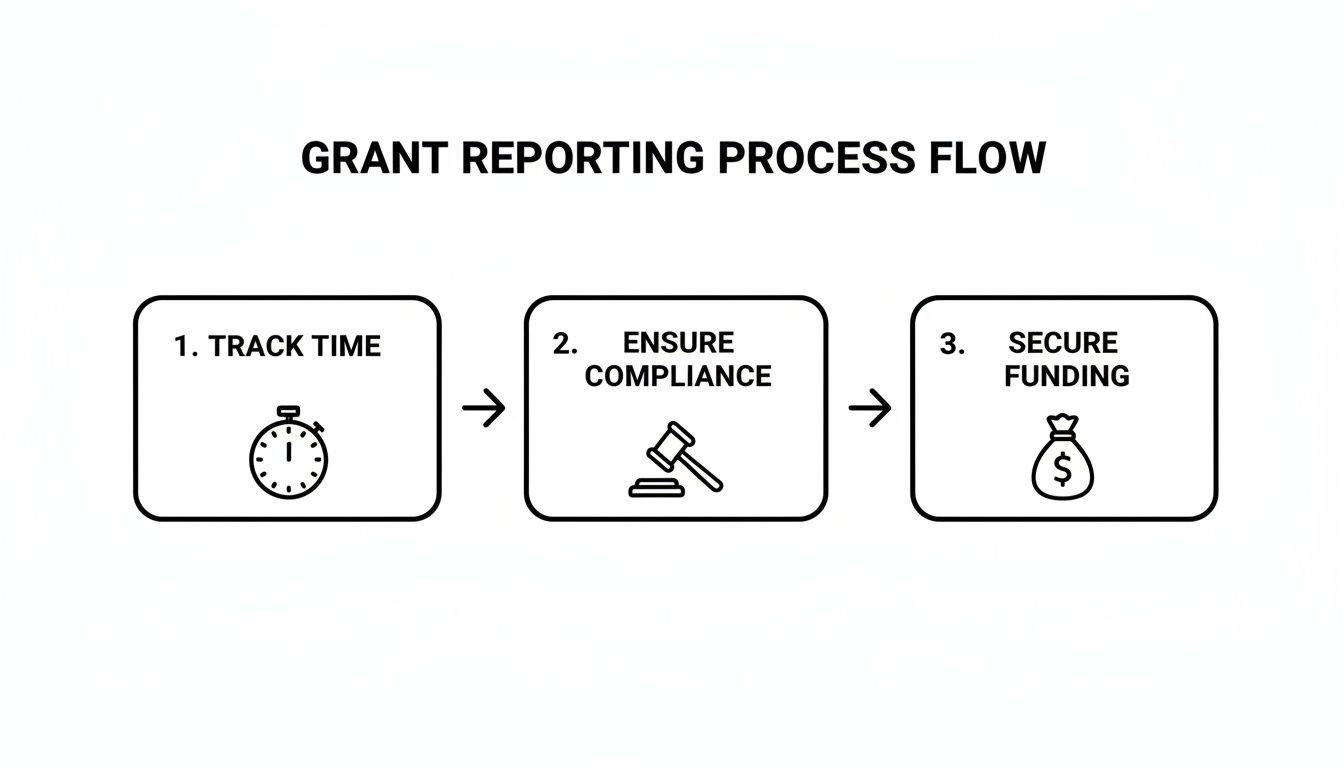
Get the time capture right, and everything else, from audit-readiness to successful funding requests, falls into place.
Building Your Tagging Framework
The secret to making this work is a simple but smart tagging system. This is what turns a basic calendar appointment into a rich data point for your grant reports. You don't need a hundred different tags; just start with what funders absolutely need to see.
Here are the essentials:
- Grant IDs: Assign a unique tag for every grant, something like #GRANT-2024-EDU. This is non-negotiable for isolating effort by funding source.
- Cost Objectives: Use tags to define the type of work. Think #ProgramDelivery, #Admin, or #Fundraising. This is how you'll allocate direct and indirect costs correctly.
- Personnel Roles: While the calendar owner's name is usually enough, you might add tags like #ProjectManager or #Consultant if people wear multiple hats on a single grant.
This kind of clean, visual interface shows you exactly where time is going, pulling directly from tagged calendar data.
With a dashboard like this, you can immediately spot trends and make sure your team's effort aligns perfectly with what you promised in your grant application.
Why This Method Is Built to Scale
The pressure for better reporting isn't going away. In fact, the grant management software market is expected to explode, growing from USD 2.78 billion in 2024 to USD 7.44 billion by 2034. That growth is fueled by the sheer effort it takes to manage grants—some federal applications require over 100 hours of prep for a success rate that often hovers around 10%.
A calendar-based system slashes that administrative burden.
The goal is to make compliance the path of least resistance. When tracking is built into the tool your team uses all day, every day, accuracy and adoption skyrocket.
By setting up a clear tagging structure right inside your team's daily workflow, you build a system that's both dead simple for staff and incredibly powerful for managers. It’s the foundational step toward turning a routine tool into your most effective compliance engine.
You can get into the nitty-gritty of the setup in our guide to mastering time tracking with Google Calendar.
Put Your Time Capture on Autopilot with Smart Rules
Once you have a solid tagging framework, you can finally stop chasing down timesheets and put your reporting on autopilot. This is where the real magic happens—using smart, rule-based automations to categorize work as it happens, which pretty much eliminates painful manual clean-up later.

The idea is simple: you teach your system to recognize patterns in your team’s calendar events and automatically apply the right tags. This is a huge win for reducing human error, keeping data consistent across the organization, and winning back countless hours lost to administrative busywork.
How to Set Up Your First Automation Rules
Think of automation rules as simple "if-then" commands that your time tracking system follows. You set a trigger (the "if") and tell the system what to do when it sees that trigger (the "then").
Let’s walk through a classic example. Say you have a recurring weekly stand-up meeting for a specific grant-funded project. It's a small thing, but manually tagging this event every single week is tedious and easy to forget.
Instead, create a rule.
- Trigger (If): The calendar event title contains "Project Phoenix Stand-Up."
- Action (Then): Automatically apply the tags
#GRANT-PHX-2024and#ProgramDelivery.
Once that rule is live, every time that meeting hits anyone's calendar, it’s instantly and correctly categorized. No one has to lift a finger. This is the foundation of a truly efficient grant reporting process.
Real-World Automation Examples for Nonprofits
The power of automation goes way beyond just one meeting. You can build out a whole library of rules that covers most of your grant-related activities, making sure your data is clean right from the start.
Here are a few more examples you could set up today:
- Funder-Specific Meetings: Build a rule that scans event titles or attendee lists for a key funder's name. If an event title includes "Gates Foundation," the system can automatically tag it with
#GRANT-GATES-EDU. - Categorizing by Activity Type: Set up keyword-based rules. If a title contains "Client Intake," apply the
#DirectServicetag. If it has "Board Meeting," apply#Admin. - Team-Based Allocation: You can also create rules based on who owns the calendar. For instance, any time logged by your Development Director could automatically get the
#Fundraisingtag unless a more specific rule overrides it.
A well-designed set of rules acts as a powerful system of internal controls. It ensures charges are accurate and properly allocated before a manager even lays eyes on them.
This proactive approach is a total game-changer for audit readiness. You're building a system that proves your allocations are deliberate and consistent, not just assembled at the last minute.
To give you a better idea, here’s how these rules might look in your system.
Sample Automation Rules for Grant Reporting
| Trigger (If Condition) | Action (Then Apply Tag) | Purpose |
|---|---|---|
| Event title contains "Community Outreach" | #GRANT-CaresAct, #CommunityEngagement |
Automatically allocates time for a specific, ongoing grant activity. |
| Event attendee includes "jane.doe@funder.org" | #GRANT-FunderRelations, #Admin |
Tags all meetings with a key program officer for reporting on grant management. |
| Calendar belongs to "John Smith" (Program Manager) | #GRANT-PHX-2024 |
Sets a default grant code for a specific team member who works exclusively on one project. |
| Event title contains "Monthly Report Prep" | #GRANT-Reporting, #Admin |
Isolates the administrative time spent on compiling and submitting grant reports. |
These simple "if-then" triggers handle the bulk of the categorization work for you, ensuring every hour is accounted for correctly.
The Real Impact on Accuracy and Compliance
These little automations add up to a huge impact. They shift your organization from a reactive model—where you're constantly fixing bad data—to a proactive one where data integrity is the default.
This is the kind of consistency auditors and funders love to see. It shows your reporting is grounded in a reliable, systematic process, not just guesswork.
The best part? You don't need a massive overhaul. You can automate your most repetitive tasks by starting small. Build your library of rules over time, and refine them as new projects and grants come online.
How to Validate Data and Prepare for Audits
Getting your time capture automated is a huge win, but the job isn't truly done until you've verified that data. This is where managers step in, transforming raw time entries into defensible, audit-ready reports. Frankly, making sure everything is accurate isn’t just about checking a box—it’s about protecting your funding and proving you’re fiscally responsible.
Your first line of defense against compliance headaches is a regular review process. This can't be a once-a-year scramble before the audit. It needs to be a consistent, monthly or bi-weekly check-in. Using dashboards and filters, managers should be able to get a quick, high-level view of their team's time and then drill down into the details when something looks off.
Conducting Routine Data Reviews
The secret to a stress-free audit is catching small issues before they snowball into major problems. Your time tracking system should make it simple to spot these red flags with just a few clicks.
Here’s what you should be looking for during your regular reviews:
- Uncategorized Hours: This is the most common culprit. Any block of time that doesn't have a Grant ID or a cost objective tag needs to be fixed, period.
- Time Logged to Closed Grants: It sounds simple, but this mistake can be costly. Run a quick filter for any activity on recently closed-out grants to ensure no new hours are slipping through the cracks.
- Anomalous Time Entries: Keep an eye out for weirdly long or short durations. A ten-hour meeting or a two-minute "project task" is probably just a calendar error, but it needs to be corrected.
- Effort Allocation Mismatches: Compare the percentage of time someone logged against a grant to their official allocation in that grant's budget. If you see a big difference, it's time to ask some questions.
This kind of proactive monitoring is incredibly powerful. For instance, nonprofits struggling with timesheet fatigue have found that simple monthly reviews can head off 75% of compliance pitfalls. This diligence pays off, helping to reduce reporting variances and ensuring that post-award closeouts don't drag on for months. You can find more great insights on effective grant tracking on Optimy.com.
Building an Indisputable Audit Trail
When an auditor shows up, they're really looking for one thing: proof. Every single number in your financial reports needs a clear, traceable path right back to its source. For all your personnel costs, your time tracking system is that source.
An audit trail isn't just a list of time entries. It's the complete story of how an employee's time was captured, categorized, reviewed, and approved, providing a clear justification for every dollar spent.
This trail should be built right into your system, showing a clear history of any changes or adjustments made to time entries. This level of transparency is exactly what you need to support effort certifications, where employees and their supervisors have to formally sign off on the accuracy of the time they've reported.
For any organization that gets federal money, sticking to the tough guidelines in the OMB A-133 Compliance Supplement is non-negotiable for being audit-ready. A solid digital trail makes proving your compliance a straightforward process, not a frantic hunt through old spreadsheets and email chains. By making validation a routine part of your workflow, you ensure every dollar of personnel cost is fully backed up and ready for whatever scrutiny comes your way.
Generate Funder-Ready Reports in Minutes
All that meticulous data capture and validation comes down to this: turning your clean time records into a polished, funder-ready report without the usual late-night scramble. This is where a smart system really shines, transforming what used to be a multi-hour ordeal into a task you can knock out in just a few minutes.
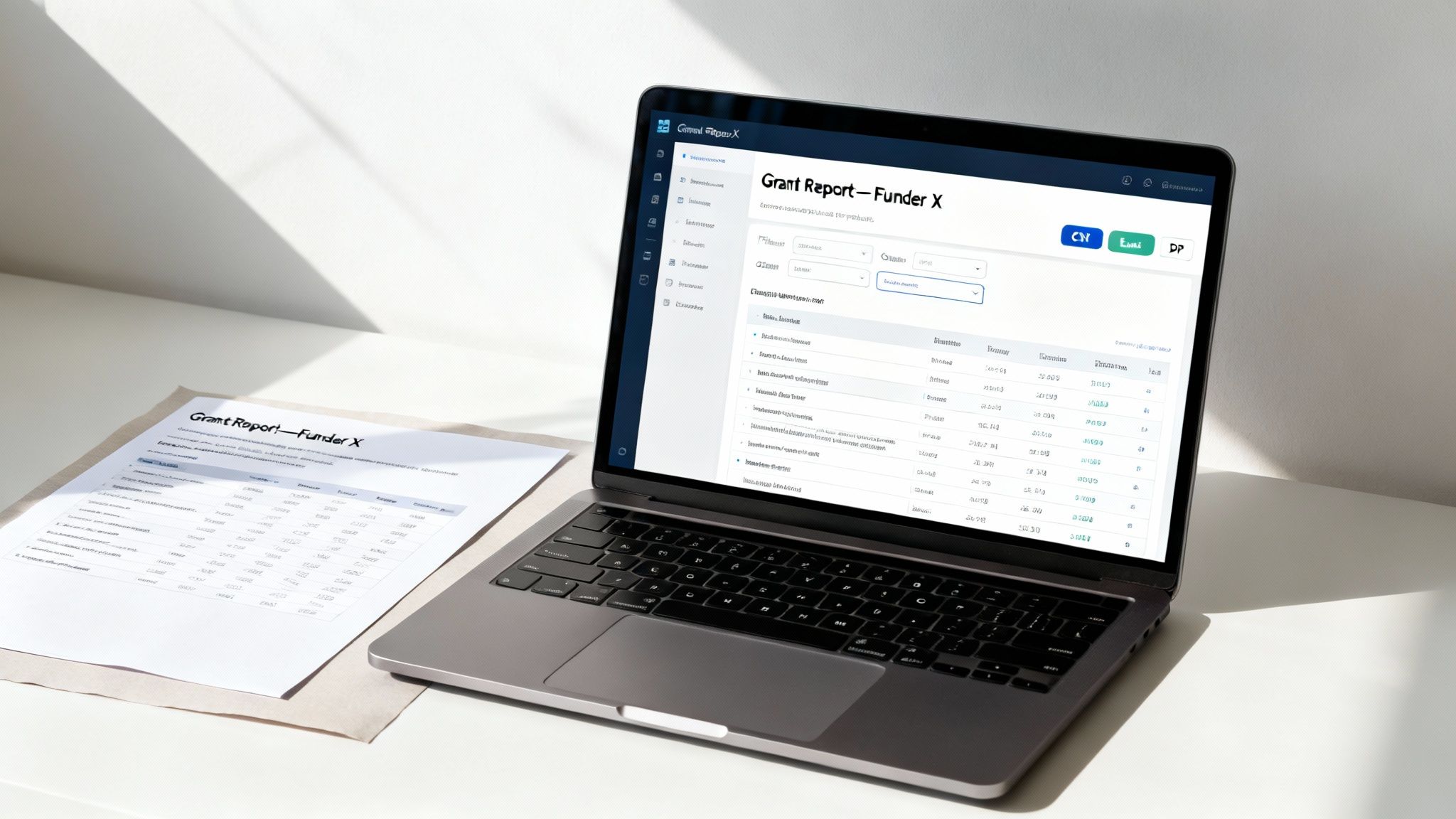
We're moving past the days of just dumping a massive spreadsheet of raw data and hoping for the best. The idea here is to generate reports that are professional, tailored, and directly answer the questions each specific funder is asking. It’s all about presenting your hard work with confidence and clarity.
Filtering Your Data with Precision
The secret to fast reporting is being able to slice and dice your data effortlessly. Instead of manually combing through endless spreadsheet rows, you should be using flexible filters to isolate exactly what you need.
Let’s say you need a report for the Community Health Initiative grant covering the last quarter. You should be able to apply a few filters and have your data ready in seconds:
- By Grant: Select only the entries tagged with
#GRANT-CommunityHealth. - By Timeframe: Choose a custom date range for the previous fiscal quarter.
- By Team Member: Isolate the hours logged by just the program staff.
- By Cost Objective: Filter down to activities tagged
#DirectServiceto highlight programmatic effort.
Once those filters are on, the system instantly shows you only the relevant information, ready to go. This simple process practically eliminates the risk of including the wrong data and, believe me, saves an incredible amount of time.
Choosing the Right Report Format
Different funders have different needs, and your internal team probably has their own requirements, too. A one-size-fits-all report just doesn't cut it. Your system needs to be flexible, letting you export the final data in a format that’s immediately useful for whoever is receiving it.
A PDF report, for instance, is perfect for official submissions. It looks professional, it's secure, and the formatting stays put, making it ideal for sending to a grantor.
On the other hand, a CSV or Excel export is your best friend for internal analysis or when a funder demands you plug data into their own specific template. It gives you the raw, clean data you can work with.
The real game-changer is creating custom report templates. If you can set up a template that perfectly matches a funder’s required format, you can generate that exact report with a single click—every single time.
This one capability completely erases the tedious task of copying and pasting data from your system into a funder’s spreadsheet. Not only does this save hours of mind-numbing work, but it also dramatically reduces the chance of making a transcription error that could put your funding at risk.
Common Questions About Grant Time Tracking
Even with a rock-solid system, the nuances of tracking time for grant reporting can throw some curveballs. Let's be honest, every organization is different. What works perfectly for one nonprofit might need some finessing for another.
So, let's dig into some of the most common hurdles I see nonprofits face. This isn't about high-level theory; it's about solving the real-world problems that pop up when you're trying to get reports out the door. Getting these details right is what makes your reporting process truly audit-proof.
How Do We Handle Staff Paid from Multiple Grants?
This is, without a doubt, the question I hear most often. And for good reason. Many of your key people, from program managers to administrative staff, are likely funded by a mix of different grants and your own operational budget. The secret is making the tracking part feel effortless for your employees.
A calendar-based system with a clear tagging convention is your best friend here. Instead of asking someone to remember their week, you capture their effort event by event. Each entry on their calendar gets tagged with the specific grant that funded that particular activity.
Imagine a Program Director who spends her Monday morning on Project A (funded by Grant #1) and the afternoon working on Project B (funded by Grant #2). Her calendar would simply reflect that reality with two separate, tagged events:
- 9 AM – 12 PM: "Project A Weekly Planning" tagged with
#GRANT-A - 1 PM – 4 PM: "Project B Outreach Strategy" tagged with
#GRANT-B
This approach completely removes the guesswork. You get a real-time, defensible record showing exactly how an employee's time—never exceeding 100% of their total effort—is spread across different funding sources.
What About Part-Time Staff and Consultants?
Here’s the short answer: the rules for time and effort reporting apply to anyone whose pay is charged to a grant. It doesn't matter if they're full-time, part-time, or a consultant. Consistency is your best defense in an audit, so your policy needs to apply to everyone equally.
The process doesn't change. Their work on any grant-funded activity needs to be documented. For consultants, this is often baked into their process, as their invoices usually break down the hours they’ve worked on specific deliverables. For part-time staff, a calendar system is perfect because it logs their scheduled work without adding the burden of a separate timesheet for just a few hours.
The core principle from federal guidelines is simple: all compensation policies must be applied consistently for both grant-funded and non-grant-funded employees. This ensures fairness and makes your audit trail a lot cleaner.
How Should We Track Administrative Time?
Ah, administrative time. Often called indirect costs, this is a vital part of any grant budget, but it can feel slippery to track. The goal is to accurately capture the time your team spends on activities that support the grant's goals but aren't tied directly to program delivery.
The solution is to create specific tags for these activities. Think about what they actually involve:
#Admin-Reportingfor the hours spent compiling and writing grant reports.#Admin-Supervisionfor a manager's time spent overseeing grant staff.#Admin-Financefor the finance team’s work managing the grant funds.
By tagging these activities as they happen, you build a concrete data trail that justifies your indirect cost allocation. You're no longer relying on a rough percentage-based estimate; you have a substantiated figure based on actual, documented effort. That's something you can confidently defend to any funder.
Ready to build an audit-proof system that ends timesheet headaches for good? TimeTackle turns your team's calendar into a powerful, automated engine for grant reporting, ensuring every minute is captured, categorized, and ready for your funders. Learn more at https://www.timetackle.com.