



A project can feel healthy right up until the moment it doesn’t.
You’ve got design done, copy in review, dev queued up, and the client timeline still looks fine in Asana, ClickUp, or Monday. Then one “small” thing slips. The client approver is out for a day. A strategist misses a handoff. A developer gets pulled into a sales demo. Suddenly your neat plan turns into Slack pings, status meetings, and awkward client updates.
Most agency teams don’t struggle because every task is late. They struggle because they can’t tell which delays matter and which ones don’t.
That’s where float comes in.
If you’ve ever asked, “Can this task move a day without breaking anything?” you were really asking about what is float in project management. It’s one of the simplest ideas in scheduling, and one of the most useful if you run client work, care about billable time, or need to keep a busy team from bouncing between preventable fires.
That one “small” delay that derailed your whole project
A creative agency I worked with had a website launch planned down to the hour. The homepage design was approved. Copy was almost done. Development had its sprint mapped. The account lead felt good.
Then legal feedback on one block of homepage copy came in late.
On paper, that looked minor. It was one content section, not the whole site. But that content sat inside a page template the dev team needed to finalize. Dev pushed the template work. QA moved. Client review moved. Launch moved. By the end of the week, everyone acted like the project had been “hit by surprises,” even though the actual problem was simpler. Nobody had mapped which task had room to slip and which task didn’t.
That happens in agencies all the time because work looks more flexible than it is.
Why teams get caught off guard
Most task lists flatten everything into one view. A delayed moodboard and a delayed client sign-off can both look like “one task late,” even though they create very different outcomes.
Some delays are annoying but harmless. Others hit the finish date right away.
A schedule isn’t just a list of due dates. It’s a chain of promises between tasks.
If you run multiple accounts at once, that distinction matters even more. One person gets reassigned, one approval drifts, one deliverable slips, and your billing plan starts moving with it. Hours land in the wrong week. Forecasts go soft. Team leads start borrowing people from other projects.
Float gives you a way to see that risk before the scramble starts.
What is float really? A simple explanation
Think about getting to the airport.
If your flight boards at 6:00 p.m., and your map says the drive takes 45 minutes, you probably won’t leave home at 5:15 sharp. You’ll give yourself extra time for traffic, parking, security, or the fact that real life rarely runs on schedule. That extra time is your buffer.
In project work, float is that same idea. It’s the amount of time a task can slip before it causes a problem.

Float is breathing room, not laziness
People sometimes hear “buffer” and think “padding.” That’s the wrong instinct.
A good schedule has some breathing room because work depends on people, and people face everyday challenges. Clients reply late. Revisions happen. Someone gets sick. Software breaks. Float is what keeps a normal hiccup from turning into a deadline miss.
Here’s the plain-English version of what is float in project management:
- A task with float can move a bit without wrecking the timeline.
- A task with no float can’t move without causing trouble.
- The less float you have, the more closely you need to watch that task.
Why this matters in agency work
If you manage campaigns, launches, retainers, or implementation projects, float helps you answer practical questions fast:
| Question you’re asking | What float helps you see |
|---|---|
| Can I move this designer to another account for a day? | Whether that task has room to shift |
| Can we survive a late client approval? | Whether the approval sits on a tight dependency |
| Which overdue task should I care about first? | Which one has no schedule cushion |
A lot of project tools show dates. Float shows risk inside those dates.
That’s why experienced project managers don’t just ask, “When is this due?” They ask, “How much room do we really have before this starts hurting the next step or the final deadline?”
The different types of float and what they mean
Not all buffer time works the same way. This distinction often confuses people, as “float” sounds like one thing, but there are a few versions of it and they answer different questions.
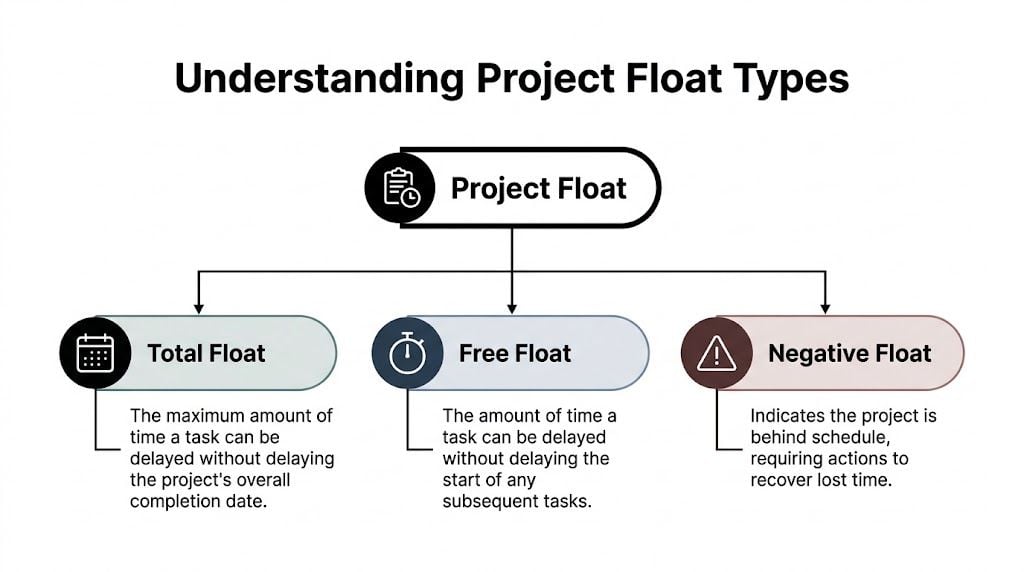
Total float
Total float is how long a task can be delayed without delaying the whole project.
Go back to the airport example. This is the amount of extra time you have before you miss the flight itself. You may still need to rush through the terminal, but as long as you board on time, the trip stays intact.
In project work, total float tells you how much a task can slide before the final delivery date moves.
That makes total float useful for:
- Project-level decisions like whether you can shift a specialist to a higher-risk account
- Deadline protection when you need to know which tasks threaten the client delivery date
- Escalation choices so you don’t panic over every slip equally
- Forecasting because a task with room to move doesn’t create the same delivery risk as one with none
Free float
Free float is narrower. It tells you how long a task can be delayed without delaying the next dependent task.
Using the airport analogy, think of stopping for coffee before heading to your gate. If your friend is meeting you at security, your coffee stop can only take as long as it doesn’t make your friend wait. That’s different from whether you miss the whole flight.
According to Wikipedia’s explanation of project float), free float is the maximum delay a task can absorb without affecting immediately dependent successor tasks, while total float is the maximum delay without affecting the project’s overall completion date.
That difference matters more than it first appears.
Working rule: Free float helps with day-to-day handoffs. Total float helps with protecting the final deadline.
Project float and the bigger picture
People also talk about project float, which is the overall scheduling room between the planned finish and the required finish. You can think of it as the cushion for the whole engagement.
This is especially useful for ops leads who need to manage several moving parts at once. One project may have healthy task-level flexibility but very little overall room left by the end. Another may have a tight task sequence but still have some space before the external deadline.
A quick comparison
| Type | What it protects | Best use |
|---|---|---|
| Free float | The next task | Handoffs, staffing, local schedule changes |
| Total float | The final project date | Delivery risk, escalation, account planning |
| Project float | The overall engagement timeline | Portfolio planning, client commitments |
There’s also negative float, which is the bad version. It means your plan is already behind the required date. At that point, you’re no longer deciding how to use breathing room. You’re deciding how to recover time.
How to calculate float with simple examples
You don’t need a giant network diagram to understand the math. A small example does the job.
Let’s use a five-task agency project:
| Task | Depends on | Duration |
|---|---|---|
| Brief approved | None | 1 day |
| Design mockup | Brief approved | 2 days |
| Client approval | Design mockup | 1 day |
| Build landing page | Client approval | 2 days |
| QA and publish | Build landing page | 1 day |
This chain is simple on purpose. Every task depends on the one before it.
The core formula
For total float, the standard formula is:
- TF = LF – EF
- Or TF = LS – ES
Where:
- ES is earliest start
- EF is earliest finish
- LS is latest start
- LF is latest finish
If a task’s earliest and latest dates are the same, its float is zero.
A simple zero-float example
Say the schedule lands like this for “Client approval”:
- Earliest start = Day 4
- Earliest finish = Day 5
- Latest start = Day 4
- Latest finish = Day 5
So:
- TF = LF – EF = 5 – 5 = 0
- Or LS – ES = 4 – 4 = 0
That tells you the task has no room at all.
According to ProjectManager’s guide to float in project management, tasks on the critical path have a float value of zero, which means any delay in that task delays the full project. The same source notes that organizations tracking float in real time can reduce project delays by 30-40% through proactive critical-path management.
If you’ve ever watched a client approval stall an entire launch, you’ve seen zero float in action.
A task with some breathing room
Now imagine a different task runs alongside the main flow, like “write thank-you email copy” for the same campaign. It isn’t needed until after the landing page is live.
Its dates might look like this:
- Earliest start = Day 2
- Earliest finish = Day 3
- Latest start = Day 4
- Latest finish = Day 5
So:
- TF = 5 – 3 = 2
That task has two days of total float. You can move it without changing the project finish date.
If you want the fast test, look for zero. Zero float tells you where you need attention now.
How to think about free float
Free float asks a different question. How long can this task slip without delaying the next task?
The basic idea is:
- FF = ES of successor – EF of current task
If “Design mockup” finishes on Day 3 and “Client approval” can still start on Day 4, then design has a small amount of free float. If approval must start the same day design ends, free float is zero even if the wider project still has room elsewhere.
That’s why two tasks can both feel “safe” in a dashboard while one still creates handoff risk.
Why float is a secret weapon for agencies
Agency operations live at the intersection of delivery, staffing, and billing. Float touches all three.
If you only treat float as a scheduling term, you miss the part that affects margins. The moment you know which work can move and which work can’t, you make better staffing calls, cleaner client commitments, and fewer last-minute reallocations.
Billing gets cleaner when timing gets clearer
A lot of billing mess starts with schedule confusion.
When teams don’t know which tasks have room to move, they reshuffle people constantly. That pushes billable work into the wrong week, overloads some roles, and creates uneven timesheets that finance has to untangle later.
A Rocketlane article summarizing a 2025 PMI report says 68% of agencies (50-200 employees) lose 15-20% productivity to manual reporting, while float often stays trapped inside Gantt charts instead of guiding day-to-day operations. The same source says this gap leaves ops leaders missing 25% efficiency gains tied to better use of schedule buffers.
The point isn’t just that reporting is slow. It’s that teams often collect time after the fact, while float needs attention during the work.
Resource planning gets smarter
Float helps you move from blanket urgency to selective urgency.
If a strategist has two tasks due Friday, but one has room and the other sits on a hard dependency, you know where that person belongs. If a designer’s task has positive free float, you may be able to pull them into urgent revision work for another client without breaking the downstream handoff.
That’s the difference between “everyone is busy” and “the right work is covered.”
Here’s where float changes the conversation inside an agency:
- With account managers you can explain why one delay is manageable and another needs same-day action.
- With team leads you can move work based on schedule reality, not whoever shouts first.
- With finance you get a better view of whether work will land in the billing period you expected.
- With clients you can defend a timeline using logic, not vague optimism.
If you do need to recover time, methods like schedule compression can help, but they should start from a clear view of task flexibility. This guide on crashing a project gives a practical look at what happens when you add resources to shorten the timeline.
Burnout often starts where float is ignored
Teams burn out when every task gets treated as equally urgent.
That usually happens when nobody can see which activities sit on the critical pressure points. People jump between requests, overwork the wrong tasks, and still miss the delivery date because the actual bottleneck stayed underprotected.
Float gives you a calmer way to manage. You don’t need less work. You need better visibility into where time matters.
From theory to practice: managing float effectively
Knowing the number isn’t enough. You need a few rules for how your team treats it.
The biggest mistake I see is this. A project manager finds some float in the plan, and the team starts acting like that buffer is spare time to spend early. It isn’t. It’s insurance.
Protect the tasks that have none
Tasks with zero float need active attention. Give them clearer ownership, faster approvals, and fewer resource conflicts.
That doesn’t mean you ignore everything else. It means you stop pretending all tasks carry the same schedule risk.
A simple operating rule works well:
- Mark zero-float tasks first. Those are your watch list.
- Review float after every meaningful change. A client delay or staffing swap can change what is and isn’t flexible.
- Separate team buffer from project buffer. If a task has room, decide whether that room belongs to the assignee or to the project manager.
- Use float to smooth workload, not hide delay. Moving a non-critical task is smart. Spending all schedule room without telling anyone is not.
Don’t announce “we have buffer” unless you also say who controls it.
Communicate float in plain English
Teams often won’t respond well if you start talking in formulas. They will respond if you say, “This task can move one day without affecting dev,” or, “If approval slips, launch slips.”
That’s the level of clarity people need.
You can also build float into resourcing reviews. During weekly planning, ask:
- Which tasks have zero room now
- Which tasks can move without hurting the next handoff
- Which buffers are being eaten by actual time spent
- Which projects look safe on paper but feel tight in delivery
Those questions make your schedule operational.
Build float into capacity decisions
Good resource planning isn’t just matching people to tasks. It’s matching scarce people to the tasks that can’t afford delay.
If you want a useful planning framework, this piece on resource planning for projects is a solid companion to float analysis because it helps turn scheduling logic into staffing decisions.
A schedule only helps if the right person can do the work at the right time. Float tells you where you can bend. Capacity planning tells you whether you can.
Automating float visibility with tools like TimeTackle
Float often dies in the handoff between project planning and real work.
A PM builds a tidy schedule in a Gantt chart. Then the team lives in Google Calendar, Outlook, email, CRM updates, client calls, and ad hoc meetings. By the time someone notices a task has burned through its buffer, the schedule is already stale.
That’s why ops teams need visibility that lives closer to where time gets spent.
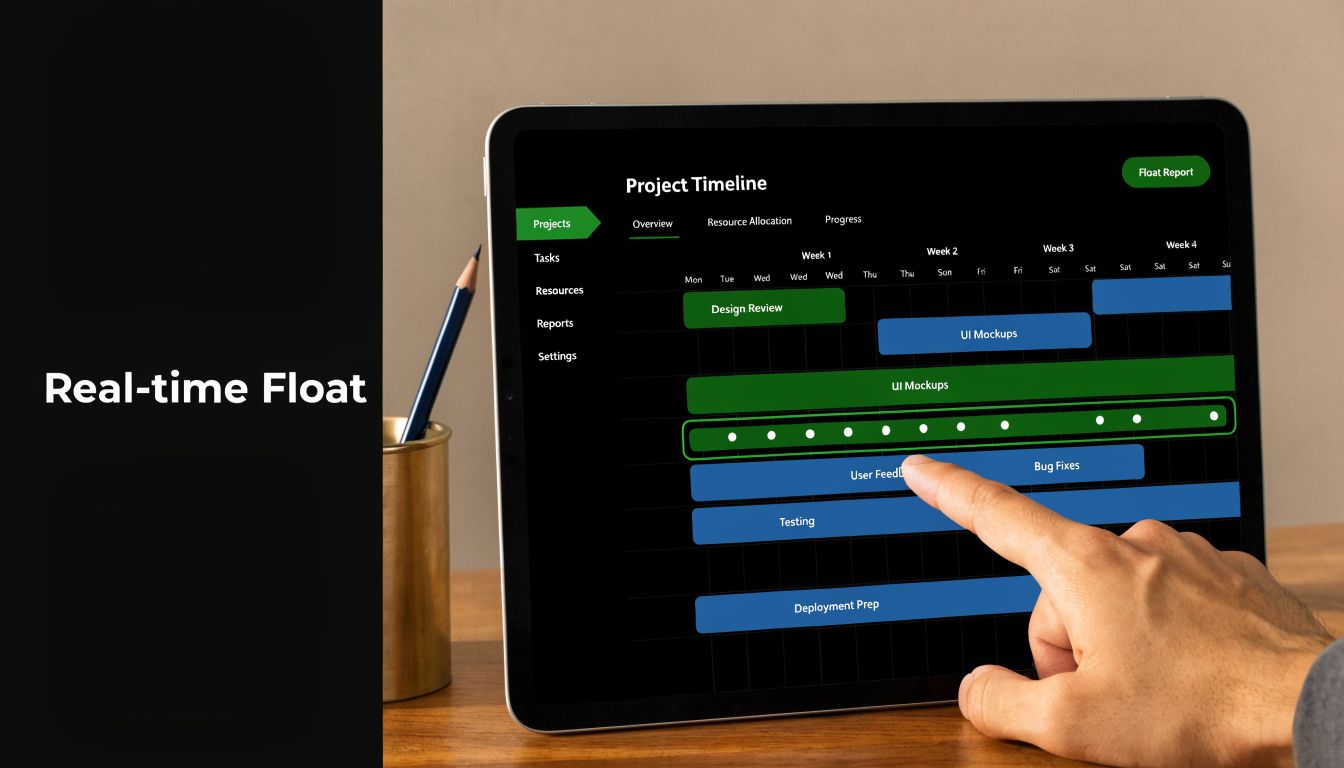
A modern setup connects your planned work to your actual activity. Calendar-based tracking, automated tagging, and live reporting make it easier to spot when a task is consuming more time than expected, or when a supposedly flexible task is starting to squeeze the next handoff.
That matters even more for agencies trying to escape manual reporting. If your team is still patching together status from spreadsheets and end-of-week timesheets, even cheap project management software can be a better starting point than a pile of disconnected tools.
For teams that want a closer read on real activity, a calendar-first tracker like Tackle time tracker makes the daily picture easier to trust because it starts with the work already on people’s calendars.
What better visibility changes
When float becomes visible during execution, not just during planning, you can:
- Catch schedule drift early because actual time starts telling you which task is eating its buffer
- Improve utilization by moving people off safe tasks before they become risky ones
- Reduce timesheet fatigue since the team doesn’t have to reconstruct every hour from memory
- Protect billing integrity because work gets captured closer to when it happened
That’s the key shift. Float stops being a planning concept and starts becoming an operating signal.
Stop firefighting and start using your schedule’s breathing room
Float is simple once you stop dressing it up. It’s the room a task has before it starts causing damage.
If you understand that room, you can staff smarter, protect billable work, explain timelines better, and cut a lot of avoidable chaos. If you ignore it, every delay looks random and every project starts to feel harder than it should.
Good agencies don’t just build schedules. They manage the breathing room inside them.
If you want a cleaner way to see where team time is spent, and spot delivery risk before it turns into another messy status meeting, take a look at TimeTackle. It helps agencies capture real work from calendars, reduce reporting friction, and turn time data into decisions ops leaders can use.


